Home › Photo & Video

 BJ
BJ
 FRfr-FR
 USen-US
 LUen-GB
 PKen-GB
 AZen-GB
 CHde-CH
 COes-MX
 HKzh-Hant-HK
 HRen-GB
 IDen-GB
 ITit
ITit PHen-GB
 AEen-GB
 AFen-GB
 AGen-GB
 AIen-GB
 ALen-GB
 AMen-GB
 AOen-GB
 ARes-MX
 ATde-DE
 AUen-AU
 BAen-GB
 BBen-GB
 BEen-GB
 BFen-GB
 BGen-GB
 BHen-GBBJen-GB
 BMen-GB
 BNen-GB
 BOes-MX
 BRpt-BR
 BSen-GB
 BTen-GB
 BWen-GB
 BYen-GB
 BZen-GB
 CAen-CA
 CDen-GB
 CGen-GB
 CIfr-FR
 CLes-MX
 CMfr-FR
 CNzh-Hans-CN
 CRes-MX
 CVen-GB
 CYen-GB
 CZen-GB
 DEde-DE
 DKen-GB
 DMen-GB
 DOes-MX
 DZen-GB
 ECes-MX
 EEen-GB
 EGen-GB
 ESes-ES
 FIen-GB
 FJen-GB
 FMen-GB
 GAfr-FR
 GBen-GB
 GDen-GB
 GEen-GB
 GHen-GB
 GMen-GB
 GRen-GB
 GTes-MX
 GWen-GB
 GYen-GB
 HNes-MX
 HUen-GB
 IEen-GB
 ILen-GB
 INen-GB
 IQen-GB
 ISen-GB
 JMen-GB
 JOen-GB
 JPja
JPja KEen-GB
 KGen-GB
 KHen-GB
 KNen-GB
 KRko
KRko KWen-GB
 KYen-GB
 KZen-GB
 LAen-GB
 LBen-GB
 LCen-GB
 LKen-GB
 LRen-GB
 LTen-GB
 LVen-GB
 LYen-GB
 MAen-GB
 MDen-GB
 MEen-GB
 MGen-GB
 MKen-GB
 MLen-GB
 MMen-GB
 MNen-GB
 MOzh-Hant-HK
 MRen-GB
 MSen-GB
 MTen-GB
 MUen-GB
 MVen-GB
 MWen-GB
 MXes-MX
 MYen-GB
 MZen-GB
 NAen-GB
 NEen-GB
 NGen-GB
 NIes-MX
 NLnl
NLnl NOen-GB
 NPen-GB
 NRen-GB
 NZen-AU
 OMen-GB
 PAes-MX
 PEes-MX
 PGen-GB
 PLen-GB
 PTpt-PT
 PWen-GB
 PYes-MX
 QAen-GB
 ROen-GB
 RSen-GB
 RUru
RUru RWen-GB
 SAen-GB
 SBen-GB
 SCen-GB
 SEsv
SEsv SGen-GB
 SIen-GB
 SKen-GB
 SLen-GB
 SNen-GB
 SRen-GB
 STen-GB
 SVes-MX
 SZen-GB
 TCen-GB
 TDen-GB
 THen-GB
 TJen-GB
 TMen-GB
 TNen-GB
 TOen-GB
 TRen-GB
 TTen-GB
 TWzh-Hant-TW
 TZen-GB
 UAen-GB
 UGen-GB
 UYen-GB
 UZen-GB
 VCen-GB
 VEes-MX
 VGen-GB
 VNen-GB
 VUen-GB
 XKen-GB
 YEen-GB
 ZAen-GB
 ZMen-GB
 ZWen-GB
175 of 175 storefronts
Content in en-US
Content in en-US
Information
Icon history 2 versions
Current←
 Previous
Preview 2 platforms
iPhone 8 images




iPad 10 images


What’s New Version 10.25
What's New
BINS — organize your footage
Create bins (virtual folders) in your media library: group an interview with its cutaways, a topic, a sequence. Multi-select, hold a thumbnail to preview, "Unsorted" filter. While editing, filter the library by bin in one tap.
MULTICAM — share your footage Per-project "Copy footage to Photos" option and a new "Export footage" screen to move original clips between iPhones (AirDrop, Files, Photos) with no re-encoding — multicam sync preserved.
Performance & fixes Much cooler device during export
• camera start-up fix
• editing 2 segments no longer alters in/out points • preview not showing (audio-based duration) fixed
• Giphy overlays fixed
• V1 insert no longer cuts the end of the timeline
• media library order now stable after reopening a project
Description
CTPro Ultra brings together everything a video professional expects from a broadcast studio — pro camera, live streaming, multi-track editing and advanced titling — right on your iPhone. Built for journalists, creators and television crews, it covers the entire chain, from shooting to delivery.
PROFESSIONAL BROADCAST CAMERA Shoot with a broadcast-grade camera offering full control: fully manual or automatic settings for exposure, focus, white balance and sensitivity. Frame accurately with professional exposure tools — real-time zebra, histogram and waveform. The high-performance stabilization offers multiple modes, from standard to cinematic, for smooth handheld shots. Connect external audio sources and let AI subject tracking assist your iris control, keeping your subjects perfectly exposed. Capture in high definition up to 4K, in the aspect ratio of your choice depending on your delivery target.
LIVE SRT STREAMING Stream live to television station servers using the SRT protocol, the mobile broadcast standard for reliable, low-latency transmission, even over unstable mobile networks or 5G. CTPro Ultra includes dedicated exposure control and advanced software stabilization that turn handheld footage into broadcast-ready images. Set up your stream and go live in seconds.
MULTICAM CAPTURE Shoot with multiple sources and switch from one to another as needed. The built-in media player lets you preview, log and integrate your shots without ever leaving the app.
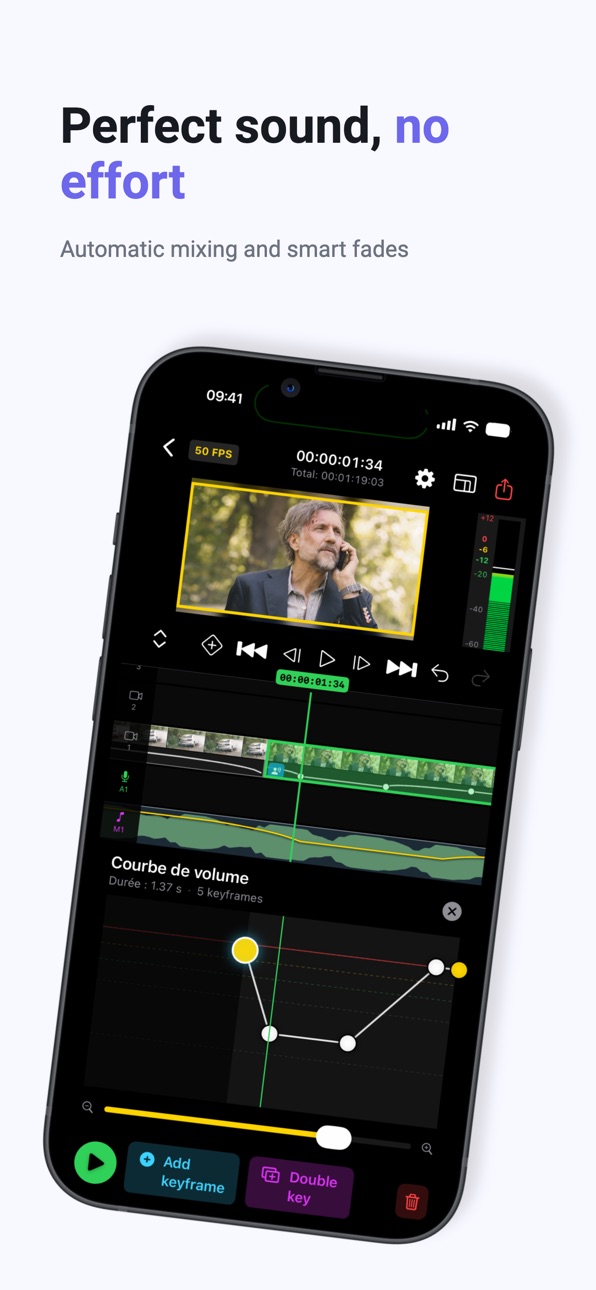
PROFESSIONAL MULTI-TRACK EDITING Build your stories across multiple stacked video and audio tracks, with a smooth timeline and frame-by-frame scrubbing. Automatic media-type detection — interview, voice-over, ambience — sorts your elements right on import. Cut, move and trim your clips, manage your audio fades, and view detailed waveforms with HH:MM:SS:FF timecode for frame-accurate editing. Work in every aspect ratio — 16:9, 9:16 vertical, 1:1 square and custom formats — and support all resolutions, from 720p HD to 4K Ultra HD, to deliver both to broadcast and to social media.
AUTOMATIC SUBTITLING Generate subtitles from speech using voice recognition, then correct, style and sync your text directly on the timeline.
TITLES & ANIMATIONS Dress up your videos with over 50 title animations and modern templates, placed on a dedicated track that allows multiple simultaneous titles. Customize font, size, colors, decorations and position, with two-level editing: full title or line by line.
EFFECTS, TRANSITIONS & REFRAME Choose from a library of ready-to-use effects, flares and transitions, regularly expanded. Apply effect chains visible in real time, copy and paste your settings from one clip to another, and animate your shots with keyframes. The Reframe feature intelligently recrops by following the subject, ideal for switching from landscape to vertical format.
EXPORT TO PRO STANDARDS Pick up your edits on desktop: CTPro Ultra exports to Adobe Premiere Pro and Final Cut Pro. Your projects are never locked inside the app.
UNIVERSAL IMPORT & EXPORT Import and share via Dropbox, FTP, Files and AirDrop.
PROJECT MANAGEMENT Organize your productions into self-contained projects bringing together rushes, editing and graphics.
CTPro Ultra is the power of a complete broadcast studio, in your pocket.
Full access requires a subscription. Pricing and duration are shown at the time of purchase. The subscription renews automatically unless canceled at least 24 hours before the end of the current period, manageable in your App Store account settings.
You can turn off auto-renew at any time from your iTunes account settings.
No cancellation of the current subscription is allowed during active subscription period.
Privacy policy :
https://privacy.ctpro.com/privacy-policy.html
Terms of use :
https://privacy.ctpro.com/terms-conditions.html
In-App Purchases BJ pricing
Auto renewal subscription Subscription
CTpro monthly · Monthly—
CTpro annual · Yearly—
Capabilities
In-App Purchases
Accessibility
ipadiphonemacrealityDevicetvoswatch
Version history 26 versions
Build 888015298v10.252026-07-09 05:50:18
What's New
BINS — organize your footage
Create bins (virtual folders) in your media library: group an interview with its cutaways, a topic, a sequence. Multi-select, hold a thumbnail to preview, "Unsorted" filter. While editing, filter the library by bin in one tap.
MULTICAM — share your footage Per-project "Copy footage to Photos" option and a new "Export footage" screen to move original clips between iPhones (AirDrop, Files, Photos) with no re-encoding — multicam sync preserved.
Performance & fixes Much cooler device during export
• camera start-up fix
• editing 2 segments no longer alters in/out points • preview not showing (audio-based duration) fixed
• Giphy overlays fixed
• V1 insert no longer cuts the end of the timeline
• media library order now stable after reopening a project
Build 887792110v10.12026-07-04 06:35:46
A major update! CTPro Ultra has been completely redesigned, with a new interface, a new editing engine and a full end-to-end production workflow.
NEW INTERFACE & TIMELINE
- Completely redesigned interface
- Brand-new multi-track timeline (video, audio, music, titles, TV graphics)
- Smooth 50 fps playback, frame-by-frame scrubbing with centered playhead
- Dynamic timeline zoom, down to the frame
- Detailed audio waveforms with HH:MM:SS:FF timecode
- Quick cut-to-cut navigation
NEW EDITING ENGINE
- Split, trim and freely move clips
- Move clips from one track to another
- Inter-track snapping for precise edits
- Automatic media-type detection: interview, voice-over, ambience
- Image crop and zoom
- Full undo / redo, including on transitions
MULTICAM
- Support for up to 4 camera sources
- Automatic angle sync by timecode or audio analysis
- Real-time angle selection, switch on the fly
- Dedicated audio meter and program view
LIVE & AUDIO
- Live SRT streaming with built-in media player
- New audio mixing controls, with adjustable fade in and out
- Audio continuity preserved across cuts within the same shot
- Real-time VU meter
TITLES & GRAPHICS
- Redesigned titling system, dedicated title track
- Over 50 title animations, multiple simultaneous titles
- GPU-accelerated title rendering for smooth animation
- Two-level editing: full title or line by line
EFFECTS & TRANSITIONS
- New dedicated video track for effects
- Expanded effects library with preview on your own image
- Customizable effect settings, copy and paste effects between clips
- Transitions (crossfade and geometric) with adjustable duration
- Keyframe animation (position, scale, opacity)
FORMATS & EXPORT
- All resolutions from 720p HD to 4K Ultra HD
- Every aspect ratio: 16:9, 9:16 vertical, 1:1 square and custom formats
- Automatic subtitling via speech recognition, with no duration limit
- Export to Adobe Premiere Pro and Final Cut Pro
- Import / export via Dropbox, FTP, Files and AirDrop
PERFORMANCE & RELIABILITY
- Optimized memory management for long projects and heavy loads
- Faster, smoother thumbnail generation
- Many stability fixes
- On boarding
Thank you for using CTPro Ultra. Your feedback shapes the app!
Build 886417866v102026-07-03 12:29:47
A major update! CTPro Ultra has been completely redesigned, with a new interface, a new editing engine and a full end-to-end production workflow.
NEW INTERFACE & TIMELINE
- Completely redesigned interface
- Brand-new multi-track timeline (video, audio, music, titles, TV graphics)
- Smooth 50 fps playback, frame-by-frame scrubbing with centered playhead
- Dynamic timeline zoom, down to the frame
- Detailed audio waveforms with HH:MM:SS:FF timecode
- Quick cut-to-cut navigation
NEW EDITING ENGINE
- Split, trim and freely move clips
- Move clips from one track to another
- Inter-track snapping for precise edits
- Automatic media-type detection: interview, voice-over, ambience
- Image crop and zoom
- Full undo / redo, including on transitions
MULTICAM
- Support for up to 4 camera sources
- Automatic angle sync by timecode or audio analysis
- Real-time angle selection, switch on the fly
- Dedicated audio meter and program view
LIVE & AUDIO
- Live SRT streaming with built-in media player
- New audio mixing controls, with adjustable fade in and out
- Audio continuity preserved across cuts within the same shot
- Real-time VU meter
TITLES & GRAPHICS
- Redesigned titling system, dedicated title track
- Over 50 title animations, multiple simultaneous titles
- GPU-accelerated title rendering for smooth animation
- Two-level editing: full title or line by line
EFFECTS & TRANSITIONS
- New dedicated video track for effects
- Expanded effects library with preview on your own image
- Customizable effect settings, copy and paste effects between clips
- Transitions (crossfade and geometric) with adjustable duration
- Keyframe animation (position, scale, opacity)
FORMATS & EXPORT
- All resolutions from 720p HD to 4K Ultra HD
- Every aspect ratio: 16:9, 9:16 vertical, 1:1 square and custom formats
- Automatic subtitling via speech recognition, with no duration limit
- Export to Adobe Premiere Pro and Final Cut Pro
- Import / export via Dropbox, FTP, Files and AirDrop
PERFORMANCE & RELIABILITY
- Optimized memory management for long projects and heavy loads
- Faster, smoother thumbnail generation
- Many stability fixes
Thank you for using CTPro Ultra. Your feedback shapes the app!
Build 878714403v9.062025-10-08 06:10:38
CTPro – New Features and Improvements
We’ve made major improvements to CTPro to make your production workflow faster and more intuitive. This update includes:
Camera
Complete overhaul of the camera engine.
Integration of the latest AVFoundation features.
Rewritten stabilization processes.
HDR support added.
Improved memory management.
Editing
Menus adapt automatically to segment type.
New Cut function with audio display when scrubbing the timeline.
Swap Segment: move a segment with a simple double-tap.
Move clips between tracks (V1 ↔ V2).
New workflows for inserting and deleting segments.
Undelete function to restore deleted clips.
Titles and voice-over automatically follow segment movements.
Audio meter view during playback.
New: Uncut function in the timeline.
New: voice-over management with Cut and time display.
Mixing
Improved automatic mixing workflow.
Segment role detection with color coding (interview/ambience/illustration).
Create and delete personal presets.
Per-track audio meters.
Titling
Titles can now be added across the entire edit.
Titles automatically move with video clips.
Import / Export
Import from iPhone Files app and from other projects.
Export via AirDrop, Final Cut Pro, Premiere Pro (Dropbox).
Support for USB-C storage devices.
New: Custom export option.
Live Transmission (New)
Added SRT module for live streaming.
Added integrated media player for SRT Live.
Other
General optimizations and bug fixes.
Build 878648756v9.052025-10-05 09:14:22
CTPro – New Features and Improvements
We’ve made major improvements to CTPro to make your production workflow faster and more intuitive. This update includes:
Camera
Complete overhaul of the camera engine.
Integration of the latest AVFoundation features.
Rewritten stabilization processes.
HDR support added.
Improved memory management.
Editing
Menus adapt automatically to segment type.
New Cut function with audio display when scrubbing the timeline.
Swap Segment: move a segment with a simple double-tap.
Move clips between tracks (V1 ↔ V2).
New workflows for inserting and deleting segments.
Undelete function to restore deleted clips.
Titles and voice-over automatically follow segment movements.
Audio meter view during playback.
New: Uncut function in the timeline.
New: voice-over management with Cut and time display.
Mixing
Improved automatic mixing workflow.
Segment role detection with color coding (interview/ambience/illustration).
Create and delete personal presets.
Per-track audio meters.
Titling
Titles can now be added across the entire edit.
Titles automatically move with video clips.
Import / Export
Import from iPhone Files app and from other projects.
Export via AirDrop, Final Cut Pro, Premiere Pro (Dropbox).
Support for USB-C storage devices.
New: Custom export option.
Live Transmission (New)
Added SRT module for live streaming.
Added integrated media player for SRT Live.
Other
General optimizations and bug fixes.
Build 868347927v9.022025-07-09 06:17:59
Ctpro: New Features and ImprovementsWe have significantly enhanced various workflows in CTPro, added new features, and updated external SDKs. Here are the key updates:
Camera:Complete overhaul of the camera background.
Utilization of the latest AVFoundation features.
Rewriting of the camera stabilization processes.
Integration of HDR functionality.Improved memory management of the smartphone.
Editing:
Menu changes to accelerate the production workflow.Automatic detection of segment types with adaptive menus based on type.Added a "Cut" function.Audio scrubbing by simply moving the timeline to work on cuts with audio.
New "Swap Segment" feature allows segments to be easily moved on the timeline with a double tap.
Moving segments between different tracks (e.g., from V1 to V2 and vice versa).
New management for segment deletion.
Video on track 2 can now be an interview segment.
Interviews can be split into multiple parts and moved to V1 to place a reference segment in V2.
New workflow for segment inserts.
New "Move Segment" function to shift all elements from a specific point on the timeline.
"Undelete" function to undo segment deletions.In move mode, titling and voice-over elements attached to segments move automatically on the timeline.
Audio meter view during playback.
Mixing:
New automatic mixing workflow.
Detection of segments based on their roles (interview/ambiance/illustration).
Color coding of segments.
Ability to create personal mixing presets.
Ability to delete presets (on music and video tracks).
Audio meter for each track to independently visualize levels.
Titling:
New feature allowing titles to be added throughout the entire duration of the edit.
Automatic movement of titles attached to video segments.
Import / Export:
Import from the iPhone's "Files" folder.
Import from other projects with a new display management for rushes.
Media export via AirDrop.Export to Final Cut Pro and Adobe Premiere via Dropbox.
Support for USB-C storage devices.
Build 845676171v6.12021-12-03 12:26:32
We are excited to present many powerful capabilities. This is a major update with many exciting new features.
- IOS 15 and IPhone 13 Compatibility
- 4K recording and editing is supported at 50/60 fps.
- Recording in HEVC format is supported with 4K, 50/60 fps.
- User can crop & zoom 4K video to extract full HD video.
- Many new features are added in camera
- A new user friendly workflow for import of assets is available.
- A new user friendly workflow for export of assets is available.
- Many new features are added in live streaming.
- Now user can also import VoiceOver other than recording.
- Latest models of Sandisk are supported.
- A video based embedded tutorial is provided.
- There are many more improvements and enhancement for you to discover.
-New remote features for facebook live
-Camera at 25 fps debug
-Sftp debug
Build 844461999v5.52021-10-16 16:49:33
We are excited to present many powerful capabilities. This is a major update with many exciting new features.
- IOS 15 and IPhone 13 Compatibility
- 4K recording and editing is supported at 50/60 fps.
- Recording in HEVC format is supported with 4K, 50/60 fps.
- User can crop & zoom 4K video to extract full HD video.
- Many new features are added in camera
- A new user friendly workflow for import of assets is available.
- A new user friendly workflow for export of assets is available.
- Many new features are added in live streaming.
- Now user can also import VoiceOver other than recording.
- Latest models of Sandisk are supported.
- A video based embedded tutorial is provided.
- There are many more improvements and enhancement for you to discover.
-Camera at 25 fps debug
-Sftp debug
Build 842928233v5.12021-07-02 16:49:02
We are excited to present many powerful capabilities. This is a major update with many exciting new features.
- 4K recording and editing is supported at 50/60 fps.
- Recording in HEVC format is supported with 4K, 50/60 fps.
- User can crop & zoom 4K video to extract full HD video.
- Many new features are added in camera
- A new user friendly workflow for import of assets is available.
- A new user friendly workflow for export of assets is available.
- Many new features are added in live streaming.
- Now user can also import VoiceOver other than recording.
- Latest models of Sandisk are supported.
- A video based embedded tutorial is provided.
- There are many more improvements and enhancement for you to discover.
-Camera at 25 fps debug
-Sftp debug
Build 840477952v5.02021-06-18 18:56:54
We are excited to present many powerful capabilities. This is a major update with many exciting new features.
- 4K recording and editing is supported at 50/60 fps.
- Recording in HEVC format is supported with 4K, 50/60 fps.
- User can crop & zoom 4K video to extract full HD video.
- Many new features are added in camera
- A new user friendly workflow for import of assets is available.
- A new user friendly workflow for export of assets is available.
- Many new features are added in live streaming.
- Now user can also import VoiceOver other than recording.
- Latest models of Sandisk are supported.
- A video based embedded tutorial is provided.
- There are many more improvements and enhancement for you to discover.
Build 836279111v3.692020-06-10 13:39:11
Add new fonts for graphic layouts
Build 835653299v3.682020-04-23 16:47:20
New audio gain
you can now adjust input audio (if you use external lightning interfaces)
debug and improvement
Build 835315549v3.642020-03-31 14:30:53
CTpro V3. 64
SanDisk SDK update to handle new SanDisk iXpand models
Adding SFTP to our FTP client
Optimization-general
IOS 13.3.1 compatible
Wowza cloud API update
improved detection of external audio sources
Dropbox audio import debugging
New intelligent audio mixing engine with customizable level management
New cross fade audio mixing for 2-segment video
One touch Auto mix for all media tracks
Enhanced editing features
New animated titles
Please send us your suggestions or improvements by contacting us via
contact@ctpro.com
Build 834288471v3.622020-01-10 18:30:33
Discover CTpro's V3.62
Optimization-general
IOS 13.3 compatible
Update wowza cloud APIs
improved detection of external audio sources
Dropbox audio import debug
New smart audio mixing engine with customisable level management
New cross fade audio mixing for video 2 segments
One touch auto mix for all media tracks
Improved editing features
New animated titles
Please let us know your suggestions or improvements by contacting us via
contact@ctpro.com
Build 834126359v3.612020-01-05 20:04:05
Discover CTpro's V3.61
Optimization-general
IOS 13.3 compatible
Update wowza cloud APIs
improved detection of external audio sources
New smart audio mixing engine with customisable level management
New cross fade audio mixing for video 2 segments
One touch auto mix for all media tracks
Improved editing features
New animated titles
Please let us know your suggestions or improvements by contacting us via
contact@ctpro.com
Build 833381544v3.502019-10-31 17:45:27
Discover CTpro's V3.5
Compatible with iOS 13
New smart audio mixing engine with customisable level management
New cross fade audio mixing for video 2 segments
One touch auto mix for all media tracks
Improved editing features
New animated titles
Please let us know your suggestions or improvements by contacting us via
contact@ctpro.com
Build 830777702v3.12019-08-05 17:07:54
Version 3.1 includes improvements in stability and performance
Internal Sdk update
Please let us know your suggestions or improvements by contacting us via
contact@ctpro.com
Build 830470336v3.002019-03-27 17:50:05
We have simplified the import / export processes of external media with the SanDisk iXpand key.
Create your project, then directly, start shoot movie. Thanks to project management you can resume your reports at any time by opening the corresponding project.
All shots are placed directly in the rush tab ready to ediit.
Preview your videos before exporting or importing them.
More flexibility with 3 dynamic titration tracks.
A new management of audio sources in the camera part, choice of internal microphones, choice of filters, detection of external interfaces, AirPods compatibility and Bluetooth microphones.
Export to Adobe Premiere Pro in XML format via the SanDisk key.
Export to Final Cut Pro X via the SanDisk usbkey.
FTP client allowing the transfer of media directly from the application or the direct connection with Dropbox which gives even more flexibility to the application.
If you have an RTMP server, test the power of our variable-rate live encoder and its media playback mechanism.
In this new version you can test the application 100% for free for 1 week.
So do not hesitate and join our community!
Build 829695325v2.99572018-12-21 22:19:07
General improvement.
Build 828494727v2.99562018-12-01 20:24:36
IOS 12 Compatible
Export your files to SanDisk iXpand FlashDrive and share it simply !
General improvement
Build 827246363v2.12018-06-12 22:43:16
Export your files to SanDisk iXpand FlashDrive and share it simply !
Build 827089859v2.072018-05-12 22:53:42
Bugs Fix
Audio recorder may crash on 2.06
Build 827078766v2.062018-05-09 05:15:39
Export your files to SanDisk iXpand Drive and share it simply !
Minor issue fixing
Global Improvement
Build 826838926v2.042018-05-03 06:15:42
Export movie to Dropbox
Preview before select
Title/overlay improvement
Camera face detect feature multiple face debugging
General improvement
Build 826649817v2.022018-04-12 15:20:48
-Bugfix
-Optimization
-Add new fonts
Build 826589358v2.012018-04-06 15:38:07
The frontal camera is usable during live (experimental)
Price history by region
Currency
Show
Columns
Search
Availability 175 of 175 storefronts
| Region | Language | Price | Ratings | Avg | Version |
|---|---|---|---|---|---|
| FR | fr-FR | Free | 17 | 4.4 | 10.1 |
| US | en-US | Free | 5 | 2.6 | 10.25 |
| LU | en-GB | Free | 3 | 5.0 | 10.1 |
| PK | en-GB | Free | 3 | 5.0 | 10.1 |
| AZ | en-GB | Free | 1 | 1.0 | 10.1 |
| CH | de-CH | Free | 1 | 1.0 | 10.1 |
| CO | es-MX | Free | 1 | 1.0 | 10.25 |
| HK | zh-Hant-HK | Free | 1 | 1.0 | 10.1 |
| HR | en-GB | Free | 1 | 5.0 | 10.1 |
| ID | en-GB | Free | 1 | 1.0 | 10.1 |
| IT | it | Free | 1 | 5.0 | 10.1 |
| PH | en-GB | Free | 1 | 2.0 | 10.1 |
| AE | en-GB | Free | 0 | — | 10.1 |
| AF | en-GB | Free | 0 | — | 10.1 |
| AG | en-GB | Free | 0 | — | 10.25 |
| AI | en-GB | Free | 0 | — | 10.25 |
| AL | en-GB | Free | 0 | — | 10.1 |
| AM | en-GB | Free | 0 | — | 10.1 |
| AO | en-GB | Free | 0 | — | 10.25 |
| AR | es-MX | Free | 0 | — | 10.25 |
| AT | de-DE | Free | 0 | — | 10.1 |
| AU | en-AU | Free | 0 | — | 10.1 |
| BA | en-GB | Free | 0 | — | 10.1 |
| BB | en-GB | Free | 0 | — | 10.25 |
| BE | en-GB | Free | 0 | — | 10.1 |
| BF | en-GB | Free | 0 | — | 10.25 |
| BG | en-GB | Free | 0 | — | 10.1 |
| BH | en-GB | Free | 0 | — | 10.1 |
| BJ | en-GB | Free | 0 | — | 10.25 |
| BM | en-GB | Free | 0 | — | 10.1 |
| BN | en-GB | Free | 0 | — | 10.1 |
| BO | es-MX | Free | 0 | — | 10.25 |
| BR | pt-BR | Free | 0 | — | 10.25 |
| BS | en-GB | Free | 0 | — | 10.25 |
| BT | en-GB | Free | 0 | — | 10.1 |
| BW | en-GB | Free | 0 | — | 10.25 |
| BY | en-GB | Free | 0 | — | 10.1 |
| BZ | en-GB | Free | 0 | — | 10.25 |
| CA | en-CA | Free | 0 | — | 10.1 |
| CD | en-GB | Free | 0 | — | 10.25 |
| CG | en-GB | Free | 0 | — | 10.25 |
| CI | fr-FR | Free | 0 | — | 10.25 |
| CL | es-MX | Free | 0 | — | 10.25 |
| CM | fr-FR | Free | 0 | — | 10.25 |
| CN | zh-Hans-CN | Free | 0 | — | 10.1 |
| CR | es-MX | Free | 0 | — | 10.25 |
| CV | en-GB | Free | 0 | — | 10.25 |
| CY | en-GB | Free | 0 | — | 10.1 |
| CZ | en-GB | Free | 0 | — | 10.1 |
| DE | de-DE | Free | 0 | — | 10.1 |
| DK | en-GB | Free | 0 | — | 10.1 |
| DM | en-GB | Free | 0 | — | 10.25 |
| DO | es-MX | Free | 0 | — | 10.25 |
| DZ | en-GB | Free | 0 | — | 10.25 |
| EC | es-MX | Free | 0 | — | 10.25 |
| EE | en-GB | Free | 0 | — | 10.1 |
| EG | en-GB | Free | 0 | — | 10.1 |
| ES | es-ES | Free | 0 | — | 10.1 |
| FI | en-GB | Free | 0 | — | 10.1 |
| FJ | en-GB | Free | 0 | — | 10.1 |
| FM | en-GB | Free | 0 | — | 10.25 |
| GA | fr-FR | Free | 0 | — | 10.25 |
| GB | en-GB | Free | 0 | — | 10.1 |
| GD | en-GB | Free | 0 | — | 10.25 |
| GE | en-GB | Free | 0 | — | 10.1 |
| GH | en-GB | Free | 0 | — | 10.1 |
| GM | en-GB | Free | 0 | — | 10.25 |
| GR | en-GB | Free | 0 | — | 10.1 |
| GT | es-MX | Free | 0 | — | 10.25 |
| GW | en-GB | Free | 0 | — | 10.25 |
| GY | en-GB | Free | 0 | — | 10.25 |
| HN | es-MX | Free | 0 | — | 10.25 |
| HU | en-GB | Free | 0 | — | 10.1 |
| IE | en-GB | Free | 0 | — | 10.1 |
| IL | en-GB | Free | 0 | — | 10.1 |
| IN | en-GB | Free | 0 | — | 10.1 |
| IQ | en-GB | Free | 0 | — | 10.1 |
| IS | en-GB | Free | 0 | — | 10.1 |
| JM | en-GB | Free | 0 | — | 10.25 |
| JO | en-GB | Free | 0 | — | 10.1 |
| JP | ja | Free | 0 | — | 10.1 |
| KE | en-GB | Free | 0 | — | 10.1 |
| KG | en-GB | Free | 0 | — | 10.1 |
| KH | en-GB | Free | 0 | — | 10.1 |
| KN | en-GB | Free | 0 | — | 10.25 |
| KR | ko | Free | 0 | — | 10.1 |
| KW | en-GB | Free | 0 | — | 10.1 |
| KY | en-GB | Free | 0 | — | 10.25 |
| KZ | en-GB | Free | 0 | — | 10.1 |
| LA | en-GB | Free | 0 | — | 10.1 |
| LB | en-GB | Free | 0 | — | 10.1 |
| LC | en-GB | Free | 0 | — | 10.25 |
| LK | en-GB | Free | 0 | — | 10.1 |
| LR | en-GB | Free | 0 | — | 10.25 |
| LT | en-GB | Free | 0 | — | 10.1 |
| LV | en-GB | Free | 0 | — | 10.1 |
| LY | en-GB | Free | 0 | — | 10.25 |
| MA | en-GB | Free | 0 | — | 10.25 |
| MD | en-GB | Free | 0 | — | 10.1 |
| ME | en-GB | Free | 0 | — | 10.1 |
| MG | en-GB | Free | 0 | — | 10.25 |
| MK | en-GB | Free | 0 | — | 10.1 |
| ML | en-GB | Free | 0 | — | 10.25 |
| MM | en-GB | Free | 0 | — | 10.1 |
| MN | en-GB | Free | 0 | — | 10.1 |
| MO | zh-Hant-HK | Free | 0 | — | 10.1 |
| MR | en-GB | Free | 0 | — | 10.1 |
| MS | en-GB | Free | 0 | — | 10.25 |
| MT | en-GB | Free | 0 | — | 10.1 |
| MU | en-GB | Free | 0 | — | 10.25 |
| MV | en-GB | Free | 0 | — | 10.1 |
| MW | en-GB | Free | 0 | — | 10.25 |
| MX | es-MX | Free | 0 | — | 10.25 |
| MY | en-GB | Free | 0 | — | 10.1 |
| MZ | en-GB | Free | 0 | — | 10.25 |
| NA | en-GB | Free | 0 | — | 10.25 |
| NE | en-GB | Free | 0 | — | 10.25 |
| NG | en-GB | Free | 0 | — | 10.1 |
| NI | es-MX | Free | 0 | — | 10.25 |
| NL | nl | Free | 0 | — | 10.1 |
| NO | en-GB | Free | 0 | — | 10.1 |
| NP | en-GB | Free | 0 | — | 10.1 |
| NR | en-GB | Free | 0 | — | 10.25 |
| NZ | en-AU | Free | 0 | — | 10.1 |
| OM | en-GB | Free | 0 | — | 10.1 |
| PA | es-MX | Free | 0 | — | 10.25 |
| PE | es-MX | Free | 0 | — | 10.25 |
| PG | en-GB | Free | 0 | — | 10.1 |
| PL | en-GB | Free | 0 | — | 10.1 |
| PT | pt-PT | Free | 0 | — | 10.1 |
| PW | en-GB | Free | 0 | — | 10.25 |
| PY | es-MX | Free | 0 | — | 10.25 |
| QA | en-GB | Free | 0 | — | 10.1 |
| RO | en-GB | Free | 0 | — | 10.1 |
| RS | en-GB | Free | 0 | — | 10.1 |
| RU | ru | Free | 0 | — | 10.1 |
| RW | en-GB | Free | 0 | — | 10.25 |
| SA | en-GB | Free | 0 | — | 10.1 |
| SB | en-GB | Free | 0 | — | 10.1 |
| SC | en-GB | Free | 0 | — | 10.25 |
| SE | sv | Free | 0 | — | 10.1 |
| SG | en-GB | Free | 0 | — | 10.1 |
| SI | en-GB | Free | 0 | — | 10.1 |
| SK | en-GB | Free | 0 | — | 10.1 |
| SL | en-GB | Free | 0 | — | 10.25 |
| SN | en-GB | Free | 0 | — | 10.25 |
| SR | en-GB | Free | 0 | — | 10.25 |
| ST | en-GB | Free | 0 | — | 10.25 |
| SV | es-MX | Free | 0 | — | 10.25 |
| SZ | en-GB | Free | 0 | — | 10.25 |
| TC | en-GB | Free | 0 | — | 10.25 |
| TD | en-GB | Free | 0 | — | 10.25 |
| TH | en-GB | Free | 0 | — | 10.1 |
| TJ | en-GB | Free | 0 | — | 10.1 |
| TM | en-GB | Free | 0 | — | 10.1 |
| TN | en-GB | Free | 0 | — | 10.25 |
| TO | en-GB | Free | 0 | — | 10.1 |
| TR | en-GB | Free | 0 | — | 10.1 |
| TT | en-GB | Free | 0 | — | 10.25 |
| TW | zh-Hant-TW | Free | 0 | — | 10.1 |
| TZ | en-GB | Free | 0 | — | 10.1 |
| UA | en-GB | Free | 0 | — | 10.1 |
| UG | en-GB | Free | 0 | — | 10.1 |
| UY | en-GB | Free | 0 | — | 10.25 |
| UZ | en-GB | Free | 0 | — | 10.1 |
| VC | en-GB | Free | 0 | — | 10.25 |
| VE | es-MX | Free | 0 | — | 10.25 |
| VG | en-GB | Free | 0 | — | 10.25 |
| VN | en-GB | Free | 0 | — | 10.1 |
| VU | en-GB | Free | 0 | — | 10.25 |
| XK | en-GB | Free | 0 | — | 10.1 |
| YE | en-GB | Free | 0 | — | 10.1 |
| ZA | en-GB | Free | 0 | — | 10.1 |
| ZM | en-GB | Free | 0 | — | 10.25 |
| ZW | en-GB | Free | 0 | — | 10.1 |
Change log 33 changes · BJ
✎
releaseNotes updated
What's New
BINS — organize your footage
Create bins (virtual folders) in your media library: group an interview with its cutaways, a topic, a sequence. Multi-
▣
App icon changed
◆
Version changed
10.1 → 10.25
◆
Version 10.25 released
What's New
BINS — organize your footage
Create bins (virtual folders) in your media library: group an interview with its cutaways, a topic, a sequence. Multi-select, hold a thumbnail to preview, "Unsorted" filter. While editing, filter th
✎
releaseNotes updated
A major update! CTPro Ultra has been completely redesigned, with a new interface, a new editing engine and a full end-to-end production workflow.
NEW INTERFACE
✎
description updated
CTPro Ultra brings together everything a video professional expects from a broadcast studio — pro camera, live streaming, multi-track editing and advanced titli
✎
subtitle updated
Mobile broadcast studio pro
✎
name updated
CTpro: Editor Video Mojo Pro
◆
Version 10.1 released
A major update! CTPro Ultra has been completely redesigned, with a new interface, a new editing engine and a full end-to-end production workflow.
NEW INTERFACE & TIMELINE
- Completely redesigned interface
- Brand-new multi-track timeline (
◆
Version 10 released
A major update! CTPro Ultra has been completely redesigned, with a new interface, a new editing engine and a full end-to-end production workflow.
NEW INTERFACE & TIMELINE
- Completely redesigned interface
- Brand-new multi-track timeline (
◆
Version 9.06 released
CTPro – New Features and Improvements
We’ve made major improvements to CTPro to make your production workflow faster and more intuitive. This update includes:
Camera
Complete overhaul of the camera engine.
Integration of the latest AVFo
◆
Version 9.05 released
CTPro – New Features and Improvements
We’ve made major improvements to CTPro to make your production workflow faster and more intuitive. This update includes:
Camera
Complete overhaul of the camera engine.
Integration of the latest AVFo
◆
Version 9.02 released
Ctpro: New Features and ImprovementsWe have significantly enhanced various workflows in CTPro, added new features, and updated external SDKs. Here are the key updates:
Camera:Complete overhaul of the camera background.
Utilization of the l
◆
Version 6.1 released
We are excited to present many powerful capabilities. This is a major update with many exciting new features.
- IOS 15 and IPhone 13 Compatibility
- 4K recording and editing is supported at 50/60 fps.
- Recording in HEVC format is supported
◆
Version 5.5 released
We are excited to present many powerful capabilities. This is a major update with many exciting new features.
- IOS 15 and IPhone 13 Compatibility
- 4K recording and editing is supported at 50/60 fps.
- Recording in HEVC format is supporte
◆
Version 5.1 released
We are excited to present many powerful capabilities. This is a major update with many exciting new features.
- 4K recording and editing is supported at 50/60 fps.
- Recording in HEVC format is supported with 4K, 50/60 fps.
- User can crop
◆
Version 5.0 released
We are excited to present many powerful capabilities. This is a major update with many exciting new features.
- 4K recording and editing is supported at 50/60 fps.
- Recording in HEVC format is supported with 4K, 50/60 fps.
- User can crop
◆
Version 3.69 released
Add new fonts for graphic layouts
◆
Version 3.68 released
New audio gain
you can now adjust input audio (if you use external lightning interfaces)
debug and improvement
◆
Version 3.64 released
CTpro V3. 64
SanDisk SDK update to handle new SanDisk iXpand models
Adding SFTP to our FTP client
Optimization-general
IOS 13.3.1 compatible
Wowza cloud API update
improved detection of external audio sources
Dropbox audio import debuggi
◆
Version 3.62 released
Discover CTpro's V3.62
Optimization-general
IOS 13.3 compatible
Update wowza cloud APIs
improved detection of external audio sources
Dropbox audio import debug
New smart audio mixing engine with customisable level management
New cross fad
◆
Version 3.61 released
Discover CTpro's V3.61
Optimization-general
IOS 13.3 compatible
Update wowza cloud APIs
improved detection of external audio sources
New smart audio mixing engine with customisable level management
New cross fade audio mixing for video 2
◆
Version 3.50 released
Discover CTpro's V3.5
Compatible with iOS 13
New smart audio mixing engine with customisable level management
New cross fade audio mixing for video 2 segments
One touch auto mix for all media tracks
Improved editing features
New animated
◆
Version 3.1 released
Version 3.1 includes improvements in stability and performance
Internal Sdk update
Please let us know your suggestions or improvements by contacting us via
contact@ctpro.com
◆
Version 3.00 released
We have simplified the import / export processes of external media with the SanDisk iXpand key.
Create your project, then directly, start shoot movie. Thanks to project management you can resume your reports at any time by opening the corr
◆
Version 2.9957 released
General improvement.
◆
Version 2.9956 released
IOS 12 Compatible
Export your files to SanDisk iXpand FlashDrive and share it simply !
General improvement
◆
Version 2.1 released
Export your files to SanDisk iXpand FlashDrive and share it simply !
◆
Version 2.07 released
Bugs Fix
Audio recorder may crash on 2.06
◆
Version 2.06 released
Export your files to SanDisk iXpand Drive and share it simply !
Minor issue fixing
Global Improvement
◆
Version 2.04 released
Export movie to Dropbox
Preview before select
Title/overlay improvement
Camera face detect feature multiple face debugging
General improvement
◆
Version 2.02 released
-Bugfix
-Optimization
-Add new fonts
◆
Version 2.01 released
The frontal camera is usable during live (experimental)