Home › Photo & Video

 MK
MK
 USen-US
 FRfr-FR
 GBen-GB
 DEde-DE
 MXes-MX
 CAen-CA
 BRpt-BR
 RUru
RUru AUen-AU
 IDen-GB
 INen-GB
 PHen-GB
 SAen-GB
 CHde-CH
 ESes-ES
 VNen-GB
 MYen-GB
 DOes-MX
 SEsv
SEsv TRen-GB
 PKen-GB
 NLnl
NLnl BEen-GB
 UAen-GB
 DKen-GB
 KRko
KRko PLen-GB
 KZen-GB
 COes-MX
 SGen-GB
 AEen-GB
 ILen-GB
 ITit
ITit ARes-MX
 ATde-DE
 CLes-MX
 KHen-GB
 NZen-AU
 EGen-GB
 THen-GB
 IEen-GB
 ALen-GB
 NOen-GB
 PEes-MX
 PTpt-PT
 GTes-MX
 ECes-MX
 ROen-GB
 SNen-GB
 ZAen-GB
 MNen-GB
 KWen-GB
 DZen-GB
 FIen-GB
 HKzh-Hant-HK
 HNes-MX
 HUen-GB
 CZen-GB
 PAes-MX
 MAen-GB
 UZen-GB
 AMen-GB
 CNzh-Hans-CN
 GRen-GB
 JOen-GB
 JPja
JPja SVes-MX
 CIfr-FR
 CRes-MX
 EEen-GB
 NGen-GB
 BOes-MX
 BYen-GB
 NPen-GB
 QAen-GB
 TNen-GB
 CYen-GB
 JMen-GB
 TWzh-Hant-TW
 UYen-GB
 AZen-GB
 BGen-GB
 LBen-GB
 MRen-GB
 NIes-MX
 OMen-GB
 IQen-GB
 LUen-GB
 VEes-MX
 GEen-GB
 HRen-GB
 KEen-GB
 KGen-GB
 SKen-GB
 CGen-GB
 CMfr-FR
 GAfr-FR
 GHen-GB
 MLen-GB
 PYes-MX
 AOen-GB
 LKen-GB
 LTen-GB
 MDen-GB
 RSen-GB
 UGen-GB
 BHen-GB
 GYen-GB
 LVen-GB
 MOzh-Hant-HK
 SIen-GB
 ZMen-GB
 BFen-GB
 BSen-GB
 CDen-GBMKen-GB
 MUen-GB
 SRen-GB
 TJen-GB
 TTen-GB
 AFen-GB
 BJen-GB
 BZen-GB
 DMen-GB
 ISen-GB
 LAen-GB
 MGen-GB
 MTen-GB
 MZen-GB
 XKen-GB
 AGen-GB
 AIen-GB
 BAen-GB
 BBen-GB
 BMen-GB
 BTen-GB
 BWen-GB
 CVen-GB
 GDen-GB
 MEen-GB
 MMen-GB
 NEen-GB
 TCen-GB
 TDen-GB
 TZen-GB
 ZWen-GB
 BNen-GB
 FJen-GB
 FMen-GB
 GMen-GB
 GWen-GB
 KNen-GB
 KYen-GB
 LCen-GB
 LRen-GB
 LYen-GB
 MSen-GB
 MVen-GB
 MWen-GB
 NAen-GB
 NRen-GB
 PGen-GB
 PWen-GB
 RWen-GB
 SBen-GB
 SCen-GB
 SLen-GB
 STen-GB
 SZen-GB
 TMen-GB
 TOen-GB
 VCen-GB
 VGen-GB
 VUen-GB
 YEen-GB
175 of 175 storefronts
Content in en-US
Content in en-US
Information
Preview 2 platforms
iPhone 5 images


iPad 6 images


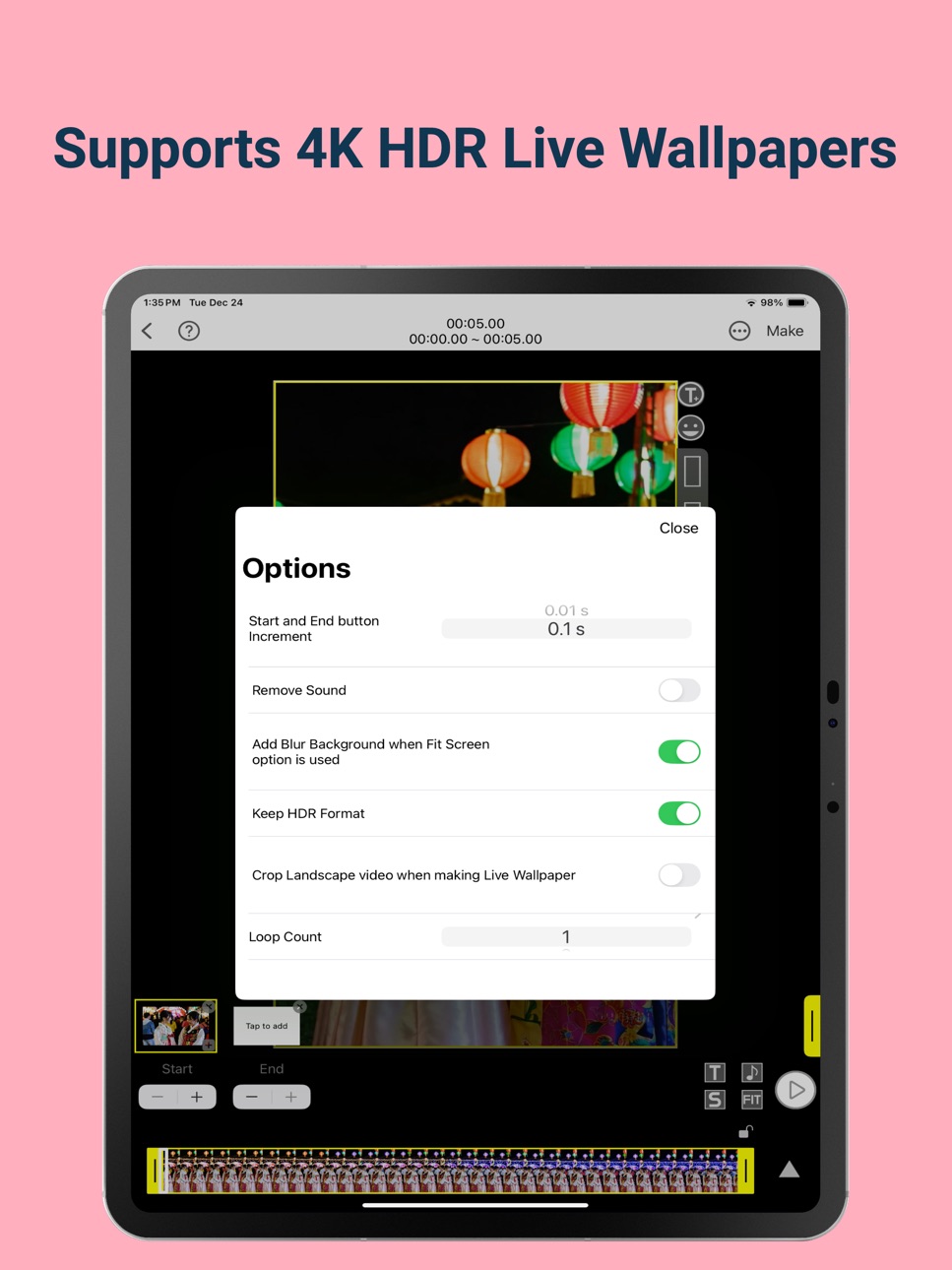
What’s New Version 1.32.0
• Live Wallpaper Templates - more templates to come.
• Bug fixes and maintenance to keep things running smoothly.
Description
Transform Videos into Stunning Live Wallpapers!
Unleash your creativity with VideoToLive, the ultimate tool to turn your videos into custom Live Photos for your lock screen. With a user-friendly interface and powerful features, making your iPhone uniquely yours has never been easier!
Key Features:
• Convert Videos to Live Photos: Seamlessly transform your favorite videos into interactive Live Photos for your lock screen.
• Create from Multiple Clips: Combine clips from multiple videos to craft the perfect Live Photo.
• Video Collage Maker: Bring your videos together in creative collages.
• Share and Save Live Photos: Share your creations with friends or save Live Photos shared by others.
• GIF Maker: Turn videos or Live Photos into fun GIFs to share on social media.
• Image to Live Photo Converter: Create Live Photos from single images or image sequences.
• Live Photo to Video Converter: Convert Live Photos of any length into videos.
Why Choose VideoToLive?
• Custom Live Wallpapers: Stand out with personalized wallpapers for your iPhone lock screen.
• Easy to Use: Intuitive and straightforward design makes creating Live Photos a breeze.
• Compatible with All iPhones (6s and Above): Use Live Photos as wallpapers effortlessly.
Connect With Us!
Have questions or suggestions? We’d love to hear from you! Reach out via Instagram @ videotolive
Capabilities
In-App Purchases
Accessibility
ipadiphonemacrealityDevicetvoswatch
Version history 25 versions
Build 873255000v1.32.02025-03-16 08:20:42
• Live Wallpaper Templates - more templates to come.
• Bug fixes and maintenance to keep things running smoothly.
Build 873042115v1.31.12025-03-07 06:27:14
• Live Wallpaper Templates - more templates to come.
• Bug fixes and maintenance to keep things running smoothly.
Build 872976195v1.31.02025-03-05 23:30:28
• Live Wallpaper Templates - more templates to come.
• Bug fixes and maintenance to keep things running smoothly.
Build 872189317v1.30.02025-02-03 08:44:49
• Minor UI updates and bug fixes to keep things running smoothly.
Build 871313559v1.28.22024-12-30 13:14:14
• Minor UI updates and regular maintenance to keep things running smoothly.
Build 868725333v1.28.12024-09-04 08:30:46
Create custom Live Wallpapers.
- Bug fixes and maintenance to make things run smoothly.
* Important
Complex motions are unlikely to work on the Lock Screen and the video must be around 3 seconds (or will be trimmed to 3s) centered around the motion you want to see on the Lock Screen. If you set it as a wallpaper and THE MOTION IS NOT AVAILABLE, TAP CANCEL AND YOU CAN SET IT AGAIN. iOS 17 Live wallpapers are still buggy and it might take two tries to work.
Tips:
- The improved FIT Screen mode! You can resize, scale and crop the video to fit within your iphone screen. You can get around the iOS Lock Screen bug.
- Long "Tap to add" to add a 3 second clip starting at the end of the currently selected clip.
Thanks for all your support! Don't hesitate to reach out via the Feedback menu under the Settings button.
**Please follow us on https://www.instagram.com/videotolive/ and also visit http://www.videotoliveios.com for tips!
Build 865003803v1.28.02024-04-08 10:40:46
Create custom Live Wallpapers for iOS 17.
- Images pasted on the movie are saved in the sticker collection.
- Bug fixes and maintenance to make things run smoothly.
* Important
Complex motions are unlikely to work on the Lock Screen and the video must be around 3 seconds (or will be trimmed to 3s) centered around the motion you want to see on the Lock Screen. If you set it as a wallpaper and THE MOTION IS NOT AVAILABLE, TAP CANCEL AND YOU CAN SET IT AGAIN. iOS 17 Live wallpapers are still buggy and it might take two tries to work.
Tips:
- The improved FIT Screen mode! You can resize, scale and crop the video to fit within your iphone screen. You can get around the iOS Lock Screen bug.
- Long "Tap to add" to add a 3 second clip starting at the end of the currently selected clip.
Thanks for all your support! Don't hesitate to reach out via the Feedback menu under the Settings button.
**Please follow us on https://www.instagram.com/videotolive/ and also visit http://www.videotoliveios.com for tips!
Build 864511028v1.27.02024-03-18 20:16:36
Create custom Live Wallpapers for iOS 17.
- Animation effects for stickers.
- Added a new template for video collage.
* Important
Complex motions are unlikely to work on the Lock Screen and the video must be around 3 seconds (or will be trimmed to 3s) centered around the motion you want to see on the Lock Screen. If you set it as a wallpaper and THE MOTION IS NOT AVAILABLE, TAP CANCEL AND YOU CAN SET IT AGAIN. iOS 17 Live wallpapers are still buggy and it might take two tries to work.
Tips:
- The improved FIT Screen mode! You can resize, scale and crop the video to fit within your iphone screen. You can get around the iOS Lock Screen bug.
- Long "Tap to add" to add a 3 second clip starting at the end of the currently selected clip.
Thanks for all your support! Don't hesitate to reach out via the Feedback menu under the Settings button.
**Please follow us on https://www.instagram.com/videotolive/ and also visit http://www.videotoliveios.com for tips!
Build 864066857v1.26.02024-03-04 13:48:22
Create custom Live Wallpapers for iOS 17.
- You no longer have to be in FIT mode (changes the canvas dimension to match your device dimension) to make video collages and decorate videos with stickers. If you pick multiple videos, canvas size will default to the first video’s dimension.
- Bug fixes and maintenance to make things run smoothly.
* Important
Complex motions are unlikely to work on the Lock Screen and the video must be around 3 seconds (or will be trimmed to 3s) centered around the motion you want to see on the Lock Screen. If you set it as a wallpaper and THE MOTION IS NOT AVAILABLE, TAP CANCEL AND YOU CAN SET IT AGAIN. iOS 17 Live wallpapers are still buggy and it might take two tries to work.
Tips:
- The improved FIT Screen mode! You can resize, scale and crop the video to fit within your iphone screen. You can get around the iOS Lock Screen bug.
- Long "Tap to add" to add a 3 second clip starting at the end of the currently selected clip.
Thanks for all your support! Don't hesitate to reach out via the Feedback menu under the Settings button.
**Please follow us on https://www.instagram.com/videotolive/ and also visit http://www.videotoliveios.com for tips!
Build 863901118v1.25.02024-02-21 16:32:13
Create custom Live Wallpapers for iOS 17.
- You can decorate your videos by adding included stickers. You can also copy an image or text, then paste it by performing a long press followed by tapping on 'Paste'.
* Important
Complex motions are unlikely to work on the Lock Screen and the video must be around 3 seconds (or will be trimmed to 3s) centered around the motion you want to see on the Lock Screen. If you set it as a wallpaper and THE MOTION IS NOT AVAILABLE, TAP CANCEL AND YOU CAN SET IT AGAIN. iOS 17 Live wallpapers are still buggy and it might take two tries to work.
Tips:
- The improved FIT Screen mode! You can resize, scale and crop the video to fit within your iphone screen. You can get around the iOS Lock Screen bug.
- Long "Tap to add" to add a 3 second clip starting at the end of the currently selected clip.
Thanks for all your support! Don't hesitate to reach out via the Feedback menu under the Settings button.
**Please follow us on https://www.instagram.com/videotolive/ and also visit http://www.videotoliveios.com for tips!
Build 863352116v1.24.02024-02-02 05:09:14
Create custom Live Wallpapers for iOS 17.
- Added video collage template for 4 vertically stacked videos.
- Fixed the sort order of the media picker to match the Photos app.
* Important
Complex motions are unlikely to work on the Lock Screen and the video must be around 3 seconds (or will be trimmed to 3s) centered around the motion you want to see on the Lock Screen. If you set it as a wallpaper and THE MOTION IS NOT AVAILABLE, TAP CANCEL AND YOU CAN SET IT AGAIN. iOS 17 Live wallpapers are still buggy and it might take two tries to work.
Tips:
- The improved FIT Screen mode! You can resize, scale and crop the video to fit within your iphone screen. You can get around the iOS Lock Screen bug.
- Long "Tap to add" to add a 3 second clip starting at the end of the currently selected clip.
Thanks for all your support! Don't hesitate to reach out via the Feedback menu under the Settings button.
**Please follow us on https://www.instagram.com/videotolive/ and also visit http://www.videotoliveios.com for tips!
Build 863163066v1.23.22024-01-25 08:41:49
Create custom Live Wallpapers for iOS 17.
- Bug fixes and maintenance to make things run smoothly.
* Important
Complex motions are unlikely to work on the Lock Screen and the video must be around 3 seconds (or will be trimmed to 3s) centered around the motion you want to see on the Lock Screen. If you set it as a wallpaper and THE MOTION IS NOT AVAILABLE, TAP CANCEL AND YOU CAN SET IT AGAIN. iOS 17 Live wallpapers are still buggy and it might take two tries to work.
Tips:
- The improved FIT Screen mode! You can resize, scale and crop the video to fit within your iphone screen. You can get around the iOS Lock Screen bug.
- Long "Tap to add" to add a 3 second clip starting at the end of the currently selected clip.
Thanks for all your support! Don't hesitate to reach out via the Feedback menu under the Settings button.
**Please follow us on https://www.instagram.com/videotolive/ and also visit http://www.videotoliveios.com for tips!
Build 863046625v1.23.12024-01-21 16:20:22
Create custom Live Wallpapers for iOS 17.
- Fixed the sort order of the media picker to match the Photos app.
* Important
Complex motions are unlikely to work on the Lock Screen and the video must be around 3 seconds (or will be trimmed to 3s) centered around the motion you want to see on the Lock Screen. If you set it as a wallpaper and THE MOTION IS NOT AVAILABLE, TAP CANCEL AND YOU CAN SET IT AGAIN. iOS 17 Live wallpapers are still buggy and it might take two tries to work.
Tips:
- The improved FIT Screen mode! You can resize, scale and crop the video to fit within your iphone screen. You can get around the iOS Lock Screen bug.
- Long "Tap to add" to add a 3 second clip starting at the end of the currently selected clip.
Thanks for all your support! Don't hesitate to reach out via the Feedback menu under the Settings button.
**Please follow us on https://www.instagram.com/videotolive/ and also visit http://www.videotoliveios.com for tips!
Build 862978426v1.23.02024-01-17 23:08:17
Create custom Live Wallpapers for iOS 17.
- Added 3x and 4x options for speeding up video.
- Bug fixes and maintenance to make things run smoothly.
* Important
Complex motions are unlikely to work on the Lock Screen and the video must be around 3 seconds (or will be trimmed to 3s) centered around the motion you want to see on the Lock Screen. If you set it as a wallpaper and THE MOTION IS NOT AVAILABLE, TAP CANCEL AND YOU CAN SET IT AGAIN. iOS 17 Live wallpapers are still buggy and it might take two tries to work.
Tips:
- The improved FIT Screen mode! You can resize, scale and crop the video to fit within your iphone screen. You can get around the iOS Lock Screen bug.
- Long "Tap to add" to add a 3 second clip starting at the end of the currently selected clip.
Thanks for all your support! Don't hesitate to reach out via the Feedback menu under the Settings button.
**Please follow us on https://www.instagram.com/videotolive/ and also visit http://www.videotoliveios.com for tips!
Build 862711012v1.22.02024-01-07 11:01:41
Create custom Live Wallpapers for iOS 17.
- Video can be rotated with two finger gesture in FIT mode on default canvas.
* Important
Complex motions are unlikely to work on the Lock Screen and the video must be around 3 seconds (or will be trimmed to 3s) centered around the motion you want to see on the Lock Screen. If you set it as a wallpaper and THE MOTION IS NOT AVAILABLE, TAP CANCEL AND YOU CAN SET IT AGAIN. iOS 17 Live wallpapers are still buggy and it might take two tries to work.
Tips:
- The improved FIT Screen mode! You can resize, scale and crop the video to fit within your iphone screen. You can get around the iOS Lock Screen bug.
- Long "Tap to add" to add a 3 second clip starting at the end of the currently selected clip.
Thanks for all your support! Don't hesitate to reach out via the Feedback menu under the Settings button.
**Please follow us on https://www.instagram.com/videotolive/ and also visit http://www.videotoliveios.com for tips!
Build 862305680v1.21.12023-12-19 10:40:25
Create custom Live Wallpapers for iOS 17.
- Bug fixes and maintenance to make things run smoothly.
Build 861259164v1.20.52023-11-06 10:15:51
Create custom Live Wallpapers for iOS 17.
- Bug fixes.
* Important
Complex motions are unlikely to work on the Lock Screen and the video must be around 3 seconds (or will be trimmed to 3s) centered around the motion you want to see on the Lock Screen. If you set it as a wallpaper and THE MOTION IS NOT AVAILABLE, TAP CANCEL AND YOU CAN SET IT AGAIN. iOS 17 Live wallpapers are still buggy and it might take two tries to work.
Tips:
- The improved FIT Screen mode! You can resize, scale and crop the video to fit within your iphone screen. You can get around the iOS Lock Screen bug.
- Long "Tap to add" to add a 3 second clip starting at the end of the currently selected clip.
Thanks for all your support! Don't hesitate to reach out via the Feedback menu under the Settings button.
**Please follow us on https://www.instagram.com/videotolive/ and also visit http://www.videotoliveios.com for tips!
Build 861283853v1.21.02023-11-06 21:00:11
Create custom Live Wallpapers for iOS 17.
- Landscape videos now resize to fit instead of being cropped when making Live Wallaper for iOS 17. It can be changed back to crop on the Options page.
- Added links to How to and tips. Tap on the Question mark icon.
- Bug fixes.
* Important
Complex motions are unlikely to work on the Lock Screen and the video must be around 3 seconds (or will be trimmed to 3s) centered around the motion you want to see on the Lock Screen. If you set it as a wallpaper and THE MOTION IS NOT AVAILABLE, TAP CANCEL AND YOU CAN SET IT AGAIN. iOS 17 Live wallpapers are still buggy and it might take two tries to work.
Tips:
- The improved FIT Screen mode! You can resize, scale and crop the video to fit within your iphone screen. You can get around the iOS Lock Screen bug.
- Long "Tap to add" to add a 3 second clip starting at the end of the currently selected clip.
Thanks for all your support! Don't hesitate to reach out via the Feedback menu under the Settings button.
**Please follow us on https://www.instagram.com/videotolive/ and also visit http://www.videotoliveios.com for tips!
Build 861041102v1.20.42023-10-28 00:20:17
Create custom Live Wallpapers for iOS 17.
- Landscape video support is added for iOS 17 Live Wallpapers. Unselect the FIT button when creating Live Wallpaper for iOS 17 Lock Screen with landscape video. Also, Tap the Lock button to lock the duration to 3 seconds to making the selection easy.
- Bug fixes.
* Important
Complex motions are unlikely to work on the Lock Screen and the video must be around 3 seconds (or will be trimmed to 3s) centered around the motion you want to see on the Lock Screen. If you set it as a wallpaper and THE MOTION IS NOT AVAILABLE, TAP CANCEL AND YOU CAN SET IT AGAIN. iOS 17 Live wallpapers are still buggy and it might take two tries to work.
Tips:
- The improved FIT Screen mode! You can resize, scale and crop the video to fit within your iphone screen. You can get around the iOS Lock Screen bug.
- Long "Tap to add" to add a 3 second clip starting at the end of the currently selected clip.
Thanks for all your support! Don't hesitate to reach out via the Feedback menu under the Settings button.
**Please follow us on https://www.instagram.com/videotolive/ and also visit http://www.videotoliveios.com for tips!
Build 860978169v1.20.32023-10-26 06:26:03
Create custom Live Wallpapers for iOS 17.
- Landscape video support is added for iOS 17 Live Wallpapers. Unselect the FIT button when creating Live Wallpaper for iOS 17 with landscape video. Also, Tap the Lock button to lock the duration to 3 seconds to make the selection easy.
- Bug fixes.
* Important
Complex motions are unlikely to work on the Lock Screen and the video must be around 3 seconds (or will be trimmed to 3s) centered around the motion you want to see on the Lock Screen. If you set it as a wallpaper and THE MOTION IS NOT AVAILABLE, TAP CANCEL AND YOU CAN SET IT AGAIN. iOS 17 Live wallpapers are still buggy and it might take two tries to work.
Tips:
- The improved FIT Screen mode! You can resize, scale and crop the video to fit within your iphone screen. You can get around the iOS Lock Screen bug.
- Long "Tap to add" to add a 3 second clip starting at the end of the currently selected clip.
Thanks for all your support! Don't hesitate to reach out via the Feedback menu under the Settings button.
**Please follow us on https://www.instagram.com/videotolive/ and also visit http://www.videotoliveios.com for tips!
Build 860737780v1.20.22023-10-17 21:08:59
Create custom Live Wallpapers for iOS 17.
- Added a pop up for how to fix when getting Motion Not Available message.
- Lock button for the video trimmer makes it easy to create Live Wallpaper for iOS 17. Tapping on the lock button will automatically lock the duration to 3 seconds. After locking, you can drag the right handle and move it to the desired position.
- Bug fixes.
* Important
Complex motions are unlikely to work on the Lock Screen and the video must be around 3 seconds (or will be trimmed to 3s) centered around the motion you want to see on the Lock Screen. If you set it as a wallpaper and THE MOTION IS NOT AVAILABLE, TAP CANCEL AND YOU CAN SET IT AGAIN. iOS 17 Live wallpapers are still buggy and it might take two tries to work.
Tips:
- The improved FIT Screen mode! You can resize, scale and crop the video to fit within your iphone screen. You can get around the iOS Lock Screen bug.
- Long "Tap to add" to add a 3 second clip starting at the end of the currently selected clip.
Thanks for all your support! Don't hesitate to reach out via the Feedback menu under the Settings button.
**Please follow us on https://www.instagram.com/videotolive/ and also visit http://www.videotoliveios.com for tips!
Build 860682687v1.20.12023-10-16 22:10:12
Create custom Live Wallpapers for iOS 17.
- Lock button for the video trimmer makes it easy to create Live Wallpaper for iOS 17. Tapping on the lock button will automatically lock the duration to 3 seconds. After locking, you can drag the right handle and move it to the desired position.
- Bug fixes.
* Important
Complex motions are unlikely to work on the Lock Screen and the video must be around 3 seconds (or will be trimmed to 3s) centered around the motion you want to see on the Lock Screen. If you set it as a wallpaper and THE MOTION IS NOT AVAILABLE, TAP CANCEL AND YOU CAN SET IT AGAIN. iOS 17 Live wallpapers are still buggy and it might take two tries to work.
Tips:
- The improved FIT Screen mode! You can resize, scale and crop the video to fit within your iphone screen. You can get around the iOS Lock Screen bug.
- Long "Tap to add" to add a 3 second clip starting at the end of the currently selected clip.
Thanks for all your support! Don't hesitate to reach out via the Feedback menu under the Settings button.
**Please follow us on https://www.instagram.com/videotolive/ and also visit http://www.videotoliveios.com for tips!
Build 860621330v1.20.02023-10-12 20:02:08
- Create custom Live Wallpapers for iOS 17.
- Bug fixes.
* Important
Complex motions are unlikely to work on the Lock Screen and the video must be around 3 seconds (or will be trimmed to 3s) centered around the motion you want to see on the Lock Screen. If you set it as a wallpaper and THE MOTION IS NOT AVAILABLE, TAP CANCEL AND YOU CAN SET IT AGAIN. iOS 17 Live wallpapers are still buggy and it might take two tries to work.
Tips:
- The improved FIT Screen mode! You can resize, scale and crop the video to fit within your iphone screen. You can get around the iOS Lock Screen bug.
- Long "Tap to add" to add a 3 second clip starting at the end of the currently selected clip.
Thanks for all your support! Don't hesitate to reach out via the Feedback menu under the Settings button.
**Please follow us on https://www.instagram.com/videotolive/ and also visit http://www.videotoliveios.com for tips!
Build 860073151v1.19.12023-09-21 07:24:07
Create videos for social media and Live Wallpapers.
- Bug fixes and maintenance to keep things running smoothly.
Tips:
- The improved FIT Screen mode! You can resize, scale and crop the video to fit within your iphone screen. You can get around the iOS Lock Screen bug.
- Long "Tap to add" to add a 3 second clip starting at the end of the currently selected clip.
Thanks for all your support! Don't hesitate to reach out via the Feedback menu under the Settings button.
**Please follow us on https://www.instagram.com/videotolive/ and also visit http://www.videotoliveios.com for tips!
Build 855647342v1.19.02023-03-18 18:39:29
Create videos for social media and Live Wallpapers.
- Add text to video.
- Bug fixes and maintenance to keep things running smoothly.
Tips:
- The improved FIT Screen mode! You can resize, scale and crop the video to fit within your iphone screen. You can get around the iOS Lock Screen bug.
- Long "Tap to add" to add a 3 second clip starting at the end of the currently selected clip.
Thanks for all your support! Don't hesitate to reach out via the Feedback menu under the Settings button.
**Please follow us on https://www.instagram.com/videotolive/ and also visit http://www.videotoliveios.com for tips!
No pricing data captured yet — comparisons appear once the app has paid storefronts or in-app purchases.
Availability 175 of 175 storefronts
| Region | Language | Price | Ratings | Avg | Version |
|---|---|---|---|---|---|
| US | en-US | Free | 5.4k | 4.1 | 1.32.0 |
| FR | fr-FR | Free | 1.3k | 4.2 | 1.32.0 |
| GB | en-GB | Free | 639 | 3.6 | 1.32.0 |
| DE | de-DE | Free | 500 | 3.7 | 1.32.0 |
| MX | es-MX | Free | 491 | 4.0 | 1.32.0 |
| CA | en-CA | Free | 457 | 3.7 | 1.32.0 |
| BR | pt-BR | Free | 402 | 3.7 | 1.32.0 |
| RU | ru | Free | 305 | 4.0 | 1.32.0 |
| AU | en-AU | Free | 252 | 3.9 | 1.32.0 |
| ID | en-GB | Free | 172 | 4.1 | 1.32.0 |
| IN | en-GB | Free | 149 | 4.2 | 1.32.0 |
| PH | en-GB | Free | 139 | 4.0 | 1.32.0 |
| SA | en-GB | Free | 130 | 4.1 | 1.32.0 |
| CH | de-CH | Free | 123 | 4.1 | 1.32.0 |
| ES | es-ES | Free | 119 | 4.3 | 1.32.0 |
| VN | en-GB | Free | 117 | 3.9 | 1.32.0 |
| MY | en-GB | Free | 116 | 3.7 | 1.32.0 |
| DO | es-MX | Free | 103 | 4.4 | 1.32.0 |
| SE | sv | Free | 98 | 4.2 | 1.32.0 |
| TR | en-GB | Free | 96 | 3.8 | 1.32.0 |
| PK | en-GB | Free | 87 | 4.2 | 1.32.0 |
| NL | nl | Free | 83 | 3.6 | 1.32.0 |
| BE | en-GB | Free | 82 | 4.1 | 1.32.0 |
| UA | en-GB | Free | 71 | 4.1 | 1.32.0 |
| DK | en-GB | Free | 68 | 4.3 | 1.32.0 |
| KR | ko | Free | 67 | 3.8 | 1.32.0 |
| PL | en-GB | Free | 62 | 3.7 | 1.32.0 |
| KZ | en-GB | Free | 61 | 4.6 | 1.32.0 |
| CO | es-MX | Free | 59 | 4.1 | 1.32.0 |
| SG | en-GB | Free | 56 | 3.4 | 1.32.0 |
| AE | en-GB | Free | 55 | 4.2 | 1.32.0 |
| IL | en-GB | Free | 55 | 4.1 | 1.32.0 |
| IT | it | Free | 54 | 3.8 | 1.32.0 |
| AR | es-MX | Free | 50 | 3.8 | 1.32.0 |
| AT | de-DE | Free | 49 | 4.0 | 1.32.0 |
| CL | es-MX | Free | 45 | 3.5 | 1.32.0 |
| KH | en-GB | Free | 37 | 4.5 | 1.32.0 |
| NZ | en-AU | Free | 37 | 3.8 | 1.32.0 |
| EG | en-GB | Free | 36 | 4.3 | 1.32.0 |
| TH | en-GB | Free | 36 | 4.7 | 1.32.0 |
| IE | en-GB | Free | 35 | 3.6 | 1.32.0 |
| AL | en-GB | Free | 34 | 4.6 | 1.32.0 |
| NO | en-GB | Free | 34 | 3.5 | 1.32.0 |
| PE | es-MX | Free | 34 | 4.0 | 1.32.0 |
| PT | pt-PT | Free | 30 | 3.9 | 1.32.0 |
| GT | es-MX | Free | 28 | 4.4 | 1.32.0 |
| EC | es-MX | Free | 27 | 4.0 | 1.32.0 |
| RO | en-GB | Free | 27 | 4.1 | 1.32.0 |
| SN | en-GB | Free | 27 | 4.3 | 1.32.0 |
| ZA | en-GB | Free | 26 | 4.0 | 1.32.0 |
| MN | en-GB | Free | 25 | 4.4 | 1.32.0 |
| KW | en-GB | Free | 24 | 4.3 | 1.32.0 |
| DZ | en-GB | Free | 23 | 4.6 | 1.32.0 |
| FI | en-GB | Free | 22 | 3.0 | 1.32.0 |
| HK | zh-Hant-HK | Free | 22 | 4.3 | 1.32.0 |
| HN | es-MX | Free | 21 | 4.5 | 1.32.0 |
| HU | en-GB | Free | 21 | 4.8 | 1.32.0 |
| CZ | en-GB | Free | 20 | 4.0 | 1.32.0 |
| PA | es-MX | Free | 20 | 4.0 | 1.32.0 |
| MA | en-GB | Free | 18 | 4.2 | 1.32.0 |
| UZ | en-GB | Free | 17 | 4.5 | 1.32.0 |
| AM | en-GB | Free | 16 | 4.1 | 1.32.0 |
| CN | zh-Hans-CN | Free | 15 | 3.7 | 1.32.0 |
| GR | en-GB | Free | 15 | 4.2 | 1.32.0 |
| JO | en-GB | Free | 15 | 3.4 | 1.32.0 |
| JP | ja | Free | 15 | 4.3 | 1.32.0 |
| SV | es-MX | Free | 14 | 4.3 | 1.32.0 |
| CI | fr-FR | Free | 13 | 4.1 | 1.32.0 |
| CR | es-MX | Free | 12 | 4.7 | 1.32.0 |
| EE | en-GB | Free | 12 | 3.7 | 1.32.0 |
| NG | en-GB | Free | 12 | 4.5 | 1.32.0 |
| BO | es-MX | Free | 11 | 4.6 | 1.32.0 |
| BY | en-GB | Free | 11 | 4.0 | 1.32.0 |
| NP | en-GB | Free | 11 | 4.5 | 1.32.0 |
| QA | en-GB | Free | 11 | 3.0 | 1.32.0 |
| TN | en-GB | Free | 11 | 4.6 | 1.32.0 |
| CY | en-GB | Free | 10 | 4.2 | 1.32.0 |
| JM | en-GB | Free | 10 | 3.7 | 1.32.0 |
| TW | zh-Hant-TW | Free | 10 | 4.3 | 1.32.0 |
| UY | en-GB | Free | 10 | 4.3 | 1.32.0 |
| AZ | en-GB | Free | 9 | 4.6 | 1.32.0 |
| BG | en-GB | Free | 9 | 4.6 | 1.32.0 |
| LB | en-GB | Free | 9 | 4.1 | 1.32.0 |
| MR | en-GB | Free | 9 | 4.9 | 1.32.0 |
| NI | es-MX | Free | 9 | 4.1 | 1.32.0 |
| OM | en-GB | Free | 9 | 4.0 | 1.32.0 |
| IQ | en-GB | Free | 8 | 3.5 | 1.32.0 |
| LU | en-GB | Free | 8 | 4.3 | 1.32.0 |
| VE | es-MX | Free | 8 | 4.1 | 1.32.0 |
| GE | en-GB | Free | 7 | 4.9 | 1.32.0 |
| HR | en-GB | Free | 7 | 4.4 | 1.32.0 |
| KE | en-GB | Free | 7 | 3.9 | 1.32.0 |
| KG | en-GB | Free | 7 | 5.0 | 1.32.0 |
| SK | en-GB | Free | 7 | 4.4 | 1.32.0 |
| CG | en-GB | Free | 6 | 3.3 | 1.32.0 |
| CM | fr-FR | Free | 6 | 3.7 | 1.32.0 |
| GA | fr-FR | Free | 6 | 4.8 | 1.32.0 |
| GH | en-GB | Free | 6 | 4.0 | 1.32.0 |
| ML | en-GB | Free | 6 | 3.5 | 1.32.0 |
| PY | es-MX | Free | 6 | 5.0 | 1.32.0 |
| AO | en-GB | Free | 5 | 4.0 | 1.32.0 |
| LK | en-GB | Free | 5 | 4.0 | 1.32.0 |
| LT | en-GB | Free | 5 | 3.4 | 1.32.0 |
| MD | en-GB | Free | 5 | 5.0 | 1.32.0 |
| RS | en-GB | Free | 5 | 3.2 | 1.32.0 |
| UG | en-GB | Free | 5 | 2.8 | 1.32.0 |
| BH | en-GB | Free | 4 | 4.0 | 1.32.0 |
| GY | en-GB | Free | 4 | 4.0 | 1.32.0 |
| LV | en-GB | Free | 4 | 4.3 | 1.32.0 |
| MO | zh-Hant-HK | Free | 4 | 3.5 | 1.32.0 |
| SI | en-GB | Free | 4 | 4.0 | 1.32.0 |
| ZM | en-GB | Free | 4 | 2.5 | 1.32.0 |
| BF | en-GB | Free | 3 | 5.0 | 1.32.0 |
| BS | en-GB | Free | 3 | 4.0 | 1.32.0 |
| CD | en-GB | Free | 3 | 3.7 | 1.32.0 |
| MK | en-GB | Free | 3 | 5.0 | 1.32.0 |
| MU | en-GB | Free | 3 | 5.0 | 1.32.0 |
| SR | en-GB | Free | 3 | 5.0 | 1.32.0 |
| TJ | en-GB | Free | 3 | 5.0 | 1.32.0 |
| TT | en-GB | Free | 3 | 5.0 | 1.32.0 |
| AF | en-GB | Free | 2 | 4.5 | 1.32.0 |
| BJ | en-GB | Free | 2 | 1.5 | 1.32.0 |
| BZ | en-GB | Free | 2 | 1.0 | 1.32.0 |
| DM | en-GB | Free | 2 | 3.0 | 1.32.0 |
| IS | en-GB | Free | 2 | 4.5 | 1.32.0 |
| LA | en-GB | Free | 2 | 5.0 | 1.32.0 |
| MG | en-GB | Free | 2 | 5.0 | 1.32.0 |
| MT | en-GB | Free | 2 | 5.0 | 1.32.0 |
| MZ | en-GB | Free | 2 | 5.0 | 1.32.0 |
| XK | en-GB | Free | 2 | 5.0 | 1.32.0 |
| AG | en-GB | Free | 1 | 5.0 | 1.32.0 |
| AI | en-GB | Free | 1 | 5.0 | 1.32.0 |
| BA | en-GB | Free | 1 | 5.0 | 1.32.0 |
| BB | en-GB | Free | 1 | 5.0 | 1.32.0 |
| BM | en-GB | Free | 1 | 3.0 | 1.32.0 |
| BT | en-GB | Free | 1 | 5.0 | 1.32.0 |
| BW | en-GB | Free | 1 | 5.0 | 1.32.0 |
| CV | en-GB | Free | 1 | 5.0 | 1.32.0 |
| GD | en-GB | Free | 1 | 5.0 | 1.32.0 |
| ME | en-GB | Free | 1 | 5.0 | 1.32.0 |
| MM | en-GB | Free | 1 | 5.0 | 1.32.0 |
| NE | en-GB | Free | 1 | 5.0 | 1.32.0 |
| TC | en-GB | Free | 1 | 1.0 | 1.32.0 |
| TD | en-GB | Free | 1 | 5.0 | 1.32.0 |
| TZ | en-GB | Free | 1 | 4.0 | 1.32.0 |
| ZW | en-GB | Free | 1 | 5.0 | 1.32.0 |
| BN | en-GB | Free | 0 | — | 1.32.0 |
| FJ | en-GB | Free | 0 | — | 1.32.0 |
| FM | en-GB | Free | 0 | — | 1.32.0 |
| GM | en-GB | Free | 0 | — | 1.32.0 |
| GW | en-GB | Free | 0 | — | 1.32.0 |
| KN | en-GB | Free | 0 | — | 1.32.0 |
| KY | en-GB | Free | 0 | — | 1.32.0 |
| LC | en-GB | Free | 0 | — | 1.32.0 |
| LR | en-GB | Free | 0 | — | 1.32.0 |
| LY | en-GB | Free | 0 | — | 1.32.0 |
| MS | en-GB | Free | 0 | — | 1.32.0 |
| MV | en-GB | Free | 0 | — | 1.32.0 |
| MW | en-GB | Free | 0 | — | 1.32.0 |
| NA | en-GB | Free | 0 | — | 1.32.0 |
| NR | en-GB | Free | 0 | — | 1.32.0 |
| PG | en-GB | Free | 0 | — | 1.32.0 |
| PW | en-GB | Free | 0 | — | 1.32.0 |
| RW | en-GB | Free | 0 | — | 1.32.0 |
| SB | en-GB | Free | 0 | — | 1.32.0 |
| SC | en-GB | Free | 0 | — | 1.32.0 |
| SL | en-GB | Free | 0 | — | 1.32.0 |
| ST | en-GB | Free | 0 | — | 1.32.0 |
| SZ | en-GB | Free | 0 | — | 1.32.0 |
| TM | en-GB | Free | 0 | — | 1.32.0 |
| TO | en-GB | Free | 0 | — | 1.32.0 |
| VC | en-GB | Free | 0 | — | 1.32.0 |
| VG | en-GB | Free | 0 | — | 1.32.0 |
| VU | en-GB | Free | 0 | — | 1.32.0 |
| YE | en-GB | Free | 0 | — | 1.32.0 |
Change log 29 changes · MK
✎
releaseNotes updated
• Live Wallpaper Templates - more templates to come.
• Bug fixes and maintenance to keep things running smoothly.
✎
description updated
Transform Videos into Stunning Live Wallpapers!
Unleash your creativity with VideoToLive, the ultimate tool to turn your videos into custom Live Photos for you
✎
subtitle updated
Live Wallpaper Maker
✎
name updated
VideoToLive - Live Wallpapers
◆
Version 1.32.0 released
• Live Wallpaper Templates - more templates to come.
• Bug fixes and maintenance to keep things running smoothly.
◆
Version 1.31.1 released
• Live Wallpaper Templates - more templates to come.
• Bug fixes and maintenance to keep things running smoothly.
◆
Version 1.31.0 released
• Live Wallpaper Templates - more templates to come.
• Bug fixes and maintenance to keep things running smoothly.
◆
Version 1.30.0 released
• Minor UI updates and bug fixes to keep things running smoothly.
◆
Version 1.28.2 released
• Minor UI updates and regular maintenance to keep things running smoothly.
◆
Version 1.28.1 released
Create custom Live Wallpapers.
- Bug fixes and maintenance to make things run smoothly.
* Important
Complex motions are unlikely to work on the Lock Screen and the video must be around 3 seconds (or will be trimmed to 3s) centered around t
◆
Version 1.28.0 released
Create custom Live Wallpapers for iOS 17.
- Images pasted on the movie are saved in the sticker collection.
- Bug fixes and maintenance to make things run smoothly.
* Important
Complex motions are unlikely to work on the Lock Screen and th
◆
Version 1.27.0 released
Create custom Live Wallpapers for iOS 17.
- Animation effects for stickers.
- Added a new template for video collage.
* Important
Complex motions are unlikely to work on the Lock Screen and the video must be around 3 seconds (or will be tr
◆
Version 1.26.0 released
Create custom Live Wallpapers for iOS 17.
- You no longer have to be in FIT mode (changes the canvas dimension to match your device dimension) to make video collages and decorate videos with stickers. If you pick multiple videos, canvas siz
◆
Version 1.25.0 released
Create custom Live Wallpapers for iOS 17.
- You can decorate your videos by adding included stickers. You can also copy an image or text, then paste it by performing a long press followed by tapping on 'Paste'.
* Important
Complex motions
◆
Version 1.24.0 released
Create custom Live Wallpapers for iOS 17.
- Added video collage template for 4 vertically stacked videos.
- Fixed the sort order of the media picker to match the Photos app.
* Important
Complex motions are unlikely to work on the Lock Scre
◆
Version 1.23.2 released
Create custom Live Wallpapers for iOS 17.
- Bug fixes and maintenance to make things run smoothly.
* Important
Complex motions are unlikely to work on the Lock Screen and the video must be around 3 seconds (or will be trimmed to 3s) center
◆
Version 1.23.1 released
Create custom Live Wallpapers for iOS 17.
- Fixed the sort order of the media picker to match the Photos app.
* Important
Complex motions are unlikely to work on the Lock Screen and the video must be around 3 seconds (or will be trimmed to
◆
Version 1.23.0 released
Create custom Live Wallpapers for iOS 17.
- Added 3x and 4x options for speeding up video.
- Bug fixes and maintenance to make things run smoothly.
* Important
Complex motions are unlikely to work on the Lock Screen and the video must be a
◆
Version 1.22.0 released
Create custom Live Wallpapers for iOS 17.
- Video can be rotated with two finger gesture in FIT mode on default canvas.
* Important
Complex motions are unlikely to work on the Lock Screen and the video must be around 3 seconds (or will be
◆
Version 1.21.1 released
Create custom Live Wallpapers for iOS 17.
- Bug fixes and maintenance to make things run smoothly.
◆
Version 1.21.0 released
Create custom Live Wallpapers for iOS 17.
- Landscape videos now resize to fit instead of being cropped when making Live Wallaper for iOS 17. It can be changed back to crop on the Options page.
- Added links to How to and tips. Tap on the Q
◆
Version 1.20.5 released
Create custom Live Wallpapers for iOS 17.
- Bug fixes.
* Important
Complex motions are unlikely to work on the Lock Screen and the video must be around 3 seconds (or will be trimmed to 3s) centered around the motion you want to see on the
◆
Version 1.20.4 released
Create custom Live Wallpapers for iOS 17.
- Landscape video support is added for iOS 17 Live Wallpapers. Unselect the FIT button when creating Live Wallpaper for iOS 17 Lock Screen with landscape video. Also, Tap the Lock button to lock the
◆
Version 1.20.3 released
Create custom Live Wallpapers for iOS 17.
- Landscape video support is added for iOS 17 Live Wallpapers. Unselect the FIT button when creating Live Wallpaper for iOS 17 with landscape video. Also, Tap the Lock button to lock the duration to
◆
Version 1.20.2 released
Create custom Live Wallpapers for iOS 17.
- Added a pop up for how to fix when getting Motion Not Available message.
- Lock button for the video trimmer makes it easy to create Live Wallpaper for iOS 17. Tapping on the lock button will auto
◆
Version 1.20.1 released
Create custom Live Wallpapers for iOS 17.
- Lock button for the video trimmer makes it easy to create Live Wallpaper for iOS 17. Tapping on the lock button will automatically lock the duration to 3 seconds. After locking, you can drag the r
◆
Version 1.20.0 released
- Create custom Live Wallpapers for iOS 17.
- Bug fixes.
* Important
Complex motions are unlikely to work on the Lock Screen and the video must be around 3 seconds (or will be trimmed to 3s) centered around the motion you want to see on t
◆
Version 1.19.1 released
Create videos for social media and Live Wallpapers.
- Bug fixes and maintenance to keep things running smoothly.
Tips:
- The improved FIT Screen mode! You can resize, scale and crop the video to fit within your iphone screen. You can get a
◆
Version 1.19.0 released
Create videos for social media and Live Wallpapers.
- Add text to video.
- Bug fixes and maintenance to keep things running smoothly.
Tips:
- The improved FIT Screen mode! You can resize, scale and crop the video to fit within your iphone