Home › Photo & Video

 PY
PY
 USen-US
 TWzh-Hant-TW
 FRfr-FR
 GBen-GB
 CAen-CA
 SAen-GB
 ESes-ES
 HKzh-Hant-HK
 CNzh-Hans-CN
 JPja
JPja RUru
RUru UAen-GB
 COes-MX
 DEde-DE
 AUen-AU
 IDen-GB
 NLnl
NLnl AEen-GB
 BEen-GB
 BRpt-BR
 CHde-CH
 ITit
ITit MYen-GB
 THen-GB
 ARes-MX
 ATde-DE
 INen-GB
 MXes-MX
 PHen-GB
 ROen-GB
 CDen-GB
 CIfr-FR
 CRes-MX
 DKen-GB
 FIen-GB
 GRen-GB
 GTes-MX
 LRen-GB
 MOzh-Hant-HK
 NOen-GB
 PAes-MX
 SEsv
SEsv SGen-GB
 TRen-GB
 VNen-GB
 AFen-GB
 AGen-GB
 AIen-GB
 ALen-GB
 AMen-GB
 AOen-GB
 AZen-GB
 BAen-GB
 BBen-GB
 BFen-GB
 BGen-GB
 BHen-GB
 BJen-GB
 BMen-GB
 BNen-GB
 BOes-MX
 BSen-GB
 BTen-GB
 BWen-GB
 BYen-GB
 BZen-GB
 CGen-GB
 CLes-MX
 CMfr-FR
 CVen-GB
 CYen-GB
 CZen-GB
 DMen-GB
 DOes-MX
 DZen-GB
 ECes-MX
 EEen-GB
 EGen-GB
 FJen-GB
 FMen-GB
 GAfr-FR
 GDen-GB
 GEen-GB
 GHen-GB
 GMen-GB
 GWen-GB
 GYen-GB
 HNes-MX
 HRen-GB
 HUen-GB
 IEen-GB
 ILen-GB
 IQen-GB
 ISen-GB
 JMen-GB
 JOen-GB
 KEen-GB
 KGen-GB
 KHen-GB
 KNen-GB
 KRko
KRko KWen-GB
 KYen-GB
 KZen-GB
 LAen-GB
 LBen-GB
 LCen-GB
 LKen-GB
 LTen-GB
 LUen-GB
 LVen-GB
 LYen-GB
 MAen-GB
 MDen-GB
 MEen-GB
 MGen-GB
 MKen-GB
 MLen-GB
 MMen-GB
 MNen-GB
 MRen-GB
 MSen-GB
 MTen-GB
 MUen-GB
 MVen-GB
 MWen-GB
 MZen-GB
 NAen-GB
 NEen-GB
 NGen-GB
 NIes-MX
 NPen-GB
 NRen-GB
 NZen-AU
 OMen-GB
 PEes-MX
 PGen-GB
 PKen-GB
 PLen-GB
 PTpt-PT
 PWen-GBPYes-MX
 QAen-GB
 RSen-GB
 RWen-GB
 SBen-GB
 SCen-GB
 SIen-GB
 SKen-GB
 SLen-GB
 SNen-GB
 SRen-GB
 STen-GB
 SVes-MX
 SZen-GB
 TCen-GB
 TDen-GB
 TJen-GB
 TMen-GB
 TNen-GB
 TOen-GB
 TTen-GB
 TZen-GB
 UGen-GB
 UYen-GB
 UZen-GB
 VCen-GB
 VEes-MX
 VGen-GB
 VUen-GB
 XKen-GB
 YEen-GB
 ZAen-GB
 ZMen-GB
 ZWen-GB
175 of 175 storefronts
Content in en-US
Content in en-US
Information
Apple ID1281825133
Bundle IDcom.augmen.videoTools
SellerSeller
Min iOS11.0
Min macOS11.0
Device familiesiphone, ipad, ipod
Released2017-09-15
Copyright© 2017 Daniel Anderson
Privacy policyLink ↗
Preview 2 platforms
iPhone 8 images





iPad 8 images





What’s New Version 2.0.1
Bugfixes
* Fixed stabilizer crashes
* You can now select over 10 minutes of a video
Description
Simple to use + preserves video quality,
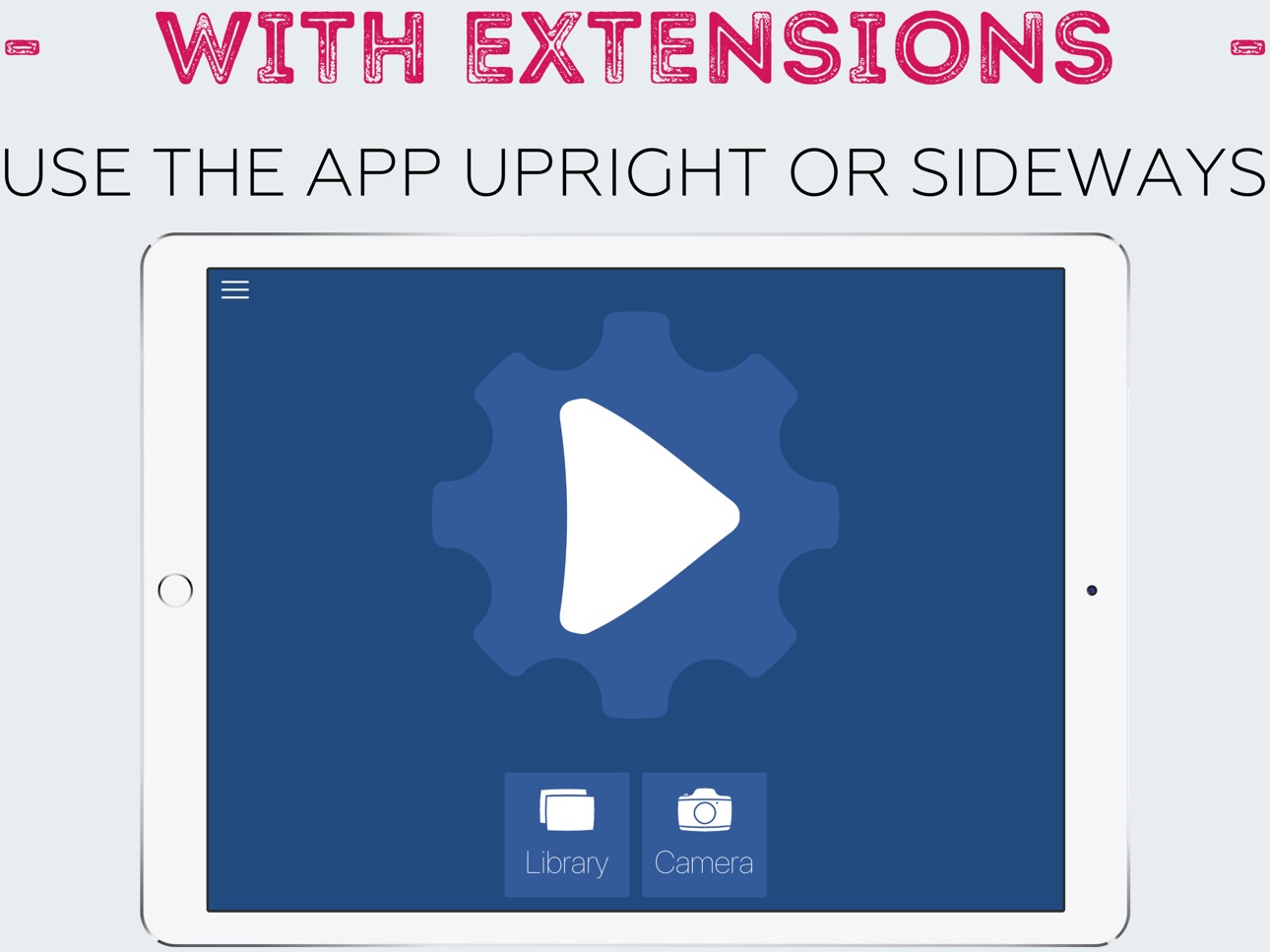
Includes Photos and Action extensions,
and it's free, try it now!
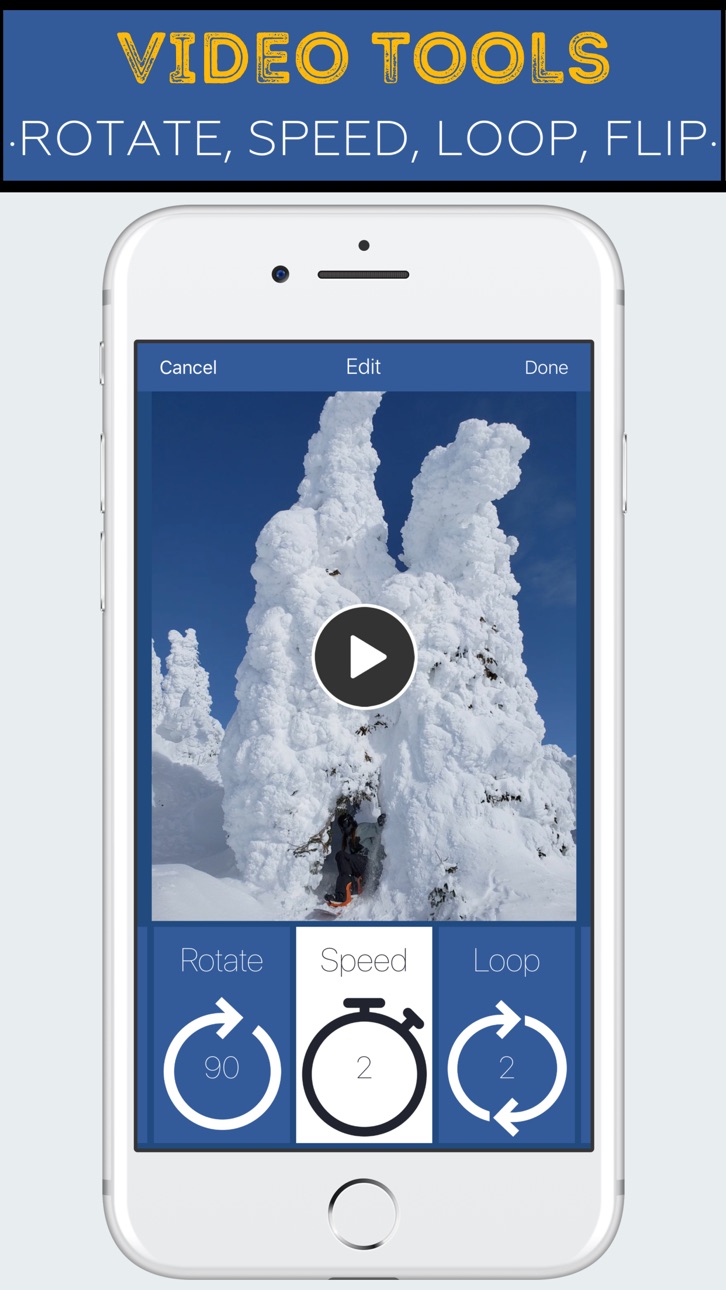
This app can be used to quickly combine clips, stabilize videos, loop videos, add music to videos, reverse videos, rotate videos, zoom or crop videos, change video speed, reduce volume, or mirror a video left to right (a.k.a. flip).
To use the app from within the Photos app, hit the "Edit" button after selecting a video. Also, anytime a video can be "shared" with the iOS "Share" button, you can use the Video Tools action to edit the video and share it to another app without having to save it again.
=====================
Video Editing Options
=====================
* Combine
* Stabilize
* Add Music
* Loop
* Reverse
* Crop / Zoom
* Rotate (90, 180, 270)
* Change speed (2x, 3x, 1/2 x, 1/4 x), or
* Flip (mirror horizontally)
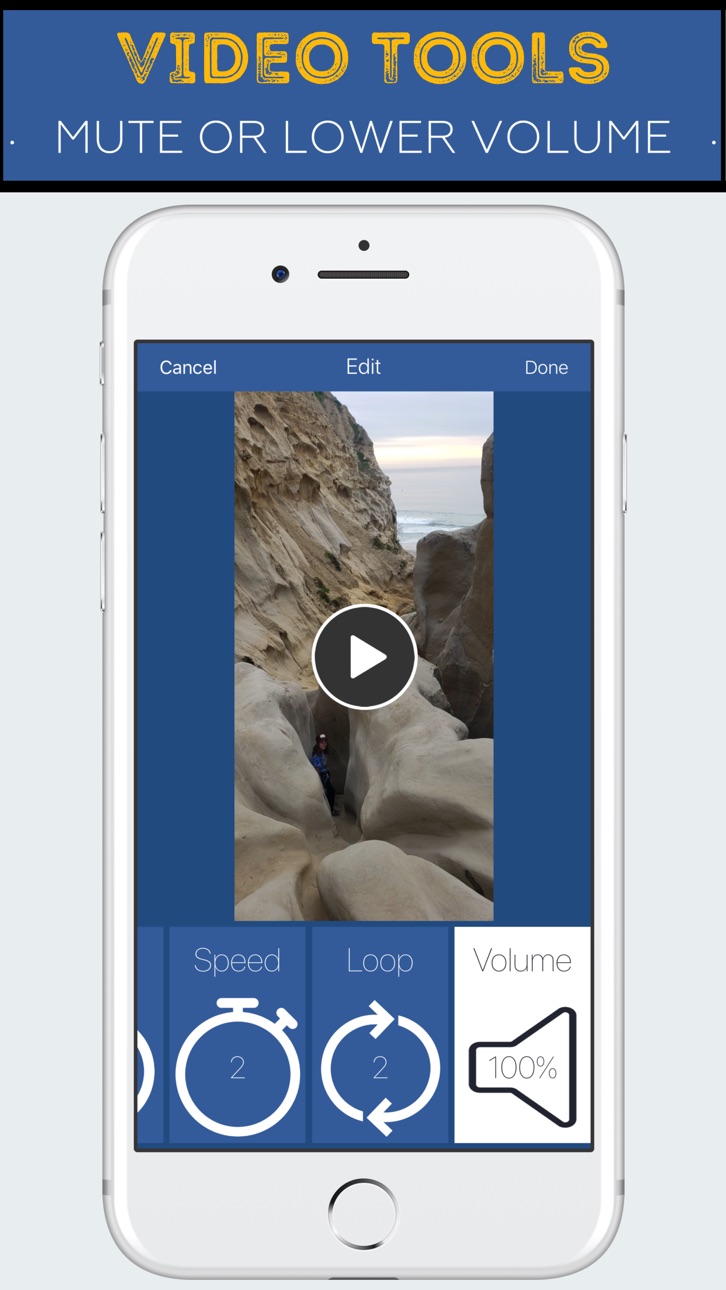
* Volume (Muted up to 100%)
=====================
What is a Photos Extension
=====================
You can directly edit videos while in the Photos app, and the result will overwrite the original. You can "undo" the video to its original version with the "revert" button in Photos.
For example, looking through your videos in the Photos app, you notice one video is sideways. While looking at the paused video, tap "Edit", then tap "Video Tools", select rotate and save. Now the video is not sideways when you look through Photos!
=====================
How to Enable the Photos extension
=====================
1) Go to the Photos app,
2) Select a video,
3) Tap the Edit button
4) Tap the "...",
5) The extension can be enabled here and dragged to the top of the list: "Video Tools". Afterward, the extension will be visible after tapping Edit.
=====================
What is an Action Extension
=====================
You can directly edit videos wherever the system "Share" button is used, from the bottom list of "Actions." The result of the edit can be passed to another extension, shared, or saved to the camera roll.
For example, you receive a video in a text, with something funny going on in the background. Tap to view the video, then hit the "Share" button. In the bottom gray options, choose "Video Tools". Zoom in on the part you want and hit save, then share the result to Messages and send it back to your friend with the video zoomed on your focus.
=====================
How to Enable the Action extension
=====================
1) Go to the Photos app,
2) Select a video,
3) Tap the Share button
4) Tap the "..." at the end of the bottom list (all the options will be black and white),
5) The extension can be enabled here and dragged to the top of the list: "Video Tools". Afterward, the extension will be visible after tapping the Share button.
In-App Purchases PY pricing
One-Time Purchases
Remove Ads—
Capabilities
In-App Purchases
Accessibility
ipadiphonemacrealityDevicetvoswatch
Version history 13 versions
Build 842812020v2.0.12021-06-25 19:41:22
Bugfixes
* Fixed stabilizer crashes
* You can now select over 10 minutes of a video
Build 835889951v2.02020-05-12 16:10:32
New Features
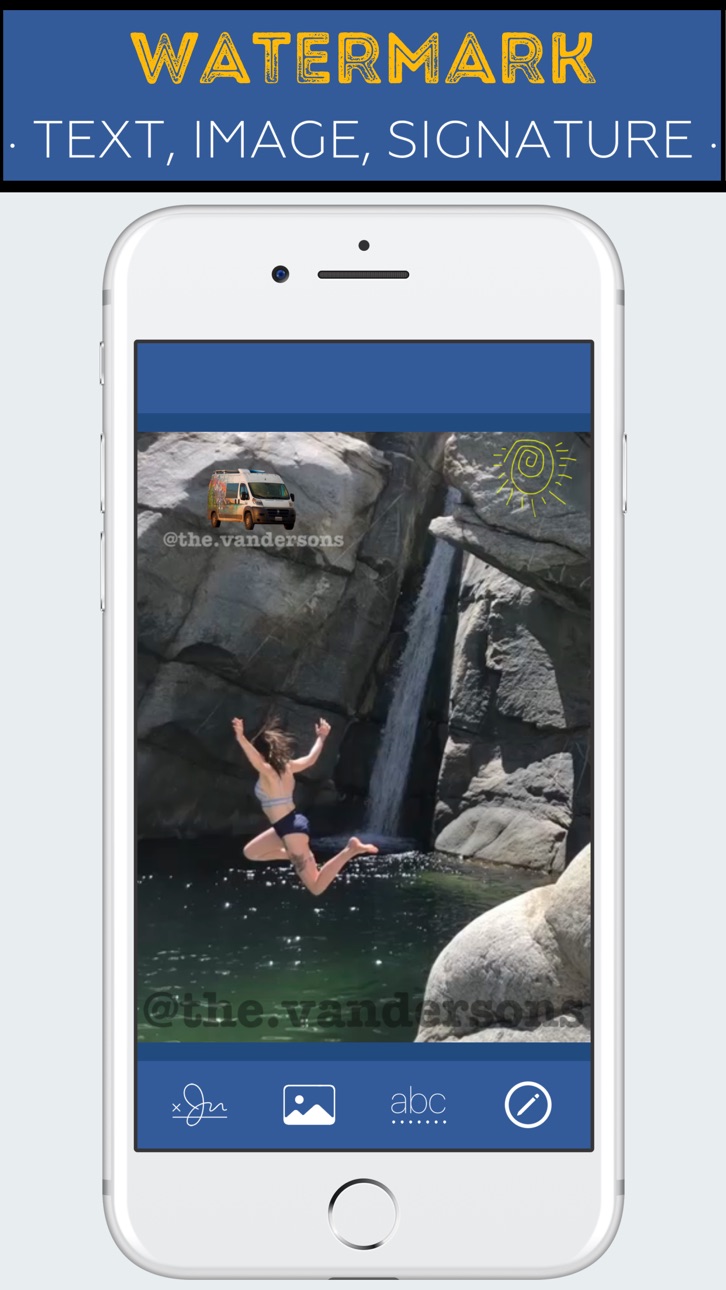
* Watermark or caption videos by adding text, images, or drawings / signatures! Change the watermarks' size, transparency, color, and font.
Bugfixes
* Extensions - many minor fixes in the Photos editing extension and share sheet Action extension.
* Music - fixed a crash when asking for permission
* Editing - fixed a bug with certain video orientations.
Build 835496683v1.72020-04-22 16:07:50
New Features
* Combine two videos into one. Select the first video, then hit "Add" and select the next video.
* Added a "Preview" before you share the result of an edit
* Translated the app into 10 languages!
Bugfixes
* Flip - results are always flipped when sharing anywhere
* Zoom - fixed some failure cases
* Stabilize - fixed possible crashes
* Music - waveform is generated faster
Build 833115534v1.6.12019-10-14 00:52:13
* Fixed a crash on the main page
Build 833064185v1.62019-10-08 19:18:02
* Video Stabilization
Build 832342203v1.52019-08-12 00:18:21
* Loop videos two to five times, quickly and easily, right from the Photos app, using the editing or action extensions (or in the main app). This can be very useful to meet the minimum video length requirement of Instagram
Build 831572684v1.42019-06-06 16:20:47
* Add music to a video, from songs downloaded on your device
Bugfixes
* Fixed extension's loading
* Fixed an issue when scrolling through the edit options
* Fixed landscape mode
* Fixed a bug when using the Video Map
Build 831233018v1.3.22019-05-18 17:46:19
* You can now reduce the volume or mute a video
* Fixed a bug with panning after zooming a video
* Fixed a bug with changing video speed
Build 830272541v1.3.12019-02-13 18:16:18
* Audio is now also reversed when reversing a video
* Added a new 2/5 speed option, at the request of reviewer "gchung"
* Fixed a crash when reversing large videos in the extensions
Build 829848145v1.32019-01-15 16:26:49
* A progress bar is now shown while editing videos.
* Another extension has been added, an "Action" extension, shown on the bottom after tapping the "Share" button for a video. The result of the edit can be saved or shared to another app or extension.
* An "App Preview" video has been added in the App Store showing how to use the Photos editing extension.
Build 825615600v1.22018-01-13 16:42:38
Zoom
=====================
Now you can zoom in on a video
=====================
How to Enable the Extension
=====================
1) Go to the Photos app,
2) Select a video,
3) Tap the Edit button
4) Tap the "...",
5) The extension is found here, or you need to tap "more" and enable the extension
Build 823751280v1.12017-09-26 21:06:32
Photos Editing Extension
=====================
Now you can directly edit videos while in the Photos app, and the result will overwrite the original. You can always revert the video to its original version with the "revert" button from Photos' edit page.
=====================
How to Enable the Extension
=====================
1) Go to the Photos app,
2) Select a video,
3) Tap the Edit button
4) Tap the "...",
5) The extension is found here, or you need to tap "more" and enable the extension
Build 823637953v1.02017-09-15 04:40:07
Price history by region
Currency
Show
Columns
Search
Availability 175 of 175 storefronts
| Region | Language | Price | Ratings | Avg | Version |
|---|---|---|---|---|---|
| US | en-US | Free | 201 | 4.6 | 2.0.1 |
| TW | zh-Hant-TW | Free | 151 | 4.9 | 2.0.1 |
| FR | fr-FR | Free | 77 | 4.8 | 2.0.1 |
| GB | en-GB | Free | 24 | 4.4 | 2.0.1 |
| CA | en-CA | Free | 21 | 4.5 | 2.0.1 |
| SA | en-GB | Free | 17 | 4.1 | 2.0.1 |
| ES | es-ES | Free | 15 | 4.3 | 2.0.1 |
| HK | zh-Hant-HK | Free | 12 | 5.0 | 2.0.1 |
| CN | zh-Hans-CN | Free | 11 | 4.7 | 2.0.1 |
| JP | ja | Free | 8 | 5.0 | 2.0.1 |
| RU | ru | Free | 8 | 3.0 | 2.0.1 |
| UA | en-GB | Free | 8 | 4.5 | 2.0.1 |
| CO | es-MX | Free | 7 | 4.0 | 2.0.1 |
| DE | de-DE | Free | 7 | 4.4 | 2.0.1 |
| AU | en-AU | Free | 6 | 3.7 | 2.0.1 |
| ID | en-GB | Free | 5 | 3.6 | 2.0.1 |
| NL | nl | Free | 4 | 3.8 | 2.0.1 |
| AE | en-GB | Free | 3 | 4.7 | 2.0.1 |
| BE | en-GB | Free | 3 | 4.7 | 2.0.1 |
| BR | pt-BR | Free | 3 | 3.7 | 2.0.1 |
| CH | de-CH | Free | 3 | 4.3 | 2.0.1 |
| IT | it | Free | 3 | 4.3 | 2.0.1 |
| MY | en-GB | Free | 3 | 4.7 | 2.0.1 |
| TH | en-GB | Free | 3 | 5.0 | 2.0.1 |
| AR | es-MX | Free | 2 | 5.0 | 2.0.1 |
| AT | de-DE | Free | 2 | 5.0 | 2.0.1 |
| IN | en-GB | Free | 2 | 3.5 | 2.0.1 |
| MX | es-MX | Free | 2 | 4.5 | 2.0.1 |
| PH | en-GB | Free | 2 | 1.0 | 2.0.1 |
| RO | en-GB | Free | 2 | 5.0 | 2.0.1 |
| CD | en-GB | Free | 1 | 1.0 | 2.0.1 |
| CI | fr-FR | Free | 1 | 5.0 | 2.0.1 |
| CR | es-MX | Free | 1 | 1.0 | 2.0.1 |
| DK | en-GB | Free | 1 | 1.0 | 2.0.1 |
| FI | en-GB | Free | 1 | 1.0 | 2.0.1 |
| GR | en-GB | Free | 1 | 5.0 | 2.0.1 |
| GT | es-MX | Free | 1 | 5.0 | 2.0.1 |
| LR | en-GB | Free | 1 | 5.0 | 2.0.1 |
| MO | zh-Hant-HK | Free | 1 | 5.0 | 2.0.1 |
| NO | en-GB | Free | 1 | 5.0 | 2.0.1 |
| PA | es-MX | Free | 1 | 5.0 | 2.0.1 |
| SE | sv | Free | 1 | 5.0 | 2.0.1 |
| SG | en-GB | Free | 1 | 5.0 | 2.0.1 |
| TR | en-GB | Free | 1 | 5.0 | 2.0.1 |
| VN | en-GB | Free | 1 | 1.0 | 2.0.1 |
| AF | en-GB | Free | 0 | — | 2.0.1 |
| AG | en-GB | Free | 0 | — | 2.0.1 |
| AI | en-GB | Free | 0 | — | 2.0.1 |
| AL | en-GB | Free | 0 | — | 2.0.1 |
| AM | en-GB | Free | 0 | — | 2.0.1 |
| AO | en-GB | Free | 0 | — | 2.0.1 |
| AZ | en-GB | Free | 0 | — | 2.0.1 |
| BA | en-GB | Free | 0 | — | 2.0.1 |
| BB | en-GB | Free | 0 | — | 2.0.1 |
| BF | en-GB | Free | 0 | — | 2.0.1 |
| BG | en-GB | Free | 0 | — | 2.0.1 |
| BH | en-GB | Free | 0 | — | 2.0.1 |
| BJ | en-GB | Free | 0 | — | 2.0.1 |
| BM | en-GB | Free | 0 | — | 2.0.1 |
| BN | en-GB | Free | 0 | — | 2.0.1 |
| BO | es-MX | Free | 0 | — | 2.0.1 |
| BS | en-GB | Free | 0 | — | 2.0.1 |
| BT | en-GB | Free | 0 | — | 2.0.1 |
| BW | en-GB | Free | 0 | — | 2.0.1 |
| BY | en-GB | Free | 0 | — | 2.0.1 |
| BZ | en-GB | Free | 0 | — | 2.0.1 |
| CG | en-GB | Free | 0 | — | 2.0.1 |
| CL | es-MX | Free | 0 | — | 2.0.1 |
| CM | fr-FR | Free | 0 | — | 2.0.1 |
| CV | en-GB | Free | 0 | — | 2.0.1 |
| CY | en-GB | Free | 0 | — | 2.0.1 |
| CZ | en-GB | Free | 0 | — | 2.0.1 |
| DM | en-GB | Free | 0 | — | 2.0.1 |
| DO | es-MX | Free | 0 | — | 2.0.1 |
| DZ | en-GB | Free | 0 | — | 2.0.1 |
| EC | es-MX | Free | 0 | — | 2.0.1 |
| EE | en-GB | Free | 0 | — | 2.0.1 |
| EG | en-GB | Free | 0 | — | 2.0.1 |
| FJ | en-GB | Free | 0 | — | 2.0.1 |
| FM | en-GB | Free | 0 | — | 2.0.1 |
| GA | fr-FR | Free | 0 | — | 2.0.1 |
| GD | en-GB | Free | 0 | — | 2.0.1 |
| GE | en-GB | Free | 0 | — | 2.0.1 |
| GH | en-GB | Free | 0 | — | 2.0.1 |
| GM | en-GB | Free | 0 | — | 2.0.1 |
| GW | en-GB | Free | 0 | — | 2.0.1 |
| GY | en-GB | Free | 0 | — | 2.0.1 |
| HN | es-MX | Free | 0 | — | 2.0.1 |
| HR | en-GB | Free | 0 | — | 2.0.1 |
| HU | en-GB | Free | 0 | — | 2.0.1 |
| IE | en-GB | Free | 0 | — | 2.0.1 |
| IL | en-GB | Free | 0 | — | 2.0.1 |
| IQ | en-GB | Free | 0 | — | 2.0.1 |
| IS | en-GB | Free | 0 | — | 2.0.1 |
| JM | en-GB | Free | 0 | — | 2.0.1 |
| JO | en-GB | Free | 0 | — | 2.0.1 |
| KE | en-GB | Free | 0 | — | 2.0.1 |
| KG | en-GB | Free | 0 | — | 2.0.1 |
| KH | en-GB | Free | 0 | — | 2.0.1 |
| KN | en-GB | Free | 0 | — | 2.0.1 |
| KR | ko | Free | 0 | — | 2.0.1 |
| KW | en-GB | Free | 0 | — | 2.0.1 |
| KY | en-GB | Free | 0 | — | 2.0.1 |
| KZ | en-GB | Free | 0 | — | 2.0.1 |
| LA | en-GB | Free | 0 | — | 2.0.1 |
| LB | en-GB | Free | 0 | — | 2.0.1 |
| LC | en-GB | Free | 0 | — | 2.0.1 |
| LK | en-GB | Free | 0 | — | 2.0.1 |
| LT | en-GB | Free | 0 | — | 2.0.1 |
| LU | en-GB | Free | 0 | — | 2.0.1 |
| LV | en-GB | Free | 0 | — | 2.0.1 |
| LY | en-GB | Free | 0 | — | 2.0.1 |
| MA | en-GB | Free | 0 | — | 2.0.1 |
| MD | en-GB | Free | 0 | — | 2.0.1 |
| ME | en-GB | Free | 0 | — | 2.0.1 |
| MG | en-GB | Free | 0 | — | 2.0.1 |
| MK | en-GB | Free | 0 | — | 2.0.1 |
| ML | en-GB | Free | 0 | — | 2.0.1 |
| MM | en-GB | Free | 0 | — | 2.0.1 |
| MN | en-GB | Free | 0 | — | 2.0.1 |
| MR | en-GB | Free | 0 | — | 2.0.1 |
| MS | en-GB | Free | 0 | — | 2.0.1 |
| MT | en-GB | Free | 0 | — | 2.0.1 |
| MU | en-GB | Free | 0 | — | 2.0.1 |
| MV | en-GB | Free | 0 | — | 2.0.1 |
| MW | en-GB | Free | 0 | — | 2.0.1 |
| MZ | en-GB | Free | 0 | — | 2.0.1 |
| NA | en-GB | Free | 0 | — | 2.0.1 |
| NE | en-GB | Free | 0 | — | 2.0.1 |
| NG | en-GB | Free | 0 | — | 2.0.1 |
| NI | es-MX | Free | 0 | — | 2.0.1 |
| NP | en-GB | Free | 0 | — | 2.0.1 |
| NR | en-GB | Free | 0 | — | 2.0.1 |
| NZ | en-AU | Free | 0 | — | 2.0.1 |
| OM | en-GB | Free | 0 | — | 2.0.1 |
| PE | es-MX | Free | 0 | — | 2.0.1 |
| PG | en-GB | Free | 0 | — | 2.0.1 |
| PK | en-GB | Free | 0 | — | 2.0.1 |
| PL | en-GB | Free | 0 | — | 2.0.1 |
| PT | pt-PT | Free | 0 | — | 2.0.1 |
| PW | en-GB | Free | 0 | — | 2.0.1 |
| PY | es-MX | Free | 0 | — | 2.0.1 |
| QA | en-GB | Free | 0 | — | 2.0.1 |
| RS | en-GB | Free | 0 | — | 2.0.1 |
| RW | en-GB | Free | 0 | — | 2.0.1 |
| SB | en-GB | Free | 0 | — | 2.0.1 |
| SC | en-GB | Free | 0 | — | 2.0.1 |
| SI | en-GB | Free | 0 | — | 2.0.1 |
| SK | en-GB | Free | 0 | — | 2.0.1 |
| SL | en-GB | Free | 0 | — | 2.0.1 |
| SN | en-GB | Free | 0 | — | 2.0.1 |
| SR | en-GB | Free | 0 | — | 2.0.1 |
| ST | en-GB | Free | 0 | — | 2.0.1 |
| SV | es-MX | Free | 0 | — | 2.0.1 |
| SZ | en-GB | Free | 0 | — | 2.0.1 |
| TC | en-GB | Free | 0 | — | 2.0.1 |
| TD | en-GB | Free | 0 | — | 2.0.1 |
| TJ | en-GB | Free | 0 | — | 2.0.1 |
| TM | en-GB | Free | 0 | — | 2.0.1 |
| TN | en-GB | Free | 0 | — | 2.0.1 |
| TO | en-GB | Free | 0 | — | 2.0.1 |
| TT | en-GB | Free | 0 | — | 2.0.1 |
| TZ | en-GB | Free | 0 | — | 2.0.1 |
| UG | en-GB | Free | 0 | — | 2.0.1 |
| UY | en-GB | Free | 0 | — | 2.0.1 |
| UZ | en-GB | Free | 0 | — | 2.0.1 |
| VC | en-GB | Free | 0 | — | 2.0.1 |
| VE | es-MX | Free | 0 | — | 2.0.1 |
| VG | en-GB | Free | 0 | — | 2.0.1 |
| VU | en-GB | Free | 0 | — | 2.0.1 |
| XK | en-GB | Free | 0 | — | 2.0.1 |
| YE | en-GB | Free | 0 | — | 2.0.1 |
| ZA | en-GB | Free | 0 | — | 2.0.1 |
| ZM | en-GB | Free | 0 | — | 2.0.1 |
| ZW | en-GB | Free | 0 | — | 2.0.1 |
Change log 17 changes · PY
✎
releaseNotes updated
Bugfixes
* Fixed stabilizer crashes
* You can now select over 10 minutes of a video
✎
description updated
Simple to use + preserves video quality,
Includes Photos and Action extensions,
and it's free, try it now!
This app can be used to quickly combine clips, stabi
✎
subtitle updated
Watermark, Music, Stabilize...
✎
name updated
Clippy: Video Editor Edit Tool
◆
Version 2.0.1 released
Bugfixes
* Fixed stabilizer crashes
* You can now select over 10 minutes of a video
◆
Version 2.0 released
New Features
* Watermark or caption videos by adding text, images, or drawings / signatures! Change the watermarks' size, transparency, color, and font.
Bugfixes
* Extensions - many minor fixes in the Photos editing extension and share sh
◆
Version 1.7 released
New Features
* Combine two videos into one. Select the first video, then hit "Add" and select the next video.
* Added a "Preview" before you share the result of an edit
* Translated the app into 10 languages!
Bugfixes
* Flip - results are
◆
Version 1.6.1 released
* Fixed a crash on the main page
◆
Version 1.6 released
* Video Stabilization
◆
Version 1.5 released
* Loop videos two to five times, quickly and easily, right from the Photos app, using the editing or action extensions (or in the main app). This can be very useful to meet the minimum video length requirement of Instagram
◆
Version 1.4 released
* Add music to a video, from songs downloaded on your device
Bugfixes
* Fixed extension's loading
* Fixed an issue when scrolling through the edit options
* Fixed landscape mode
* Fixed a bug when using the Video Map
◆
Version 1.3.2 released
* You can now reduce the volume or mute a video
* Fixed a bug with panning after zooming a video
* Fixed a bug with changing video speed
◆
Version 1.3.1 released
* Audio is now also reversed when reversing a video
* Added a new 2/5 speed option, at the request of reviewer "gchung"
* Fixed a crash when reversing large videos in the extensions
◆
Version 1.3 released
* A progress bar is now shown while editing videos.
* Another extension has been added, an "Action" extension, shown on the bottom after tapping the "Share" button for a video. The result of the edit can be saved or shared to another app o
◆
Version 1.2 released
Zoom
=====================
Now you can zoom in on a video
=====================
How to Enable the Extension
=====================
1) Go to the Photos app,
2) Select a video,
3) Tap the Edit button
4) Tap the "...",
5) The extension is foun
◆
Version 1.1 released
Photos Editing Extension
=====================
Now you can directly edit videos while in the Photos app, and the result will overwrite the original. You can always revert the video to its original version with the "revert" button from Phot
◆
Version 1.0 released