Home › Business

 US
US
1 of 1 storefronts
Content in en-US
Content in en-US
Information
Preview 2 platforms
iPhone 6 images


iPad 7 images




What’s New Version 2.0.47
We've updated the HubSpot CRM integration to support the latest API version, as older versions are no longer supported.
Description
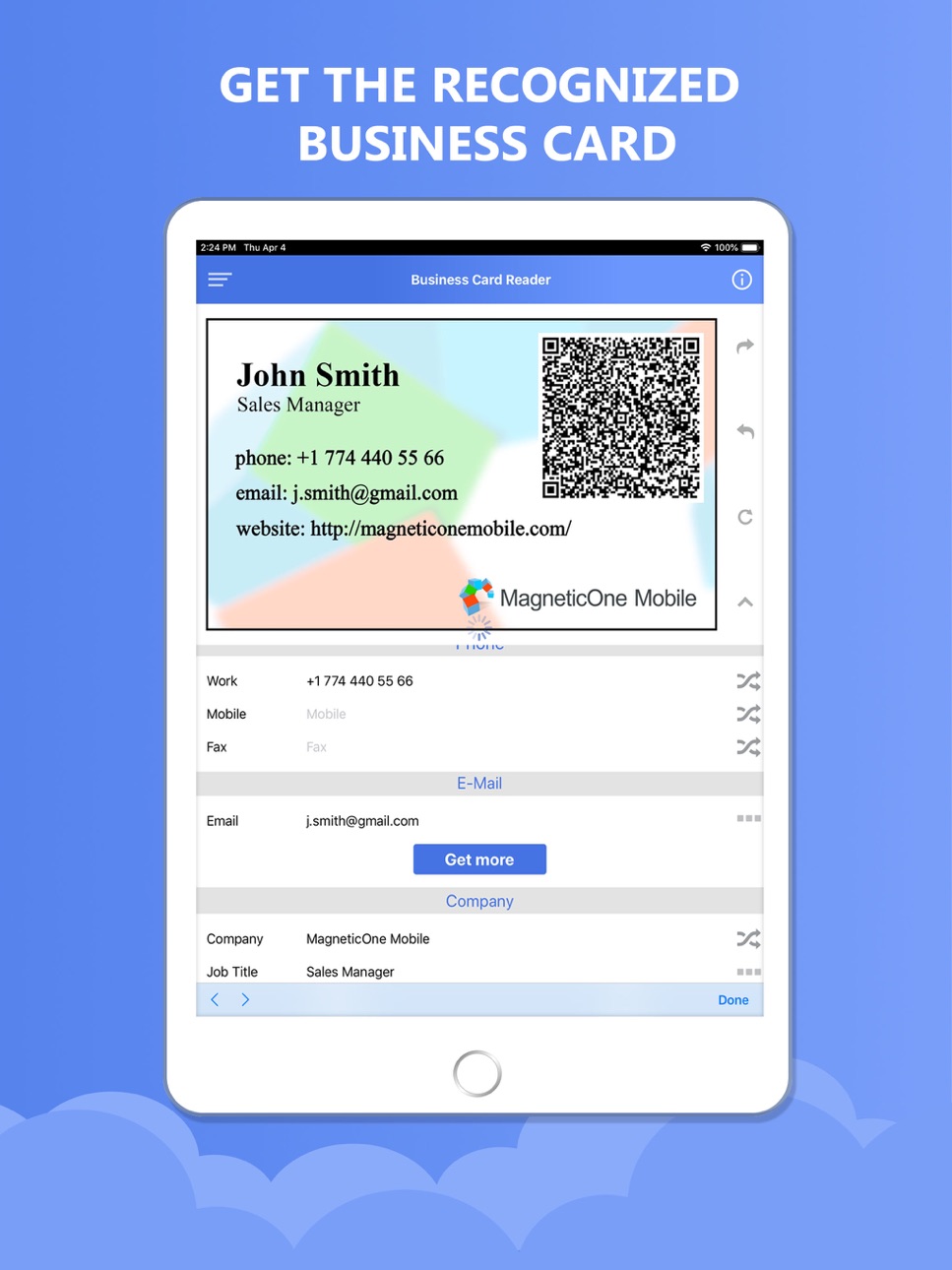
Business Card Reader for Hubspot CRM is the easiest and quickest way to save your business cards info into Hubspot CRM.
Snap a photo of the business card and Business Card Reader for Hubspot CRM instantly exports all card data directly into your CRM system.
Moreover, this innovative solution allows you to find out more information about your potential client, partner, or colleague.
Business Card Reader for HubSpot CRM is a Certified product by Hubspot Connect Program.
Just two taps and you get a bird's eye view of the following information:
- personal info: Company Name, Job Title, Department, Address, Social Network Profiles, Messengers etc.
Simply follow this easy steps to make your cards work:
1. Snap a photo of a business card - app will recognize it automatically
2. Preview and save results
3. Now the information is stored and you can work with it!
Let’s see how this business solution can assist in your business process:
----------
FEATURES
----------
- It has simple and intuitive interface;
- Built-in integration wizard exclusively for Hubspot CRM;
- Ability to recognize business cards from card images saved earlier;
- Multilingual cards recognition supported;
- Automatically adds country phone code when code is missing in business card phone number;
- Fast recognition process (improved recognition speed for UltraHD business cards photos);
- Precise conversion of business card data (using the technology of intellectual OCR);
- Preview results and make necessary changes before saving;
- Add text and voice notes for each business card;
- Navigate to contact address on map;
- Instantly save results by one touch (to CRM, phone contacts or Gmail contacts);
- Encrypted recognition server connection for maximum data security;
- It doesn't violate any laws or the privacy rights;
- It always keeps your contacts secure and in one place.
-------------------
UNIQUE FEATURES
------------------
- Among the scanned info about your prospect, customer, business partner or potential colleague, you can get more extended person’s information fast as lightning from the database of daaata.io such as Company name, Position, Job Title, Address, Social network profiles (Facebook, LinkedIn, and Twitter), messengers and much more;*
- Send a letter with your contact information to the saved contact;
- Save the location of a business card recognition process.
* works best for USA, Canada and Europe
The application supports 25 recognition languages which include:
- Chinese (Simplified and Traditional)
- Czech
- Danish
- Dutch (Netherlands)
- English
- Estonian
- Finnish
- French
- German
- Greek
- Indonesian
- Italian
- Japanese
- Korean
- Norwegian (both Bokmal and Nynorsk)
- Polish
- Portuguese (Portugal)
- Portuguese (Brazilian)
- Russian
- Spanish
- Swedish
- Turkish
- Ukrainian
--------
PRICING
--------
Business card scanner application is completely FREE with the limited amount of storage slots to use, but additional in-app business card recognitions will require payment.
------------------------
CORPORATE LICENSING
------------------------
You can use Business Card Reader for the group of people – within your company or your team.
Read more about corporate licensing on magneticonemobile website.
----------------------------------
Follow us to get news and updates:
----------------------------------
Facebook - magneticonemobile
Twitter - @M1M_Works
You can find our site in Google "MagneticOne Mobile Works"
Need help?
Send request from the application (Preferences=>Support Request)
Tackle YOUR business card clutter and turn YOUR prospects into paying customers!
Capabilities
In-App Purchases
Accessibility
ipadiphonemacrealityDevicetvoswatch
Version history 23 versions
Build 856246556v2.0.472025-06-28 06:27:35
We've updated the HubSpot CRM integration to support the latest API version, as older versions are no longer supported.
Build 855039262v2.0.462023-02-18 02:07:01
Updated support for some custom fields in app due to Hubspot CRM API changes.
Build 851826949v2.0.452022-08-26 18:35:18
API on CRM side was changed (new scopes for CRM login are added)
Build 850731286v2.0.442022-07-21 20:35:09
Updating the application due to changes in the CRM API
Build 837524416v2.0.432020-08-28 06:20:10
The ability to log in to the application via "Sign in with Apple"
Build 835200863v2.0.402020-03-25 11:58:54
- fixed the issue, when the application was crashed after all credits have been used
Build 835061576v2.0.372020-03-11 18:02:46
- possibility to add up to 5 extra pictures in CRM when you're using custom fields.
Build 834542889v2.0.362020-01-30 23:01:13
- small improvements
Build 832207623v2.0.352019-12-19 09:16:12
- iOS 13 compatibility
- added dark theme
Build 832074212v2.0.312019-07-20 05:07:13
changes in logging into CRM system
Build 831256773v2.0.302019-07-19 07:41:02
- ability to scan business cards from QR code in vCard and meCard formats;
Build 831015513v2.0.292019-05-03 07:18:10
Completely brand-new modern design
Build 829387708v1.272018-11-25 09:35:14
- added Custom fields
Build 828099767v1.242018-08-03 12:35:06
- bug fixes
Build 827768443v1.232018-07-11 06:44:33
- performance improvements
Build 827107392v1.212018-05-17 07:52:40
- GDPR Compliance measures (available only in the EU countries)
- small bugs fixes
Build 826331636v1.202018-03-20 19:59:52
- added Turkish language for recognition
- fixes and performance improvements
Build 825775608v1.192018-01-27 09:30:35
- added feature to assign a contact to hubspot owner
Build 825456796v1.182018-01-14 10:31:07
- enrichment feature is added
Build 825211436v1.162017-12-06 15:54:53
- fixed bugs occuring while slow internet connection
Build 824464631v1.122017-11-23 07:22:46
- Added feature to save business card image and voice note directly into CRM
Build 824101687v1.102017-10-22 18:04:22
- Fixed a bug which was occurring during recognition of a business card
Build 823340453v1.022017-09-16 01:46:17
No pricing data captured yet — comparisons appear once the app has paid storefronts or in-app purchases.
Availability 1 of 1 storefronts
| Region | Language | Price | Ratings | Avg | Version |
|---|---|---|---|---|---|
| US | en-US | Free | 1 | 1.0 | 2.0.47 |
Change log 27 changes · US
✎
releaseNotes updated
We've updated the HubSpot CRM integration to support the latest API version, as older versions are no longer supported.
✎
description updated
Business Card Reader for Hubspot CRM is the easiest and quickest way to save your business cards info into Hubspot CRM.
Snap a photo of the business card and B
✎
subtitle updated
Add contacts to your CRM easy
✎
name updated
Business Card Reader 4 Hubspot
◆
Version 2.0.47 released
We've updated the HubSpot CRM integration to support the latest API version, as older versions are no longer supported.
◆
Version 2.0.46 released
Updated support for some custom fields in app due to Hubspot CRM API changes.
◆
Version 2.0.45 released
API on CRM side was changed (new scopes for CRM login are added)
◆
Version 2.0.44 released
Updating the application due to changes in the CRM API
◆
Version 2.0.43 released
The ability to log in to the application via "Sign in with Apple"
◆
Version 2.0.40 released
- fixed the issue, when the application was crashed after all credits have been used
◆
Version 2.0.37 released
- possibility to add up to 5 extra pictures in CRM when you're using custom fields.
◆
Version 2.0.36 released
- small improvements
◆
Version 2.0.35 released
- iOS 13 compatibility
- added dark theme
◆
Version 2.0.31 released
changes in logging into CRM system
◆
Version 2.0.30 released
- ability to scan business cards from QR code in vCard and meCard formats;
◆
Version 2.0.29 released
Completely brand-new modern design
◆
Version 1.27 released
- added Custom fields
◆
Version 1.24 released
- bug fixes
◆
Version 1.23 released
- performance improvements
◆
Version 1.21 released
- GDPR Compliance measures (available only in the EU countries)
- small bugs fixes
◆
Version 1.20 released
- added Turkish language for recognition
- fixes and performance improvements
◆
Version 1.19 released
- added feature to assign a contact to hubspot owner
◆
Version 1.18 released
- enrichment feature is added
◆
Version 1.16 released
- fixed bugs occuring while slow internet connection
◆
Version 1.12 released
- Added feature to save business card image and voice note directly into CRM
◆
Version 1.10 released
- Fixed a bug which was occurring during recognition of a business card
◆
Version 1.02 released