Home › Photo & Video

 ZW
ZW
 JPja
JPja USen-US
 CAen-CA
 CNzh-Hans-CN
 AUen-AU
 DEde-DE
 KWen-GB
 NZen-AU
 RUru
RUru TWzh-Hant-TW
 AEen-GB
 AFen-GB
 AGen-GB
 AIen-GB
 ALen-GB
 AMen-GB
 AOen-GB
 ARes-MX
 ATde-DE
 AZen-GB
 BAen-GB
 BBen-GB
 BEen-GB
 BFen-GB
 BGen-GB
 BHen-GB
 BJen-GB
 BMen-GB
 BNen-GB
 BOes-MX
 BRpt-BR
 BSen-GB
 BTen-GB
 BWen-GB
 BYen-GB
 BZen-GB
 CDen-GB
 CGen-GB
 CHde-CH
 CIfr-FR
 CLes-MX
 CMfr-FR
 COes-MX
 CRes-MX
 CVen-GB
 CYen-GB
 CZen-GB
 DKen-GB
 DMen-GB
 DOes-MX
 DZen-GB
 ECes-MX
 EEen-GB
 EGen-GB
 ESes-ES
 FIen-GB
 FJen-GB
 FMen-GB
 FRfr-FR
 GAfr-FR
 GBen-GB
 GDen-GB
 GEen-GB
 GHen-GB
 GMen-GB
 GRen-GB
 GTes-MX
 GYen-GB
 HKzh-Hant-HK
 HNes-MX
 HRen-GB
 HUen-GB
 IDen-GB
 IEen-GB
 ILen-GB
 INen-GB
 IQen-GB
 ISen-GB
 ITit
ITit JMen-GB
 JOen-GB
 KEen-GB
 KGen-GB
 KHen-GB
 KNen-GB
 KRko
KRko KYen-GB
 KZen-GB
 LAen-GB
 LBen-GB
 LCen-GB
 LKen-GB
 LRen-GB
 LTen-GB
 LUen-GB
 LVen-GB
 LYen-GB
 MAen-GB
 MDen-GB
 MEen-GB
 MGen-GB
 MKen-GB
 MLen-GB
 MMen-GB
 MNen-GB
 MOzh-Hant-HK
 MRen-GB
 MSen-GB
 MTen-GB
 MUen-GB
 MVen-GB
 MWen-GB
 MXes-MX
 MYen-GB
 MZen-GB
 NAen-GB
 NEen-GB
 NGen-GB
 NIes-MX
 NLnl
NLnl NOen-GB
 NPen-GB
 NRen-GB
 OMen-GB
 PAes-MX
 PEes-MX
 PGen-GB
 PHen-GB
 PKen-GB
 PLen-GB
 PTpt-PT
 PWen-GB
 PYes-MX
 QAen-GB
 ROen-GB
 RSen-GB
 RWen-GB
 SAen-GB
 SBen-GB
 SEsv
SEsv SGen-GB
 SIen-GB
 SKen-GB
 SNen-GB
 SRen-GB
 STen-GB
 SVes-MX
 SZen-GB
 TCen-GB
 TDen-GB
 THen-GB
 TJen-GB
 TMen-GB
 TNen-GB
 TOen-GB
 TRen-GB
 TTen-GB
 TZen-GB
 UAen-GB
 UGen-GB
 UYen-GB
 UZen-GB
 VCen-GB
 VEes-MX
 VGen-GB
 VNen-GB
 VUen-GB
 XKen-GB
 YEen-GB
 ZAen-GB
 ZMen-GBZWen-GB
172 of 172 storefronts
Content in en-US
Content in en-US
Information
Preview 2 platforms
iPhone 10 images




iPad 10 images




What’s New Version 5.19
We’ve improved the app’s internal security.
[Internal Security Improvements]
Security-related components have been updated to provide a safer, more dependable experience.
If you have any questions or feedback, please contact us through the in-app support email.
Description
[Overview & Features]
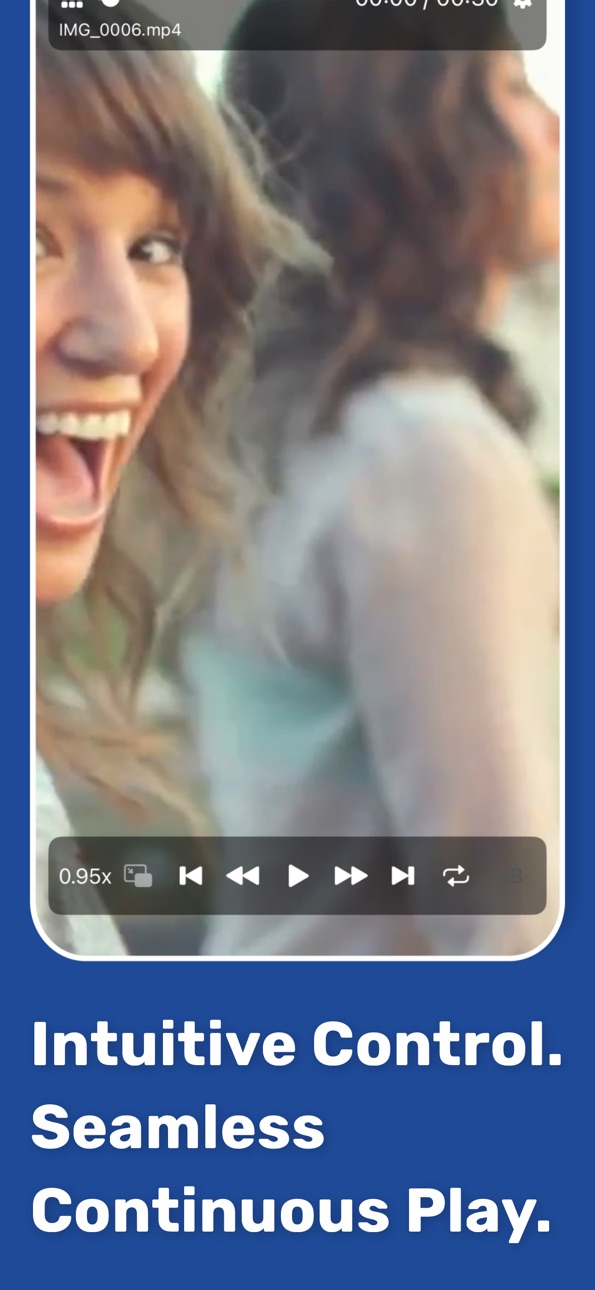
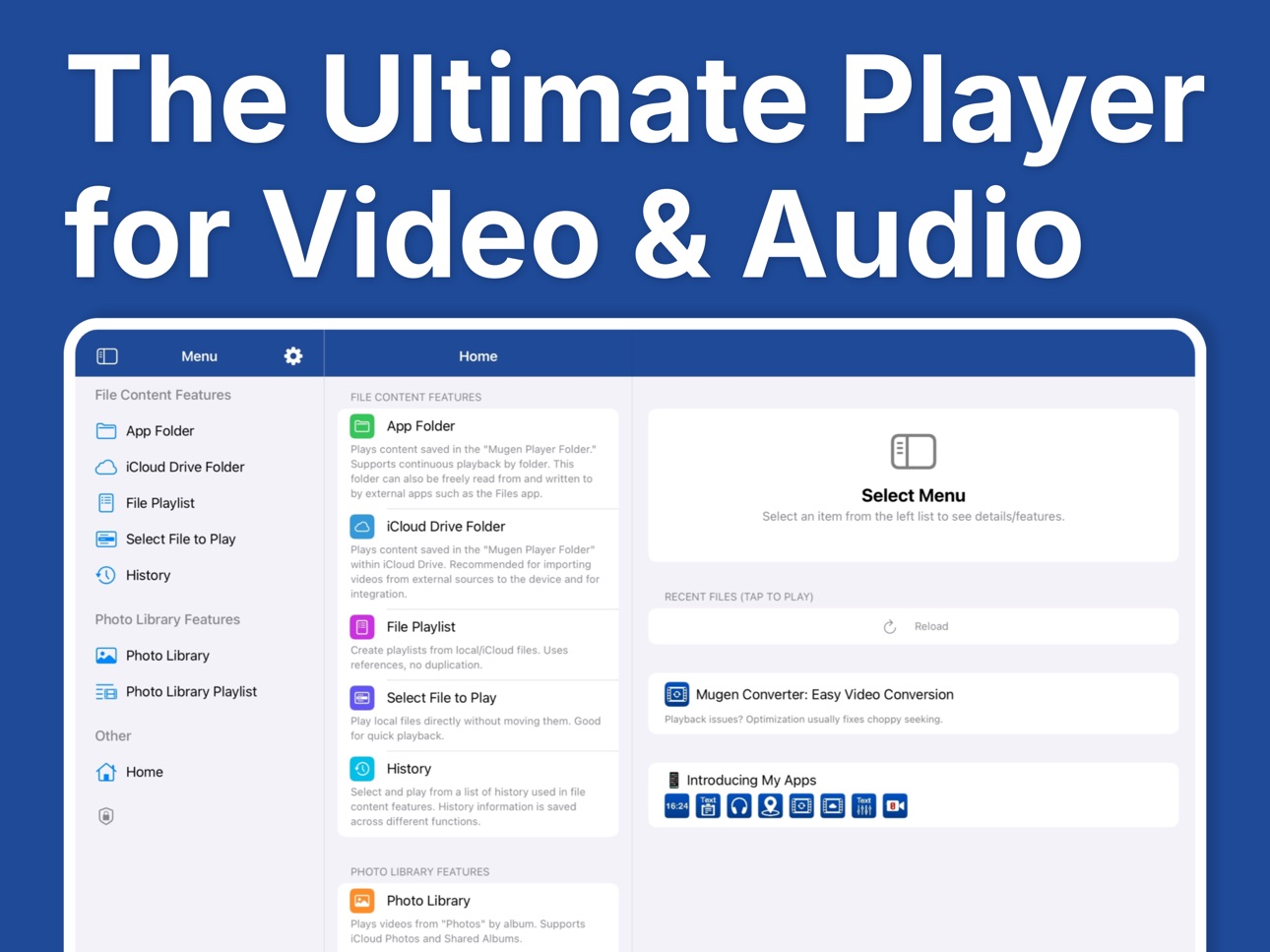
An easy-to-use, ultra-lightweight player designed for smooth continuous media playback.
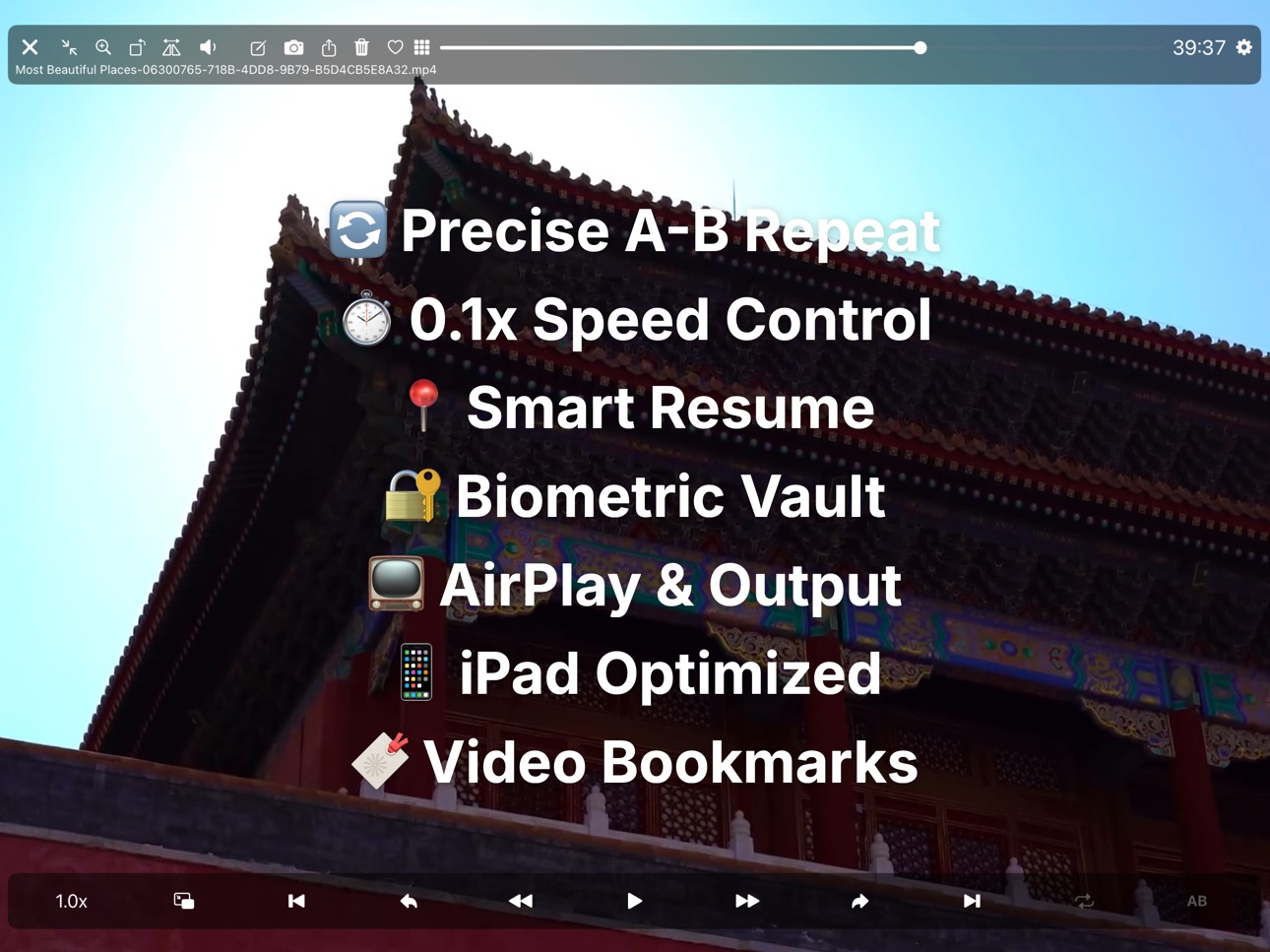
- Switch between media instantly with intuitive swipe gestures.
- Perform playback controls like skip forward/back using simple gestures.
- Create mixed playlists containing both videos and audio (music).
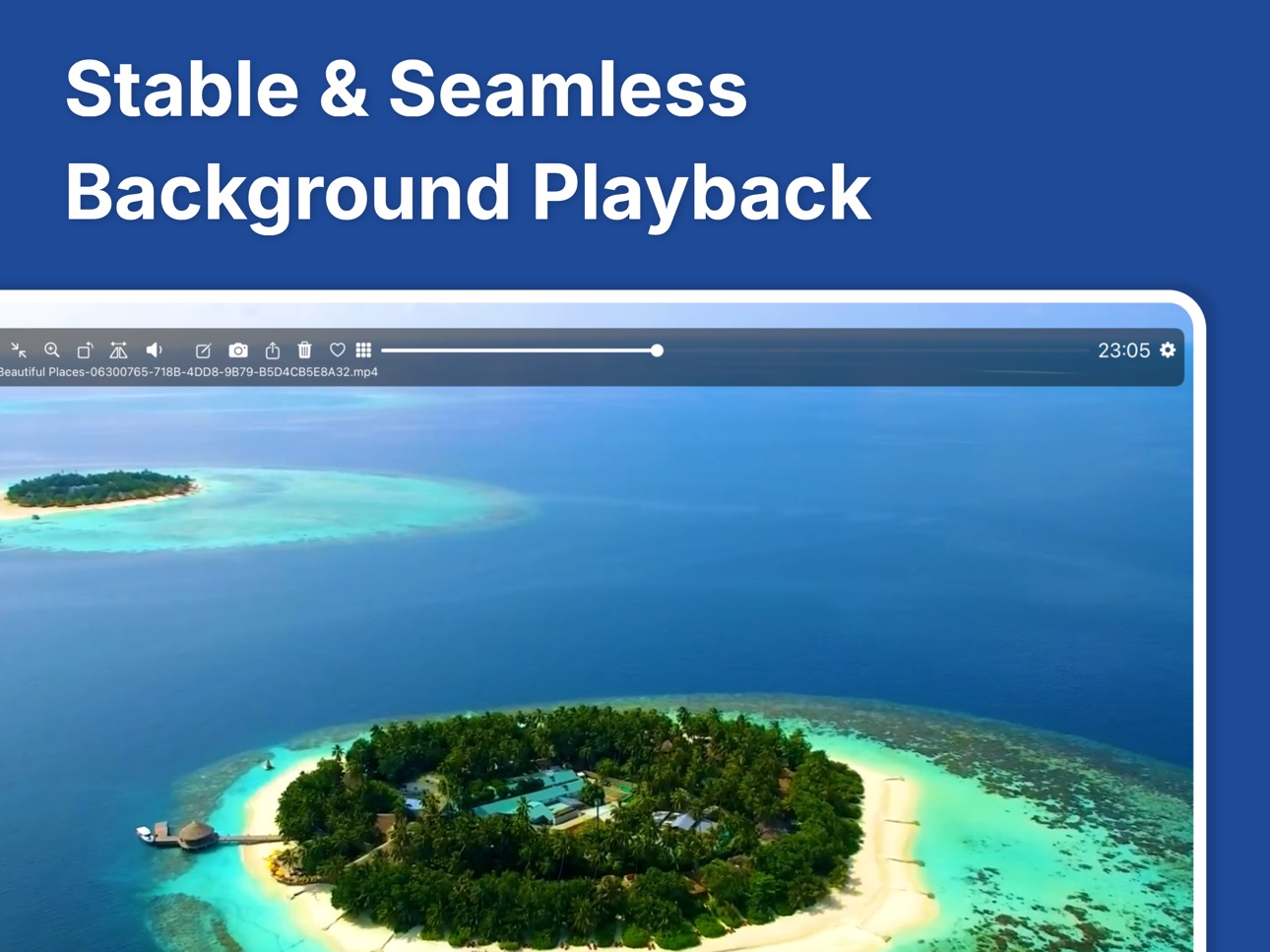
- Seamless background playback of mixed video/audio playlists.
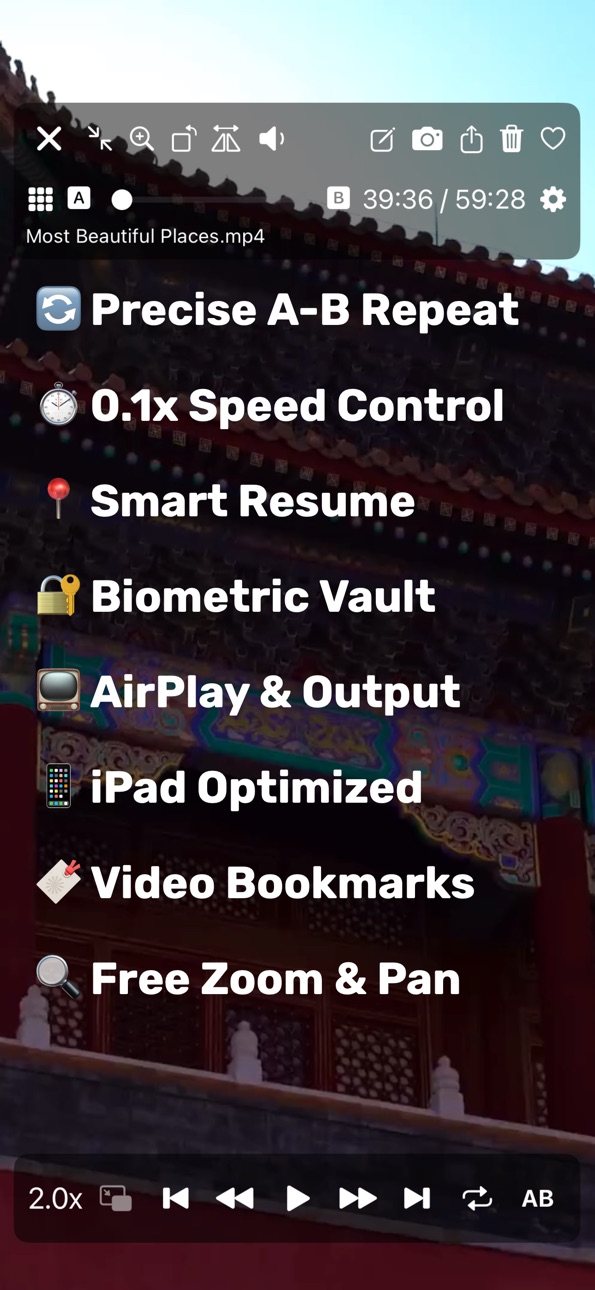
- Resume playback and restart playlists naturally from where you left off.
- Loop playback supported. Ideal for in-store displays, demo videos, or BGM.
- Intuitive background playback controls.
- Broad support for external devices, including earphones, headphones, and car controllers.
- AirPlay supported. Stream your memories without complex operations.
- Flexible support for iPad screen modes. Provides a stable experience across all devices and multitasking modes.
[Play Directly from Files]
Freely select and play media files stored on your device.
- Select files from a wide range of storage locations with standard iOS operation.
- Direct playback from the file's original location. No wasteful copies created in the app.
- Select multiple files at once for continuous playback of multiple media items.
- Playback history is automatically saved for quick access.
[Photo Library Playback]
Select from your Photo Library for continuous album-based playback.
- Automatically extracts only the videos within an album.
- Supports all videos in the Photo Library, including iCloud Shared Albums.
- Supports videos in iCloud Photo Library. Directly loads and plays cloud data.
- Priority settings available for iCloud data loading (Speed vs. Quality).
- Supports sorting (ascending/descending), filtering by Favorites, and toggling Favorites on/off.
- Create and edit custom playlists.
[App Folder Playback]
Directly reference and play files within the Mugen Player app folder.
- No loading or registration required; just tap to start continuous playback.
- Sort by file name, size, or other attributes.
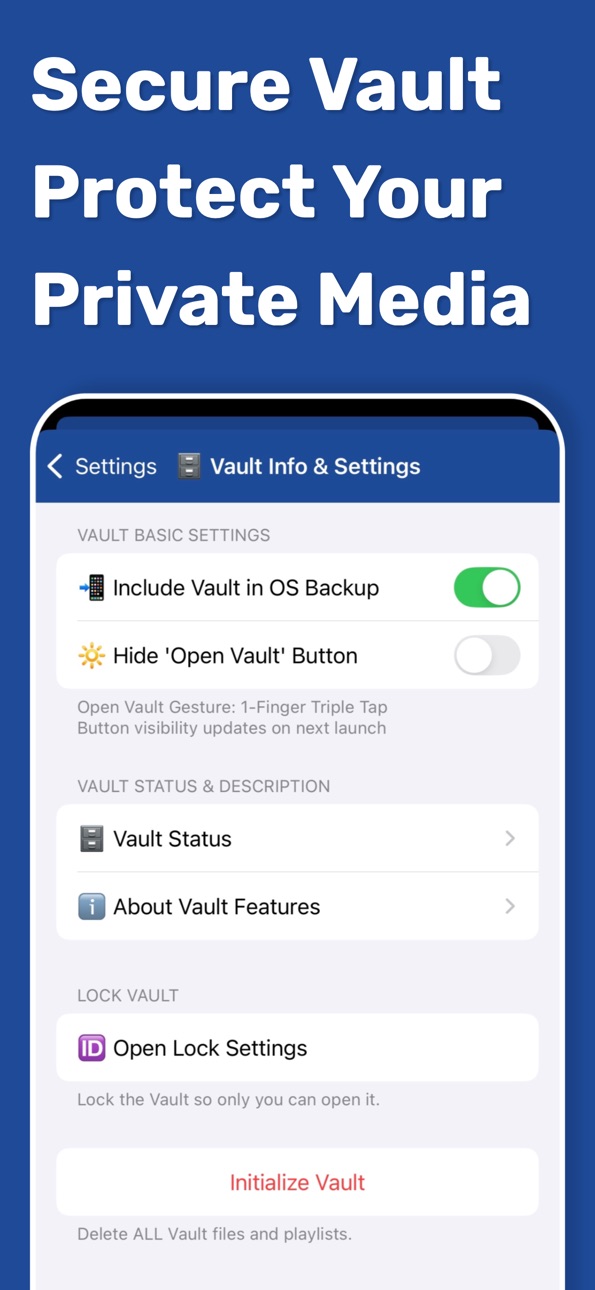
[Secure Vault Feature]
Store media data in a special secure area (Vault) within the app.
- Strict lock and protection using various IDs.
- Restrict vault access operations (e.g., gesture only).
- Secure export from the vault with privacy in mind.
- Control whether to include in OS backups (safe for storage-limited iCloud environments).
[Sister App Integration]
Directly play data recorded with sister apps "Mugen Camera" and "Zero Camera."
- Automatically detects app installation and mounts folders.
- Continuous playback without any linking, loading, or registration steps.
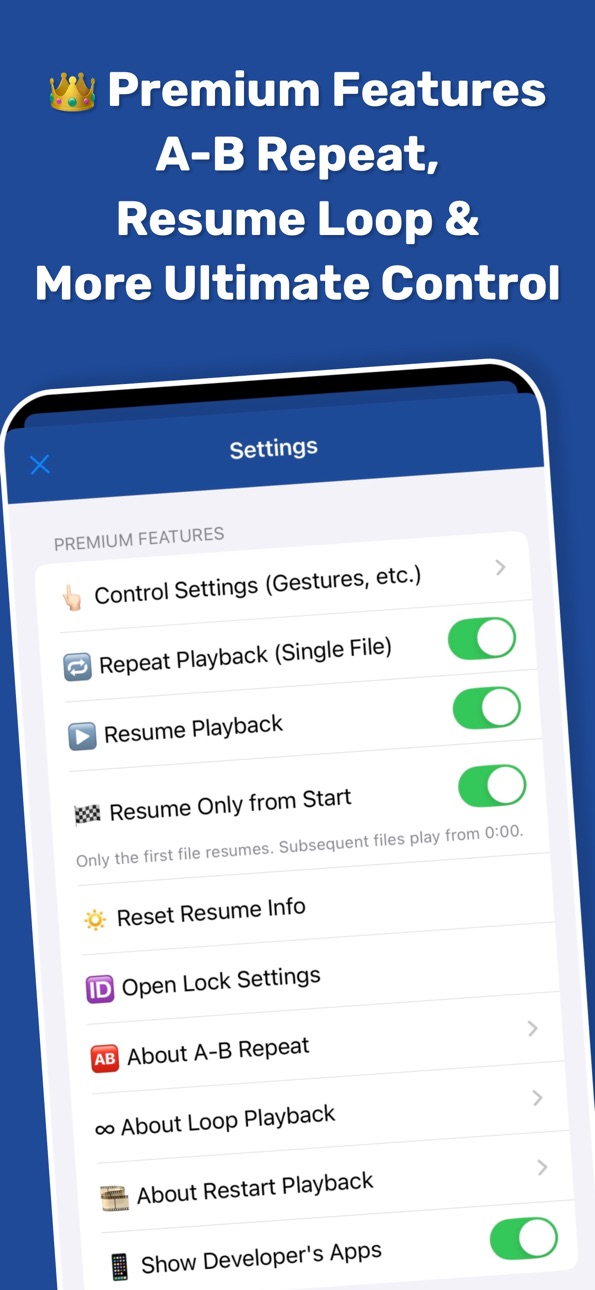
[Premium Features (Paid)]
- Hide advertisements
- Loop, Single Repeat, and A-B Repeat
- Resume & Restart Playback
- Extensive customization of gestures and button operations
- Lock with Face ID / Touch ID
Please check the in-app store screen for further details.
[Supported File Formats]
- Supports formats natively playable by standard iOS functions.
- Supports formats playable in the standard "Files" app.
In-App Purchases ZW pricing
One-Time Purchases
Premium Features—
Capabilities
In-App Purchases
Accessibility
ipadiphonemacrealityDevicetvoswatch
Version history 25 versions
Build 888110932v5.19.12026-07-10 18:06:18
We’ve improved the app’s internal security.
[Internal Security Improvements]
Security-related components have been updated to provide a safer, more dependable experience.
If you have any questions or feedback, please contact us through the in-app support email.
Build 888003759v5.192026-07-08 21:06:57
We added a new onboarding experience for people opening Mugen Player for the first time.
[Getting Started]
The app now introduces its main features during the first launch, including files, Photo Library playback, music, and continuous playback. New users can understand what Mugen Player is for and how to begin using it more easily.
We will keep improving the experience. If you notice anything, please contact us through in-app support.
Build 887289269v5.18.22026-06-22 20:20:32
This update significantly improves thumbnail handling, making large video and file lists feel smoother and more comfortable to browse.
[Improved Thumbnail Performance]
We rebuilt the way thumbnails are managed across videos, photos, and playlists. Reopening lists and scrolling through many items now feels lighter, with an especially noticeable improvement in the file playlist content screen.
[More Stable Temporary Storage Handling]
Generated thumbnail data is now managed more efficiently inside the app. Your original media files are not affected, while reusable thumbnails can be stored and restored more reliably when needed.
This update is focused on making Mugen Player feel better when working with large media collections. If anything feels off, please let us know through in-app support.
Build 887017711v5.18.12026-06-16 18:00:13
This update refines the app’s internal foundation so we can keep improving Mugen Player more steadily.
[Internal Improvements]
Based on feedback since the music library update, we reorganized parts of the app behind the scenes and made small adjustments to display and behavior. These changes help keep the player and library screens easier to improve over time.
We’ll continue polishing the experience for videos, files, photos, and music. If something feels off, please let us know through in-app support.
Build 886726123v5.182026-06-09 19:44:23
Music library playback is now available.
[Music Library Playback]
You can now choose playable songs from your device’s Music library by song, album, or playlist. Mugen Player keeps the same familiar playback controls used for files, videos, and Photo Library content, while making music easier to enjoy in the same player experience.
[Music-Focused Player Display]
When playing Music library content, the player now shows artwork, title, artist, album, duration, and related song details in a layout designed for audio. If artwork or some metadata is missing, the screen falls back gracefully and stays clean.
This update brings music into the same flexible playback environment you already use. If anything feels off, please let us know through in-app support.
Build 886459656v5.172026-06-03 16:38:00
You can now choose how file names are sorted.
[File Name Sorting]
When sorting by file name, you can choose between a natural order that keeps numbered names closer to how they look, and a simple literal string order that compares characters directly.
Select the sorting style that best matches how you name and manage your files.
If anything feels off, please let us know through in-app support.
Build 885711966v5.16.12026-05-15 14:18:14
This update includes internal adjustments.
[Internal Improvements]
We refined the app's internal review request handling to support a more consistent experience.
We'll continue improving the app's overall feel and reliability. If you notice anything, please contact us through the in-app support.
Build 885424644v5.162026-05-08 21:04:37
We've been blown away by all the feedback on the Sleep Timer — thank you! Based on your suggestions, we've refined it to be even more versatile.
[Sleep Timer Carry-Over]
Introducing timer carry-over: close the player and switch to something else, and the timer keeps counting down to your original stop time. Set a 30-minute timer before bed, explore different videos or music along the way, and the timer stays right on track until it's time to stop.
Just flip on "Carry Over Timer" in the Sleep Timer settings. When you close the app, the timer resets automatically — so you'll always start fresh next time you open it.
We're shaping this app around your ideas. Have more thoughts? Reach out through the in-app support email — every message matters.
Build 885109592v5.152026-04-30 18:37:29
Introducing Sleep Timer — stop playback automatically so you can drift off to sleep worry-free!
[Sleep Timer]
Set a duration, and playback stops automatically when time's up. Perfect for falling asleep to music, winding down with a podcast, or playing videos for kids at bedtime. Set the timer down to the minute, and it works reliably whether the screen is off or the app is running in the background.
A live countdown appears right on the playback screen so you always know how much time is left, and you can choose to keep it visible even when the controls are hidden. Tap the timer label anytime to jump straight into the settings and adjust on the fly.
When the timer finishes, you can optionally get a notification — with or without sound, your choice. Need a quick pause without clearing your settings? Temporarily pause the timer, then resume whenever you're ready.
Plenty more to come. Got ideas or feedback? Drop us a line through the in-app support — we'd love to hear from you.
Build 884758033v5.14.22026-04-21 17:24:36
We've done a thorough internal cleanup to keep things running smoothly.
[Under-the-Hood Improvements]
We carefully reviewed and optimized the app's internals for a more consistent, reliable experience — laying a solid foundation for what's coming next.
Thanks for sticking with us! Got thoughts or ideas? Drop us a line through the in-app support.
Build 884256514v5.14.12026-04-08 16:45:11
Refined the home screen layout for a cleaner look.
[Home Screen Update]
Optimized the layout of the iPhone home screen for a more polished, natural feel.
Have feedback or suggestions? We'd love to hear from you — just reach out through the in-app support email.
Build 884056565v5.142026-04-02 20:28:43
This update brings visual refinements and stability improvements to Mugen Player.
[Improved Color Consistency]
The app's accent color now displays correctly across all screens, including a refined deep navy that looks great in both Light and Dark modes.
[iPad File Selection Support]
Added a helpful troubleshooting guide for when the file picker takes a moment to load on iPad. You can find it anytime in Settings.
[Smoother Performance]
We've refined the app's startup process and internal architecture for a snappier, more reliable experience overall.
Got ideas for making Mugen Player even better? Drop us a line through the in-app support email — we're all ears.
Build 883660836v5.132026-03-23 20:26:55
Mugen Player just got a stunning visual upgrade — fully embracing iOS 26's Liquid Glass design!
[Liquid Glass Design]
With full support for iOS 26's newest design language, navigation bars and menus now feature a beautiful translucent glass material. Your content flows naturally behind the interface, creating a more immersive viewing experience. For a media player, this level of visual depth makes all the difference.
[Improved iPad Sidebar]
The sidebar width has been optimized for iPad in portrait orientation. Browsing your folders and playlists feels more spacious and comfortable, even when holding your iPad upright.
[Refined Color Consistency]
Toggles, buttons, and interactive elements across the app now share a unified accent color. Every screen feels cohesive and polished.
Loving the new look? We'd love to hear your thoughts — reach out anytime through the in-app support email.
Build 883410313v5.122026-03-16 21:40:50
A fresh new look for Mugen Player — cleaner, more polished, and easier to navigate!
[Redesigned Icons]
Every icon across settings and menus has been carefully redesigned for a consistent, modern feel. Finding the option you're looking for is now quicker and more intuitive than ever.
[Unified Color Theme]
A refined deep navy accent color now flows throughout the entire app. Buttons and interactive elements stand out clearly, giving the interface a calm yet sophisticated look.
[Improved Text Display]
Text now wraps naturally regardless of your screen size or text size preferences. Even with larger accessibility settings, everything stays readable — no clipping or cutoffs.
We're always working to make Mugen Player better. Got ideas or feedback? Drop us a line through the support email in the app — we'd love to hear from you.
Build 882631971v5.112026-02-21 01:20:51
You asked, we delivered — the long-awaited Operation Lock is here!
[Operation Lock]
No more accidental taps interrupting your playback. With a single tap on the lock icon, all buttons, sliders, and gestures are disabled while your video or music keeps playing. Stay immersed without worrying about stray touches.
[Always Easy to Unlock]
A small lock icon stays visible in the top-left corner of the screen, even when the toolbar hides in full-screen mode. One tap and you're back in control — no hunting for buttons.
[Three Display Modes]
Choose how visible the lock icon is: fully visible, translucent, or completely hidden. If you prefer a clean screen, set it to translucent or hidden and use the three-finger swipe to lock and unlock instead.
[Three-Finger Swipe Support]
Swipe up with three fingers to lock, swipe down to unlock. Quick and intuitive, even when your hands are full.
We're always working to make the app better based on your feedback. Got thoughts or ideas? Drop us a line through the support email in the app — we'd love to hear from you.
Build 882657089v5.11.12026-02-21 21:00:59
Thanks to your incredible feedback, we've refined the Operation Lock experience with new customization options!
[Auto-Hide Controllers on Lock]
A new setting lets you automatically hide the controller bar the moment you lock the screen. Turn on "Hide Controllers on Lock" and your display goes fully immersive — just your content, nothing else. Controllers come right back when you unlock, so you're always one step away from full control.
[Lock Button Animation Control]
The shaking lock icon that appears when you tap during lock is a handy reminder — but not everyone wants it. You can now toggle the animation off in the Lock Settings section for a calmer, distraction-free experience.
[Unlock Gesture Fix]
We identified and fixed an issue where the unlock gesture could become unresponsive in certain conditions.
Your feedback keeps making this app better. Have ideas or suggestions? Reach out anytime through the support email in the app — we're all ears.
Build 882439767v5.10.12026-02-13 22:40:30
A behind-the-scenes update to keep everything running smoothly!
[Latest SDK Compatibility]
We've refined the internal architecture to align with the Xcode 26.2 development environment. This includes optimizing the file management caching system and migrating APIs to their latest versions. A solid foundation for a reliable experience going forward.
More features are on the way. Got ideas or feedback? Drop us a line through the support email in the app.
Build 882236290v5.102026-02-06 23:45:58
The subtitle feature you've been waiting for is finally here!
[Subtitle Support]
You can now display subtitles embedded in your videos. For videos with multiple language tracks, simply choose your preferred language and switch between them. Turn subtitles on or off anytime.
[Customizable Text Size]
Choose from multiple text size options to find the perfect fit. Whether you're watching on a small screen or a large one, adjust the subtitle size to suit your preference.
[Remembered Settings]
Your subtitle language and on/off preferences are automatically saved, so the same settings carry over to the next video.
We'd love to hear your thoughts on this update. Feel free to reach out via the support email within the app.
Build 882136732v5.92026-02-04 05:36:46
【Enhanced Photo Library Sorting】
Thank you for using Mugen Player. This update introduces comprehensive sorting options to help you manage and enjoy your videos in the Photo Library more efficiently.
[New Sorting Options] You can now sort content within your albums using the following criteria:
Capture Date (Oldest / Newest)
Date Added (Oldest / Newest) *Requires iOS 26 or later
Duration (Shortest / Longest)
Original Order / Reverse Order / Shuffle
[Playback Order Integration] You can change the sort order at any time from the menu in the top right corner. The selected sort order is also reflected in the continuous playback sequence, allowing you to watch your videos in exactly the order you prefer.
[Contact Support] If you have any questions about this feature or requests for the app, please feel free to contact me at any time via the in-app support email.
Build 881391838v5.82026-01-12 21:12:26
【Favorite Gesture Action】
Thank you for using Mugen Player. This update introduces a new gesture action for better video management and fixes a display synchronization issue.
[Toggle Favorite via Gesture] I have added a new "Toggle Favorite" option to the gesture customization settings for Photo Library playback. By assigning this action to your preferred gesture, you can now quickly mark videos as favorites without reaching for the button. This allows for faster and more intuitive organization, especially useful when reviewing many videos for language learning.
[List View Sync Fix] I have fixed an issue where toggling the favorite status in the playback screen was not correctly reflected in the video list view after closing the player. The status icon in the list will now always update correctly, regardless of how it was toggled.
[Support] If you have any questions or run into issues while using the app, please feel free to reach out via the in-app support email at any time.
Build 881309996v5.7.52026-01-08 10:47:44
【Reorganized Settings & iPad Layout Fixes】
Thank you for using Mugen Player. In this first update of 2026, I have reorganized the settings menu and improved stability based on your feedback.
Reorganized Settings Screen Based on feedback that the settings were becoming complex, I have reviewed and reorganized the menu structure. Frequently used items have been moved to the top of the screen, making it easier and faster to access the settings you need.
Refined English Expressions I have updated numerous English text strings throughout the app based on user feedback. These corrections ensure that descriptions are more natural and accurate.
iPad 13-inch Layout Fixes I have resolved layout issues that were occurring specifically on iPad 13-inch models.
[New Year's Greetings]
Happy New Year! I am committed to providing the best video playback experience for you throughout the year. Thank you for your continued support in 2026.
Build 880943266v5.7.42025-12-24 00:09:01
【English Layout Fixes & iOS 26.2 Support】
Thank you for using Mugen Player. This update focuses on fixing display issues in the English interface and ensuring compatibility with the latest OS.
English Layout Improvements Based on your feedback, I have adjusted the English interface. I fixed issues where text was being truncated or cut off in certain views, ensuring a smoother and more comfortable browsing experience.
Optimized for iOS 26.2 I have updated the internal libraries to support iOS 26.2. Extensive testing has been conducted on real devices running iOS 26.2 to confirm stable video playback.
Year-End Greetings Thank you for using Mugen Player this year. I hope the app serves you well for your holiday video watching. I look forward to seeing you in 2026!
Build 880724022v5.7.32025-12-16 22:40:10
[English Improvements & iOS 26.2 Support] Thank you for using Mugen Player. In this update, I have focused on refining the English localization and optimizing the app for the latest OS.
Refined English Expressions I have reviewed and updated the English text throughout the app. Labels and messages have been refined to be more natural and easier to understand, ensuring a smoother user experience.
Improvements Based on Feedback I have addressed several issues reported by users and fixed various minor bugs to ensure better stability.
Optimized for iOS 26.2 I have rebuilt the app using the latest development environment tailored for iOS 26.2. I also conducted extensive testing on real devices running iOS 26.2 and confirmed that video playback and other core functions perform perfectly.
Your feedback is always a valuable hint for me to improve the app. I will continue to work hard to make Mugen Player even better. Thank you for your continued support!
Build 880592129v5.7.22025-12-12 20:46:50
[Polished English Interface & Optimized Settings] Thank you for using Mugen Player. This update focuses on enhancing the usability for my English-speaking users, based on the valuable feedback I have received.
More Intuitive English Interface I have refined the English labels for playback controls and file menus to ensure they sound more natural and standard. My goal is to make navigating your video library and controlling playback as intuitive as possible. I've also added a new feature for you to provide direct feedback on translation quality.
Streamlined Settings for Viewing I have optimized the Settings screen to prioritize your viewing experience. By removing clutter and simplifying descriptions, the interface is now cleaner, allowing you to spend less time tweaking settings and more time enjoying your videos.
This update also includes various minor bug fixes.
I am committed to making Mugen Player the most comfortable video player for users worldwide. Thank you for your continued support!
Build 880516675v5.7.12025-12-10 18:02:42
[Launch Screen Fix & English Polish] Thank you for your continued feedback on the English version of Mugen Player. In this update, I have focused on refining the English experience and fixing specific display issues.
Launch Screen Fix I resolved an issue where the app's launch screen was unexpectedly displaying Japanese text even when the device language was set to English. It now correctly greets you in English right from the start.
General Adjustments I have also made numerous other adjustments to the English text throughout the app to ensure better consistency and clarity. Additionally, I addressed several minor issues reported by users.
Thank you for using Mugen Player. If you notice any other localization issues, please feel free to contact me via the in-app support email.
Price history by region
Currency
Show
Columns
Search
Availability 172 of 172 storefronts
| Region | Language | Price | Ratings | Avg | Version |
|---|---|---|---|---|---|
| JP | ja | Free | 5.2k | 4.4 | 5.19.1 |
| US | en-US | Free | 6 | 4.0 | 5.19.1 |
| CA | en-CA | Free | 3 | 4.0 | 5.19.1 |
| CN | zh-Hans-CN | Free | 3 | 5.0 | 5.19.1 |
| AU | en-AU | Free | 1 | 5.0 | 5.19.1 |
| DE | de-DE | Free | 1 | 1.0 | 5.19.1 |
| KW | en-GB | Free | 1 | 5.0 | 5.19.1 |
| NZ | en-AU | Free | 1 | 5.0 | 5.19.1 |
| RU | ru | Free | 1 | 5.0 | 5.19.1 |
| TW | zh-Hant-TW | Free | 1 | 5.0 | 5.19.1 |
| AE | en-GB | Free | 0 | — | 5.19.1 |
| AF | en-GB | Free | 0 | — | 5.19.1 |
| AG | en-GB | Free | 0 | — | 5.19 |
| AI | en-GB | Free | 0 | — | 5.19 |
| AL | en-GB | Free | 0 | — | 5.19.1 |
| AM | en-GB | Free | 0 | — | 5.19.1 |
| AO | en-GB | Free | 0 | — | 5.19 |
| AR | es-MX | Free | 0 | — | 5.19 |
| AT | de-DE | Free | 0 | — | 5.19.1 |
| AZ | en-GB | Free | 0 | — | 5.19.1 |
| BA | en-GB | Free | 0 | — | 5.19.1 |
| BB | en-GB | Free | 0 | — | 5.19 |
| BE | en-GB | Free | 0 | — | 5.19.1 |
| BF | en-GB | Free | 0 | — | 5.19 |
| BG | en-GB | Free | 0 | — | 5.19.1 |
| BH | en-GB | Free | 0 | — | 5.19.1 |
| BJ | en-GB | Free | 0 | — | 5.19 |
| BM | en-GB | Free | 0 | — | 5.19.1 |
| BN | en-GB | Free | 0 | — | 5.19.1 |
| BO | es-MX | Free | 0 | — | 5.19 |
| BR | pt-BR | Free | 0 | — | 5.19 |
| BS | en-GB | Free | 0 | — | 5.19 |
| BT | en-GB | Free | 0 | — | 5.19.1 |
| BW | en-GB | Free | 0 | — | 5.19 |
| BY | en-GB | Free | 0 | — | 5.19.1 |
| BZ | en-GB | Free | 0 | — | 5.19 |
| CD | en-GB | Free | 0 | — | 5.19 |
| CG | en-GB | Free | 0 | — | 5.19 |
| CH | de-CH | Free | 0 | — | 5.19.1 |
| CI | fr-FR | Free | 0 | — | 5.19 |
| CL | es-MX | Free | 0 | — | 5.19 |
| CM | fr-FR | Free | 0 | — | 5.19 |
| CO | es-MX | Free | 0 | — | 5.19 |
| CR | es-MX | Free | 0 | — | 5.19 |
| CV | en-GB | Free | 0 | — | 5.19 |
| CY | en-GB | Free | 0 | — | 5.19.1 |
| CZ | en-GB | Free | 0 | — | 5.19.1 |
| DK | en-GB | Free | 0 | — | 5.19.1 |
| DM | en-GB | Free | 0 | — | 5.19 |
| DO | es-MX | Free | 0 | — | 5.19 |
| DZ | en-GB | Free | 0 | — | 5.19 |
| EC | es-MX | Free | 0 | — | 5.19 |
| EE | en-GB | Free | 0 | — | 5.19.1 |
| EG | en-GB | Free | 0 | — | 5.19.1 |
| ES | es-ES | Free | 0 | — | 5.19.1 |
| FI | en-GB | Free | 0 | — | 5.19.1 |
| FJ | en-GB | Free | 0 | — | 5.19.1 |
| FM | en-GB | Free | 0 | — | 5.19.1 |
| FR | fr-FR | Free | 0 | — | 5.19.1 |
| GA | fr-FR | Free | 0 | — | 5.19 |
| GB | en-GB | Free | 0 | — | 5.19.1 |
| GD | en-GB | Free | 0 | — | 5.19 |
| GE | en-GB | Free | 0 | — | 5.19.1 |
| GH | en-GB | Free | 0 | — | 5.19 |
| GM | en-GB | Free | 0 | — | 5.19.1 |
| GR | en-GB | Free | 0 | — | 5.19.1 |
| GT | es-MX | Free | 0 | — | 5.19 |
| GY | en-GB | Free | 0 | — | 5.19 |
| HK | zh-Hant-HK | Free | 0 | — | 5.19.1 |
| HN | es-MX | Free | 0 | — | 5.19 |
| HR | en-GB | Free | 0 | — | 5.19.1 |
| HU | en-GB | Free | 0 | — | 5.19.1 |
| ID | en-GB | Free | 0 | — | 5.19.1 |
| IE | en-GB | Free | 0 | — | 5.19.1 |
| IL | en-GB | Free | 0 | — | 5.19.1 |
| IN | en-GB | Free | 0 | — | 5.19.1 |
| IQ | en-GB | Free | 0 | — | 5.19.1 |
| IS | en-GB | Free | 0 | — | 5.19.1 |
| IT | it | Free | 0 | — | 5.19.1 |
| JM | en-GB | Free | 0 | — | 5.19 |
| JO | en-GB | Free | 0 | — | 5.19.1 |
| KE | en-GB | Free | 0 | — | 5.19 |
| KG | en-GB | Free | 0 | — | 5.19.1 |
| KH | en-GB | Free | 0 | — | 5.19.1 |
| KN | en-GB | Free | 0 | — | 5.19 |
| KR | ko | Free | 0 | — | 5.19.1 |
| KY | en-GB | Free | 0 | — | 5.19 |
| KZ | en-GB | Free | 0 | — | 5.19.1 |
| LA | en-GB | Free | 0 | — | 5.19.1 |
| LB | en-GB | Free | 0 | — | 5.19.1 |
| LC | en-GB | Free | 0 | — | 5.19 |
| LK | en-GB | Free | 0 | — | 5.19.1 |
| LR | en-GB | Free | 0 | — | 5.19.1 |
| LT | en-GB | Free | 0 | — | 5.19.1 |
| LU | en-GB | Free | 0 | — | 5.19.1 |
| LV | en-GB | Free | 0 | — | 5.19.1 |
| LY | en-GB | Free | 0 | — | 5.19 |
| MA | en-GB | Free | 0 | — | 5.19 |
| MD | en-GB | Free | 0 | — | 5.19.1 |
| ME | en-GB | Free | 0 | — | 5.19.1 |
| MG | en-GB | Free | 0 | — | 5.19 |
| MK | en-GB | Free | 0 | — | 5.19.1 |
| ML | en-GB | Free | 0 | — | 5.19 |
| MM | en-GB | Free | 0 | — | 5.19.1 |
| MN | en-GB | Free | 0 | — | 5.19.1 |
| MO | zh-Hant-HK | Free | 0 | — | 5.19.1 |
| MR | en-GB | Free | 0 | — | 5.19.1 |
| MS | en-GB | Free | 0 | — | 5.19 |
| MT | en-GB | Free | 0 | — | 5.19.1 |
| MU | en-GB | Free | 0 | — | 5.19 |
| MV | en-GB | Free | 0 | — | 5.19.1 |
| MW | en-GB | Free | 0 | — | 5.19 |
| MX | es-MX | Free | 0 | — | 5.19 |
| MY | en-GB | Free | 0 | — | 5.19.1 |
| MZ | en-GB | Free | 0 | — | 5.19 |
| NA | en-GB | Free | 0 | — | 5.19 |
| NE | en-GB | Free | 0 | — | 5.19 |
| NG | en-GB | Free | 0 | — | 5.19 |
| NI | es-MX | Free | 0 | — | 5.19 |
| NL | nl | Free | 0 | — | 5.19.1 |
| NO | en-GB | Free | 0 | — | 5.19.1 |
| NP | en-GB | Free | 0 | — | 5.19.1 |
| NR | en-GB | Free | 0 | — | 5.19.1 |
| OM | en-GB | Free | 0 | — | 5.19.1 |
| PA | es-MX | Free | 0 | — | 5.19 |
| PE | es-MX | Free | 0 | — | 5.19 |
| PG | en-GB | Free | 0 | — | 5.19.1 |
| PH | en-GB | Free | 0 | — | 5.19.1 |
| PK | en-GB | Free | 0 | — | 5.19.1 |
| PL | en-GB | Free | 0 | — | 5.19.1 |
| PT | pt-PT | Free | 0 | — | 5.19.1 |
| PW | en-GB | Free | 0 | — | 5.19.1 |
| PY | es-MX | Free | 0 | — | 5.19 |
| QA | en-GB | Free | 0 | — | 5.19.1 |
| RO | en-GB | Free | 0 | — | 5.19.1 |
| RS | en-GB | Free | 0 | — | 5.19.1 |
| RW | en-GB | Free | 0 | — | 5.19.1 |
| SA | en-GB | Free | 0 | — | 5.19.1 |
| SB | en-GB | Free | 0 | — | 5.19.1 |
| SE | sv | Free | 0 | — | 5.19.1 |
| SG | en-GB | Free | 0 | — | 5.19.1 |
| SI | en-GB | Free | 0 | — | 5.19.1 |
| SK | en-GB | Free | 0 | — | 5.19.1 |
| SN | en-GB | Free | 0 | — | 5.19 |
| SR | en-GB | Free | 0 | — | 5.19 |
| ST | en-GB | Free | 0 | — | 5.19 |
| SV | es-MX | Free | 0 | — | 5.19 |
| SZ | en-GB | Free | 0 | — | 5.19.1 |
| TC | en-GB | Free | 0 | — | 5.19 |
| TD | en-GB | Free | 0 | — | 5.19 |
| TH | en-GB | Free | 0 | — | 5.19.1 |
| TJ | en-GB | Free | 0 | — | 5.19.1 |
| TM | en-GB | Free | 0 | — | 5.19.1 |
| TN | en-GB | Free | 0 | — | 5.19 |
| TO | en-GB | Free | 0 | — | 5.19.1 |
| TR | en-GB | Free | 0 | — | 5.19.1 |
| TT | en-GB | Free | 0 | — | 5.19 |
| TZ | en-GB | Free | 0 | — | 5.19 |
| UA | en-GB | Free | 0 | — | 5.19.1 |
| UG | en-GB | Free | 0 | — | 5.19 |
| UY | en-GB | Free | 0 | — | 5.19 |
| UZ | en-GB | Free | 0 | — | 5.19.1 |
| VC | en-GB | Free | 0 | — | 5.19 |
| VE | es-MX | Free | 0 | — | 5.19 |
| VG | en-GB | Free | 0 | — | 5.19 |
| VN | en-GB | Free | 0 | — | 5.19.1 |
| VU | en-GB | Free | 0 | — | 5.19.1 |
| XK | en-GB | Free | 0 | — | 5.19.1 |
| YE | en-GB | Free | 0 | — | 5.19.1 |
| ZA | en-GB | Free | 0 | — | 5.19.1 |
| ZM | en-GB | Free | 0 | — | 5.19 |
| ZW | en-GB | Free | 0 | — | 5.19 |
Change log 29 changes · ZW
✎
releaseNotes updated
We’ve improved the app’s internal security.
[Internal Security Improvements]
Security-related components have been updated to provide a safer, more dependable
✎
description updated
[Overview & Features]
An easy-to-use, ultra-lightweight player designed for smooth continuous media playback.
- Switch between media instantly with intuitive sw
✎
subtitle updated
Seamless Video & Audio Player
✎
name updated
Mugen Player
◆
Version 5.19.1 released
We’ve improved the app’s internal security.
[Internal Security Improvements]
Security-related components have been updated to provide a safer, more dependable experience.
If you have any questions or feedback, please contact us through th
◆
Version 5.19 released
We added a new onboarding experience for people opening Mugen Player for the first time.
[Getting Started]
The app now introduces its main features during the first launch, including files, Photo Library playback, music, and continuous pla
◆
Version 5.18.2 released
This update significantly improves thumbnail handling, making large video and file lists feel smoother and more comfortable to browse.
[Improved Thumbnail Performance]
We rebuilt the way thumbnails are managed across videos, photos, and pl
◆
Version 5.18.1 released
This update refines the app’s internal foundation so we can keep improving Mugen Player more steadily.
[Internal Improvements]
Based on feedback since the music library update, we reorganized parts of the app behind the scenes and made sma
◆
Version 5.18 released
Music library playback is now available.
[Music Library Playback]
You can now choose playable songs from your device’s Music library by song, album, or playlist. Mugen Player keeps the same familiar playback controls used for files, videos
◆
Version 5.17 released
You can now choose how file names are sorted.
[File Name Sorting]
When sorting by file name, you can choose between a natural order that keeps numbered names closer to how they look, and a simple literal string order that compares characte
◆
Version 5.16.1 released
This update includes internal adjustments.
[Internal Improvements]
We refined the app's internal review request handling to support a more consistent experience.
We'll continue improving the app's overall feel and reliability. If you noti
◆
Version 5.16 released
We've been blown away by all the feedback on the Sleep Timer — thank you! Based on your suggestions, we've refined it to be even more versatile.
[Sleep Timer Carry-Over]
Introducing timer carry-over: close the player and switch to somethin
◆
Version 5.15 released
Introducing Sleep Timer — stop playback automatically so you can drift off to sleep worry-free!
[Sleep Timer]
Set a duration, and playback stops automatically when time's up. Perfect for falling asleep to music, winding down with a podcast
◆
Version 5.14.2 released
We've done a thorough internal cleanup to keep things running smoothly.
[Under-the-Hood Improvements]
We carefully reviewed and optimized the app's internals for a more consistent, reliable experience — laying a solid foundation for what's
◆
Version 5.14.1 released
Refined the home screen layout for a cleaner look.
[Home Screen Update]
Optimized the layout of the iPhone home screen for a more polished, natural feel.
Have feedback or suggestions? We'd love to hear from you — just reach out through th
◆
Version 5.14 released
This update brings visual refinements and stability improvements to Mugen Player.
[Improved Color Consistency]
The app's accent color now displays correctly across all screens, including a refined deep navy that looks great in both Light a
◆
Version 5.13 released
Mugen Player just got a stunning visual upgrade — fully embracing iOS 26's Liquid Glass design!
[Liquid Glass Design]
With full support for iOS 26's newest design language, navigation bars and menus now feature a beautiful translucent glas
◆
Version 5.12 released
A fresh new look for Mugen Player — cleaner, more polished, and easier to navigate!
[Redesigned Icons]
Every icon across settings and menus has been carefully redesigned for a consistent, modern feel. Finding the option you're looking for
◆
Version 5.11.1 released
Thanks to your incredible feedback, we've refined the Operation Lock experience with new customization options!
[Auto-Hide Controllers on Lock]
A new setting lets you automatically hide the controller bar the moment you lock the screen. Tu
◆
Version 5.11 released
You asked, we delivered — the long-awaited Operation Lock is here!
[Operation Lock]
No more accidental taps interrupting your playback. With a single tap on the lock icon, all buttons, sliders, and gestures are disabled while your video or
◆
Version 5.10.1 released
A behind-the-scenes update to keep everything running smoothly!
[Latest SDK Compatibility]
We've refined the internal architecture to align with the Xcode 26.2 development environment. This includes optimizing the file management caching s
◆
Version 5.10 released
The subtitle feature you've been waiting for is finally here!
[Subtitle Support]
You can now display subtitles embedded in your videos. For videos with multiple language tracks, simply choose your preferred language and switch between them
◆
Version 5.9 released
【Enhanced Photo Library Sorting】
Thank you for using Mugen Player. This update introduces comprehensive sorting options to help you manage and enjoy your videos in the Photo Library more efficiently.
[New Sorting Options] You can now sort
◆
Version 5.8 released
【Favorite Gesture Action】
Thank you for using Mugen Player. This update introduces a new gesture action for better video management and fixes a display synchronization issue.
[Toggle Favorite via Gesture] I have added a new "Toggle Favorit
◆
Version 5.7.5 released
【Reorganized Settings & iPad Layout Fixes】
Thank you for using Mugen Player. In this first update of 2026, I have reorganized the settings menu and improved stability based on your feedback.
Reorganized Settings Screen Based on feedback th
◆
Version 5.7.4 released
【English Layout Fixes & iOS 26.2 Support】
Thank you for using Mugen Player. This update focuses on fixing display issues in the English interface and ensuring compatibility with the latest OS.
English Layout Improvements Based on your fee
◆
Version 5.7.3 released
[English Improvements & iOS 26.2 Support] Thank you for using Mugen Player. In this update, I have focused on refining the English localization and optimizing the app for the latest OS.
Refined English Expressions I have reviewed and updat
◆
Version 5.7.2 released
[Polished English Interface & Optimized Settings] Thank you for using Mugen Player. This update focuses on enhancing the usability for my English-speaking users, based on the valuable feedback I have received.
More Intuitive English Interf
◆
Version 5.7.1 released
[Launch Screen Fix & English Polish] Thank you for your continued feedback on the English version of Mugen Player. In this update, I have focused on refining the English experience and fixing specific display issues.
Launch Screen Fix I re