Home › Photo & Video

 EC
EC
 USen-US
 CNzh-Hans-CN
 DEde-DE
 JPja
JPja CAen-CA
 RUru
RUru GBen-GB
 ESes-ES
 CHde-CH
 ITit
ITit KRko
KRko AUen-AU
 THen-GB
 NLnl
NLnl PLen-GB
 FRfr-FR
 MXes-MX
 ATde-DE
 SEsv
SEsv INen-GB
 CZen-GB
 HKzh-Hant-HK
 TWzh-Hant-TW
 BRpt-BR
 TRen-GB
 UAen-GB
 NOen-GB
 DKen-GB
 ILen-GB
 BEen-GB
 CLes-MX
 PTpt-PT
 IDen-GB
 VNen-GB
 GRen-GB
 FIen-GB
 HUen-GB
 SGen-GB
 SKen-GB
 SAen-GB
 MYen-GB
 DOes-MX
 NZen-AU
 BGen-GB
 HRen-GB
 ROen-GB
 ZAen-GB
 ARes-MX
 COes-MX
 PAes-MX
 LBen-GB
 PEes-MX
 PHen-GB
 CRes-MXECes-MX
 KZen-GB
 LKen-GB
 LUen-GB
 SVes-MX
 AZen-GB
 BOes-MX
 BYen-GB
 IEen-GB
 KHen-GB
 LTen-GB
 PKen-GB
 SNen-GB
 UZen-GB
 AEen-GB
 AMen-GB
 BHen-GB
 GEen-GB
 GTes-MX
 ISen-GB
 KGen-GB
 LVen-GB
 MDen-GB
 MKen-GB
 MOzh-Hant-HK
 MTen-GB
 MUen-GB
 RSen-GB
 SIen-GB
 AFen-GB
 AGen-GB
 AIen-GB
 ALen-GB
 AOen-GB
 BAen-GB
 BBen-GB
 BFen-GB
 BJen-GB
 BMen-GB
 BNen-GB
 BSen-GB
 BTen-GB
 BWen-GB
 BZen-GB
 CDen-GB
 CGen-GB
 CIfr-FR
 CMfr-FR
 CVen-GB
 CYen-GB
 DMen-GB
 DZen-GB
 EEen-GB
 EGen-GB
 FJen-GB
 FMen-GB
 GAfr-FR
 GDen-GB
 GHen-GB
 GMen-GB
 GWen-GB
 GYen-GB
 HNes-MX
 IQen-GB
 JMen-GB
 JOen-GB
 KEen-GB
 KNen-GB
 KWen-GB
 KYen-GB
 LAen-GB
 LCen-GB
 LRen-GB
 LYen-GB
 MAen-GB
 MEen-GB
 MGen-GB
 MLen-GB
 MMen-GB
 MNen-GB
 MRen-GB
 MSen-GB
 MVen-GB
 MWen-GB
 MZen-GB
 NAen-GB
 NEen-GB
 NGen-GB
 NIes-MX
 NPen-GB
 NRen-GB
 OMen-GB
 PGen-GB
 PWen-GB
 PYes-MX
 QAen-GB
 RWen-GB
 SBen-GB
 SCen-GB
 SLen-GB
 SRen-GB
 STen-GB
 SZen-GB
 TCen-GB
 TDen-GB
 TJen-GB
 TMen-GB
 TNen-GB
 TOen-GB
 TTen-GB
 TZen-GB
 UGen-GB
 UYen-GB
 VCen-GB
 VEes-MX
 VGen-GB
 VUen-GB
 XKen-GB
 YEen-GB
 ZMen-GB
 ZWen-GB
175 of 175 storefronts
Content in es-MX
Content in es-MX
Information
Preview 3 platforms

iPhone 10 images


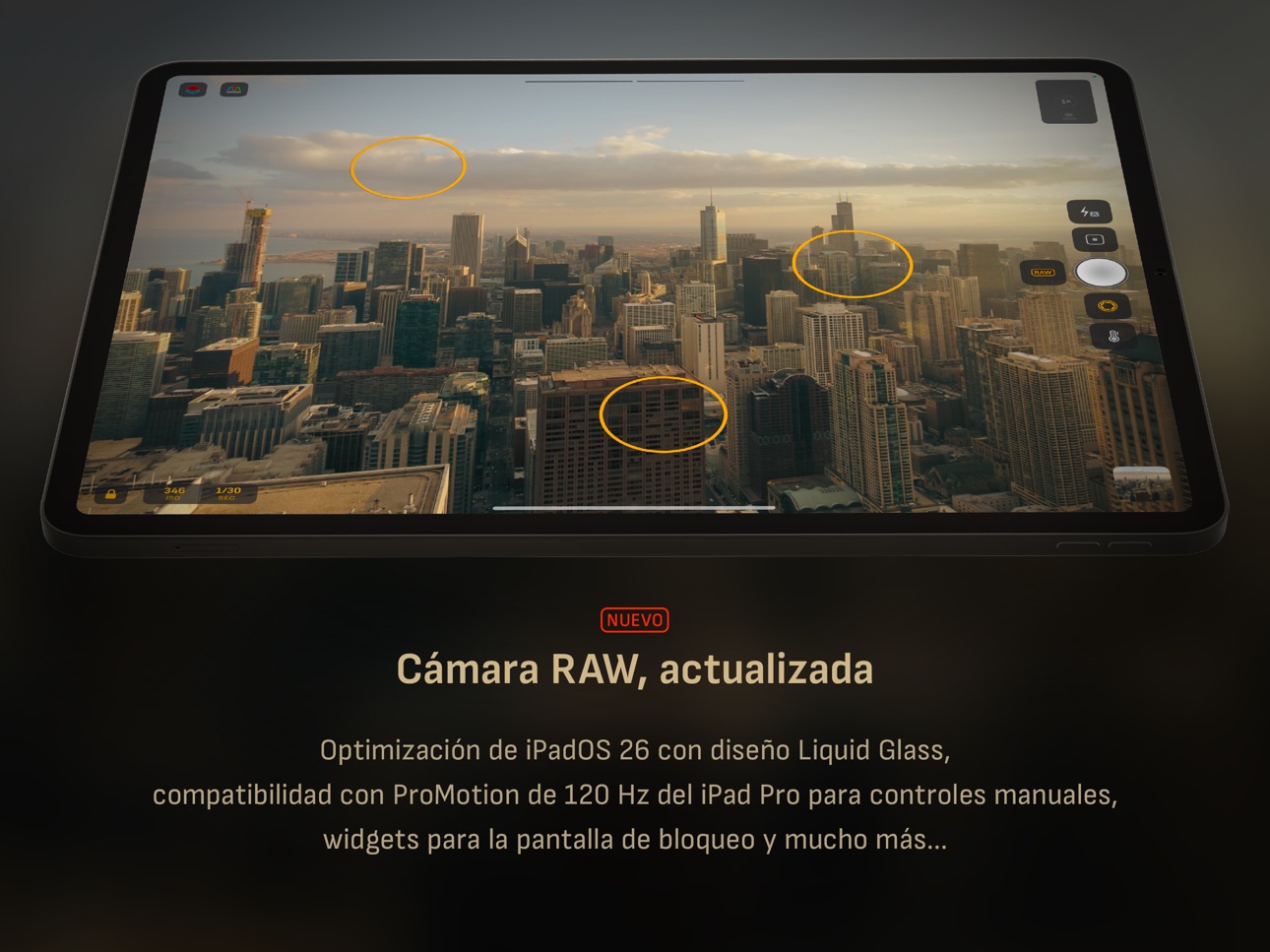
iPad 10 images



Apple Watch 3 images


What’s New Version 9.3.1
CORRECCIÓN DE ERRORES
• Se solucionó un problema por el que el formato RAW aparecía incorrectamente en el menú de acceso rápido de las cámaras 2× y 8×, lo que podía provocar el cierre inesperado de la aplicación.
• Se corrigió un problema en el visor EXIF por el que el mapa y el marcador de la brújula no se mostraban correctamente.
NOVEDADES
• ¡Nuevo icono de la aplicación! Nos encantaría conocer tu opinión.
Consejo profesional: ¿Quieres la captura más rápida posible sin ningún procesamiento? Elige RAW con +HEIF desactivado.
————————
Hasta ahora, las actualizaciones de la versión 9 incluyen:
• Lupa de aumento con diseño Liquid Glass
• Compatibilidad con iOS 26 y su diseño Liquid Glass
• Compatibilidad con Camera Control para enfoque manual, ISO, duración de exposición y balance de blancos
• Compatibilidad con captura desde la pantalla de bloqueo
• Widgets para el Centro de control
• Botón HDR para activar o desactivar la visualización de fotos HDR
• Menús de acceso rápido para el formato de imagen y el modo de captura
• Compatibilidad con iPhone 17 e iPhone 17 Pro
• Compatibilidad con iPhone Air e iPhone 17e
• El icono de la aplicación y los widgets de la pantalla de inicio ahora admiten los modos oscuro, transparente y tintado
• Otras mejoras de diseño
• Mejoras de accesibilidad
Para obtener información más detallada, visita:
www.camera-m.com/updates
Somos un pequeño equipo de desarrollo formado por dos personas. Si disfrutas de Camera M, te agradeceríamos mucho que compartieras la aplicación en tus redes sociales. Tu apoyo nos ayuda a seguir desarrollando y mejorando la aplicación.
¡Esperamos que captures fotos increíbles con Camera M!
Más información: www.camera-m.com
Manual de usuario: www.camera-m.com/manual
Contacto: contact@camera-m.com
Síguenos: @CameraMApp
Description
Camera M es una cámara manual profesional que te permite capturar fotos hermosas con máxima calidad, usando controles manuales precisos al nivel de una DSLR.
DESTACADOS
• Controles manuales nativos basados en gestos con función de ‘Ajuste fino’
• Optimización para iOS 26 con diseño Liquid Glass
• Visualización de la distancia mínima de enfoque para fotografía macro
• Focus Peaking y lupa 4× con función de paneo
• Histogramas RGB en vivo
• Calibración manual con tarjeta gris
• Procesamiento máximo de imagen para garantizar la mejor calidad posible
• Soporte RAW sin procesar
• Formatos de imagen ProRAW*, RAW, HEIF, JPEG, TIFF y PNG
• Modos de disparo: individual, ráfaga, temporizador, Live, profundidad*, Dual Photo* y bracketing
• Modo Triple Photo con captura simultánea con cámara ultra gran angular, gran angular y teleobjetivo*
• Integración con Darkroom
• Widgets útiles para fotografía
CONTROLES DE CÁMARA
– Enfoque manual
– Presets de enfoque macro y de escena
– Compensación de exposición
– Ajustes manuales de ISO y duración de exposición
– Modos de semi-prioridad de ISO y duración de exposición
– Balance de blancos manual: temperatura y matiz
– Presets de balance de blancos
– Calibración con tarjeta gris
– Modos de flash: automático, encendido y apagado
– Nivel de brillo de linterna manual
– Cambio manual entre cámaras ultra gran angular, gran angular y teleobjetivo*
– Soporte para todos los controles manuales
– Captura desde la cámara en pantalla de bloqueo
FORMATOS DE IMAGEN
– Apple ProRAW*
– RAW con estabilización*
– HEIF con compresión mínima opcional*
– JPEG con compresión mínima opcional
– TIFF
– PNG
– Live Photo*
MODOS DE DISPARO
– Individual
– Ráfaga
– Temporizador
– Profundidad*
– Dual/Triple Photo*
– Live Photo*
– Bracketing
HERRAMIENTAS
– Medidor de compensación de exposición
– Seguimiento inteligente del enfoque
– Asistente de Focus Peaking en vivo
– Lupa 4× con función de paneo
– Visualización de la distancia mínima de enfoque
– Histogramas RGB en vivo
– Alertas de luces y sombras
– Nivel de horizonte con seguimiento de inclinación y opciones de plano
– Rejillas: regla de los tercios, proporción áurea, cuadrantes y cuadrado
– Atajos de Siri y de la app
– Visualización detallada de especificaciones de cámara con exportación a PDF
PROCESAMIENTO MÁXIMO DE IMAGEN
– Soporte para Deep Fusion y Smart HDR en iPhone 11 y posteriores
RAW SIN PROCESAR
– Captura archivos RAW estándar sin ningún procesamiento
BIBLIOTECA DE FOTOS
– Visualización de metadatos EXIF
– Visualización de ubicación con brújula y altitud
– Histogramas RGB y de luminancia RGB
WIDGETS
– Pantalla de inicio: Golden Hour, EXIF y cámaras
– Pantalla de bloqueo: cámaras y Golden Hour
– Centro de control: enfoque, exposición y balance de blancos
COMPATIBILIDAD CON APPLE WATCH
– Control del botón de disparo
– Visualización de Golden Hour con indicador de posición del sol
ERGONOMÍA
– Control real con una mano en todos los iPhones
– Experiencia de usuario optimizada en orientación horizontal
ACCESIBILIDAD
– Soporte para Dynamic Type y texto en negrita
– Soporte de aumento de contraste
TECNOLOGÍA
Camera M funciona exclusivamente con APIs y frameworks nativos. Esto hace que Camera M sea rápida, eficiente y sensible, desde su pequeño tamaño de descarga hasta los rápidos tiempos de lanzamiento de la app.
¡Esperamos que disfrutes capturando fotos increíbles con Camera M!
Sitio web: www.camera-m.com
Manual de usuario: www.camera-m.com/manual
Contacto: contact@camera-m.com
Síguenos: @CameraMApp
#CameraM
* Estas funciones solo están disponibles en dispositivos compatibles.
* La captura de profundidad requiere iPhone X o posterior.
* La captura de profundidad para selfies requiere un iPhone o iPad con sistema de cámara TrueDepth.
* La captura Apple ProRAW requiere iPhone 12 Pro o posterior.
* Para más información sobre compatibilidad de dispositivos y funciones: www.camera-m.com/compatibility
Accessibility
developerUrlipadiphonemacrealityDevicetvoswatch
Version history 25 versions
Build 886501914v9.3.12026-06-04 16:19:39
BUG FIXES
- Resolved an issue where RAW format was incorrectly appearing in the quick access menu for 2× and 8× cameras, which could cause the app to crash.
- Fixed an issue with the EXIF viewer where the map and compass marker weren't displaying as expected.
WHAT'S NEW
- Fresh new app icon — we'd love to hear what you think!
Pro Tip — Want the fastest zero-process capture? Choose RAW with disabled +HEIF.
________________________________________
So far, our previous version 9 updates include:
• Liquid Glass magnifier loupe
• iOS 26 support with Liquid Glass design
• Camera Control support for manual focus, ISO, exposure duration, and white balance
• Lock Screen Capture support
• Control Center widgets
• HDR Button to toggle HDR photo viewing
• Quick Access Menus for image format and capture mode
• Support for iPhone 17 and iPhone 17 Pro
• Support for iPhone Air and iPhone 17e
• App icon and Home Screen widgets now have dark, clear, and tinted mode support.
• Other design improvements
• Accessibility improvements
Please check www.camera-m.com/updates for more comprehensive details.
We’re a small, two-person developer team. If you’re enjoying Camera M, we’d truly appreciate you spreading the word on social media — your support genuinely helps us continue building and improving the app.
We hope you capture incredible photos with Camera M!
More information: www.camera-m.com
User manual: www.camera-m.com/manual
Get in touch: contact@camera-m.com
Follow us: @CameraMApp
Build 884996927v9.32026-05-10 18:45:16
QUICK ACCESS MENUS
Instantly switch image formats and capture modes right from the top of the screen. Camera M is optimized for one-handed use on iPhone; however, thanks to your feedback, we’ve realized that quick access menus make essential controls faster and more intuitive. Requires iOS 26 or later.
Pro Tip — Want the fastest zero-process capture? Choose RAW with disabled +HEIF.
________________________________________
So far, our previous version 9 updates include:
• Liquid Glass magnifier loupe
• iOS 26 support with Liquid Glass design
• Camera Control support for manual focus, ISO, exposure duration, and white balance
• Lock Screen Capture support
• Control Center widgets
• HDR Button to toggle HDR photo viewing
• Support for iPhone 17 and iPhone 17 Pro
• Support for iPhone Air and iPhone 16e
• App icon and Home Screen widgets now have dark, clear, and tinted mode support.
• Other design improvements
• Accessibility improvements
Please check www.camera-m.com/updates for more comprehensive details.
We’re a small, two-person developer team. If you’re enjoying Camera M, we’d truly appreciate you spreading the word on social media — your support genuinely helps us continue building and improving the app.
We hope you capture incredible photos with Camera M!
More information: www.camera-m.com
User manual: www.camera-m.com/manual
Get in touch: contact@camera-m.com
Follow us: @CameraMApp
Build 883623613v9.2.12026-03-23 18:12:48
- Revamped Settings screen. We are planning to introduce more settings options in the upcoming updates.
- The option to press the volume down button to change cameras has been added due to incredibly high demand – Thank you for your emails. You can now turn it on in settings.
- White balance 'Daylight' preset has been changed from 5200k to 5500k
- Golden Hour Home Screen widget has improved graphics. It now has additional graphics during Golden Hour times.
Bug fixes:
Depth mode crash — The app crash that occurs when capturing a Depth photo while having the 48 MP setting on has been fixed. Thank you again for your emails.
Pro Tip — Want the fastest zero-process capture? Choose RAW with disabled +HEIF.
________________________________________
So far, our previous version 9 updates include:
• Liquid Glass magnifier loupe
• iOS 26 support with Liquid Glass design
• Camera Control support for manual focus, ISO, exposure duration, and white balance
• Lock Screen Capture support
• Control Center widgets
• HDR Button to toggle HDR photo viewing
• Support for iPhone 17 and iPhone 17 Pro
• Support for iPhone Air and iPhone 16e
• App icon and Home Screen widgets now have dark, clear, and tinted mode support.
• Other design improvements
• Accessibility improvements
Please check www.camera-m.com/updates for more comprehensive details.
We’re a small, two-person developer team. If you’re enjoying Camera M, we’d truly appreciate you spreading the word on social media — your support genuinely helps us continue building and improving the app.
We hope you capture incredible photos with Camera M!
More information: www.camera-m.com
User manual: www.camera-m.com/manual
Get in touch: contact@camera-m.com
Follow us: @CameraMApp
Build 882800195v9.22026-03-21 19:02:25
- Revamped Settings screen. We are planning to introduce more settings options in the upcoming updates.
- The option to press the volume down button to change cameras has been added due to incredibly high demand – Thank you for your emails. You can now turn it on in settings.
- White balance 'Daylight' preset has been changed from 5200k to 5500k
- Golden Hour Home Screen widget has improved graphics. It now has additional graphics during Golden Hour times.
Bug fixes:
Depth mode crash — The app crash that occurs when capturing a Depth photo while having the 48 MP setting on has been fixed. Thank you again for your emails.
Pro Tip — Want the fastest zero-process capture? Choose RAW with disabled +HEIF.
________________________________________
So far, our previous version 9 updates include:
• Liquid Glass magnifier loupe
• iOS 26 support with Liquid Glass design
• Camera Control support for manual focus, ISO, exposure duration, and white balance
• Lock Screen Capture support
• Control Center widgets
• HDR Button to toggle HDR photo viewing
• Support for iPhone 17 and iPhone 17 Pro
• Support for iPhone Air and iPhone 16e
• App icon and Home Screen widgets now have dark, clear, and tinted mode support.
• Other design improvements
• Accessibility improvements
Please check www.camera-m.com/updates for more comprehensive details.
We’re a small, two-person developer team. If you’re enjoying Camera M, we’d truly appreciate you spreading the word on social media — your support genuinely helps us continue building and improving the app.
We hope you capture incredible photos with Camera M!
More information: www.camera-m.com
User manual: www.camera-m.com/manual
Get in touch: contact@camera-m.com
Follow us: @CameraMApp
Build 882642433v9.1.22026-02-21 01:20:35
• HDR Button
A new button lets you toggle HDR on and off while viewing photos.
‣ Other bug fixes
Pro Tip — Want the fastest zero-process capture? Choose RAW with disabled +HEIF.
________________________________________
So far, our previous version 9 updates include:
• Liquid Glass magnifier loupe
• iOS 26 support with Liquid Glass design
• Camera Control support for manual focus, ISO, exposure duration, and white balance
• Lock Screen Capture support
• Control Center widgets
• Support for iPhone 17 and iPhone 17 Pro
• Support for iPhone Air and iPhone 16e
• App icon and Home Screen widgets now have dark, clear, and tinted mode support.
• Other design improvements
• Accessibility improvements
• Other bug fixes
Please check www.camera-m.com/updates for more comprehensive details.
We’re a small, two-person developer team. If you’re enjoying Camera M, we’d truly appreciate you spreading the word on social media — your support genuinely helps us continue building and improving the app.
We hope you capture incredible photos with Camera M!
More information: www.camera-m.com
User manual: www.camera-m.com/manual
Get in touch: contact@camera-m.com
Follow us: @CameraMApp
Build 881868172v9.1.12026-02-19 02:09:36
• HDR Button
A new button lets you toggle HDR on and off while viewing photos.
‣ Other bug fixes
Pro Tip — Want the fastest zero-process capture? Choose RAW with disabled +HEIF.
________________________________________
So far, our previous version 9 updates include:
• Liquid Glass magnifier loupe
• iOS 26 support with Liquid Glass design
• Camera Control support for manual focus, ISO, exposure duration, and white balance
• Lock Screen Capture support
• Control Center widgets
• Support for iPhone 17 and iPhone 17 Pro
• Support for iPhone Air and iPhone 16e
• App icon and Home Screen widgets now have dark, clear, and tinted mode support.
• Other design improvements
• Accessibility improvements
• Other bug fixes
Please check www.camera-m.com/updates for more comprehensive details.
We’re a small, two-person developer team. If you’re enjoying Camera M, we’d truly appreciate you spreading the word on social media — your support genuinely helps us continue building and improving the app.
We hope you capture incredible photos with Camera M!
More information: www.camera-m.com
User manual: www.camera-m.com/manual
Get in touch: contact@camera-m.com
Follow us: @CameraMApp
Build 881377409v9.12026-01-26 03:31:25
‣ Liquid Glass Magnifier
Meet the Liquid Glass update to our ultimate manual-focus assistant — the 4× Magnifier Loupe. Smoothly pan across the camera preview as it naturally bounces back at the edges with haptic feedback. Tap to toggle focus peaking inside the loupe. Make it your ultimate tool to achieve perfect focus in your captures. Camera M is now fully immersed in Liquid Glass!
‣ Other bug fixes
Pro Tip — Want the fastest zero-process capture? Choose RAW with disabled +HEIF.
________________________________________
So far, our previous version 9 updates include:
• iOS 26 support with Liquid Glass design
• Camera Control support for manual focus, ISO, exposure duration, and white balance
• Lock Screen Capture support
• Control Center widgets
• Support for iPhone 17 and iPhone 17 Pro
• Support for iPhone Air and iPhone 16e
• App icon and Home Screen widgets now have dark, clear, and tinted mode support.
• Other design improvements
• Accessibility improvements
• Other bug fixes
Please check www.camera-m.com/updates for more comprehensive details.
We are a small, two-person developer team. If you love Camera M, we would be incredibly grateful if you shared it on social media — it genuinely helps us keep building and improving.
We hope you capture incredible photos with Camera M!
More information: www.camera-m.com
User manual: www.camera-m.com/manual
Get in touch: contact@camera-m.com
Follow us: @CameraMApp
Build 880892256v9.0.32026-01-09 08:18:13
• Improvements made to the main app icon
• Other bug fixes
So far, our previous version 9 updates include:
• iOS 26 support with Liquid Glass design
• Camera Control support for manual focus, ISO, exposure duration, and white balance
• Lock Screen Capture support
• Control Center widgets
• Support for iPhone 17 and iPhone 17 Pro
• Support for iPhone Air and iPhone 16e
• App icon and Home Screen widgets now have dark, clear, and tinted mode support.
• Other design improvements
• Accessibility improvements
• Other bug fixes
Please check www.camera-m.com/updates for more comprehensive details.
We are a small, two-person developer team. If you love Camera M, we would be incredibly grateful if you shared it on social media — it genuinely helps us keep building and improving.
We hope you capture incredible photos with Camera M!
More information: www.camera-m.com
User manual: www.camera-m.com/manual
Get in touch: contact@camera-m.com
Follow us: @CameraMApp
Build 880020360v9.0.22025-12-21 23:47:20
Welcome to Camera M Version 9!
• iOS 26 support with Liquid Glass design
• Camera Control support for manual focus, ISO, exposure duration, and white balance
• Lock Screen Capture support
• Control Center widgets
• Support for iPhone 17 and iPhone 17 Pro
• Support for iPhone Air and iPhone 16e
• App icon and Home Screen widgets now have dark, clear, and tinted mode support.
• Other design improvements
• Accessibility improvements
• Other bug fixes
Please check www.camera-m.com/updates for more comprehensive details.
We are a small, two-person developer team. If you love Camera M, we would be incredibly grateful if you shared it on social media — it genuinely helps us keep building and improving.
We hope you capture incredible photos with Camera M!
More information: www.camera-m.com
User manual: www.camera-m.com/manual
Get in touch: contact@camera-m.com
Follow us: @CameraMApp
Build 879919147v9.0.12025-11-23 08:22:28
Welcome to Camera M Version 9!
• iOS 26 support with Liquid Glass design
• Camera Control support for manual focus, ISO, exposure duration, and white balance
• Lock Screen Capture support
• Control Center widgets
• Support for iPhone 17 and iPhone 17 Pro
• Support for iPhone Air and iPhone 16e
• App icon and Home Screen widgets now have dark, clear, and tinted mode support.
• Other design improvements
• Accessibility improvements
• Other bug fixes
Please check www.camera-m.com/updates for more comprehensive details.
We are a small, two-person developer team. If you love Camera M, we would be incredibly grateful if you shared it on social media — it genuinely helps us keep building and improving.
We hope you capture incredible photos with Camera M!
More information: www.camera-m.com
User manual: www.camera-m.com/manual
Get in touch: contact@camera-m.com
Follow us: @CameraMApp
Build 868644534v9.02025-11-20 00:38:40
Welcome to Camera M Version 9!
• iOS 26 support with Liquid Glass design
• Camera Control support for manual focus, ISO, exposure duration, and white balance
• Lock Screen Capture support
• Control Center widgets
• Support for iPhone 17 and iPhone 17 Pro
• Support for iPhone Air and iPhone 16e
• App icon and Home Screen widgets now have dark, clear, and tinted mode support.
• Other design improvements
• Accessibility improvements
• Other bug fixes
Please check www.camera-m.com/updates for more comprehensive details.
We are a small, two-person developer team. If you love Camera M, we would be incredibly grateful if you shared it on social media — it genuinely helps us keep building and improving.
We hope you capture incredible photos with Camera M!
More information: www.camera-m.com
User manual: www.camera-m.com/manual
Get in touch: contact@camera-m.com
Follow us: @CameraMApp
Build 867637869v7.4.32024-08-08 20:33:54
• New timer animation
• App icon improvements
Our previous Version 7 updates since October Include:
• iOS 17 optimization
• iPhone 15 and iPhone 15 Pro support
• Action Button camera switching
• Volume button actions
• Zero shutter lag with responsive capture
• Redesigned manual controls with 'Fine-Tuning' feature
• New camera picker
• Haptic Touch EXIF Preview
• New iPad user interface
• Optimization for new iPads
• HDR Photo Viewing
• Widget for StandBy and NightMode
• App Shortcuts
• Accessibility feature updates
• And more...
Please check www.camera-m.com/updates for more comprehensive details.
We are truly a small, two-person, developer team without a huge advertising budget; Therefore, if you love Camera M, please free to spread the word to help us keep Camera M growing!
We hope you capture incredible photos with Camera M!
More information: www.camera-m.com
User manual: www.camera-m.com/manual
Get in touch: contact@camera-m.com
Follow us: @CameraMApp
Build 866647854v7.4.22024-06-18 02:34:41
• New timer animation
• App icon improvements
Our previous Version 7 updates since October Include:
• iOS 17 optimization
• iPhone 15 and iPhone 15 Pro support
• Action Button camera switching
• Volume button actions
• Zero shutter lag with responsive capture
• Redesigned manual controls with 'Fine-Tuning' feature
• New camera picker
• Haptic Touch EXIF Preview
• New iPad User Interface
• Optimization for new iPads
• HDR Photo Viewing
• Widget for StandBy and NightMode
• App Shortcuts
• Accessibility feature updates
• And more...
Please check www.camera-m.com/updates for more comprehensive details.
We are truly a small, two-person, developer team without a huge advertising budget; Therefore, if you love Camera M, please free to spread the word to help us keep Camera M growing!
We hope you capture incredible photos with Camera M!
More information: www.camera-m.com
User manual: www.camera-m.com/manual
Get in touch: contact@camera-m.com
Follow us: @CameraMApp
Build 866480478v7.4.12024-06-09 12:39:31
The long-awaited iPad update is finally here!
This update primarily focuses on the iPad user interface. We decided to revamp the whole interface to make it more ergonomic and more user-friendly.
We usually hold iPads with both hands, which is very different from the one-handed use of iPhones. So we dedicated the right hand to all the main camera control functions and the left hand to manual controls and tools. Meanwhile, we moved out any of the controls in the bottom center. This should make a significant difference in how you use Camera M on your iPad.
We also made shot settings bigger and easier to read – quicker to access. Every screen has been tweaked to be more ergonomic and more user-friendly. We would love to hear your thoughts on these changes.
Other bug fixes
- Photo capture using Siri Shortcuts now works as intended
- HDR Photo viewing is now available only on capable screens
Please check www.camera-m.com/updates for more comprehensive details on this update.
We are truly a small, two-person, developer team without a huge advertising budget; Therefore, if you love Camera M, please free to spread the word and it would help us keep Camera M growing!
We hope you capture incredible photos with Camera M!
More information: www.camera-m.com
User manual: www.camera-m.com/manual
Get in touch: contact@camera-m.com
Follow us: @CameraMApp
—————————————
Our previous Version 7 updates Include:
• iOS 17 optimization
• iPhone 15 and iPhone 15 Pro support
• Action Button camera switching
• Volume button actions
• Zero shutter lag with responsive capture
• Redesigned manual controls with 'Fine-Tuning' feature
• New camera picker
• Haptic Touch EXIF Preview
• HDR Photo Viewing
• Widget for StandBy and NightMode
• App Shortcuts
• Accessibility feature updates
• And more...
Build 864221107v7.42024-05-04 19:36:55
The long-awaited iPad update is finally here!
This update primarily focuses on the iPad user interface. We decided to revamp the whole interface to make it more ergonomic and more user-friendly.
We usually hold iPads with both hands, which is very different from the one-handed use of iPhones. So we dedicated the right hand to all the main camera control functions and the left hand to manual controls and tools. Meanwhile, we moved out any of the controls in the bottom center. This should make a significant difference in how you use Camera M on your iPad.
We also made shot settings bigger and easier to read – quicker to access. Every screen has been tweaked to be more ergonomic and more user-friendly. We would love to hear your thoughts on these changes.
Other bug fixes
- Photo capture using Siri Shortcuts now works as intended
- HDR Photo viewing is now available only on capable screens
Please check www.camera-m.com/updates for more comprehensive details on this update.
We are truly a small, two-person, developer team without a huge advertising budget; Therefore, if you love Camera M, please free to spread the word and it would help us keep Camera M growing!
We hope you capture incredible photos with Camera M!
More information: www.camera-m.com
User manual: www.camera-m.com/manual
Get in touch: contact@camera-m.com
Follow us: @CameraMApp
—————————————
Our previous Version 7 updates Include:
• iOS 17 optimization
• iPhone 15 and iPhone 15 Pro support
• Action Button camera switching
• Volume button actions
• Zero shutter lag with responsive capture
• Redesigned manual controls with 'Fine-Tuning' feature
• New camera picker
• Haptic Touch EXIF Preview
• HDR Photo Viewing
• Widget for StandBy and NightMode
• App Shortcuts
• Accessibility feature updates
• And more...
Build 862950840v7.3.12024-01-17 02:27:01
• Haptic Touch EXIF Preview (NEW)
So you just captured a shot, but you want to quickly double-check on the basic settings? Now you can when you Haptic Touch on the last photo button. You get a preview of the shot as usual, but now you get a strip at the bottom with the basic EXIF metadata information. This contains — focal length, aperture, ISO, exposure duration, and most importantly, the image format.
You can simply use Haptic Touch to preview this information and touch-up to make it go away. Also, this new EXIF strip fades away and gets out of the way after a few seconds.
This is also possible from the Camera M photo library grid screen with any photo or video. Please remember that this is just a summary, for a full representation of EXIF metadata, you can always open the photo and view our full representation of EXIF at any time.
Of course, with every new update or implementation of a function on Camera M, accessibility is a huge focus for us. So this new EXIF metadata strip is compatible with Dark and Light modes, Dynamic Type, Reduce Transparency and other accessibility settings on your device.
These small quality-of-life type of improvements are the implementations we are very proud of working on. We would love to hear your thoughts.
• Depth Blur Preview
We took out the depth blur preview a few years ago due to performance issues — now it is back! We worked on it to make it better, and to use less energy. You will see the ‘Depth Preview’ setting is back to opt-out from this function if needed.
• Bug Fixes
Fixed the issue where volume button actions would not work in certain landscape orientations. Made performance improvements to the Highlight & Shadow Alert filter and Focus Peaking filter.
Please check www.camera-m.com/updates for more comprehensive details on this update.
We are truly a small, two-person, developer team without a huge advertising budget; Therefore, if you love Camera M, please free to spread the word and it would mean a lot to us!
We hope you capture incredible photos with Camera M!
More information: www.camera-m.com
User manual: www.camera-m.com/manual
Get in touch: contact@camera-m.com
Follow us: @CameraMApp
—————————————
Our Previous Version 7 updates Include:
• iOS 17 optimization
• iPhone 15 and iPhone 15 Pro support
• Action Button camera switching
• Volume button actions
• Redesigned manual controls with 'Fine-Tuning' feature
• New camera picker
• Zero shutter lag with responsive capture
• HDR Photo Viewing
• Widget for StandBy and NightMode
• App Shortcuts
• Accessibility feature updates
• And more...
Build 862455088v7.32024-01-16 08:06:26
• Haptic Touch EXIF Preview (NEW)
So you just captured a shot, but you want to quickly double-check on the basic settings? Now you can when you Haptic Touch on the last photo button. You get a preview of the shot as usual, but now you get a strip at the bottom with the basic EXIF metadata information. This contains — focal length, aperture, ISO, exposure duration, and most importantly, the image format.
You can simply use Haptic Touch to preview this information and touch-up to make it go away. Also, this new EXIF strip fades away and gets out of the way after a few seconds.
This is also possible from the Camera M photo library grid screen with any photo or video. Please remember that this is just a summary, for a full representation of EXIF metadata, you can always open the photo and view our full representation of EXIF at any time.
Of course, with every new update or implementation of a function on Camera M, accessibility is a huge focus for us. So this new EXIF metadata strip is compatible with Dark and Light modes, Dynamic Type, Reduce Transparency and other accessibility settings on your device.
These small quality-of-life type of improvements are the implementations we are very proud of working on. We would love to hear your thoughts.
• Depth Blur Preview
We took out the depth blur preview a few years ago due to performance issues — now it is back! We worked on it to make it better, and to use less energy. You will see the ‘Depth Preview’ setting is back to opt-out from this function if needed.
• Bug Fixes
Fixed the issue where volume button actions would not work in certain landscape orientations. Made performance improvements to the Highlight & Shadow Alert filter and Focus Peaking filter.
Please check www.camera-m.com/updates for more comprehensive details on this update.
We are truly a small, two-person, developer team without a huge advertising budget; Therefore, if you love Camera M, please free to spread the word and it would mean a lot to us!
We hope you capture incredible photos with Camera M!
More information: www.camera-m.com
User manual: www.camera-m.com/manual
Get in touch: contact@camera-m.com
Follow us: @CameraMApp
—————————————
Our Previous Version 7 updates Include:
• iOS 17 optimization
• iPhone 15 and iPhone 15 Pro support
• Action Button camera switching
• Volume button actions
• Redesigned manual controls with 'Fine-Tuning' feature
• New camera picker
• Zero shutter lag with responsive capture
• HDR Photo Viewing
• Widget for StandBy and NightMode
• App Shortcuts
• Accessibility feature updates
• And more...
Build 862431466v7.2.12023-12-23 01:46:01
Action Button
We introduced switching cameras using the Action Button with our version 7.1 update for our iPhone 15 users. We have now made it even easier without using the App Shortcuts, with zero setup. Also, you no longer have to press and hold, simply press in and out - much better!
Volume Button Actions
Apple now officially lets developers support volume button actions for camera apps, and we are extremely excited about this! Please note that you need iOS 17.2 or later to have these updates.
• Volume Up — Capture photo. Additionally, in Burst mode, press and hold to capture repeatedly in fast succession.
• Volume Down — This mirrors the Action Button behavior for iPhones without the Action Button. Simply press in and out to switch through available cameras.
Bug Fixes
• Fixed the bug when selecting flash options for the Selfie camera.
• Fixed the bug making the Golden Hour widget crash.
–––––––––––––––––––
Our Previous Version 7 updates Include:
• iOS 17 optimization
• iPhone 15 and iPhone 15 Pro support
• Action Button camera switching
• Redesigned manual controls with 'Fine-Tuning' feature
• New camera picker
• Zero shutter lag with responsive capture
• HDR Photo Viewing
• Widget for StandBy and NightMode
• App Shortcuts
• Accessibility feature updates
• And more...
Build 862249878v7.22023-12-21 06:45:58
Action Button
We introduced switching cameras using the Action Button with our version 7.1 update for our iPhone 15 users. We have now made it even easier without using the App Shortcuts, with zero setup. Also, you no longer have to press and hold, simply press in and out - much better!
Volume Button Actions
Apple now officially lets developers support volume button actions for camera apps, and we are extremely excited about this! Please note that you need iOS 17.2 or later to have these updates.
• Volume Up — Capture photo. Additionally, in Burst mode, press and hold to capture repeatedly in fast succession.
• Volume Down — This mirrors the Action Button behavior for devices without the Action Button. Simply press in and out to switch through available cameras.
Bug Fixes
• Fixed the bug when selecting flash options for the Selfie camera.
• Fixed the bug making the Golden Hour widget crash.
–––––––––––––––––––
Our Previous Version 7 updates Include:
• iOS 17 optimization
• iPhone 15 and iPhone 15 Pro support
• Action Button camera switching
• Redesigned manual controls with 'Fine-Tuning' feature
• New camera picker
• Zero shutter lag with responsive capture
• HDR Photo Viewing
• Widget for StandBy and NightMode
• App Shortcuts
• Accessibility feature updates
• And more...
Build 862033548v7.1.32023-12-10 08:56:27
Action Button
For iPhone 15 Pro users, we are excited to bring this new feature — Now with the Action Button, you can toggle through available back cameras.
– Setup Action Button to trigger a Shortcut and select 'Switch Cameras' from Camera M App Shortcuts. That is it!
– Now, when you are using Camera M, you can press and hold the Action Button to switch to the next camera.
We spent a lot of time figuring out the best way to implement this feature, and we believe toggling through the cameras is the best use for the Action Button since you might be using the volume buttons to trigger the capture. Since the camera choice picker is at all the way at the other side of the screen, you can easily change cameras and capture without moving your hand.
App Shortcuts
We also included other App Shortcuts for your convenience, and all of them are available on the Shortcuts app without any setup required. You can also search for Camera M Shortcuts on Spotlight Search.
New Camera Picker
Quickly selecting the correct camera has become more important than ever. We believe this is a great solution that takes away the regular two-step process.
– Simply drag the picker to the desired choice without a second step needed.
– Press and hold on the current camera selection to display Camera Profiles.
– Optionally, press on the top or bottom side of the selected camera to switch to the next corresponding choice, without the need to drag.
48 MP Photo Setting
We have moved this setting to the main Settings from the camera selector to maintain a cleaner main interface.
48 MP Indicator
We have been getting an overwhelming amount of positive feedback on this feature. Since we moved the 48MP Photo Setting to main Settings, we made improvements to the 48 MP Indicator to make it more useful.
– 48 MP Indicator is ON: 48 MP Photo Setting is on. The current state allows for 48 MP photos.
– 48 MP Indicator is DIM: 48 MP Photo Setting is on. The current state does not allow for 48MP photos, photos will be in 12MP resolution.
– 48 MP Indicator is OFF: 48 MP Photo Setting is off. Photos will be in 12 MP resolution
Please check www.camera-m.com/updates for more comprehensive details on this update.
We hope you capture incredible photos with Camera M!
More information: www.camera-m.com
User manual: www.camera-m.com/manual
Get in touch: contact@camera-m.com
Follow us: @CameraMApp
#CameraM
Build 861754691v7.1.22023-12-06 20:15:21
• Action Button
For iPhone 15 Pro users, we are excited to bring this new feature — Now with the Action Button, you can toggle through available back cameras.
– Setup Action Button to trigger a Shortcut and select 'Switch Cameras' from Camera M App Shortcuts. That is it!
– Now, when you are using Camera M, you can press and hold the Action Button to switch to the next camera.
We spent a lot of time figuring out the best way to implement this feature, and we believe toggling through the cameras is the best use for the Action Button since you might be using the volume buttons to trigger the capture. Since the camera choice picker is at all the way at the other side of the screen, you can easily change cameras and capture without moving your hand.
• App Shortcuts
We also included other App Shortcuts for your convenience, and all of them are available on the Shortcuts app without any setup required. You can also search for Camera M Shortcuts on Spotlight Search.
• New Camera Picker
Quickly selecting the correct camera has become more important than ever. We believe this is a great solution that takes away the regular two-step process.
– Simply drag the picker to the desired choice without a second step needed.
– Press and hold on the current camera selection to display Camera Profiles.
– Optionally, press on the top or bottom side of the selected camera to switch to the next corresponding choice, without the need to drag.
• 48 MP Photo Setting
We have moved this setting to the main Settings from the camera selector to maintain a cleaner main interface.
• 48 MP Indicator
We have been getting an overwhelming amount of positive feedback on this feature. Since we moved the 48MP Photo Setting to main Settings, we made improvements to the 48 MP Indicator to make it more useful.
– 48 MP Indicator is ON: 48 MP Photo Setting is on. The current state allows for 48 MP photos.
– 48 MP Indicator is DIM: 48 MP Photo Setting is on. The current state does not allow for 48MP photos, photos will be in 12MP resolution.
– 48 MP Indicator is OFF: 48 MP Photo Setting is off. Photos will be in 12 MP resolution
Please check www.camera-m.com/updates for more comprehensive details on this update.
We hope you capture incredible photos with Camera M!
More information: www.camera-m.com
User manual: www.camera-m.com/manual
Get in touch: contact@camera-m.com
Follow us: @CameraMApp
#CameraM
Build 861032869v7.12023-11-23 03:09:08
• Action Button
For iPhone 15 Pro users, we are excited to bring this new feature — Now with the Action Button, you can toggle through available back cameras.
– Setup Action Button to trigger a Shortcut and select 'Switch Cameras' from Camera M App Shortcuts. That is it!
– Now, when you are using Camera M, you can press and hold the Action Button to switch to the next camera.
We spent a lot of time figuring out the best way to implement this feature, and we believe toggling through the cameras is the best use for the Action Button since you might be using the volume buttons to trigger the capture. Since the camera choice picker is at all the way at the other side of the screen, you can easily change cameras and capture without moving your hand.
• App Shortcuts
We also included other App Shortcuts for your convenience, and all of them are available on the Shortcuts app without any setup required. You can also search for Camera M Shortcuts on Spotlight Search.
• New Camera Picker
Quickly selecting the correct camera has become more important than ever. We believe this is a great solution that takes away the regular two-step process.
– Simply drag the picker to the desired choice without a second step needed.
– Press and hold on the current camera selection to display Camera Profiles.
– Optionally, press on the top or bottom side of the selected camera to switch to the next corresponding choice, without the need to drag.
• 48 MP Photo Setting
We have moved this setting to the main Settings from the camera selector to maintain a cleaner main interface.
• 48 MP Indicator
We have been getting an overwhelming amount of positive feedback on this feature. Since we moved the 48MP Photo Setting to main Settings, we made improvements to the 48 MP Indicator to make it more useful.
– 48 MP Indicator is ON: 48 MP Photo Setting is on. The current state allows for 48 MP photos.
– 48 MP Indicator is DIM: 48 MP Photo Setting is on. The current state does not allow for 48MP photos, photos will be in 12MP resolution.
– 48 MP Indicator is OFF: 48 MP Photo Setting is off. Photos will be in 12 MP resolution
Please check www.camera-m.com/updates for more comprehensive details on this update.
We hope you capture incredible photos with Camera M!
More information: www.camera-m.com
User manual: www.camera-m.com/manual
Get in touch: contact@camera-m.com
Follow us: @CameraMApp
#CameraM
Build 861686464v7.1.12023-11-23 07:00:25
• Action Button
For iPhone 15 Pro users, we are excited to bring this new feature — Now with the Action Button, you can toggle through available back cameras.
– Setup Action Button to trigger a Shortcut and select 'Switch Cameras' from Camera M App Shortcuts. That is it!
– Now, when you are using Camera M, you can press and hold the Action Button to switch to the next camera.
We spent a lot of time figuring out the best way to implement this feature, and we believe toggling through the cameras is the best use for the Action Button since you might be using the volume buttons to trigger the capture. Since the camera choice picker is at all the way at the other side of the screen, you can easily change cameras and capture without moving your hand.
• App Shortcuts
We also included other App Shortcuts for your convenience, and all of them are available on the Shortcuts app without any setup required. You can also search for Camera M Shortcuts on Spotlight Search.
• New Camera Picker
Quickly selecting the correct camera has become more important than ever. We believe this is a great solution that takes away the regular two-step process.
– Simply drag the picker to the desired choice without a second step needed.
– Press and hold on the current camera selection to display Camera Profiles.
– Optionally, press on the top or bottom side of the selected camera to switch to the next corresponding choice, without the need to drag.
• 48 MP Photo Setting
We have moved this setting to the main Settings from the camera selector to maintain a cleaner main interface.
• 48 MP Indicator
We have been getting an overwhelming amount of positive feedback on this feature. Since we moved the 48MP Photo Setting to main Settings, we made improvements to the 48 MP Indicator to make it more useful.
– 48 MP Indicator is ON: 48 MP Photo Setting is on. The current state allows for 48 MP photos.
– 48 MP Indicator is DIM: 48 MP Photo Setting is on. The current state does not allow for 48MP photos, photos will be in 12MP resolution.
– 48 MP Indicator is OFF: 48 MP Photo Setting is off. Photos will be in 12 MP resolution
Please check www.camera-m.com/updates for more comprehensive details on this update.
We hope you capture incredible photos with Camera M!
More information: www.camera-m.com
User manual: www.camera-m.com/manual
Get in touch: contact@camera-m.com
Follow us: @CameraMApp
#CameraM
Build 855420383v7.02023-10-12 07:32:21
Welcome to Camera M version 7! Our biggest update yet.
• COMPLETELY REDESIGNED MANUAL CAMERA CONTROLS
We decided to take Camera M's manual camera controls to the next level - by redesigning the control gauges from the ground up while keeping the gesture-based control mechanism the same. The biggest design change is that the adjustment value position stays static, making it easier to read.
Responds to Touch
This new design beautifully animates to your touch. It expands and moves toward the center of the screen while you are making adjustments, and tucks away when you are not. And yes, they do have ProMotion 120Hz support.
Fine-Tuning Feature
Simply drag away from the gauge while making adjustments to use the 'Fine-Tuning' feature. This will slow down your adjustment, making it easier to make granular changes. Otherwise, simply press and hold to reset back to auto.
Standard Presets
We introduced the Standard Presets feature last year, which snaps the controls to the nearest standard value, depending on the control. For example, adjusting to 193 ISO results in snapping to 200 ISO. These new controls still behave the same way with this setting turned on.
Accessibility
These new gauges conform to Dynamic Text, Bold Text, High Contrast, and other Accessibility settings making Camera M a comprehensively accessible manual camera.
• iOS 17 OPTIMIZATIONS
We made extensive performance upgrades to the photo capture process. We adopted the new zero lag capture feature available in iOS 17. Now there is no lag between the time you press the shutter button to capturing the shot. The subsequent adoption is the responsive capture feature which enables the next capture possible while the previously captured shot is still processing. Meanwhile, Our ultra-fast burst mode got even faster this time. All these adoptions bring incredible improvements to the photo capture process.
HDR Photo Viewing
Now in iOS 17, Camera M displays photos in full dynamic range. ProRAW photos captured in the past and many other formats captured with the new iPhones contain extended dynamic range data which was not displayed before - such as bright specular highlights. Now, when you first view a photo, you will notice the gradual transformation to the HDR mode, if the photo contains the data.
TipKit
With iOS 17, we bring helpful tips to reveal certain Camera M features that you might have missed.
Widgets
We updated all our widgets to work in new places, such as MacOS, along with updated animations which are new in iOS 17.
StandBy Mode
We added a smaller version of our Golden Hour widget for StandBy mode, which also looks great with the new Night Mode. This is by popular demand.
• iPhone 15 & iPhone 15 Pro OPTIMIZATIONS
iPhone 15 users can now capture HEIF, JPEG, TIFF, and PNG in 48MP with the 1x camera. 2x Camera also comes to iPhone 15 with full manual controls. Camera M is now optimized for the new 5x telephoto camera on the iPhone 15 Pro Max. Overall, we made sure Camera M takes full advantage of the new iPhone hardware.
We are still dedicated to only using native APIs with Camera M, making it a significantly efficient and responsive camera app with a small binary size.
Please check www.camera-m.com/updates for more comprehensive details on this update.
We hope you capture incredible photos with Camera M!
More information: www.camera-m.com
User manual: www.camera-m.com/manual
Get in touch: contact@camera-m.com
Follow us: @CameraMApp#CameraM
Build 854903495v6.2.12023-02-17 17:55:36
Phone 14 Pro Update II
• 2x Camera for iPhone 14 Pro
With our second update for iPhone 14 Pro, we are delighted to bring the 2x Camera to Camera M with full manual controls!
The quad-pixel sensor on iPhone 14 Pro allows beyond the three fixed lenses of the Pro camera system to create an additional 2x Telephoto. Which expands your camera options to 0.5x, 1x, 2x, and 3x. This new 2x Telephoto uses the middle 12 megapixels of the quad-pixel sensor to deliver full-resolution photos with no digital zoom. With its popular 48 mm focal length and great resolution, 2x is the perfect framing choice for many scenarios, especially with the large f/1.78 aperture.
This camera has full manual controls as follows:
– Manual focus
– Manual exposure
– Manual white balance
It can shoot Apple ProRAW and works in Portrait, Bracket, Live Photo, and Burst modes.
OTHER
– Updated font styles on iPhone and iPad
Price history by region
Currency
Show
Columns
Search
Availability 175 of 175 storefronts
| Region | Language | Price | Ratings | Avg | Version |
|---|---|---|---|---|---|
| US | en-US | USD 7.99 | 1.4k | 4.5 | 9.3.1 |
| CN | zh-Hans-CN | CNY 58 | 317 | 4.6 | 9.3.1 |
| DE | de-DE | EUR 8.99 | 286 | 4.4 | 9.3.1 |
| JP | ja | JPY 1300 | 173 | 4.4 | 9.3.1 |
| CA | en-CA | CAD 9.99 | 103 | 4.5 | 9.3.1 |
| RU | ru | RUB 699 | 93 | 4.6 | 9.3.1 |
| GB | en-GB | GBP 7.99 | 78 | 4.4 | 9.3.1 |
| ES | es-ES | EUR 8.99 | 66 | 4.3 | 9.3.1 |
| CH | de-CH | CHF 7 | 53 | 4.3 | 9.3.1 |
| IT | it | EUR 8.99 | 51 | 4.3 | 9.3.1 |
| KR | ko | KRW 12000 | 50 | 4.8 | 9.3.1 |
| AU | en-AU | AUD 12.99 | 48 | 4.6 | 9.3.1 |
| TH | en-GB | THB 299 | 46 | 4.7 | 9.3.1 |
| NL | nl | EUR 8.99 | 41 | 4.5 | 9.3.1 |
| PL | en-GB | PLN 39.99 | 38 | 4.7 | 9.3.1 |
| FR | fr-FR | EUR 8.99 | 33 | 4.0 | 9.3.1 |
| MX | es-MX | MXN 179 | 33 | 4.1 | 9.3.1 |
| AT | de-DE | EUR 8.99 | 31 | 4.8 | 9.3.1 |
| SE | sv | SEK 99 | 31 | 4.2 | 9.3.1 |
| IN | en-GB | INR 799 | 27 | 4.4 | 9.3.1 |
| CZ | en-GB | CZK 199 | 25 | 4.5 | 9.3.1 |
| HK | zh-Hant-HK | HKD 58 | 24 | 4.5 | 9.3.1 |
| TW | zh-Hant-TW | TWD 290 | 22 | 4.5 | 9.3.1 |
| BR | pt-BR | BRL 49.9 | 21 | 4.9 | 9.3.1 |
| TR | en-GB | TRY 399.99 | 21 | 4.2 | 9.3.1 |
| UA | en-GB | USD 9.99 | 21 | 4.8 | 9.3.1 |
| NO | en-GB | NOK 99 | 19 | 4.7 | 9.3.1 |
| DK | en-GB | DKK 69 | 16 | 4.6 | 9.3.1 |
| IL | en-GB | ILS 29.9 | 15 | 4.9 | 9.3.1 |
| BE | en-GB | EUR 8.99 | 14 | 4.6 | 9.3.1 |
| CL | es-MX | CLP 9990 | 14 | 4.7 | 9.3.1 |
| PT | pt-PT | EUR 8.99 | 14 | 3.9 | 9.3.1 |
| ID | en-GB | IDR 129000 | 13 | 4.9 | 9.3.1 |
| VN | en-GB | VND 249000 | 13 | 4.4 | 9.3.1 |
| GR | en-GB | EUR 8.99 | 12 | 4.8 | 9.3.1 |
| FI | en-GB | EUR 8.99 | 10 | 3.8 | 9.3.1 |
| HU | en-GB | HUF 3490 | 10 | 4.9 | 9.3.1 |
| SG | en-GB | SGD 9.98 | 10 | 4.8 | 9.3.1 |
| SK | en-GB | EUR 8.99 | 10 | 4.5 | 9.3.1 |
| SA | en-GB | SAR 34.99 | 9 | 4.2 | 9.3.1 |
| MY | en-GB | MYR 39.9 | 8 | 4.0 | 9.3.1 |
| DO | es-MX | USD 7.99 | 7 | 5.0 | 9.3.1 |
| NZ | en-AU | NZD 14.99 | 7 | 4.9 | 9.3.1 |
| BG | en-GB | EUR 8.99 | 6 | 4.3 | 9.3.1 |
| HR | en-GB | EUR 8.99 | 6 | 5.0 | 9.3.1 |
| RO | en-GB | RON 39.99 | 6 | 5.0 | 9.3.1 |
| ZA | en-GB | ZAR 149.99 | 6 | 4.2 | 9.3.1 |
| AR | es-MX | USD 7.99 | 5 | 4.2 | 9.3.1 |
| CO | es-MX | COP 39900 | 5 | 4.4 | 9.3.1 |
| PA | es-MX | USD 7.99 | 5 | 4.4 | 9.3.1 |
| LB | en-GB | USD 7.99 | 4 | 4.8 | 9.3.1 |
| PE | es-MX | PEN 34.9 | 4 | 5.0 | 9.3.1 |
| PH | en-GB | PHP 499 | 4 | 4.0 | 9.3.1 |
| CR | es-MX | USD 7.99 | 3 | 5.0 | 9.3.1 |
| EC | es-MX | USD 7.99 | 3 | 4.3 | 9.3.1 |
| KZ | en-GB | KZT 4990 | 3 | 3.0 | 9.3.1 |
| LK | en-GB | USD 7.99 | 3 | 5.0 | 9.3.1 |
| LU | en-GB | EUR 8.99 | 3 | 4.7 | 9.3.1 |
| SV | es-MX | USD 7.99 | 3 | 5.0 | 9.3.1 |
| AZ | en-GB | USD 9.99 | 2 | 5.0 | 9.3.1 |
| BO | es-MX | USD 7.99 | 2 | 5.0 | 9.3.1 |
| BY | en-GB | USD 9.99 | 2 | 4.0 | 9.3.1 |
| IE | en-GB | EUR 8.99 | 2 | 5.0 | 9.3.1 |
| KH | en-GB | USD 8.99 | 2 | 5.0 | 9.3.1 |
| LT | en-GB | EUR 8.99 | 2 | 5.0 | 9.3.1 |
| PK | en-GB | PKR 2200 | 2 | 5.0 | 9.3.1 |
| SN | en-GB | USD 9.99 | 2 | 5.0 | 9.3.1 |
| UZ | en-GB | USD 8.99 | 2 | 5.0 | 9.3.1 |
| AE | en-GB | AED 29.99 | 1 | 5.0 | 9.3.1 |
| AM | en-GB | USD 9.99 | 1 | 5.0 | 9.3.1 |
| BH | en-GB | USD 8.99 | 1 | 5.0 | 9.3.1 |
| GE | en-GB | USD 9.99 | 1 | 5.0 | 9.3.1 |
| GT | es-MX | USD 7.99 | 1 | 5.0 | 9.3.1 |
| IS | en-GB | USD 9.99 | 1 | 4.0 | 9.3.1 |
| KG | en-GB | USD 8.99 | 1 | 1.0 | 9.3.1 |
| LV | en-GB | EUR 8.99 | 1 | 5.0 | 9.3.1 |
| MD | en-GB | USD 9.99 | 1 | 5.0 | 9.3.1 |
| MK | en-GB | USD 7.99 | 1 | 3.0 | 9.3.1 |
| MO | zh-Hant-HK | USD 7.99 | 1 | 5.0 | 9.3.1 |
| MT | en-GB | EUR 8.99 | 1 | 4.0 | 9.3.1 |
| MU | en-GB | USD 9.99 | 1 | 5.0 | 9.3.1 |
| RS | en-GB | EUR 8.99 | 1 | 5.0 | 9.3.1 |
| SI | en-GB | EUR 8.99 | 1 | 4.0 | 9.3.1 |
| AF | en-GB | USD 7.99 | 0 | — | 9.3.1 |
| AG | en-GB | USD 7.99 | 0 | — | 9.3.1 |
| AI | en-GB | USD 7.99 | 0 | — | 9.3.1 |
| AL | en-GB | USD 9.99 | 0 | — | 9.3.1 |
| AO | en-GB | USD 7.99 | 0 | — | 9.3.1 |
| BA | en-GB | EUR 8.99 | 0 | — | 9.3.1 |
| BB | en-GB | USD 9.99 | 0 | — | 9.3.1 |
| BF | en-GB | USD 7.99 | 0 | — | 9.3.1 |
| BJ | en-GB | USD 9.99 | 0 | — | 9.3.1 |
| BM | en-GB | USD 7.99 | 0 | — | 9.3.1 |
| BN | en-GB | USD 7.99 | 0 | — | 9.3.1 |
| BS | en-GB | USD 8.99 | 0 | — | 9.3.1 |
| BT | en-GB | USD 7.99 | 0 | — | 9.3.1 |
| BW | en-GB | USD 7.99 | 0 | — | 9.3.1 |
| BZ | en-GB | USD 7.99 | 0 | — | 9.3.1 |
| CD | en-GB | USD 7.99 | 0 | — | 9.3.1 |
| CG | en-GB | USD 7.99 | 0 | — | 9.3.1 |
| CI | fr-FR | USD 9.99 | 0 | — | 9.3.1 |
| CM | fr-FR | USD 9.99 | 0 | — | 9.3.1 |
| CV | en-GB | USD 7.99 | 0 | — | 9.3.1 |
| CY | en-GB | EUR 8.99 | 0 | — | 9.3.1 |
| DM | en-GB | USD 7.99 | 0 | — | 9.3.1 |
| DZ | en-GB | USD 7.99 | 0 | — | 9.3.1 |
| EE | en-GB | EUR 8.99 | 0 | — | 9.3.1 |
| EG | en-GB | EGP 399.99 | 0 | — | 9.3.1 |
| FJ | en-GB | USD 7.99 | 0 | — | 9.3.1 |
| FM | en-GB | USD 7.99 | 0 | — | 9.3.1 |
| GA | fr-FR | USD 7.99 | 0 | — | 9.3.1 |
| GD | en-GB | USD 7.99 | 0 | — | 9.3.1 |
| GH | en-GB | USD 9.99 | 0 | — | 9.3.1 |
| GM | en-GB | USD 7.99 | 0 | — | 9.3.1 |
| GW | en-GB | USD 7.99 | 0 | — | 9.3.1 |
| GY | en-GB | USD 7.99 | 0 | — | 9.3.1 |
| HN | es-MX | USD 7.99 | 0 | — | 9.3.1 |
| IQ | en-GB | USD 7.99 | 0 | — | 9.3.1 |
| JM | en-GB | USD 7.99 | 0 | — | 9.3.1 |
| JO | en-GB | USD 7.99 | 0 | — | 9.3.1 |
| KE | en-GB | USD 9.99 | 0 | — | 9.3.1 |
| KN | en-GB | USD 7.99 | 0 | — | 9.3.1 |
| KW | en-GB | USD 7.99 | 0 | — | 9.3.1 |
| KY | en-GB | USD 7.99 | 0 | — | 9.3.1 |
| LA | en-GB | USD 8.99 | 0 | — | 9.3.1 |
| LC | en-GB | USD 7.99 | 0 | — | 9.3.1 |
| LR | en-GB | USD 7.99 | 0 | — | 9.3.1 |
| LY | en-GB | USD 7.99 | 0 | — | 9.3.1 |
| MA | en-GB | USD 7.99 | 0 | — | 9.3.1 |
| ME | en-GB | EUR 6.99 | 0 | — | 9.3.1 |
| MG | en-GB | USD 7.99 | 0 | — | 9.3.1 |
| ML | en-GB | USD 7.99 | 0 | — | 9.3.1 |
| MM | en-GB | USD 7.99 | 0 | — | 9.3.1 |
| MN | en-GB | USD 7.99 | 0 | — | 9.3.1 |
| MR | en-GB | USD 7.99 | 0 | — | 9.3.1 |
| MS | en-GB | USD 7.99 | 0 | — | 9.3.1 |
| MV | en-GB | USD 7.99 | 0 | — | 9.3.1 |
| MW | en-GB | USD 7.99 | 0 | — | 9.3.1 |
| MZ | en-GB | USD 7.99 | 0 | — | 9.3.1 |
| NA | en-GB | USD 7.99 | 0 | — | 9.3.1 |
| NE | en-GB | USD 7.99 | 0 | — | 9.3.1 |
| NG | en-GB | NGN 12900 | 0 | — | 9.3.1 |
| NI | es-MX | USD 7.99 | 0 | — | 9.3.1 |
| NP | en-GB | USD 9.99 | 0 | — | 9.3.1 |
| NR | en-GB | USD 7.99 | 0 | — | 9.3.1 |
| OM | en-GB | USD 7.99 | 0 | — | 9.3.1 |
| PG | en-GB | USD 7.99 | 0 | — | 9.3.1 |
| PW | en-GB | USD 7.99 | 0 | — | 9.3.1 |
| PY | es-MX | USD 7.99 | 0 | — | 9.3.1 |
| QA | en-GB | QAR 29.99 | 0 | — | 9.3.1 |
| RW | en-GB | USD 7.99 | 0 | — | 9.3.1 |
| SB | en-GB | USD 7.99 | 0 | — | 9.3.1 |
| SC | en-GB | USD 7.99 | 0 | — | 9.3.1 |
| SL | en-GB | USD 7.99 | 0 | — | 9.3.1 |
| SR | en-GB | USD 8.99 | 0 | — | 9.3.1 |
| ST | en-GB | USD 7.99 | 0 | — | 9.3.1 |
| SZ | en-GB | USD 7.99 | 0 | — | 9.3.1 |
| TC | en-GB | USD 7.99 | 0 | — | 9.3.1 |
| TD | en-GB | USD 7.99 | 0 | — | 9.3.1 |
| TJ | en-GB | USD 8.99 | 0 | — | 9.3.1 |
| TM | en-GB | USD 7.99 | 0 | — | 9.3.1 |
| TN | en-GB | USD 7.99 | 0 | — | 9.3.1 |
| TO | en-GB | USD 7.99 | 0 | — | 9.3.1 |
| TT | en-GB | USD 7.99 | 0 | — | 9.3.1 |
| TZ | en-GB | TZS 22900 | 0 | — | 9.3.1 |
| UG | en-GB | USD 9.99 | 0 | — | 9.3.1 |
| UY | en-GB | USD 7.99 | 0 | — | 9.3.1 |
| VC | en-GB | USD 7.99 | 0 | — | 9.3.1 |
| VE | es-MX | USD 7.99 | 0 | — | 9.3.1 |
| VG | en-GB | USD 7.99 | 0 | — | 9.3.1 |
| VU | en-GB | USD 7.99 | 0 | — | 9.3.1 |
| XK | en-GB | EUR 8.99 | 0 | — | 9.3.1 |
| YE | en-GB | USD 7.99 | 0 | — | 9.3.1 |
| ZM | en-GB | USD 9.99 | 0 | — | 9.3.1 |
| ZW | en-GB | USD 9.99 | 0 | — | 9.3.1 |
Change log 29 changes · EC
✎
releaseNotes updated
BUG FIXES
- Resolved an issue where RAW format was incorrectly appearing in the quick access menu for 2× and 8× cameras, which could cause the app to crash.
- F
✎
description updated
Camera M is a professional manual camera app designed to do one thing exceptionally well — help you capture beautiful photos at the highest possible quality wit
✎
subtitle updated
RAW, ProRAW, Bracket, & Macro
✎
name updated
Camera M - Pro Manual Camera
◆
Version 9.3.1 released
BUG FIXES
- Resolved an issue where RAW format was incorrectly appearing in the quick access menu for 2× and 8× cameras, which could cause the app to crash.
- Fixed an issue with the EXIF viewer where the map and compass marker weren't disp
◆
Version 9.3 released
QUICK ACCESS MENUS
Instantly switch image formats and capture modes right from the top of the screen. Camera M is optimized for one-handed use on iPhone; however, thanks to your feedback, we’ve realized that quick access menus make essentia
◆
Version 9.2.1 released
- Revamped Settings screen. We are planning to introduce more settings options in the upcoming updates.
- The option to press the volume down button to change cameras has been added due to incredibly high demand – Thank you for your emails.
◆
Version 9.2 released
- Revamped Settings screen. We are planning to introduce more settings options in the upcoming updates.
- The option to press the volume down button to change cameras has been added due to incredibly high demand – Thank you for your emails.
◆
Version 9.1.2 released
• HDR Button
A new button lets you toggle HDR on and off while viewing photos.
‣ Other bug fixes
Pro Tip — Want the fastest zero-process capture? Choose RAW with disabled +HEIF.
________________________________________
So far, our prev
◆
Version 9.1.1 released
• HDR Button
A new button lets you toggle HDR on and off while viewing photos.
‣ Other bug fixes
Pro Tip — Want the fastest zero-process capture? Choose RAW with disabled +HEIF.
________________________________________
So far, our prev
◆
Version 9.1 released
‣ Liquid Glass Magnifier
Meet the Liquid Glass update to our ultimate manual-focus assistant — the 4× Magnifier Loupe. Smoothly pan across the camera preview as it naturally bounces back at the edges with haptic feedback. Tap to toggle focu
◆
Version 9.0.3 released
• Improvements made to the main app icon
• Other bug fixes
So far, our previous version 9 updates include:
• iOS 26 support with Liquid Glass design
• Camera Control support for manual focus, ISO, exposure duration, and white balance
• Lo
◆
Version 9.0.2 released
Welcome to Camera M Version 9!
• iOS 26 support with Liquid Glass design
• Camera Control support for manual focus, ISO, exposure duration, and white balance
• Lock Screen Capture support
• Control Center widgets
• Support for iPhone 17 an
◆
Version 9.0.1 released
Welcome to Camera M Version 9!
• iOS 26 support with Liquid Glass design
• Camera Control support for manual focus, ISO, exposure duration, and white balance
• Lock Screen Capture support
• Control Center widgets
• Support for iPhone 17 an
◆
Version 9.0 released
Welcome to Camera M Version 9!
• iOS 26 support with Liquid Glass design
• Camera Control support for manual focus, ISO, exposure duration, and white balance
• Lock Screen Capture support
• Control Center widgets
• Support for iPhone 17 an
◆
Version 7.4.3 released
• New timer animation
• App icon improvements
Our previous Version 7 updates since October Include:
• iOS 17 optimization
• iPhone 15 and iPhone 15 Pro support
• Action Button camera switching
• Volume button actions
• Zero shutter lag wit
◆
Version 7.4.2 released
• New timer animation
• App icon improvements
Our previous Version 7 updates since October Include:
• iOS 17 optimization
• iPhone 15 and iPhone 15 Pro support
• Action Button camera switching
• Volume button actions
• Zero shutter lag wit
◆
Version 7.4.1 released
The long-awaited iPad update is finally here!
This update primarily focuses on the iPad user interface. We decided to revamp the whole interface to make it more ergonomic and more user-friendly.
We usually hold iPads with both hands, whi
◆
Version 7.4 released
The long-awaited iPad update is finally here!
This update primarily focuses on the iPad user interface. We decided to revamp the whole interface to make it more ergonomic and more user-friendly.
We usually hold iPads with both hands, whi
◆
Version 7.3.1 released
• Haptic Touch EXIF Preview (NEW)
So you just captured a shot, but you want to quickly double-check on the basic settings? Now you can when you Haptic Touch on the last photo button. You get a preview of the shot as usual, but now you get a
◆
Version 7.3 released
• Haptic Touch EXIF Preview (NEW)
So you just captured a shot, but you want to quickly double-check on the basic settings? Now you can when you Haptic Touch on the last photo button. You get a preview of the shot as usual, but now you get a
◆
Version 7.2.1 released
Action Button
We introduced switching cameras using the Action Button with our version 7.1 update for our iPhone 15 users. We have now made it even easier without using the App Shortcuts, with zero setup. Also, you no longer have to press a
◆
Version 7.2 released
Action Button
We introduced switching cameras using the Action Button with our version 7.1 update for our iPhone 15 users. We have now made it even easier without using the App Shortcuts, with zero setup. Also, you no longer have to press a
◆
Version 7.1.3 released
Action Button
For iPhone 15 Pro users, we are excited to bring this new feature — Now with the Action Button, you can toggle through available back cameras.
– Setup Action Button to trigger a Shortcut and select 'Switch Cameras' from Camer
◆
Version 7.1.2 released
• Action Button
For iPhone 15 Pro users, we are excited to bring this new feature — Now with the Action Button, you can toggle through available back cameras.
– Setup Action Button to trigger a Shortcut and select 'Switch Cameras' from Cam
◆
Version 7.1.1 released
• Action Button
For iPhone 15 Pro users, we are excited to bring this new feature — Now with the Action Button, you can toggle through available back cameras.
– Setup Action Button to trigger a Shortcut and select 'Switch Cameras' from Cam
◆
Version 7.1 released
• Action Button
For iPhone 15 Pro users, we are excited to bring this new feature — Now with the Action Button, you can toggle through available back cameras.
– Setup Action Button to trigger a Shortcut and select 'Switch Cameras' from Cam
◆
Version 7.0 released
Welcome to Camera M version 7! Our biggest update yet.
• COMPLETELY REDESIGNED MANUAL CAMERA CONTROLS
We decided to take Camera M's manual camera controls to the next level - by redesigning the control gauges from the ground up while keep
◆
Version 6.2.1 released
Phone 14 Pro Update II
• 2x Camera for iPhone 14 Pro
With our second update for iPhone 14 Pro, we are delighted to bring the 2x Camera to Camera M with full manual controls!
The quad-pixel sensor on iPhone 14 Pro allows beyond the three f