Home › Productivity

Screenshots 2 platforms
iPhone 6 shots · full-res
iPad 6 shots · full-res
Description
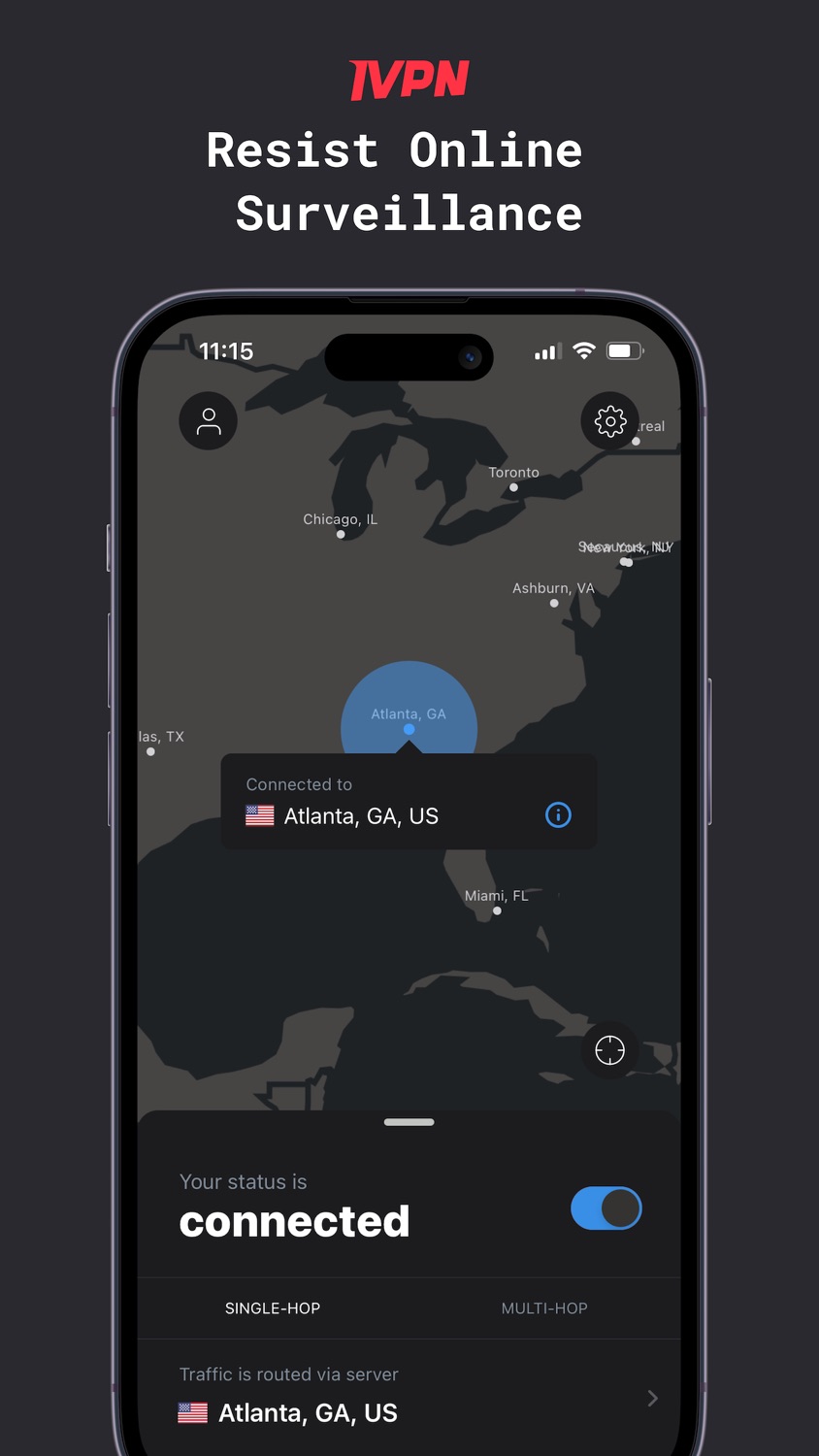
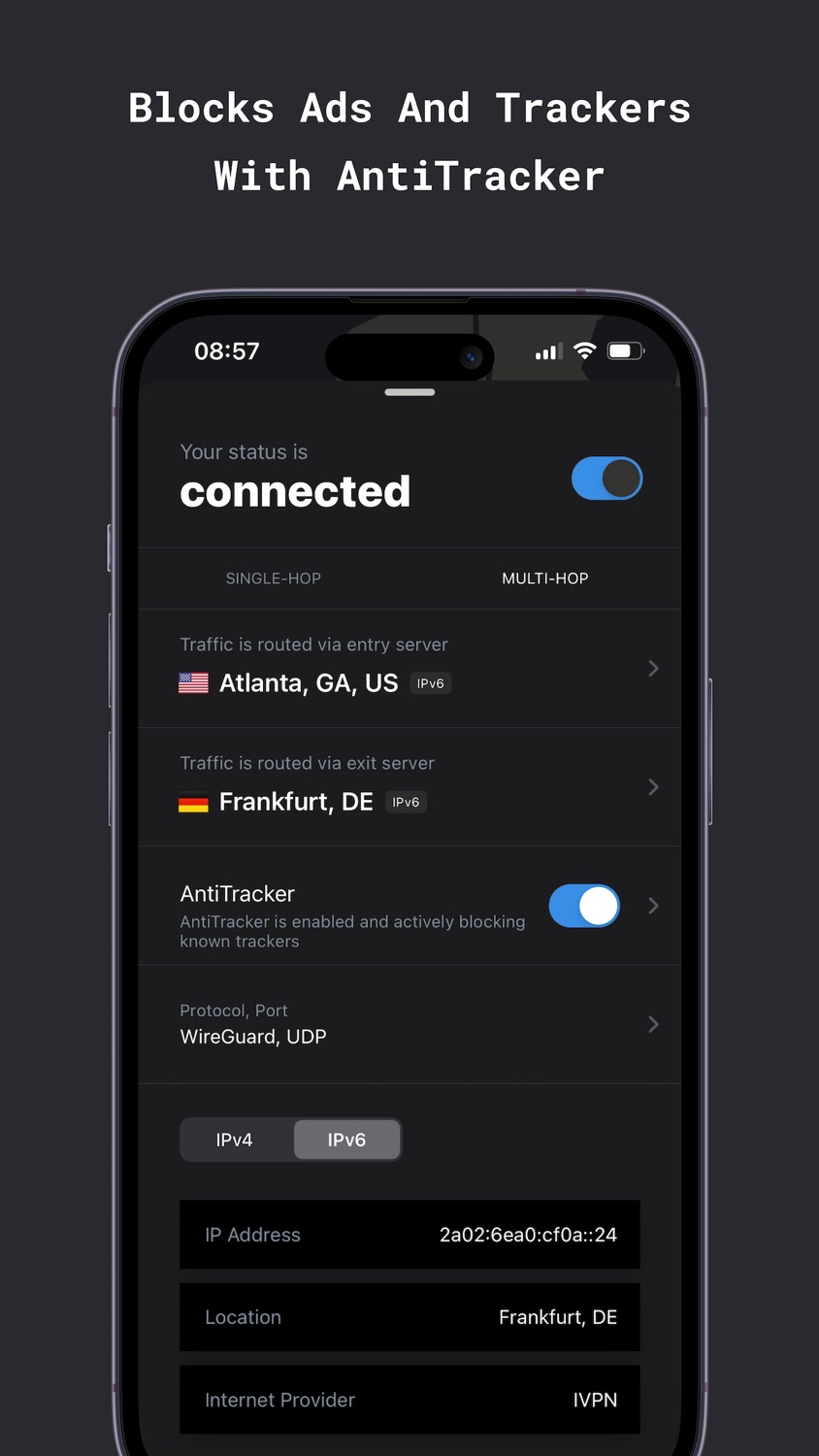
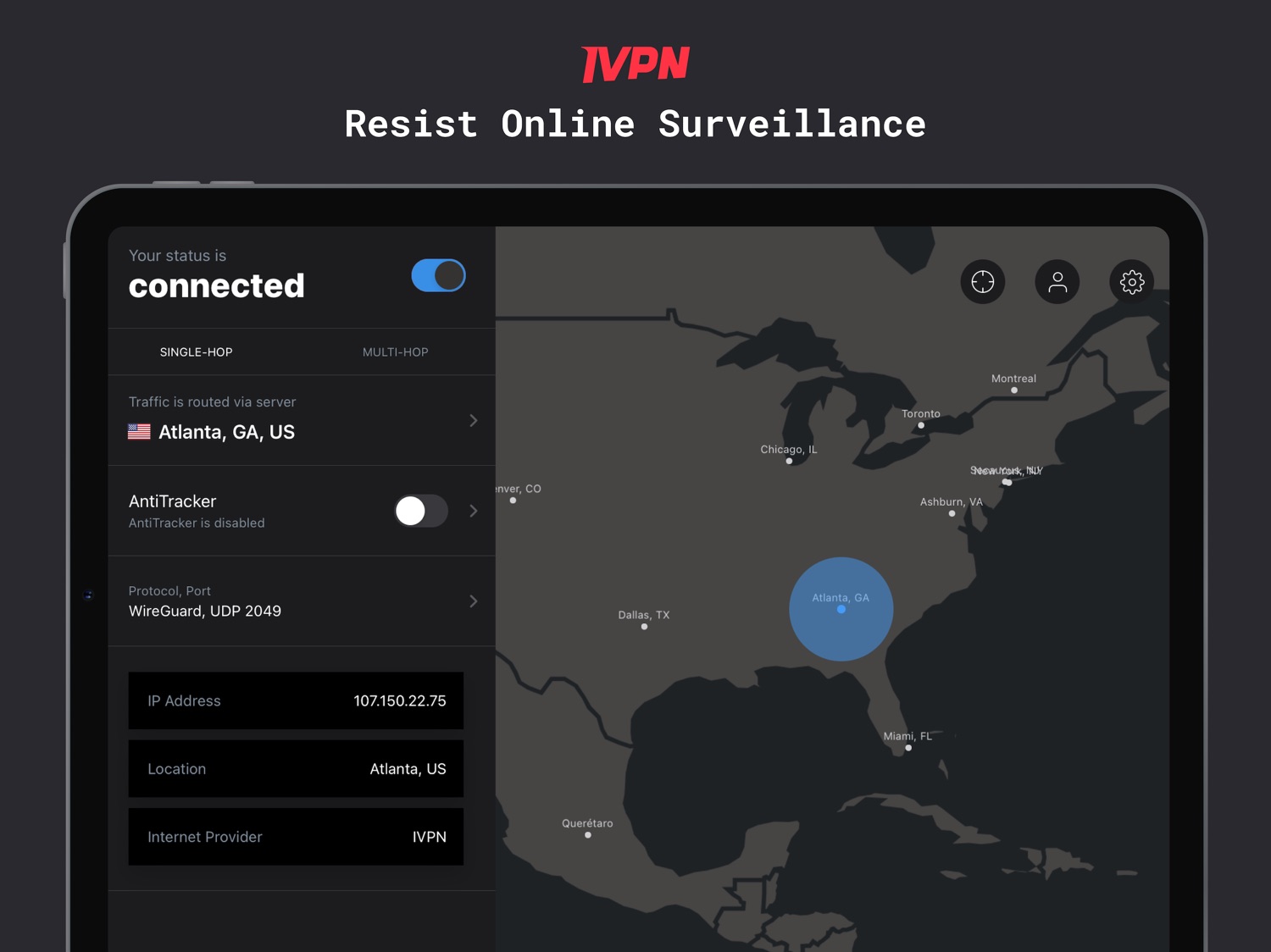
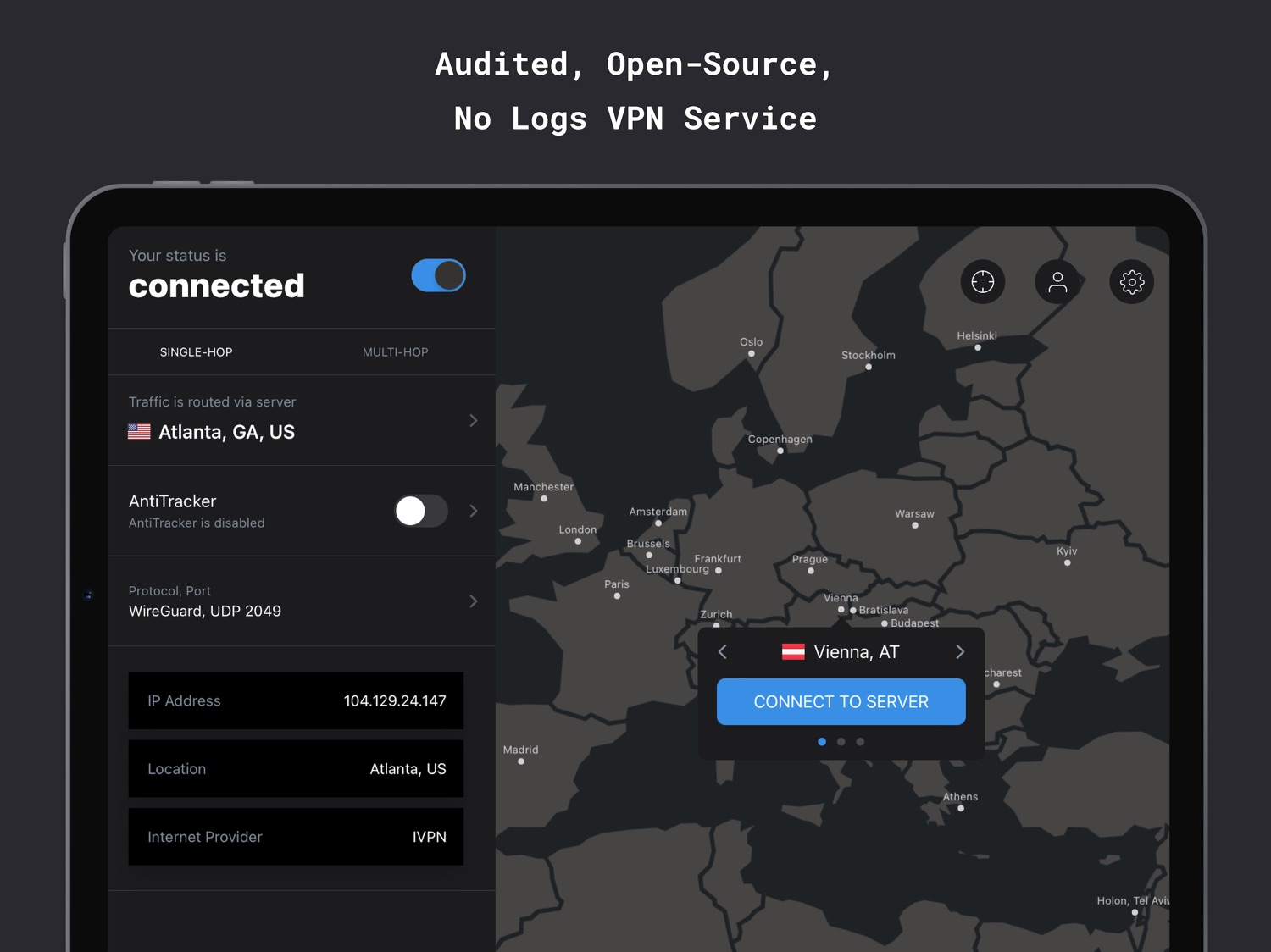
IVPN is a privacy-first VPN service that offers WireGuard, multi-hop connections and a built-in ad/tracker blocker.
What makes our customers trust us:
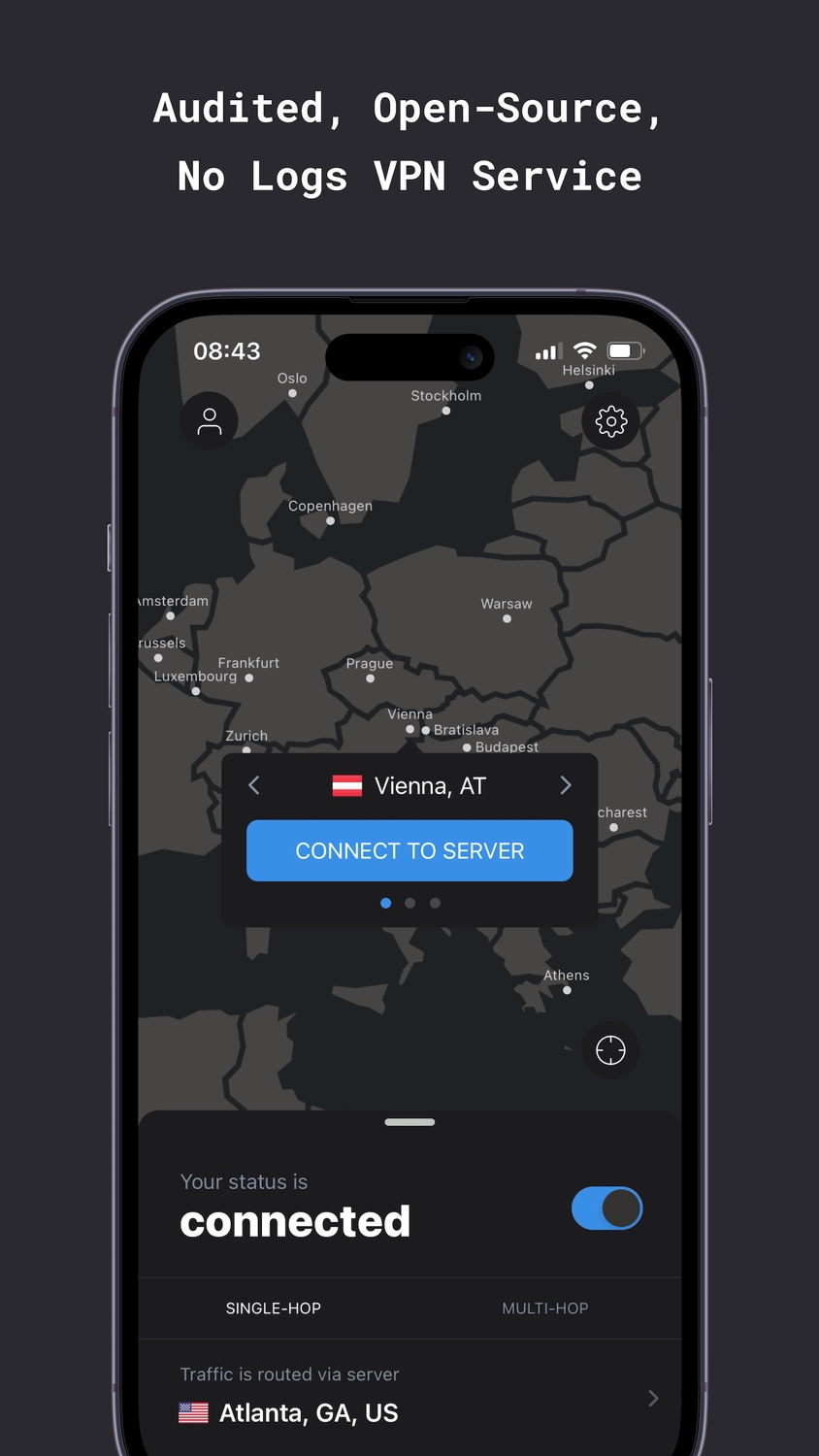
- Regular third-party audits since 2019.
- Open-source apps without trackers.
- Privacy friendly account creation - no email address required.
- Transparent ownership, team.
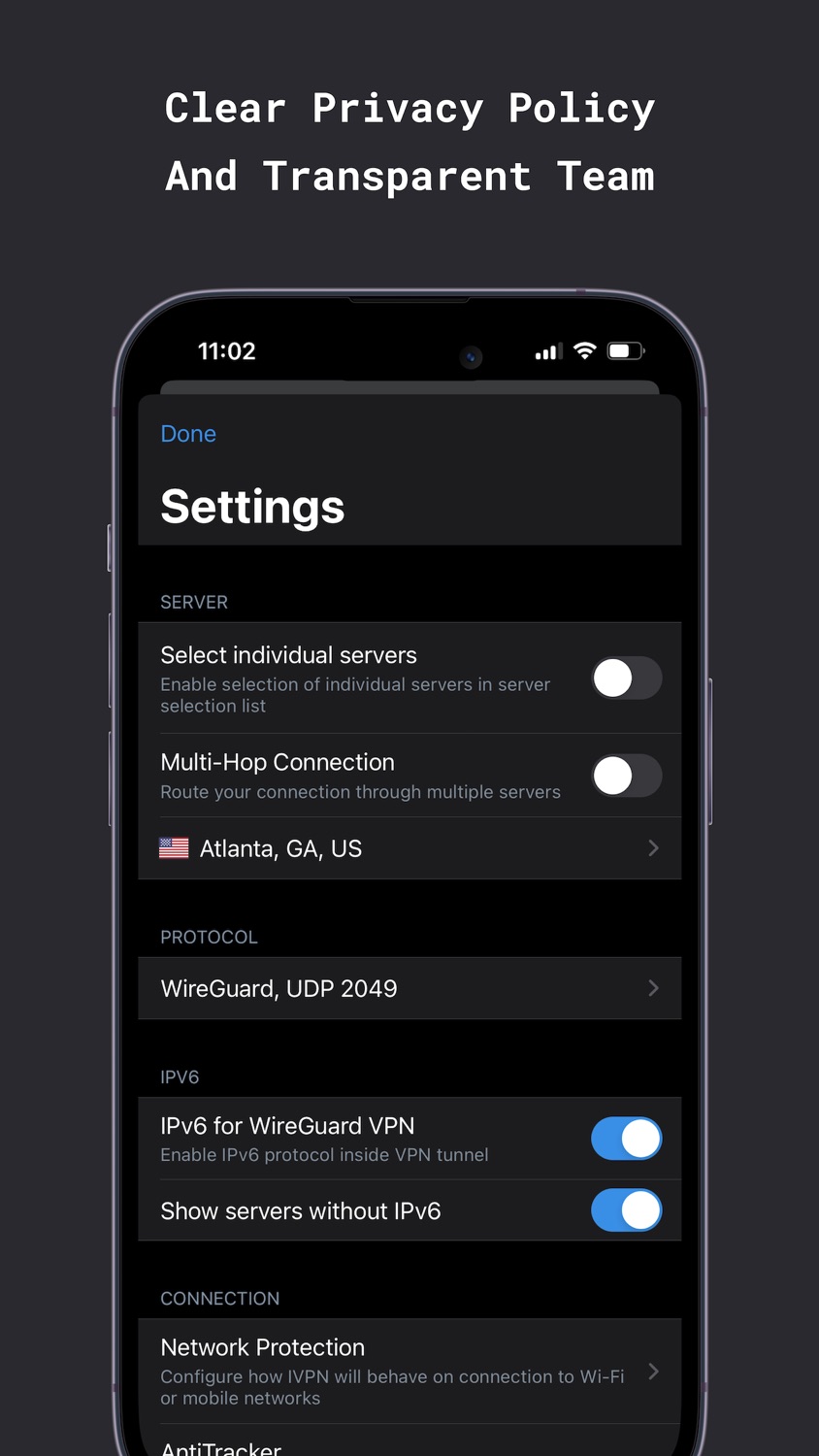
- Clear privacy policy and strong ethical guidelines.
What can you expect when using IVPN for iOS:
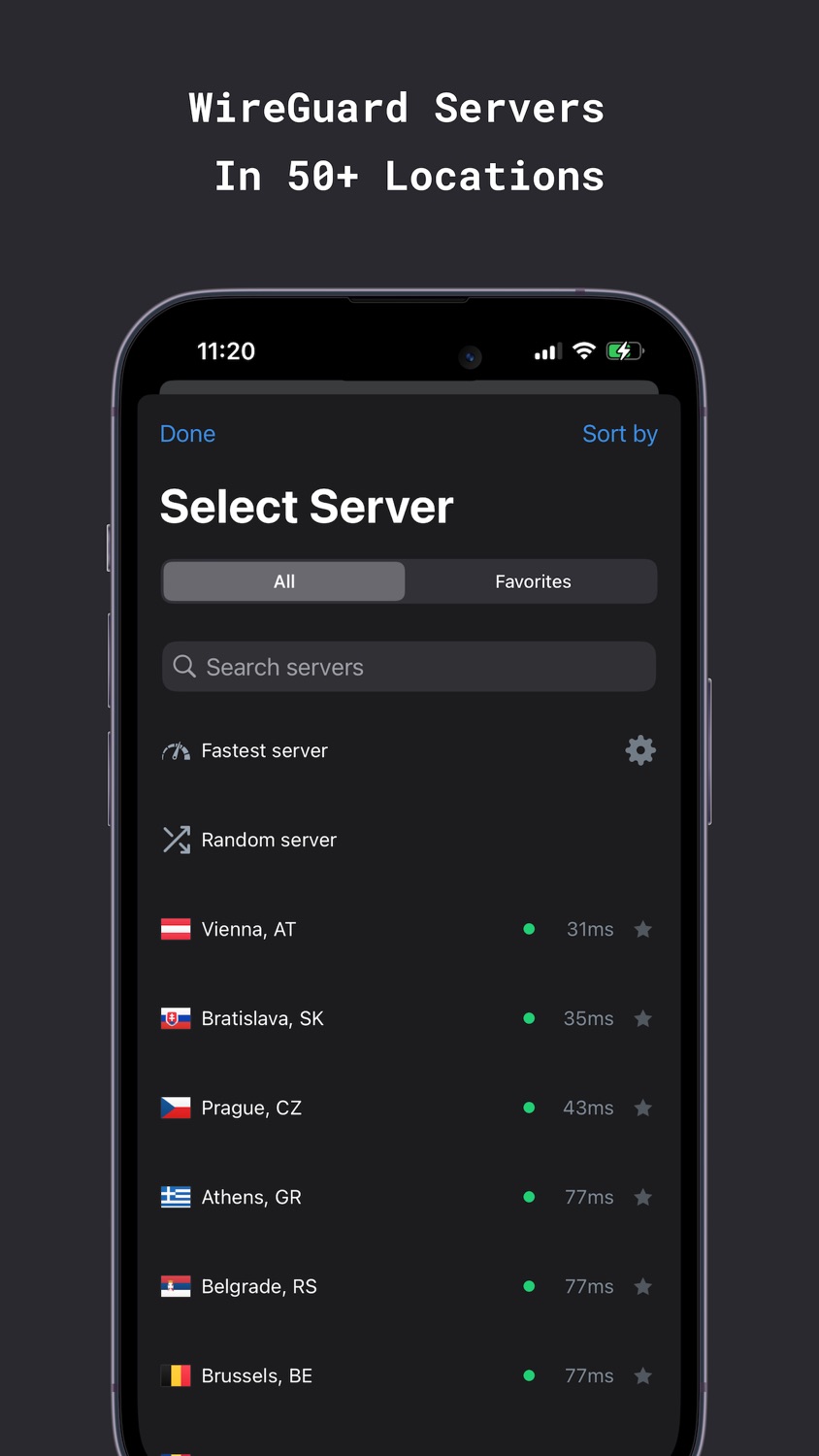
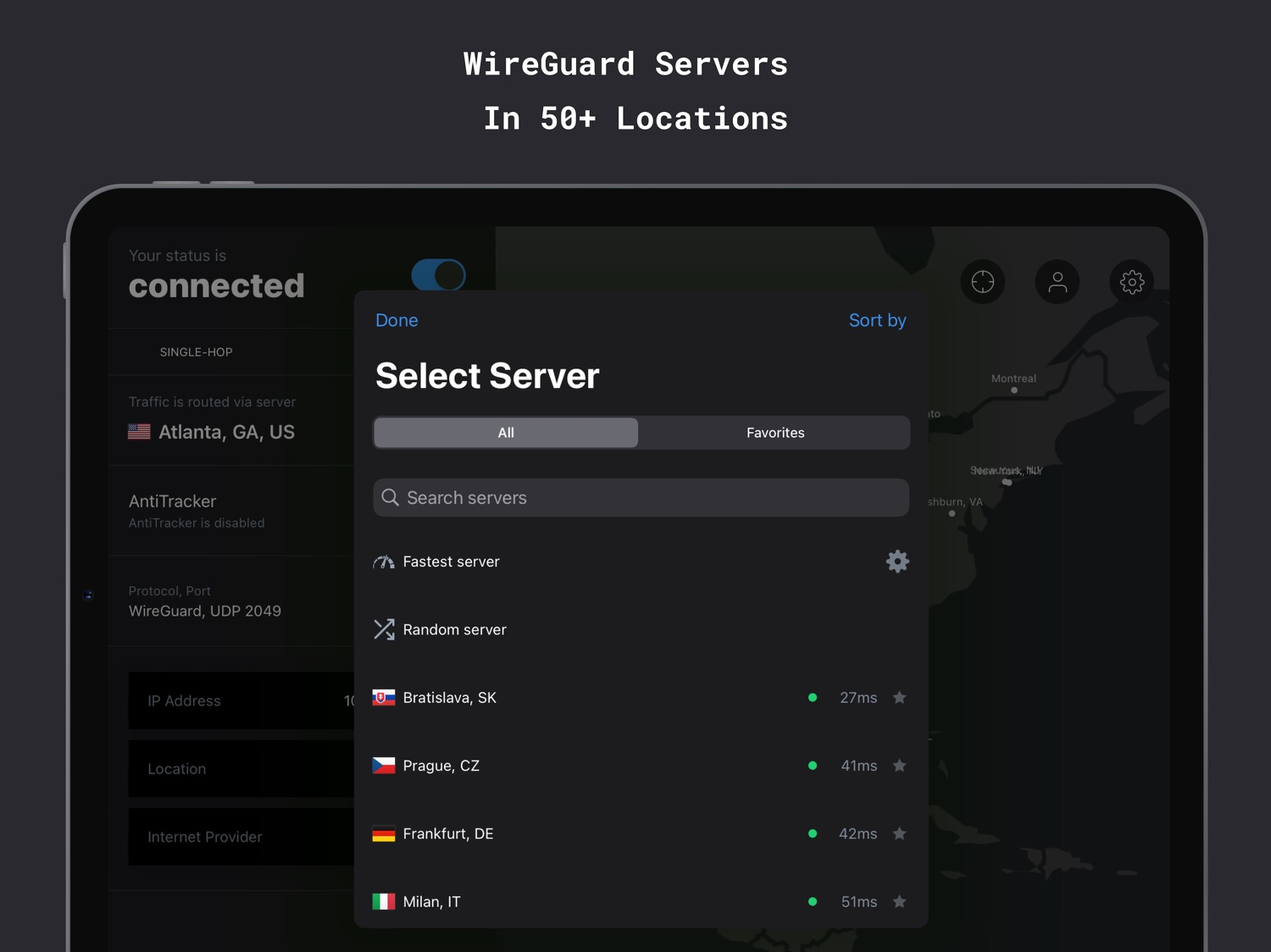
- Fast servers in more than 50 locations.
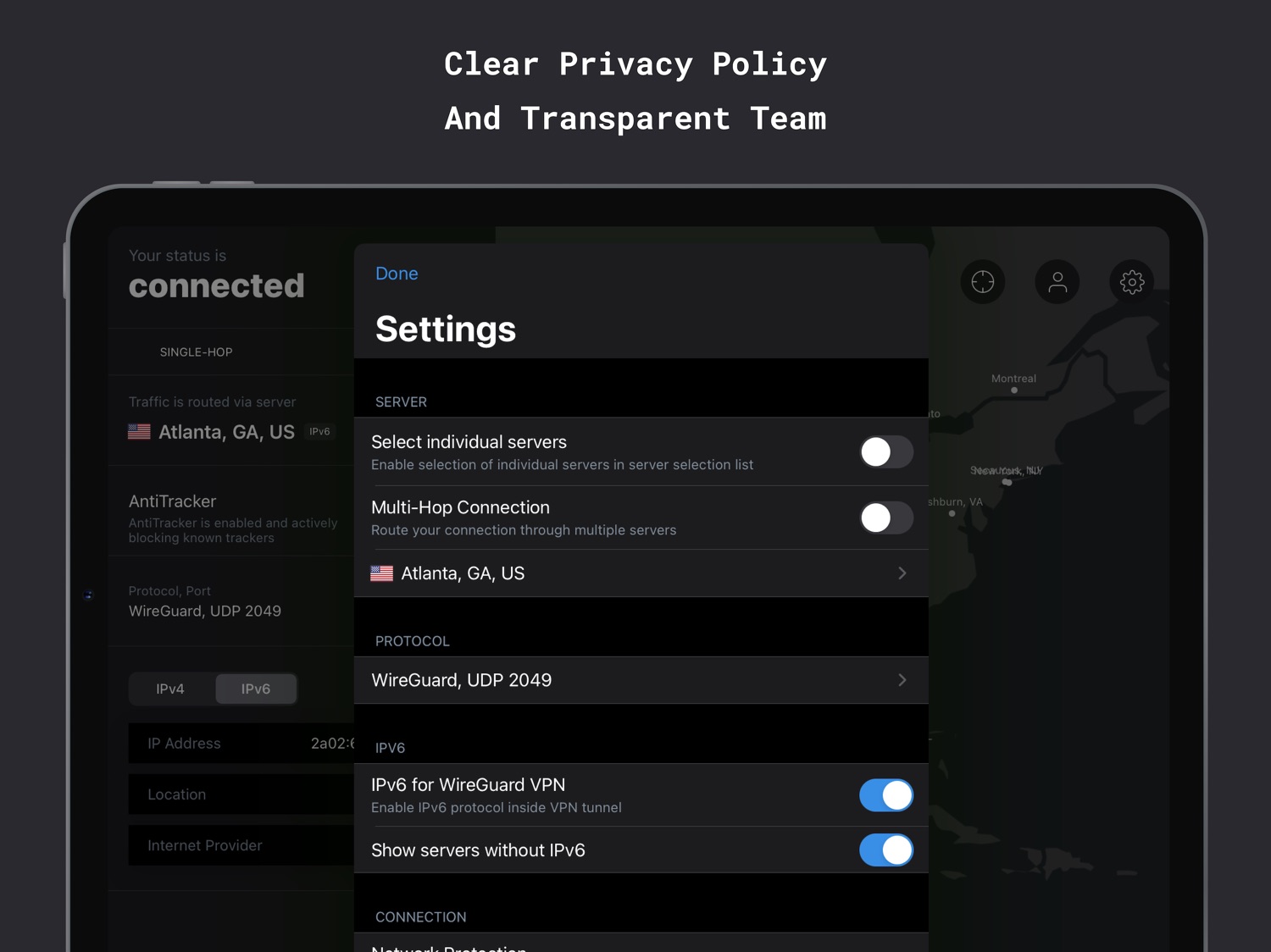
- OpenVPN, IPSec with IKEv2 and WireGuard protocol support.
- Improved security for Wi-Fi/LTE/3G/4G.
- Use on up to 7 devices (Pro plan).
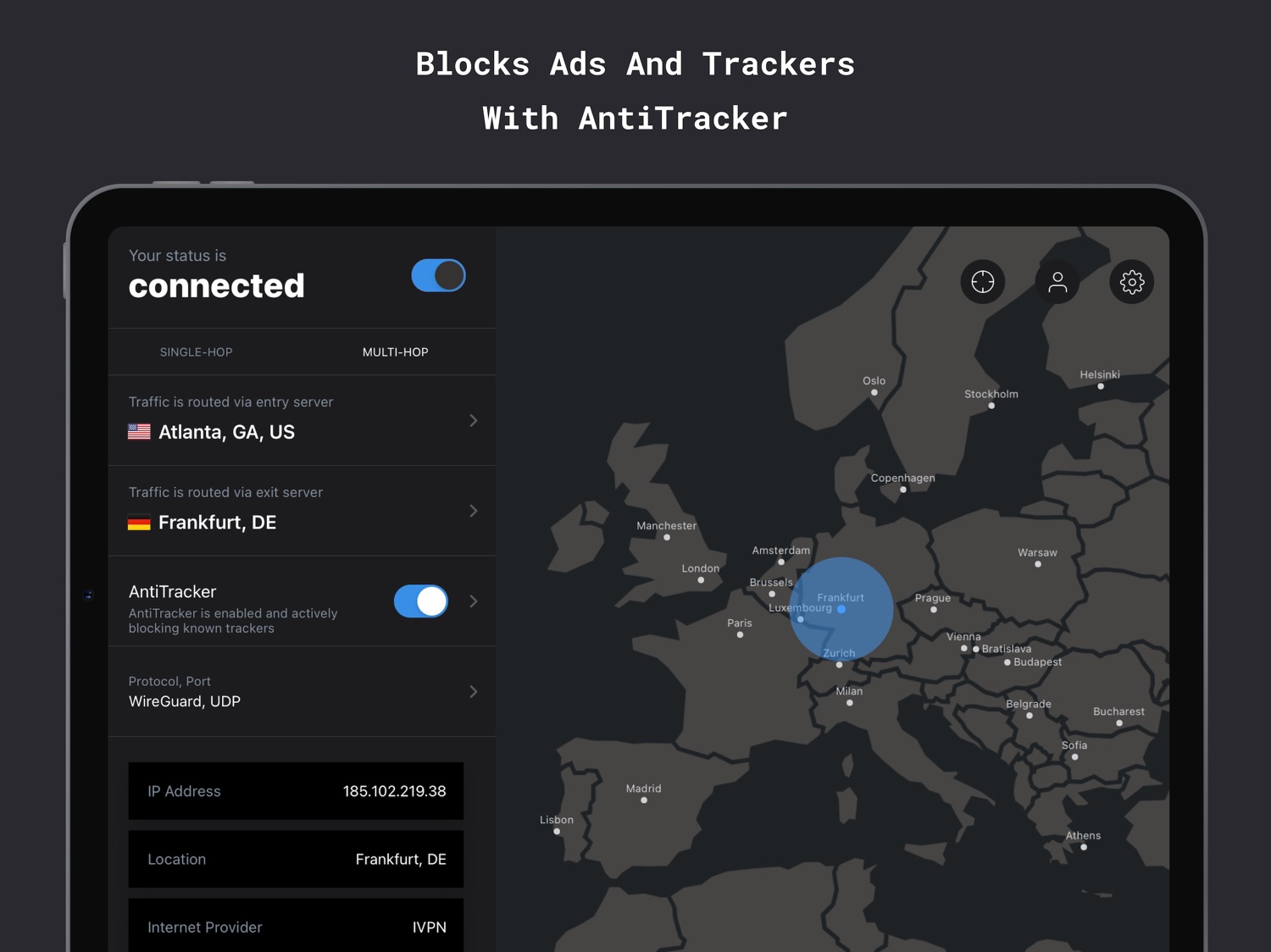
- AntiTracker to block ads, web and app trackers.
- Automatic Kill Switch.
- Set trusted networks and use custom DNS.
- Multi-hop connections for improved privacy.
- 24/7 customer service assistance.
What we do differently than other VPNs?
- No logs and data collection.
- No free tier, data mining and selling of browser history.
- No third-party tools in app.
- No misleading ads.
- No false promises (e.g. full anonymous connection).
- Privacy guides to help you improve your privacy.
- Civilian grade encryption.
Why use a VPN on iOS?
- Improve your data privacy with a private connection on your iPhone and iPad.
- Secure VPN for browsing at WiFi hotspots, airports and hotels.
- Hide your connection and protect your private data from your ISP.
- Hide your IP to prevent websites snooping on you.
IVPN was founded in 2009 with a mission of protecting individual privacy. Our team includes information security experts and privacy advocates who are working towards a surveillance-free future. We believe that everybody has the right to freedom of opinion and expression online without interference.
Review our clear, simple privacy policy: https://www.ivpn.net/privacy
Terms of Service: https://www.ivpn.net/tos
Privacy guides: https://www.ivpn.net/blog/privacy-guides
WireGuard® is a registered trademark of Jason A. Donenfeld.
Information
Accessibility
ipadiphonemacrealityDevicetvoswatch
Reviews 20 captured
★★★★★ Latest update fixes obfuscation — StarCross6
Obfuscation wasn’t working for me at some public wifi when it was in beta, but the latest update fixes it, at least for me. I can now connect with WireGuard with additional features instead of IKEv2. YMMV if connecting to different networks, of course.
★★★★★ Excellent ongoing support — cjet55
I've been using iVPN for over 6 years now, and the service and apps continue to improve and work very well. We travel a lot, and have used iVPN all over Europe with excellent results. Throughput and connectivity are very good. The service continues to get better. I trust this VPN provider to protect my privacy. Checkout their website for more details.
★★★★★ Decent, quirky, not best value for money — bobdrivesalot
As of writing there is another much better VPN that starts with the letter M but I won’t mention the full name because I don’t want to seem like I am marketing that one. This one IVPN I would say is probably second best, but it is far behind. For example, in their iOS app sometimes I get a lousy “too many requests, try again later.“ these vague errors are not helpful at all. Also their system for preventing connections without VPN is very lacking on iOS and their desktop as well. Also, you only
★★★★★ Great app and service, but iOS breaks with any VPN apparently — wordperson23
I have used iVPN for years and love them, and every time I have to contact Apple Support, they make me uninstall this app because they say VPNs cause problems with both iOS and macOS. How and why iOS and macOS can have such major problems with a VPN that isn’t even running scares me. Sorry for the low rating, but because iOS apparently has major problems with VPNs, I have to uninstall and reinstall this app, and eventually run out of logins and have to log out everywhere, which is a pain. I real
★★★★★ Beyond satisfied! 🤩❤️ — Tacit-Bud
Where have you been all my life?! I've tried so many reputable privacy focused VPN providers, but none were as easy to use and set up as IVPN. From the day one, the seamless setup guides for network wide setup, and all the well thought out app features, like custom DNS options, made everything such a pleasure breeze to use. This one's a keepa! Thank you so much!
★★★★★ Probably the best VPN app out there, and I’ve tried them all. — Firefox8821
Not only is IVPN blazingly fast, but they’re also extremely privacy conscious. You won’t find them at the “Top 10” lists due to them not wanting an Affiliate / Paid referral program, however they deserve #1 for their security, privacy, and personal ethics. I can’t say I’ve ever seen a company have their own Manifesto, and for a privacy nut, that’s a good thing to see. Their apps (Windows, Linux, Mac, & especially iOS) are oh-so smooth and beautiful to use. They also offer powerful obfuscation to
★★★★★ App is ok seems to disconnect a lot — Benji383
For some reason the connection to VPN servers tend to drop a lot. Connection does not stay steady. Also, for some reason, when I turn off my phone and turn back on again, my account is logged out and I have to re log in with my account number. Very frustrating. Speeds have been pretty iffy also. Sometimes fast most times pretty slow. I want to use the app, though and I still will. Hopefully new updates are coming soon.
★★★★★ Request: option to select specific servers — Another_user_complain
I want to select specific servers instead of being limited to only select a city. Sometimes the server I am assigned is too congested, thus, it is too slow. In addition, if we had the option to select by servers instead of just by city, we could avoid selecting certain IP’s that might be blacklisted.
★★★★★ Finally a trustworthy VPN — twizzlerfish
Finally a VPN that doesn’t try and trick you into believing the crap that other VPN’s promise. Considering there might be only 3 VPN services (out of the top 25) that don’t straight up 100% lie to you, this one seems to be the most legit. They don’t even bother trying to lie. They tell you straight up what they offer and what a VPN can and cannot do. None of this false advertising of “100% online anonymity” like you see on most services. Reliable. Great speed. Anonymous payments with zero
★★★★★ Add Siri Shortcuts — RandomUser1515
One of the few trustworthy vpns that actually protect your privacy with third party audits and no data collected. Oh I have to add, I’ve even had this speed up my webpage load speeds while on mobile data! It was absurd. The page failed to load until I connected to my vpn. Amazing. Please add Siri Shortcuts to toggle vpn on/off.
★★★★★ We use it on all our devices — Euphorbia Monstrose
Huge fans of iVPN! The ability to choose targets/countries and use double hop is fantastic…since wireguard has gotten more reliable we rarely see connectivity interruptions. I don’t use my telco’s or any Wi-Fi internet connection without iVPN enabled .The anti-tracker feature is great and blocks ads/etc on apps as well as in browsers. We are very happy with the service.
★★★★★ Powerful VPN — Parzival2054
I have used IVPN for over two years now on all my devices and I can’t say enough about them. Their anti tracker is awesome! Love having the ability to completely cut any potential connections to Facebook or Google servers. I always have it set to hardcore mode. If your serious about privacy and security, it gets no better than this. Period.
★★★★★ Newest update has broken the app *UPDATED* — SickNic
<update>
After submitting a few crash reports to IVPN, the developers got back to me with instructions on how to “downgrade” to the previous version of IVPN (linked in the developers response below), which works just fine on my 6S Plus. They mentioned it was an issue with the iPhone 6s series and they are working on a fix for the next update. For now the previous version works perfectly and I’m very happy with the the VPN and with IVPNs customer service.
</update>
I’ve been using IVPN for a fe
★★★★★ It just works! — GizzlyAK
I reviewed all of the top rated VPNs (and tried most of them) before deciding on IVPN. I’ve been very pleased with the app and service so far (about two years running now). Connection is fast, configurable, and doesn’t appear to slow me down one bit. It just works without having to think about it once set up.
I can’t understand how this app has so few reviews. It often doesn’t show up in the “big name” reviews, and that initially concerned me, but I always dig much deeper into products than th
★★★★★ Ok — dockvjsndjejdjdjdjdjdbd
It’s decent, I like all the functionality. The most frustrating is when the vpn is connected and I lock my phone or my phone has been locked for a while and I unlock it; the vpn spins and can’t connect. It just hangs and then I have to disconnect and reconnect. Also, if you try and disconnect from vpn and you’ve labeled a network ‘untrusted’ you can’t manually disconnect without first leaving the network.
Overall, it’s just easier to use OpenVPN using your IVPN cert.
★★★★★ Great VPN provider — cybexwrist
IVPN cost a bit more than other VPN providers but you get what you pay for like they said the servers are super fast like they advertise. Did a speed test I was able to download at max speed my modem allowed me to which was 360mbps while other VPN like TorGuard only allowed 60mbps. There IVPN app is good but has bugs that need to fix. Every time I open my phone to do something the app suppose to reconnect to the vpn server but 30 to 40% of the time it doesn’t have to go in the app and do it manu
★★★★★ Very Reliable and Secure — mjk1000
I’ve been a customer for years and am impressed with the many improvements to the apps, both iOS and MacOS. I especially like tracking blocker and the IVPN firewall, which I have set to “always-on.”
I feel that the price is commensurate with the quality and I’m glad that a service of this quality is available. A node in Mexico would be nice.
★★★★★ Many Years of Satisfaction — markmcb
Switched to IVPN years ago from PIA. It’s really great. Product is stable, but always improving. Speeds are good. And it’s clear someone there has an eye for good design because it’s nice to look at too. The iOS app is great, I particularly like the ability to mark networks as trusted or not and have the VPN connect/disconnect automatically. I also use their MacOS app, and configure a Linux system using their OpenVPN configs. Both are rock solid. On top of all that, they’re continually highlight
★★★★★ Speeds have slowed — Disc0 bliss
Can never get green server speeds anymore. The Mac app won’t keep a constant connection without dropping and then needing a restart to reconnect. What happened to live chat? Is that now permanently gone? Everything about this service was very good up until the end of January ‘19. Now, I am starting to research a new provider for when my subscription is up. I echo the review who says IKEv2 is needed - for Mac & iOS. I’ve set it up manually on MacOS following the online instructions but cannot get
★★★★★ Best vpn out there — danielcb
App on macOS and iOS is flawless. I’ve tried all the big players like PIA, NordVPN, BlackVPN, ExpressVPN (which is good - but still a far second to IVPN) etc, but they do not compete on a variety of levels. Big plus for this service is software. On iOS you can throw weak connections, switching from WiFi to LTE back again and it handles well with no evidence of leaks - queuing up data until the connection is secure. Same with MacOS client. I close my laptop, restart etc and it automatically firew
Version history · 25 recorded
2.14.2
2026-06-11
[IMPROVED] Support for both IVPN Standard and IVPN Pro plans in the in-app purchase flow
2.14.0
2026-05-07
[NEW] Added support for the new signup flow
2.14.1
2026-05-07
[FIXED] In-app purchases not displayed on the signup screen
2.13.1
2026-02-27
[FIXED] "Save" button not working in Custom DNS settings
[IMPROVED] UI optimised for iOS 26
2.13.0
2025-12-08
[IMPROVED] Enhanced connectivity and stability for V2Ray obfuscation
[IMPROVED] Added support for multiple custom DNS servers
2.12.5
2025-02-19
[FIXED] Potential DNS leak during automatic WireGuard key rotation
2.12.4
2024-09-17
[NEW] Option to show/hide Account ID
[IMPROVED] Error handling for in-app purchases
[FIXED] Location marker disappearing when the app wakes up from the background (iOS 18)
[FIXED] Privacy overlay not working (iOS 18)
[FIXED] Widget actions to Connect/Disconnect not working (iOS 18)
[FIXED] Actions not appearing in the Shortcuts app (iOS 18)
2.12.3
2024-06-04
[IMPROVED] Post-Quantum library updated to the latest version
2.12.2
2024-04-24
[IMPROVED] Support for pending payments
[IMPROVED] Upgraded payments to StoreKit 2
[IMPROVED] Upgraded OpenVPN and OpenSSL libraries
[NOTE] Removed support for iOS 14
2.12.1
2024-02-23
[FIXED] In-app payments for legacy accounts
2.12.0
2024-02-12
[NEW] Device Management
[FIXED] Selecting individual servers with IKEv2
[FIXED] Minor UI issues on the server map
2.11.1
2023-12-05
[NEW] Option to Block LAN traffic when connected to an untrusted network
[NEW] Option to turn off the prompt when connecting or disconnecting VPN from the Widget
[FIXED] Control panel not rendering when launching the app in landscape mode on iPad
[FIXED] Removed redundant entitlements for V2Ray connections
[FIXED] Minor UI fixes and improvements
2.11.0
2023-11-16
[NEW] Obfuscation with V2Ray for WireGuard connections
[IMPROVED] Update WireGuard to the latest version
[IMPROVED] Update packages/dependencies to the latest version
[FIXED] Repeatedly connecting and disconnecting when Network Protection is enabled
2.10.1
2023-09-04
[NEW] Option to disable LAN traffic when connected to VPN
[IMPROVED] Added "Advanced" section in the Settings
2.10.0
2023-08-08
[NEW] Post-Quantum Resistant WireGuard Connections
[NEW] AntiTracker Plus additional block lists
[IMPROVED] WireGuard keys rotation when connected with OpenVPN
[NOTE] Kill Switch is removed for iOS 16+ devices; Disable Kill Switch before upgrading to avoid connection issues
2.9.1
2023-06-29
[NOTE] Removed references to Port Forwarding
2.9.0
2023-05-24
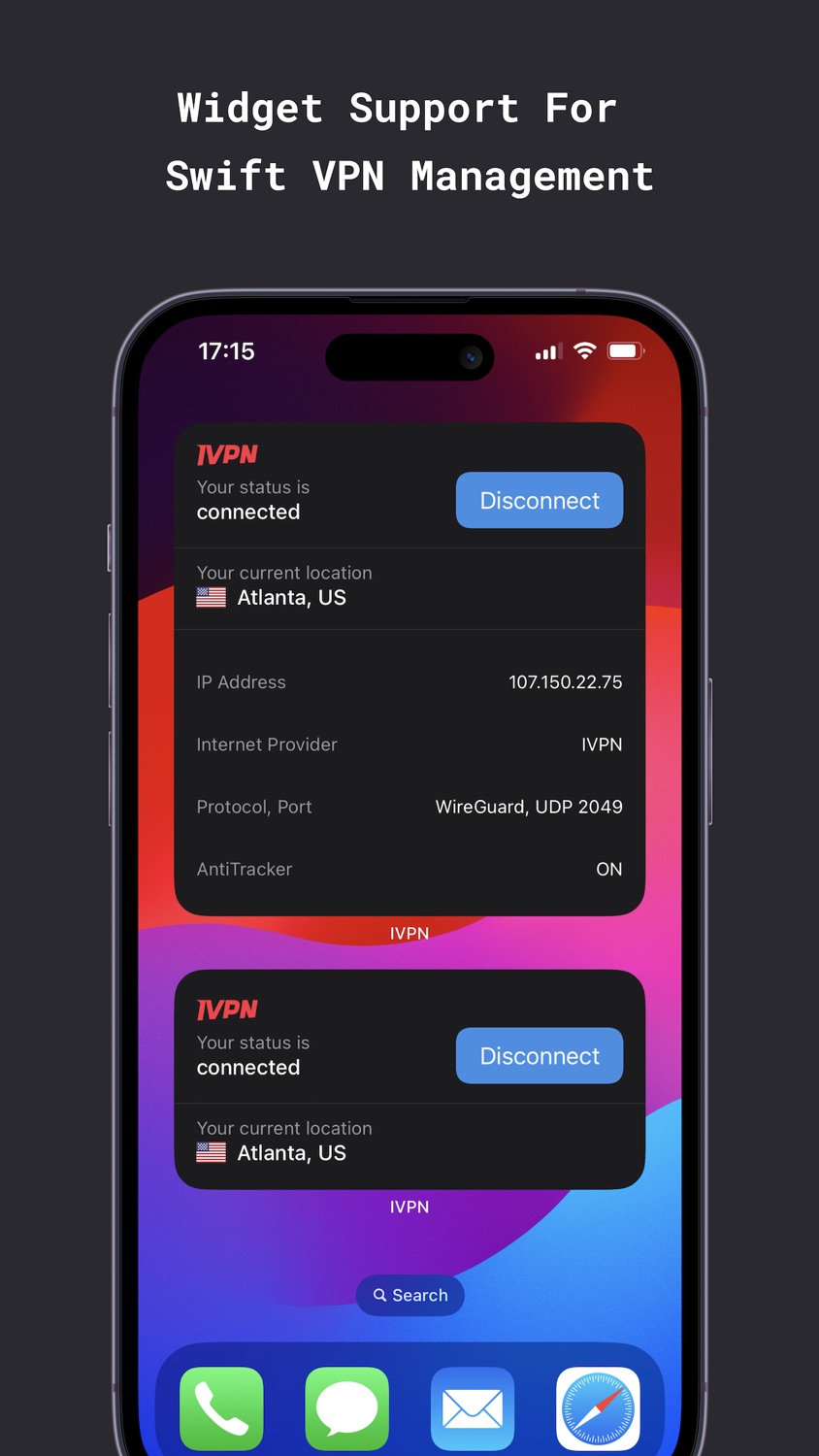
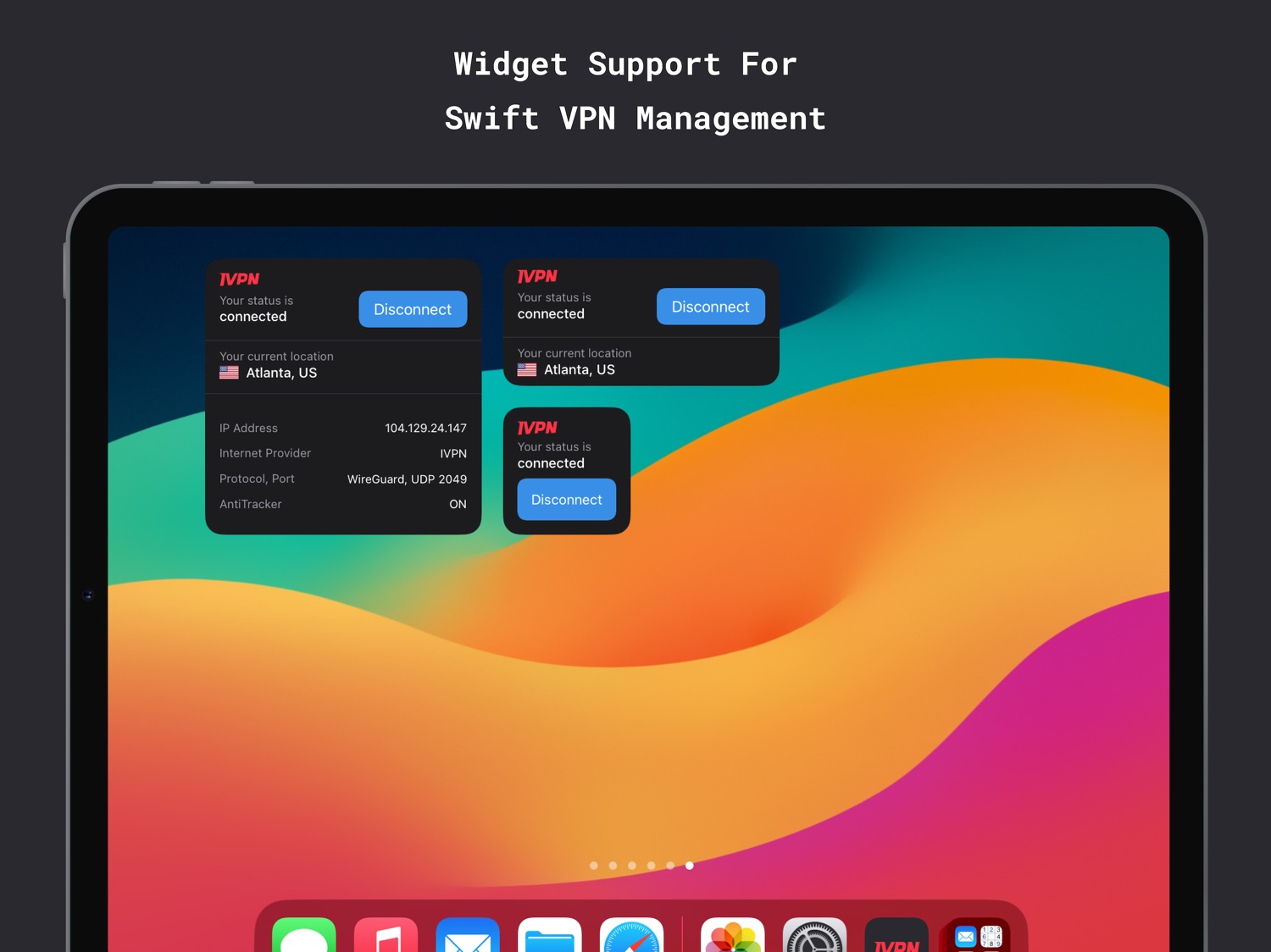
[NEW] New Widget implemented with WidgetKit
[NEW] Option to prevent a Multi-Hop chain with the same provider
[NEW] MTU configuration for WireGuard
[IMPROVED] Upgraded OpenVPN and OpenSSL libraries
[IMPROVED] Alternative method to obtain diagnostic logs
[FIXED] Servers mismatch when selecting individual servers
[FIXED] Unable to change the port when switching from WireGuard to OpenVPN
[FIXED] Fastest server settings list automatically toggling servers off
[FIXED] App remains in "disconnecting" state when using Network Protection
[FIXED] Server latency not displayed after logging in
[NOTE] Removed support for iOS 12 and 13
2.8.0
2023-01-30
[NEW] Favorite servers
[IMPROVED] Option to search and sort in the fastest server configuration list
2.7.1
2022-12-08
[IMPROVED] Support for Split View and Slide Over mode on iPadOS
[IMPROVED] Upgraded app diagnostic logs
[FIXED] Crash on app launch caused by Ping service
[FIXED] Montreal location not showing all available hosts
[FIXED] Minor bug fixes
2.7.0
2022-11-23
[NEW] Ability to connect to a specific host in a location
[NEW] Support for custom ports
[IMPROVED] Warning about existing VPN connection(s) when downgrading subscription plan
[FIXED] IPv6 connection information not displayed on iOS 16+ devices
[FIXED] Port number displayed in the settings when MultiHop is enabled
2.6.3
2022-05-17
[IMPROVED] Option to select UDP or TCP when using OpenVPN MultiHop
[IMPROVED] Search servers by country code
[IMPROVED] VoiceOver (Accessibility) for the home screen
[FIXED] Log out issue on iPadOS
[FIXED] Empty OpenVPN servers list
2.6.2
2022-03-29
[NEW] Hide sensitive UI with privacy overlay when entering background
[IMPROVED] Use Universal Links when connecting or disconnecting from the widget
[IMPROVED] Use WKWebView instead SFSafariViewController to improve security
[IMPROVED] Use more restricted access level for Keychain data
[FIXED] In some cases session is removed after the iOS upgrade
2.6.1
2021-12-16
[NEW] Shortcuts to enable/disable AntiTracker and Custom DNS
[IMPROVED] New implementation for OpenVPN Multi-Hop
[IMPROVED] Improved VoiceOver (Accessibility) for the main screen
[IMPROVED] Minor UI improvements
[IMPROVED] OpenVPN and OpenSSL libraries upgraded to the latest version
[FIXED] Not possible to set DNS over HTTPS/TLS when AntiTracker is enabled
2.5.0
2021-11-10
[NEW] Multi-Hop for WireGuard protocol
[NEW] Native iOS Kill Switch to block all traffic when VPN tunnel is dropped or unavailable
[NEW] Keep user settings on log out with an option to clear settings
[NEW] WireGuard diagnostic logs
[IMPROVED] Migrate to WireGuardKit framework
[IMPROVED] Upgrade WireGuard to the latest version
[FIXED] Current WiFi name not available, fixed for iOS 15.1+ devices
[FIXED] IPV4/IPV6 tabs displayed in connection info when there is no internet connection
2.4.4
2021-09-10
[FIXED] Not able to connect to VPN for some users
Listing history · 4 snapshots — every change kept with its date
releaseNotes
2026-06-21
[IMPROVED] Support for both IVPN Standard and IVPN Pro plans in the in-app purchase flow
description
2026-06-21
IVPN is a privacy-first VPN service that offers WireGuard, multi-hop connections and a built-in ad/tracker blocker.
What makes our customers trust us:
- Regular third-party audits since 2019.
- Open-source apps without…
full text
IVPN is a privacy-first VPN service that offers WireGuard, multi-hop connections and a built-in ad/tracker blocker. What makes our customers trust us: - Regular third-party audits since 2019. - Open-source apps without trackers. - Privacy friendly account creation - no email address required. - Transparent ownership, team. - Clear privacy policy and strong ethical guidelines. What can you expect when using IVPN for iOS: - Fast servers in more than 50 locations. - OpenVPN, IPSec with IKEv2 and WireGuard protocol support. - Improved security for Wi-Fi/LTE/3G/4G. - Use on up to 7 devices (Pro plan). - AntiTracker to block ads, web and app trackers. - Automatic Kill Switch. - Set trusted networks and use custom DNS. - Multi-hop connections for improved privacy. - 24/7 customer service assistance. What we do differently than other VPNs? - No logs and data collection. - No free tier, data mining and selling of browser history. - No third-party tools in app. - No misleading ads. - No false promises (e.g. full anonymous connection). - Privacy guides to help you improve your privacy. - Civilian grade encryption. Why use a VPN on iOS? - Improve your data privacy with a private connection on your iPhone and iPad. - Secure VPN for browsing at WiFi hotspots, airports and hotels. - Hide your connection and protect your private data from your ISP. - Hide your IP to prevent websites snooping on you. IVPN was founded in 2009 with a mission of protecting individual privacy. Our team includes information security experts and privacy advocates who are working towards a surveillance-free future. We believe that everybody has the right to freedom of opinion and expression online without interference. Review our clear, simple privacy policy: https://www.ivpn.net/privacy Terms of Service: https://www.ivpn.net/tos Privacy guides: https://www.ivpn.net/blog/privacy-guides WireGuard® is a registered trademark of Jason A. Donenfeld.subtitle
2026-06-21
Resist Online Surveillance
name
2026-06-21
IVPN - Secure VPN for Privacy
Region availability · 110 of 118 storefronts
| Store | Price | Ratings | Avg | Version |
|---|---|---|---|---|
| US | Free | 250 | 4.1 | 2.14.2 |
| GB | Free | 38 | 4.0 | 2.14.2 |
| DE | Free | 34 | 4.5 | 2.14.2 |
| CA | Free | 22 | 4.6 | 2.14.2 |
| FR | Free | 18 | 4.8 | 2.14.2 |
| AU | Free | 12 | 3.4 | 2.14.2 |
| NL | Free | 11 | 4.6 | 2.14.2 |
| UA | Free | 10 | 3.7 | 2.14.2 |
| ES | Free | 9 | 4.0 | 2.14.2 |
| HK | Free | 8 | 4.0 | 2.14.2 |
| IN | Free | 7 | 5.0 | 2.14.2 |
| IT | Free | 7 | 4.9 | 2.14.2 |
| NO | Free | 7 | 4.3 | 2.14.2 |
| CH | Free | 6 | 4.3 | 2.14.2 |
| JP | Free | 6 | 3.7 | 2.14.2 |
| PL | Free | 6 | 4.8 | 2.14.2 |
| FI | Free | 5 | 3.4 | 2.14.2 |
| PT | Free | 5 | 5.0 | 2.14.2 |
| SE | Free | 5 | 5.0 | 2.14.2 |
| AT | Free | 4 | 5.0 | 2.14.2 |
| DK | Free | 3 | 5.0 | 2.14.2 |
| ID | Free | 3 | 5.0 | 2.14.2 |
| IL | Free | 3 | 5.0 | 2.14.2 |
| MY | Free | 3 | 4.0 | 2.14.2 |
| RO | Free | 3 | 3.7 | 2.14.2 |
| BE | Free | 2 | 3.0 | 2.14.2 |
| CI | Free | 2 | 5.0 | 2.14.2 |
| GE | Free | 2 | 5.0 | 2.14.2 |
| NG | Free | 2 | 5.0 | 2.14.2 |
| SA | Free | 2 | 3.0 | 2.14.2 |
| SG | Free | 2 | 5.0 | 2.14.2 |
| SK | Free | 2 | 5.0 | 2.14.2 |
| TW | Free | 2 | 4.5 | 2.14.2 |
| AM | Free | 1 | 5.0 | 2.14.2 |
| AZ | Free | 1 | 5.0 | 2.14.2 |
| CZ | Free | 1 | 5.0 | 2.14.2 |
| GR | Free | 1 | 5.0 | 2.14.2 |
| HU | Free | 1 | 5.0 | 2.14.2 |
| IE | Free | 1 | 5.0 | 2.14.2 |
| KR | Free | 1 | 4.0 | 2.14.2 |
| KZ | Free | 1 | 5.0 | 2.14.2 |
| ME | Free | 1 | 5.0 | 2.14.2 |
| NZ | Free | 1 | 3.0 | 2.14.2 |
| PH | Free | 1 | 5.0 | 2.14.2 |
| AE | Free | 0 | — | 2.14.2 |
| AF | Free | 0 | — | 2.14.2 |
| AL | Free | 0 | — | 2.14.2 |
| BA | Free | 0 | — | 2.14.2 |
| BF | Free | 0 | — | 2.14.2 |
| BG | Free | 0 | — | 2.14.2 |
| BH | Free | 0 | — | 2.14.2 |
| BM | Free | 0 | — | 2.14.2 |
| BN | Free | 0 | — | 2.14.2 |
| BT | Free | 0 | — | 2.14.2 |
| BW | Free | 0 | — | 2.14.2 |
| CM | Free | 0 | — | 2.14.2 |
| CV | Free | 0 | — | 2.14.2 |
| CY | Free | 0 | — | 2.14.2 |
| EE | Free | 0 | — | 2.14.2 |
| FJ | Free | 0 | — | 2.14.2 |
| FM | Free | 0 | — | 2.14.2 |
| GH | Free | 0 | — | 2.14.2 |
| HR | Free | 0 | — | 2.14.2 |
| IQ | Free | 0 | — | 2.14.2 |
| IS | Free | 0 | — | 2.14.2 |
| JO | Free | 0 | — | 2.14.2 |
| KE | Free | 0 | — | 2.14.2 |
| KG | Free | 0 | — | 2.14.2 |
| KH | Free | 0 | — | 2.14.2 |
| KW | Free | 0 | — | 2.14.2 |
| LA | Free | 0 | — | 2.14.2 |
| LB | Free | 0 | — | 2.14.2 |
| LK | Free | 0 | — | 2.14.2 |
| LT | Free | 0 | — | 2.14.2 |
| LU | Free | 0 | — | 2.14.2 |
| LV | Free | 0 | — | 2.14.2 |
| MD | Free | 0 | — | 2.14.2 |
| MK | Free | 0 | — | 2.14.2 |
| ML | Free | 0 | — | 2.14.2 |
| MM | Free | 0 | — | 2.14.2 |
| MN | Free | 0 | — | 2.14.2 |
| MO | Free | 0 | — | 2.14.2 |
| MR | Free | 0 | — | 2.14.2 |
| MT | Free | 0 | — | 2.14.2 |
| MU | Free | 0 | — | 2.14.2 |
| MV | Free | 0 | — | 2.14.2 |
| MZ | Free | 0 | — | 2.14.2 |
| NA | Free | 0 | — | 2.14.2 |
| NP | Free | 0 | — | 2.14.2 |
| NR | Free | 0 | — | 2.14.2 |
| PG | Free | 0 | — | 2.14.2 |
| PK | Free | 0 | — | 2.14.2 |
| PW | Free | 0 | — | 2.14.2 |
| QA | Free | 0 | — | 2.14.2 |
| RS | Free | 0 | — | 2.14.2 |
| SB | Free | 0 | — | 2.14.2 |
| SI | Free | 0 | — | 2.14.2 |
| SN | Free | 0 | — | 2.14.2 |
| TH | Free | 0 | — | 2.14.2 |
| TJ | Free | 0 | — | 2.14.2 |
| TO | Free | 0 | — | 2.14.2 |
| TZ | Free | 0 | — | 2.14.2 |
| UZ | Free | 0 | — | 2.14.2 |
| VN | Free | 0 | — | 2.14.2 |
| VU | Free | 0 | — | 2.14.2 |
| XK | Free | 0 | — | 2.14.2 |
| YE | Free | 0 | — | 2.14.2 |
| ZA | Free | 0 | — | 2.14.2 |
| ZM | Free | 0 | — | 2.14.2 |
| ZW | Free | 0 | — | 2.14.2 |
Not available in: BY, CN, EG, OM, RU, TM, TR, UG