Home › Productivity

 CD
CD
 USen-US
 JPja
JPja DEde-DE
 CAen-CA
 GBen-GB
 KRko
KRko AUen-AU
 ESes-ES
 NLnl
NLnl CHde-CH
 CNzh-Hans-CN
 FRfr-FR
 INen-GB
 ATde-DE
 MXes-MX
 SEsv
SEsv BEen-GB
 BRpt-BR
 FIen-GB
 ITit
ITit NZen-AU
 RUru
RUru TWzh-Hant-TW
 DKen-GB
 HKzh-Hant-HK
 PLen-GB
 SAen-GB
 THen-GB
 BGen-GB
 CLes-MX
 COes-MX
 CZen-GB
 DOes-MX
 EGen-GB
 IDen-GB
 ILen-GB
 LKen-GB
 MYen-GB
 NOen-GB
 NPen-GB
 PEes-MX
 ROen-GB
 SGen-GB
 UAen-GB
 VNen-GB
 AEen-GB
 AFen-GB
 AGen-GB
 AIen-GB
 ALen-GB
 AMen-GB
 AOen-GB
 ARes-MX
 AZen-GB
 BAen-GB
 BBen-GB
 BFen-GB
 BHen-GB
 BJen-GB
 BMen-GB
 BNen-GB
 BOes-MX
 BSen-GB
 BTen-GB
 BWen-GB
 BYen-GB
 BZen-GBCDen-GB
 CGen-GB
 CIfr-FR
 CMfr-FR
 CRes-MX
 CVen-GB
 CYen-GB
 DMen-GB
 DZen-GB
 ECes-MX
 EEen-GB
 FJen-GB
 FMen-GB
 GAfr-FR
 GDen-GB
 GEen-GB
 GHen-GB
 GMen-GB
 GRen-GB
 GTes-MX
 GWen-GB
 GYen-GB
 HNes-MX
 HRen-GB
 HUen-GB
 IEen-GB
 IQen-GB
 ISen-GB
 JMen-GB
 JOen-GB
 KEen-GB
 KGen-GB
 KHen-GB
 KNen-GB
 KWen-GB
 KYen-GB
 KZen-GB
 LAen-GB
 LBen-GB
 LCen-GB
 LRen-GB
 LTen-GB
 LUen-GB
 LVen-GB
 LYen-GB
 MAen-GB
 MDen-GB
 MEen-GB
 MGen-GB
 MKen-GB
 MLen-GB
 MMen-GB
 MNen-GB
 MOzh-Hant-HK
 MRen-GB
 MSen-GB
 MTen-GB
 MUen-GB
 MVen-GB
 MWen-GB
 MZen-GB
 NAen-GB
 NEen-GB
 NGen-GB
 NIes-MX
 NRen-GB
 OMen-GB
 PAes-MX
 PGen-GB
 PHen-GB
 PKen-GB
 PTpt-PT
 PWen-GB
 PYes-MX
 QAen-GB
 RSen-GB
 RWen-GB
 SBen-GB
 SCen-GB
 SIen-GB
 SKen-GB
 SLen-GB
 SNen-GB
 SRen-GB
 STen-GB
 SVes-MX
 SZen-GB
 TCen-GB
 TDen-GB
 TJen-GB
 TMen-GB
 TNen-GB
 TOen-GB
 TRen-GB
 TTen-GB
 TZen-GB
 UGen-GB
 UYen-GB
 UZen-GB
 VCen-GB
 VEes-MX
 VGen-GB
 VUen-GB
 XKen-GB
 YEen-GB
 ZAen-GB
 ZMen-GB
 ZWen-GB
175 of 175 storefronts
Content in en-US
Content in en-US
Information
Preview 2 platforms
iPhone 3 images


iPad 3 images


What’s New Version 1.3.7
- Fixes and improvements for PDF imports from Science Direct and other publisher sites.
Description
Get a head start for you research and finally beat the paper chaos on your desk. With Paperpile you have all your research PDFs in one place — nice and tidy. Paperpile makes it easier than ever to collect, manage, read, and annotate your papers.
FIND & COLLECT
- Search millions of papers from 20,000+ academic journals right in the app.
- Add new papers to your collection with one tap and the PDF will be downloaded automatically.
- Save directly from your browser to your Paperpile library
- User your university's off-campus proxy access to get restricted content behind paywalls.
MANAGE & ORGANIZE
- Bring structure to your library with folders and subfolders
- Organize your library visually with colored labels
- Mark important papers with stars.
- Search your library to find the paper you need fast.
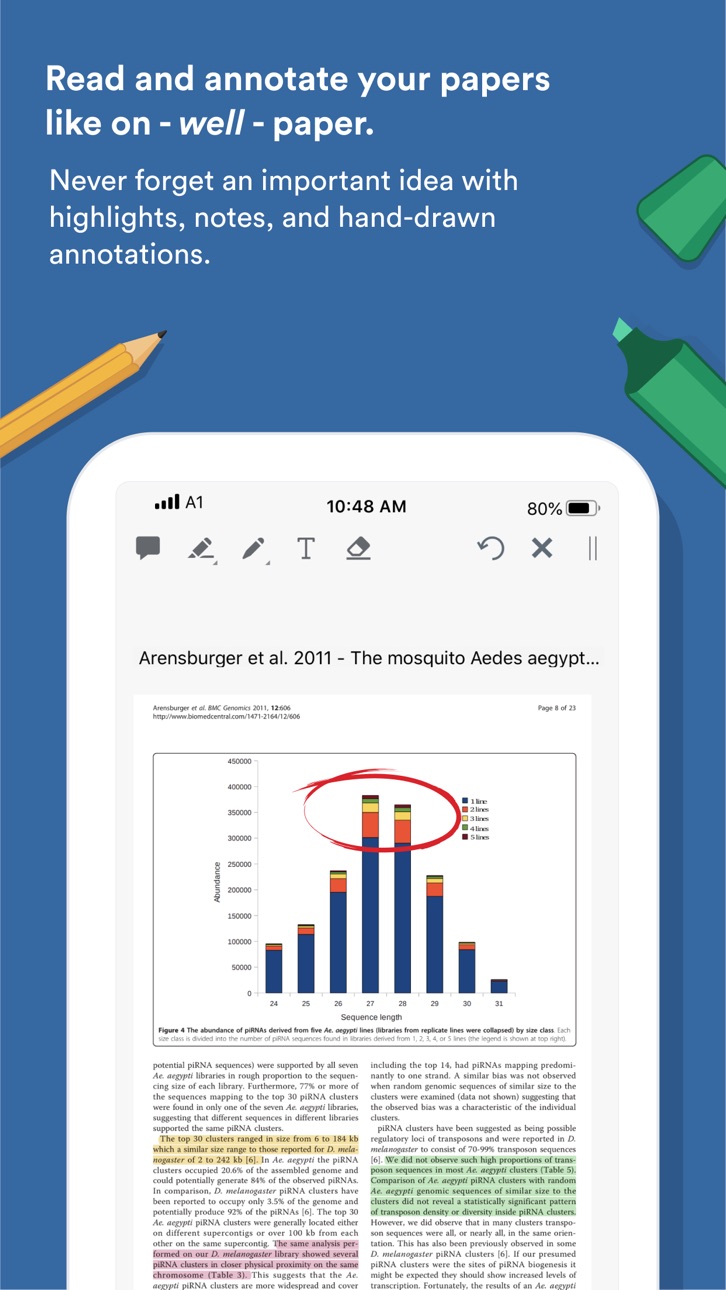
READ & ANNOTATE
- Read like on paper with a fast and slick PDF viewer experience
- Highlight important sections in different colors
- Add notes and never forget an important idea.
- Add hand-drawn annotations - with your fingers or your Apple Pencil
The Paperpile App requires a Paperpile account.
Accessibility
ipadiphonemacrealityDevicetvoswatch
Version history 12 versions
Build 861031922v1.3.72023-10-27 20:01:06
- Fixes and improvements for PDF imports from Science Direct and other publisher sites.
Build 857725144v1.3.62023-06-09 17:56:38
- Improved metadata and PDF import.
- Various bug fixes and improvements.
Build 856685568v1.3.52023-04-26 13:58:01
Share articles directly with Paperpile from news apps like the New York Times app.
Numerous updates to enhance reference and PDF imports.
Various minor fixes and improvements.
Build 844972935v1.3.32021-10-28 17:53:28
- Bug fixes for the “Share with Paperpile” function on Chrome.
- Add “Share with Paperpile” support to Edge.
Build 842975064v1.3.22021-07-07 01:22:26
- Fixed loading of annotations and crashes for some PDFs.
- Remember which folders are open/closed in the sidebar when the app is restarted.
Build 841618270v1.3.12021-04-20 00:57:55
- Show your library faster on the initial sync.
- Better support of phones with a "notch".
- Automatically find the metadata of PDFs that are "Shared with Paperpile".
- Allow direct sharing of PDFs.
- Fixed some issue with PDF downloads.
- Fixed misplaced annotations on certain PDFs.
- Reduce memory usage of the PDF editor.
- Avoid creating duplicate labels or folders.
- Fixed some issues when editing labels or folders.
- Fixed some animations, icons and illustrations.
- Various other fixes and improvements.
- Fixed issue in PDF viewer causing annotations to disapear.
Build 841344447v1.3.02021-04-14 09:49:11
- Show your library faster on the initial sync.
- Better support of phones with a "notch".
- Automatically find the metadata of PDFs that are "Shared with Paperpile".
- Allow direct sharing of PDFs.
- Fixed some issue with PDF downloads.
- Fixed misplaced annotations on certain PDFs.
- Reduce memory usage of the PDF editor.
- Avoid creating duplicate labels or folders.
- Fixed some issues when editing labels or folders.
- Fixed some animations, icons and illustrations.
- Various other fixes and improvements.
Build 840659249v1.2.22021-02-26 23:42:24
Various bug fixes in preparation of iOS 14.5
Build 840035578v1.2.12021-01-15 01:20:09
- Copy and paste text from the PDF viewer. - Highlight selected text directly from a new context menu in the PDF viewer.
- Bugfix: Set the author of PDF annotations correctly when switching accounts.
- Various other updates and improvements of the PDF viewer.
- Various bug fixes when downloading many PDFs in bulk.
Build 839791521v1.2.02021-01-06 17:28:08
- New feature: Copy and paste citations in the citation style of your choice.
- Various bug fixes and improvements.
Build 838349262v1.1.02020-10-24 21:12:37
- Add small help guides for new users.
- Don't allow creation of folders and labels with the same name.
- Improve PDF download speed for many publishers.
- Allow PDF viewer to be rotated to landscape mode on phones.
- Improve keyword highlighting when searching the library or online sources.
- Fixed a potential crash caused by some backgound timers.
- Various user interface improvements and fixes.
Build 820209443v1.02020-07-21 09:34:59
No pricing data captured yet — comparisons appear once the app has paid storefronts or in-app purchases.
Availability 175 of 175 storefronts
| Region | Language | Price | Ratings | Avg | Version |
|---|---|---|---|---|---|
| US | en-US | Free | 131 | 4.5 | 1.3.7 |
| JP | ja | Free | 60 | 4.4 | 1.3.7 |
| DE | de-DE | Free | 20 | 4.3 | 1.3.7 |
| CA | en-CA | Free | 18 | 4.2 | 1.3.7 |
| GB | en-GB | Free | 17 | 4.5 | 1.3.7 |
| KR | ko | Free | 13 | 4.5 | 1.3.7 |
| AU | en-AU | Free | 12 | 4.6 | 1.3.7 |
| ES | es-ES | Free | 9 | 4.9 | 1.3.7 |
| NL | nl | Free | 7 | 4.9 | 1.3.7 |
| CH | de-CH | Free | 6 | 4.5 | 1.3.7 |
| CN | zh-Hans-CN | Free | 6 | 4.3 | 1.3.7 |
| FR | fr-FR | Free | 5 | 4.0 | 1.3.7 |
| IN | en-GB | Free | 5 | 3.6 | 1.3.7 |
| AT | de-DE | Free | 4 | 4.5 | 1.3.7 |
| MX | es-MX | Free | 4 | 4.0 | 1.3.7 |
| SE | sv | Free | 4 | 4.5 | 1.3.7 |
| BE | en-GB | Free | 3 | 3.7 | 1.3.7 |
| BR | pt-BR | Free | 3 | 4.7 | 1.3.7 |
| FI | en-GB | Free | 3 | 3.0 | 1.3.7 |
| IT | it | Free | 3 | 4.7 | 1.3.7 |
| NZ | en-AU | Free | 3 | 2.7 | 1.3.7 |
| RU | ru | Free | 3 | 5.0 | 1.3.7 |
| TW | zh-Hant-TW | Free | 3 | 3.7 | 1.3.7 |
| DK | en-GB | Free | 2 | 4.5 | 1.3.7 |
| HK | zh-Hant-HK | Free | 2 | 5.0 | 1.3.7 |
| PL | en-GB | Free | 2 | 5.0 | 1.3.7 |
| SA | en-GB | Free | 2 | 4.5 | 1.3.7 |
| TH | en-GB | Free | 2 | 4.5 | 1.3.7 |
| BG | en-GB | Free | 1 | 5.0 | 1.3.7 |
| CL | es-MX | Free | 1 | 5.0 | 1.3.7 |
| CO | es-MX | Free | 1 | 5.0 | 1.3.7 |
| CZ | en-GB | Free | 1 | 5.0 | 1.3.7 |
| DO | es-MX | Free | 1 | 5.0 | 1.3.7 |
| EG | en-GB | Free | 1 | 5.0 | 1.3.7 |
| ID | en-GB | Free | 1 | 1.0 | 1.3.7 |
| IL | en-GB | Free | 1 | 5.0 | 1.3.7 |
| LK | en-GB | Free | 1 | 5.0 | 1.3.7 |
| MY | en-GB | Free | 1 | 5.0 | 1.3.7 |
| NO | en-GB | Free | 1 | 3.0 | 1.3.7 |
| NP | en-GB | Free | 1 | 5.0 | 1.3.7 |
| PE | es-MX | Free | 1 | 5.0 | 1.3.7 |
| RO | en-GB | Free | 1 | 2.0 | 1.3.7 |
| SG | en-GB | Free | 1 | 5.0 | 1.3.7 |
| UA | en-GB | Free | 1 | 1.0 | 1.3.7 |
| VN | en-GB | Free | 1 | 4.0 | 1.3.7 |
| AE | en-GB | Free | 0 | — | 1.3.7 |
| AF | en-GB | Free | 0 | — | 1.3.7 |
| AG | en-GB | Free | 0 | — | 1.3.7 |
| AI | en-GB | Free | 0 | — | 1.3.7 |
| AL | en-GB | Free | 0 | — | 1.3.7 |
| AM | en-GB | Free | 0 | — | 1.3.7 |
| AO | en-GB | Free | 0 | — | 1.3.7 |
| AR | es-MX | Free | 0 | — | 1.3.7 |
| AZ | en-GB | Free | 0 | — | 1.3.7 |
| BA | en-GB | Free | 0 | — | 1.3.7 |
| BB | en-GB | Free | 0 | — | 1.3.7 |
| BF | en-GB | Free | 0 | — | 1.3.7 |
| BH | en-GB | Free | 0 | — | 1.3.7 |
| BJ | en-GB | Free | 0 | — | 1.3.7 |
| BM | en-GB | Free | 0 | — | 1.3.7 |
| BN | en-GB | Free | 0 | — | 1.3.7 |
| BO | es-MX | Free | 0 | — | 1.3.7 |
| BS | en-GB | Free | 0 | — | 1.3.7 |
| BT | en-GB | Free | 0 | — | 1.3.7 |
| BW | en-GB | Free | 0 | — | 1.3.7 |
| BY | en-GB | Free | 0 | — | 1.3.7 |
| BZ | en-GB | Free | 0 | — | 1.3.7 |
| CD | en-GB | Free | 0 | — | 1.3.7 |
| CG | en-GB | Free | 0 | — | 1.3.7 |
| CI | fr-FR | Free | 0 | — | 1.3.7 |
| CM | fr-FR | Free | 0 | — | 1.3.7 |
| CR | es-MX | Free | 0 | — | 1.3.7 |
| CV | en-GB | Free | 0 | — | 1.3.7 |
| CY | en-GB | Free | 0 | — | 1.3.7 |
| DM | en-GB | Free | 0 | — | 1.3.7 |
| DZ | en-GB | Free | 0 | — | 1.3.7 |
| EC | es-MX | Free | 0 | — | 1.3.7 |
| EE | en-GB | Free | 0 | — | 1.3.7 |
| FJ | en-GB | Free | 0 | — | 1.3.7 |
| FM | en-GB | Free | 0 | — | 1.3.7 |
| GA | fr-FR | Free | 0 | — | 1.3.7 |
| GD | en-GB | Free | 0 | — | 1.3.7 |
| GE | en-GB | Free | 0 | — | 1.3.7 |
| GH | en-GB | Free | 0 | — | 1.3.7 |
| GM | en-GB | Free | 0 | — | 1.3.7 |
| GR | en-GB | Free | 0 | — | 1.3.7 |
| GT | es-MX | Free | 0 | — | 1.3.7 |
| GW | en-GB | Free | 0 | — | 1.3.7 |
| GY | en-GB | Free | 0 | — | 1.3.7 |
| HN | es-MX | Free | 0 | — | 1.3.7 |
| HR | en-GB | Free | 0 | — | 1.3.7 |
| HU | en-GB | Free | 0 | — | 1.3.7 |
| IE | en-GB | Free | 0 | — | 1.3.7 |
| IQ | en-GB | Free | 0 | — | 1.3.7 |
| IS | en-GB | Free | 0 | — | 1.3.7 |
| JM | en-GB | Free | 0 | — | 1.3.7 |
| JO | en-GB | Free | 0 | — | 1.3.7 |
| KE | en-GB | Free | 0 | — | 1.3.7 |
| KG | en-GB | Free | 0 | — | 1.3.7 |
| KH | en-GB | Free | 0 | — | 1.3.7 |
| KN | en-GB | Free | 0 | — | 1.3.7 |
| KW | en-GB | Free | 0 | — | 1.3.7 |
| KY | en-GB | Free | 0 | — | 1.3.7 |
| KZ | en-GB | Free | 0 | — | 1.3.7 |
| LA | en-GB | Free | 0 | — | 1.3.7 |
| LB | en-GB | Free | 0 | — | 1.3.7 |
| LC | en-GB | Free | 0 | — | 1.3.7 |
| LR | en-GB | Free | 0 | — | 1.3.7 |
| LT | en-GB | Free | 0 | — | 1.3.7 |
| LU | en-GB | Free | 0 | — | 1.3.7 |
| LV | en-GB | Free | 0 | — | 1.3.7 |
| LY | en-GB | Free | 0 | — | 1.3.7 |
| MA | en-GB | Free | 0 | — | 1.3.7 |
| MD | en-GB | Free | 0 | — | 1.3.7 |
| ME | en-GB | Free | 0 | — | 1.3.7 |
| MG | en-GB | Free | 0 | — | 1.3.7 |
| MK | en-GB | Free | 0 | — | 1.3.7 |
| ML | en-GB | Free | 0 | — | 1.3.7 |
| MM | en-GB | Free | 0 | — | 1.3.7 |
| MN | en-GB | Free | 0 | — | 1.3.7 |
| MO | zh-Hant-HK | Free | 0 | — | 1.3.7 |
| MR | en-GB | Free | 0 | — | 1.3.7 |
| MS | en-GB | Free | 0 | — | 1.3.7 |
| MT | en-GB | Free | 0 | — | 1.3.7 |
| MU | en-GB | Free | 0 | — | 1.3.7 |
| MV | en-GB | Free | 0 | — | 1.3.7 |
| MW | en-GB | Free | 0 | — | 1.3.7 |
| MZ | en-GB | Free | 0 | — | 1.3.7 |
| NA | en-GB | Free | 0 | — | 1.3.7 |
| NE | en-GB | Free | 0 | — | 1.3.7 |
| NG | en-GB | Free | 0 | — | 1.3.7 |
| NI | es-MX | Free | 0 | — | 1.3.7 |
| NR | en-GB | Free | 0 | — | 1.3.7 |
| OM | en-GB | Free | 0 | — | 1.3.7 |
| PA | es-MX | Free | 0 | — | 1.3.7 |
| PG | en-GB | Free | 0 | — | 1.3.7 |
| PH | en-GB | Free | 0 | — | 1.3.7 |
| PK | en-GB | Free | 0 | — | 1.3.7 |
| PT | pt-PT | Free | 0 | — | 1.3.7 |
| PW | en-GB | Free | 0 | — | 1.3.7 |
| PY | es-MX | Free | 0 | — | 1.3.7 |
| QA | en-GB | Free | 0 | — | 1.3.7 |
| RS | en-GB | Free | 0 | — | 1.3.7 |
| RW | en-GB | Free | 0 | — | 1.3.7 |
| SB | en-GB | Free | 0 | — | 1.3.7 |
| SC | en-GB | Free | 0 | — | 1.3.7 |
| SI | en-GB | Free | 0 | — | 1.3.7 |
| SK | en-GB | Free | 0 | — | 1.3.7 |
| SL | en-GB | Free | 0 | — | 1.3.7 |
| SN | en-GB | Free | 0 | — | 1.3.7 |
| SR | en-GB | Free | 0 | — | 1.3.7 |
| ST | en-GB | Free | 0 | — | 1.3.7 |
| SV | es-MX | Free | 0 | — | 1.3.7 |
| SZ | en-GB | Free | 0 | — | 1.3.7 |
| TC | en-GB | Free | 0 | — | 1.3.7 |
| TD | en-GB | Free | 0 | — | 1.3.7 |
| TJ | en-GB | Free | 0 | — | 1.3.7 |
| TM | en-GB | Free | 0 | — | 1.3.7 |
| TN | en-GB | Free | 0 | — | 1.3.7 |
| TO | en-GB | Free | 0 | — | 1.3.7 |
| TR | en-GB | Free | 0 | — | 1.3.7 |
| TT | en-GB | Free | 0 | — | 1.3.7 |
| TZ | en-GB | Free | 0 | — | 1.3.7 |
| UG | en-GB | Free | 0 | — | 1.3.7 |
| UY | en-GB | Free | 0 | — | 1.3.7 |
| UZ | en-GB | Free | 0 | — | 1.3.7 |
| VC | en-GB | Free | 0 | — | 1.3.7 |
| VE | es-MX | Free | 0 | — | 1.3.7 |
| VG | en-GB | Free | 0 | — | 1.3.7 |
| VU | en-GB | Free | 0 | — | 1.3.7 |
| XK | en-GB | Free | 0 | — | 1.3.7 |
| YE | en-GB | Free | 0 | — | 1.3.7 |
| ZA | en-GB | Free | 0 | — | 1.3.7 |
| ZM | en-GB | Free | 0 | — | 1.3.7 |
| ZW | en-GB | Free | 0 | — | 1.3.7 |
Change log 16 changes · CD
✎
releaseNotes updated
- Fixes and improvements for PDF imports from Science Direct and other publisher sites.
✎
description updated
Get a head start for you research and finally beat the paper chaos on your desk. With Paperpile you have all your research PDFs in one place — nice and tidy. Pa
✎
subtitle updated
Manage research papers
✎
name updated
Paperpile
◆
Version 1.3.7 released
- Fixes and improvements for PDF imports from Science Direct and other publisher sites.
◆
Version 1.3.6 released
- Improved metadata and PDF import.
- Various bug fixes and improvements.
◆
Version 1.3.5 released
Share articles directly with Paperpile from news apps like the New York Times app.
Numerous updates to enhance reference and PDF imports.
Various minor fixes and improvements.
◆
Version 1.3.3 released
- Bug fixes for the “Share with Paperpile” function on Chrome.
- Add “Share with Paperpile” support to Edge.
◆
Version 1.3.2 released
- Fixed loading of annotations and crashes for some PDFs.
- Remember which folders are open/closed in the sidebar when the app is restarted.
◆
Version 1.3.1 released
- Show your library faster on the initial sync.
- Better support of phones with a "notch".
- Automatically find the metadata of PDFs that are "Shared with Paperpile".
- Allow direct sharing of PDFs.
- Fixed some issue with PDF downloads.
-
◆
Version 1.3.0 released
- Show your library faster on the initial sync.
- Better support of phones with a "notch".
- Automatically find the metadata of PDFs that are "Shared with Paperpile".
- Allow direct sharing of PDFs.
- Fixed some issue with PDF downloads.
-
◆
Version 1.2.2 released
Various bug fixes in preparation of iOS 14.5
◆
Version 1.2.1 released
- Copy and paste text from the PDF viewer. - Highlight selected text directly from a new context menu in the PDF viewer.
- Bugfix: Set the author of PDF annotations correctly when switching accounts.
- Various other updates and improvements
◆
Version 1.2.0 released
- New feature: Copy and paste citations in the citation style of your choice.
- Various bug fixes and improvements.
◆
Version 1.1.0 released
- Add small help guides for new users.
- Don't allow creation of folders and labels with the same name.
- Improve PDF download speed for many publishers.
- Allow PDF viewer to be rotated to landscape mode on phones.
- Improve keyword hig
◆
Version 1.0 released