Home › Business

 ZM
ZM
 USen-US
 RUru
RUru GBen-GB
 UAen-GB
 CAen-CA
 AUen-AU
 INen-GB
 MXes-MX
 CNzh-Hans-CN
 COes-MX
 DZen-GB
 GTes-MX
 KRko
KRko PHen-GB
 SAen-GB
 THen-GB
 VNen-GB
 AEen-GB
 AFen-GB
 AGen-GB
 AIen-GB
 ALen-GB
 AMen-GB
 AOen-GB
 ARes-MX
 AZen-GB
 BAen-GB
 BBen-GB
 BFen-GB
 BHen-GB
 BJen-GB
 BMen-GB
 BNen-GB
 BRpt-BR
 BSen-GB
 BTen-GB
 BWen-GB
 BYen-GB
 BZen-GB
 CDen-GB
 CGen-GB
 CIfr-FR
 CLes-MX
 CMfr-FR
 CVen-GB
 DMen-GB
 DOes-MX
 ECes-MX
 EGen-GB
 FJen-GB
 FMen-GB
 GAfr-FR
 GDen-GB
 GEen-GB
 GHen-GB
 GMen-GB
 GWen-GB
 GYen-GB
 HKzh-Hant-HK
 HNes-MX
 IDen-GB
 ILen-GB
 IQen-GB
 JMen-GB
 JOen-GB
 JPja
JPja KEen-GB
 KGen-GB
 KHen-GB
 KNen-GB
 KWen-GB
 KYen-GB
 KZen-GB
 LAen-GB
 LBen-GB
 LCen-GB
 LKen-GB
 LRen-GB
 LYen-GB
 MAen-GB
 MDen-GB
 MEen-GB
 MGen-GB
 MKen-GB
 MLen-GB
 MMen-GB
 MNen-GB
 MOzh-Hant-HK
 MRen-GB
 MSen-GB
 MUen-GB
 MVen-GB
 MWen-GB
 MYen-GB
 MZen-GB
 NAen-GB
 NEen-GB
 NGen-GB
 NIes-MX
 NPen-GB
 NRen-GB
 NZen-AU
 OMen-GB
 PAes-MX
 PEes-MX
 PGen-GB
 PKen-GB
 PWen-GB
 QAen-GB
 RSen-GB
 RWen-GB
 SBen-GB
 SCen-GB
 SGen-GB
 SLen-GB
 SNen-GB
 SRen-GB
 STen-GB
 SVes-MX
 SZen-GB
 TCen-GB
 TDen-GB
 TJen-GB
 TMen-GB
 TNen-GB
 TOen-GB
 TRen-GB
 TTen-GB
 TWzh-Hant-TW
 TZen-GB
 UGen-GB
 UYen-GB
 UZen-GB
 VCen-GB
 VEes-MX
 VGen-GB
 VUen-GB
 XKen-GB
 YEen-GB
 ZAen-GBZMen-GB
 ZWen-GB
 ATNot Available
 BENot Available
 BGNot Available
 CHNot Available
 CYNot Available
 CZNot Available
 DENot Available
 DKNot Available
 EENot Available
 ESNot Available
 FINot Available
 FRNot Available
 GRNot Available
 HRNot Available
 HUNot Available
 IENot Available
 ISNot Available
 ITNot Available
 LTNot Available
 LUNot Available
 LVNot Available
 MTNot Available
 NLNot Available
 NONot Available
 PLNot Available
 PTNot Available
 RONot Available
 SENot Available
 SINot Available
 SKNot Available
142 of 172 storefronts
Content in en-US
Content in en-US
Information
Preview 3 platforms
iPhone 10 images






iPad 10 images


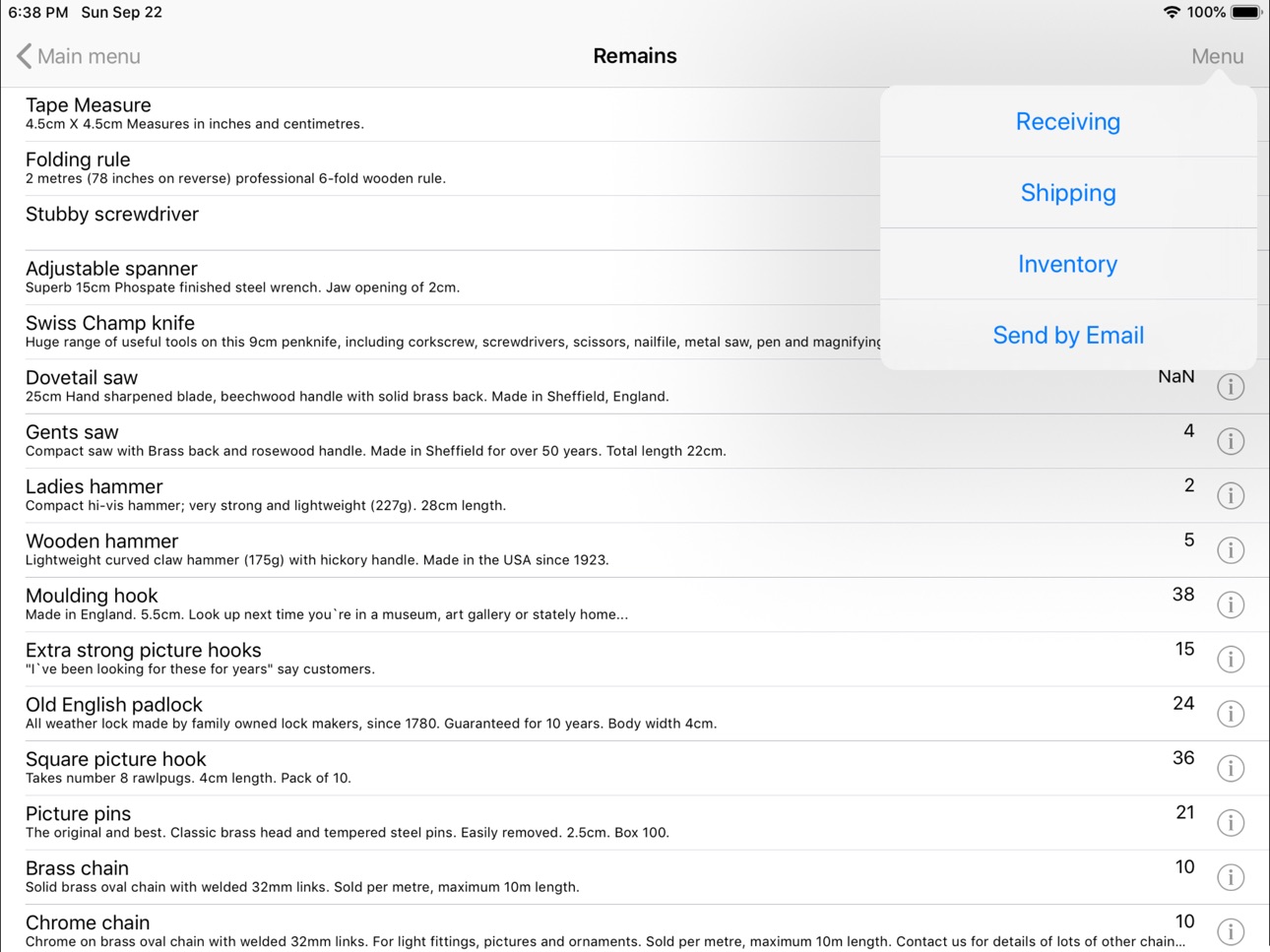


Apple Watch 1 image

What’s New Version 7.30
The error fixed when Out of Stock Notification shows incorrect quantity of components in combined items (like sausages and buns when selling hotdogs)
Description
Essential SellWell POS functions: sales, warehouse management, cash management, reporting.
SellWell is a point of sale system for small shops. This is a completely standalone solution. You do not need a back office. It does not require the Internet connection to work. All data are located on your device.
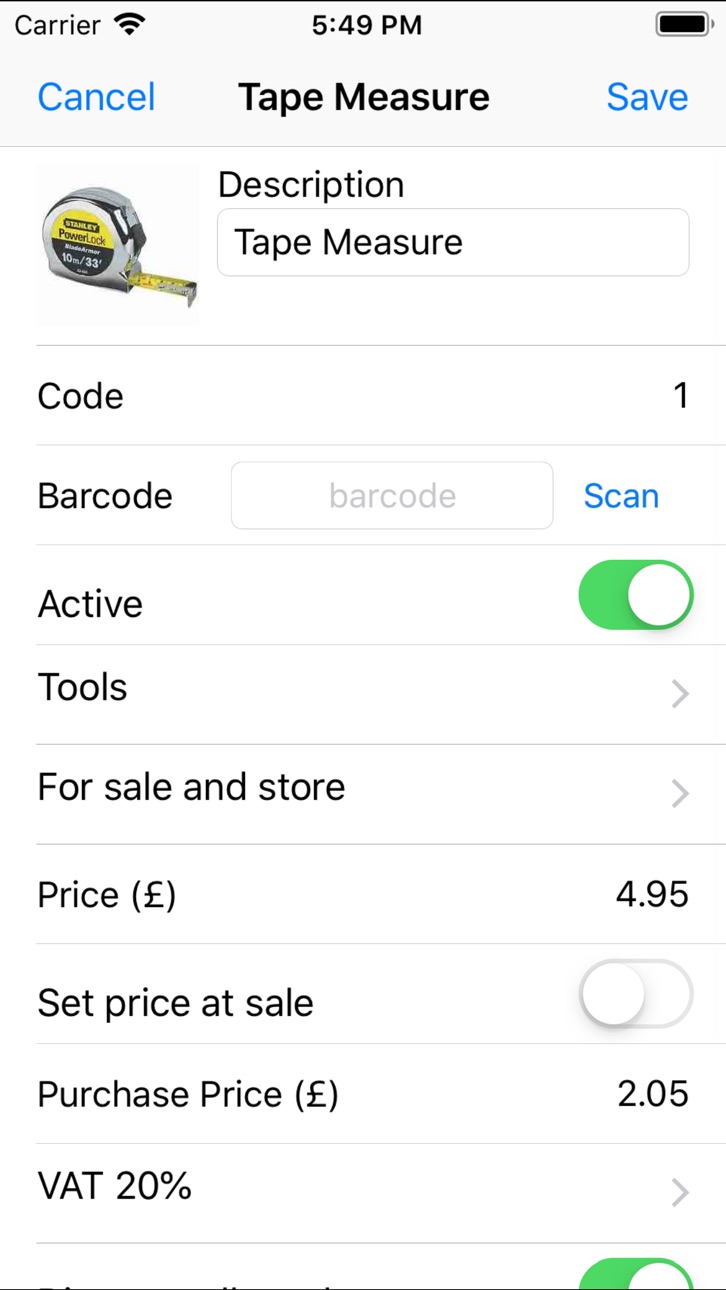
With POS, you can set up your goods, taxes (VAT, GST, etc.), methods of payment, users, and discounts directly on your iPhone or iPad.
POS tracks the work shifts and days.
At the end of day, the application sends sales reports by email (if configured).
The application keeps sales data from all previous days and shifts.
POS allows tracking the remaining quantities of goods on stock.
The Apple Watch App may be used as a short-look sales monitor.
Important note: before to start sales, it is strongly recommended to go through the following steps:
1. Configure goods, taxes, departments, methods of payments (Cash, Credit cards etc.), discounts, users.
2. Define app settings: such as taxation type (tax-exclusive, tax-inclusive, or no taxes), currency symbol, switch on/off stock control, switch on/off user authorisation, define email for reports sent at the end of day, and choose a camera to scan barcodes.
3. If the stock control option is switched on (see above), take inventory of your goods.
POS has the following features:
- Convenient menus
- Adding goods to a sales receipt by simply choosing items from a list, entering the item's code, or by scanning its barcode with phone's camera
- Entering the quantity before adding an item to a sales receipt
- Using fractional numbers for quantities
- Setting up your goods, payments, departments, taxes, users, and discounts
- Setting up sales item only for storing on stock, only for selling, or for both storing and selling
- Setting up combo items along with an option to set the quantity of ingredients
- Defining the price of goods at sale if they are set up to allow so.
- Printing of item label with description, price etc
- Voiding lines added by mistake
- Refunds
- Departments
- Printing of sales and refund receipts
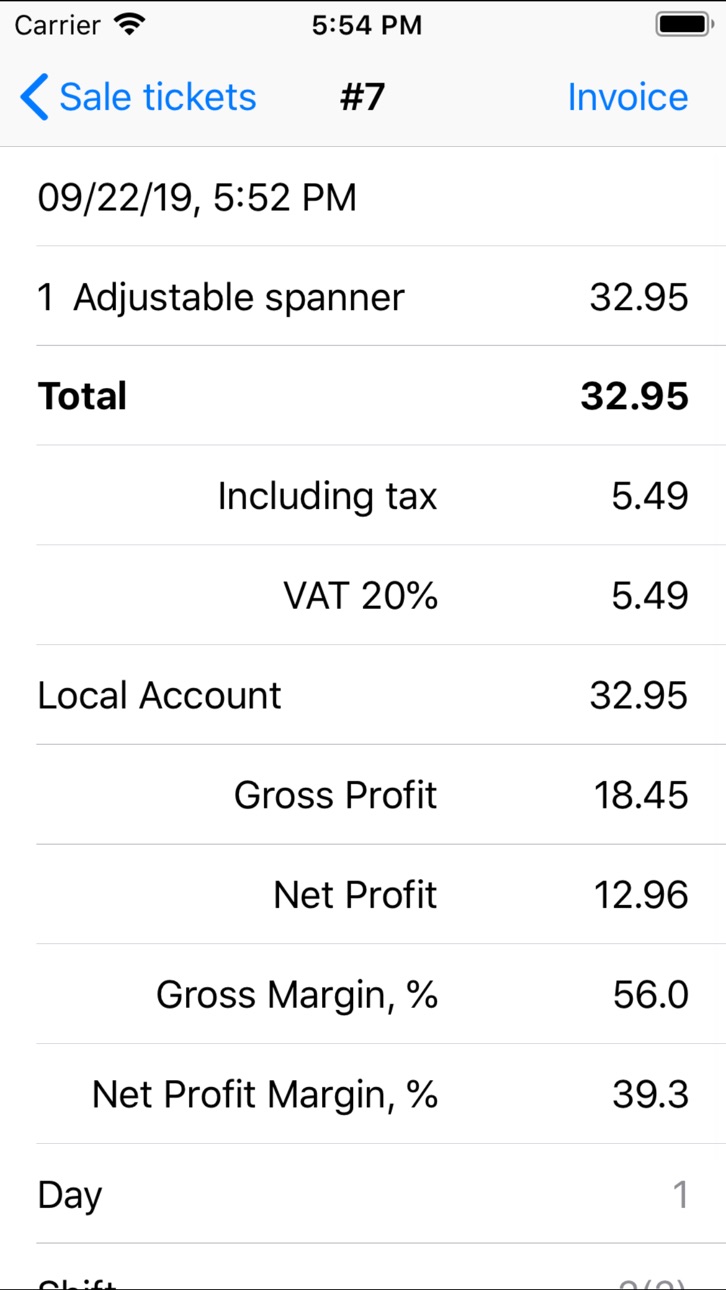
- Viewing the history of sales receipts from the cashier menu and in a day/shift report
- Payment for a sales receipt by using more than one method of payment (just enter the payment amount before choosing a method of payment)
- Flexible management of user rights
- Using work shifts and work days
- Setting up the user authorisation to be required or not required: if there is only one user of POS on your device, you might not need the user authorisation. Important note: before turning on the user authorisation, make sure that you remember the administrator password
- Cash Management (Pay In, Pay Out, Safe Drop, etc.)
- Showing the remaining quantities of goods on the stock
- Taking inventory
- Receiving and shipping
- Launching of the "end of day" procedure manually
- Sending of the report "end of day" to an email address, or to a group of recipients. The report includes goods sales/refunds, methods of payments, the remaining quantity of goods on stock, inventories as well as information about shipping and receiving of goods. The report shows data for all work shifts of the day
- Keeping the results of closed shifts and days for you to check them later
Working with SellWell POS, you should consider the following:
The sales occur in shifts.
Each item has several options for storage:
- *stored only* for the items which are not sold directly (sugar in a cup coffee)
- *sold only* but never stored on stock (like a cup of coffee or a sandwich)
- *stored and sold* (like a pack of coffee beans in your coffee shop)
It is possible to manage your items on stock by using stock operations:
- Use the Receiving function to increase the quantities on stock.
- Use the Shipping function for cases when you need to decrease the quantity on stock.
- Set the actual available quantity of stored items manually by taking inventory with the Inventory function.
Accessibility
ipadiphonemacrealityDevicetvoswatch
Version history 25 versions
Build 851012346v7.302022-09-04 19:39:57
The error fixed when Out of Stock Notification shows incorrect quantity of components in combined items (like sausages and buns when selling hotdogs)
Build 848723638v7.292022-05-01 13:12:31
Minor improvement in Control Panel -> Settings -> Stock Control
Build 847520462v7.282022-04-26 14:34:55
Out Of Stock Alert added. Activate it in the settings menu. Then adding item to a receipt you will be informed if you have no enough stock. Thanks Michael
Build 844169537v7.272021-09-17 20:44:43
Minor improvements
Build 844097174v7.262021-09-14 16:05:31
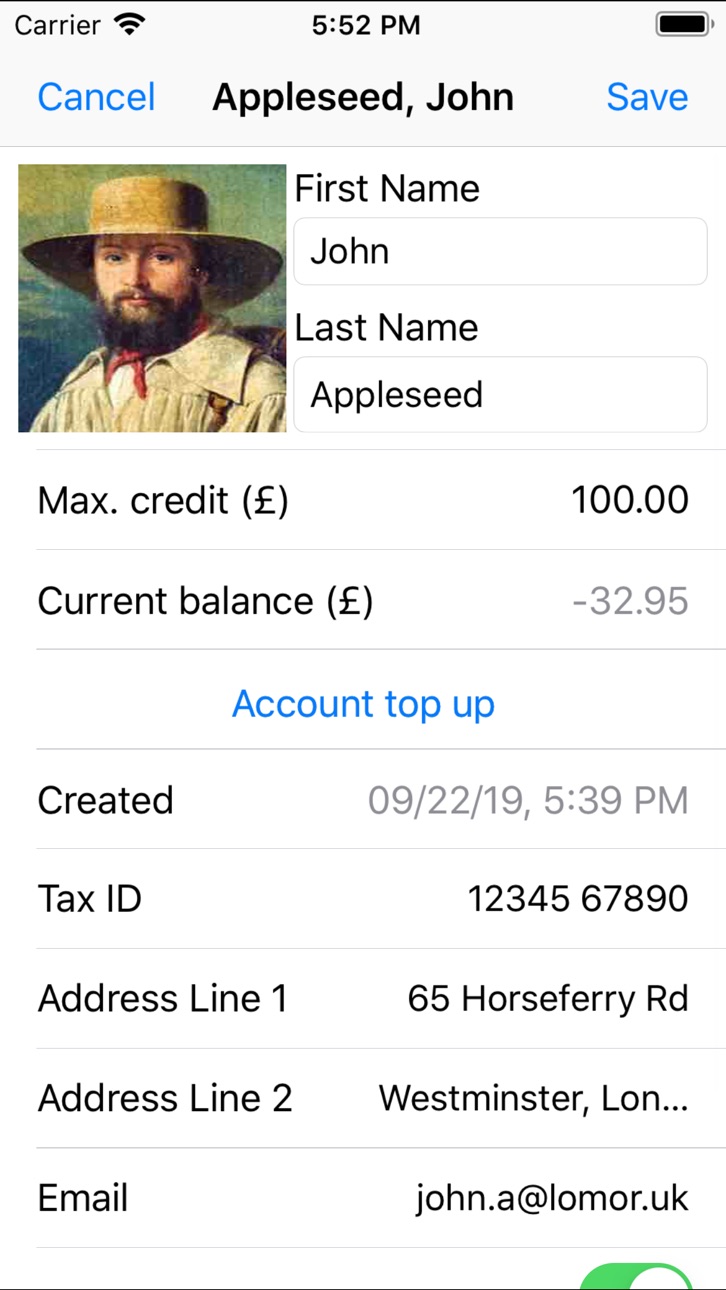
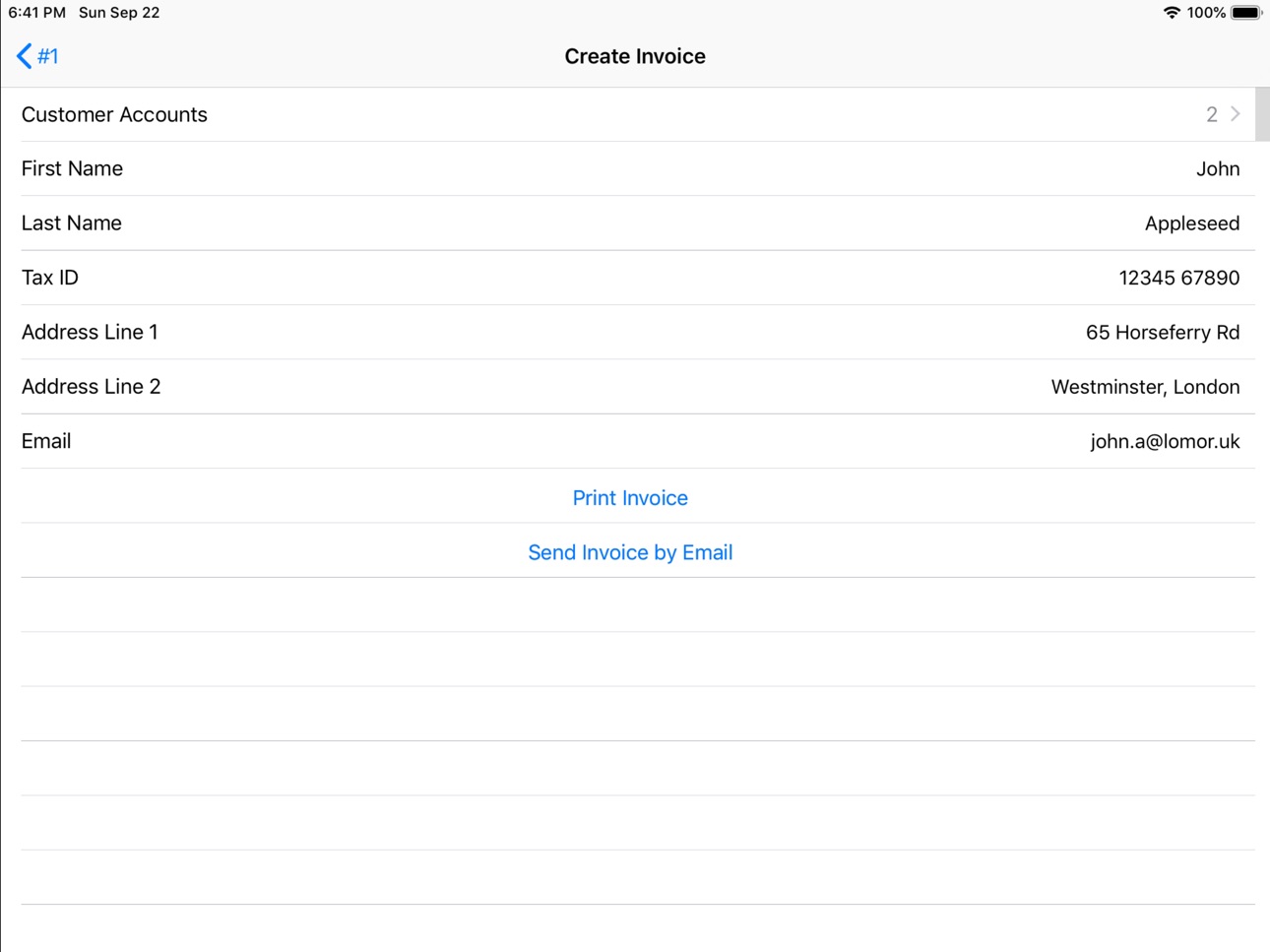
Fixed app crash in Electronic Journal when you choosing a Customer Account for the invoice. Thanks Michael
Build 843837214v7.252021-08-28 14:12:21
Bugfix. The problem was with some iPad models not showing bottom menu in sale screen. Now it is ok. Thanks Tonino
Build 843261779v7.242021-07-26 17:54:22
In Cashier's screen, added the button for the Secondary method of payment. First, go to payment setup, choose the payment method you want to be secondary payment, update its settings.
Build 842823697v7.232021-06-26 00:26:21
Swiss VAT rates updated. Please let us know in comments if any TAX / VAT rates needs update
Build 840988597v7.222021-03-20 21:12:33
Sort tickets in Electronic Journal
Build 839211238v7.212020-11-15 23:32:30
Dark mode issue fixed
Build 838471906v7.202020-11-05 00:43:03
Minor improvements
Build 838393231v7.192020-10-27 21:20:24
eJournal enhancements. Now it eJournal is available for any day or shift or time period
Build 838319116v7.182020-10-22 18:22:47
In the Reports menu, there is new option to see eJournal with transactions from closed shifts. Thanks Marko
Build 836511593v7.172020-06-25 13:32:44
Item info extended with quantity and amount of sold and returned items
Build 835295874v7.162020-03-27 22:39:04
Minor improvement
Build 833856515v7.152019-12-12 00:06:54
minor improvements & bugfix
Build 833725440v7.14.12019-11-26 13:14:41
Reporting inconsistency error fixed. Thanks Karsten
Build 833403578v7.142019-10-30 22:38:52
Translations updated
Build 832987905v7.122019-10-05 22:28:09
Create item updated. Now, when you create an item of type "For sale and stock" or "For stock only" the quantity on the stock is zero.
Build 832874577v7.112019-09-23 18:09:05
Minor improvements
Build 832695062v7.10.12019-09-09 21:37:51
Bugxif
Build 832598603v7.102019-09-02 21:16:38
1. Minor improvement in day and period reports
2. Continuous scan in stock (inventory, receiving, shipping)
Build 832525916v7.92019-08-27 17:05:50
Now, you can send Sale Items Report by email
Build 832340898v7.82019-08-12 13:20:55
Day, shift, period reports now are even better. Added sales amount breakdown by TAX (VAT, MwSt., etc). Thanks Karsten
Build 832255650v7.72019-08-05 22:36:52
Added Muti scan option. Switch it on in settings. Then in Sales menu, you can scan a number of items in a row without to press Scan button for every single scanning. Thanks Jonas
No pricing data captured yet — comparisons appear once the app has paid storefronts or in-app purchases.
Availability 142 of 172 storefronts
| Region | Language | Price | Ratings | Avg | Version |
|---|---|---|---|---|---|
| US | en-US | Free | 14 | 4.3 | 7.30 |
| RU | ru | Free | 9 | 4.3 | 7.30 |
| GB | en-GB | Free | 8 | 4.5 | 7.30 |
| UA | en-GB | Free | 8 | 4.9 | 7.30 |
| CA | en-CA | Free | 4 | 5.0 | 7.30 |
| AU | en-AU | Free | 3 | 1.7 | 7.30 |
| IN | en-GB | Free | 3 | 3.3 | 7.30 |
| MX | es-MX | Free | 2 | 5.0 | 7.30 |
| CN | zh-Hans-CN | Free | 1 | 1.0 | 7.30 |
| CO | es-MX | Free | 1 | 4.0 | 7.30 |
| DZ | en-GB | Free | 1 | 5.0 | 7.30 |
| GT | es-MX | Free | 1 | 4.0 | 7.30 |
| KR | ko | Free | 1 | 4.0 | 7.30 |
| PH | en-GB | Free | 1 | 5.0 | 7.30 |
| SA | en-GB | Free | 1 | 4.0 | 7.30 |
| TH | en-GB | Free | 1 | 5.0 | 7.30 |
| VN | en-GB | Free | 1 | 5.0 | 7.30 |
| AE | en-GB | Free | 0 | — | 7.30 |
| AF | en-GB | Free | 0 | — | 7.30 |
| AG | en-GB | Free | 0 | — | 7.30 |
| AI | en-GB | Free | 0 | — | 7.30 |
| AL | en-GB | Free | 0 | — | 7.30 |
| AM | en-GB | Free | 0 | — | 7.30 |
| AO | en-GB | Free | 0 | — | 7.30 |
| AR | es-MX | Free | 0 | — | 7.30 |
| AZ | en-GB | Free | 0 | — | 7.30 |
| BA | en-GB | Free | 0 | — | 7.30 |
| BB | en-GB | Free | 0 | — | 7.30 |
| BF | en-GB | Free | 0 | — | 7.30 |
| BH | en-GB | Free | 0 | — | 7.30 |
| BJ | en-GB | Free | 0 | — | 7.30 |
| BM | en-GB | Free | 0 | — | 7.30 |
| BN | en-GB | Free | 0 | — | 7.30 |
| BR | pt-BR | Free | 0 | — | 7.30 |
| BS | en-GB | Free | 0 | — | 7.30 |
| BT | en-GB | Free | 0 | — | 7.30 |
| BW | en-GB | Free | 0 | — | 7.30 |
| BY | en-GB | Free | 0 | — | 7.30 |
| BZ | en-GB | Free | 0 | — | 7.30 |
| CD | en-GB | Free | 0 | — | 7.30 |
| CG | en-GB | Free | 0 | — | 7.30 |
| CI | fr-FR | Free | 0 | — | 7.30 |
| CL | es-MX | Free | 0 | — | 7.30 |
| CM | fr-FR | Free | 0 | — | 7.30 |
| CV | en-GB | Free | 0 | — | 7.30 |
| DM | en-GB | Free | 0 | — | 7.30 |
| DO | es-MX | Free | 0 | — | 7.30 |
| EC | es-MX | Free | 0 | — | 7.30 |
| EG | en-GB | Free | 0 | — | 7.30 |
| FJ | en-GB | Free | 0 | — | 7.30 |
| FM | en-GB | Free | 0 | — | 7.30 |
| GA | fr-FR | Free | 0 | — | 7.30 |
| GD | en-GB | Free | 0 | — | 7.30 |
| GE | en-GB | Free | 0 | — | 7.30 |
| GH | en-GB | Free | 0 | — | 7.30 |
| GM | en-GB | Free | 0 | — | 7.30 |
| GW | en-GB | Free | 0 | — | 7.30 |
| GY | en-GB | Free | 0 | — | 7.30 |
| HK | zh-Hant-HK | Free | 0 | — | 7.30 |
| HN | es-MX | Free | 0 | — | 7.30 |
| ID | en-GB | Free | 0 | — | 7.30 |
| IL | en-GB | Free | 0 | — | 7.30 |
| IQ | en-GB | Free | 0 | — | 7.30 |
| JM | en-GB | Free | 0 | — | 7.30 |
| JO | en-GB | Free | 0 | — | 7.30 |
| JP | ja | Free | 0 | — | 7.30 |
| KE | en-GB | Free | 0 | — | 7.30 |
| KG | en-GB | Free | 0 | — | 7.30 |
| KH | en-GB | Free | 0 | — | 7.30 |
| KN | en-GB | Free | 0 | — | 7.30 |
| KW | en-GB | Free | 0 | — | 7.30 |
| KY | en-GB | Free | 0 | — | 7.30 |
| KZ | en-GB | Free | 0 | — | 7.30 |
| LA | en-GB | Free | 0 | — | 7.30 |
| LB | en-GB | Free | 0 | — | 7.30 |
| LC | en-GB | Free | 0 | — | 7.30 |
| LK | en-GB | Free | 0 | — | 7.30 |
| LR | en-GB | Free | 0 | — | 7.30 |
| LY | en-GB | Free | 0 | — | 7.30 |
| MA | en-GB | Free | 0 | — | 7.30 |
| MD | en-GB | Free | 0 | — | 7.30 |
| ME | en-GB | Free | 0 | — | 7.30 |
| MG | en-GB | Free | 0 | — | 7.30 |
| MK | en-GB | Free | 0 | — | 7.30 |
| ML | en-GB | Free | 0 | — | 7.30 |
| MM | en-GB | Free | 0 | — | 7.30 |
| MN | en-GB | Free | 0 | — | 7.30 |
| MO | zh-Hant-HK | Free | 0 | — | 7.30 |
| MR | en-GB | Free | 0 | — | 7.30 |
| MS | en-GB | Free | 0 | — | 7.30 |
| MU | en-GB | Free | 0 | — | 7.30 |
| MV | en-GB | Free | 0 | — | 7.30 |
| MW | en-GB | Free | 0 | — | 7.30 |
| MY | en-GB | Free | 0 | — | 7.30 |
| MZ | en-GB | Free | 0 | — | 7.30 |
| NA | en-GB | Free | 0 | — | 7.30 |
| NE | en-GB | Free | 0 | — | 7.30 |
| NG | en-GB | Free | 0 | — | 7.30 |
| NI | es-MX | Free | 0 | — | 7.30 |
| NP | en-GB | Free | 0 | — | 7.30 |
| NR | en-GB | Free | 0 | — | 7.30 |
| NZ | en-AU | Free | 0 | — | 7.30 |
| OM | en-GB | Free | 0 | — | 7.30 |
| PA | es-MX | Free | 0 | — | 7.30 |
| PE | es-MX | Free | 0 | — | 7.30 |
| PG | en-GB | Free | 0 | — | 7.30 |
| PK | en-GB | Free | 0 | — | 7.30 |
| PW | en-GB | Free | 0 | — | 7.30 |
| QA | en-GB | Free | 0 | — | 7.30 |
| RS | en-GB | Free | 0 | — | 7.30 |
| RW | en-GB | Free | 0 | — | 7.30 |
| SB | en-GB | Free | 0 | — | 7.30 |
| SC | en-GB | Free | 0 | — | 7.30 |
| SG | en-GB | Free | 0 | — | 7.30 |
| SL | en-GB | Free | 0 | — | 7.30 |
| SN | en-GB | Free | 0 | — | 7.30 |
| SR | en-GB | Free | 0 | — | 7.30 |
| ST | en-GB | Free | 0 | — | 7.30 |
| SV | es-MX | Free | 0 | — | 7.30 |
| SZ | en-GB | Free | 0 | — | 7.30 |
| TC | en-GB | Free | 0 | — | 7.30 |
| TD | en-GB | Free | 0 | — | 7.30 |
| TJ | en-GB | Free | 0 | — | 7.30 |
| TM | en-GB | Free | 0 | — | 7.30 |
| TN | en-GB | Free | 0 | — | 7.30 |
| TO | en-GB | Free | 0 | — | 7.30 |
| TR | en-GB | Free | 0 | — | 7.30 |
| TT | en-GB | Free | 0 | — | 7.30 |
| TW | zh-Hant-TW | Free | 0 | — | 7.30 |
| TZ | en-GB | Free | 0 | — | 7.30 |
| UG | en-GB | Free | 0 | — | 7.30 |
| UY | en-GB | Free | 0 | — | 7.30 |
| UZ | en-GB | Free | 0 | — | 7.30 |
| VC | en-GB | Free | 0 | — | 7.30 |
| VE | es-MX | Free | 0 | — | 7.30 |
| VG | en-GB | Free | 0 | — | 7.30 |
| VU | en-GB | Free | 0 | — | 7.30 |
| XK | en-GB | Free | 0 | — | 7.30 |
| YE | en-GB | Free | 0 | — | 7.30 |
| ZA | en-GB | Free | 0 | — | 7.30 |
| ZM | en-GB | Free | 0 | — | 7.30 |
| ZW | en-GB | Free | 0 | — | 7.30 |
Not available in: AT, BE, BG, CH, CY, CZ, DE, DK, EE, ES, FI, FR, GR, HR, HU, IE, IS, IT, LT, LU, LV, MT, NL, NO, PL, PT, RO, SE, SI, SK
Change log 29 changes · ZM
✎
releaseNotes updated
The error fixed when Out of Stock Notification shows incorrect quantity of components in combined items (like sausages and buns when selling hotdogs)
✎
description updated
Essential SellWell POS functions: sales, warehouse management, cash management, reporting.
SellWell is a point of sale system for small shops. This is a comple
✎
subtitle updated
POS system with Stock control
✎
name updated
SW Point of Sale
◆
Version 7.30 released
The error fixed when Out of Stock Notification shows incorrect quantity of components in combined items (like sausages and buns when selling hotdogs)
◆
Version 7.29 released
Minor improvement in Control Panel -> Settings -> Stock Control
◆
Version 7.28 released
Out Of Stock Alert added. Activate it in the settings menu. Then adding item to a receipt you will be informed if you have no enough stock. Thanks Michael
◆
Version 7.27 released
Minor improvements
◆
Version 7.26 released
Fixed app crash in Electronic Journal when you choosing a Customer Account for the invoice. Thanks Michael
◆
Version 7.25 released
Bugfix. The problem was with some iPad models not showing bottom menu in sale screen. Now it is ok. Thanks Tonino
◆
Version 7.24 released
In Cashier's screen, added the button for the Secondary method of payment. First, go to payment setup, choose the payment method you want to be secondary payment, update its settings.
◆
Version 7.23 released
Swiss VAT rates updated. Please let us know in comments if any TAX / VAT rates needs update
◆
Version 7.22 released
Sort tickets in Electronic Journal
◆
Version 7.21 released
Dark mode issue fixed
◆
Version 7.20 released
Minor improvements
◆
Version 7.19 released
eJournal enhancements. Now it eJournal is available for any day or shift or time period
◆
Version 7.18 released
In the Reports menu, there is new option to see eJournal with transactions from closed shifts. Thanks Marko
◆
Version 7.17 released
Item info extended with quantity and amount of sold and returned items
◆
Version 7.16 released
Minor improvement
◆
Version 7.15 released
minor improvements & bugfix
◆
Version 7.14.1 released
Reporting inconsistency error fixed. Thanks Karsten
◆
Version 7.14 released
Translations updated
◆
Version 7.12 released
Create item updated. Now, when you create an item of type "For sale and stock" or "For stock only" the quantity on the stock is zero.
◆
Version 7.11 released
Minor improvements
◆
Version 7.10.1 released
Bugxif
◆
Version 7.10 released
1. Minor improvement in day and period reports
2. Continuous scan in stock (inventory, receiving, shipping)
◆
Version 7.9 released
Now, you can send Sale Items Report by email
◆
Version 7.8 released
Day, shift, period reports now are even better. Added sales amount breakdown by TAX (VAT, MwSt., etc). Thanks Karsten
◆
Version 7.7 released
Added Muti scan option. Switch it on in settings. Then in Sales menu, you can scan a number of items in a row without to press Scan button for every single scanning. Thanks Jonas