Home › Productivity

Easy Build for iPhone
Scale and measure accurately
3 of 3 storefronts
Content in en-US
Content in en-US
Information
Apple ID1166472027
Bundle IDcom.EasybuildApplication.Easybuildiphone
SellerSeller
Min iOS12.0
Min macOS11.0
Device familiesiphone, ipod
Released2016-11-23
Copyright© 2014 Easy Build Application Pty Ltd
Privacy policyLink ↗
Preview 1 platform
iPhone 8 images


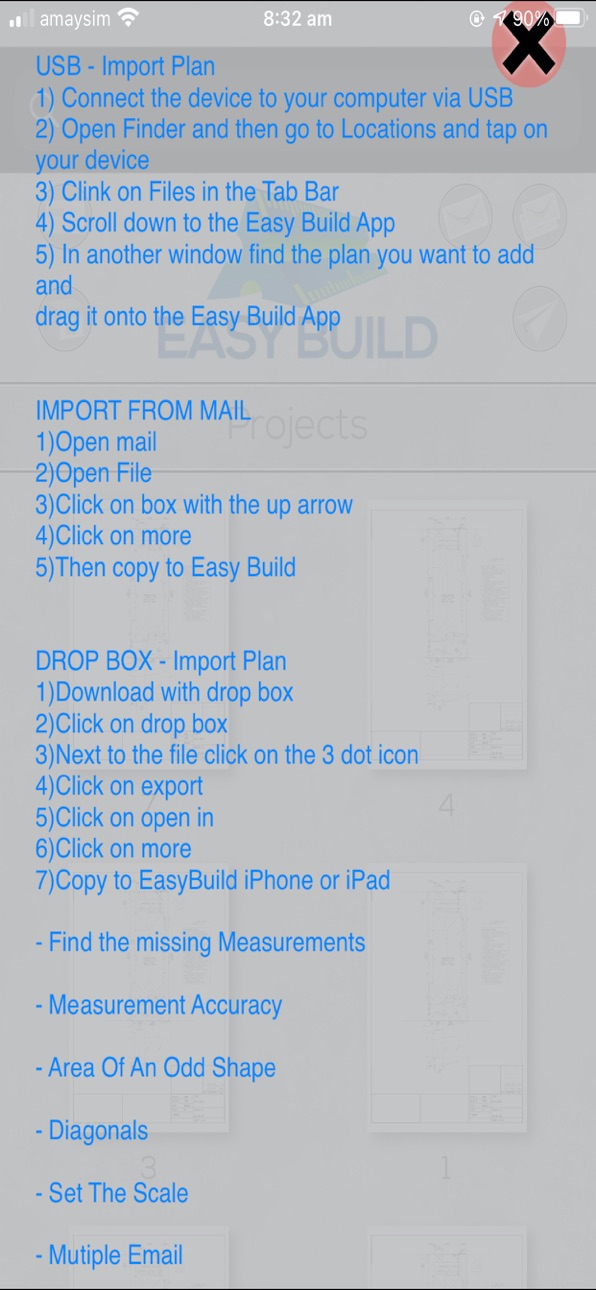
What’s New Version 1.27
!! Update !!
Send multiple plans straight from the main screen
Touch and hold to get a zoom-in of the plan
Help and video tutorials are now on Youtube
Description
The most accurate scale and measurement app.
Having troubles with your plans on-site?
Easy Build is your answer.
Getting frustrated with squaring up your set out?
Can’t find or calculate a measurement?
With a couple of taps, Easy Build will find your missing measurement.
Easy Build provides an inbuilt perimeter and area measuring tool, there will be no more dramas calculating those odd-shaped builds with no area on the plan.
Easily share marked-up plans with colleagues or trades by exporting directly to email, print or iTunes.
Work more efficiently.
Easy Build makes take-offs for quotes quick, easy and accurate.
You will wonder how you ever have done without it.
Easy Build will save you time and money!
√ Very easy to use
√ Upload your PDF drawings by directing the file from your email or Itunes account. Open it in the 'Easybuild' app and recreate your project.
√ Measure perimeters and areas accurate and fast no matter the shape
√ Measure in diagonals quick and easy
√ Mark and measure in those missing measurements ready for site
√ Colour code different areas for a clear explanation
√ Quickly and accurately place anchor points with the help of a magnifying glass
√ Onboard calculator available
√ Draw custom lines and rectangles
√ Create pen and highlighter marks with the simple drag of a finger
√ Quickly add and edit your own text annotations
√ Fast and responsive, even for complex PDFs
√ Export annotated PDFs direct to email, print or iTunes
√ Create and save as many projects as you like
√ Supports both Metric and Imperial units
Update for the Lite version coming soon. This will fix the crashing with the new version iOS when trying to open the sample PDF.
If you have purchased this. Thank you and please delete the Lite Version to prevent confusion when using "Open In"
Visit us online!
www.easybuildapplication.com
Like us on Facebook
EasyBuild app.
Accessibility
ipadiphonemacrealityDevicetvoswatch
Version history 4 versions
Build 836955263v1.272020-11-09 03:24:42
!! Update !!
Send multiple plans straight from the main screen
Touch and hold to get a zoom-in of the plan
Help and video tutorials are now on Youtube
Build 826224268v1.22018-07-11 20:20:13
Search Bar Added
Build 819897558v1.012016-11-30 22:22:44
Updated the app preview
Build 819352453v1.02016-11-23 02:11:20
Price history by region
Currency
Show
Columns
Search
Availability 3 of 3 storefronts
| Region | Language | Price | Ratings | Avg | Version |
|---|---|---|---|---|---|
 US US | en-US | USD 12.99 | 1 | 5.0 | 1.27 |
 KE KE | en-GB | USD 14.99 | 0 | — | 1.27 |
 NG NG | en-GB | NGN 19900 | 0 | — | 1.27 |
Change log 8 changes · NG
✎
releaseNotes updated
!! Update !!
Send multiple plans straight from the main screen
Touch and hold to get a zoom-in of the plan
Help and video tutorials are now on Youtube
✎
description updated
The most accurate scale and measurement app.
Having troubles with your plans on-site?
Easy Build is your answer.
Getting frustrated with squaring up your set
✎
subtitle updated
Scale and measure accurately
✎
name updated
Easy Build for iPhone
◆
Version 1.27 released
!! Update !!
Send multiple plans straight from the main screen
Touch and hold to get a zoom-in of the plan
Help and video tutorials are now on Youtube
◆
Version 1.2 released
Search Bar Added
◆
Version 1.01 released
Updated the app preview
◆
Version 1.0 released