Home › Business

 CA
CA
 GBen-GB
 AEen-GB
 AFen-GB
 AGen-GB
 AIen-GB
 ALen-GB
 AMen-GB
 AOen-GB
 ARes-MX
 ATde-DE
 AUen-AU
 AZen-GB
 BAen-GB
 BBen-GB
 BEen-GB
 BFen-GB
 BGen-GB
 BHen-GB
 BJen-GB
 BMen-GB
 BNen-GB
 BOes-MX
 BRpt-BR
 BSen-GB
 BTen-GB
 BWen-GB
 BYen-GB
 BZen-GBCAen-CA
 CDen-GB
 CGen-GB
 CHde-CH
 CIfr-FR
 CLes-MX
 CMfr-FR
 CNzh-Hans-CN
 COes-MX
 CRes-MX
 CVen-GB
 CYen-GB
 CZen-GB
 DEde-DE
 DKen-GB
 DMen-GB
 DOes-MX
 DZen-GB
 ECes-MX
 EEen-GB
 EGen-GB
 ESes-ES
 FIen-GB
 FJen-GB
 FMen-GB
 FRfr-FR
 GAfr-FR
 GDen-GB
 GEen-GB
 GHen-GB
 GMen-GB
 GRen-GB
 GTes-MX
 GWen-GB
 GYen-GB
 HKzh-Hant-HK
 HNes-MX
 HRen-GB
 HUen-GB
 IDen-GB
 IEen-GB
 ILen-GB
 INen-GB
 IQen-GB
 ISen-GB
 ITit
ITit JMen-GB
 JOen-GB
 JPja
JPja KEen-GB
 KGen-GB
 KHen-GB
 KNen-GB
 KRko
KRko KWen-GB
 KYen-GB
 KZen-GB
 LAen-GB
 LBen-GB
 LCen-GB
 LKen-GB
 LRen-GB
 LTen-GB
 LUen-GB
 LVen-GB
 LYen-GB
 MAen-GB
 MDen-GB
 MEen-GB
 MGen-GB
 MKen-GB
 MLen-GB
 MMen-GB
 MNen-GB
 MOzh-Hant-HK
 MRen-GB
 MSen-GB
 MTen-GB
 MUen-GB
 MVen-GB
 MWen-GB
 MXes-MX
 MYen-GB
 MZen-GB
 NAen-GB
 NEen-GB
 NGen-GB
 NIes-MX
 NLnl
NLnl NOen-GB
 NPen-GB
 NRen-GB
 NZen-AU
 OMen-GB
 PAes-MX
 PEes-MX
 PGen-GB
 PHen-GB
 PKen-GB
 PLen-GB
 PTpt-PT
 PWen-GB
 PYes-MX
 QAen-GB
 ROen-GB
 RSen-GB
 RUru
RUru RWen-GB
 SAen-GB
 SBen-GB
 SCen-GB
 SEsv
SEsv SGen-GB
 SIen-GB
 SKen-GB
 SLen-GB
 SNen-GB
 SRen-GB
 STen-GB
 SVes-MX
 SZen-GB
 TCen-GB
 TDen-GB
 THen-GB
 TJen-GB
 TMen-GB
 TNen-GB
 TOen-GB
 TRen-GB
 TTen-GB
 TWzh-Hant-TW
 TZen-GB
 UAen-GB
 UGen-GB
 USen-US
 UYen-GB
 UZen-GB
 VCen-GB
 VEes-MX
 VGen-GB
 VNen-GB
 VUen-GB
 XKen-GB
 YEen-GB
 ZAen-GB
 ZMen-GB
 ZWen-GB
175 of 175 storefronts
Content in en-US
Content in en-US
Information
Apple ID1126057235
Bundle IDcom.castletonplc.mobile.Castleton
SellerSeller
Min iOS16.0
Min macOS13.0
Device familiesiphone, ipad
Released2016-06-21
Copyright© MRI Software LLC
Privacy policyLink ↗
Preview 2 platforms
iPhone 6 images


iPad 6 images



What’s New Version 5.0.6
- The behaviour for single activity and multiple activities adjustment in Agile is consistent with that of the Maintain PDA.
- Variations which need approval but have not yet been approved are prevented from being processed in a way which is broadly consistent with the Maintain PDA.
- Filtering by trade when adding a variation or adjustment now displays only the trades which are relevant to the rate book in use.
Description
MRI Agile Mobile has created a whole new way of working – our systems will allow you to access all of your information whilst you are working remotely thus mobilising your field-based teams. The system uses a secure transport layer that will allow you to deliver any and all information.
Our solution will allow your organization to effectively mobilise ANY back-office system for use in the field. Integration to back office systems is made simple via web-services, API’s or by using MacroBot that will call your business system, open the relevant module and enter the data directly into the system interface/s.
This means that even if your back-office system doesn’t have an API or Integration capability you can still get data back into your systems quickly and securely. MacroBot will work with Web and Windows based systems.
Rest assured that all of your data is safe and secure – MRI Agile Mobile uses 256bit encryption with all data and documents securely handled within the application.
MRI Agile Mobile working improves communication with your customers and field based teams, reshaping how you deliver front line services. The organizational benefits are huge and will deliver improved customer service, reduced costs and release your teams from the restrictions of manual processes.
Customised forms will allow you to quickly replace all of your paper-based documents with electronic forms that can be used on Smart Phones & Tablets. Forms can be connected to data which is stored in your back-office systems such as CRM so they are immediately pre-populated with all of the necessary information.
- Access your MRI Document Management system
- Ability to upload/view your documents
- Store documents for offline viewing
- Replace all of your paper-based documents
Accessibility
ipadiphonemacrealityDevicetvoswatch
Version history 25 versions
Build 884626512v5.0.62026-04-20 10:07:30
- The behaviour for single activity and multiple activities adjustment in Agile is consistent with that of the Maintain PDA.
- Variations which need approval but have not yet been approved are prevented from being processed in a way which is broadly consistent with the Maintain PDA.
- Filtering by trade when adding a variation or adjustment now displays only the trades which are relevant to the rate book in use.
Build 883449475v5.0.52026-03-24 09:51:20
The ‘What’s new’ option is no longer on the Settings screen.
The 'Refresh Data Sets' and 'Clear Data Sets' options on the Settings screen are clearly presented as buttons for user interaction.
Users no longer encounter delays in opening the image picker when using Grid view.
Build 881349701v5.0.42026-01-12 10:06:56
- Users upgrading to iOS26 on iPads can now access and use forms without encountering an unwanted + (plus) sign on the screen.
- Users no longer encounter delays in opening the photo library in instances where the system is configured not to allow multiple images.
- A new option ‘Open Source Licenses’ under Settings, lists all third-party libraries used in the app, along with licensing information.
Build 876869816v5.0.32025-08-28 09:20:41
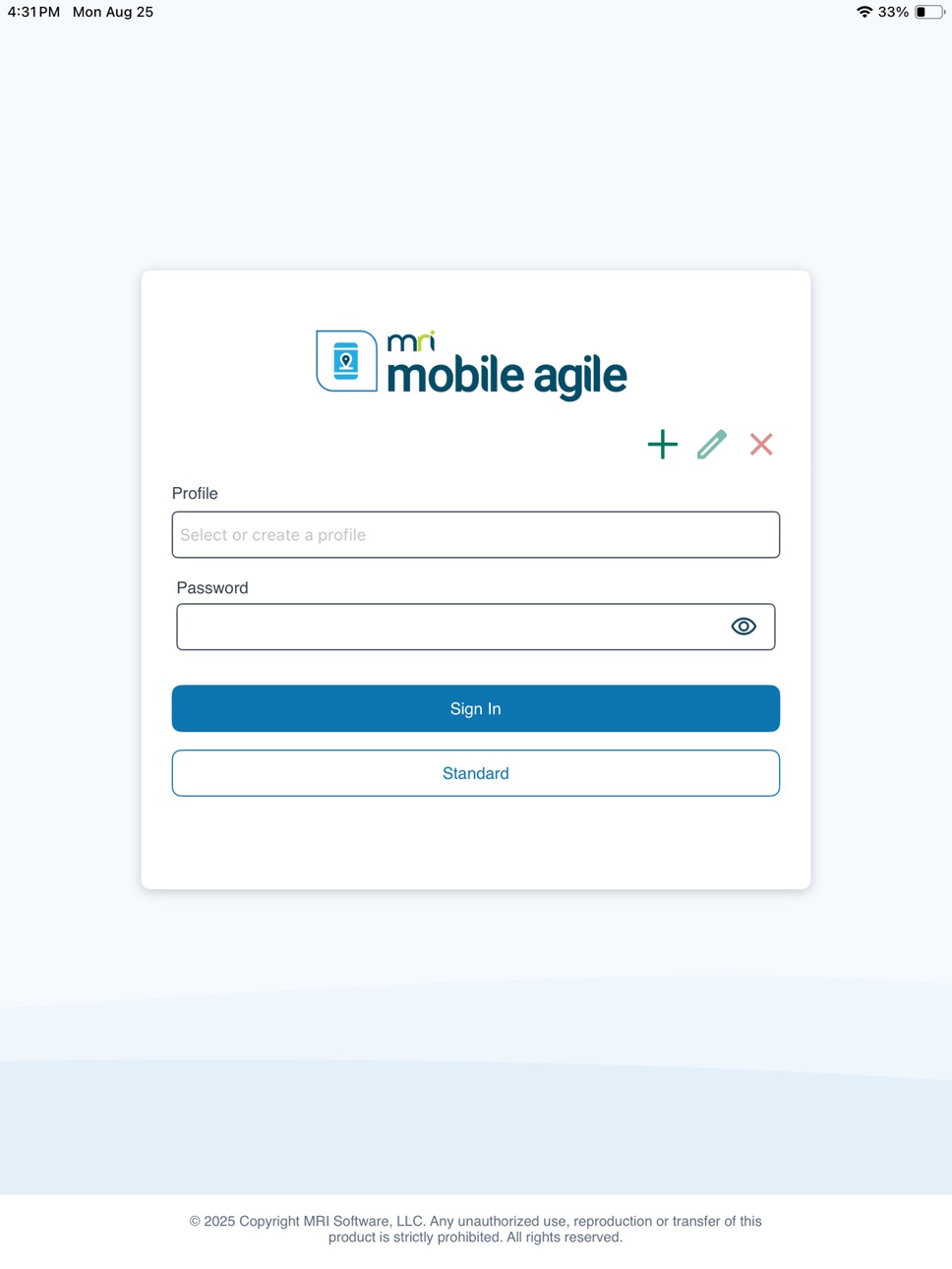
-The login and splash screens have been refreshed in line with current branding guidelines.
-Users can now sign in with or cancel Touch ID on iPad devices without encountering an error.
-Users can now successfully View Repairs from Person selection on an iPad.
Build 875551550v5.0.22025-06-13 08:54:01
- For Agile/Maintain integration, the rate book for the order is now used when selection SORs for use in adjustments and variations, where this is available.If those details are not available. If those details are not available, then the rate book for the contract is used instead.
Build 872126845v5.0.12025-02-04 09:28:26
· For Agile/Maintain integration, where an appointment which has been downloaded to the officer’s device has been removed from Maintain while they are in the job but before they have actioned the activity, a message ‘This appointment is no longer valid, please refresh the task list and try again’ is now shown.
· The error indicating missing before/after images at the activity level is no longer visible to users once the images have been provided.
Build 870044960v5.0.02024-11-11 04:58:59
Customers who have their own Multi Factor Authentication(MFA) in place can now be authenticated using that instead of Active Directory.
Build 867598398v4.6.122024-07-19 09:50:59
-- For MRI DM users, when searching against a large entity, auto search was taking too long to return results. Users must now click search to see their results.
-- For Maintain users, “No Access” has been added as an option when attaching photographs to Jobs and Activities.
-- When editing themes using the colour picker, the application would sometimes crash in iOS 17. This has now been resolved.
-- Changes have been made to support Segmented Control UI for iOS17 on Document List View and Content Search View in MRIDM.
-- Maps Views now correctly loading.
-- “Pencil” icon removed from image previews as was previously causing the app to crash.
Build 864729450v4.6.112024-03-28 09:12:59
-Some users where unable to save images to image components in custom forms, this has now been resolved.
Build 863328462v4.6.102024-02-29 12:50:13
- For Maintain users, the Start/Completion times now default to the nearest increment as per Maintain parameter
- Answer Set display issue bug fix
- MRI DM Integration – New parameter to make Tags mandatory
- MRI DM Integration – New parameter to make Title mandatory
- MRI DM Integration linked entity bug fix
Build 861511169v4.6.92023-11-16 12:23:24
-- The issue with Chained End Points has now been resolved
Build 860893849v4.6.82023-11-09 04:32:43
-Time selections such as Job Completions can now be selected in increments as per Maintain configuration
-Job Form UI/UX enhancements
-New Agile Diary screen
-Improved UX – Users only need to select Tasks one, and Job Outcome selection enhancements
-Grid View bug fixes
-Offline crash bug fix
-Dataset bug fix
Build 853869075v4.6.72023-05-15 11:51:01
•Breached Scheduled Date for MaintainUsers –Breached Tasks will now be highlighted
•Variation and Completion status issues now resolved
•Grid display issue resolved
•Form submission issue resolved
•Intermittent log in issues resolved
•Date component in Form issue resolved
•Auto Save incomplete Forms
•Variations can no longer be added whilst a pending Variation exists
•Full screen video bug fix
•Dataset spinner bug fix
•Datasets in Forms bug fix
Build 852825459v4.6.52022-10-20 04:30:52
-Users now see Dataset download progress on Tasks and Management buttons
-When reviewing images, thumbnails and image previews now display as expected
-Bug fixes for grid/table rows
-Audio component now displays properly
-Notification of media component size limits within forms
-Captured images now automatically saved to local storage
-UI/UX improvements to grid view
Build 850554773v4.6.42022-07-11 11:59:18
--Maintain Users now see Dataset download progress on Tasks and Management buttons.
--Dataset download bug fixes
Build 848993945v4.6.32022-05-12 08:33:32
-In some instances, if an LGSR form was completed and signed by the operative and the tenant, if the sign button for both signature fields was pressed within one second, only one signature was captured and duplicated in both fields. This is now measured in milliseconds which resolves the issue.
-When viewing a Task (but not yet opened the Form), clicking the Menu in the top right crashed the app out and back to the device home screen. This has now been resolved.
-When searching for, then selecting a Person, clicking the Menu in the top right crashed the app out and back to the device home screen. This has now been resolved.
-The date-time format was causing text in different columns to overlap. The format has now been modified to resolve the issue.
Build 846674283v4.6.22022-02-02 10:36:04
--Improvements to presentation of person search result list
--Improvements to presentation of Submit Button on LGSR forms, no longer overlaps other components
--Changes to navigating to and viewing forms from activities
--Colour change theme now applies to all screens
--Validation to payment card fields to prevent alphanumeric values being entered
--Fixes to app crash issues
Build 843009027v4.5.02021-09-20 08:39:10
- Agile maintain integration
- Form submission improvements
- Theme related changes
- Fixed app crash issues
Build 840859834v4.2.282021-03-15 05:38:58
-- camera and photo library button click issue resolved.camera and photo library button click issue resolved.
-- SQL endpoints not updated properly.
Build 840464786v4.2.272021-02-15 05:24:22
--UI related changes for forms and grid.
Build 840434262v4.2.262021-02-12 10:20:50
--iZettle payment library upgrade.
--Agile task form duplication and missing sinagure issue resolved.
--Added background color on timestamp text.
Build 838430014v4.2.242020-10-29 23:15:21
-- UI changes made to support iOS14.
-- Deprecated Webview migration changes through out application.
-- Upgraded third party libraries to support iOS14.
-- Added logs in app to identify missing files.
-- Sidebar issues resolved.
Build 837192938v4.2.232020-08-04 06:35:27
--Fix dataset issue due to sqlcipher version
--Avatar icon is hidden as per configuration file parameter
--Theme changes implemented when app launches.
--tenancyReference value updated based on config on person detail page.
--Firebase integration
Build 837041838v4.2.222020-07-29 11:28:49
--Avatar icon is hidden as per configuration file parameter
--Theme changes implemented when app launches.
--tenancyReference value updated based on config on person detail page.
--Firebase integration
Build 835713900v4.2.212020-04-29 07:55:55
-- Signature issue in PDF file resolved.
-- Search bar text in dark mode resolved.
-- Implementation of header in Agile Task form.
No pricing data captured yet — comparisons appear once the app has paid storefronts or in-app purchases.
Availability 175 of 175 storefronts
| Region | Language | Price | Ratings | Avg | Version |
|---|---|---|---|---|---|
| GB | en-GB | Free | 16 | 2.2 | 5.0.6 |
| AE | en-GB | Free | 0 | — | 5.0.6 |
| AF | en-GB | Free | 0 | — | 5.0.6 |
| AG | en-GB | Free | 0 | — | 5.0.6 |
| AI | en-GB | Free | 0 | — | 5.0.6 |
| AL | en-GB | Free | 0 | — | 5.0.6 |
| AM | en-GB | Free | 0 | — | 5.0.6 |
| AO | en-GB | Free | 0 | — | 5.0.6 |
| AR | es-MX | Free | 0 | — | 5.0.6 |
| AT | de-DE | Free | 0 | — | 5.0.6 |
| AU | en-AU | Free | 0 | — | 5.0.6 |
| AZ | en-GB | Free | 0 | — | 5.0.6 |
| BA | en-GB | Free | 0 | — | 5.0.6 |
| BB | en-GB | Free | 0 | — | 5.0.6 |
| BE | en-GB | Free | 0 | — | 5.0.6 |
| BF | en-GB | Free | 0 | — | 5.0.6 |
| BG | en-GB | Free | 0 | — | 5.0.6 |
| BH | en-GB | Free | 0 | — | 5.0.6 |
| BJ | en-GB | Free | 0 | — | 5.0.6 |
| BM | en-GB | Free | 0 | — | 5.0.6 |
| BN | en-GB | Free | 0 | — | 5.0.6 |
| BO | es-MX | Free | 0 | — | 5.0.6 |
| BR | pt-BR | Free | 0 | — | 5.0.6 |
| BS | en-GB | Free | 0 | — | 5.0.6 |
| BT | en-GB | Free | 0 | — | 5.0.6 |
| BW | en-GB | Free | 0 | — | 5.0.6 |
| BY | en-GB | Free | 0 | — | 5.0.6 |
| BZ | en-GB | Free | 0 | — | 5.0.6 |
| CA | en-CA | Free | 0 | — | 5.0.6 |
| CD | en-GB | Free | 0 | — | 5.0.6 |
| CG | en-GB | Free | 0 | — | 5.0.6 |
| CH | de-CH | Free | 0 | — | 5.0.6 |
| CI | fr-FR | Free | 0 | — | 5.0.6 |
| CL | es-MX | Free | 0 | — | 5.0.6 |
| CM | fr-FR | Free | 0 | — | 5.0.6 |
| CN | zh-Hans-CN | Free | 0 | — | 5.0.6 |
| CO | es-MX | Free | 0 | — | 5.0.6 |
| CR | es-MX | Free | 0 | — | 5.0.6 |
| CV | en-GB | Free | 0 | — | 5.0.6 |
| CY | en-GB | Free | 0 | — | 5.0.6 |
| CZ | en-GB | Free | 0 | — | 5.0.6 |
| DE | de-DE | Free | 0 | — | 5.0.6 |
| DK | en-GB | Free | 0 | — | 5.0.6 |
| DM | en-GB | Free | 0 | — | 5.0.6 |
| DO | es-MX | Free | 0 | — | 5.0.6 |
| DZ | en-GB | Free | 0 | — | 5.0.6 |
| EC | es-MX | Free | 0 | — | 5.0.6 |
| EE | en-GB | Free | 0 | — | 5.0.6 |
| EG | en-GB | Free | 0 | — | 5.0.6 |
| ES | es-ES | Free | 0 | — | 5.0.6 |
| FI | en-GB | Free | 0 | — | 5.0.6 |
| FJ | en-GB | Free | 0 | — | 5.0.6 |
| FM | en-GB | Free | 0 | — | 5.0.6 |
| FR | fr-FR | Free | 0 | — | 5.0.6 |
| GA | fr-FR | Free | 0 | — | 5.0.6 |
| GD | en-GB | Free | 0 | — | 5.0.6 |
| GE | en-GB | Free | 0 | — | 5.0.6 |
| GH | en-GB | Free | 0 | — | 5.0.6 |
| GM | en-GB | Free | 0 | — | 5.0.6 |
| GR | en-GB | Free | 0 | — | 5.0.6 |
| GT | es-MX | Free | 0 | — | 5.0.6 |
| GW | en-GB | Free | 0 | — | 5.0.6 |
| GY | en-GB | Free | 0 | — | 5.0.6 |
| HK | zh-Hant-HK | Free | 0 | — | 5.0.6 |
| HN | es-MX | Free | 0 | — | 5.0.6 |
| HR | en-GB | Free | 0 | — | 5.0.6 |
| HU | en-GB | Free | 0 | — | 5.0.6 |
| ID | en-GB | Free | 0 | — | 5.0.6 |
| IE | en-GB | Free | 0 | — | 5.0.6 |
| IL | en-GB | Free | 0 | — | 5.0.6 |
| IN | en-GB | Free | 0 | — | 5.0.6 |
| IQ | en-GB | Free | 0 | — | 5.0.6 |
| IS | en-GB | Free | 0 | — | 5.0.6 |
| IT | it | Free | 0 | — | 5.0.6 |
| JM | en-GB | Free | 0 | — | 5.0.6 |
| JO | en-GB | Free | 0 | — | 5.0.6 |
| JP | ja | Free | 0 | — | 5.0.6 |
| KE | en-GB | Free | 0 | — | 5.0.6 |
| KG | en-GB | Free | 0 | — | 5.0.6 |
| KH | en-GB | Free | 0 | — | 5.0.6 |
| KN | en-GB | Free | 0 | — | 5.0.6 |
| KR | ko | Free | 0 | — | 5.0.6 |
| KW | en-GB | Free | 0 | — | 5.0.6 |
| KY | en-GB | Free | 0 | — | 5.0.6 |
| KZ | en-GB | Free | 0 | — | 5.0.6 |
| LA | en-GB | Free | 0 | — | 5.0.6 |
| LB | en-GB | Free | 0 | — | 5.0.6 |
| LC | en-GB | Free | 0 | — | 5.0.6 |
| LK | en-GB | Free | 0 | — | 5.0.6 |
| LR | en-GB | Free | 0 | — | 5.0.6 |
| LT | en-GB | Free | 0 | — | 5.0.6 |
| LU | en-GB | Free | 0 | — | 5.0.6 |
| LV | en-GB | Free | 0 | — | 5.0.6 |
| LY | en-GB | Free | 0 | — | 5.0.6 |
| MA | en-GB | Free | 0 | — | 5.0.6 |
| MD | en-GB | Free | 0 | — | 5.0.6 |
| ME | en-GB | Free | 0 | — | 5.0.6 |
| MG | en-GB | Free | 0 | — | 5.0.6 |
| MK | en-GB | Free | 0 | — | 5.0.6 |
| ML | en-GB | Free | 0 | — | 5.0.6 |
| MM | en-GB | Free | 0 | — | 5.0.6 |
| MN | en-GB | Free | 0 | — | 5.0.6 |
| MO | zh-Hant-HK | Free | 0 | — | 5.0.6 |
| MR | en-GB | Free | 0 | — | 5.0.6 |
| MS | en-GB | Free | 0 | — | 5.0.6 |
| MT | en-GB | Free | 0 | — | 5.0.6 |
| MU | en-GB | Free | 0 | — | 5.0.6 |
| MV | en-GB | Free | 0 | — | 5.0.6 |
| MW | en-GB | Free | 0 | — | 5.0.6 |
| MX | es-MX | Free | 0 | — | 5.0.6 |
| MY | en-GB | Free | 0 | — | 5.0.6 |
| MZ | en-GB | Free | 0 | — | 5.0.6 |
| NA | en-GB | Free | 0 | — | 5.0.6 |
| NE | en-GB | Free | 0 | — | 5.0.6 |
| NG | en-GB | Free | 0 | — | 5.0.6 |
| NI | es-MX | Free | 0 | — | 5.0.6 |
| NL | nl | Free | 0 | — | 5.0.6 |
| NO | en-GB | Free | 0 | — | 5.0.6 |
| NP | en-GB | Free | 0 | — | 5.0.6 |
| NR | en-GB | Free | 0 | — | 5.0.6 |
| NZ | en-AU | Free | 0 | — | 5.0.6 |
| OM | en-GB | Free | 0 | — | 5.0.6 |
| PA | es-MX | Free | 0 | — | 5.0.6 |
| PE | es-MX | Free | 0 | — | 5.0.6 |
| PG | en-GB | Free | 0 | — | 5.0.6 |
| PH | en-GB | Free | 0 | — | 5.0.6 |
| PK | en-GB | Free | 0 | — | 5.0.6 |
| PL | en-GB | Free | 0 | — | 5.0.6 |
| PT | pt-PT | Free | 0 | — | 5.0.6 |
| PW | en-GB | Free | 0 | — | 5.0.6 |
| PY | es-MX | Free | 0 | — | 5.0.6 |
| QA | en-GB | Free | 0 | — | 5.0.6 |
| RO | en-GB | Free | 0 | — | 5.0.6 |
| RS | en-GB | Free | 0 | — | 5.0.6 |
| RU | ru | Free | 0 | — | 5.0.6 |
| RW | en-GB | Free | 0 | — | 5.0.6 |
| SA | en-GB | Free | 0 | — | 5.0.6 |
| SB | en-GB | Free | 0 | — | 5.0.6 |
| SC | en-GB | Free | 0 | — | 5.0.6 |
| SE | sv | Free | 0 | — | 5.0.6 |
| SG | en-GB | Free | 0 | — | 5.0.6 |
| SI | en-GB | Free | 0 | — | 5.0.6 |
| SK | en-GB | Free | 0 | — | 5.0.6 |
| SL | en-GB | Free | 0 | — | 5.0.6 |
| SN | en-GB | Free | 0 | — | 5.0.6 |
| SR | en-GB | Free | 0 | — | 5.0.6 |
| ST | en-GB | Free | 0 | — | 5.0.6 |
| SV | es-MX | Free | 0 | — | 5.0.6 |
| SZ | en-GB | Free | 0 | — | 5.0.6 |
| TC | en-GB | Free | 0 | — | 5.0.6 |
| TD | en-GB | Free | 0 | — | 5.0.6 |
| TH | en-GB | Free | 0 | — | 5.0.6 |
| TJ | en-GB | Free | 0 | — | 5.0.6 |
| TM | en-GB | Free | 0 | — | 5.0.6 |
| TN | en-GB | Free | 0 | — | 5.0.6 |
| TO | en-GB | Free | 0 | — | 5.0.6 |
| TR | en-GB | Free | 0 | — | 5.0.6 |
| TT | en-GB | Free | 0 | — | 5.0.6 |
| TW | zh-Hant-TW | Free | 0 | — | 5.0.6 |
| TZ | en-GB | Free | 0 | — | 5.0.6 |
| UA | en-GB | Free | 0 | — | 5.0.6 |
| UG | en-GB | Free | 0 | — | 5.0.6 |
| US | en-US | Free | 0 | — | 5.0.6 |
| UY | en-GB | Free | 0 | — | 5.0.6 |
| UZ | en-GB | Free | 0 | — | 5.0.6 |
| VC | en-GB | Free | 0 | — | 5.0.6 |
| VE | es-MX | Free | 0 | — | 5.0.6 |
| VG | en-GB | Free | 0 | — | 5.0.6 |
| VN | en-GB | Free | 0 | — | 5.0.6 |
| VU | en-GB | Free | 0 | — | 5.0.6 |
| XK | en-GB | Free | 0 | — | 5.0.6 |
| YE | en-GB | Free | 0 | — | 5.0.6 |
| ZA | en-GB | Free | 0 | — | 5.0.6 |
| ZM | en-GB | Free | 0 | — | 5.0.6 |
| ZW | en-GB | Free | 0 | — | 5.0.6 |
Change log 28 changes · CA
✎
releaseNotes updated
- The behaviour for single activity and multiple activities adjustment in Agile is consistent with that of the Maintain PDA.
- Variations which need approval bu
✎
description updated
MRI Agile Mobile has created a whole new way of working – our systems will allow you to access all of your information whilst you are working remotely thus mobi
✎
name updated
MRI Agile Mobile
◆
Version 5.0.6 released
- The behaviour for single activity and multiple activities adjustment in Agile is consistent with that of the Maintain PDA.
- Variations which need approval but have not yet been approved are prevented from being processed in a way which i
◆
Version 5.0.5 released
The ‘What’s new’ option is no longer on the Settings screen.
The 'Refresh Data Sets' and 'Clear Data Sets' options on the Settings screen are clearly presented as buttons for user interaction.
Users no longer encounter delays in opening the
◆
Version 5.0.4 released
- Users upgrading to iOS26 on iPads can now access and use forms without encountering an unwanted + (plus) sign on the screen.
- Users no longer encounter delays in opening the photo library in instances where the system is configured not t
◆
Version 5.0.3 released
-The login and splash screens have been refreshed in line with current branding guidelines.
-Users can now sign in with or cancel Touch ID on iPad devices without encountering an error.
-Users can now successfully View Repairs from Person s
◆
Version 5.0.2 released
- For Agile/Maintain integration, the rate book for the order is now used when selection SORs for use in adjustments and variations, where this is available.If those details are not available. If those details are not available, then the ra
◆
Version 5.0.1 released
· For Agile/Maintain integration, where an appointment which has been downloaded to the officer’s device has been removed from Maintain while they are in the job but before they have actioned the activity, a message ‘This appointment is no
◆
Version 5.0.0 released
Customers who have their own Multi Factor Authentication(MFA) in place can now be authenticated using that instead of Active Directory.
◆
Version 4.6.12 released
-- For MRI DM users, when searching against a large entity, auto search was taking too long to return results. Users must now click search to see their results.
-- For Maintain users, “No Access” has been added as an option when attaching
◆
Version 4.6.11 released
-Some users where unable to save images to image components in custom forms, this has now been resolved.
◆
Version 4.6.10 released
- For Maintain users, the Start/Completion times now default to the nearest increment as per Maintain parameter
- Answer Set display issue bug fix
- MRI DM Integration – New parameter to make Tags mandatory
- MRI DM Integration – New para
◆
Version 4.6.9 released
-- The issue with Chained End Points has now been resolved
◆
Version 4.6.8 released
-Time selections such as Job Completions can now be selected in increments as per Maintain configuration
-Job Form UI/UX enhancements
-New Agile Diary screen
-Improved UX – Users only need to select Tasks one, and Job Outcome selection e
◆
Version 4.6.7 released
•Breached Scheduled Date for MaintainUsers –Breached Tasks will now be highlighted
•Variation and Completion status issues now resolved
•Grid display issue resolved
•Form submission issue resolved
•Intermittent log in issues resolved
•Date
◆
Version 4.6.5 released
-Users now see Dataset download progress on Tasks and Management buttons
-When reviewing images, thumbnails and image previews now display as expected
-Bug fixes for grid/table rows
-Audio component now displays properly
-Notification of m
◆
Version 4.6.4 released
--Maintain Users now see Dataset download progress on Tasks and Management buttons.
--Dataset download bug fixes
◆
Version 4.6.3 released
-In some instances, if an LGSR form was completed and signed by the operative and the tenant, if the sign button for both signature fields was pressed within one second, only one signature was captured and duplicated in both fields. This is
◆
Version 4.6.2 released
--Improvements to presentation of person search result list
--Improvements to presentation of Submit Button on LGSR forms, no longer overlaps other components
--Changes to navigating to and viewing forms from activities
--Colour change t
◆
Version 4.5.0 released
- Agile maintain integration
- Form submission improvements
- Theme related changes
- Fixed app crash issues
◆
Version 4.2.28 released
-- camera and photo library button click issue resolved.camera and photo library button click issue resolved.
-- SQL endpoints not updated properly.
◆
Version 4.2.27 released
--UI related changes for forms and grid.
◆
Version 4.2.26 released
--iZettle payment library upgrade.
--Agile task form duplication and missing sinagure issue resolved.
--Added background color on timestamp text.
◆
Version 4.2.24 released
-- UI changes made to support iOS14.
-- Deprecated Webview migration changes through out application.
-- Upgraded third party libraries to support iOS14.
-- Added logs in app to identify missing files.
-- Sidebar issues resolved.
◆
Version 4.2.23 released
--Fix dataset issue due to sqlcipher version
--Avatar icon is hidden as per configuration file parameter
--Theme changes implemented when app launches.
--tenancyReference value updated based on config on person detail page.
--Firebase integ
◆
Version 4.2.22 released
--Avatar icon is hidden as per configuration file parameter
--Theme changes implemented when app launches.
--tenancyReference value updated based on config on person detail page.
--Firebase integration
◆
Version 4.2.21 released
-- Signature issue in PDF file resolved.
-- Search bar text in dark mode resolved.
-- Implementation of header in Agile Task form.