Home › Utilities

 SN
SN
 USen-US
 FRfr-FR
 GBen-GB
 BRpt-BR
 DEde-DE
 ITit
ITit CAen-CA
 AEen-GB
 EGen-GB
 LKen-GB
 PKen-GB
 ESes-ES
 INen-GB
 JOen-GB
 DZen-GB
 CHde-CH
 ROen-GB
 BEen-GB
 IDen-GB
 MYen-GB
 PHen-GB
 PLen-GB
 SKen-GB
 THen-GB
 AUen-AU
 GHen-GB
 KWen-GB
 MXes-MX
 NOen-GB
 PTpt-PT
 QAen-GB
 TZen-GB
 ZAen-GB
 ARes-MX
 ATde-DE
 CMfr-FR
 GRen-GB
 IEen-GB
 JPja
JPja KHen-GB
 OMen-GB
 VEes-MX
 AOen-GB
 BFen-GB
 BGen-GB
 BNen-GB
 BZen-GB
 CIfr-FR
 CLes-MX
 COes-MX
 CYen-GB
 DKen-GB
 ECes-MX
 HUen-GB
 JMen-GB
 KRko
KRko KZen-GB
 LAen-GB
 LTen-GB
 LUen-GB
 LYen-GB
 MTen-GB
 MZen-GB
 PYes-MX
 RUru
RUru TCen-GB
 TNen-GB
 UAen-GB
 UYen-GB
 ZWen-GB
 AFen-GB
 AGen-GB
 AIen-GB
 ALen-GB
 AMen-GB
 AZen-GB
 BAen-GB
 BBen-GB
 BHen-GB
 BMen-GB
 BOes-MX
 BSen-GB
 BTen-GB
 BWen-GB
 BYen-GB
 CNzh-Hans-CN
 CRes-MX
 CVen-GB
 CZen-GB
 DMen-GB
 EEen-GB
 FIen-GB
 FJen-GB
 FMen-GB
 GDen-GB
 GEen-GB
 GMen-GB
 GTes-MX
 GWen-GB
 GYen-GB
 HKzh-Hant-HK
 HRen-GB
 IQen-GB
 ISen-GB
 KEen-GB
 KGen-GB
 KNen-GB
 KYen-GB
 LCen-GB
 LRen-GB
 LVen-GB
 MAen-GB
 MDen-GB
 MKen-GB
 MMen-GB
 MNen-GB
 MOzh-Hant-HK
 MRen-GB
 MSen-GB
 MUen-GB
 MVen-GB
 MWen-GB
 NAen-GB
 NGen-GB
 NLnl
NLnl NPen-GB
 NRen-GB
 NZen-AU
 PAes-MX
 PEes-MX
 PWen-GB
 RSen-GB
 RWen-GB
 SCen-GB
 SEsv
SEsv SGen-GB
 SIen-GB
 SLen-GBSNen-GB
 SRen-GB
 STen-GB
 SVes-MX
 SZen-GB
 TJen-GB
 TMen-GB
 TTen-GB
 TWzh-Hant-TW
 UGen-GB
 UZen-GB
 VCen-GB
 VGen-GB
 VNen-GB
 VUen-GB
 XKen-GB
 YEen-GB
 ZMen-GB
156 of 156 storefronts
Content in en-US
Content in en-US
Information
Preview 2 platforms
iPhone 10 images






iPad 10 images





What’s New Version 10
- Improved compass calibration
- Improved GPS detection
- Interactive map
- Fixed minor bugs
Description
Dish alignment, pointing and Installation has always been a complicated task, especially if you do not have a clue. That is why I posted this application that will simplify this task and allow you to install and align your antenna without the need to call a specialist.
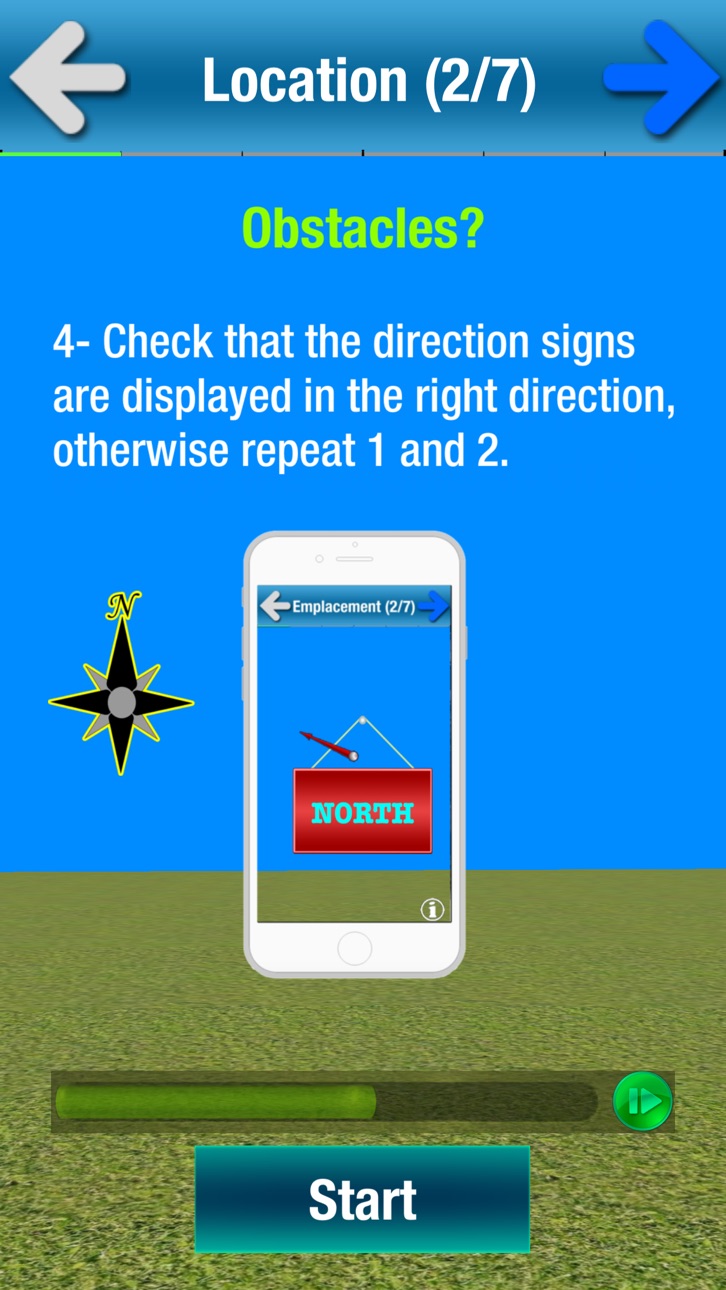
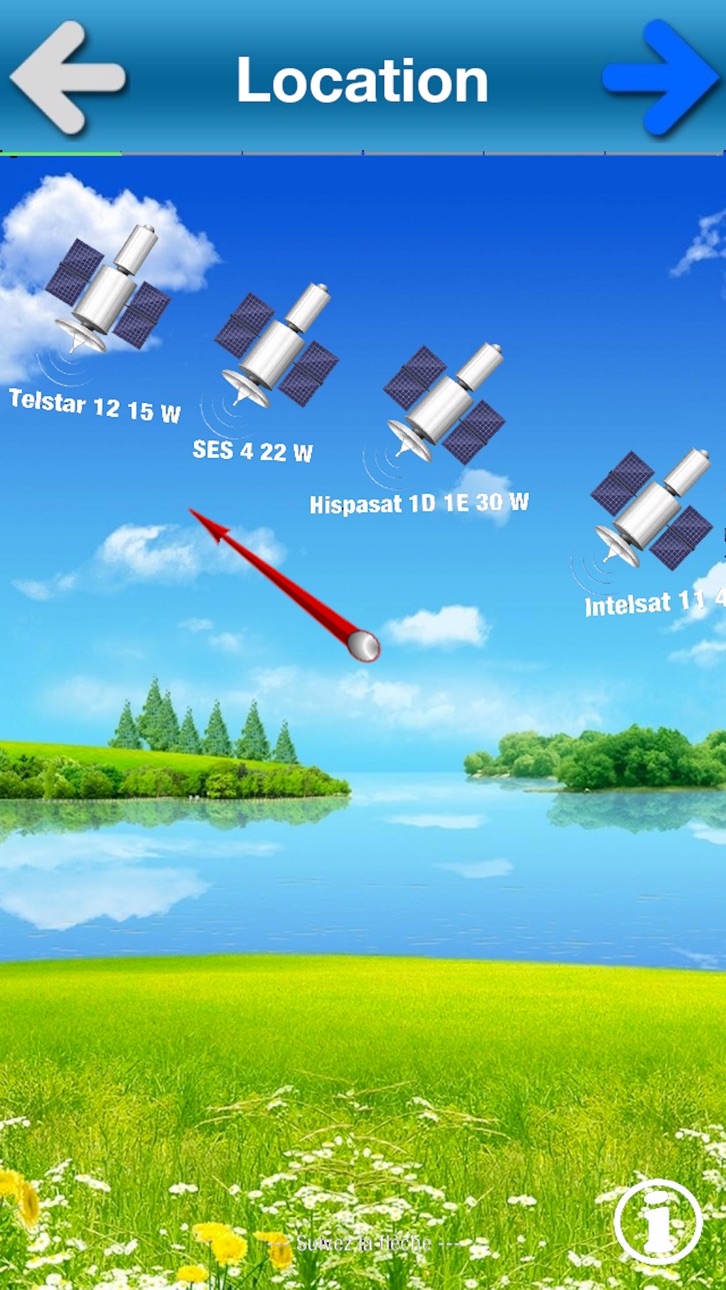
SatCatcher is a satellite finder and dish pointer, it allows you to orient your antenna to any satellite. Using augmented reality, this application displays the target satellite in space to better choose the location of your antenna and ensure the absence of any obstacle (wall, tree ...).
SatCatcher also uses your phone GPS to show your location on a map and shows the direction of the satellite from your position.
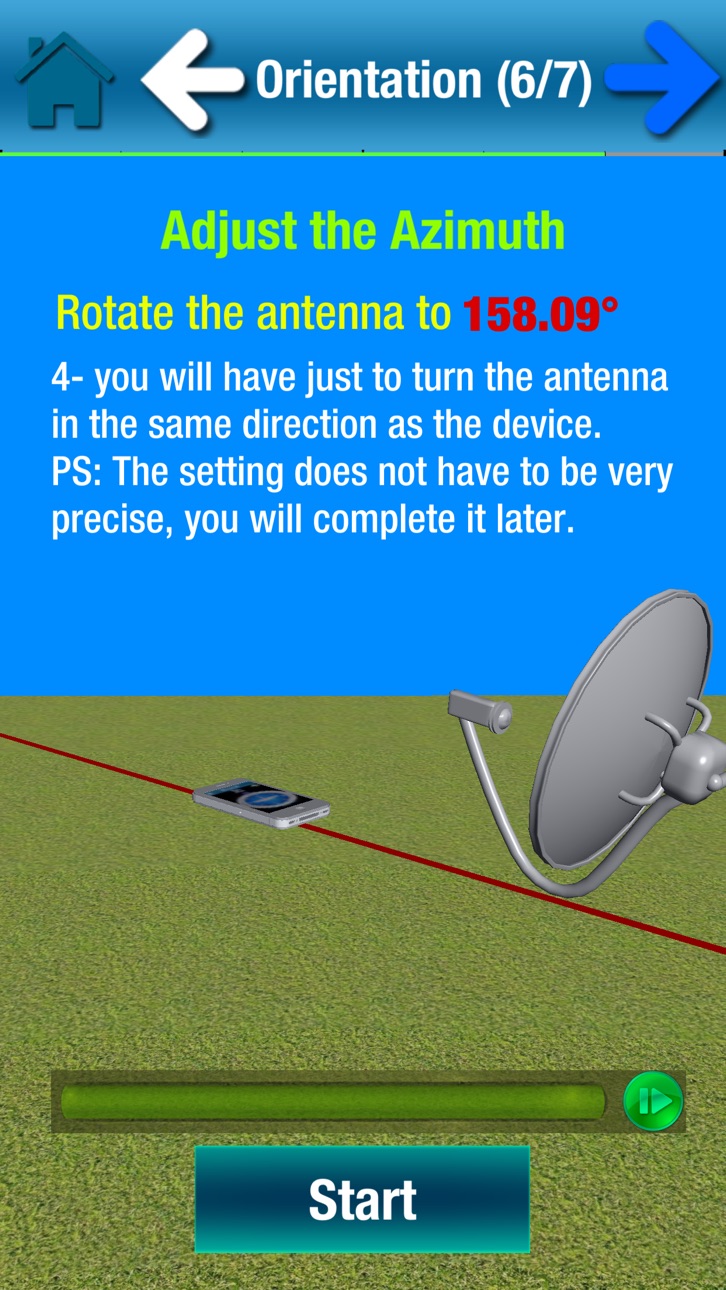
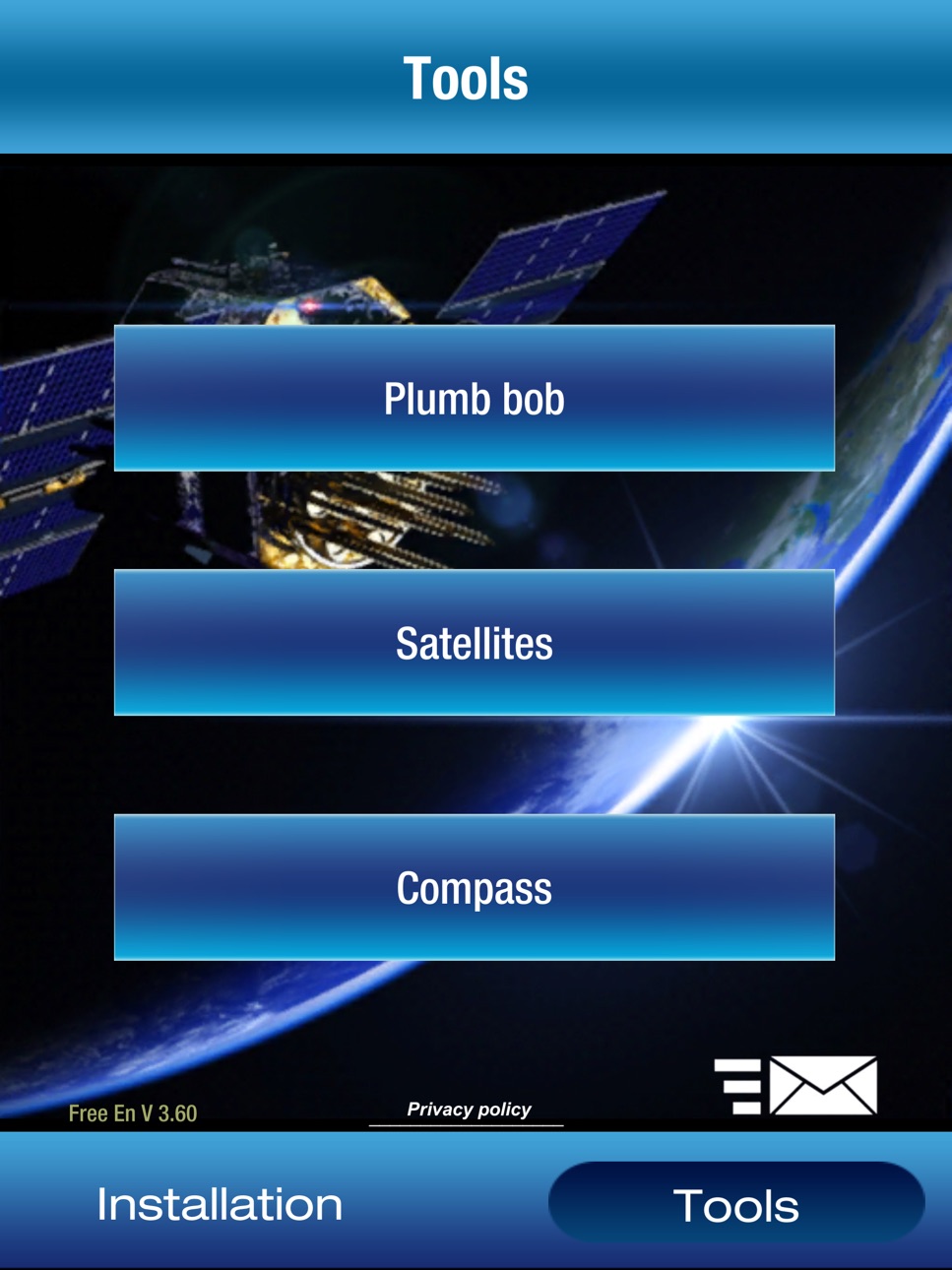
The compass accompanied by a beep lets you orient your antenna following the acceleration of beeps or the arrow of the compass.
The accelerometer is used to verify that the holder of your antenna is vertical.
The antenna adjustment steps:
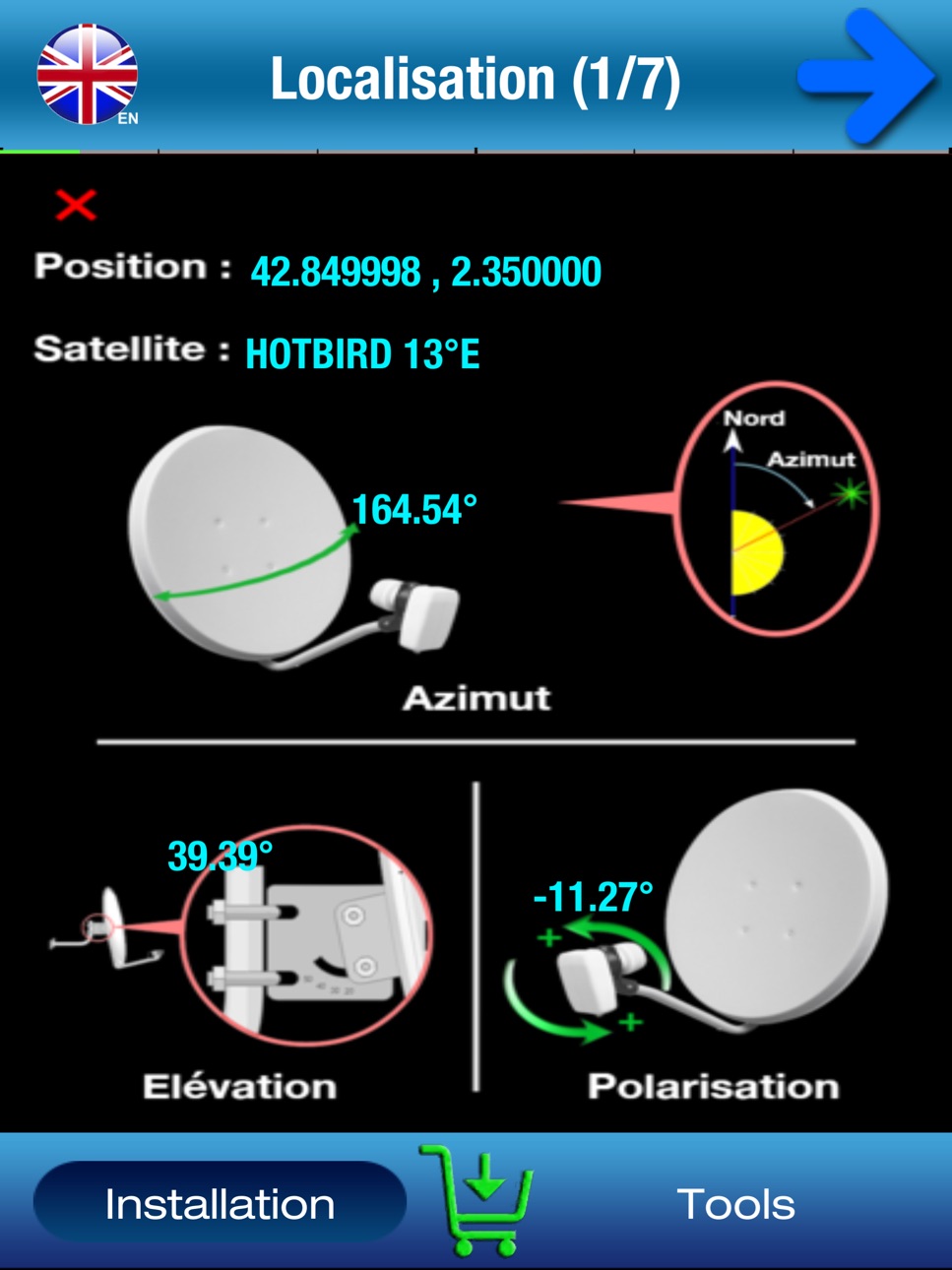
1- choose a satellite and authorize geolocation to determine the direction of the antenna orientation.
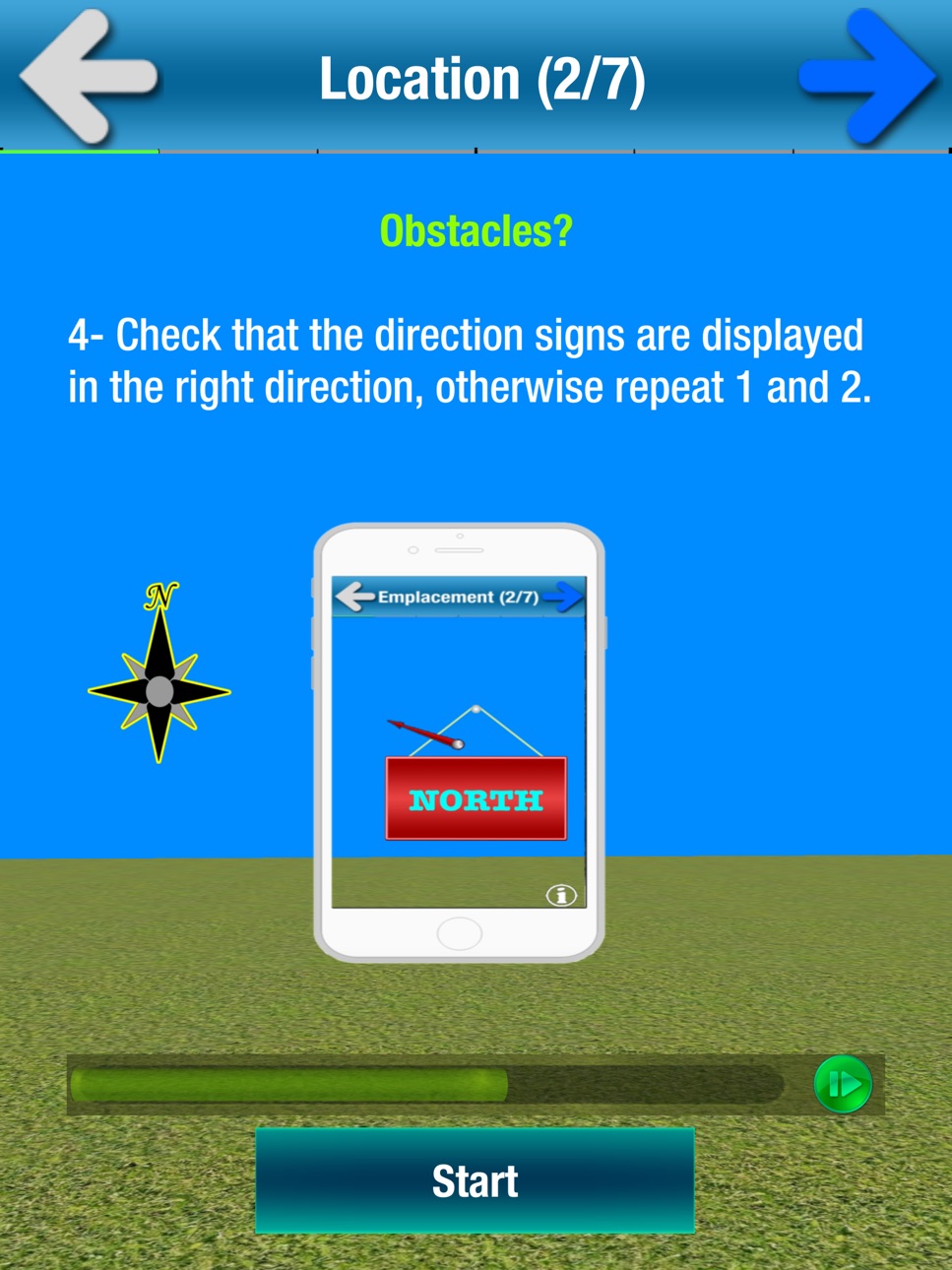
2- Show satellite in augmented reality with your camera and make sure there are no obstacles and validate the location of your antenna.
3. Check that the support of your antenna is vertical.
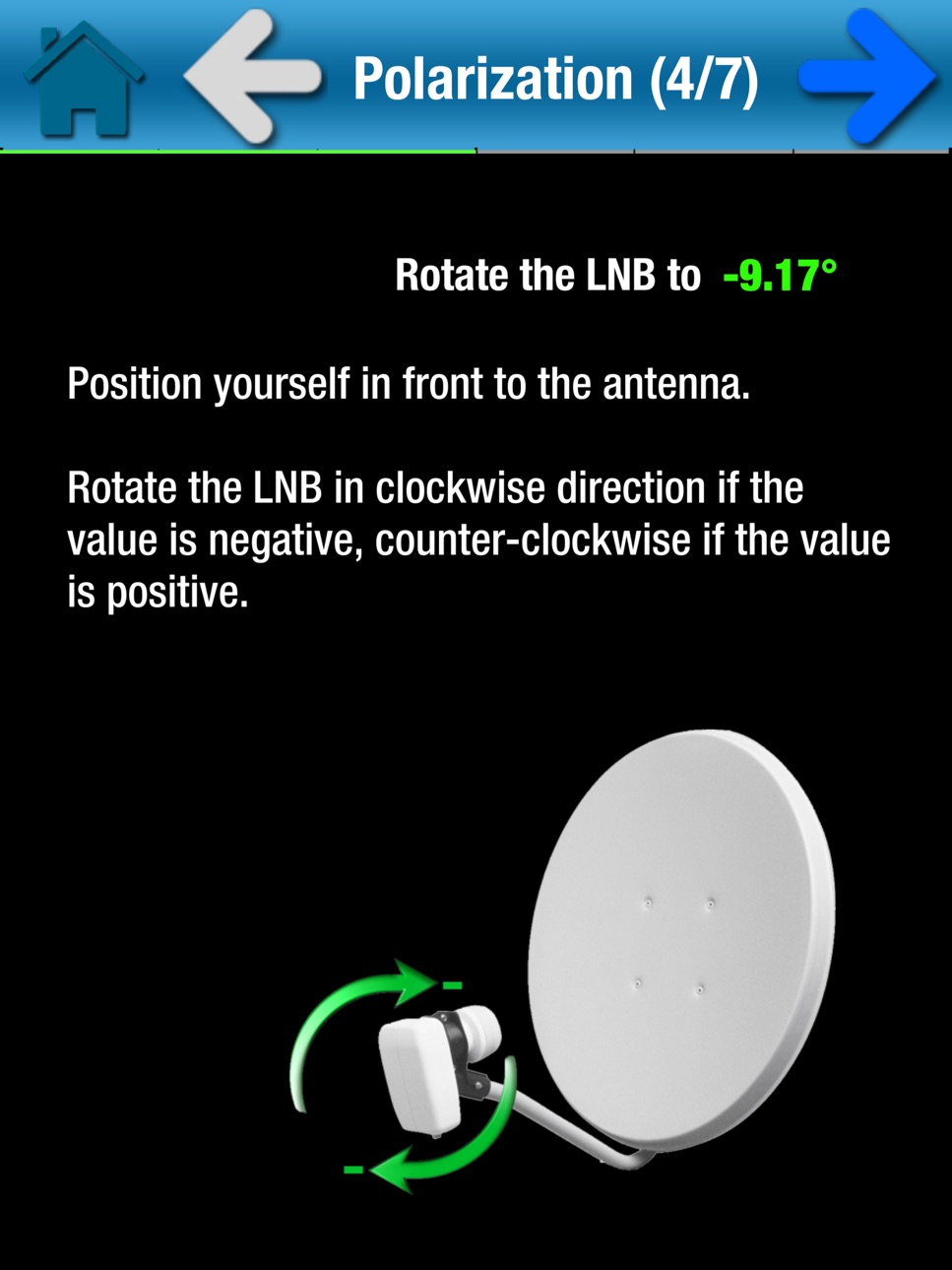
4. Calculate the polarization and adjust the rotation of the LNB (the head of your antenna)
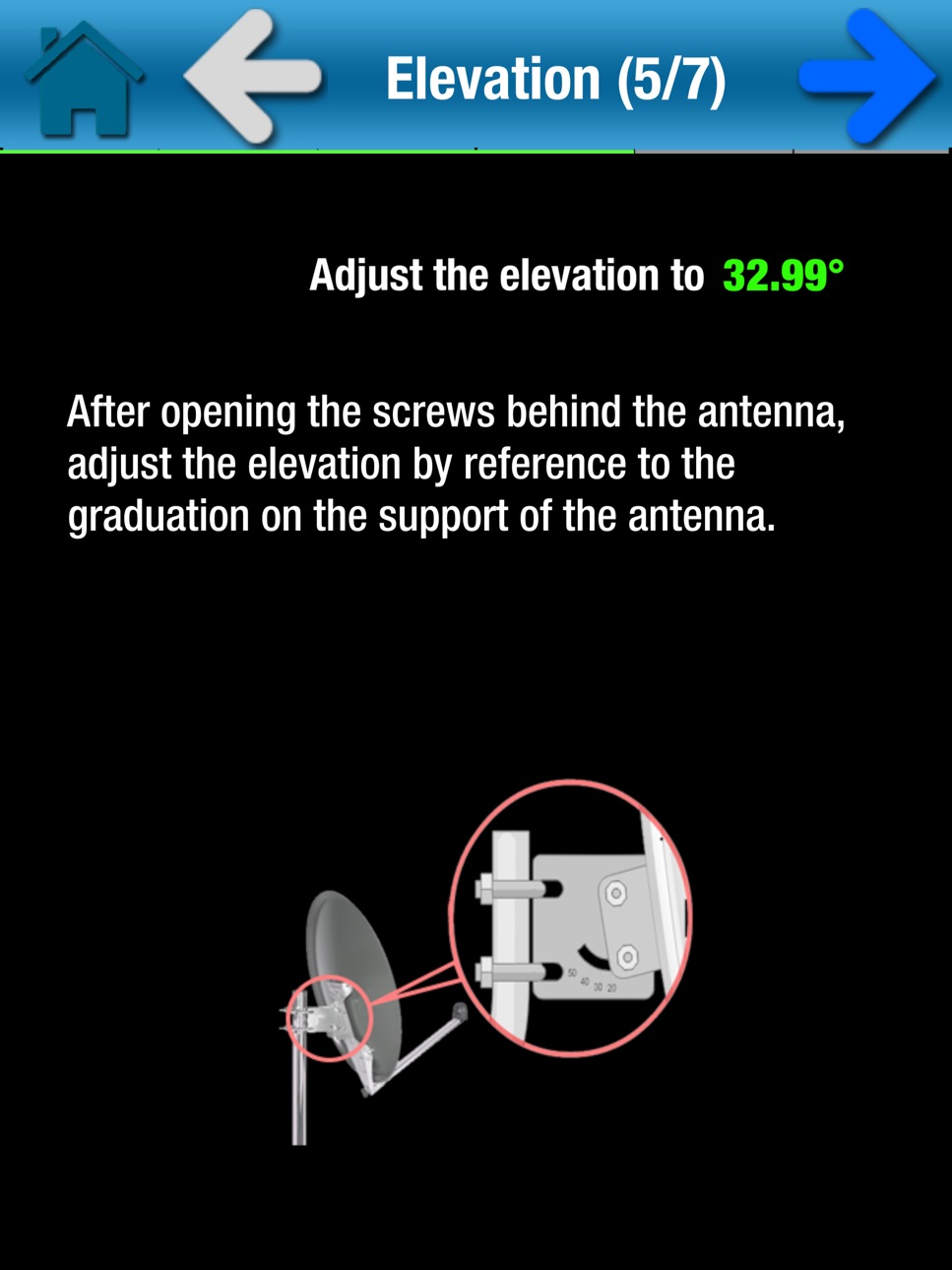
5. Set the elevation
6- Search orientation with visual and sound assistant
7- Fine adjustments.
For the good functioning of the application, SatCatcher will need the camera, compass, gyroscope, accelerometer and the GPS of your smartphone.
tips:
- If your smartphone does not have GPS, you can manually move the "marker" on the card until it points your exact location. Use zoom for more detail.
- The compass is very important to adjust your dish, but if your smartphone does not have one, you can still use the application. In this case, it will help you to find clues and marks on the map from your location. It also allows you to calculate the orientation. Than you can use a manual compass to get a good orientation.
- Do not hesitate to recalibrate the compass and avoid too close to the antenna arm, because it is sensitive to metallic elements. Try to place your smartphone where there is less magnetic interference.
SatCatcher Free is the lite version of SatCatcher.
Augmented reality and compass orientation are only available in the full version here: https://appsto.re/fr/Gb6Hbb.i
Contact : infosoftycontactfree@gmail.com
Accessibility
ipadiphonemacrealityDevicetvoswatch
Version history 14 versions
Build 879788880v102025-11-17 07:56:02
- Improved compass calibration
- Improved GPS detection
- Interactive map
- Fixed minor bugs
Build 864301298v8.022024-03-11 13:20:57
- Added user consent
- Updating APIs
- Bug fix
Build 863739849v82024-02-13 21:48:53
- Added user consent
- Updating APIs
- Bug fix
Build 856257961v7.012023-04-11 13:27:45
- API updates
- Added compass calibration system
- Addition of the integrated evaluation system
- Some improvements
- Fixed some minor bugs
Build 856204695v72023-04-08 18:27:34
- API updates
- Added compass calibration system
- Addition of the integrated evaluation system
- Some improvements
- Fixed some minor bugs
Build 847797726v6.02022-03-19 10:58:55
- Added augmented reality
- Update of the various integrated APIs
- Improved functionality
- Updated satellite list
- added search satellite button and delete user satellite
- Bug fixes
- Use of the Accelerometer in the absence of the Gyroscope
- Added the possibility of manual calibration for uncalibrated Accelerometers
Build 833712084v4.12019-11-23 14:13:52
Fixed upgrade bug
Build 830527245v3.72019-03-07 17:01:05
Bug correction
Build 830159027v3.62019-02-07 18:18:14
Fixed a bug in the alert of an update
Build 830142439v3.52019-01-30 21:44:00
- Show Azimuth
- Bug fix of Google maps
- Fixed internet bugs and GPS
- Performance improvement
- Adding the ad
Build 825436950v3.12017-12-22 22:52:45
Multilingual: English, French, Spanish, Portuguese, German and Italian.
The possibility of adding satellites.
add Optus 152.0 ° W
to add Arsat 2 at 81.0 ° W
automatic language detection
adding the calibration process
Fixed internet bug
Improved orientation in RA.
Build 820209251v2.22016-12-20 01:15:28
Added satellites
Fixed some bugs
Added functionality
Some improvements
Build 817486518v1.22016-05-25 20:27:40
-Bug correction
Build 817470811v1.02016-05-20 21:24:22
No pricing data captured yet — comparisons appear once the app has paid storefronts or in-app purchases.
Availability 156 of 156 storefronts
| Region | Language | Price | Ratings | Avg | Version |
|---|---|---|---|---|---|
| US | en-US | Free | 80 | 4.3 | 10 |
| FR | fr-FR | Free | 49 | 4.2 | 10 |
| GB | en-GB | Free | 46 | 4.2 | 10 |
| BR | pt-BR | Free | 40 | 4.5 | 10 |
| DE | de-DE | Free | 39 | 4.5 | 10 |
| IT | it | Free | 34 | 4.6 | 10 |
| CA | en-CA | Free | 14 | 4.1 | 10 |
| AE | en-GB | Free | 11 | 4.0 | 10 |
| EG | en-GB | Free | 11 | 3.9 | 10 |
| LK | en-GB | Free | 11 | 4.2 | 10 |
| PK | en-GB | Free | 10 | 4.5 | 10 |
| ES | es-ES | Free | 9 | 4.0 | 10 |
| IN | en-GB | Free | 9 | 2.9 | 10 |
| JO | en-GB | Free | 8 | 3.6 | 10 |
| DZ | en-GB | Free | 7 | 4.3 | 10 |
| CH | de-CH | Free | 6 | 4.7 | 10 |
| RO | en-GB | Free | 6 | 5.0 | 10 |
| BE | en-GB | Free | 5 | 5.0 | 10 |
| ID | en-GB | Free | 5 | 5.0 | 10 |
| MY | en-GB | Free | 5 | 4.4 | 10 |
| PH | en-GB | Free | 5 | 4.8 | 10 |
| PL | en-GB | Free | 4 | 5.0 | 10 |
| SK | en-GB | Free | 4 | 4.8 | 10 |
| TH | en-GB | Free | 4 | 4.8 | 10 |
| AU | en-AU | Free | 3 | 4.7 | 10 |
| GH | en-GB | Free | 3 | 4.0 | 10 |
| KW | en-GB | Free | 3 | 4.0 | 10 |
| MX | es-MX | Free | 3 | 5.0 | 10 |
| NO | en-GB | Free | 3 | 5.0 | 10 |
| PT | pt-PT | Free | 3 | 4.3 | 10 |
| QA | en-GB | Free | 3 | 4.3 | 10 |
| TZ | en-GB | Free | 3 | 4.0 | 10 |
| ZA | en-GB | Free | 3 | 5.0 | 10 |
| AR | es-MX | Free | 2 | 5.0 | 10 |
| AT | de-DE | Free | 2 | 5.0 | 10 |
| CM | fr-FR | Free | 2 | 3.5 | 10 |
| GR | en-GB | Free | 2 | 4.5 | 10 |
| IE | en-GB | Free | 2 | 5.0 | 10 |
| JP | ja | Free | 2 | 3.0 | 10 |
| KH | en-GB | Free | 2 | 5.0 | 10 |
| OM | en-GB | Free | 2 | 4.0 | 10 |
| VE | es-MX | Free | 2 | 5.0 | 10 |
| AO | en-GB | Free | 1 | 5.0 | 10 |
| BF | en-GB | Free | 1 | 4.0 | 10 |
| BG | en-GB | Free | 1 | 5.0 | 10 |
| BN | en-GB | Free | 1 | 4.0 | 10 |
| BZ | en-GB | Free | 1 | 5.0 | 10 |
| CI | fr-FR | Free | 1 | 3.0 | 10 |
| CL | es-MX | Free | 1 | 5.0 | 10 |
| CO | es-MX | Free | 1 | 5.0 | 10 |
| CY | en-GB | Free | 1 | 4.0 | 10 |
| DK | en-GB | Free | 1 | 1.0 | 10 |
| EC | es-MX | Free | 1 | 4.0 | 10 |
| HU | en-GB | Free | 1 | 5.0 | 10 |
| JM | en-GB | Free | 1 | 2.0 | 10 |
| KR | ko | Free | 1 | 5.0 | 10 |
| KZ | en-GB | Free | 1 | 5.0 | 10 |
| LA | en-GB | Free | 1 | 4.0 | 10 |
| LT | en-GB | Free | 1 | 5.0 | 10 |
| LU | en-GB | Free | 1 | 5.0 | 10 |
| LY | en-GB | Free | 1 | 5.0 | 10 |
| MT | en-GB | Free | 1 | 4.0 | 10 |
| MZ | en-GB | Free | 1 | 5.0 | 10 |
| PY | es-MX | Free | 1 | 5.0 | 10 |
| RU | ru | Free | 1 | 1.0 | 10 |
| TC | en-GB | Free | 1 | 4.0 | 10 |
| TN | en-GB | Free | 1 | 1.0 | 10 |
| UA | en-GB | Free | 1 | 5.0 | 10 |
| UY | en-GB | Free | 1 | 5.0 | 10 |
| ZW | en-GB | Free | 1 | 2.0 | 10 |
| AF | en-GB | Free | 0 | — | 10 |
| AG | en-GB | Free | 0 | — | 10 |
| AI | en-GB | Free | 0 | — | 10 |
| AL | en-GB | Free | 0 | — | 10 |
| AM | en-GB | Free | 0 | — | 10 |
| AZ | en-GB | Free | 0 | — | 10 |
| BA | en-GB | Free | 0 | — | 10 |
| BB | en-GB | Free | 0 | — | 10 |
| BH | en-GB | Free | 0 | — | 10 |
| BM | en-GB | Free | 0 | — | 10 |
| BO | es-MX | Free | 0 | — | 10 |
| BS | en-GB | Free | 0 | — | 10 |
| BT | en-GB | Free | 0 | — | 10 |
| BW | en-GB | Free | 0 | — | 10 |
| BY | en-GB | Free | 0 | — | 10 |
| CN | zh-Hans-CN | Free | 0 | — | 10 |
| CR | es-MX | Free | 0 | — | 10 |
| CV | en-GB | Free | 0 | — | 10 |
| CZ | en-GB | Free | 0 | — | 10 |
| DM | en-GB | Free | 0 | — | 10 |
| EE | en-GB | Free | 0 | — | 10 |
| FI | en-GB | Free | 0 | — | 10 |
| FJ | en-GB | Free | 0 | — | 10 |
| FM | en-GB | Free | 0 | — | 10 |
| GD | en-GB | Free | 0 | — | 10 |
| GE | en-GB | Free | 0 | — | 10 |
| GM | en-GB | Free | 0 | — | 10 |
| GT | es-MX | Free | 0 | — | 10 |
| GW | en-GB | Free | 0 | — | 10 |
| GY | en-GB | Free | 0 | — | 10 |
| HK | zh-Hant-HK | Free | 0 | — | 10 |
| HR | en-GB | Free | 0 | — | 10 |
| IQ | en-GB | Free | 0 | — | 10 |
| IS | en-GB | Free | 0 | — | 10 |
| KE | en-GB | Free | 0 | — | 10 |
| KG | en-GB | Free | 0 | — | 10 |
| KN | en-GB | Free | 0 | — | 10 |
| KY | en-GB | Free | 0 | — | 10 |
| LC | en-GB | Free | 0 | — | 10 |
| LR | en-GB | Free | 0 | — | 10 |
| LV | en-GB | Free | 0 | — | 10 |
| MA | en-GB | Free | 0 | — | 10 |
| MD | en-GB | Free | 0 | — | 10 |
| MK | en-GB | Free | 0 | — | 10 |
| MM | en-GB | Free | 0 | — | 10 |
| MN | en-GB | Free | 0 | — | 10 |
| MO | zh-Hant-HK | Free | 0 | — | 10 |
| MR | en-GB | Free | 0 | — | 10 |
| MS | en-GB | Free | 0 | — | 10 |
| MU | en-GB | Free | 0 | — | 10 |
| MV | en-GB | Free | 0 | — | 10 |
| MW | en-GB | Free | 0 | — | 10 |
| NA | en-GB | Free | 0 | — | 10 |
| NG | en-GB | Free | 0 | — | 10 |
| NL | nl | Free | 0 | — | 10 |
| NP | en-GB | Free | 0 | — | 10 |
| NR | en-GB | Free | 0 | — | 10 |
| NZ | en-AU | Free | 0 | — | 10 |
| PA | es-MX | Free | 0 | — | 10 |
| PE | es-MX | Free | 0 | — | 10 |
| PW | en-GB | Free | 0 | — | 10 |
| RS | en-GB | Free | 0 | — | 10 |
| RW | en-GB | Free | 0 | — | 10 |
| SC | en-GB | Free | 0 | — | 10 |
| SE | sv | Free | 0 | — | 10 |
| SG | en-GB | Free | 0 | — | 10 |
| SI | en-GB | Free | 0 | — | 10 |
| SL | en-GB | Free | 0 | — | 10 |
| SN | en-GB | Free | 0 | — | 10 |
| SR | en-GB | Free | 0 | — | 10 |
| ST | en-GB | Free | 0 | — | 10 |
| SV | es-MX | Free | 0 | — | 10 |
| SZ | en-GB | Free | 0 | — | 10 |
| TJ | en-GB | Free | 0 | — | 10 |
| TM | en-GB | Free | 0 | — | 10 |
| TT | en-GB | Free | 0 | — | 10 |
| TW | zh-Hant-TW | Free | 0 | — | 10 |
| UG | en-GB | Free | 0 | — | 10 |
| UZ | en-GB | Free | 0 | — | 10 |
| VC | en-GB | Free | 0 | — | 10 |
| VG | en-GB | Free | 0 | — | 10 |
| VN | en-GB | Free | 0 | — | 10 |
| VU | en-GB | Free | 0 | — | 10 |
| XK | en-GB | Free | 0 | — | 10 |
| YE | en-GB | Free | 0 | — | 10 |
| ZM | en-GB | Free | 0 | — | 10 |
Change log 18 changes · SN
✎
releaseNotes updated
- Improved compass calibration
- Improved GPS detection
- Interactive map
- Fixed minor bugs
✎
description updated
Dish alignment, pointing and Installation has always been a complicated task, especially if you do not have a clue. That is why I posted this application that w
✎
subtitle updated
Satellite Dish Install & Align
✎
name updated
SatCatcher-Dish Set & Pointing
◆
Version 10 released
- Improved compass calibration
- Improved GPS detection
- Interactive map
- Fixed minor bugs
◆
Version 8.02 released
- Added user consent
- Updating APIs
- Bug fix
◆
Version 8 released
- Added user consent
- Updating APIs
- Bug fix
◆
Version 7.01 released
- API updates
- Added compass calibration system
- Addition of the integrated evaluation system
- Some improvements
- Fixed some minor bugs
◆
Version 7 released
- API updates
- Added compass calibration system
- Addition of the integrated evaluation system
- Some improvements
- Fixed some minor bugs
◆
Version 6.0 released
- Added augmented reality
- Update of the various integrated APIs
- Improved functionality
- Updated satellite list
- added search satellite button and delete user satellite
- Bug fixes
- Use of the Accelerometer in the absence of the Gyros
◆
Version 4.1 released
Fixed upgrade bug
◆
Version 3.7 released
Bug correction
◆
Version 3.6 released
Fixed a bug in the alert of an update
◆
Version 3.5 released
- Show Azimuth
- Bug fix of Google maps
- Fixed internet bugs and GPS
- Performance improvement
- Adding the ad
◆
Version 3.1 released
Multilingual: English, French, Spanish, Portuguese, German and Italian.
The possibility of adding satellites.
add Optus 152.0 ° W
to add Arsat 2 at 81.0 ° W
automatic language detection
adding the calibration process
Fixed internet bug
Impr
◆
Version 2.2 released
Added satellites
Fixed some bugs
Added functionality
Some improvements
◆
Version 1.2 released
-Bug correction
◆
Version 1.0 released