Home › Productivity

 ZM
ZM
 USen-US
 DEde-DE
 GBen-GB
 CAen-CA
 CNzh-Hans-CN
 FRfr-FR
 ITit
ITit ATde-DE
 AUen-AU
 BRpt-BR
 CHde-CH
 DKen-GB
 EEen-GB
 FIen-GB
 PLen-GB
 RUru
RUru SAen-GB
 AEen-GB
 AFen-GB
 AGen-GB
 AIen-GB
 ALen-GB
 AMen-GB
 AOen-GB
 ARes-MX
 AZen-GB
 BAen-GB
 BBen-GB
 BEen-GB
 BFen-GB
 BGen-GB
 BHen-GB
 BJen-GB
 BMen-GB
 BNen-GB
 BOes-MX
 BSen-GB
 BTen-GB
 BWen-GB
 BYen-GB
 BZen-GB
 CDen-GB
 CGen-GB
 CIfr-FR
 CLes-MX
 CMfr-FR
 COes-MX
 CRes-MX
 CVen-GB
 CYen-GB
 CZen-GB
 DMen-GB
 DOes-MX
 DZen-GB
 ECes-MX
 EGen-GB
 ESes-ES
 FJen-GB
 FMen-GB
 GAfr-FR
 GDen-GB
 GEen-GB
 GHen-GB
 GMen-GB
 GRen-GB
 GTes-MX
 GWen-GB
 GYen-GB
 HKzh-Hant-HK
 HNes-MX
 HRen-GB
 HUen-GB
 IDen-GB
 IEen-GB
 ILen-GB
 INen-GB
 IQen-GB
 ISen-GB
 JMen-GB
 JOen-GB
 JPja
JPja KEen-GB
 KGen-GB
 KHen-GB
 KNen-GB
 KRko
KRko KWen-GB
 KYen-GB
 KZen-GB
 LAen-GB
 LBen-GB
 LCen-GB
 LKen-GB
 LRen-GB
 LTen-GB
 LUen-GB
 LVen-GB
 LYen-GB
 MAen-GB
 MDen-GB
 MEen-GB
 MGen-GB
 MKen-GB
 MLen-GB
 MMen-GB
 MNen-GB
 MOzh-Hant-HK
 MRen-GB
 MSen-GB
 MTen-GB
 MUen-GB
 MVen-GB
 MWen-GB
 MXes-MX
 MYen-GB
 MZen-GB
 NAen-GB
 NEen-GB
 NGen-GB
 NIes-MX
 NLnl
NLnl NOen-GB
 NPen-GB
 NRen-GB
 NZen-AU
 OMen-GB
 PAes-MX
 PEes-MX
 PGen-GB
 PHen-GB
 PKen-GB
 PTpt-PT
 PWen-GB
 PYes-MX
 QAen-GB
 ROen-GB
 RSen-GB
 RWen-GB
 SBen-GB
 SCen-GB
 SEsv
SEsv SGen-GB
 SIen-GB
 SKen-GB
 SLen-GB
 SNen-GB
 SRen-GB
 STen-GB
 SVes-MX
 SZen-GB
 TCen-GB
 TDen-GB
 THen-GB
 TJen-GB
 TMen-GB
 TNen-GB
 TOen-GB
 TRen-GB
 TTen-GB
 TWzh-Hant-TW
 TZen-GB
 UAen-GB
 UGen-GB
 UYen-GB
 UZen-GB
 VCen-GB
 VEes-MX
 VGen-GB
 VNen-GB
 VUen-GB
 XKen-GB
 YEen-GB
 ZAen-GBZMen-GB
 ZWen-GB
175 of 175 storefronts
Content in en-US
Content in en-US
Information
Apple ID1071186450
Bundle IDcom.glavsoft.Remote-Ripple
SellerSeller
Min iOS10.3
Min macOS11.0
Device familiesiphone, ipad, ipod
Released2016-02-25
Copyright© 2022 GlavSoft LLC
Privacy policyLink ↗
Preview 2 platforms
iPhone 5 images


iPad 5 images



What’s New Version 3.5.1
Fixed the problem with Korean keyboard
Description
Fast remote desktop client from the developers of TightVNC. It allows you to access, view and control your PC, Mac and Unix systems remotely. As compared to competing VNC viewers, Remote Ripple offers:
- Clean and simple user interface
- Fast operation even on slow connections
- Smooth desktop scaling
- Low memory footprint
It works via Wi-Fi, 3G, 4G/LTE networks and connects straightly to your remote machines. It does not use intermediate servers and does not route your data to third-party services. While direct connections via Internet may require some configuration, they guarantee best performance and independence from online services.
HOW IT CAN HELP YOU
From time to time, many of us need to access our “big computers” and use some “big software” installed on it. Remote Ripple allows you to do your work remotely. Also, you can:
- Monitor what's happening on your computers while you're away (use View-only mode to prevent from interfering with the desktop).
- Provide remote support to your friends and family. Assist in installing software, fix problems and demonstrate how to set up things.
- Administer servers, workstations and virtual machines remotely.
- Control your home computers while laying in a lounge chair. For example, you can use Remote Ripple as a remote control for your music or video player running on a PC.
- Copy a file forgotten on a remote host (while Remote Ripple does not support direct file transfers, it can help in transferring files with other services like Dropbox or Google Drive).
Install Remote Ripple, and find your own use cases!
GETTING STARTED
To connect with Remote Ripple, make sure your target computer runs a sort of VNC server.
- If the target PC runs Windows, install a VNC server on it. We strongly recommend TightVNC as it provides best performance and compatibility with Remote Ripple. You can download your free copy of TightVNC on its Web site — http://www.tightvnc.com/
- Mac OS X systems already have a VNC server included. It's a part of Apple Remote Desktop service. To enable it, go to System Preferences, choose Sharing, enable Remote Management, press Computer Settings, check “VNC viewers may control screen with password” and enter the password you will use when connecting.
- Most Linux distributions include a number of VNC servers as well. Just install a VNC server from your package collection, and type something like vncserver or tightvncserver (or whatever command starts that particular VNC server). Typically, it will offer you to enter new VNC password and will start sharing your desktop (or create new virtual desktop for you).
- Virtualization systems (such as VMware and QEMU) often include built-in VNC servers, although they may not be enabled by default.
GET NEWS AND SUPPORT
- App page at Facebook: https://www.facebook.com/RemoteRipple (press Like to see updates in your news feed)
- Remote Ripple on Twitter: https://twitter.com/RemoteRipple (press Follow to get updates)
LIKE REMOTE RIPPLE? RATE AND REVIEW IT ON THE APP STORE!
Also, we will appreciate if you review Remote Ripple in your blog, social networks, other Web sites or forums. Send us links to your reviews!
Thank you!
Accessibility
ipadiphonemacrealityDevicetvoswatch
Version history 22 versions
Build 847823283v3.5.12022-03-22 18:38:38
Fixed the problem with Korean keyboard
Build 847402432v3.52022-03-02 11:21:17
- New Remote Ripple icon
- Minor improvements
Build 844344697v3.4.32021-09-29 18:57:02
Improved stability of remote desktop drawing.
Build 842119279v3.3.12021-05-08 08:14:57
Fixed the problem with initial remote desktop scale.
Build 842023930v3.32021-05-01 15:02:36
- Remote Ripple stores Mouse Tool hidden state correctly.
- Fixed the problem with extended keyboard keeps "floating" after entering password during initial connection.
- "Name:" field in Connection Edit view now correctly labeled as "Name:" instead of "Password:".
- Slight UI tweaks.
Build 841099472v3.22021-03-28 20:32:41
Remote Ripple stores scale and scroll position of remote desktop for each connection now.
Build 836177450v3.12020-05-29 04:37:04
- Added ability to set Image Quality and preferred Encoding for each connection
- Improved user interface for editing connection screen
- Fixed a bug: now Remote Ripple doesn't accidentally open connection details after reordering
- Remote Ripple correctly returns to list of connections after user cancels connection
Build 835602524v3.0.72020-04-19 08:43:19
- Added Dark Mode support
- Fixed the problems with zooming and scrolling
Build 835604676v3.0.92020-04-19 13:49:30
- Added Dark Mode support
- Fixed the problems with zooming and scrolling
Build 834248436v3.0.62020-01-07 18:52:24
- Fixed the problem with sending Ctrl+Alt+Del to remote host
- Improved error messages: no more mute black screen without any explanation
Build 832038270v3.02019-07-17 21:02:26
Long-expected update! We've fixed everything broken and improved everything intact!
- Support for iPhone X-series. Nothing obscures remote desktop now, Mouse Tool is scrolling the screen when it is close to the notch, and there is no gray useless zone in the bottom of the screen.
- Keyboard problems are fixed. You always can scroll to any area of the remote desktop view and Mouse Tool doesn't go crazy when you try to touch it.
- Plenty of moderate fixes, including fields naming problems, broken UI, no ability to edit the connection, etc. Everything's fine now.
- In this update, Remote Ripple stores a password correctly. If you answer "Yes" to the question "Store password?", it will be saved until you delete the connection.
- The recent version of Remote Ripple uses iOS 12 draw optimizations, so if you've got iOS 12, you're lucky: Remote Ripple has become even faster!
- User interface fix: Connection List and Edit Connection views are beautiful in both portrait and landscape orientations.
Please, write to us at support@glavsoft.com about unexpected Remote Ripple behavior and any other problem you've met.
Meanwhile, if you leave here positive review, we'd be happy. Really. It would help us a lot.
Thank you for using Remote Ripple!
Build 825362853v2.6.32017-12-26 02:17:53
- Fixed double-click problem
- Implemented unicode
- Minor improvements
Build 823378733v2.62017-08-22 09:54:59
Password request has been changed. Now Remote Ripple asks about password if it needed only.
Minor bugfixes and improvements.
Build 821412174v2.52017-03-22 03:12:02
Improved Mouse Tool scroller
Added view-only mode
Build 821210055v2.42017-03-10 02:04:20
Take full-resolution screenshots of a remote system
Redesigned list of connections with nice screenshots
Build 820946710v2.22017-02-15 01:43:46
Improved Mouse Tool with scroll bar
Build 820089389v2.1.12016-12-12 02:46:28
Minor bugfixes and improvements.
Build 819721366v2.12016-11-15 01:03:13
- We made Remote Ripple much faster
- You will never lose "Mouse Tool" anymore
- Small user interface fixes
Build 819429550v2.02016-10-25 03:32:06
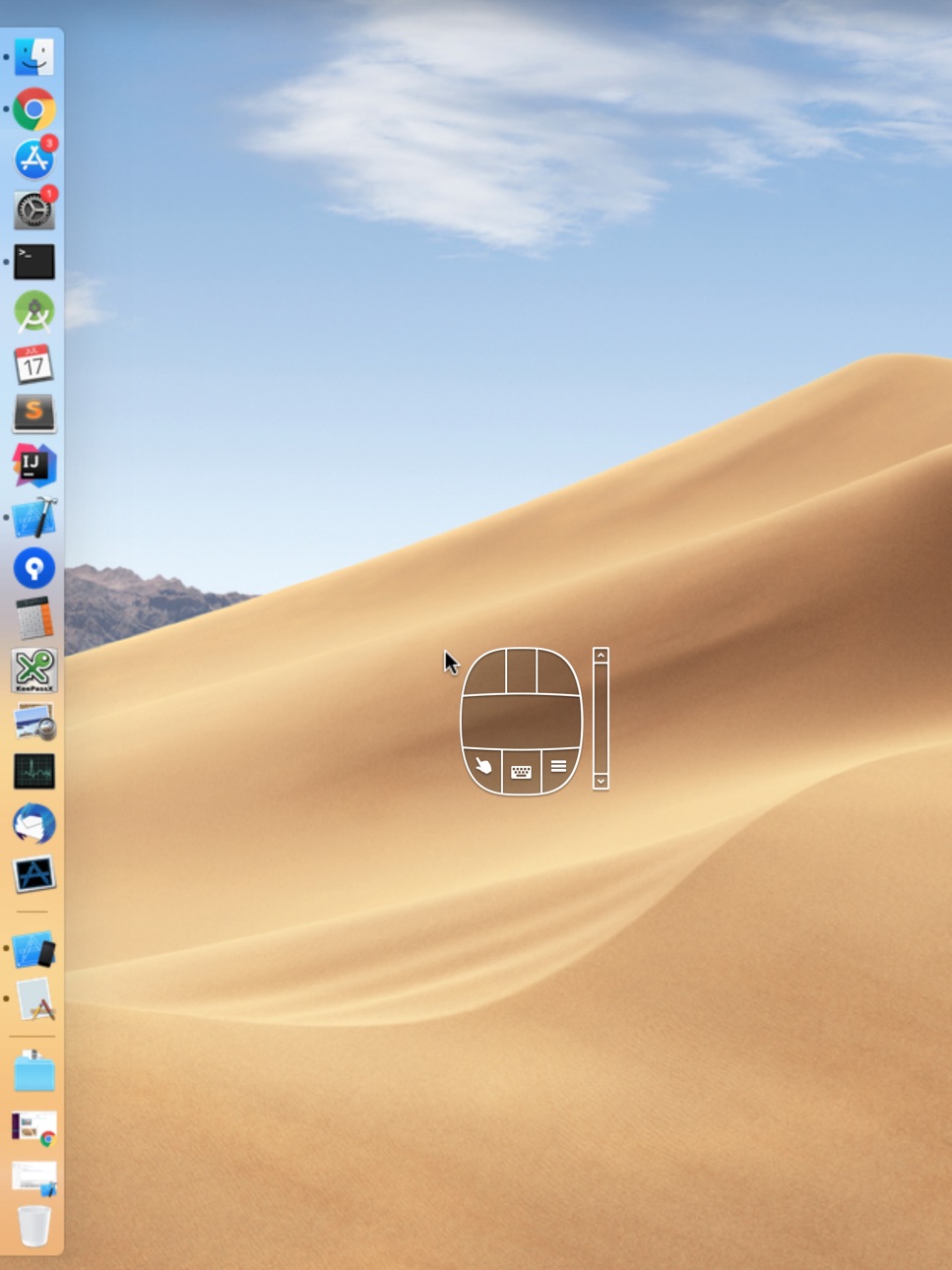
New “mouse tool” providing perfect mouse emulation (and more!)
Improved on-screen keyboard
Build 818260065v1.22016-07-26 01:00:02
* No more toolbar occupying valuable screen space.
* New menu button.
Build 817961998v1.12016-07-03 01:36:07
Bug fixes
Build 815567120v1.02016-02-09 07:24:53
No pricing data captured yet — comparisons appear once the app has paid storefronts or in-app purchases.
Availability 175 of 175 storefronts
| Region | Language | Price | Ratings | Avg | Version |
|---|---|---|---|---|---|
| US | en-US | Free | 11 | 3.8 | 3.5.1 |
| DE | de-DE | Free | 6 | 3.5 | 3.5.1 |
| GB | en-GB | Free | 5 | 2.4 | 3.5.1 |
| CA | en-CA | Free | 3 | 3.3 | 3.5.1 |
| CN | zh-Hans-CN | Free | 2 | 3.0 | 3.5.1 |
| FR | fr-FR | Free | 2 | 3.0 | 3.5.1 |
| IT | it | Free | 2 | 1.0 | 3.5.1 |
| AT | de-DE | Free | 1 | 1.0 | 3.5.1 |
| AU | en-AU | Free | 1 | 1.0 | 3.5.1 |
| BR | pt-BR | Free | 1 | 5.0 | 3.5.1 |
| CH | de-CH | Free | 1 | 3.0 | 3.5.1 |
| DK | en-GB | Free | 1 | 5.0 | 3.5.1 |
| EE | en-GB | Free | 1 | 5.0 | 3.5.1 |
| FI | en-GB | Free | 1 | 1.0 | 3.5.1 |
| PL | en-GB | Free | 1 | 5.0 | 3.5.1 |
| RU | ru | Free | 1 | 3.0 | 3.5.1 |
| SA | en-GB | Free | 1 | 1.0 | 3.5.1 |
| AE | en-GB | Free | 0 | — | 3.5.1 |
| AF | en-GB | Free | 0 | — | 3.5.1 |
| AG | en-GB | Free | 0 | — | 3.5.1 |
| AI | en-GB | Free | 0 | — | 3.5.1 |
| AL | en-GB | Free | 0 | — | 3.5.1 |
| AM | en-GB | Free | 0 | — | 3.5.1 |
| AO | en-GB | Free | 0 | — | 3.5.1 |
| AR | es-MX | Free | 0 | — | 3.5.1 |
| AZ | en-GB | Free | 0 | — | 3.5.1 |
| BA | en-GB | Free | 0 | — | 3.5.1 |
| BB | en-GB | Free | 0 | — | 3.5.1 |
| BE | en-GB | Free | 0 | — | 3.5.1 |
| BF | en-GB | Free | 0 | — | 3.5.1 |
| BG | en-GB | Free | 0 | — | 3.5.1 |
| BH | en-GB | Free | 0 | — | 3.5.1 |
| BJ | en-GB | Free | 0 | — | 3.5.1 |
| BM | en-GB | Free | 0 | — | 3.5.1 |
| BN | en-GB | Free | 0 | — | 3.5.1 |
| BO | es-MX | Free | 0 | — | 3.5.1 |
| BS | en-GB | Free | 0 | — | 3.5.1 |
| BT | en-GB | Free | 0 | — | 3.5.1 |
| BW | en-GB | Free | 0 | — | 3.5.1 |
| BY | en-GB | Free | 0 | — | 3.5.1 |
| BZ | en-GB | Free | 0 | — | 3.5.1 |
| CD | en-GB | Free | 0 | — | 3.5.1 |
| CG | en-GB | Free | 0 | — | 3.5.1 |
| CI | fr-FR | Free | 0 | — | 3.5.1 |
| CL | es-MX | Free | 0 | — | 3.5.1 |
| CM | fr-FR | Free | 0 | — | 3.5.1 |
| CO | es-MX | Free | 0 | — | 3.5.1 |
| CR | es-MX | Free | 0 | — | 3.5.1 |
| CV | en-GB | Free | 0 | — | 3.5.1 |
| CY | en-GB | Free | 0 | — | 3.5.1 |
| CZ | en-GB | Free | 0 | — | 3.5.1 |
| DM | en-GB | Free | 0 | — | 3.5.1 |
| DO | es-MX | Free | 0 | — | 3.5.1 |
| DZ | en-GB | Free | 0 | — | 3.5.1 |
| EC | es-MX | Free | 0 | — | 3.5.1 |
| EG | en-GB | Free | 0 | — | 3.5.1 |
| ES | es-ES | Free | 0 | — | 3.5.1 |
| FJ | en-GB | Free | 0 | — | 3.5.1 |
| FM | en-GB | Free | 0 | — | 3.5.1 |
| GA | fr-FR | Free | 0 | — | 3.5.1 |
| GD | en-GB | Free | 0 | — | 3.5.1 |
| GE | en-GB | Free | 0 | — | 3.5.1 |
| GH | en-GB | Free | 0 | — | 3.5.1 |
| GM | en-GB | Free | 0 | — | 3.5.1 |
| GR | en-GB | Free | 0 | — | 3.5.1 |
| GT | es-MX | Free | 0 | — | 3.5.1 |
| GW | en-GB | Free | 0 | — | 3.5.1 |
| GY | en-GB | Free | 0 | — | 3.5.1 |
| HK | zh-Hant-HK | Free | 0 | — | 3.5.1 |
| HN | es-MX | Free | 0 | — | 3.5.1 |
| HR | en-GB | Free | 0 | — | 3.5.1 |
| HU | en-GB | Free | 0 | — | 3.5.1 |
| ID | en-GB | Free | 0 | — | 3.5.1 |
| IE | en-GB | Free | 0 | — | 3.5.1 |
| IL | en-GB | Free | 0 | — | 3.5.1 |
| IN | en-GB | Free | 0 | — | 3.5.1 |
| IQ | en-GB | Free | 0 | — | 3.5.1 |
| IS | en-GB | Free | 0 | — | 3.5.1 |
| JM | en-GB | Free | 0 | — | 3.5.1 |
| JO | en-GB | Free | 0 | — | 3.5.1 |
| JP | ja | Free | 0 | — | 3.5.1 |
| KE | en-GB | Free | 0 | — | 3.5.1 |
| KG | en-GB | Free | 0 | — | 3.5.1 |
| KH | en-GB | Free | 0 | — | 3.5.1 |
| KN | en-GB | Free | 0 | — | 3.5.1 |
| KR | ko | Free | 0 | — | 3.5.1 |
| KW | en-GB | Free | 0 | — | 3.5.1 |
| KY | en-GB | Free | 0 | — | 3.5.1 |
| KZ | en-GB | Free | 0 | — | 3.5.1 |
| LA | en-GB | Free | 0 | — | 3.5.1 |
| LB | en-GB | Free | 0 | — | 3.5.1 |
| LC | en-GB | Free | 0 | — | 3.5.1 |
| LK | en-GB | Free | 0 | — | 3.5.1 |
| LR | en-GB | Free | 0 | — | 3.5.1 |
| LT | en-GB | Free | 0 | — | 3.5.1 |
| LU | en-GB | Free | 0 | — | 3.5.1 |
| LV | en-GB | Free | 0 | — | 3.5.1 |
| LY | en-GB | Free | 0 | — | 3.5.1 |
| MA | en-GB | Free | 0 | — | 3.5.1 |
| MD | en-GB | Free | 0 | — | 3.5.1 |
| ME | en-GB | Free | 0 | — | 3.5.1 |
| MG | en-GB | Free | 0 | — | 3.5.1 |
| MK | en-GB | Free | 0 | — | 3.5.1 |
| ML | en-GB | Free | 0 | — | 3.5.1 |
| MM | en-GB | Free | 0 | — | 3.5.1 |
| MN | en-GB | Free | 0 | — | 3.5.1 |
| MO | zh-Hant-HK | Free | 0 | — | 3.5.1 |
| MR | en-GB | Free | 0 | — | 3.5.1 |
| MS | en-GB | Free | 0 | — | 3.5.1 |
| MT | en-GB | Free | 0 | — | 3.5.1 |
| MU | en-GB | Free | 0 | — | 3.5.1 |
| MV | en-GB | Free | 0 | — | 3.5.1 |
| MW | en-GB | Free | 0 | — | 3.5.1 |
| MX | es-MX | Free | 0 | — | 3.5.1 |
| MY | en-GB | Free | 0 | — | 3.5.1 |
| MZ | en-GB | Free | 0 | — | 3.5.1 |
| NA | en-GB | Free | 0 | — | 3.5.1 |
| NE | en-GB | Free | 0 | — | 3.5.1 |
| NG | en-GB | Free | 0 | — | 3.5.1 |
| NI | es-MX | Free | 0 | — | 3.5.1 |
| NL | nl | Free | 0 | — | 3.5.1 |
| NO | en-GB | Free | 0 | — | 3.5.1 |
| NP | en-GB | Free | 0 | — | 3.5.1 |
| NR | en-GB | Free | 0 | — | 3.5.1 |
| NZ | en-AU | Free | 0 | — | 3.5.1 |
| OM | en-GB | Free | 0 | — | 3.5.1 |
| PA | es-MX | Free | 0 | — | 3.5.1 |
| PE | es-MX | Free | 0 | — | 3.5.1 |
| PG | en-GB | Free | 0 | — | 3.5.1 |
| PH | en-GB | Free | 0 | — | 3.5.1 |
| PK | en-GB | Free | 0 | — | 3.5.1 |
| PT | pt-PT | Free | 0 | — | 3.5.1 |
| PW | en-GB | Free | 0 | — | 3.5.1 |
| PY | es-MX | Free | 0 | — | 3.5.1 |
| QA | en-GB | Free | 0 | — | 3.5.1 |
| RO | en-GB | Free | 0 | — | 3.5.1 |
| RS | en-GB | Free | 0 | — | 3.5.1 |
| RW | en-GB | Free | 0 | — | 3.5.1 |
| SB | en-GB | Free | 0 | — | 3.5.1 |
| SC | en-GB | Free | 0 | — | 3.5.1 |
| SE | sv | Free | 0 | — | 3.5.1 |
| SG | en-GB | Free | 0 | — | 3.5.1 |
| SI | en-GB | Free | 0 | — | 3.5.1 |
| SK | en-GB | Free | 0 | — | 3.5.1 |
| SL | en-GB | Free | 0 | — | 3.5.1 |
| SN | en-GB | Free | 0 | — | 3.5.1 |
| SR | en-GB | Free | 0 | — | 3.5.1 |
| ST | en-GB | Free | 0 | — | 3.5.1 |
| SV | es-MX | Free | 0 | — | 3.5.1 |
| SZ | en-GB | Free | 0 | — | 3.5.1 |
| TC | en-GB | Free | 0 | — | 3.5.1 |
| TD | en-GB | Free | 0 | — | 3.5.1 |
| TH | en-GB | Free | 0 | — | 3.5.1 |
| TJ | en-GB | Free | 0 | — | 3.5.1 |
| TM | en-GB | Free | 0 | — | 3.5.1 |
| TN | en-GB | Free | 0 | — | 3.5.1 |
| TO | en-GB | Free | 0 | — | 3.5.1 |
| TR | en-GB | Free | 0 | — | 3.5.1 |
| TT | en-GB | Free | 0 | — | 3.5.1 |
| TW | zh-Hant-TW | Free | 0 | — | 3.5.1 |
| TZ | en-GB | Free | 0 | — | 3.5.1 |
| UA | en-GB | Free | 0 | — | 3.5.1 |
| UG | en-GB | Free | 0 | — | 3.5.1 |
| UY | en-GB | Free | 0 | — | 3.5.1 |
| UZ | en-GB | Free | 0 | — | 3.5.1 |
| VC | en-GB | Free | 0 | — | 3.5.1 |
| VE | es-MX | Free | 0 | — | 3.5.1 |
| VG | en-GB | Free | 0 | — | 3.5.1 |
| VN | en-GB | Free | 0 | — | 3.5.1 |
| VU | en-GB | Free | 0 | — | 3.5.1 |
| XK | en-GB | Free | 0 | — | 3.5.1 |
| YE | en-GB | Free | 0 | — | 3.5.1 |
| ZA | en-GB | Free | 0 | — | 3.5.1 |
| ZM | en-GB | Free | 0 | — | 3.5.1 |
| ZW | en-GB | Free | 0 | — | 3.5.1 |
Change log 26 changes · ZM
✎
releaseNotes updated
Fixed the problem with Korean keyboard
✎
description updated
Fast remote desktop client from the developers of TightVNC. It allows you to access, view and control your PC, Mac and Unix systems remotely. As compared to com
✎
subtitle updated
Fast VNC Client
✎
name updated
Remote Ripple
◆
Version 3.5.1 released
Fixed the problem with Korean keyboard
◆
Version 3.5 released
- New Remote Ripple icon
- Minor improvements
◆
Version 3.4.3 released
Improved stability of remote desktop drawing.
◆
Version 3.3.1 released
Fixed the problem with initial remote desktop scale.
◆
Version 3.3 released
- Remote Ripple stores Mouse Tool hidden state correctly.
- Fixed the problem with extended keyboard keeps "floating" after entering password during initial connection.
- "Name:" field in Connection Edit view now correctly labeled as "Name:
◆
Version 3.2 released
Remote Ripple stores scale and scroll position of remote desktop for each connection now.
◆
Version 3.1 released
- Added ability to set Image Quality and preferred Encoding for each connection
- Improved user interface for editing connection screen
- Fixed a bug: now Remote Ripple doesn't accidentally open connection details after reordering
- Remote
◆
Version 3.0.9 released
- Added Dark Mode support
- Fixed the problems with zooming and scrolling
◆
Version 3.0.7 released
- Added Dark Mode support
- Fixed the problems with zooming and scrolling
◆
Version 3.0.6 released
- Fixed the problem with sending Ctrl+Alt+Del to remote host
- Improved error messages: no more mute black screen without any explanation
◆
Version 3.0 released
Long-expected update! We've fixed everything broken and improved everything intact!
- Support for iPhone X-series. Nothing obscures remote desktop now, Mouse Tool is scrolling the screen when it is close to the notch, and there is no gray
◆
Version 2.6.3 released
- Fixed double-click problem
- Implemented unicode
- Minor improvements
◆
Version 2.6 released
Password request has been changed. Now Remote Ripple asks about password if it needed only.
Minor bugfixes and improvements.
◆
Version 2.5 released
Improved Mouse Tool scroller
Added view-only mode
◆
Version 2.4 released
Take full-resolution screenshots of a remote system
Redesigned list of connections with nice screenshots
◆
Version 2.2 released
Improved Mouse Tool with scroll bar
◆
Version 2.1.1 released
Minor bugfixes and improvements.
◆
Version 2.1 released
- We made Remote Ripple much faster
- You will never lose "Mouse Tool" anymore
- Small user interface fixes
◆
Version 2.0 released
New “mouse tool” providing perfect mouse emulation (and more!)
Improved on-screen keyboard
◆
Version 1.2 released
* No more toolbar occupying valuable screen space.
* New menu button.
◆
Version 1.1 released
Bug fixes
◆
Version 1.0 released