Home › News

 DO
DO
 USen-US
 DEde-DE
 GBen-GB
 NLnl
NLnl ESes-ES
 JPja
JPja RUru
RUru ITit
ITit PLen-GB
 CHde-CH
 ATde-DE
 SEsv
SEsv HUen-GB
 BEen-GB
 MXes-MX
 BRpt-BR
 CZen-GB
 DKen-GB
 TRen-GB
 UAen-GB
 FIen-GB
 ILen-GB
 NOen-GB
 SKen-GB
 ROen-GB
 PTpt-PT
 AEen-GB
 CLes-MX
 SAen-GB
 ARes-MX
 RSen-GB
 ALen-GB
 AMen-GB
 BWen-GB
 CRes-MX
 KWen-GB
 LUen-GB
 NGen-GB
 PEes-MX
 AGen-GB
 AIen-GB
 AOen-GB
 AZen-GB
 BAen-GB
 BBen-GB
 BFen-GB
 BHen-GB
 BJen-GB
 BOes-MX
 BSen-GB
 BYen-GB
 BZen-GB
 CDen-GB
 CGen-GB
 CIfr-FR
 CMfr-FR
 COes-MX
 CVen-GB
 CYen-GB
 DMen-GBDOes-MX
 DZen-GB
 ECes-MX
 EGen-GB
 GAfr-FR
 GDen-GB
 GEen-GB
 GHen-GB
 GMen-GB
 GTes-MX
 GWen-GB
 GYen-GB
 HNes-MX
 IQen-GB
 ISen-GB
 JMen-GB
 JOen-GB
 KEen-GB
 KNen-GB
 KYen-GB
 LBen-GB
 LCen-GB
 LRen-GB
 LYen-GB
 MAen-GB
 MDen-GB
 MEen-GB
 MGen-GB
 MKen-GB
 MLen-GB
 MSen-GB
 MTen-GB
 MUen-GB
 MWen-GB
 MZen-GB
 NAen-GB
 NEen-GB
 NIes-MX
 OMen-GB
 PAes-MX
 PYes-MX
 QAen-GB
 RWen-GB
 SCen-GB
 SLen-GB
 SNen-GB
 SRen-GB
 STen-GB
 SVes-MX
 SZen-GB
 TCen-GB
 TDen-GB
 TNen-GB
 TTen-GB
 TZen-GB
 UGen-GB
 UYen-GB
 VCen-GB
 VEes-MX
 VGen-GB
 XKen-GB
 YEen-GB
 ZMen-GB
 ZWen-GB
124 of 124 storefronts
Content in en-US
Content in en-US
Information
Preview 4 platforms
iPhone 10 images


iPad 10 images


Apple TV 9 images


Apple Watch 10 images


What’s New Version 2.2.10
• Removed double tap support in the feeds list to restore the original responsiveness when opening feeds. The Feed settings dialog can be accessed via the left-to-right swipe gesture or long-press context menu on a selected feed in the feeds list.
• Fine-tuned the split viewer implementation when using the app on iPad. Experiment with Viewing settings “Allow panels to be side by side” and “Hide feeds list after selecting article” to find the best reading experience on your iPad that matches your personal preferences.
• Improved handling of Reddit feeds when using the Search New Feeds dialog.
• Implemented code to prevent “_thereIsNoSadnessLikeTheDeathOfOptimism” crashes when downloading badly encoded WordPress feeds.
• Feed-level setting “Auto correct invalid feed data” now also work with Atom feeds.
Description
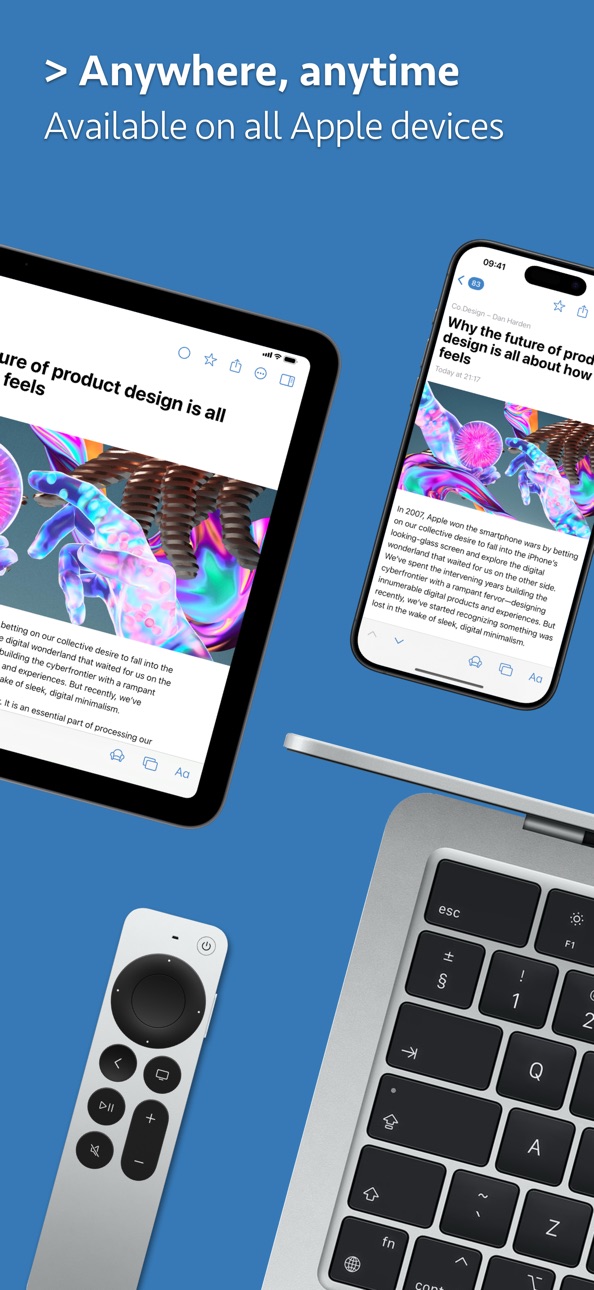
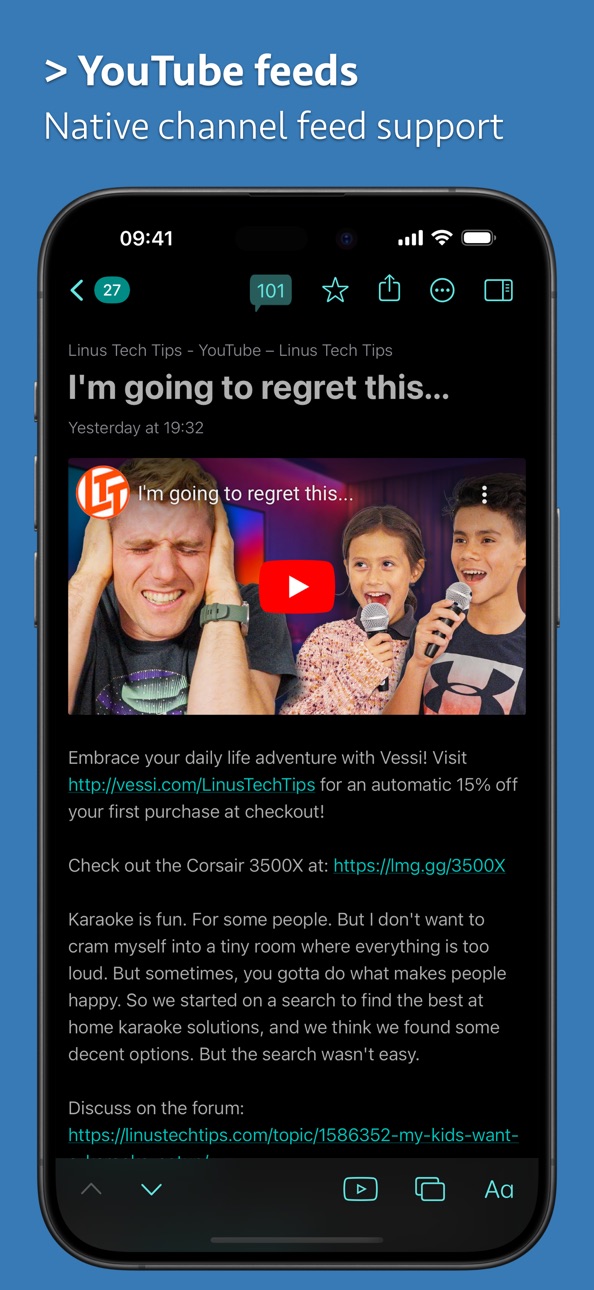
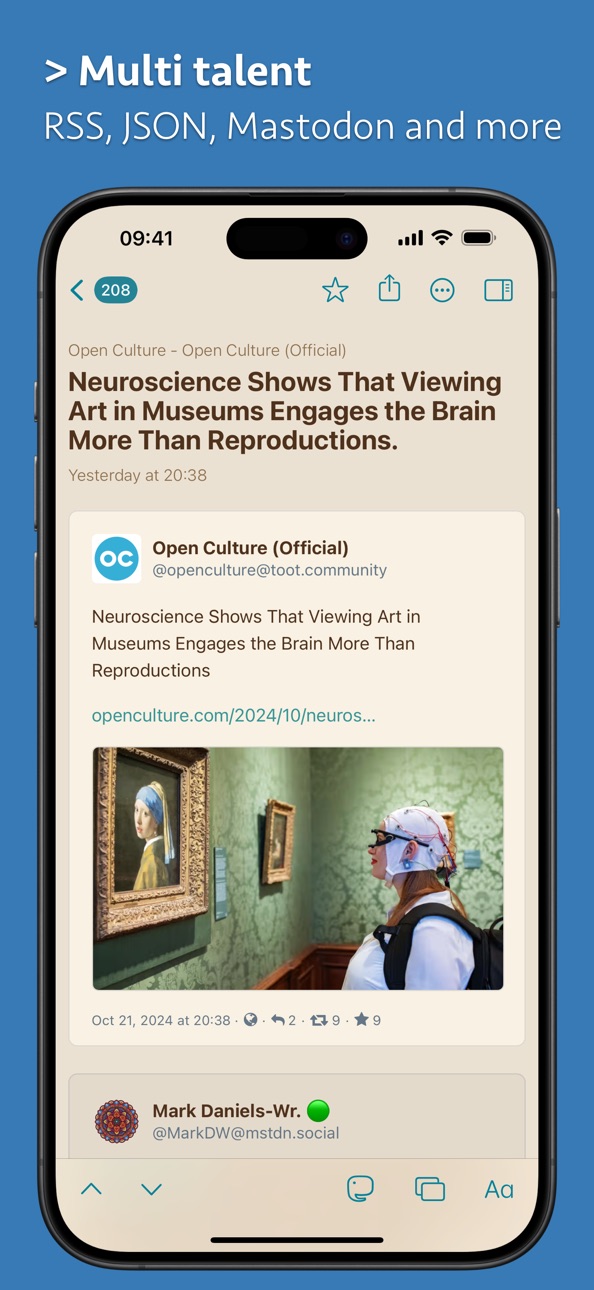
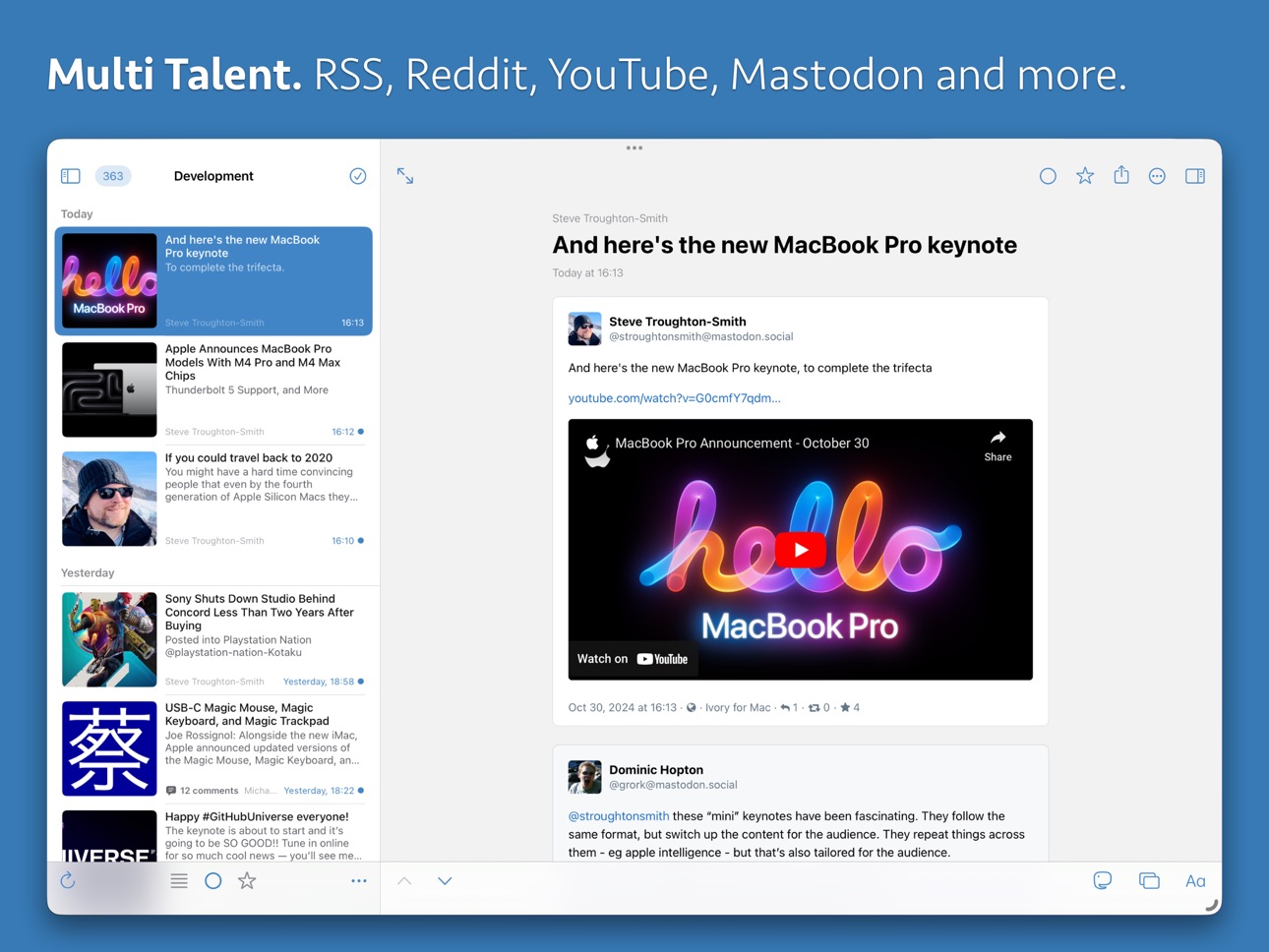
News Explorer is a full-featured yet easy-to-use RSS, JSON, Atom, Reddit, YouTube, Podcast, Bluesky and Mastodon news reader with iCloud synchronization between Mac, iPhone, iPad, Apple Watch and Apple TV.
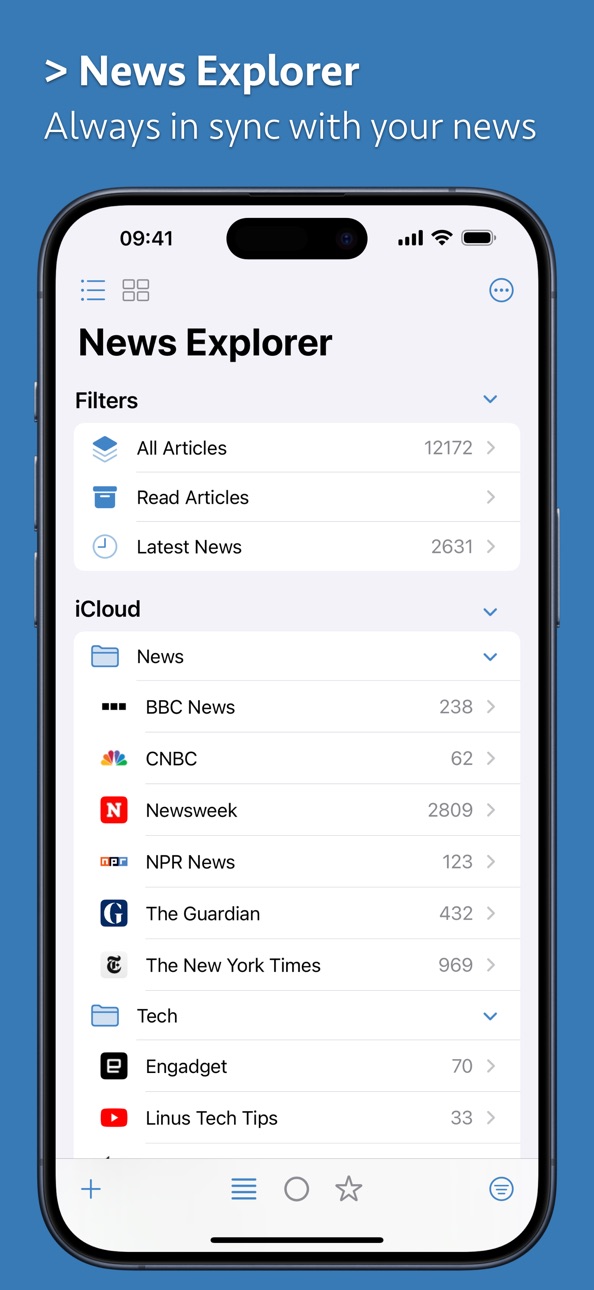
Full iCloud Sync
• News Explorer syncs your feeds, filters, folders, articles including statuses, notes and tags, across all your Apple devices.
• Synchronization is based on iCloud, so there is no need to login or to sign up into any other service, it just works out of the box.
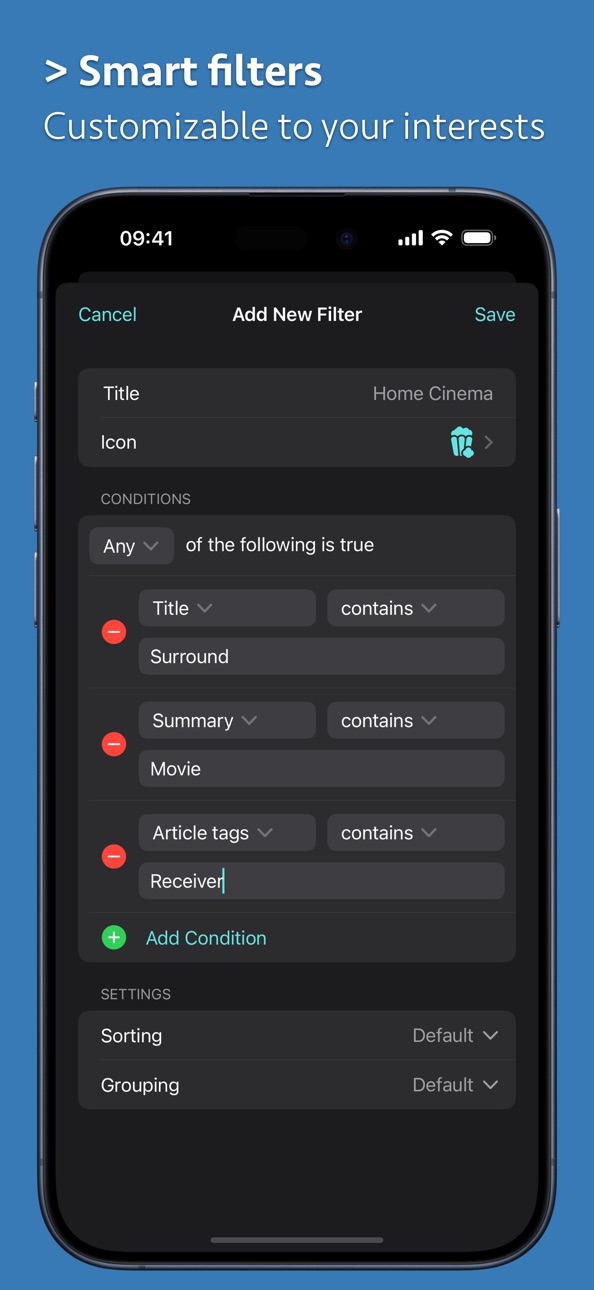
Smart Filters
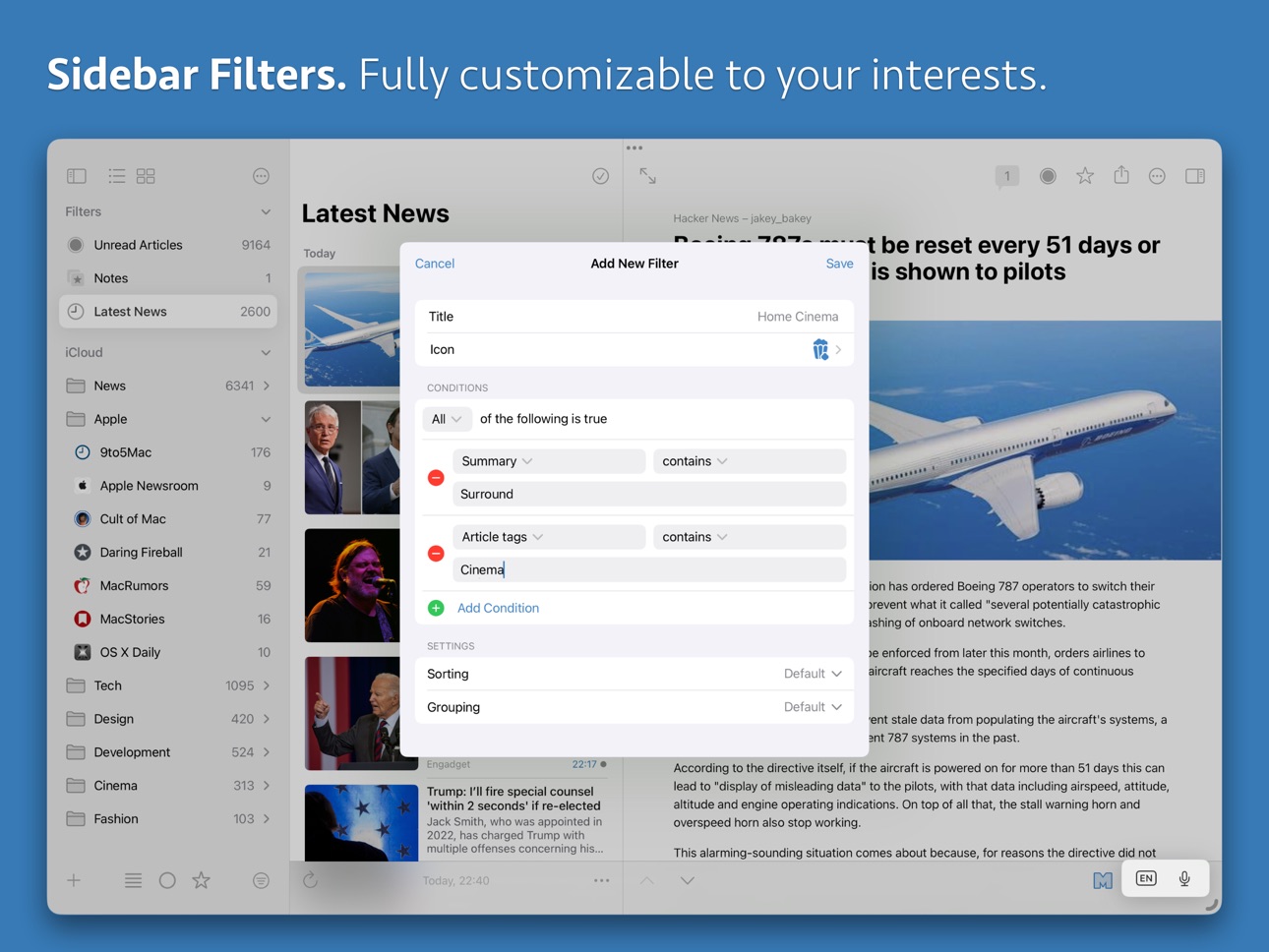
• Filter your news according your own conditions and preferences, easily accessible from the feeds list.
• Filters customizations are synced across all your devices.
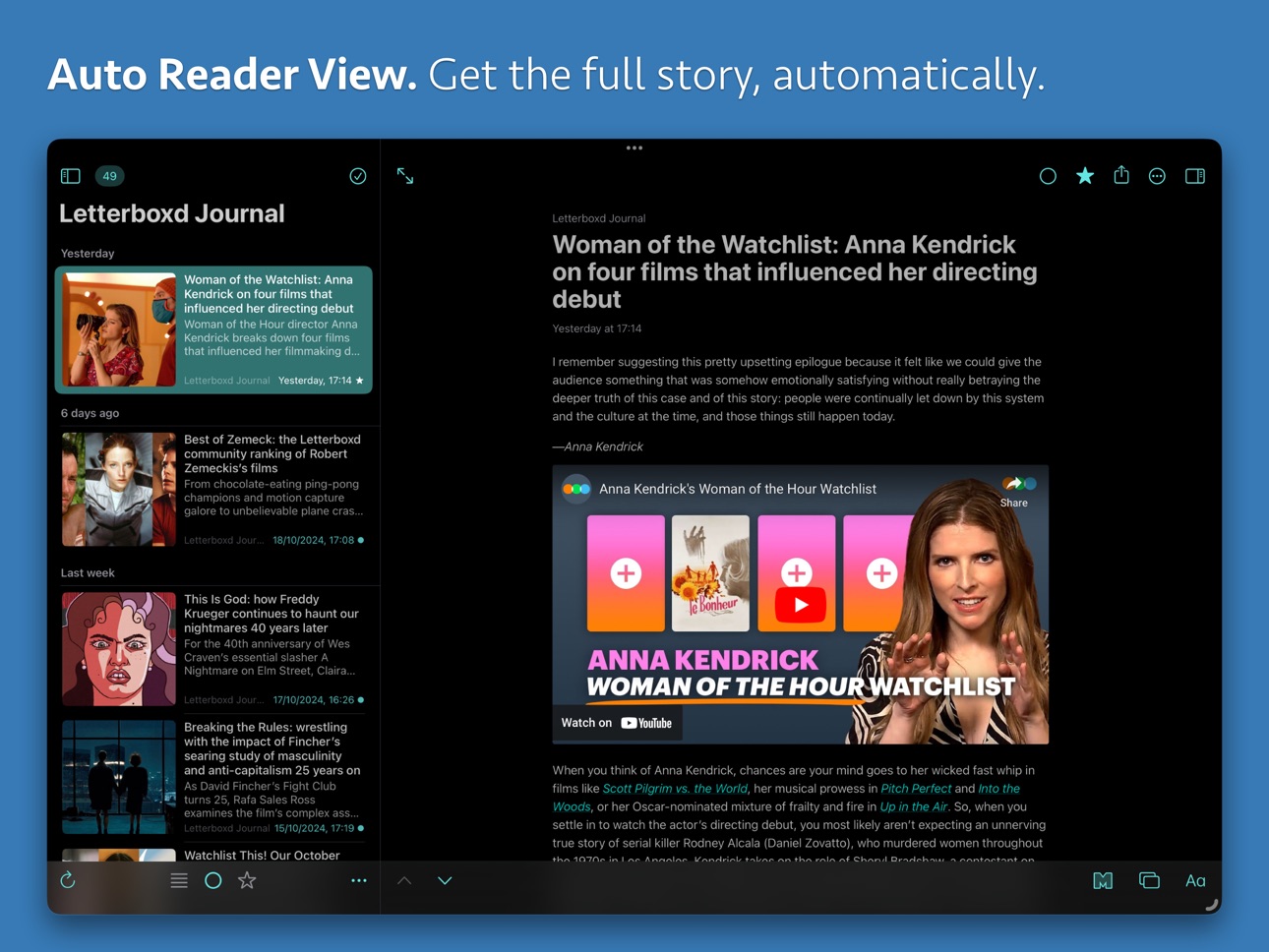
Automatic Reader View
• Use automatic Reader view to download and read the full text version of truncated articles from supported sources.
• News Explorer makes use of multiple parsers to offer the best Reader view results.
Article Comments
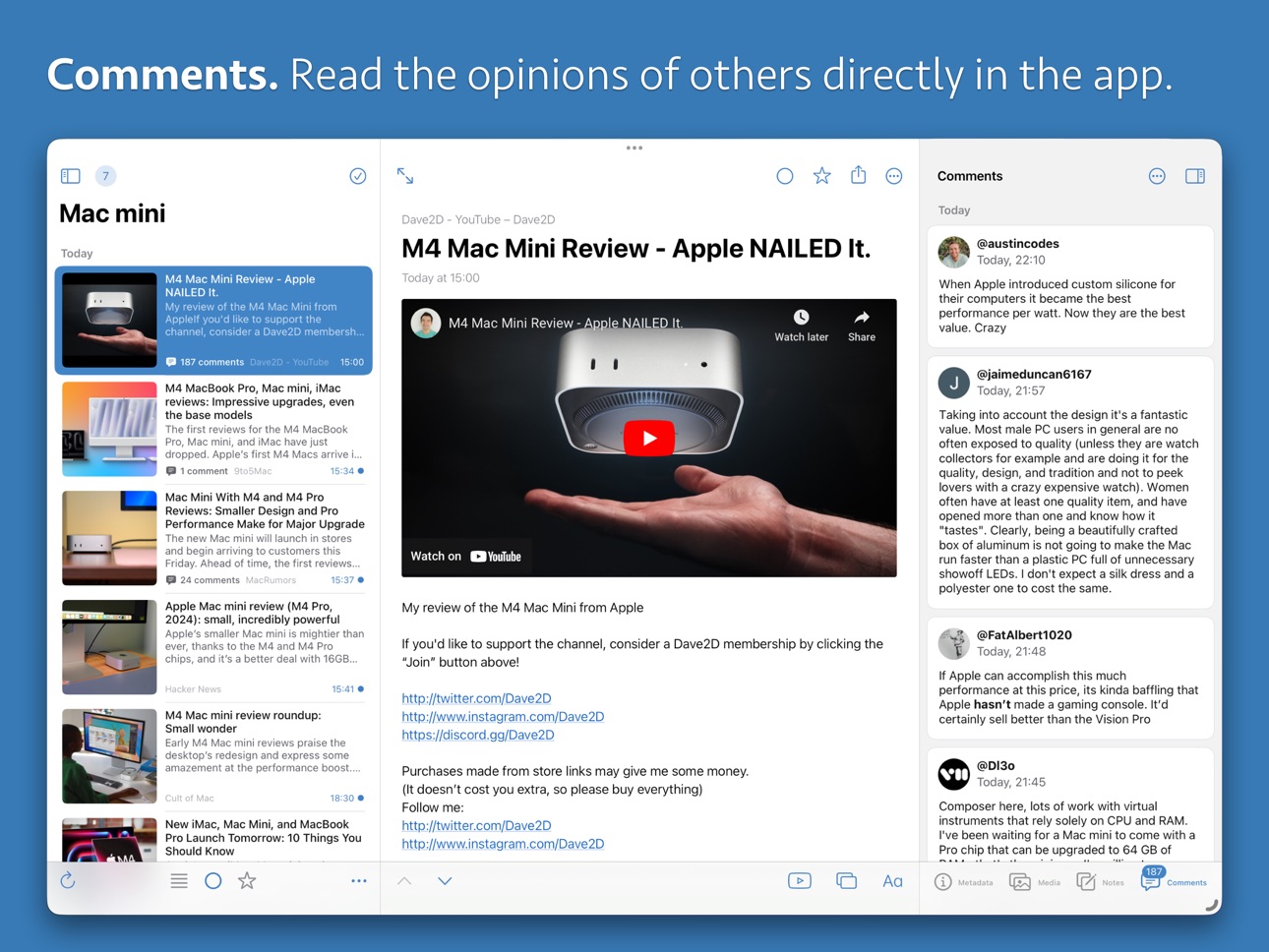
• Read article comments from other readers directly in the app.
• Works with RSS feeds that has comment feeds per article, YouTube feeds, Reddit feeds and Hacker News feeds.
• Also works with most feeds from websites that use Open Web comments.
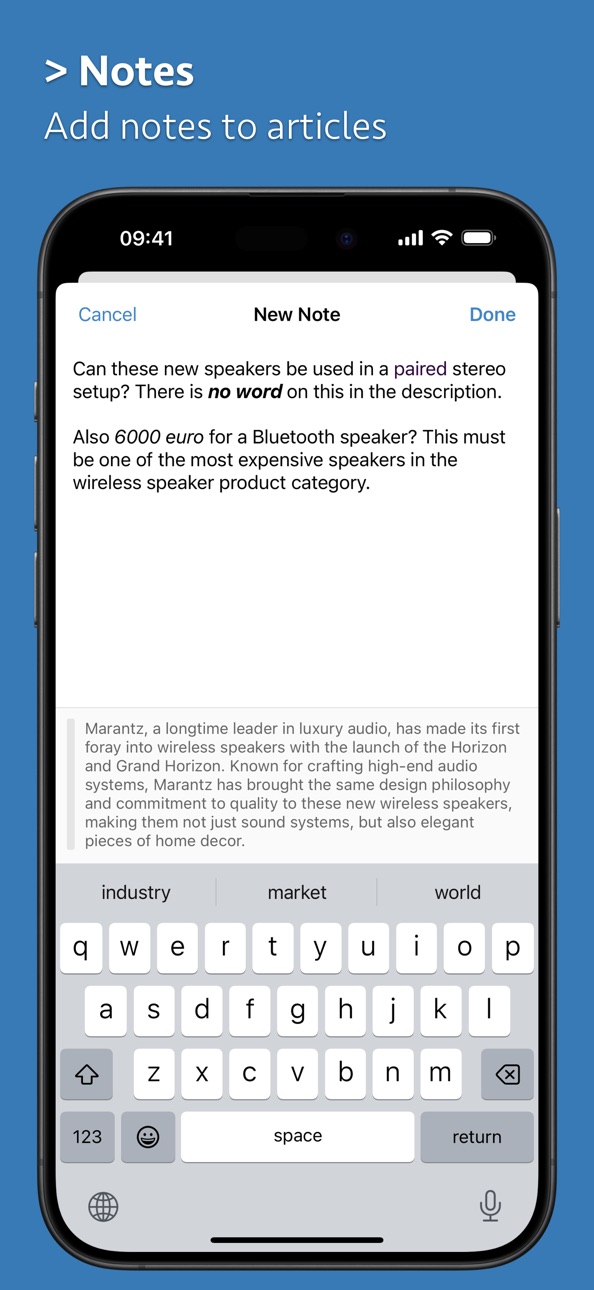
Article Notes
• Create rich text notes, directly in the context of the article.
• Notes are synced via iCloud together with the related article.
Feed Settings
• All aspects of a feed like title, source link or icon, can be adjusted in the Feed settings dialog.
• Disable the feed temporarily or permanently.
• Override app settings for syncing, downloading comments and reading articles.
Feed Prefilters
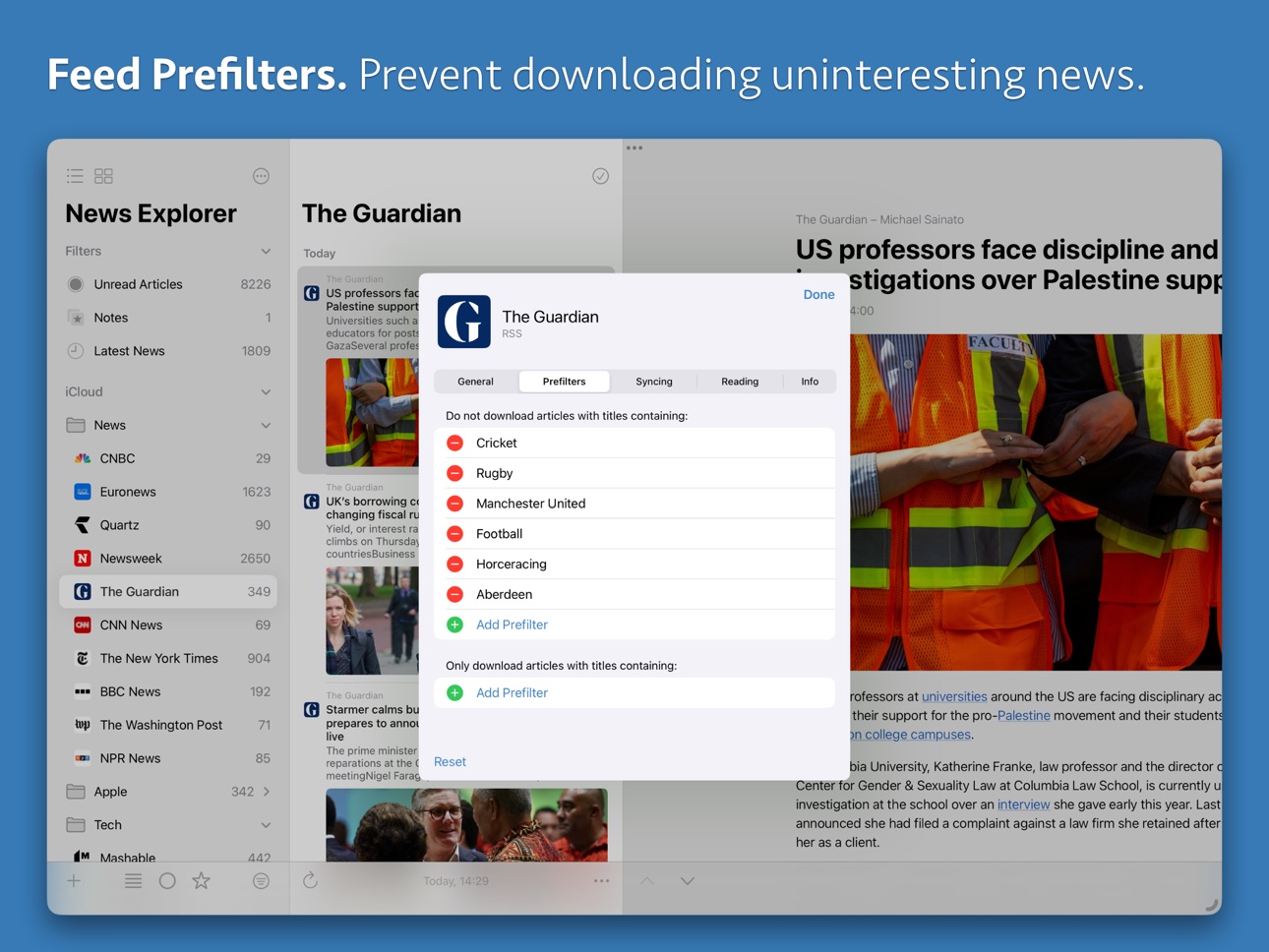
• Prevent the app from downloading articles you don’t want to see or read.
• Prefilters are synced via iCloud, and can be easily configured on feed level in the Feed settings dialog.
Article Inspector
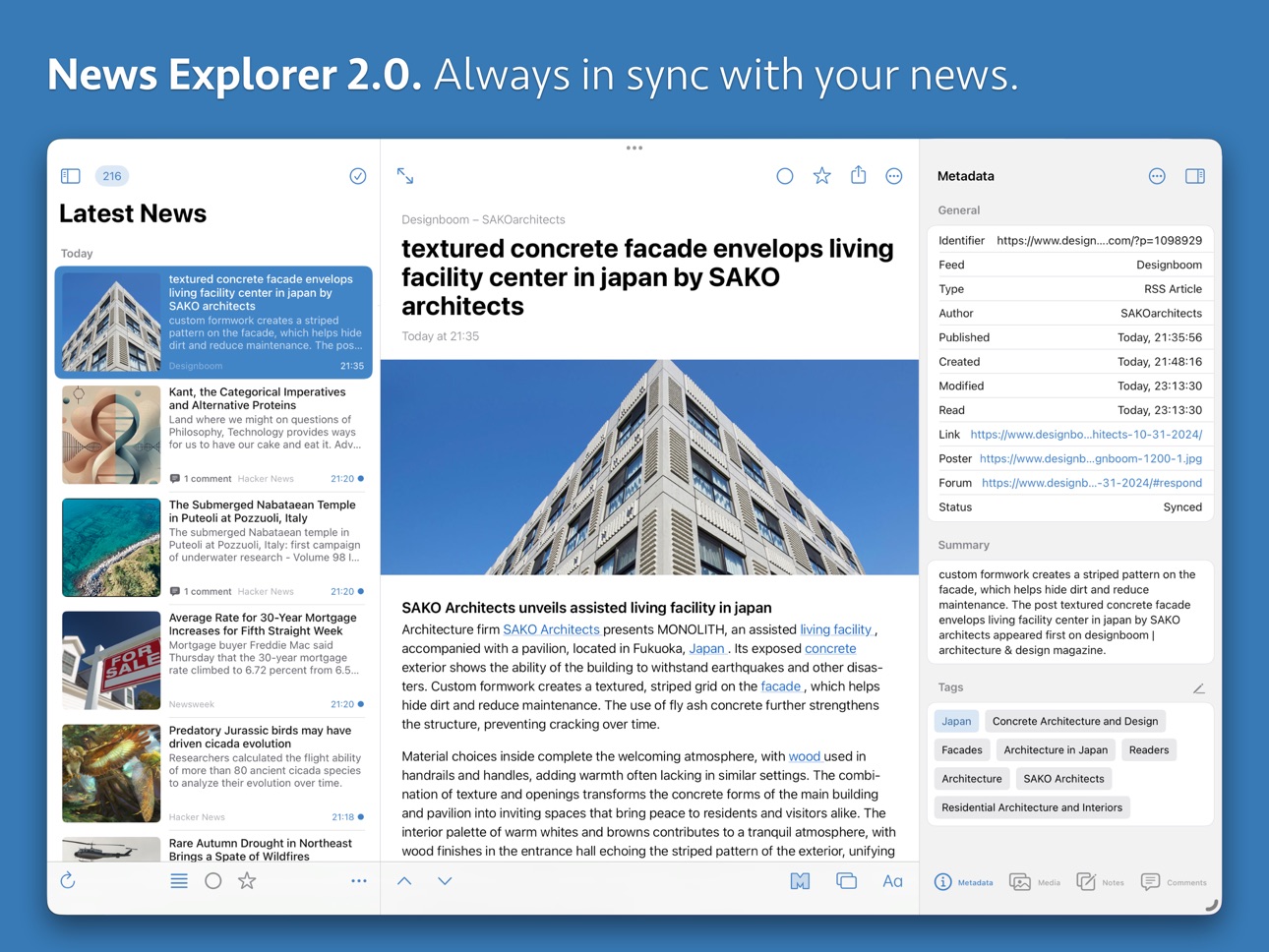
• Inspect metadata, tags, media, notes and comments of articles in the Inspector panel.
• View and add custom tags in the Metadata panel.
• Browse and download media, including podcasts, in the Media panel.
Article Tags
• Article categories of RSS articles are displayed in the Inspector panel as tags.
• Can be extended with your own tags.
• Custom tags are easily recognizable, and are synced via iCloud.
• Tags can be used as conditions in filters.
Local Account
• Add feeds to News Explorer that only exists on your device by activating the Local account option.
• The local account option can be used in addition to or instead of syncing with iCloud.
Reading Features
• Mark items as favorite for later reading.
• Navigate with one click to the original content.
• Full keyboard navigation.
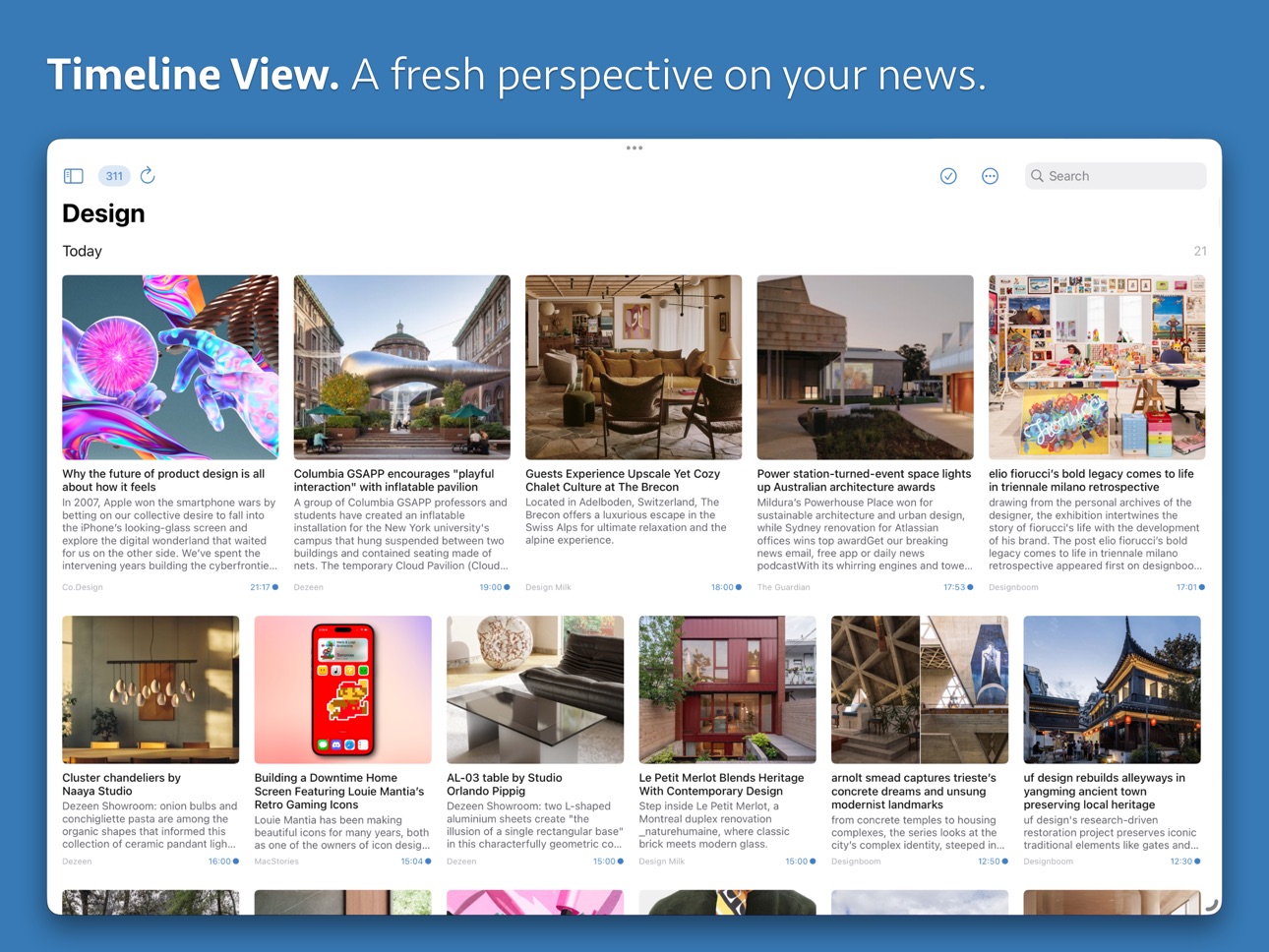
• Full text search in the List and Timeline view.
• Mark as read while scrolling option.
• Image viewer to browse through all images of articles or feeds.
• Built-in sharing to Instapaper, Raindrop and Readwise.
• Share news items via Email, Messages and other services.
Configuration Features
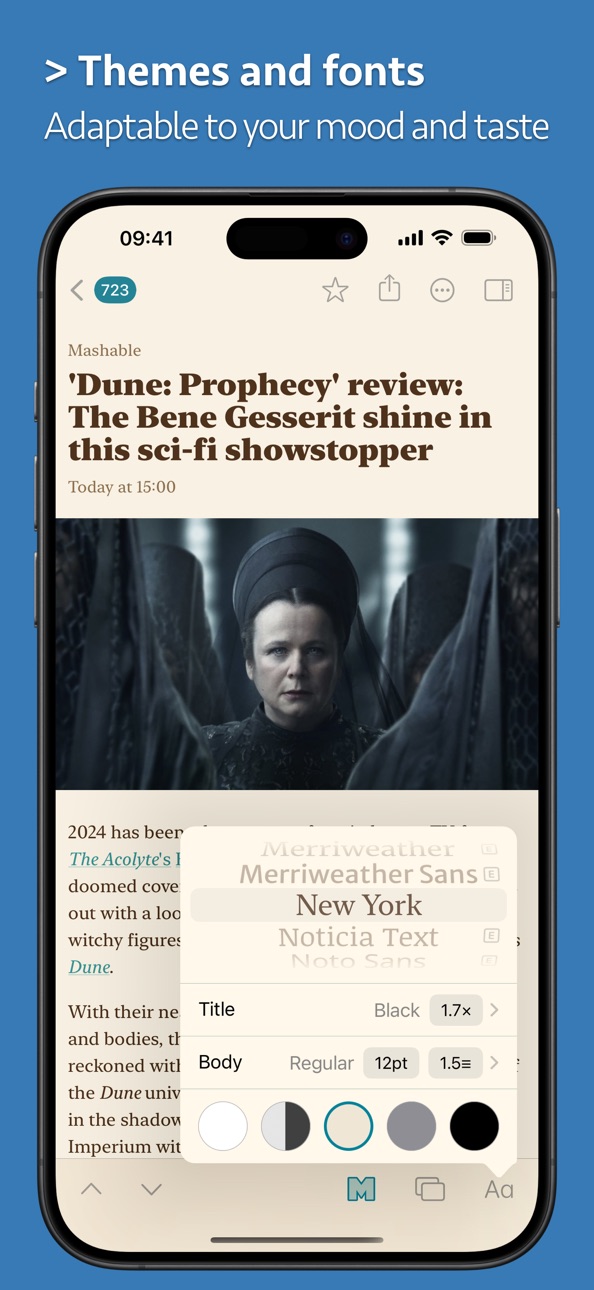
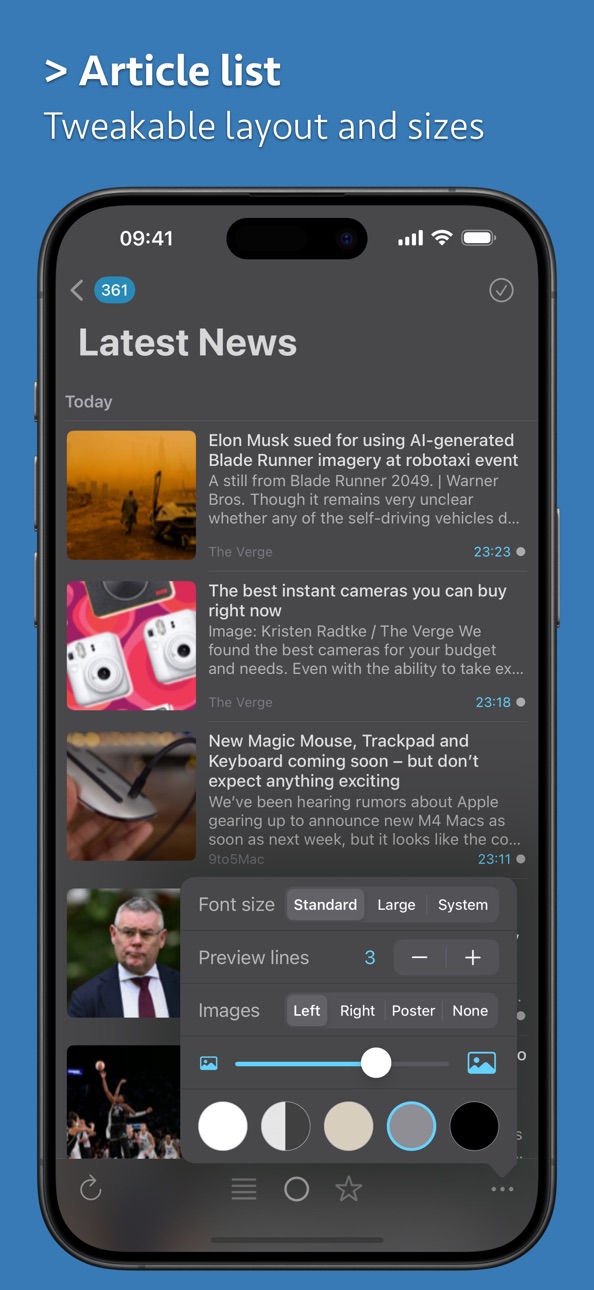
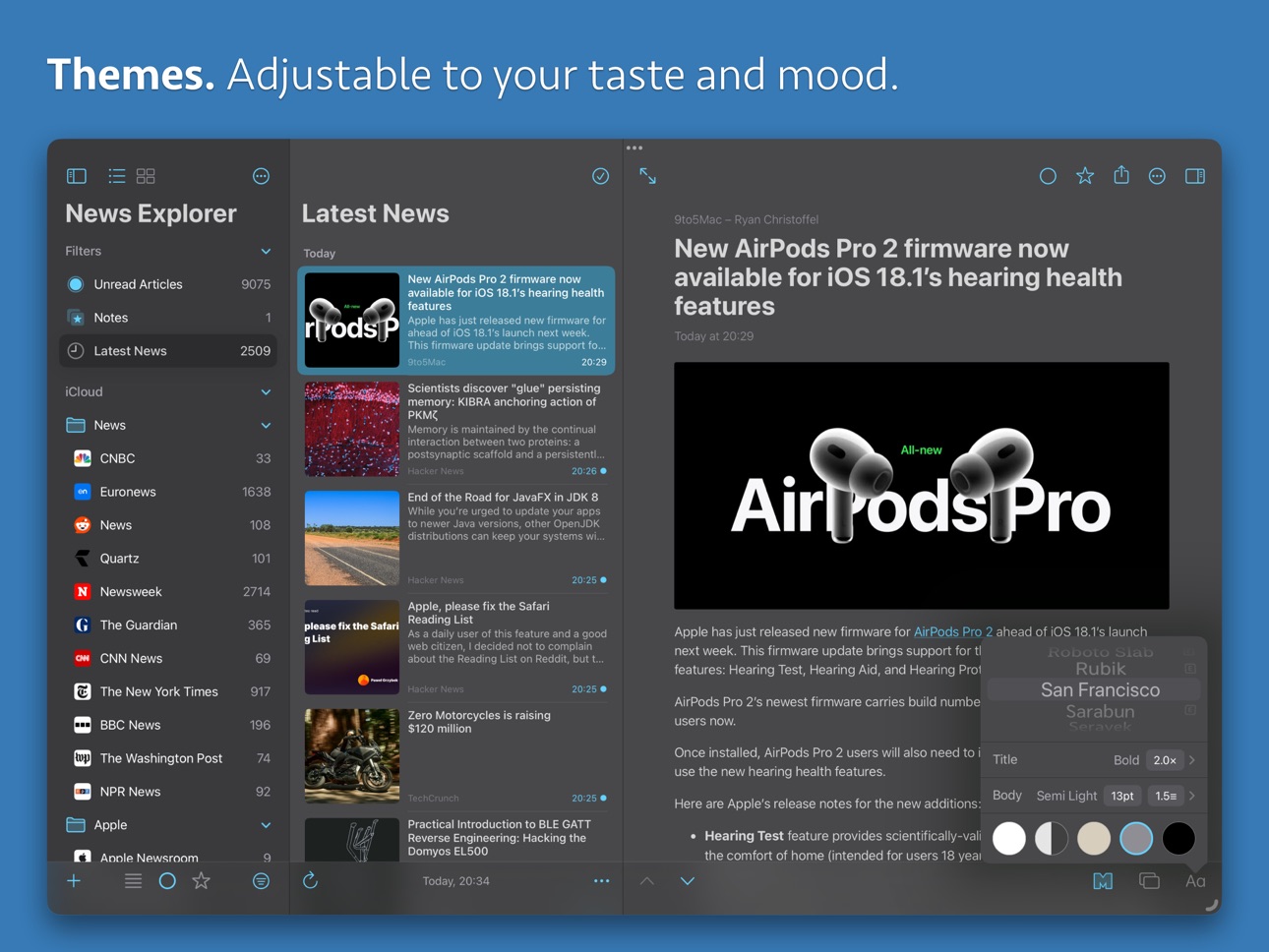
• Countless settings to tweak layout, fonts, behaviors and more.
• Import and export feeds via OPML.
• Add new feeds via the Search new feeds or Add feed dialogs.
• Organize your feeds by assigning them to folders.
• Multiple themes, tint colors and app icons.
System Features
• Create automations with News Explorer actions in the Shortcuts app.
• Option to index articles with Spotlight.
• Local notifications for feeds selected in the Feeds Manager.
• Widgets with adjustable sources and fonts.
Multi Platform
You only need to buy two apps to cover all Apple platforms:
• News Explorer for Mac is available on the Mac App Store.
• News Explorer for iPhone, iPad, Apple Watch and Apple TV is a universal purchase app, available on the App Store of the mentioned devices. On visionOS you can use the iPadOS edition of News Explorer.
Support
• News Explorer has an extensive help page on https://betamagic.nl/support/newsexplorer/help.html.
• If you still have questions or need support, email us at support@betamagic.nl.
If you like News Explorer then feel free to leave a review or a rating in the App Store, it helps us a lot!
Accessibility
ipadiphonemacrealityDevicetvoswatch
Version history 25 versions
Build 887753129v2.2.102026-07-05 21:14:59
• Removed double tap support in the feeds list to restore the original responsiveness when opening feeds. The Feed settings dialog can be accessed via the left-to-right swipe gesture or long-press context menu on a selected feed in the feeds list.
• Fine-tuned the split viewer implementation when using the app on iPad. Experiment with Viewing settings “Allow panels to be side by side” and “Hide feeds list after selecting article” to find the best reading experience on your iPad that matches your personal preferences.
• Improved handling of Reddit feeds when using the Search New Feeds dialog.
• Implemented code to prevent “_thereIsNoSadnessLikeTheDeathOfOptimism” crashes when downloading badly encoded WordPress feeds.
• Feed-level setting “Auto correct invalid feed data” now also work with Atom feeds.
Build 887165175v2.2.92026-06-22 10:27:22
• Improved Reddit feeds support.
• New setting to always download Reddit feeds as RSS.
• Fixed a bug in the feeds list when using a trackpad with default settings.
• Fixed a bug that prevented updating a Mastodon account ID in feed settings.
Build 884895464v2.2.82026-04-30 12:16:07
• Restored sharing to Raindrop.
• Notifications are now grouped by feed folder.
• Improved implementation of “Auto correct invalid feed data” option.
• Fixed display of articles without a title and summary in article list.
Build 882979627v2.2.62026-03-09 08:25:24
• Improved article poster image extraction.
• Improved comments extraction.
• Improved state restoration on startup.
• Restored iCloud cleaning.
• Fixed article list header display on iPadOS 26.
Build 883179835v2.2.72026-03-09 20:41:47
• Fixes a crash with option "Open feeds list" for behavior "After marking all as read".
Build 881611853v2.2.52026-01-19 07:47:08
• Fixed a bug with ‘Open Feed’ and ‘Select Feed in Sidebar’ context menu items when the related folder is collapsed.
• Fixed importing OPML files when other apps are installed with OPML file capabilities.
Build 881260810v2.2.42026-01-07 21:31:08
• Fixed a crash when rotating the article list on an iPhone running iOS 26.2.
• Fixed a crash when cleaning iCloud with a very large data set.
• Added a context menu item to open the feed of an article within a Folder or Filter.
Build 880015515v2.2.32025-11-24 00:39:14
• Fixed a group headers issue in the Inspector panel with iOS / iPadOS 26.
• Fixed a thumbnail extraction issue, sometimes resulting in a crash.
• Added support for quote posts in Mastodon feeds.
• Updated app icon with support for icon styles in iOS / iPadOS 26.
Build 877034724v2.2.22025-08-07 12:50:27
• YouTube playback fixes (hopefully YouTube stops changing their iframe handling every 2 weeks).
• Podcast detection improvements.
• Column layout persistence improvements on iPad.
• Fixed a small ‘Do nothing’ behavior implementation detail on iPad.
Build 876679568v2.2.12025-07-25 07:57:30
• Improved iCloud synchronization of very large articles.
• Improved handling of adding Google News feeds.
• Fixed a playback problem that occurred with some YouTube feeds.
• New setting to flip bottom action buttons.
Build 875011481v2.22025-07-07 17:27:49
• Improved support for Google News feeds.
• Share articles to Raindrop.
• Create hashtag timeline feeds for Bluesky and Mastodon.
• Fixed YouTube video rendering.
Build 873374038v2.12025-04-09 15:35:38
• Follow Bluesky accounts directly in the app with automatic download of replies and other context posts.
• Shortcuts support, create powerful custom automations with News Explorer actions in the Shortcuts app.
• Press and hold the Mark All as Read button to mark articles older than a selectable period as read.
• Built-in support to share articles with highlights to Readwise.
• Feed level poster setting.
• Mobile toolbar layout option for Article viewer.
Build 871203567v2.0.52025-01-07 21:42:47
• Support for YouTube channel icons and Reddit subreddit icons.
• Prefilters can be copied and pasted via the feeds list context menu.
• Pasting prefilters is supported on feed and folder level.
• Hash based feed change detection.
• Improved OPML import.
• Improved implementation of shortcut N (Next feed or folder).
• Bug fixes and subtle tweaks.
Build 870922402v2.0.42024-12-06 00:59:10
• Fixed implementation of behavior “Show feeds list” after “Mark All as Read” on iPhone Plus and Max models.
• Idem dito, for iPad when settings “Hide feeds list after selecting article” and “Allow panels to be side by side” are both activated.
• Fixed a crash caused by using “Mark Above as Read” after long pressing an article in the article list, while another article is selected.
• Fixed updating the app icon unread badge when using “Mark All as Read” with the All Articles filter.
Build 870868863v2.0.32024-12-03 23:39:31
• Bug fixes and some performance improvements.
• Articles in Timeline view can now be opened by tapping on the spacebar.
• Improved implementation of Behavior settings.
Build 870672811v2.0.22024-11-26 02:00:43
• Bug fixes
• Improved accessibility support
Build 868823658v2.02024-11-18 08:00:59
News Explorer 2.0 is a long-awaited but spectacular update!
Sidebar
• Smart filters are now fully customizable and extendable.
• The sidebar is now used for both the List and Timeline view.
• Use the filter field at the bottom of the sidebar to easily find a feed if you have a lot of them.
• Feed problems are displayed in the sidebar with warning badges.
• Last sync date is now optionally always visible at the bottom of the feeds list.
Article viewer
• Read comments of other readers on articles directly in the app.
• Add notes to articles, which are synced via iCloud.
• Toolbar of the article viewer on the iPad can be extended with quick access buttons
• Articles can be opened in separate windows on the iPad.
Feed settings
• The new Feed settings dialog let you adjust every aspect of a feed.
• Use Feed prefilters to prevent downloading uninteresting news.
• Inactive feeds can now be deactivated, to speed up syncing time.
Inspector panel
• The new Inspector panel let you inspect article metadata, tags, media, notes and comments.
• Article categories are displayed in the inspector as tags and can be extended by your own custom tags.
And more
• Syncing with iCloud has now a Modus setting which can be set to Standard or Client.
• Instead or in addition to iCloud syncing, you can now also use a local storage account.
• Themes are completely rewritten and include now a new Sepia theme.
• The tint color used by each theme can be overruled in the app settings.
• Mark as read while scrolling is now also available as option for the Timeline view.
• Updated split view implementation with 3 panel support on the iPad plus inspector panel.
• Last but not least, a new app icon!
Build 870507951v2.0.12024-11-18 19:45:42
Version 2.0.1 fixes an issue for some users with the Quick Setup dialog, which appears after running version 2.0 for the first time.
This fix contains all new features from version 2.0:
Sidebar
• Smart filters are now fully customizable and extendable.
• The sidebar is now used for both the List and Timeline view.
• Use the filter field at the bottom of the sidebar to easily find a feed if you have a lot of them.
• Feed problems are displayed in the sidebar with warning badges.
• Last sync date is now optionally always visible at the bottom of the feeds list.
Article viewer
• Read comments of other readers on articles directly in the app.
• Add notes to articles, which are synced via iCloud.
• Toolbar of the article viewer on the iPad can be extended with quick access buttons
• Articles can be opened in separate windows on the iPad.
Feed settings
• The new Feed settings dialog let you adjust every aspect of a feed.
• Use Feed prefilters to prevent downloading uninteresting news.
• Inactive feeds can now be deactivated, to speed up syncing time.
Inspector panel
• The new Inspector panel let you inspect article metadata, tags, media, notes and comments.
• Article categories are displayed in the inspector as tags and can be extended by your own custom tags.
And more
• Syncing with iCloud has now a Modus setting which can be set to Standard or Client.
• Instead or in addition to iCloud syncing, you can now also use a local storage account.
• Themes are completely rewritten and include now a new Sepia theme.
• The tint color used by each theme can be overruled in the app settings.
• Mark as read while scrolling is now also available as option for the Timeline view.
• Updated split view implementation with 3 panel support on the iPad plus inspector panel.
• Last but not least, a new app icon!
Build 862944585v1.20.52024-01-17 08:17:49
• Replaced OneSignal with a self-hosted solution.
• Fixed a serious issue when running the app in ‘Designed for iPad’ modus on visionOS.
Build 860773655v1.20.42023-10-19 18:45:02
• Fixed a compatibility issue with iOS 17, when using the ‘Add to News Explorer’ share extension in Safari.
• Fixed another compatibility issue with iOS 17, when sharing to Pocket or Instapaper via the Share Sheet.
• Fixed a parsing issue with feeds without ‘lastPubDate’ and with articles dated in the future.
• Fixed an issue with feed articles containing HTML without any closing tags with forward slashes.
• Fixed an issue with HTML images with referrer policy sub tags.
Build 859100717v1.20.32023-08-15 15:06:02
• Fixed an issue where article summaries were downloaded as main content.
• Fixed a feed parser issue with self closing HTML tags.
Build 858295779v1.20.22023-08-09 15:53:00
• Fixed a crash caused by malformed ATOM feeds.
• Fixed a crash when parsing articles ending with truncated HTML elements
.
• Improved support for feeds with non standard date formats.
• Restored parsing card data of Tweets.
• Fixed a bug related to auto contrast.
Build 858078822v1.20.12023-06-26 21:14:16
• Fixed alignment of RTL text in the article list.
• Improved detection of deleted app data in CloudKit storage settings.
Build 856064153v1.202023-06-15 09:19:38
• Added native support for Mastodon feeds, including beautifully rendered ‘Toots’.
• Replies, parent posts and cards of Mastodon posts are automatically downloaded.
• Mastodon feeds can be added via the Search New Feeds or Add New Feed dialogs.
• Unfortunately, Twitter integration has been removed due to recent Twitter API limitations.
• Already downloaded Tweets remain available in the app and iCloud.
• Improved reliability of initial sync with iCloud.
Build 852568264v1.11.32022-10-05 19:40:21
• Auto high contrast when using Dark or System theme with max screen brightness.
• You can now search within an article with the new ‘Find on Page’ share sheet action (iOS 16).
• Restored the Print share sheet action in the Article viewer.
• An iOS 16 specific crash has been fixed related to incorrectly encoded feeds.
Price history by region
Currency
Show
Columns
Search
Availability 124 of 124 storefronts
| Region | Language | Price | Ratings | Avg | Version |
|---|---|---|---|---|---|
| US | en-US | USD 4.99 | 640 | 4.7 | 2.2.10 |
| DE | de-DE | EUR 5.99 | 376 | 4.6 | 2.2.10 |
| GB | en-GB | GBP 4.99 | 92 | 4.7 | 2.2.10 |
| NL | nl | EUR 5.99 | 64 | 4.6 | 2.2.10 |
| ES | es-ES | EUR 5.99 | 58 | 4.6 | 2.2.10 |
| JP | ja | JPY 800 | 51 | 4.8 | 2.2.10 |
| RU | ru | RUB 449 | 49 | 4.7 | 2.2.10 |
| IT | it | EUR 5.99 | 34 | 4.7 | 2.2.10 |
| PL | en-GB | PLN 24.99 | 34 | 4.7 | 2.2.10 |
| CH | de-CH | CHF 4 | 33 | 4.6 | 2.2.10 |
| AT | de-DE | EUR 5.99 | 32 | 4.8 | 2.2.10 |
| SE | sv | SEK 69 | 20 | 4.4 | 2.2.10 |
| HU | en-GB | HUF 1990 | 19 | 4.3 | 2.2.10 |
| BE | en-GB | EUR 5.99 | 17 | 4.8 | 2.2.10 |
| MX | es-MX | MXN 99 | 14 | 4.9 | 2.2.10 |
| BR | pt-BR | BRL 29.9 | 13 | 4.7 | 2.2.10 |
| CZ | en-GB | CZK 129 | 13 | 4.6 | 2.2.10 |
| DK | en-GB | DKK 39 | 13 | 4.5 | 2.2.10 |
| TR | en-GB | TRY 249.99 | 13 | 4.8 | 2.2.10 |
| UA | en-GB | USD 5.99 | 12 | 4.7 | 2.2.10 |
| FI | en-GB | EUR 5.99 | 9 | 4.9 | 2.2.10 |
| IL | en-GB | ILS 17.9 | 8 | 4.5 | 2.2.10 |
| NO | en-GB | NOK 59 | 8 | 4.5 | 2.2.10 |
| SK | en-GB | EUR 5.99 | 8 | 5.0 | 2.2.10 |
| RO | en-GB | RON 29.99 | 7 | 4.9 | 2.2.10 |
| PT | pt-PT | EUR 5.99 | 5 | 4.6 | 2.2.10 |
| AE | en-GB | AED 19.99 | 4 | 3.8 | 2.2.10 |
| CL | es-MX | CLP 5990 | 4 | 4.5 | 2.2.10 |
| SA | en-GB | SAR 19.99 | 3 | 4.3 | 2.2.10 |
| AR | es-MX | USD 4.99 | 2 | 4.5 | 2.2.10 |
| RS | en-GB | EUR 5.99 | 2 | 5.0 | 2.2.10 |
| AL | en-GB | USD 5.99 | 1 | 5.0 | 2.2.10 |
| AM | en-GB | USD 5.99 | 1 | 5.0 | 2.2.10 |
| BW | en-GB | USD 4.99 | 1 | 5.0 | 2.2.10 |
| CR | es-MX | USD 4.99 | 1 | 5.0 | 2.2.10 |
| KW | en-GB | USD 4.99 | 1 | 4.0 | 2.2.10 |
| LU | en-GB | EUR 5.99 | 1 | 5.0 | 2.2.10 |
| NG | en-GB | NGN 7900 | 1 | 3.0 | 2.2.10 |
| PE | es-MX | PEN 22.9 | 1 | 5.0 | 2.2.10 |
| AG | en-GB | USD 4.99 | 0 | — | 2.2.10 |
| AI | en-GB | USD 4.99 | 0 | — | 2.2.10 |
| AO | en-GB | USD 4.99 | 0 | — | 2.2.10 |
| AZ | en-GB | USD 5.99 | 0 | — | 2.2.10 |
| BA | en-GB | EUR 5.99 | 0 | — | 2.2.10 |
| BB | en-GB | USD 5.99 | 0 | — | 2.2.10 |
| BF | en-GB | USD 4.99 | 0 | — | 2.2.10 |
| BH | en-GB | USD 4.99 | 0 | — | 2.2.10 |
| BJ | en-GB | USD 5.99 | 0 | — | 2.2.10 |
| BO | es-MX | USD 4.99 | 0 | — | 2.2.10 |
| BS | en-GB | USD 4.99 | 0 | — | 2.2.10 |
| BY | en-GB | USD 5.99 | 0 | — | 2.2.10 |
| BZ | en-GB | USD 4.99 | 0 | — | 2.2.10 |
| CD | en-GB | USD 4.99 | 0 | — | 2.2.10 |
| CG | en-GB | USD 4.99 | 0 | — | 2.2.10 |
| CI | fr-FR | USD 5.99 | 0 | — | 2.2.10 |
| CM | fr-FR | USD 5.99 | 0 | — | 2.2.10 |
| CO | es-MX | COP 24900 | 0 | — | 2.2.10 |
| CV | en-GB | USD 4.99 | 0 | — | 2.2.10 |
| CY | en-GB | EUR 5.99 | 0 | — | 2.2.10 |
| DM | en-GB | USD 4.99 | 0 | — | 2.2.10 |
| DO | es-MX | USD 4.99 | 0 | — | 2.2.10 |
| DZ | en-GB | USD 4.99 | 0 | — | 2.2.10 |
| EC | es-MX | USD 4.99 | 0 | — | 2.2.10 |
| EG | en-GB | EGP 249.99 | 0 | — | 2.2.10 |
| GA | fr-FR | USD 4.99 | 0 | — | 2.2.10 |
| GD | en-GB | USD 4.99 | 0 | — | 2.2.10 |
| GE | en-GB | USD 5.99 | 0 | — | 2.2.10 |
| GH | en-GB | USD 5.99 | 0 | — | 2.2.10 |
| GM | en-GB | USD 4.99 | 0 | — | 2.2.10 |
| GT | es-MX | USD 4.99 | 0 | — | 2.2.10 |
| GW | en-GB | USD 4.99 | 0 | — | 2.2.10 |
| GY | en-GB | USD 4.99 | 0 | — | 2.2.10 |
| HN | es-MX | USD 4.99 | 0 | — | 2.2.10 |
| IQ | en-GB | USD 4.99 | 0 | — | 2.2.10 |
| IS | en-GB | USD 5.99 | 0 | — | 2.2.10 |
| JM | en-GB | USD 4.99 | 0 | — | 2.2.10 |
| JO | en-GB | USD 4.99 | 0 | — | 2.2.10 |
| KE | en-GB | USD 5.99 | 0 | — | 2.2.10 |
| KN | en-GB | USD 4.99 | 0 | — | 2.2.10 |
| KY | en-GB | USD 4.99 | 0 | — | 2.2.10 |
| LB | en-GB | USD 4.99 | 0 | — | 2.2.10 |
| LC | en-GB | USD 4.99 | 0 | — | 2.2.10 |
| LR | en-GB | USD 4.99 | 0 | — | 2.2.10 |
| LY | en-GB | USD 4.99 | 0 | — | 2.2.10 |
| MA | en-GB | USD 4.99 | 0 | — | 2.2.10 |
| MD | en-GB | USD 5.99 | 0 | — | 2.2.10 |
| ME | en-GB | EUR 4.99 | 0 | — | 2.2.10 |
| MG | en-GB | USD 4.99 | 0 | — | 2.2.10 |
| MK | en-GB | USD 4.99 | 0 | — | 2.2.10 |
| ML | en-GB | USD 4.99 | 0 | — | 2.2.10 |
| MS | en-GB | USD 4.99 | 0 | — | 2.2.10 |
| MT | en-GB | EUR 5.99 | 0 | — | 2.2.10 |
| MU | en-GB | USD 5.99 | 0 | — | 2.2.10 |
| MW | en-GB | USD 4.99 | 0 | — | 2.2.10 |
| MZ | en-GB | USD 4.99 | 0 | — | 2.2.10 |
| NA | en-GB | USD 4.99 | 0 | — | 2.2.10 |
| NE | en-GB | USD 4.99 | 0 | — | 2.2.10 |
| NI | es-MX | USD 4.99 | 0 | — | 2.2.10 |
| OM | en-GB | USD 4.99 | 0 | — | 2.2.10 |
| PA | es-MX | USD 4.99 | 0 | — | 2.2.10 |
| PY | es-MX | USD 4.99 | 0 | — | 2.2.10 |
| QA | en-GB | QAR 19.99 | 0 | — | 2.2.10 |
| RW | en-GB | USD 4.99 | 0 | — | 2.2.10 |
| SC | en-GB | USD 4.99 | 0 | — | 2.2.10 |
| SL | en-GB | USD 4.99 | 0 | — | 2.2.10 |
| SN | en-GB | USD 5.99 | 0 | — | 2.2.10 |
| SR | en-GB | USD 4.99 | 0 | — | 2.2.10 |
| ST | en-GB | USD 4.99 | 0 | — | 2.2.10 |
| SV | es-MX | USD 4.99 | 0 | — | 2.2.10 |
| SZ | en-GB | USD 4.99 | 0 | — | 2.2.10 |
| TC | en-GB | USD 4.99 | 0 | — | 2.2.10 |
| TD | en-GB | USD 4.99 | 0 | — | 2.2.10 |
| TN | en-GB | USD 4.99 | 0 | — | 2.2.10 |
| TT | en-GB | USD 4.99 | 0 | — | 2.2.10 |
| TZ | en-GB | TZS 14900 | 0 | — | 2.2.10 |
| UG | en-GB | USD 5.99 | 0 | — | 2.2.10 |
| UY | en-GB | USD 4.99 | 0 | — | 2.2.10 |
| VC | en-GB | USD 4.99 | 0 | — | 2.2.10 |
| VE | es-MX | USD 4.99 | 0 | — | 2.2.10 |
| VG | en-GB | USD 4.99 | 0 | — | 2.2.10 |
| XK | en-GB | EUR 5.99 | 0 | — | 2.2.10 |
| YE | en-GB | USD 4.99 | 0 | — | 2.2.10 |
| ZM | en-GB | USD 5.99 | 0 | — | 2.2.10 |
| ZW | en-GB | USD 5.99 | 0 | — | 2.2.10 |
Change log 29 changes · DO
✎
releaseNotes updated
• Removed double tap support in the feeds list to restore the original responsiveness when opening feeds. The Feed settings dialog can be accessed via the left-
✎
description updated
News Explorer is a full-featured yet easy-to-use RSS, JSON, Atom, Reddit, YouTube, Podcast, Bluesky and Mastodon news reader with iCloud synchronization between
✎
subtitle updated
Newsreader with iCloud sync
✎
name updated
News Explorer
◆
Version 2.2.10 released
• Removed double tap support in the feeds list to restore the original responsiveness when opening feeds. The Feed settings dialog can be accessed via the left-to-right swipe gesture or long-press context menu on a selected feed in the feed
◆
Version 2.2.9 released
• Improved Reddit feeds support.
• New setting to always download Reddit feeds as RSS.
• Fixed a bug in the feeds list when using a trackpad with default settings.
• Fixed a bug that prevented updating a Mastodon account ID in feed settings
◆
Version 2.2.8 released
• Restored sharing to Raindrop.
• Notifications are now grouped by feed folder.
• Improved implementation of “Auto correct invalid feed data” option.
• Fixed display of articles without a title and summary in article list.
◆
Version 2.2.7 released
• Fixes a crash with option "Open feeds list" for behavior "After marking all as read".
◆
Version 2.2.6 released
• Improved article poster image extraction.
• Improved comments extraction.
• Improved state restoration on startup.
• Restored iCloud cleaning.
• Fixed article list header display on iPadOS 26.
◆
Version 2.2.5 released
• Fixed a bug with ‘Open Feed’ and ‘Select Feed in Sidebar’ context menu items when the related folder is collapsed.
• Fixed importing OPML files when other apps are installed with OPML file capabilities.
◆
Version 2.2.4 released
• Fixed a crash when rotating the article list on an iPhone running iOS 26.2.
• Fixed a crash when cleaning iCloud with a very large data set.
• Added a context menu item to open the feed of an article within a Folder or Filter.
◆
Version 2.2.3 released
• Fixed a group headers issue in the Inspector panel with iOS / iPadOS 26.
• Fixed a thumbnail extraction issue, sometimes resulting in a crash.
• Added support for quote posts in Mastodon feeds.
• Updated app icon with support for icon sty
◆
Version 2.2.2 released
• YouTube playback fixes (hopefully YouTube stops changing their iframe handling every 2 weeks).
• Podcast detection improvements.
• Column layout persistence improvements on iPad.
• Fixed a small ‘Do nothing’ behavior implementation detail
◆
Version 2.2.1 released
• Improved iCloud synchronization of very large articles.
• Improved handling of adding Google News feeds.
• Fixed a playback problem that occurred with some YouTube feeds.
• New setting to flip bottom action buttons.
◆
Version 2.2 released
• Improved support for Google News feeds.
• Share articles to Raindrop.
• Create hashtag timeline feeds for Bluesky and Mastodon.
• Fixed YouTube video rendering.
◆
Version 2.1 released
• Follow Bluesky accounts directly in the app with automatic download of replies and other context posts.
• Shortcuts support, create powerful custom automations with News Explorer actions in the Shortcuts app.
• Press and hold the Mark All
◆
Version 2.0.5 released
• Support for YouTube channel icons and Reddit subreddit icons.
• Prefilters can be copied and pasted via the feeds list context menu.
• Pasting prefilters is supported on feed and folder level.
• Hash based feed change detection.
• Improve
◆
Version 2.0.4 released
• Fixed implementation of behavior “Show feeds list” after “Mark All as Read” on iPhone Plus and Max models.
• Idem dito, for iPad when settings “Hide feeds list after selecting article” and “Allow panels to be side by side” are both activa
◆
Version 2.0.3 released
• Bug fixes and some performance improvements.
• Articles in Timeline view can now be opened by tapping on the spacebar.
• Improved implementation of Behavior settings.
◆
Version 2.0.2 released
• Bug fixes
• Improved accessibility support
◆
Version 2.0.1 released
Version 2.0.1 fixes an issue for some users with the Quick Setup dialog, which appears after running version 2.0 for the first time.
This fix contains all new features from version 2.0:
Sidebar
• Smart filters are now fully customizable a
◆
Version 2.0 released
News Explorer 2.0 is a long-awaited but spectacular update!
Sidebar
• Smart filters are now fully customizable and extendable.
• The sidebar is now used for both the List and Timeline view.
• Use the filter field at the bottom of the sideb
◆
Version 1.20.5 released
• Replaced OneSignal with a self-hosted solution.
• Fixed a serious issue when running the app in ‘Designed for iPad’ modus on visionOS.
◆
Version 1.20.4 released
• Fixed a compatibility issue with iOS 17, when using the ‘Add to News Explorer’ share extension in Safari.
• Fixed another compatibility issue with iOS 17, when sharing to Pocket or Instapaper via the Share Sheet.
• Fixed a parsing issue w
◆
Version 1.20.3 released
• Fixed an issue where article summaries were downloaded as main content.
• Fixed a feed parser issue with self closing HTML tags.
◆
Version 1.20.2 released
• Fixed a crash caused by malformed ATOM feeds.
• Fixed a crash when parsing articles ending with truncated HTML elements
.
• Improved support for feeds with non standard date formats.
• Restored parsing card data of Tweets.
• Fixed a bug r
◆
Version 1.20.1 released
• Fixed alignment of RTL text in the article list.
• Improved detection of deleted app data in CloudKit storage settings.
◆
Version 1.20 released
• Added native support for Mastodon feeds, including beautifully rendered ‘Toots’.
• Replies, parent posts and cards of Mastodon posts are automatically downloaded.
• Mastodon feeds can be added via the Search New Feeds or Add New Feed dial
◆
Version 1.11.3 released
• Auto high contrast when using Dark or System theme with max screen brightness.
• You can now search within an article with the new ‘Find on Page’ share sheet action (iOS 16).
• Restored the Print share sheet action in the Article viewer.