Home › Business

 CD
CD
 AGen-GB
 AIen-GB
 AOen-GB
 ARes-MX
 BBen-GB
 BFen-GB
 BJen-GB
 BOes-MX
 BRpt-BR
 BSen-GB
 BWen-GB
 BZen-GBCDen-GB
 CGen-GB
 CIfr-FR
 CLes-MX
 CMfr-FR
 COes-MX
 CRes-MX
 CVen-GB
 DMen-GB
 DOes-MX
 DZen-GB
 ECes-MX
 GAfr-FR
 GDen-GB
 GHen-GB
 GMen-GB
 GTes-MX
 GWen-GB
 GYen-GB
 HNes-MX
 JMen-GB
 KEen-GB
 KNen-GB
 KYen-GB
 LCen-GB
 LRen-GB
 LYen-GB
 MAen-GB
 MGen-GB
 MLen-GB
 MSen-GB
 MUen-GB
 MWen-GB
 MXes-MX
 MZen-GB
 NAen-GB
 NEen-GB
 NGen-GB
 NIes-MX
 PAes-MX
 PEes-MX
 PYes-MX
 RWen-GB
 SCen-GB
 SLen-GB
 SNen-GB
 SRen-GB
 STen-GB
 SVes-MX
 SZen-GB
 TCen-GB
 TDen-GB
 TNen-GB
 TTen-GB
 TZen-GB
 UGen-GB
 USen-US
 UYen-GB
 VCen-GB
 VEes-MX
 VGen-GB
 ZMen-GB
 ZWen-GB
75 of 75 storefronts
Content in en-US
Content in en-US
Information
Preview 2 platforms
iPhone 9 images


iPad 3 images


What’s New Version 11.7.1
What we improved
- Login | SSO Button Label — The SSO login button on the mobile login screen now reads "Login with SSO / Mazlan Home", reflecting the updated Mazlan Home branding
Description
Managing health and safety doesn’t just take place behind a desk. The Ideagen EHS Core app brings
your modules out into the field.
With easy access from your iPhone or iPad, capture and access real-time data in the
workplace or on the go to proactively tackle risks and incidents before they happen.
Features:
- Easy Access: Easy access to your Ideagen EHS Core modules at the time and place that works
for your team. Even when operating offline, data will be stored on the mobile device and
then synced when network access is available.
- Real-time Data: See the latest updates as data is captured in real-time straight from
the field.
- Content-rich Information: Attach photos, documents, videos, geo-locations and more to easily
share all the information that’s needed.
- Simple Sharing: Integrate Ideagen EHS Core data with your organisation’s email, messaging
and sharing apps.
Log in with the same username and password to immediately access the mobile features
allowed by your account permissions.
Accessibility
ipadiphonemacrealityDevicetvoswatch
Version history 25 versions
Build 887423323v11.7.12026-07-01 01:50:12
What we improved
- Login | SSO Button Label — The SSO login button on the mobile login screen now reads "Login with SSO / Mazlan Home", reflecting the updated Mazlan Home branding
Build 887066686v11.7.02026-06-22 02:42:49
Minor app improvements
Build 884706245v11.6.52026-04-22 00:55:33
In this release, we focused on form reliability and asset scoping accuracy
Improvements
- InForm: Resolved an issue where the mobile app was using outdated form versions instead of the latest published version.
- InForm: Introduced a Compact Attachment View mode that replaces inline image thumbnails with a lightweight text indicator, improving form load times and scroll performance on mobile devices.
- Forms: Fixed an issue where property-scoped users could see assets outside their permitted scope when creating a form via the mobile app.
Build 883447897v11.6.02026-03-17 23:21:33
In this release, we focused on improving authentication readiness, form reliability, and mobile usability.
- Added a banner to notify users that the login experience will transition to Ideagen Hub, and to prompt users to ensure a valid email address is on file.
- Resolved an issue where users were unable to sign in via SSO on the mobile app when an SSO domain was enabled.
- Restored the ability for users to select the current date in the mobile app
- Fixed minor issues
Build 882320216v11.5.52026-02-11 23:45:17
We've improved app reliability and data accuracy in this update:
- Improved sync reliability so configuration changes now update consistently between mobile and web
- Fixed Hazardous Substances search results to match between mobile and web
- Enhanced security with automated vulnerability scanning
Thanks for using EHS Core! Update now for the best experience.
Build 880429965v11.4.82026-01-28 00:01:27
What's New:
- Enhanced security
- Improved error handling for Inform API requests
- Fixed SSO logout not clearing local session
- Resolved WebDialog issue
- Restored HZD Safety and Risk attachment field area
- Fixed minor issues
Build 879285700v11.1.72025-10-31 00:02:42
- Improved app performance with lazy loading and caching
- Updated Hazardous Substances module to support new settings and filters
- Fixed some minor issues with rows not being added correctly in forms, comment label not appearing in the app, and Single Issue Workflow display to match the web view
Build 878427369v11.0.82025-10-01 00:27:45
- The Lucidity app name has changed from Lucidity to Ideagen EHS Core.
- The app icon has changed from the Lucidity icon to the Ideagen EHS Core icon.
Build 877918957v11.0.52025-09-14 23:15:21
Fixes
- Fixed an issue that occurred on some tablet devices relating to the display of the UI and the camera function.
- Fixed an issue where in some cases adding a new row to a table was deleting the previous row.
Build 877671246v11.0.02025-08-31 23:37:46
Fixes
- InForm -For some customers PDF Attachments on Actions were not showing up on the app but can be seen on the desktop
- Actions - For some customers the create Action from the mobile app was not respecting user permissions
- InForm -Scoping for asset connected forms was not applied correctly
- InForm - In some cases, users could not be found when they were being searched for. This occurred when the volume of users was in the tens of thousands or higher
- InForm - In some cases, when saving forms, images were not being saved correctly.
- InForm - In some cases, when viewing inline attachments, the mobile app crashed
- InForm - Forms integrated with the risk module were displaying a maximum of 10 risks. They now display all risks assigned to the form.
Build 876621995v10.9.62025-08-07 23:25:25
Fixes
- Inform - Performance optimisation to reduce time required to save forms records, enabling faster interaction with the form elements.
Build 876121888v10.7.92025-07-06 07:45:41
- Minor bug fixes
Build 875929162v10.7.72025-06-29 09:02:34
Fixes
InForm - Fixed an issue where in some cases users were allowed to proceed past the Organisation Structure page without completing the mandatory fields, such as Projects, Division, etc..
Build 875532478v10.7.32025-06-15 08:45:04
- Minor improvements
Build 875598987v10.7.42025-06-15 22:29:17
- Minor improvements
Build 875482848v10.7.22025-06-11 07:52:13
Features
New Hazardous Substance Module
- Workers and manager can quickly and easily access a list of all hazardous substances used by their organisation.
- This enables them to access critical information about hazardous substances including their Safety Data Sheets in case of incident.
- It also enables regulators to identify what substances are stored on a site and where they are stored.
- Mobile users can search and filter the list by location, OnSite area, or substance type
- Once they've located a substance they can see all the details and safety information relating to that substance.
- They can access Safety Data Sheets for each substance and save them for offline use.
Build 875186873v10.7.12025-06-01 09:20:16
Features
InForm - Forms with "Team Review and Sign Off" can now be added, edited and signed off via the mobile app.
- Simply tap "Add Form", select any form with "Team Review and Sign Off" enabled and begin filling in the form.
- Once the form is filled in simply tap the "Share for Review and Sign Off" button to share it with others.
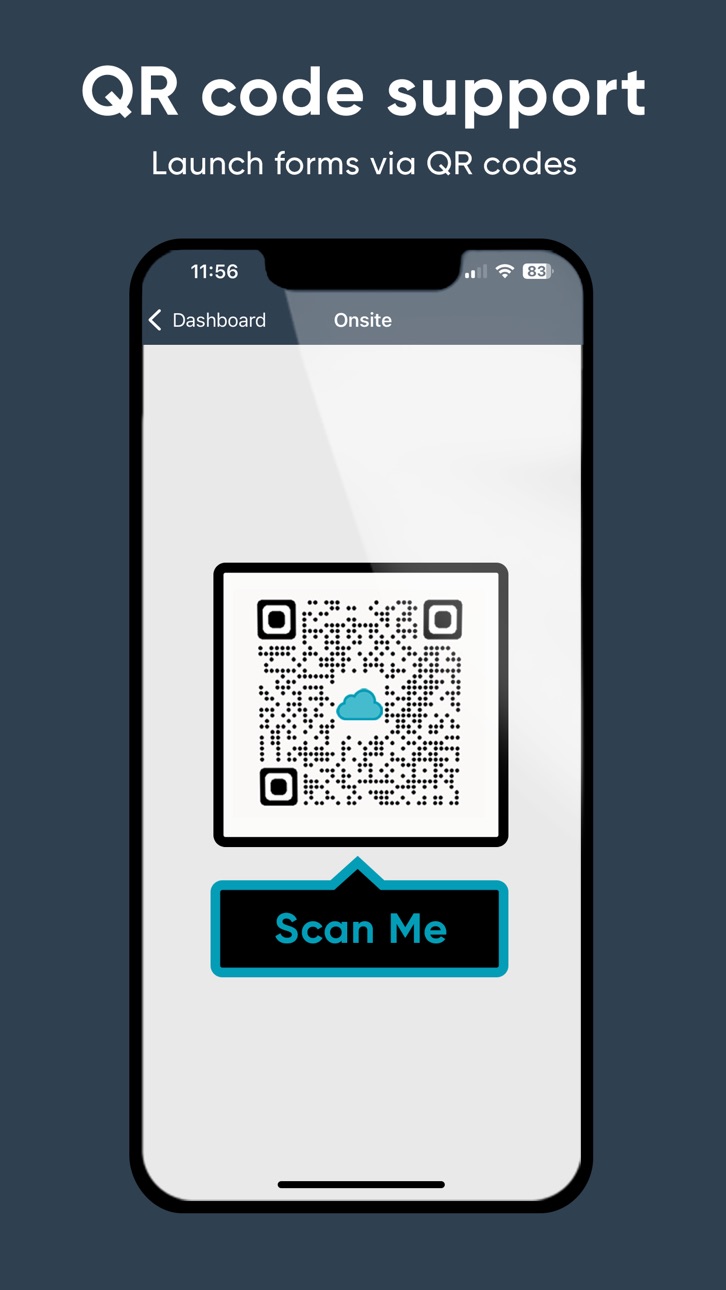
- A QR code, and url will then display.
- Once shared with others they can access a read only version and can sign off on the form.
- All of this can be done in app without needing to use the web browser.
Build 874692206v10.7.02025-05-12 23:11:47
Features
InForm - Conditional Inline Elements
- When completing forms via the Lucidity mobile app respondents can now be required to add inline elements including: actions, attachments, comments and photos.
- By adding these elements inline with the question they are related to it's much easier to see at a glance what they relate to.
For example if a safety data sheet is added as an attachment at the bottom of a form it may not be obvious what it's for. However if added in line with the question "Have you provided the safety data sheet related to this chemical?" It's a lot clearer what the attachment relates to and why it's included.
- Not only can these inline elements be added, but when designing the form the form administrator can configure the form template to require the respondent to include a particular inline element depending on how the answer a question.
For example if the user answers "Yes" to the question "Was a hazard identified?" then the respondent can be required to include an inline action and photo.
Build 874499558v10.6.92025-05-04 11:46:11
Features
InForm now connects to the Risk module enabling users to easily add risks from the Lucidity Risk module into a form. Simply click 'Add Risk', select the risk register, search and add the required risks.
This saves time on manual entry and prevents duplication of effort.
Build 874350874v10.6.62025-04-28 19:16:32
Features
- Multi User Time Zone for all Lucidity modules (Requires Lucidity Desktop Version 19.0.0 or later)
Multi user timezone is now supported. By default the timezone is set to the users local time automatically when they login.
Build 873652452v10.6.12025-03-31 17:09:20
Fixes
- InForm - In some cases QR codes for adding new forms in the mobile app were not working correctly.
- OnSite - In some cases, when scanning a QR code to enter, or exit a site, tap in and out wasn't working correctly. This only affected customers with legacy integralcs domain names and has now been resolved.
Build 872953592v10.6.02025-03-04 16:08:33
Features
InForm - The workforce can quickly and easily review forms and documents and sign off via web and mobile using a QR code or by completing "Review & Sign Off" actions assigned to them.
Review and sign off forms relating to pre start risk assessments, tool box talks and other scenarios relating to team sign on to high risk work.
InForm - See forms that you need to review at a glance, or open forms you've previously reviewed and sign off.
InForm - Filter forms to locate the specific forms
Build 872921037v10.5.62025-03-03 09:08:31
Features
InForm - The workforce can quickly and easily review forms and documents and sign off via web and mobile using a QR code or by completing "Review & Sign Off" actions assigned to them.
Review and sign off forms relating to pre start risk assessments, tool box talks and other scenarios relating to team sign on to high risk work.
InForm - See forms that you need to review at a glance, or open forms you've previously reviewed and sign off.
InForm - Filter forms to locate the specific forms
Build 872871084v10.5.52025-02-28 16:55:42
Features
InForm - The workforce can quickly and easily review forms and documents and sign off via web and mobile using a QR code or by completing "Review & Sign Off" actions assigned to them.
Review and sign off forms relating to pre start risk assessments, tool box talks and other scenarios relating to team sign on to high risk work.
InForm - See forms that you need to review at a glance, or open forms you've previously reviewed and sign off.
InForm - Filter forms to locate the specific forms relating to a project, specific form type, or group within your organisation.
Build 872453560v10.5.32025-02-13 08:39:04
Fixes
An issue has been fixed, where in some cases, for specific QR codes users were able to sign in multiple times.
No pricing data captured yet — comparisons appear once the app has paid storefronts or in-app purchases.
Availability 75 of 75 storefronts
| Region | Language | Price | Ratings | Avg | Version |
|---|---|---|---|---|---|
| AG | en-GB | Free | 0 | — | 11.7.1 |
| AI | en-GB | Free | 0 | — | 11.7.1 |
| AO | en-GB | Free | 0 | — | 11.7.1 |
| AR | es-MX | Free | 0 | — | 11.7.1 |
| BB | en-GB | Free | 0 | — | 11.7.1 |
| BF | en-GB | Free | 0 | — | 11.7.1 |
| BJ | en-GB | Free | 0 | — | 11.7.1 |
| BO | es-MX | Free | 0 | — | 11.7.1 |
| BR | pt-BR | Free | 0 | — | 11.7.1 |
| BS | en-GB | Free | 0 | — | 11.7.1 |
| BW | en-GB | Free | 0 | — | 11.7.1 |
| BZ | en-GB | Free | 0 | — | 11.7.1 |
| CD | en-GB | Free | 0 | — | 11.7.1 |
| CG | en-GB | Free | 0 | — | 11.7.1 |
| CI | fr-FR | Free | 0 | — | 11.7.1 |
| CL | es-MX | Free | 0 | — | 11.7.1 |
| CM | fr-FR | Free | 0 | — | 11.7.1 |
| CO | es-MX | Free | 0 | — | 11.7.1 |
| CR | es-MX | Free | 0 | — | 11.7.1 |
| CV | en-GB | Free | 0 | — | 11.7.1 |
| DM | en-GB | Free | 0 | — | 11.7.1 |
| DO | es-MX | Free | 0 | — | 11.7.1 |
| DZ | en-GB | Free | 0 | — | 11.7.1 |
| EC | es-MX | Free | 0 | — | 11.7.1 |
| GA | fr-FR | Free | 0 | — | 11.7.1 |
| GD | en-GB | Free | 0 | — | 11.7.1 |
| GH | en-GB | Free | 0 | — | 11.7.1 |
| GM | en-GB | Free | 0 | — | 11.7.1 |
| GT | es-MX | Free | 0 | — | 11.7.1 |
| GW | en-GB | Free | 0 | — | 11.7.1 |
| GY | en-GB | Free | 0 | — | 11.7.1 |
| HN | es-MX | Free | 0 | — | 11.7.1 |
| JM | en-GB | Free | 0 | — | 11.7.1 |
| KE | en-GB | Free | 0 | — | 11.7.1 |
| KN | en-GB | Free | 0 | — | 11.7.1 |
| KY | en-GB | Free | 0 | — | 11.7.1 |
| LC | en-GB | Free | 0 | — | 11.7.1 |
| LR | en-GB | Free | 0 | — | 11.7.1 |
| LY | en-GB | Free | 0 | — | 11.7.1 |
| MA | en-GB | Free | 0 | — | 11.7.1 |
| MG | en-GB | Free | 0 | — | 11.7.1 |
| ML | en-GB | Free | 0 | — | 11.7.1 |
| MS | en-GB | Free | 0 | — | 11.7.1 |
| MU | en-GB | Free | 0 | — | 11.7.1 |
| MW | en-GB | Free | 0 | — | 11.7.1 |
| MX | es-MX | Free | 0 | — | 11.7.1 |
| MZ | en-GB | Free | 0 | — | 11.7.1 |
| NA | en-GB | Free | 0 | — | 11.7.1 |
| NE | en-GB | Free | 0 | — | 11.7.1 |
| NG | en-GB | Free | 0 | — | 11.7.1 |
| NI | es-MX | Free | 0 | — | 11.7.1 |
| PA | es-MX | Free | 0 | — | 11.7.1 |
| PE | es-MX | Free | 0 | — | 11.7.1 |
| PY | es-MX | Free | 0 | — | 11.7.1 |
| RW | en-GB | Free | 0 | — | 11.7.1 |
| SC | en-GB | Free | 0 | — | 11.7.1 |
| SL | en-GB | Free | 0 | — | 11.7.1 |
| SN | en-GB | Free | 0 | — | 11.7.1 |
| SR | en-GB | Free | 0 | — | 11.7.1 |
| ST | en-GB | Free | 0 | — | 11.7.1 |
| SV | es-MX | Free | 0 | — | 11.7.1 |
| SZ | en-GB | Free | 0 | — | 11.7.1 |
| TC | en-GB | Free | 0 | — | 11.7.1 |
| TD | en-GB | Free | 0 | — | 11.7.1 |
| TN | en-GB | Free | 0 | — | 11.7.1 |
| TT | en-GB | Free | 0 | — | 11.7.1 |
| TZ | en-GB | Free | 0 | — | 11.7.1 |
| UG | en-GB | Free | 0 | — | 11.7.1 |
| US | en-US | Free | 0 | — | 11.7.1 |
| UY | en-GB | Free | 0 | — | 11.7.1 |
| VC | en-GB | Free | 0 | — | 11.7.1 |
| VE | es-MX | Free | 0 | — | 11.7.1 |
| VG | en-GB | Free | 0 | — | 11.7.1 |
| ZM | en-GB | Free | 0 | — | 11.7.1 |
| ZW | en-GB | Free | 0 | — | 11.7.1 |
Change log 28 changes · CD
✎
releaseNotes updated
What we improved
- Login | SSO Button Label — The SSO login button on the mobile login screen now reads "Login with SSO / Mazlan Home", reflecting the updated M
✎
description updated
Managing health and safety doesn’t just take place behind a desk. The Ideagen EHS Core app brings
your modules out into the field.
With easy access from your iP
✎
name updated
Ideagen EHS Core
◆
Version 11.7.1 released
What we improved
- Login | SSO Button Label — The SSO login button on the mobile login screen now reads "Login with SSO / Mazlan Home", reflecting the updated Mazlan Home branding
◆
Version 11.7.0 released
Minor app improvements
◆
Version 11.6.5 released
In this release, we focused on form reliability and asset scoping accuracy
Improvements
- InForm: Resolved an issue where the mobile app was using outdated form versions instead of the latest published version.
- InForm: Introduced a Compa
◆
Version 11.6.0 released
In this release, we focused on improving authentication readiness, form reliability, and mobile usability.
- Added a banner to notify users that the login experience will transition to Ideagen Hub, and to prompt users to ensure a valid emai
◆
Version 11.5.5 released
We've improved app reliability and data accuracy in this update:
- Improved sync reliability so configuration changes now update consistently between mobile and web
- Fixed Hazardous Substances search results to match between mobile and web
◆
Version 11.4.8 released
What's New:
- Enhanced security
- Improved error handling for Inform API requests
- Fixed SSO logout not clearing local session
- Resolved WebDialog issue
- Restored HZD Safety and Risk attachment field area
- Fixed minor issues
◆
Version 11.1.7 released
- Improved app performance with lazy loading and caching
- Updated Hazardous Substances module to support new settings and filters
- Fixed some minor issues with rows not being added correctly in forms, comment label not appearing in the ap
◆
Version 11.0.8 released
- The Lucidity app name has changed from Lucidity to Ideagen EHS Core.
- The app icon has changed from the Lucidity icon to the Ideagen EHS Core icon.
◆
Version 11.0.5 released
Fixes
- Fixed an issue that occurred on some tablet devices relating to the display of the UI and the camera function.
- Fixed an issue where in some cases adding a new row to a table was deleting the previous row.
◆
Version 11.0.0 released
Fixes
- InForm -For some customers PDF Attachments on Actions were not showing up on the app but can be seen on the desktop
- Actions - For some customers the create Action from the mobile app was not respecting user permissions
- InForm -S
◆
Version 10.9.6 released
Fixes
- Inform - Performance optimisation to reduce time required to save forms records, enabling faster interaction with the form elements.
◆
Version 10.7.9 released
- Minor bug fixes
◆
Version 10.7.7 released
Fixes
InForm - Fixed an issue where in some cases users were allowed to proceed past the Organisation Structure page without completing the mandatory fields, such as Projects, Division, etc..
◆
Version 10.7.4 released
- Minor improvements
◆
Version 10.7.3 released
- Minor improvements
◆
Version 10.7.2 released
Features
New Hazardous Substance Module
- Workers and manager can quickly and easily access a list of all hazardous substances used by their organisation.
- This enables them to access critical information about hazardous substances includi
◆
Version 10.7.1 released
Features
InForm - Forms with "Team Review and Sign Off" can now be added, edited and signed off via the mobile app.
- Simply tap "Add Form", select any form with "Team Review and Sign Off" enabled and begin filling in the form.
- Once the
◆
Version 10.7.0 released
Features
InForm - Conditional Inline Elements
- When completing forms via the Lucidity mobile app respondents can now be required to add inline elements including: actions, attachments, comments and photos.
- By adding these elements inline
◆
Version 10.6.9 released
Features
InForm now connects to the Risk module enabling users to easily add risks from the Lucidity Risk module into a form. Simply click 'Add Risk', select the risk register, search and add the required risks.
This saves time on manual e
◆
Version 10.6.6 released
Features
- Multi User Time Zone for all Lucidity modules (Requires Lucidity Desktop Version 19.0.0 or later)
Multi user timezone is now supported. By default the timezone is set to the users local time automatically when they login.
◆
Version 10.6.1 released
Fixes
- InForm - In some cases QR codes for adding new forms in the mobile app were not working correctly.
- OnSite - In some cases, when scanning a QR code to enter, or exit a site, tap in and out wasn't working correctly. This only affect
◆
Version 10.6.0 released
Features
InForm - The workforce can quickly and easily review forms and documents and sign off via web and mobile using a QR code or by completing "Review & Sign Off" actions assigned to them.
Review and sign off forms relating to pre start
◆
Version 10.5.6 released
Features
InForm - The workforce can quickly and easily review forms and documents and sign off via web and mobile using a QR code or by completing "Review & Sign Off" actions assigned to them.
Review and sign off forms relating to pre start
◆
Version 10.5.5 released
Features
InForm - The workforce can quickly and easily review forms and documents and sign off via web and mobile using a QR code or by completing "Review & Sign Off" actions assigned to them.
Review and sign off forms relating to pre start
◆
Version 10.5.3 released
Fixes
An issue has been fixed, where in some cases, for specific QR codes users were able to sign in multiple times.