Home › Photo & Video

 US
US
1 of 1 storefronts
Content in en-US
Content in en-US
Information
Preview 2 platforms
iPhone 7 images




iPad 5 images



What’s New Version 6.5
Performance improvements.
Description
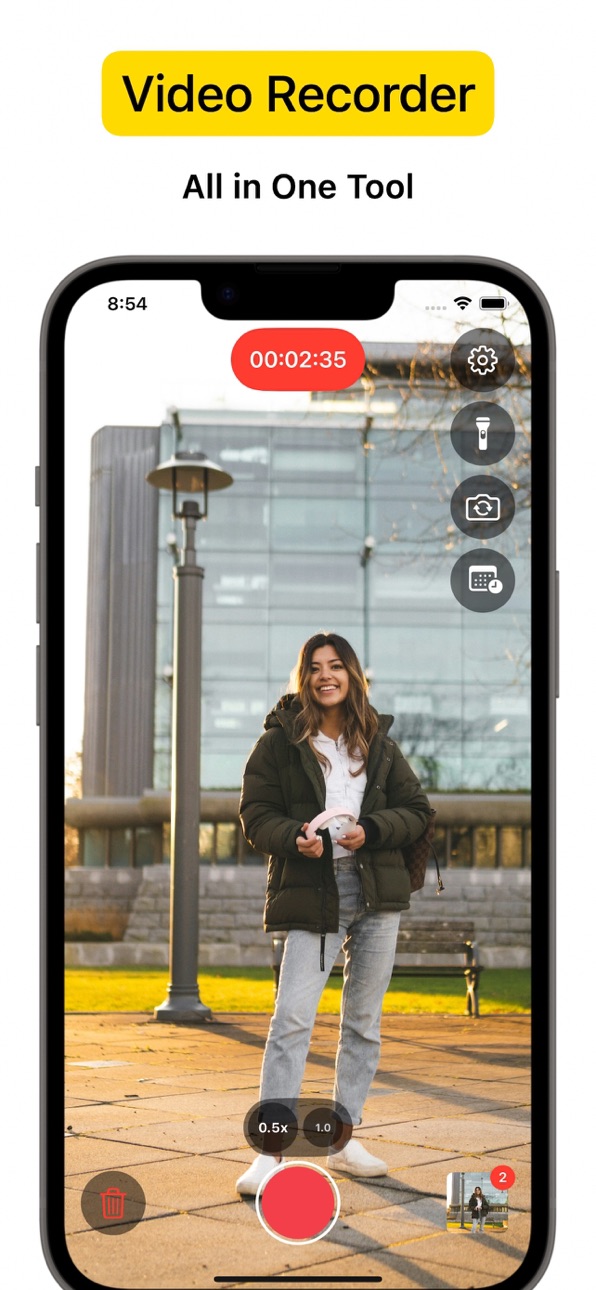
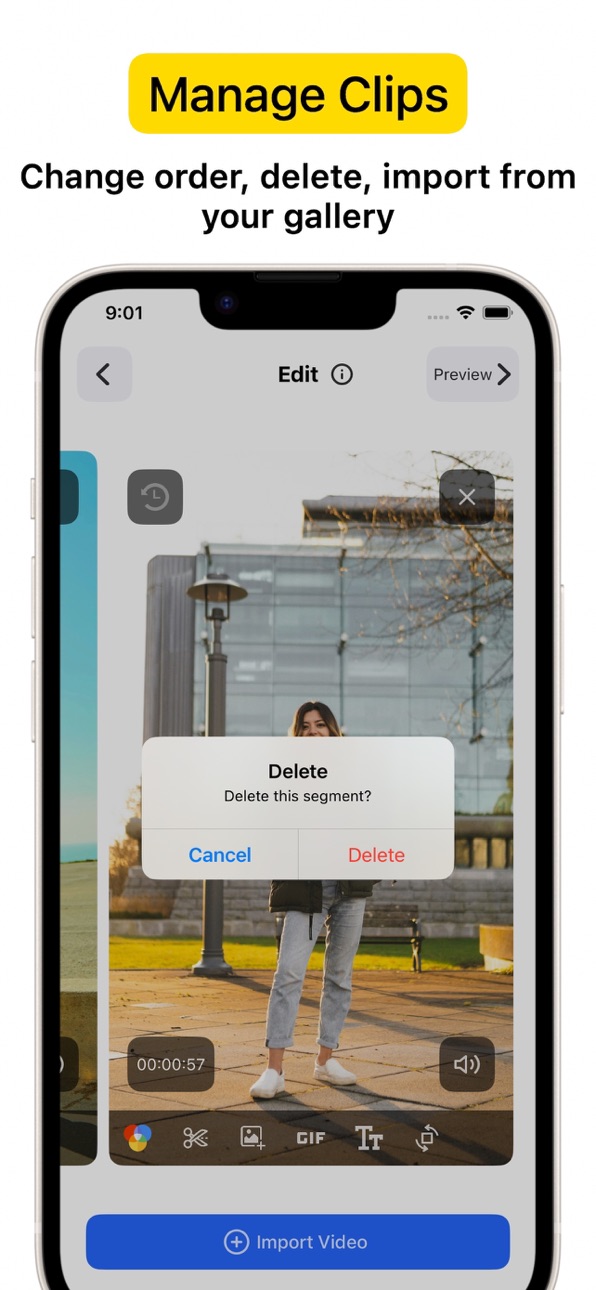
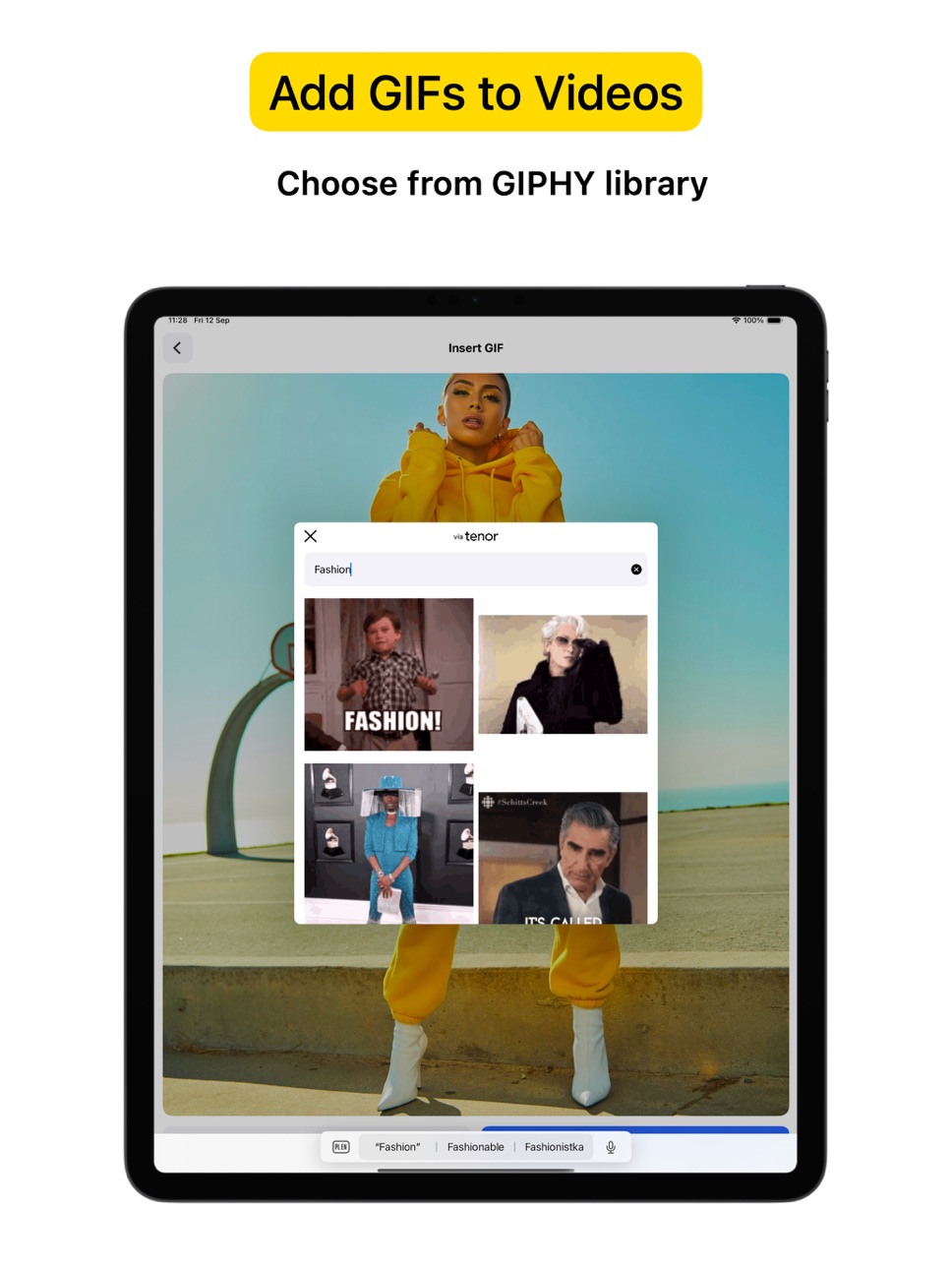
Powerful all-in-one Video Recorder & Video Editor lets you create camera video sessions, manage recorded clips and add Text / Image / GIF to video.
Video Camera with Timestamp Camera
Capture every detail in HD or 4K, with the option to add a timestamp. VideoCam+ functions as an advanced video camera with a built-in timestamp camera.
GIF Creation and GIF Integration in Videos
Make any moment memorable by creating GIFs directly from your video recordings with this video recorder. The GIF feature lets you add fun elements or GIF animations to your videos for extra creativity, making this video camera perfect for social media, tutorials, or creative vlogging.
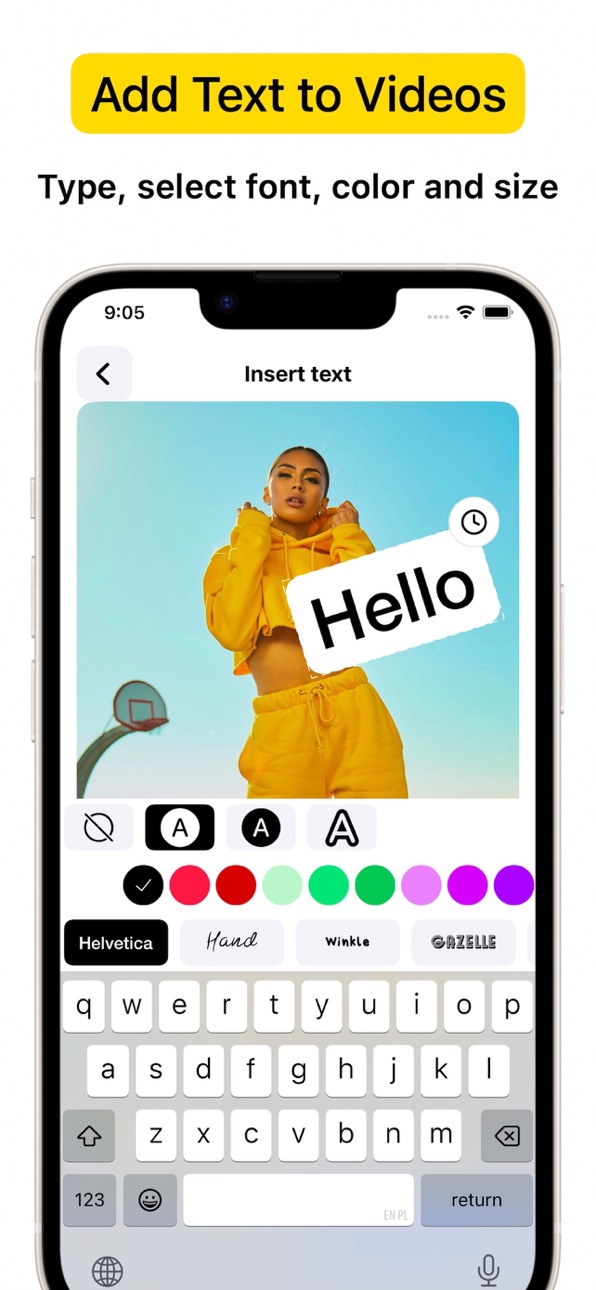
Add Photos and Text to Your Videos
Add photos directly into your video with this video camera to create richer stories. You can also overlay text to highlight details, or add a personal touch to your recorded video. This makes VideoCam+ an excellent camera for tutorials, presentations, and storytelling.
Pause and Resume Recording
The pause recoding feature lets you stop and resume seamlessly, making this video camera ideal for long-form content. This video camera allows you to pause, which is perfect for continuous content creation.
Video Editing with a Flexible Video Recorder
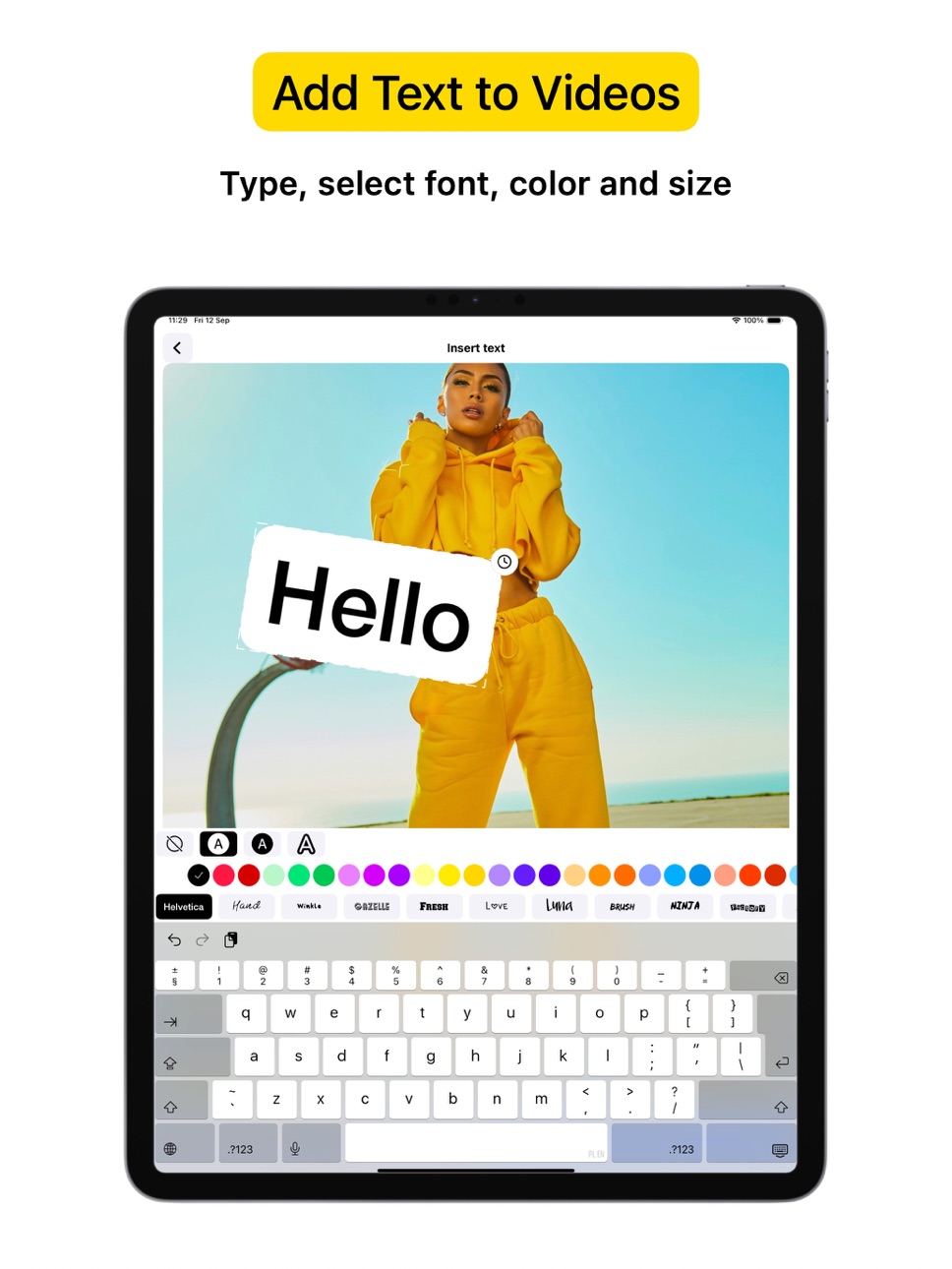
Text Overlays and Customizations
Overlay text anywhere in your video recordings. This camera allows you to adjust text style, size, and color to match your vision, adding an extra layer of personalization to every recorded video.
Why Choose VideoCam+?
VideoCam+ is designed for those who want a video camera that does more than basic recording. Its timestamp camera helps create organized, clear memories; its Video to GIF feature adds animated fun; and it supports adding photos and text for professional-quality results. This video camera is perfect for:
Vloggers needing continuous recording with a timestamp camera and pause feature.
Content Creators who want video editor that integrates GIFs, photos, and text into videos, also Video to GIF.
Professional Users requiring a video editor to document events accurately and clearly.
FAQ
Can I add photos and GIFs to any video?
Yes, VideoCam+ allows you to integrate photos and GIFs into your recorded videos, maximizing the capabilities of this recorder.
How does the pause work during recording?
With this recorder, simply hit pause to stop recording, then resume. VideoCam+ makes every recording session seamless, letting you focus on your creative flow.
Does the app support adding timestamps to GIFs?
Currently, timestamp apply to video recordings only, but you can easily create GIFs from a timestamp video for a fully branded look.
Download VideoCam+ now and turn every moment into a video masterpiece with the most versatile video camera / video editor around. Whether you’re filming, converting Video to GIF, organizing events with a timestamp camera, or adding photos and text to enhance each video, VideoCam+ has everything you need in one powerful recorder to capture, customize, and share your best moments.
Start Premium with a free trial. Once the trial is over, you’ll be charged a monthly subscription fee. Premium will automatically renew unless auto-renew is turned off at least 24 hours before the end of the current period. You can go to your Settings > iTunes Account & App Store > Apple ID > Subscriptions to manage your subscription and turn auto-renew off. Your iTunes Account will be charged when the purchase is confirmed.
Terms of Use: http://videocam.wiseapps.pl/policies/videocam_tc.html
Privacy Policy: http://videocam.wiseapps.pl/policies/videocam_privacy_policy.html
In-App Purchases US pricing
Premium Subscription
Monthly · Monthly 3-day free trial$2.99
Yearly · Yearly$19.99
One-Time Purchases
Unlock All$3.99
Lifetime Premium$39.99
Capabilities
In-App Purchases
Accessibility
ipadiphonemacrealityDevicetvoswatch
Version history 25 versions
Build 887795563v6.52026-07-04 05:04:55
Performance improvements.
Build 884058818v6.42026-04-02 20:40:44
Small UI improvements.
Build 880186397v6.32025-12-02 21:49:14
Improved error handling.
Build 879588033v6.22025-11-09 20:25:03
Technical improvements.
Build 878887404v6.12025-10-14 22:46:53
Technical improvements.
Build 878339648v6.02025-09-22 23:59:20
Fixed problem with videos import.
Build 877978878v5.92025-09-13 11:58:04
Support light / dark mode.
Build 877595953v5.82025-08-27 23:48:29
- Preview screen redesigned
- Video stabilization toggle
- Fixed export errors
Build 877414058v5.72025-08-21 08:58:13
Record screen redesigned.
Build 875576863v5.62025-06-17 07:54:19
Technical improvements.
Build 874107821v5.52025-04-17 17:44:15
Fixed problem with text edition.
Build 872638688v5.42025-02-20 07:12:38
Stability improvements.
Build 872210045v5.32025-02-12 08:21:27
Small improvements.
Build 872164428v5.22025-02-02 11:01:47
Small improvements.
Build 871209241v5.12024-12-22 22:54:18
Small improvements.
Build 870838622v5.02024-12-03 23:55:03
Small improvements.
Build 870207419v4.92024-11-06 05:07:20
UI problems fixed.
Build 869815875v4.82024-11-04 14:45:28
Fixed problem with front camera.
Build 869327856v4.72024-09-27 21:35:50
Select video quality in settings.
Build 869058538v4.62024-09-17 10:01:06
- support zoom out x0.5 for ultra wide angle cameras
- imported video will be added to the end of record session
Build 862327326v4.52023-12-19 22:16:21
Improvements.
Build 854797462v4.42023-02-07 20:05:24
Import multiple videos at once.
Build 847289621v4.32022-02-21 14:14:52
Performance improvements.
Build 846590917v4.22022-01-15 14:46:00
Small improvements.
Build 846388958v4.12022-01-05 15:43:44
Small improvements.
Price history by region
Currency
Show
Columns
Search
Availability 1 of 1 storefronts
| Region | Language | Price | Ratings | Avg | Version |
|---|---|---|---|---|---|
| US | en-US | Free | 4.2k | 4.6 | 6.5 |
Change log 29 changes · US
✎
releaseNotes updated
Performance improvements.
✎
description updated
Powerful all-in-one Video Recorder & Video Editor lets you create camera video sessions, manage recorded clips and add Text / Image / GIF to video.
Video Camer
✎
subtitle updated
Video camera & editor
✎
name updated
VideoCam+ Video Recorder
◆
Version 6.5 released
Performance improvements.
◆
Version 6.4 released
Small UI improvements.
◆
Version 6.3 released
Improved error handling.
◆
Version 6.2 released
Technical improvements.
◆
Version 6.1 released
Technical improvements.
◆
Version 6.0 released
Fixed problem with videos import.
◆
Version 5.9 released
Support light / dark mode.
◆
Version 5.8 released
- Preview screen redesigned
- Video stabilization toggle
- Fixed export errors
◆
Version 5.7 released
Record screen redesigned.
◆
Version 5.6 released
Technical improvements.
◆
Version 5.5 released
Fixed problem with text edition.
◆
Version 5.4 released
Stability improvements.
◆
Version 5.3 released
Small improvements.
◆
Version 5.2 released
Small improvements.
◆
Version 5.1 released
Small improvements.
◆
Version 5.0 released
Small improvements.
◆
Version 4.9 released
UI problems fixed.
◆
Version 4.8 released
Fixed problem with front camera.
◆
Version 4.7 released
Select video quality in settings.
◆
Version 4.6 released
- support zoom out x0.5 for ultra wide angle cameras
- imported video will be added to the end of record session
◆
Version 4.5 released
Improvements.
◆
Version 4.4 released
Import multiple videos at once.
◆
Version 4.3 released
Performance improvements.
◆
Version 4.2 released
Small improvements.
◆
Version 4.1 released
Small improvements.