Home › Productivity

 US
US
1 of 1 storefronts
Content in en-US
Content in en-US
Information
Apple ID995679850
Bundle IDcom.etokatastrofa.WordPalette
SellerSeller
Min iOS12.0
Min macOS11.0
Device familiesiphone, ipad, ipod
Released2015-06-25
Copyright© 2015 Christopher James Garver
Privacy policyLink ↗
Preview 2 platforms
iPhone 5 images


iPad 5 images



What’s New Version 1.9.4
FIXES
- Fixed launch crash reported by some users running iOS 13
ENCHANCEMENTS
- Refreshed app tint colors
- Updated AppStore screenshots

Description
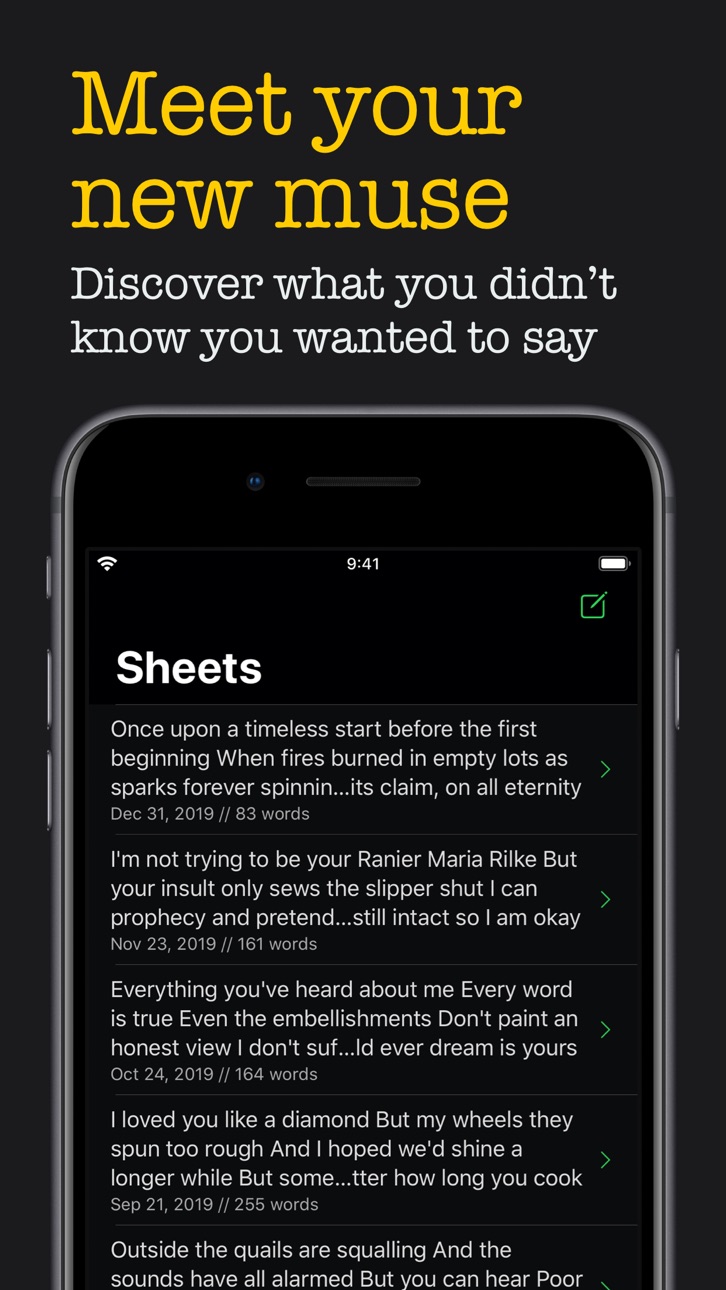
Meet your new muse. Destroy writer's block forever. Escape the beaten path and discover what you *didn't know* you wanted to say.
〰 Bypass your ego and regain your creative spark
- When experiencing writer's block our own minds can be our worst enemy.
- We get caught in the mud, hung up, and mope around in endless ruts, seemingly cursed by an infinite loop of inaction.
- But sometimes we've just got to hit refresh, shuffle the deck, ruffle some feathers, evacuate our comfort zones, and sidestep our rituals and habits.
- When songwriters get stuck -- they switch to a different instrument
- WordPalette is a different instrument!
〰 Up to six sliding lanes of intelligently scrambled text
- Short poetic phrases are intuitively grouped and stair-cased across the slider lanes
- Each lane slides in both directions independently
- The phrases are loaded from Palettes (your collected text sources)
〰 Quickly switch between keyboards
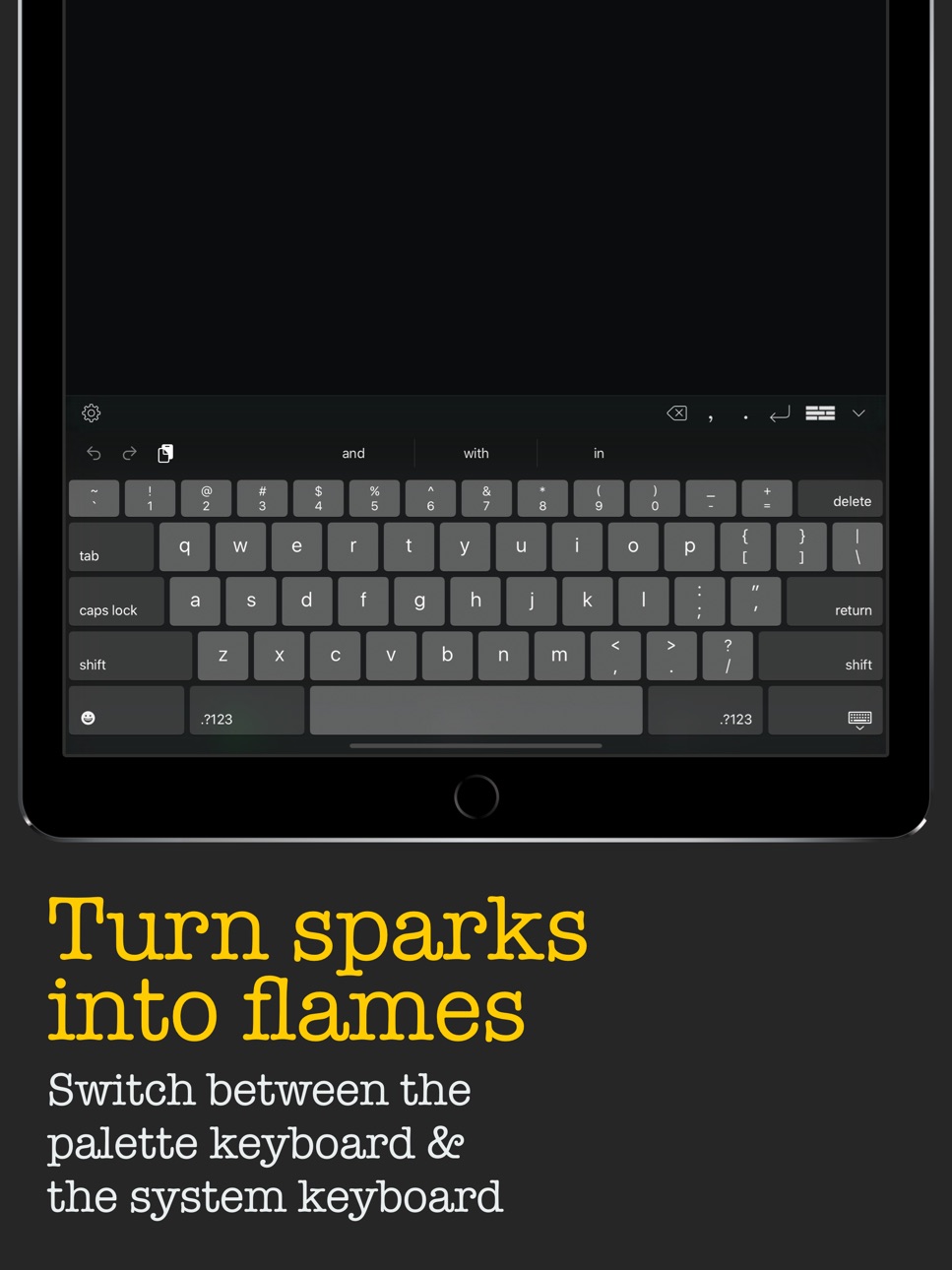
- Simply tap the keyboard button, or swipe left to quickly switch between the slider lanes and the default iOS keyboard
- You're not just switching between keyboards but between creative states
- Many workflows are possible :
- Rapid-fire between the keyboards, leveraging the "found" inspiration of the sliders with your own creative reactions.
- Use the sliders to amass a collection of words that resonate with you, then switch to the default keyboard and weave them together.
- For cut-up method purists: use *only* the word sliders, hunting through the lanes for the perfect compliments and juxtapositions.
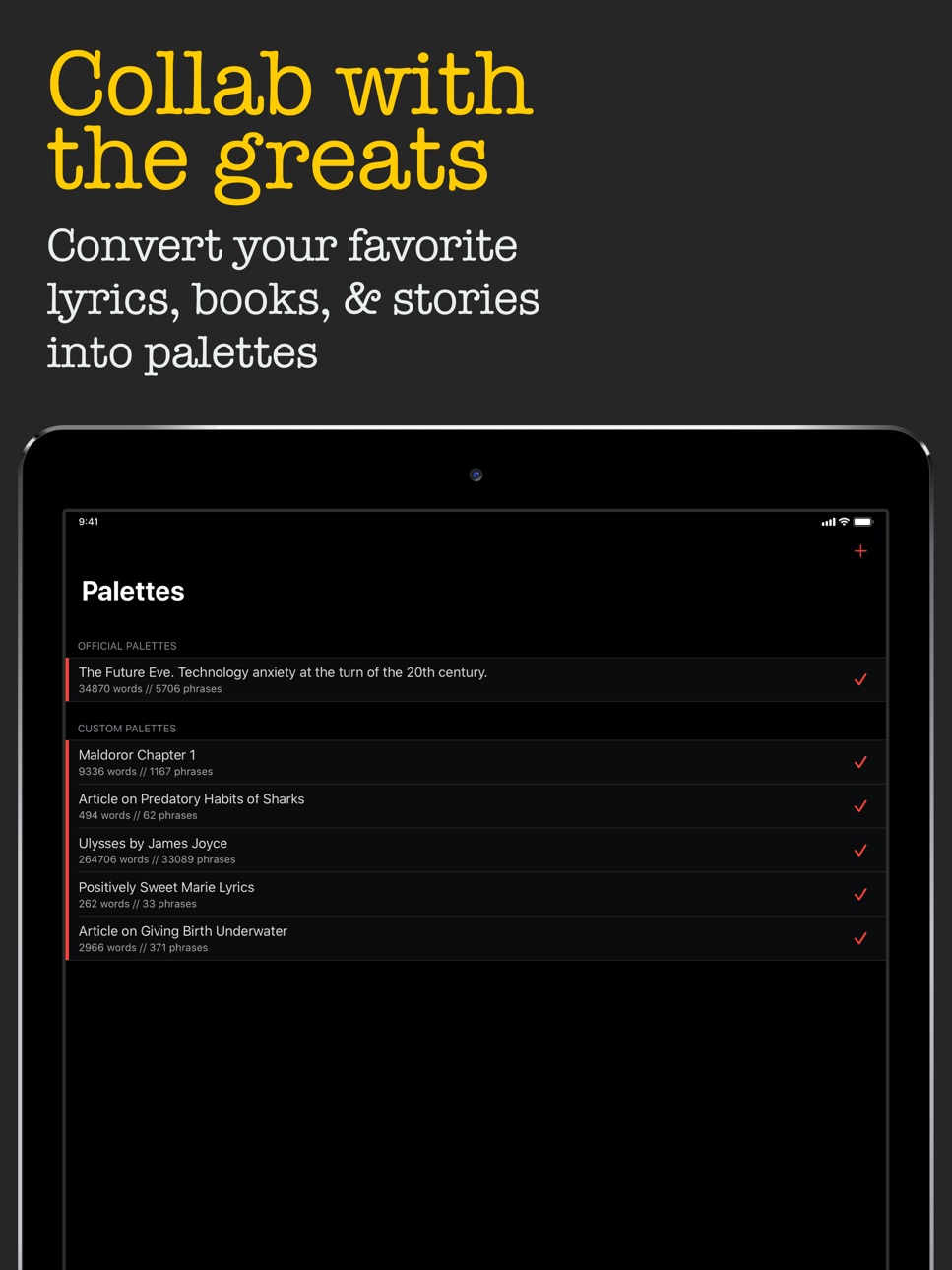
〰 Import your favorite text sources and convert them into Palettes.
- Palettes are converted sources of text used to populate the word sliders.
- Instantly paste copied text via the Add (+) button on the Palettes page, and convert.
- You can also import plain .txt files from iCloud Drive and other popular cloud services
- Alternatively, enable our Share extension to send text from other apps to be converted into Palettes.
〰 Mix and match your Palettes
- Activate and deactivate your collected Palettes to control what appears in the word sliders.
- The word slider keyboard will only pull phrases from currently activated Palettes.
- Get creative with your combinations! (i.e., text from an article on underwater birth, and an article on the predatory habits of sharks)
〰 Contact
- https://wordpalette.io
- dev@wordpalette.io
- @wordpalettes on Twitter / Instagram

In-App Purchases US pricing
One-Time Purchases
Optional Gratuity Level 1$0.99
Optional Gratuity Level 2$2.99
Optional Gratuity Level 3$4.99
Capabilities
In-App Purchases
Accessibility
ipadiphonemacrealityDevicetvoswatch
Version history 7 versions
Build 825558181v1.9.42019-09-29 23:54:37
FIXES
- Fixed launch crash reported by some users running iOS 13
ENCHANCEMENTS
- Refreshed app tint colors
- Updated AppStore screenshots

Build 825472075v1.9.32017-12-30 00:21:58
〰 Updates & Refreshes
- Seven new slider keyboard color schemes: Emerald Sea, Steel Shale, Ripe Peach, Blue Blood, Royal Cloak, Film Noir, and Snow Globe!
- Tweaked the navigation tint colors for Sheets, Palettes, and Settings sections (now with unique dark and light mode tints)
〰 Bug Fixes & Glitches
- Fixed minor glitch that would cause top jerky animation of top navigation bar when pushing from Sheets to compose view
- Fixed bug where a Sheet's modified date would be updated even when no changes to Sheet had been made (causing the Sheet to appear at top of Sheets list)
〰 Contact
- Feel free to hit me up with suggestions, bug reports, or just to talk shop about creative writing
- dev@wordpalette.io
- @wordpalettes on Twitter
Build 825390401v1.9.22017-12-20 20:21:47
〰 Bug Fixes & Glitches
- Fixed obscured text / scrolling issue for devices running iOS 10 when editing sheets
- Fixed crash when attempting to load a Palette with fewer than six words
- Fixed memory leak which would sometimes lead to a crash when exiting the custom slider keyboard
- Fixed issue where words shorter than 4 characters were not appearing in the word sliders (I was tinkering with some upcoming filtration features and forgot to un-tinker)
〰 Updates & Refreshes
- New icons in the punctuation bar
- New slider keyboard color schemes: a nice noir color scheme for dark mode, and an icy snow color scheme for light mode
- Revamped the slider keyboard code and it should now load, and resize on rotate, quicker and smoother

** Colorful slider keyboard schemes will be making their way back -- including the classic sea greens -- but I need to find a nice way to offer multiple options
Build 825283154v1.9.12017-12-12 20:12:29
〰 1.9.1 Hotfix
- Possible fix for an uncommon (but devastating) crash on launch
〰 Features and Updates
- Improved accessibility with full support of Dynamic Type: all text in the app will now adjust to any font size set in system Settings. Even the word slider keyboard!
- Full support for third party keyboards -- could also be considered a "bug" ;) -- previously, the slider keyboard would not appear when using a third party system keyboard
- Three fonts to choose from: System, Roman (as seen in older versions), and Typewriter (more to come!)
- Dark and Light app themes now available to everyone
- Full support for iPhone X and iOS 11
〰 Improvements
- Word slider keyboard re-written from the ground up, should be faster, smoother, more responsive, and architecturally poised for upcoming features ;)
- In fact, all views in the app were fine tuned with debugging instruments to be faster, smoother, and more responsive
- Graphic overhaul with newly refined glyphs and a brand new app icon
- An untold amount of visual tweaks to help bring WordPalette up to date with iOS 11 and generally look snazzier than ever
〰 Fixes
- Fixed occasional crash when sharing sheets
- Third party system keyboards now play nicely with the slider keyboard
〰 Upcoming
- Lots of new features on the way, specifically aimed towards different way to view, filter and use the slider keyboard.
- Much of architectural groundwork required to make these new features a reality are already in place within this release!
〰 Thank you!
- As always, I am consistently blown away by the response and support for WordPalette. Thank you thank you thank you.
- Tell your friends! You know, the artsy ones, with the scruffy hair, and the sleepy eyes, and a cardboard coffee always at hand, and a local bookstore tote in tow, wandering aimlessly, listlessly deconstructing their wherewithal for wit, trodding along in well worn shoes, nursing a pensive penchant for describing the rainy day premise.
- Don't hesitate to reach out with suggestions, comments, or just to talk shop at dev@wordpalette
- Do leave a review for WordPalette on the App Store! :)

Build 824953356v1.9.02017-12-11 21:49:27
〰 Features and Updates
- Improved accessibility with full support of Dynamic Type: all text in the app will now adjust to any font size set in system Settings. Even the word slider keyboard!
- Full support for third party keyboards -- could also be considered a "bug" ;) -- previously, the slider keyboard would not appear when using a third party system keyboard
- Three fonts to choose from: System, Roman (as seen in older versions), and Typewriter (more to come!)
- Dark and Light app themes now available to everyone
- Full support for iPhone X and iOS 11
〰 Improvements
- Word slider keyboard re-written from the ground up, should be faster, smoother, more responsive, and architecturally poised for upcoming features ;)
- In fact, all views in the app were fine tuned with debugging instruments to be faster, smoother, and more responsive
- Graphic overhaul with newly refined glyphs and a brand new app icon
- An untold amount of visual tweaks to help bring WordPalette up to date with iOS 11 and generally look snazzier than ever
〰 Fixes
- Fixed occasional crash when sharing sheets
- Third party system keyboards now play nicely with the slider keyboard
〰 Upcoming
- Lots of new features on the way, specifically aimed towards different way to view, filter and use the slider keyboard.
- Much of architectural groundwork required to make these new features a reality are already in place within this release!
〰 Thank you!
- As always, I am consistently blown away by the response and support for WordPalette. Thank you thank you thank you.
- Tell your friends! You know, the artsy ones, with the scruffy hair, and the sleepy eyes, and a cardboard coffee always at hand, and a local bookstore tote in tow, wandering aimlessly, listlessly deconstructing their wherewithal for wit, trodding along in well worn shoes, nursing a pensive penchant for describing the rainy day premise.
- Don't hesitate to reach out with suggestions, comments, or just to talk shop at dev@wordpalette
- Do leave a review for WordPalette on the App Store! :)

Build 816384674v1.52016-03-25 20:01:36
¶ FEATURES
- Generate Palettes from plain .txt files imported from iCloud Drive (and other popular cloud services).
- You can now browse to Palettes and Settings screens while composing, allows for quick Palette and Settings changes.
- Vastly improved and future proofed 'word slider' code. The number of sliders that appear is now calculated dynamically.
- For iPad Pro users the custom keyboard now boasts SIX sliding word lanes in Landscape orientation.
- Added show/hide status bar switch to Settings screen for those who need to keep an eye on the current time.
¶ FIXES
- Fixed sharing plain text from Notes app to WordPalette via Share Extension.
- Fixed deactivated "Official Palettes" automatically becoming activated upon relaunch.
- Fixed a handful of minor cosmetic issues with iPad multitasking and slide overs.
¶ FINE-TUNING
- Cleaned up icon and added "creative spark".
- Redesigned TabBar icons (Sheets, Palettes, Settings).
- Added "iPad Pro" screenshots to AppStore.
- Countless minor tweaks
Build 812444178v1.02015-06-25 21:52:29
Price history by region
Currency
Show
Columns
Search
Availability 1 of 1 storefronts
| Region | Language | Price | Ratings | Avg | Version |
|---|---|---|---|---|---|
| US | en-US | Free | 1.1k | 4.6 | 1.9.4 |
Change log 11 changes · US
✎
releaseNotes updated
FIXES
- Fixed launch crash reported by some users running iOS 13
ENCHANCEMENTS
- Refreshed app tint colors
- Updated AppStore screenshots

✎
description updated
Meet your new muse. Destroy writer's block forever. Escape the beaten path and discover what you *didn't know* you wanted to say.
〰 Bypass your ego and regain
✎
subtitle updated
Experimental Creative Writing
✎
name updated
WordPalette
◆
Version 1.9.4 released
FIXES
- Fixed launch crash reported by some users running iOS 13
ENCHANCEMENTS
- Refreshed app tint colors
- Updated AppStore screenshots

◆
Version 1.9.3 released
〰 Updates & Refreshes
- Seven new slider keyboard color schemes: Emerald Sea, Steel Shale, Ripe Peach, Blue Blood, Royal Cloak, Film Noir, and Snow Globe!
- Tweaked the navigation tint colors for Sheets, Palettes, and Settings sections (n
◆
Version 1.9.2 released
〰 Bug Fixes & Glitches
- Fixed obscured text / scrolling issue for devices running iOS 10 when editing sheets
- Fixed crash when attempting to load a Palette with fewer than six words
- Fixed memory leak which would sometimes lead to a c
◆
Version 1.9.1 released
〰 1.9.1 Hotfix
- Possible fix for an uncommon (but devastating) crash on launch
〰 Features and Updates
- Improved accessibility with full support of Dynamic Type: all text in the app will now adjust to any font size set in system Settings
◆
Version 1.9.0 released
〰 Features and Updates
- Improved accessibility with full support of Dynamic Type: all text in the app will now adjust to any font size set in system Settings. Even the word slider keyboard!
- Full support for third party keyboards -- could
◆
Version 1.5 released
¶ FEATURES
- Generate Palettes from plain .txt files imported from iCloud Drive (and other popular cloud services).
- You can now browse to Palettes and Settings screens while composing, allows for quick Palette and Settings changes.
- V
◆
Version 1.0 released