Home › Business

 US
US
1 of 1 storefronts
Content in en-US
Content in en-US
Information
Preview 2 platforms
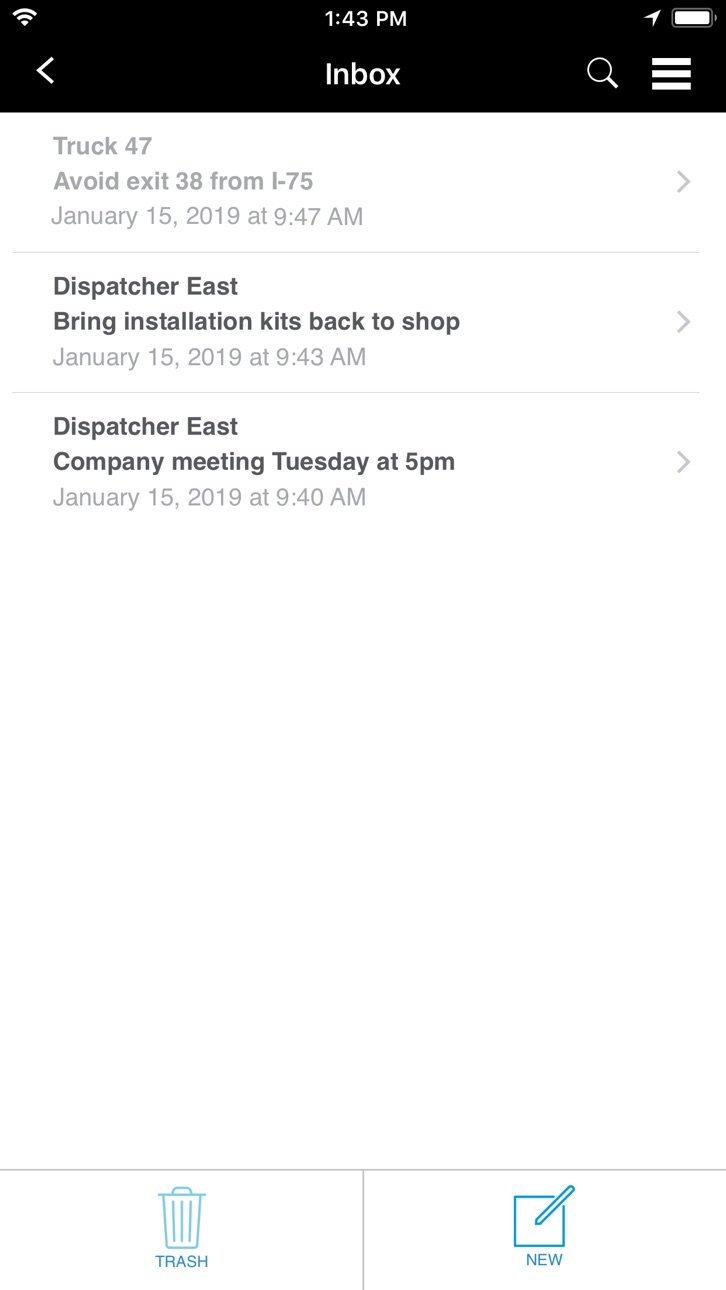
iPhone 4 images


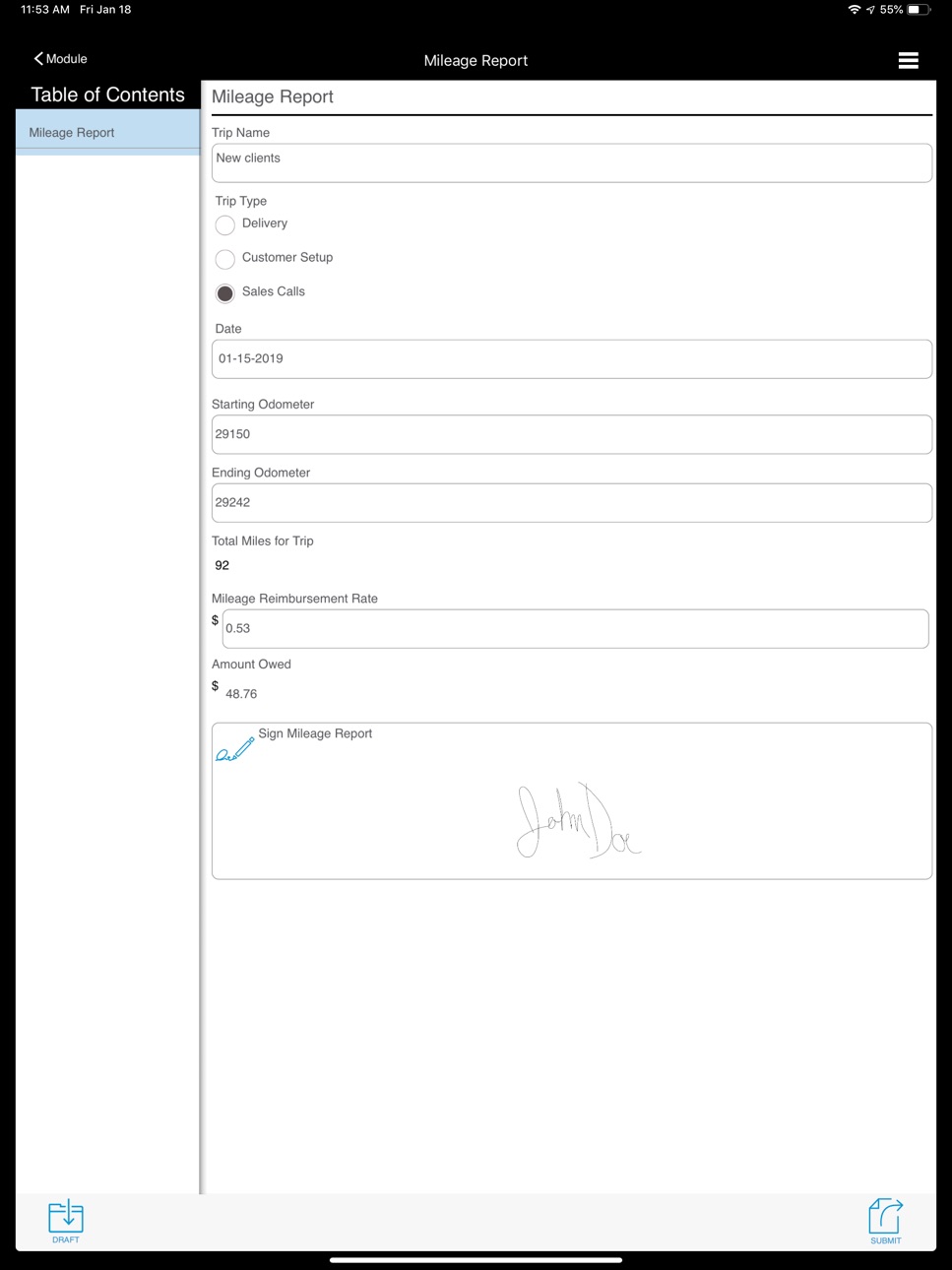
iPad 4 images



What’s New Version 1.7.7
1. In Timekeeping, the app can now display work schedules and report on attendance and on-time performance.
2. In Dispatching, enhanced the jobs list to give users options for how much preview detail they want to see in the list.
Description
Workforce Manager is a cost-effective cloud-based business platform that’s all-in-one solution for managing employees on the go. Companies of any size or industry will have the ability to build a solution to fit specific business needs.
Stay in the know with Workforce Manager. The application allows for businesses to know the location of mobile workers, send out work order information to employees, create easier dispatching, and allow users to clock in and out from the field.
Mobilize business with Workforce Manager features:
•Timekeeping
•Mobile Forms
•Job Order Dispatching
•Tracking
- Event Based GPS Location Reporting
- Intelligent Tracking
Timekeeping: Improve accountability and flexibility in a mobile workforce with timekeeping. This feature allows employees to clock in and out from a mobile handset or tablet. All time punches are viewed on one screen and can be viewed on a timeline in a user’s history. Employee activity is compiled into a report and available to integrate with timesheets. An added feature also allows employee activity to be viewed on a map.
Mobile Forms: Enhance efficiency by replacing paper forms with electronic versions. These wireless forms augment the existing paper versions and are sent directly to employees’ mobile devices. Photo Capture, and E-mails used for digital receipts all contribute to making it easier to exchange information. There are prebuilt forms in Workforce Manager that are industry specific available for use and businesses can customize the forms or build forms from scratch.
Job Order Dispatching: With job order dispatching within Workforce Manager productivity is heightened for users. Businesses create and dispatch work orders to employees in the field. Generate new orders for deliveries, service calls, or any other type of task. Work order information is available instantly and sent to the mobile employee’s phone or tablet. Dispatchers can send information out, closely track the progress of mobile personnel, and manage workloads in real time. The feature is customizable, powerful, and streamlines daily tasks for faster billing.
Event Based GPS Tracking: Optimize your workflow process with event-based tracking. This unique way of submitting documents allows management to monitor all field task activities and data entries in near real-time via a web dashboard. Improve accountability by keeping track of mobile employee’s location with each completed task.
Workforce Manager comes with several add-on services that further enhance the solution:
• Intelligent Tracking (continuous GPS tracking)
*Continued use of GPS running in the background can dramatically decrease battery life
Capabilities
Wallet
Accessibility
ipadiphonemacrealityDevicetvoswatch
Version history 25 versions
Build 882383103v1.7.72026-02-27 18:31:17
1. In Timekeeping, the app can now display work schedules and report on attendance and on-time performance.
2. In Dispatching, enhanced the jobs list to give users options for how much preview detail they want to see in the list.
Build 881133118v1.7.62026-01-08 14:48:09
1. Resolved various form routing bugs
2. Fixed form failure issues
3. Addressed a form draft deletion issue
4. Resolved a display issue on form drafts on iPads
Build 878807135v1.7.52025-10-24 06:09:26
1. In Timekeeping, added an option to require clock ins from a specific location
2. Enhancements to camera fields in forms, including selecting multiple images in bulk from the iPhone gallery and preventing users from using gallery images
3. Added the ability to require a PIN code before a user can log out of the application
4. In Dispatching, added support for grouping associated orders using order legs
Build 874023437v1.7.22025-04-17 14:10:36
1. Enhanced Order Service Forms with the new Location Fields support
2. Bug fixes for Location Fields
Build 873739143v1.7.12025-04-03 21:49:17
Bug fixes
Build 873558769v1.7.02025-04-02 10:58:25
1. Added the ability to capture a location within a form
2. Enhanced conditional fields in forms to include text fields and list fields to display or hide subsequent fields.
Build 872516410v1.6.512025-02-20 13:15:14
1. Fixed a crash on iPads in forms when attempting a barcode scan.
2. Resolved a background crash related to diagnostic tools.
Build 872010952v1.6.502025-02-10 14:55:32
Updates to diagnostics and analytics
Build 870406250v1.6.492024-11-20 20:12:22
1. Enhancements to Order list sorting
Build 868824171v1.6.472024-09-09 17:11:02
1. Enhancements to form transfer drafts to improve data persistence and enable drafts to be continued on a second mobile device or the web app.
2. Added the ability to make a copy of a form draft.
3. In Wireless forms, added a draft count to the Continue Draft button.
4. In Crew Timekeeping, resolved a form display issue during bulk updates.
5. In Order dispatching, fixed a bug in custom client fields that caused display issues with numeric data entries in text fields.
Build 865521876v1.6.452024-07-09 16:29:11
1. Enhancements to Dispatching, including the ability to include two job addresses for a single order
2. Added Panic mode, giving app users the ability to notify others of unsafe conditions they may be experiencing
3. Enhancements to form drafts to improve data persistence and enable drafts to be continued on a second mobile device or the web app
4. Modification to app login to allow for the use of Active Directory to connect
Build 858163518v1.6.42024-02-06 01:15:41
1. Enhancements to order details in Dispatching.
2. When saving a form, added the ability to name the draft.
3. Increased the maximum crew member limit in Crew Timekeeping.
4. Optimizations to photos submitted in forms.
5. Resolved an issue in forms that kept default values from displaying conditional fields.
6. In Timekeeping, resolved a bug that could cause a clock in or clock out to fail.
Build 855296578v1.6.362023-03-16 19:06:58
1. Additional field types added to client details for Dispatching
2. Resolved an intermittent issue with signature capture field display issues in iOS 16
Build 853818067v1.6.352022-12-19 17:09:19
1. Enhancements to Event reporting for app termination
2. Resolved an intermittent issue in Crew Timekeeping that could prevent Clock in/out forms from submitting
Build 853441677v1.6.342022-11-28 21:25:21
1. Resolved submission failures in Crew Timekeeping
2. Enhancements to Timekeeping to eliminate failed submissions
3. Resolved an intermittent issue that could prevent forms from submitting
Build 852758799v1.6.332022-10-18 19:44:10
1. Added a search option for modules
2. Enhancements to the job orders list
3. Resolved display issues for form captions and dispatching order details
4. Improvements to the order status form submission process to prevent failures
Build 851890792v1.6.322022-08-31 20:55:54
1. Dispatching Enhancements
Build 850923133v1.6.312022-07-25 11:25:36
1. Crew Timekeeping bug fixes
2. Better handling of order update submissions
Build 849667663v1.6.302022-06-07 17:26:48
1. Custom list filtering bug fix
Build 849170510v1.6.292022-05-20 18:20:11
1. Enhancements to custom list fields in forms.
2. Added sound to notifications when app is in the background or phone screen is locked.
Build 846789727v1.6.272022-01-26 19:03:07
1. Added the ability to use prepopulated values in form fields as a template when filling out a form.
2. Added the option for form numbers to auto generate upon completion in order to differentiate submissions of the same form in the app history.
3. Various fixes to crew timekeeping.
Build 844668378v1.6.252021-10-15 15:34:11
1. Added support for Crew Timekeeping to manage hours for multiple employees at the same job site.
Build 842591163v1.6.222021-06-16 17:18:58
1. Added support for NFC scanning in forms
2. Enabled clickable links to custom lists in forms
3. Optimizations to submissions to eliminate intermittent data loss
Build 841278426v1.6.212021-04-12 17:52:01
1. Fixed an issue in forms that prevented manually added email addresses from being recognized by the app, which could result in emailed forms not being received.
Build 841073212v1.6.202021-04-06 19:14:20
1. Added the ability for users to track time on a task using time duration in a form.
2. Added support for including emails in a custom list.
3. Resolved an issue in form workflows that prevented table data from displaying after a transfer.
4. Fixed a bug in Dispatching that caused display issues in client fields after an update.
No pricing data captured yet — comparisons appear once the app has paid storefronts or in-app purchases.
Availability 1 of 1 storefronts
| Region | Language | Price | Ratings | Avg | Version |
|---|---|---|---|---|---|
| US | en-US | Free | 25 | 3.2 | 1.7.7 |
Change log 28 changes · US
✎
releaseNotes updated
1. In Timekeeping, the app can now display work schedules and report on attendance and on-time performance.
2. In Dispatching, enhanced the jobs list to give u
✎
description updated
Workforce Manager is a cost-effective cloud-based business platform that’s all-in-one solution for managing employees on the go. Companies of any size or indust
✎
name updated
Actsoft Workforce Manager
◆
Version 1.7.7 released
1. In Timekeeping, the app can now display work schedules and report on attendance and on-time performance.
2. In Dispatching, enhanced the jobs list to give users options for how much preview detail they want to see in the list.
◆
Version 1.7.6 released
1. Resolved various form routing bugs
2. Fixed form failure issues
3. Addressed a form draft deletion issue
4. Resolved a display issue on form drafts on iPads
◆
Version 1.7.5 released
1. In Timekeeping, added an option to require clock ins from a specific location
2. Enhancements to camera fields in forms, including selecting multiple images in bulk from the iPhone gallery and preventing users from using gallery images
3
◆
Version 1.7.2 released
1. Enhanced Order Service Forms with the new Location Fields support
2. Bug fixes for Location Fields
◆
Version 1.7.1 released
Bug fixes
◆
Version 1.7.0 released
1. Added the ability to capture a location within a form
2. Enhanced conditional fields in forms to include text fields and list fields to display or hide subsequent fields.
◆
Version 1.6.51 released
1. Fixed a crash on iPads in forms when attempting a barcode scan.
2. Resolved a background crash related to diagnostic tools.
◆
Version 1.6.50 released
Updates to diagnostics and analytics
◆
Version 1.6.49 released
1. Enhancements to Order list sorting
◆
Version 1.6.47 released
1. Enhancements to form transfer drafts to improve data persistence and enable drafts to be continued on a second mobile device or the web app.
2. Added the ability to make a copy of a form draft.
3. In Wireless forms, added a draft count
◆
Version 1.6.45 released
1. Enhancements to Dispatching, including the ability to include two job addresses for a single order
2. Added Panic mode, giving app users the ability to notify others of unsafe conditions they may be experiencing
3. Enhancements to form d
◆
Version 1.6.4 released
1. Enhancements to order details in Dispatching.
2. When saving a form, added the ability to name the draft.
3. Increased the maximum crew member limit in Crew Timekeeping.
4. Optimizations to photos submitted in forms.
5. Resolved an issue
◆
Version 1.6.36 released
1. Additional field types added to client details for Dispatching
2. Resolved an intermittent issue with signature capture field display issues in iOS 16
◆
Version 1.6.35 released
1. Enhancements to Event reporting for app termination
2. Resolved an intermittent issue in Crew Timekeeping that could prevent Clock in/out forms from submitting
◆
Version 1.6.34 released
1. Resolved submission failures in Crew Timekeeping
2. Enhancements to Timekeeping to eliminate failed submissions
3. Resolved an intermittent issue that could prevent forms from submitting
◆
Version 1.6.33 released
1. Added a search option for modules
2. Enhancements to the job orders list
3. Resolved display issues for form captions and dispatching order details
4. Improvements to the order status form submission process to prevent failures
◆
Version 1.6.32 released
1. Dispatching Enhancements
◆
Version 1.6.31 released
1. Crew Timekeeping bug fixes
2. Better handling of order update submissions
◆
Version 1.6.30 released
1. Custom list filtering bug fix
◆
Version 1.6.29 released
1. Enhancements to custom list fields in forms.
2. Added sound to notifications when app is in the background or phone screen is locked.
◆
Version 1.6.27 released
1. Added the ability to use prepopulated values in form fields as a template when filling out a form.
2. Added the option for form numbers to auto generate upon completion in order to differentiate submissions of the same form in the app h
◆
Version 1.6.25 released
1. Added support for Crew Timekeeping to manage hours for multiple employees at the same job site.
◆
Version 1.6.22 released
1. Added support for NFC scanning in forms
2. Enabled clickable links to custom lists in forms
3. Optimizations to submissions to eliminate intermittent data loss
◆
Version 1.6.21 released
1. Fixed an issue in forms that prevented manually added email addresses from being recognized by the app, which could result in emailed forms not being received.
◆
Version 1.6.20 released
1. Added the ability for users to track time on a task using time duration in a form.
2. Added support for including emails in a custom list.
3. Resolved an issue in form workflows that prevented table data from displaying after a transfe