Home › Productivity

 US
US
1 of 1 storefronts
Content in en-US
Content in en-US
Information
Preview 1 platform
iPhone 4 images
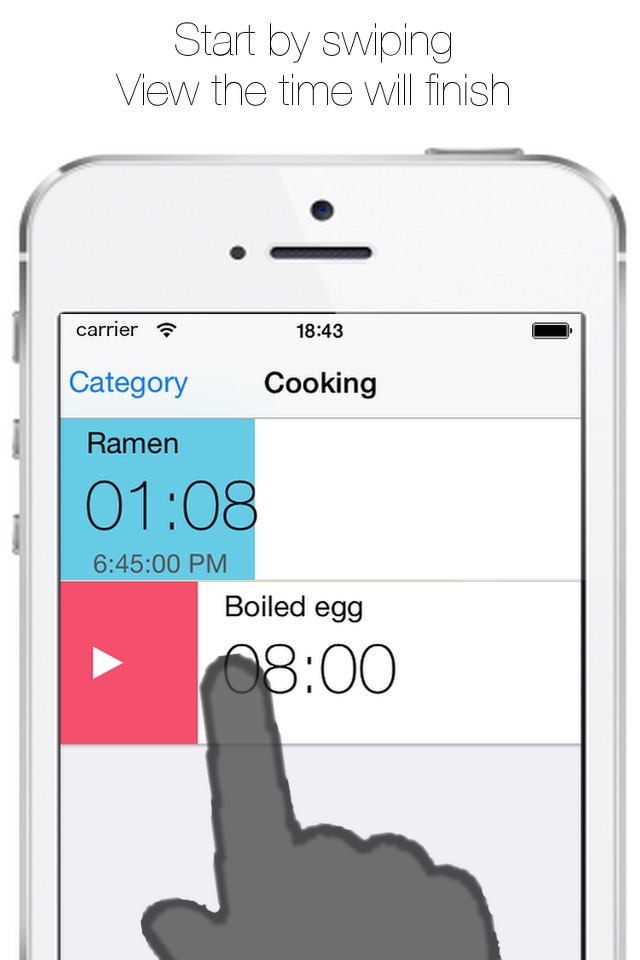


What’s New Version 2.3.2
Fixed UI misalignment during enlarged display.
Description
You can run multiple timers in seconds at the same time.
Timer time can be preserved, so it can begin right now by one tap.
It can be preserved according to the category, so appropriate use of a timer by the use is easy.
The timer you use in cooking, study and exercising is found right now.
The progress of a timer is obvious by a progress bar.
Additionally the closing time of the timer is indicated, so a schedule is easy to make out.
[The main function]
* The second unit: Time, a minute and a second can be set easily.
* Operation: 2 kinds (swipe, button)
* Display style: 3 kinds (small, middle, large. large : full display)
* Progress bar: Progress of a timer, it's obvious at a progress bar. You can choose from 10 kinds.
* The closing time: When I do timer starting, you know the closing time.
* Sort: It can be changed to set time and an original order.
* Category: You can make and classify an original category.
* Sound: 20 kinds(Powered by "Music is VFR")
* Vibration: 3 kinds (none, once, repeate)
* Character size: 3 kinds
* Local Notification: Even the background state is notified of in the closing time.
* URL scheme: jp.apptime.multipletimers://
*This app displays Ads. Pro version has no ads.
Accessibility
ipadiphonemacrealityDevicetvoswatch
Version history 9 versions
Build 882508816v2.3.22026-02-16 19:46:30
Fixed UI misalignment during enlarged display.
Build 882433712v2.3.12026-02-13 22:48:00
Fixed UI misalignment.
Build 878781089v2.32025-10-10 03:03:38
Fixed UI misalignment.
Build 873304832v2.2.22025-03-18 11:02:23
Fixed UI misalignment on some iPhone models.
Build 872383652v2.2.12025-02-11 18:04:00
Resolved an issue with data loading to improve stability.
Build 872332153v2.22025-02-10 07:31:36
Now supports iOS 18.
Build 836650797v2.12020-07-09 14:15:26
・Supported for all iPhone.
・Changed URL Scheme to "jp.apptime.multipletimers".
Build 827255087v2.02018-05-24 15:51:53
・Support iPhoneX
・Fixed bug
Build 812112311v1.02015-04-09 17:28:05
No pricing data captured yet — comparisons appear once the app has paid storefronts or in-app purchases.
Availability 1 of 1 storefronts
| Region | Language | Price | Ratings | Avg | Version |
|---|---|---|---|---|---|
| US | en-US | Free | 140 | 4.7 | 2.3.2 |
Change log 13 changes · US
✎
releaseNotes updated
Fixed UI misalignment during enlarged display.
✎
description updated
You can run multiple timers in seconds at the same time.
Timer time can be preserved, so it can begin right now by one tap.
It can be preserved according to t
✎
subtitle updated
Runs simultaneously
✎
name updated
MultipleTimers+
◆
Version 2.3.2 released
Fixed UI misalignment during enlarged display.
◆
Version 2.3.1 released
Fixed UI misalignment.
◆
Version 2.3 released
Fixed UI misalignment.
◆
Version 2.2.2 released
Fixed UI misalignment on some iPhone models.
◆
Version 2.2.1 released
Resolved an issue with data loading to improve stability.
◆
Version 2.2 released
Now supports iOS 18.
◆
Version 2.1 released
・Supported for all iPhone.
・Changed URL Scheme to "jp.apptime.multipletimers".
◆
Version 2.0 released
・Support iPhoneX
・Fixed bug
◆
Version 1.0 released