Home › Lifestyle

 US
US
1 of 1 storefronts
Content in en-US
Content in en-US
Information
Preview 1 platform
iPhone 4 images

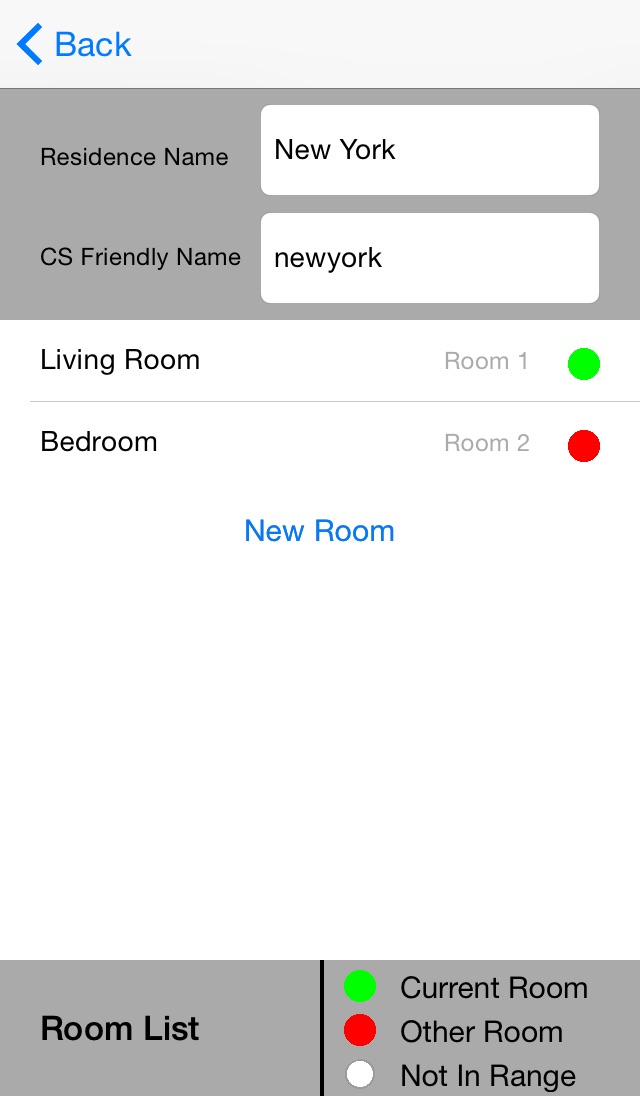


What’s New Version 1.2.1
This update from Apple will improve the functionality of this app. No new features are included.
- Changed app name to “Crestron Home Beacon Setup”.
- Corrected issue where sliders on testing page do not always show correct beacon calibration when beacon is in deployment mode.
Description
Crestron makes smart homes even more intelligent and personalized with the PinPoint™ proximity detection beacon. Integrating PinPoint into a whole-house automation system is simple using this free PinPoint setup app. Add a PinPoint beacon to a room to add proximity detection capabilities to the space. Increase coverage in a room by adding multiple beacons, and you can configure beacons in up to 100 rooms in a home. This app is intended for use by an authorized Crestron partner to install, set the range, and name PinPoint beacons in a room/home. Please visit the Crestron Website to locate an ELITE partner.
PinPoint works in conjunction with the Crestron app and Crestron for iPad app to solve the room default problem associated with mobile devices. PinPoint knows what room a person is in and automatically displays controls for that space on their iOS® device. Homeowners are no longer inconvenienced by navigating to different room menus on the app as they move through their home.
Requires Crestron PinPoint (PP-100) beacon(s) and Crestron App for iPhone or iPad.
Accessibility
ipadiphonemacrealityDevicetvoswatch
Version history 2 versions
Build 815732366v1.2.12016-02-18 22:03:10
This update from Apple will improve the functionality of this app. No new features are included.
- Changed app name to “Crestron Home Beacon Setup”.
- Corrected issue where sliders on testing page do not always show correct beacon calibration when beacon is in deployment mode.
Build 811543973v1.01.012015-02-09 14:35:02
No pricing data captured yet — comparisons appear once the app has paid storefronts or in-app purchases.
Availability 1 of 1 storefronts
| Region | Language | Price | Ratings | Avg | Version |
|---|---|---|---|---|---|
| US | en-US | Free | 2 | 4.0 | 1.2.1 |
Change log 5 changes · US
✎
releaseNotes updated
This update from Apple will improve the functionality of this app. No new features are included.
- Changed app name to “Crestron Home Beacon Setup”.
- Correct
✎
description updated
Crestron makes smart homes even more intelligent and personalized with the PinPoint™ proximity detection beacon. Integrating PinPoint into a whole-house automat
✎
name updated
Crestron Home Beacon Setup
◆
Version 1.2.1 released
This update from Apple will improve the functionality of this app. No new features are included.
- Changed app name to “Crestron Home Beacon Setup”.
- Corrected issue where sliders on testing page do not always show correct beacon calibra
◆
Version 1.01.01 released