Home › Business

 US
US
USen-US AONot Available
 ARNot Available
 BBNot Available
 BFNot Available
 BJNot Available
 BONot Available
 BRNot Available
 BSNot Available
 BWNot Available
 BZNot Available
 CDNot Available
 CGNot Available
 CINot Available
 CLNot Available
 CMNot Available
 CONot Available
 CRNot Available
 CVNot Available
 DONot Available
 DZNot Available
 ECNot Available
 GANot Available
 GHNot Available
 GMNot Available
 GTNot Available
 GWNot Available
 HNNot Available
 JMNot Available
 KENot Available
 LRNot Available
 LYNot Available
 MANot Available
 MGNot Available
 MLNot Available
 MUNot Available
 MWNot Available
 MXNot Available
 MZNot Available
 NANot Available
 NENot Available
 NGNot Available
 NINot Available
 PANot Available
 PENot Available
 PYNot Available
 RWNot Available
 SCNot Available
 SLNot Available
 SNNot Available
 STNot Available
 SVNot Available
 SZNot Available
 TDNot Available
 TNNot Available
 TTNot Available
 TZNot Available
 UGNot Available
 UYNot Available
 VENot Available
 ZMNot Available
 ZWNot Available
1 of 62 storefronts
Content in en-US
Content in en-US
Information
Apple ID955512451
Bundle IDcom.advanceautoparts.vinscan
SellerSeller
Min iOS9.0
Min macOS11.0
Device familiesiphone, ipad, ipod
Released2015-03-12
Copyright© Advance Stores Company, Inc.
Privacy policyLink ↗
Preview 2 platforms
iPhone 4 images


iPad 4 images



What’s New Version 1.3.6
Logo updates.
Description
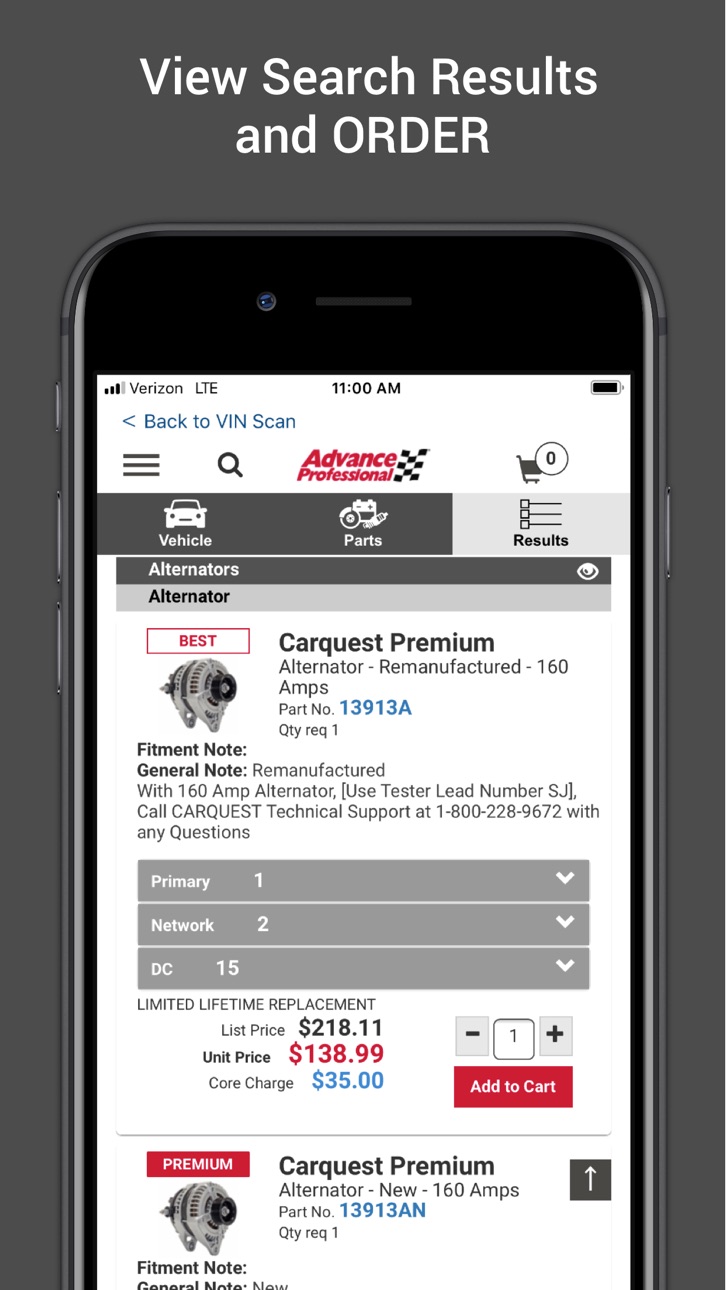
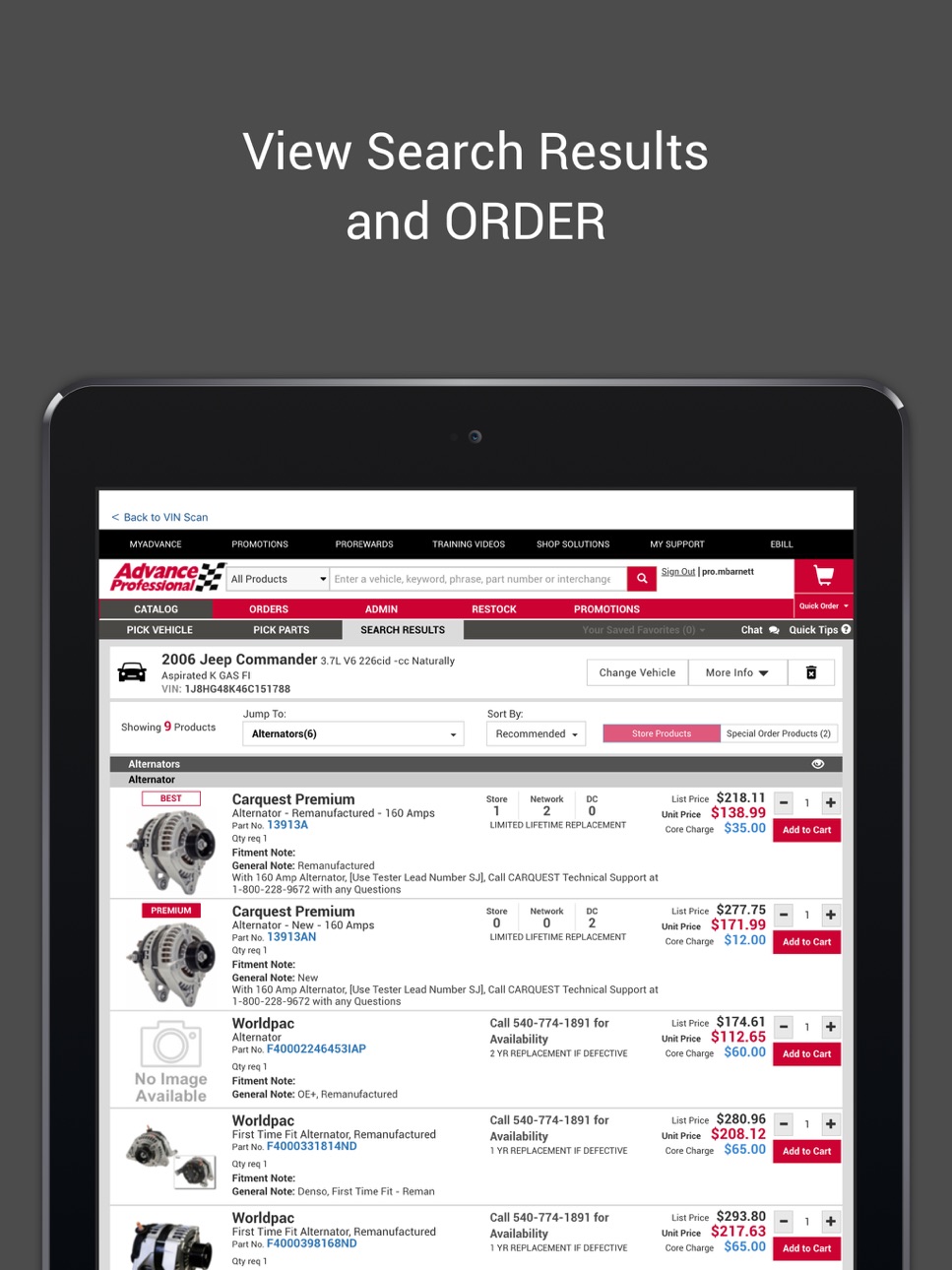
Advance Auto Parts® and Carquest® Professional customers can scan directly from a vehicle’s barcode (windshield or door mounted), search for parts, and order directly from the app using their secure Advance Professional account.
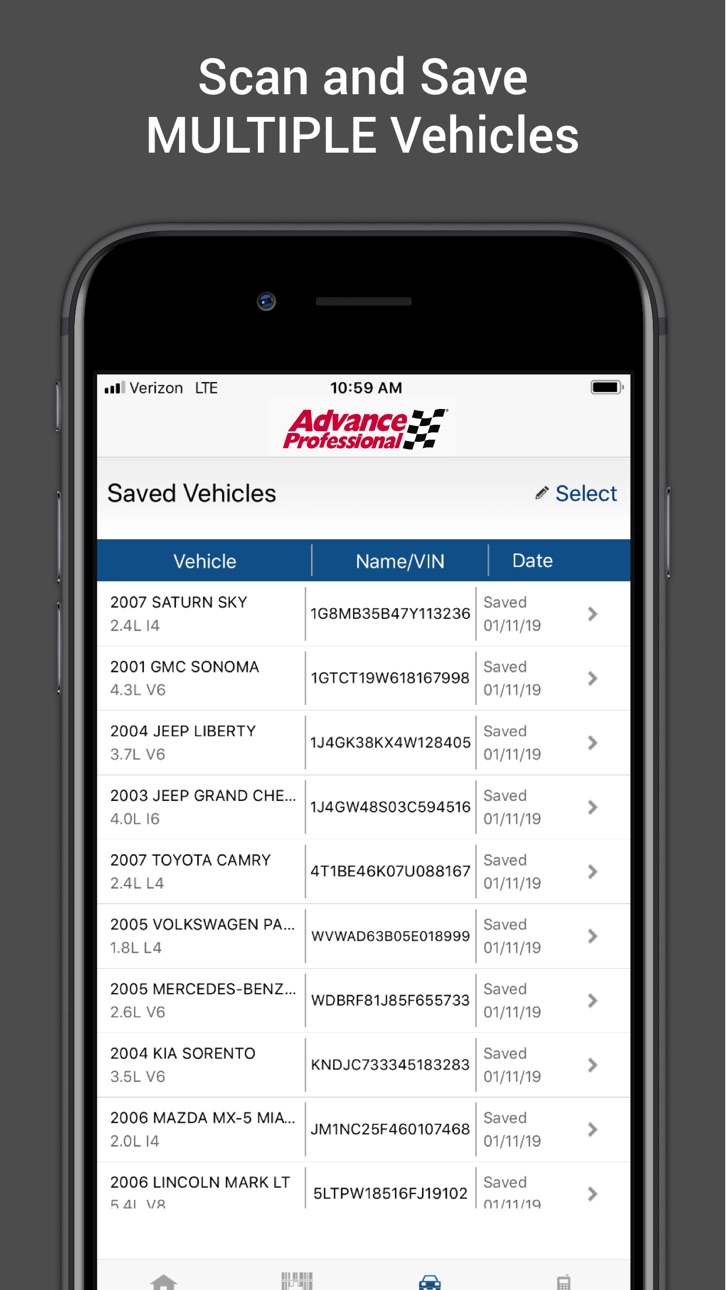
The decoded VIN information will appear on their account’s "Previous Vehicles" list and be available to use for:
- Capturing a vehicle’s detailed information, including year, make, model, and engine
- Launching AdvancePro to find parts for scanned vehicles right from the app
- Store recent vehicles scanned within the app itself
- Upload the scanned data into your Advance Professional online account
- Get fast, one-click access to your assigned Professional Parts Pro
To look up parts or upload scanned vehicles to your Advance Professional account, you must be an active professional customer. Contact your nearest Advance Auto Parts® store or visit my.advancepro.com for information on starting a professional customer account or obtaining your online credentials.
For support questions on the mobile Advance Professional app, contact Customer Service at 1-877-280-5965 during normal business hours.
Don’t have a professional account? Download our DIY app:
https://apps.apple.com/us/app/advance-auto-parts/id1486902421?ls=1
Accessibility
ipadiphonemacrealityDevicetvoswatch
Version history 14 versions
Build 884705995v1.3.62026-04-27 09:47:12
Logo updates.
Build 883649049v1.3.52026-03-24 10:31:48
Stability and logo fixes in iPad resolution
Build 878121642v1.3.42025-09-17 13:08:10
Dynamic height adjustment of app height to fix
1. Language selection when navigating catalog
2. Brake bundle builder review section visibility
Build 875114427v1.3.32025-08-18 06:02:27
Updated icons & logos as per branding
Build 857430983v1.3.22023-11-16 08:51:35
The minimum iOS version supported for this App is 12.0.0
Update the support URL to http://my.advancepro.com/
Build 855477098v1.3.12023-04-03 10:31:57
Fixed the bar code scanner issue for iOS 16 onwards. Also some UX fixes are added.
Now user can scan in portrait mode.
Build 835637132v1.22020-05-14 19:54:05
This release includes bug fixes, device compatibility and other enhancements that improve the experience for our Professional Customers.
Build 833658266v1.12020-01-03 23:09:16
Scan VIN, Find Your Parts and ORDER straight from the app. We have addressed some minor bugs and the latest version will now notify users when new updates are available
Build 828337988v1.0.52019-01-14 15:33:20
Scan VIN, Find Your Parts and ORDER straight from the app
Build 823344724v1.0.42017-09-02 11:59:05
fixed bug that prevented some professional accounts from being able to log in
Build 821135702v1.0.32017-07-31 22:47:25
Upgraded scanning utility
Scans Data Matrix barcodes
Ability to enter/edit a name for a vehicle
Upgraded for current iOS versions
iPad compatible
Build 812361819v1.0.22015-05-11 21:37:39
Bug fixes
Build 812109754v1.0.12015-04-08 18:41:58
Bug fixes and enhancements
Build 811510309v1.02015-03-12 19:16:01
No pricing data captured yet — comparisons appear once the app has paid storefronts or in-app purchases.
Availability 1 of 62 storefronts
| Region | Language | Price | Ratings | Avg | Version |
|---|---|---|---|---|---|
| US | en-US | Free | 27 | 3.0 | 1.3.6 |
Not available in: AO, AR, BB, BF, BJ, BO, BR, BS, BW, BZ, CD, CG, CI, CL, CM, CO, CR, CV, DO, DZ, EC, GA, GH, GM, GT, GW, HN, JM, KE, LR, LY, MA, MG, ML, MU, MW, MX, MZ, NA, NE, NG, NI, PA, PE, PY, RW, SC, SL, SN, ST, SV, SZ, TD, TN, TT, TZ, UG, UY, VE, ZM, ZW
Change log 17 changes · US
✎
releaseNotes updated
Logo updates.
✎
description updated
Advance Auto Parts® and Carquest® Professional customers can scan directly from a vehicle’s barcode (windshield or door mounted), search for parts, and order di
✎
name updated
Advance Professional
◆
Version 1.3.6 released
Logo updates.
◆
Version 1.3.5 released
Stability and logo fixes in iPad resolution
◆
Version 1.3.4 released
Dynamic height adjustment of app height to fix
1. Language selection when navigating catalog
2. Brake bundle builder review section visibility
◆
Version 1.3.3 released
Updated icons & logos as per branding
◆
Version 1.3.2 released
The minimum iOS version supported for this App is 12.0.0
Update the support URL to http://my.advancepro.com/
◆
Version 1.3.1 released
Fixed the bar code scanner issue for iOS 16 onwards. Also some UX fixes are added.
Now user can scan in portrait mode.
◆
Version 1.2 released
This release includes bug fixes, device compatibility and other enhancements that improve the experience for our Professional Customers.
◆
Version 1.1 released
Scan VIN, Find Your Parts and ORDER straight from the app. We have addressed some minor bugs and the latest version will now notify users when new updates are available
◆
Version 1.0.5 released
Scan VIN, Find Your Parts and ORDER straight from the app
◆
Version 1.0.4 released
fixed bug that prevented some professional accounts from being able to log in
◆
Version 1.0.3 released
Upgraded scanning utility
Scans Data Matrix barcodes
Ability to enter/edit a name for a vehicle
Upgraded for current iOS versions
iPad compatible
◆
Version 1.0.2 released
Bug fixes
◆
Version 1.0.1 released
Bug fixes and enhancements
◆
Version 1.0 released