Home › Finance

 US
US
1 of 1 storefronts
Content in en-US
Content in en-US
Information
Preview 2 platforms
iPhone 6 images


iPad 5 images



What’s New Version 26.3.1
- Improved app performance and stability
- Enhanced login experience
Description
CircleBlack – Know your wealth, live your life!
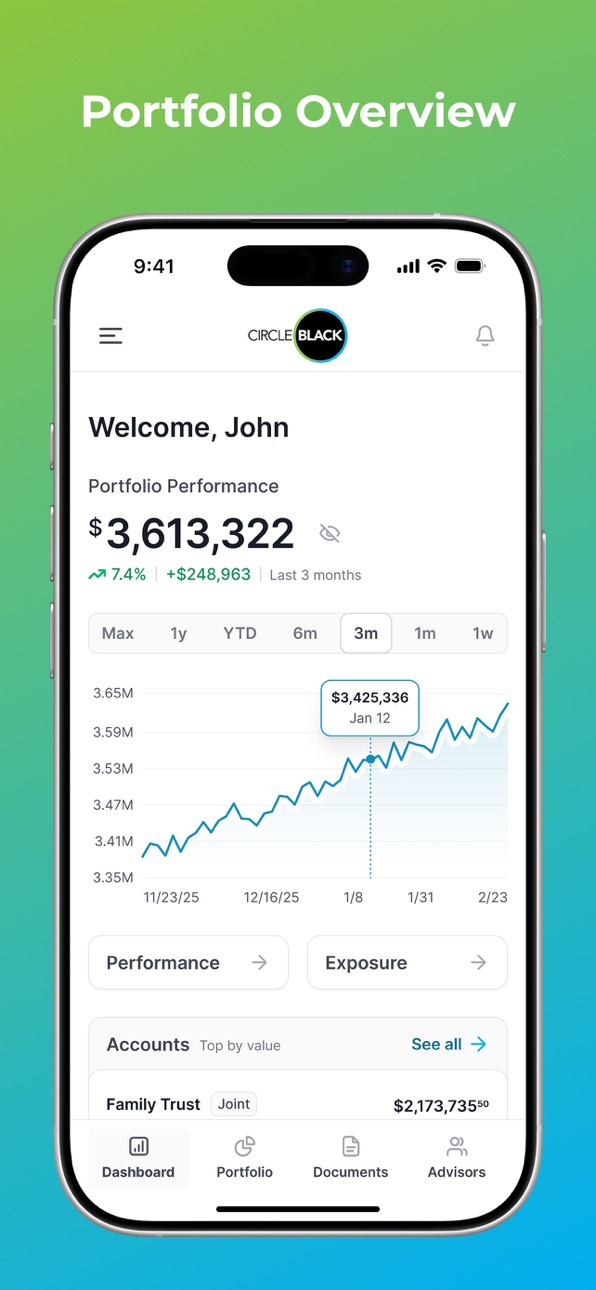
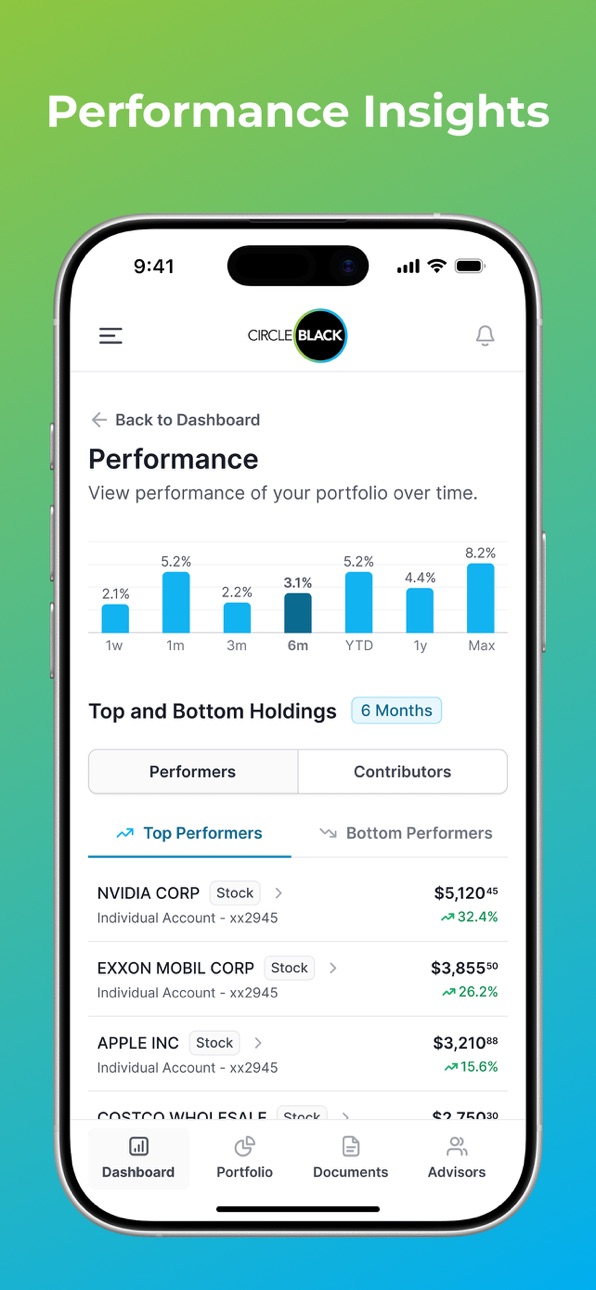
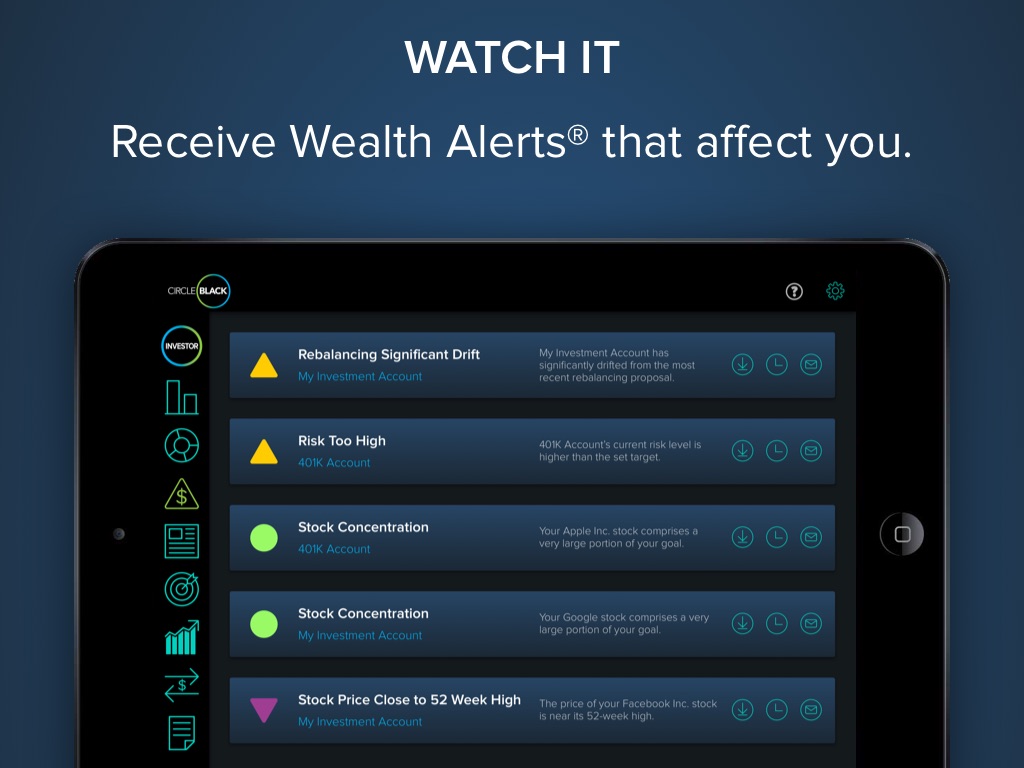
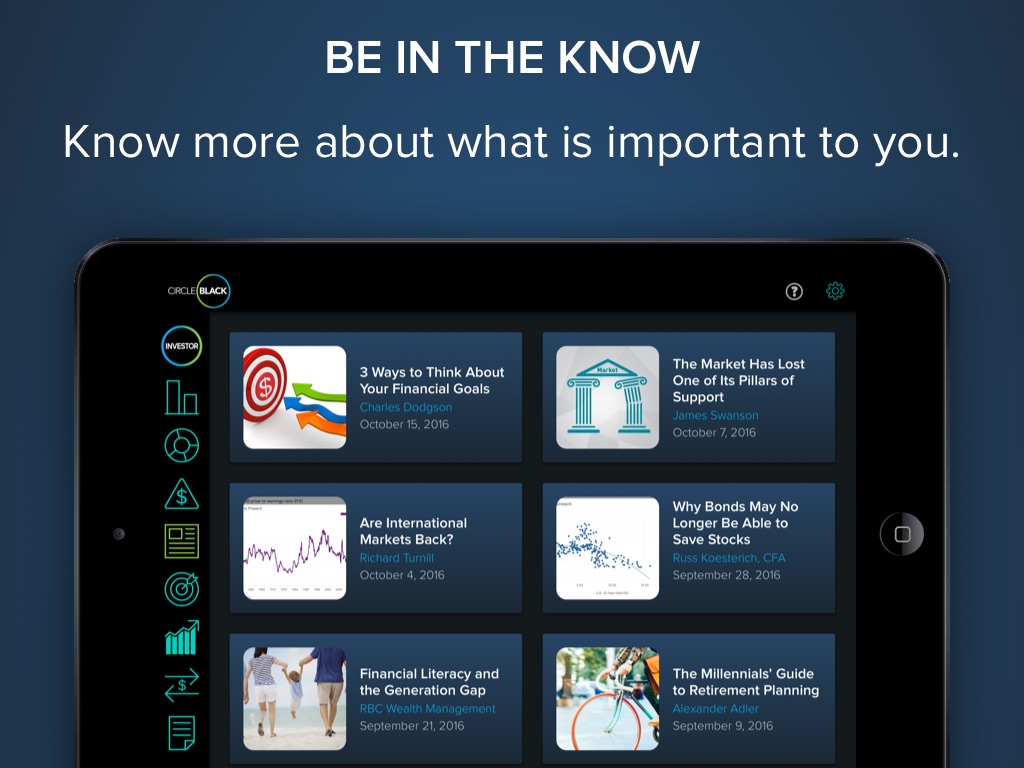
CircleBlack gives you more time to live your life by making it easier to keep track of all your wealth while providing you with the information you need to know at your fingertips. See all of your financial accounts and investments in one place at any time. Track your progress toward retirement and other goals. Receive up to date performance information at the security, account, goal and your total wealth level. Benchmark yourself against your peers. Receive proactive alerts regarding current events that could impact your portfolio. Benefit from personalized information that makes you a smarter, more informed investor. CircleBlack substantially improves communication between you and your advisors.
Accessibility
ipadiphonemacrealityDevicetvoswatch
Version history 20 versions
Build 887731858v26.3.12026-07-06 09:26:59
- Improved app performance and stability
- Enhanced login experience
Build 884589481v26.2.12026-04-20 12:21:55
What’s New
The CircleBlack app provides a secure, easy-to-use way to view your portfolio, track performance, and access important documents.
This update includes improvements to design and navigation, making it easier to understand your portfolio and find key information.
Build 882943618v26.0.12026-03-03 02:26:36
Improved balance graph and enhanced app stability
Build 882641936v26.0.02026-02-23 02:30:54
Improved portfolio performance and stability
Build 877063941v25.3.32025-08-08 09:23:59
Latest Update.
Build 876928210v25.3.22025-08-04 15:24:39
Latest update.
Build 873220658v25.3.12025-03-14 13:58:33
New version update.
Build 868895275v24.3.12024-09-12 16:46:40
The Same, Complete Advisor-Client Experience on Web or Mobile
With this update, CircleBlack’s mobile app is introducing significant enhancements to the Document Vault and offering robust new features alongside a streamlined mobile workflow. This upgrade builds on advisor and client expectations while adding in new delighters and ensuring privacy while accessing financial information on the go.
Enhanced Document Management
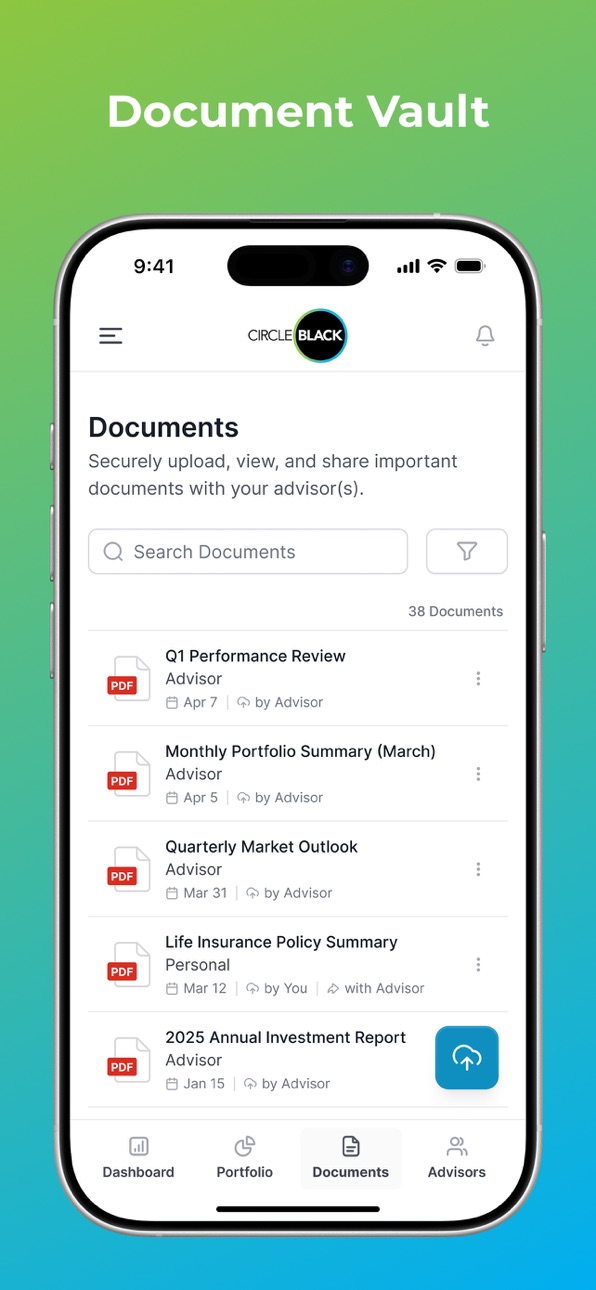
The CircleBlack Document Vault now supports multimedia on both mobile and web platforms. This allows advisors to share their audio and video podcasts or other newsworthy rich media files with all or a specific individual or subset of clients.
Document Management
- Enhanced Folder Organization: Advisors can categorize and organize document types with a new Document Vault user interface, making it easier to locate specific documents.
- Edit Document Details Modal: Easily edit document names, types, and tags through a redesigned preview modal.
- Improved Document Vault Navigation: Selecting a row also now opens the document’s preview modal, initiating an abridging of the document interaction process.
- Notification Icon: Enhanced Notification Icon ensure important updates are easily noticed. Furthermore, clicking on a Notification Icon will direct the user to a preview of the document within the Document Vault.
Document Interactions
- Bidirectional Uploads and Downloads: Both advisors and their clients can easily upload and download documents bidirectionally, including rich media files like videos and podcasts.
- Document Sharing: Share multiple documents at once from the documents table, streamlining the sharing process. In addition to bulk document sharing, documents can now be shared on and off the platform, regardless of the document owner, facilitating easier collaboration.
- Embedded Media Player in Document Vault: Advisors and clients can access an embedded media player in the Document Vault on both mobile and web platforms, facilitating the consumption of video and audio content directly within the app.
- Multimedia Sharing & Consumption on Mobile: Users can preview, scan, and upload various file types, including presentations, spreadsheets, text files, and images.
On-The-Go Workflow & Visualization Updates
This is more than a minor part of this update: the ability for advisors and clients to have fewer taps to drill down into their desired area within the app creates a greater, more organized, and more efficient user experience. Enjoy a cleaner interface, light mode, and improved workflows for toggling key metrics and clustering balance-related widgets.
- Streamlining Workflows with Efficient Navigation: The app has been designed to significantly reduce the number of taps required to drill down into desired endpoints, making navigation intuitive and efficient.
- User-Friendly Interface: Featuring a beautiful, non-intimidating, and easy-to-navigate UI/UX, the app allows users to quickly access charts, graphs, documents, and media with minimal effort while maintaining a high level of organization and reducing screen-loading times.
- Light Mode Implementation: A new light mode option provides a visually pleasing alternative to the dark mode. Experience a new aesthetic option preferred by many users.
- Advanced Data Visualization: Local time periods are introduced for balance graphs, transactions view, and holdings view. Detailed views for transactions and holdings provide deeper insights.
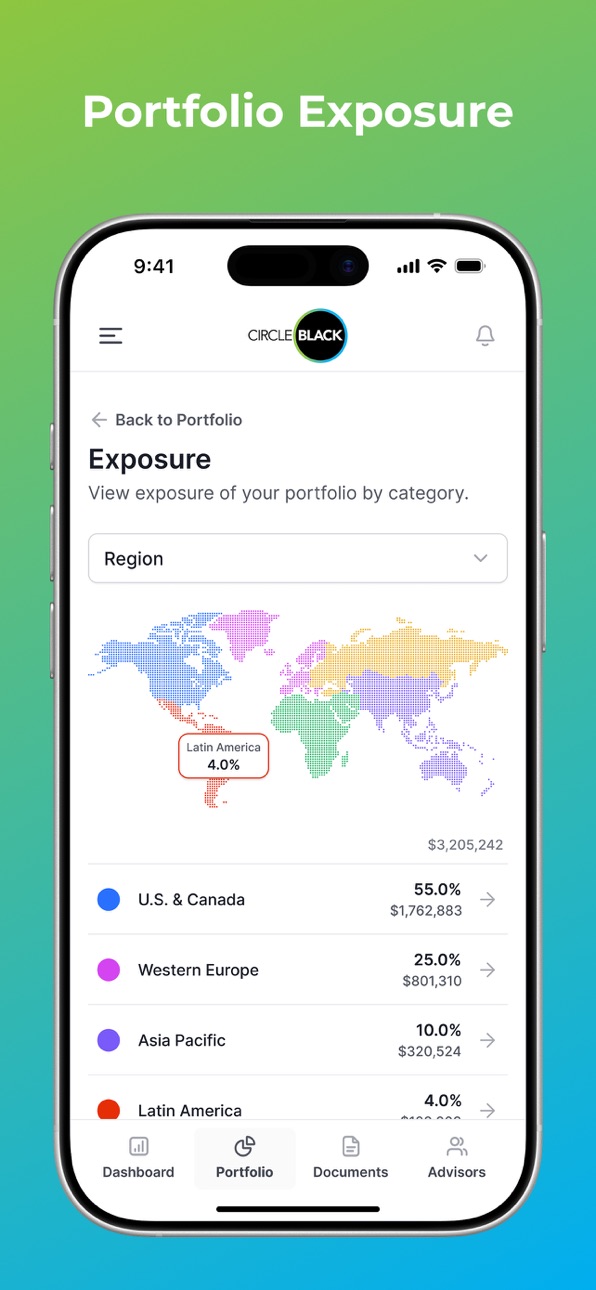
- Clustered Balance Widgets: Balance-related drills and widgets, such as exposure, risk, and performance, are now clustered for easier access.
- Toggle Big Number Visibility for Privacy Control: Users can hide or reveal their total portfolio value with a simple click. This feature is especially beneficial for clients who can toggle the visibility of their portfolio value depending on their setting, whether they are in private or looking to check their portfolio discreetly in public settings.
Build 868059887v24.3.02024-08-08 12:03:11
The Same, Complete Advisor-Client Experience on Web or Mobile
With this update, CircleBlack’s mobile app is introducing significant enhancements to the Document Vault and offering robust new features alongside a streamlined mobile workflow. This upgrade builds on advisor and client expectations while adding in new delighters and ensuring privacy while accessing financial information on the go.
Enhanced Document Management
The CircleBlack Document Vault now supports multimedia on both mobile and web platforms. This allows advisors to share their audio and video podcasts or other newsworthy rich media files with all or a specific individual or subset of clients.
Document Management
- Enhanced Folder Organization: Advisors can categorize and organize document types with a new Document Vault user interface, making it easier to locate specific documents.
- Edit Document Details Modal: Easily edit document names, types, and tags through a redesigned preview modal.
- Improved Document Vault Navigation: Selecting a row also now opens the document’s preview modal, initiating an abridging of the document interaction process.
- Notification Icon: Enhanced Notification Icon ensure important updates are easily noticed. Furthermore, clicking on a Notification Icon will direct the user to a preview of the document within the Document Vault.
Document Interactions
- Bidirectional Uploads and Downloads: Both advisors and their clients can easily upload and download documents bidirectionally, including rich media files like videos and podcasts.
- Document Sharing: Share multiple documents at once from the documents table, streamlining the sharing process. In addition to bulk document sharing, documents can now be shared on and off the platform, regardless of the document owner, facilitating easier collaboration.
- Embedded Media Player in Document Vault: Advisors and clients can access an embedded media player in the Document Vault on both mobile and web platforms, facilitating the consumption of video and audio content directly within the app.
- Multimedia Sharing & Consumption on Mobile: Users can preview, scan, and upload various file types, including presentations, spreadsheets, text files, and images.
On-The-Go Workflow & Visualization Updates
This is more than a minor part of this update: the ability for advisors and clients to have fewer taps to drill down into their desired area within the app creates a greater, more organized, and more efficient user experience. Enjoy a cleaner interface, light mode, and improved workflows for toggling key metrics and clustering balance-related widgets.
- Streamlining Workflows with Efficient Navigation: The app has been designed to significantly reduce the number of taps required to drill down into desired endpoints, making navigation intuitive and efficient.
- User-Friendly Interface: Featuring a beautiful, non-intimidating, and easy-to-navigate UI/UX, the app allows users to quickly access charts, graphs, documents, and media with minimal effort while maintaining a high level of organization and reducing screen-loading times.
- Light Mode Implementation: A new light mode option provides a visually pleasing alternative to the dark mode. Experience a new aesthetic option preferred by many users.
- Advanced Data Visualization: Local time periods are introduced for balance graphs, transactions view, and holdings view. Detailed views for transactions and holdings provide deeper insights.
- Clustered Balance Widgets: Balance-related drills and widgets, such as exposure, risk, and performance, are now clustered for easier access.
- Toggle Big Number Visibility for Privacy Control: Users can hide or reveal their total portfolio value with a simple click. This feature is especially beneficial for clients who can toggle the visibility of their portfolio value depending on their setting, whether they are in private or looking to check their portfolio discreetly in public settings.
Build 861514066v23.3.02023-11-22 14:11:49
Push Notifications:
- When the CircleBlack platform generates an alert that requires a Client’s attention, app users can now see the notification in their device's system tray, allowing them to get alerted without needing to log into the app.
- Clicking the notification will take the client into the CircleBlack mobile app.
- Push notifications can be toggled on and off in the app’s settings.
Build 849430533v2.10.02023-06-21 16:59:19
- Bug fixes
Build 848778111v2.9.02022-05-08 14:08:32
Updated our external account aggregation flow, creating a better experience to bring in outside accounts.
Build 844430498v2.2.22021-10-07 14:22:21
- Updated Risk Management tile Description and Button
- Updated Financial Planning tile Description and Button
- Bug Fixes and App Performance Enhancements
Build 842268650v2.2.12021-05-18 22:30:25
Fixed issues with Facial Recognition passwords and uploading files to the Document Vault.
Build 842229066v2.2.02021-05-17 04:01:10
Updates to existing issues for adding aggregate accounts, “Remember My Email”, and Touch ID.
Build 841760359v2.12021-04-23 11:16:49
Updated and enhanced push notifications
Build 834994927v2.02020-04-28 14:09:46
Enhanced UI with new features
Build 828873923v1.2.52018-10-22 17:46:48
Performance improvements, bug fixes and tweaks.
Build 813273014v1.0.52015-10-16 15:22:19
Performance improvements, bug fixes and tweaks.
Build 811461896v1.0.02015-01-09 15:54:46
No pricing data captured yet — comparisons appear once the app has paid storefronts or in-app purchases.
Availability 1 of 1 storefronts
| Region | Language | Price | Ratings | Avg | Version |
|---|---|---|---|---|---|
| US | en-US | Free | 16 | 4.3 | 26.3.1 |
Change log 23 changes · US
✎
releaseNotes updated
- Improved app performance and stability
- Enhanced login experience
✎
description updated
CircleBlack – Know your wealth, live your life!
CircleBlack gives you more time to live your life by making it easier to keep track of all your wealth while pr
✎
name updated
CircleBlack Investor
◆
Version 26.3.1 released
- Improved app performance and stability
- Enhanced login experience
◆
Version 26.2.1 released
What’s New
The CircleBlack app provides a secure, easy-to-use way to view your portfolio, track performance, and access important documents.
This update includes improvements to design and navigation, making it easier to understand your p
◆
Version 26.0.1 released
Improved balance graph and enhanced app stability
◆
Version 26.0.0 released
Improved portfolio performance and stability
◆
Version 25.3.3 released
Latest Update.
◆
Version 25.3.2 released
Latest update.
◆
Version 25.3.1 released
New version update.
◆
Version 24.3.1 released
The Same, Complete Advisor-Client Experience on Web or Mobile
With this update, CircleBlack’s mobile app is introducing significant enhancements to the Document Vault and offering robust new features alongside a streamlined mobile workflo
◆
Version 24.3.0 released
The Same, Complete Advisor-Client Experience on Web or Mobile
With this update, CircleBlack’s mobile app is introducing significant enhancements to the Document Vault and offering robust new features alongside a streamlined mobile workflow
◆
Version 23.3.0 released
Push Notifications:
- When the CircleBlack platform generates an alert that requires a Client’s attention, app users can now see the notification in their device's system tray, allowing them to get alerted without needing to log into the a
◆
Version 2.10.0 released
- Bug fixes
◆
Version 2.9.0 released
Updated our external account aggregation flow, creating a better experience to bring in outside accounts.
◆
Version 2.2.2 released
- Updated Risk Management tile Description and Button
- Updated Financial Planning tile Description and Button
- Bug Fixes and App Performance Enhancements
◆
Version 2.2.1 released
Fixed issues with Facial Recognition passwords and uploading files to the Document Vault.
◆
Version 2.2.0 released
Updates to existing issues for adding aggregate accounts, “Remember My Email”, and Touch ID.
◆
Version 2.1 released
Updated and enhanced push notifications
◆
Version 2.0 released
Enhanced UI with new features
◆
Version 1.2.5 released
Performance improvements, bug fixes and tweaks.
◆
Version 1.0.5 released
Performance improvements, bug fixes and tweaks.
◆
Version 1.0.0 released