Home › Books

 US
US
1 of 1 storefronts
Content in en-US
Content in en-US
Information
Apple ID949207089
Bundle IDcom.plastic-software.Booklover
SellerSeller
Min iOS18.6
Min macOS15.6
Device familiesiphone, ipad
Released2015-01-07
Copyright© 2026 Plastic Software, Inc.
Privacy policyLink ↗
Preview 2 platforms
iPhone 10 images


iPad 10 images

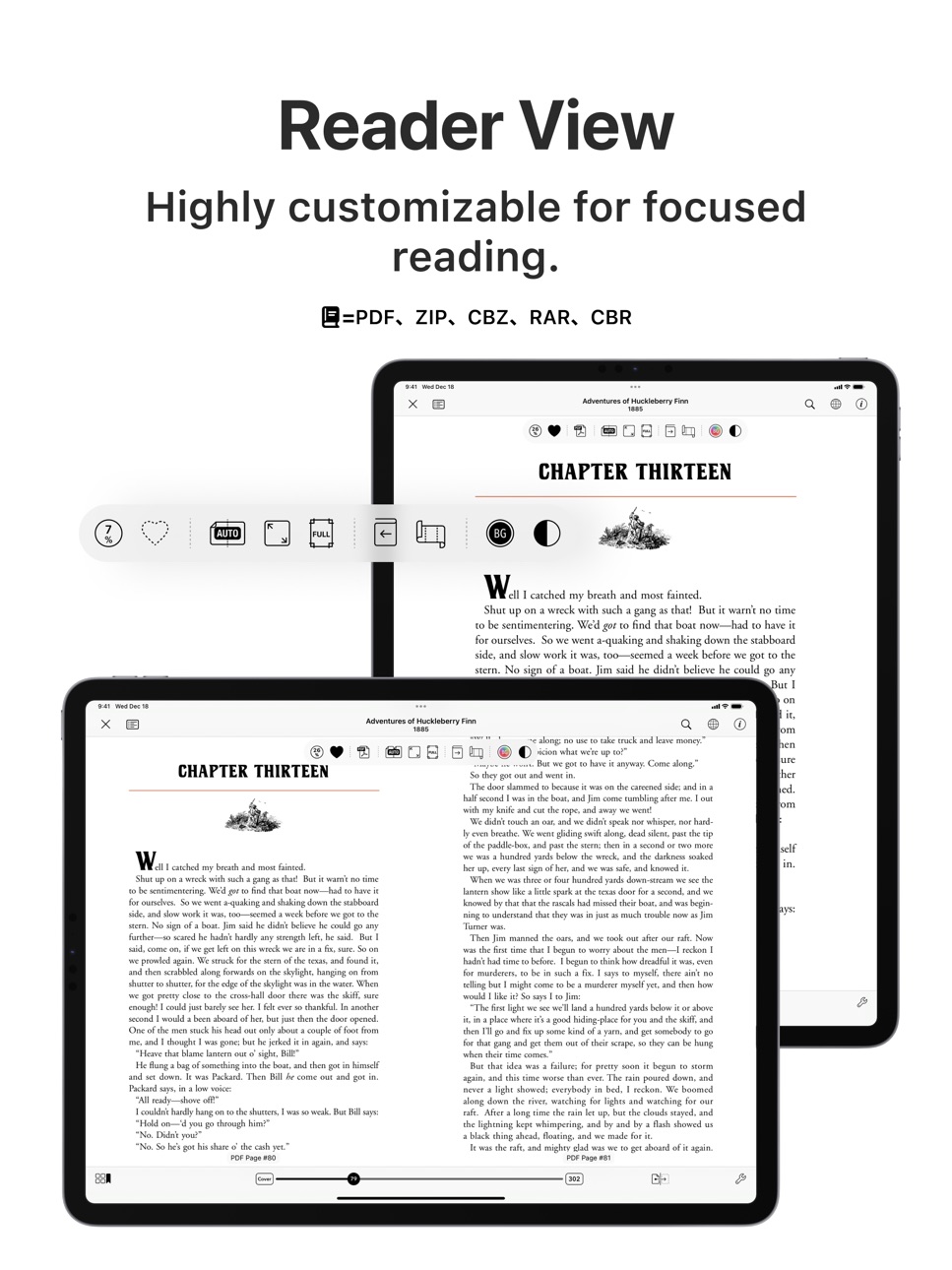


What’s New Version 3.7.1
This version addresses a rendering issue in the reader view and introduces some usability improvements.
Fixes
• [Reader View] Mitigated small gaps that might be shown at the edge of the pages when magnifying content with small logical sizes
Improvements
• [Library] Selections for books are preserved after making editing actions for selected books, so that another editing action can be made successively
• Other miscellaneous user experience improvements
Others
• As previously announced, the in-app "User Authentication" feature has been removed. Please use the operating system's built-in “Lock or Hide Apps” feature instead of Booklover’s user authentication.
• Starting with new installations of this version (3.7.0), “Give My Regards to Black Jack” is no longer provided within the Booklover app. For users updating from versions prior to 3.7.0, availability will also be discontinued in the next release. Please download it from the official website of the author Shuho Sato at https://densho810.com/free/ .
Description
Booklover is a highly responsive and robust eBook reader. It excels at handling PDFs, manga, and scanned books.
The metadata-driven library management system makes it easy to organize and enjoy a large collection of books in PDF, ZIP/CBZ, and RAR/CBR formats.
Seamlessly integrated with iCloud Drive, books in the iCloud Drive/Booklover folder automatically appear in the app’s library and can be downloaded on demand.
In the library, you can organize books by genres and arrange them using various bibliographic details such as title, author, publisher, and more.
With the search field and powerful Library Navigator, you can quickly locate a book among thousands in your collection.
Customize your reading experience with settings for each book, including page layout, transition axis and style, cropping, filters, progress direction, background, and more.
Booklover supports bookmarks with titles and notes, as well as PDF text annotations (highlights), text search, and a table of contents.
Main Features:
# General
• Manage and view eBooks (PDF, ZIP/CBZ, RAR/CBR)
• Support for archived image files in JPG, PNG, GIF, HEIF, WEBP, AVIF, and JPEG XL formats
• Automatic syncing of book files placed in iCloud Drive/Booklover. On-demand caching (download) of the remote files
• Import files via iTunes (Windows), Finder (Mac), AirDrop, Drag & Drop, "Open with..." etc.
• Import files via apps from various cloud storage services, such as Dropbox and OneDrive, as well as other services accessible through the iOS Files app.
• Slide Over / Split View (iPad)
• Hardware keyboard support (mainly in the reader)
# Library
• Section books by genre (ON/OFF)
• The Library Navigator (ON/OFF)
• Histories of added and opened books
• Context Menu for individual books (long-press a book cover)
• Change sort order: By Title, Author, Publisher, Filename, Added Date, etc.
• Alphanumeric Index Labels (ON/OFF)
• Toggle display of cover accessories
• Adjust cover grid size
• Responsive Shadow (shows page volume with shadow)
• Filter books by Status, Genre, Tags, etc.
• Search books by various bibliographic details, file name, and tags
# Reader
• PDF text annotations (highlights) with notes, text search, and a table of contents
• Bookmarks with titles and notes
• Lists of bookmarks and PDF annotations
• Page transition settings: Axis (Horizontal, Vertical), Style (Scroll, Continuous Scroll, Stack, Crossfade, Zoom fade, Instant)
• Progress direction setting: Left to Right, Right to Left (for vertical text, manga, Arabic, etc.)
• Page layout setting: Automatic, Single-Page, Two-Pages (spread)
• Separate page layout settings for view orientation (Portrait / Landscape)
• Page trimming (for images only)
• Page sizing: Show All, Width-Fit, Height-Fit
• Page thumbnail view (overview, bookmarks)
• Image correction filters
• Dynamic background (When the "Background Color" option for a book is set to "Dynamic")
• Adjust page spread position (Insert adjuster page at the beginning of the book body)
• Text recognition within images (with compatible devices only)
• Export (share) the currently displayed page
# Book Management
• Edit metadata: Title, Author, Genre, Publisher, Published Date, ISBN, etc.
• Edit Tags (Can be used as filter criteria in the side menu)
• Extract metadata (title/author) from PDFs
• Extract various metadata from file names with configurable extraction rules
• Automatic/Manual cropping of book covers
• Batch modification of book settings and metadata
• Transfer book files: "Open with...", AirDrop, Drag & Drop, etc.
• Can manage the content files and data separately ("Ghost Book")
———————————————
# Acknowledgments [Books used in the screenshots]
• "Give My Regards to Black Jack" by SHUHO SATO (Manga on Web: http://mangaonweb.com)
• Public domain books from Feedbooks (http://www.feedbooks.com)
• Public domain comics from digitalcomicmuseum.com (http://digitalcomicmuseum.com)
Accessibility
ipadiphonemacrealityDevicetvoswatch
Version history 25 versions
Build 882563322v3.7.12026-02-19 07:32:01
This version addresses a rendering issue in the reader view and introduces some usability improvements.
Fixes
• [Reader View] Mitigated small gaps that might be shown at the edge of the pages when magnifying content with small logical sizes
Improvements
• [Library] Selections for books are preserved after making editing actions for selected books, so that another editing action can be made successively
• Other miscellaneous user experience improvements
Others
• As previously announced, the in-app "User Authentication" feature has been removed. Please use the operating system's built-in “Lock or Hide Apps” feature instead of Booklover’s user authentication.
• Starting with new installations of this version (3.7.0), “Give My Regards to Black Jack” is no longer provided within the Booklover app. For users updating from versions prior to 3.7.0, availability will also be discontinued in the next release. Please download it from the official website of the author Shuho Sato at https://densho810.com/free/ .
Build 882237382v3.7.02026-02-11 06:31:17
Starting with this version, genre sections in the Library can now be collapsed and expanded. Usability across the Library has also been improved.
New Features
• [Library] Tap the chevron in a genre header to collapse or expand that genre section
• [Library] Long-press the chevron in a genre header to collapse or expand all genre sections
• [Library] Select or deselect books in each genre from the menu on the genre section header
• [Library Settings] Change genre section header size (S / M / L)
Improvements
• Improved usability across the Library
• Improved Library stability and performance
Others
• As previously announced, the in-app "User Authentication" feature has been removed. Please use the operating system's built-in “Lock or Hide Apps” feature instead of Booklover’s user authentication.
• Starting with new installations of this version (3.7.0), “Give My Regards to Black Jack” is no longer provided within the Booklover app. For users updating from versions prior to 3.7.0, availability will also be discontinued in the next release. Please download it from the official website of the author Shuho Sato at https://densho810.com/free/ .
Build 879665614v3.6.12025-11-17 06:32:45
This is a quick update to fix an issue with the setting that prevents the Next/Previous Book Navigation from appearing in the Reader View, introduced in the previous version.
Fixes
• Fixed an issue where the Next/Previous Book Navigation could still appear when tapping the screen edges at the beginning or end of a book, even when the “Show Next/Previous Book Navigation” setting was turned off
Other
• As announced over the past year, the User Authentication feature will no longer be available starting with the next version. Please use the OS’s built-in “Lock or Hide an App” functionality instead of Booklover’s authentication feature going forward.
Build 879609056v3.6.02025-11-09 08:24:55
From this version, you can move to the next or previous book with a three-finger swipe in the Reader View. This update also brings new settings and UI improvements.
New Features
• [Reader View] Move to the next/previous book with a three-finger swipe gesture (the direction follows the current book’s Progress Direction setting)
• [Reader View] Move to the next/previous book using the hardware keyboard shortcut Command + ← / → (the direction follows the current book’s Progress Direction setting)
• [Reader View] On iPad or iPhone in landscape mode, when there’s enough horizontal space, next/previous book buttons now appear on both sides of the bottom slider (the direction follows the current book’s Progress Direction setting)
• [Reader Settings] Added an option for the three-finger swipe gesture (“Move to Next/Previous Book” or “Do Nothing”)
• [Reader Settings] Added an option to hide the Next/Previous Book Navigation that appears when swiping at the beginning or end of a book
• [Library Settings] You can now individually toggle the visibility of each cover accessory in Grid View (Reading Status / Last Opened / Favorite / Tags / Bookmarks)
Improvements
• [Library] Added Tags as a new cover accessory (displayed for tagged books)
• Improved overall performance and stability
Changes
• When a book’s Background Color is not set to Dynamic, a dynamic background color is still shown during Cover Art Preview
Other
• As announced over the past year, the User Authentication feature will no longer be available starting with the next version. Please use the OS’s built-in “Lock or Hide an App” functionality instead of Booklover’s authentication feature going forward.
Build 878572839v3.5.82025-10-01 06:39:00
This update mainly fixes issues on iOS/iPadOS 26.
Fixes
• [Reader View] Fixed an issue on iOS 26 where the buttons for adding or editing a title or note on a bookmark did not respond to taps
• Fixed an issue where a file downloaded via Safari → Share → Booklover may not be imported under certain conditions or environments
Changes
• When a hardware keyboard is connected, the keyboard shortcut to show the Page Thumbnails View in Reader View has been changed from 'T' to Command-T
Others
• This is planned to be the last version that supports iOS(iPadOS) 17.
• Due to a compatibility issue, some PDF annotations (highlights) created in earlier versions of Booklover may have their annotated text itself entered as a note. If this occurs, please delete them as needed.
• From iOS 18 onward, please use the OS's built-in "Lock/Hide App" feature instead of the "User Authentication" in Booklover.
Build 878304552v3.5.72025-09-23 05:20:00
This update includes minor adjustments for iOS(iPadOS) 26. It also fixes an issue on iOS 17 where the import icon was not being displayed. We apologize for the inconvenience.
Improvements
• Minor adjustments for iOS 26
Fixes
• Fixed an issue on iOS 17 where the “Import” icon at the bottom of the Library was not displayed
Others
• This is planned to be the last version that supports iOS(iPadOS) 17.
• Due to a compatibility issue, some PDF annotations (highlights) created in earlier versions of Booklover may have their annotated text itself entered as a note. If this occurs, please delete them as needed.
• From iOS 18 onward, please use the OS's built-in "Lock/Hide App" feature instead of the "User Authentication" in Booklover.
Build 877721634v3.5.62025-09-01 13:49:09
You can now sort books in the Library Navigator by File Size and Date Modified. This update also includes various minor improvements and bug fixes.
Improvements
• Added “File Size” and “Date Modified to the sorting options in the Library Navigator
• You can now copy the filename by long-pressing the filename field in the Book Info view.
• Other miscellaneous improvements
Fixes
• Fixed an issue where, on iPhone, when “Force Vertical Scroll in Landscape” was enabled in the Reading Settings, wide page images could still be split during landscape reading
• Fixed an issue where books appeared at the top of the “Added” history when their files were moved without modification
• Miscellaneous bug fixes
Others
• Due to a compatibility issue, some PDF annotations (highlights) created in earlier versions of Booklover may have their annotated text itself entered as a note. If this occurs, please delete them as needed.
• From iOS 18 onward, please use the OS's built-in "Lock/Hide App" feature instead of the "User Authentication" in Booklover.
Build 876745233v3.5.52025-07-28 09:59:22
This update includes several subtle but important improvements.
Improvements
• Redesigned the "How to Add Books" view
• Improved the logic that detects added, deleted, or moved files in the Files app under “On My iPhone (iPad)” → “Booklover”, and updates the library accordingly
• Various other improvements throughout the app
Fixes
• Fixed an issue where moving files between “In This App” and “iCloud Drive/Booklover” could result in an error if the source's parent folder didn’t exist at the destination. (The app now lets you choose whether to create the parent folder or move the file to the top level instead.)
• Miscellaneous bug fixes
Others
• Due to a compatibility issue, some PDF annotations (highlights) created in earlier versions of Booklover may have their annotated text itself entered as a note. If this occurs, please delete them as needed.
• From iOS 18 onward, please use the OS's built-in "Lock/Hide App" feature instead of the "User Authentication" in Booklover.
Build 875992457v3.5.42025-07-01 04:44:04
This update includes improvements to the history list, as well as fixes for a few issues.
Improvements
• You can now select multiple items in the history list and remove them from history at once.
Fixes
• Fixed an issue where some cells could appear with a broken layout when toggling selection mode in the library list view
• Fixed an issue where the reading status might not change to "Read" even after reaching the last page under certain conditions
• Miscellaneous bug fixes
Others
• Due to a compatibility issue, some PDF annotations (highlights) created in earlier versions of Booklover may have their annotated text itself entered as a note. If this occurs, please delete them as needed.
• From iOS 18 onward, please use the OS's built-in "Lock/Hide App" feature instead of the "User Authentication" in Booklover.
Build 875164851v3.5.32025-05-30 07:42:44
This update includes a few bug fixes.
Fixes
• Fixed an issue where rotated PDFs could appear flipped under certain conditions when rendered as images
• Miscellaneous bug fixes
Others
• Due to a compatibility issue, some PDF annotations (highlights) created in earlier versions of Booklover may have their annotated text itself entered as a note. If this occurs, please delete them as needed.
• From iOS 18 onward, please use the OS's built-in "Lock/Hide App" feature instead of the "User Authentication" in Booklover.
Build 874750829v3.5.22025-05-15 05:41:35
This update includes minor improvements and bug fixes.
Fixes
• Fixed an issue where the crop area might not reflect correctly when trimming a rotated PDF page rendered as an image.
• Fixed a crash that could occur on first launch after updating from version 3.3.6 or earlier under certain conditions.
Improvements
• Minor improvements to the File Info view
Others
• Due to a compatibility issue, some PDF annotations (highlights) created in earlier versions of Booklover may have their annotated text itself entered as a note. If this occurs, please delete them as needed.
• From iOS 18 onward, please use the OS's built-in "Lock/Hide App" feature instead of the "User Authentication" in Booklover.
Build 874479509v3.5.12025-05-03 03:23:15
This patch fixes an issue where the “Booklover” folder wouldn’t appear in the Files app (On My iPhone/iPad) until files were imported into the app.
Fixes
• Fixed an issue where the “Booklover” folder did not appear in the Files app (On My iPhone/iPad) until files had been imported.
Others
• Due to a compatibility issue, some PDF annotations (highlights) created in earlier versions of Booklover may have their annotated text itself entered as a note. If this occurs, please delete them as needed.
• From iOS 18 onward, please use the OS's built-in "Lock/Hide App" feature instead of the "User Authentication" in Booklover.
Build 874433953v3.5.02025-05-02 01:19:11
Added options to extract tags from Other Metadata during filename-based metadata extraction. Books stored In This App can now be viewed and managed in the system Files app.
New Features
• Added options to extract tags from Other Metadata (General Settings → Extraction from Filename. Visible only when Extract Other Metadata is enabled. Default is OFF.)
Improvements
• Books stored In This App are now accessible via the Files app (On My iPhone/iPad -> Booklover)
• Multiple files can now be imported into Booklover at once via the system Share menu
• Performance improvements
Revisions
• Removed the Show Unsupported Files option. Unsupported files are now ignored in the Library but can now be accessed via the Files app.
Fixes
• Miscellaneous bug fixes
Others
• Due to a compatibility issue, some PDF annotations (highlights) created in earlier versions of Booklover may have their annotated text itself entered as a note. If this occurs, please delete them as needed.
• From iOS 18 onward, please use the OS's built-in "Lock/Hide App" feature instead of the "User Authentication" in Booklover.
Build 873396628v3.4.52025-03-21 04:17:24
This update focuses on improving page zoom behavior in continuous scrolling mode.
New Features
• Added a "Prevent Screen Dimming When Inactive" setting (General Settings -> Other). Default: OFF
Improvements
• Improved page zoom behavior in continuous scrolling mode
Fixes
• Miscellaneous bug fixes
Revisions
• The warning about potential corruption of OCR text embedded in PDFs by Adobe Acrobat when saving changes is now also displayed in the annotation list in the reader view. (can be dismissed with the X button)
Others
• Due to a compatibility issue, some PDF annotations (highlights) created in earlier versions of Booklover may have their annotated text itself entered as a note. If this occurs, please delete them as needed.
• From iOS 18 onward, please use the OS's built-in "Lock/Hide App" feature instead of the "User Authentication" in Booklover.
Build 872963141v3.4.42025-03-05 04:29:38
This version addresses a few issues, particularly an unexpected performance overload during launch under certain conditions.
Fixes
• Improved a performance overload issue that occurred during launch under certain conditions
• Fixed an issue where the screen occasionally flickered for a fraction of a second when using “Crossfade” or “Instant” page transitions
• Fixed a rare crash that could occur with certain gesture combinations when using non-scrolling page transitions
Others
• Due to a compatibility issue, some PDF annotations (highlights) created in earlier versions of Booklover may have their annotated text itself entered as a note. If this occurs, please delete them as needed.
• From iOS 18 onward, please use the OS's built-in "Lock/Hide App" feature instead of the "User Authentication" in Booklover.
Build 872886195v3.4.32025-03-01 02:20:32
This version focuses on improving performance and stability.
Improvements
• Several improvements related to file operations
• Improved stability
• Improved performance
• Miscellaneous user interface improvements
Fixes
• Miscellaneous bug fixes
Others
• Due to a compatibility issue, some PDF annotations (highlights) created in earlier versions of Booklover may have their annotated text itself entered as a note. If this occurs, please delete them as needed.
• From iOS 18 onward, please use the OS's built-in "Lock/Hide App" feature instead of the "User Authentication" in Booklover.
Build 871911695v3.4.22025-01-22 11:58:10
This version brings subtle usability improvements, stability enhancements, and bug fixes.
Improvements
• Usability enhancements in the Page Thumbnail View
• Improved app stability
Fixes
• Resolved an issue where the menu for selected PDF text might not appear after switching to another book in Reader View under certain conditions
• Miscellaneous bug fixes
Revisions
• Updated the heads-up message about potential corruption of OCR text embedded in PDFs when saving. This message, displayed when selecting PDF text, will reappear even if you previously selected “Don’t Show Again” due to updated information.
Others
• Due to a compatibility issue, some PDF annotations (highlights) created in earlier versions of Booklover may have their annotated text itself entered as a note. If this occurs, please delete them as needed.
• From iOS 18 onward, please use the OS's built-in "Lock/Hide App" feature instead of the "User Authentication" in Booklover.
Build 871482061v3.4.12025-01-02 14:40:31
This version includes countermeasures for a few recently reported issues, along with minor fixes and improvements.
Improvements
• Added “Copy” and “Delete” buttons to the note editing popover for annotations
• Added a “Copy” option to the edit menu that appears when tapping an annotation
Fixes
• Miscellaneous bug fixes
Revisions
• Unsupported files can now be selected during file imports to work around an issue preventing CBZ files on Google Drive from being selected. Unsupported files will still be ignored and will not be imported.
• Added a heads-up dialog about handling certain PDFs with embedded OCR text.
Others
• Due to a compatibility issue, some PDF annotations (highlights) created in earlier versions of Booklover may have their annotated text itself entered as a note. If this occurs, please delete them as needed.
• From iOS 18 onward, please use the OS's built-in "Lock/Hide App" feature instead of the "User Authentication" in Booklover.
Build 871155200v3.4.02024-12-18 08:45:04
This is a large update introducing powerful Bookmark and PDF Annotation lists in the reader view. You can now add notes to PDF annotations (highlights) and both titles and notes to bookmarks.
New Features
• Bookmark list (Via the Content Guides icon at the top-left corner of the reader view)
• Title and note editing for bookmarks
• Show/Hide bookmarks on pages (In Reader Settings)
• PDF Annotation (Highlight) list (Via the Content Guides icon at the top-left corner of the reader view)
• Filter PDF annotations by type and highlight color
• Note editing for PDF annotations
• Swipe actions for cells in Bookmark and PDF Annotation lists
• Hierarchical display of image resources in the Table of Contents for ZIP/RAR files
• Delete ghost book data (In Maintenance Mode)
Improvements
• Numerous minor adjustments and improvements
Fixes
• Miscellaneous bug fixes
Revisions
• Changed the label in the text context menu of the PDF reader from “Highlight” to “Annotate”.
• You can now annotate (highlight) the same part of the text over existing annotations (highlights).
• When multiple annotations exist on the same text, tapping the annotated text will select the topmost (most recent) annotation.
Others
• Due to a compatibility issue, some PDF annotations (highlights) created in earlier versions of Booklover may have their annotated text itself entered as a note. If this occurs, please delete them as needed.
• From iOS 18 onward, please use the OS's built-in "Lock/Hide App" feature instead of the "User Authentication" in Booklover.
Build 869985196v3.3.62024-10-26 18:24:39
This update includes bug fixes as well as minor adjustments and improvements.
Improvements
• Added buttons to copy the metadata of a PDF file to the clipboard in the Advanced (PDF) segment of the File Info view
• Other minor adjustments and improvements
Fixes
• Fixed display issues in the Advanced (PDF) segment of the File Info view
• Other miscellaneous bug fixes
Others
• From iOS 18 onward, please use the OS's built-in "Lock/Hide App" feature instead of the "User Authentication" in Booklover.
• This is the last version that will support iOS/iPadOS 16.
Build 869350991v3.3.52024-09-29 06:43:02
Optimizations for iOS 18 have been made in this version. Additionally, a new segment has been added to the "File Info" view, where you can see detailed information about a PDF file.
New Features
• Added a segment to the "File Info" view to display detailed information about a PDF file.
Improvements
• Optimizations for iOS 18
• Other minor adjustments and improvements
Fixes
• Fixed an issue where importing a file would fail to complete if a file with the same name already existed.
• Other miscellaneous bug fixes
Others
• From iOS 18 onward, please use the OS's built-in "Lock/Hide App" feature instead of the "User Authentication" in Booklover.
• This is planned to be the last version supporting iOS/iPadOS 16.
Build 867964534v3.3.42024-08-15 05:10:47
In this version, we've added a new option to automatically set the default Progress Direction (Left-to-Right or Right-to-Left) of PDF books based on the corresponding attribute in PDF documents (only if available). Additionally, a few important issues have been addressed.
Improvements
• Added a new option to automatically set the default Progress Direction of PDF books based on the corresponding attribute in PDF documents (only if available). This can be found under "General Settings" -> "Default Settings for Books" -> "Progress Direction" -> "Respect PDF attribute (if set)". The default setting is ON.
• Performance and stability improvements
Fixes
• Fixed an issue where the screen mirrored to an external display would become unresponsive
• Fixed a crash that occurred during data migration from versions prior to 3.1.0, which caused the app to fail to start
• Other miscellaneous bug fixes
Build 867876263v3.3.32024-08-01 05:58:54
This update includes bug fixes as well as several minor adjustments and improvements.
Improvements
• Improved the content color detection logic for Dynamic Backgrounds
• Other minor adjustments and improvements
Fixes
• Fixed an issue where sorting genres or tags in Unicode order was not functioning
• Fixed an issue where the navigation bar display was not updating when the book title or author was changed in the "Book Info" within the reader view
• Other miscellaneous bug fixes
Build 867705650v3.3.22024-07-25 02:40:57
This update mainly focuses on bug fixes. Additionally, we've improved the dynamic background color transitions during page scrolling to be less distracting.
Improvements
• Adjusted the dynamic background color transitions (when the "Background Color" setting for a book is set to "Dynamic")
• Other minor adjustments and improvements
Fixes
• Fixed an issue where the screen could turn black and become unresponsive under certain conditions during page transitions when the "Page Transition" setting is set to "Stack," "Crossfade," or "Zoomfade"
• Fixed an issue where unintended background colors would appear during page transitions when going back to the previous page with the "Page Transition" setting set to "Stack"
• Fixed an issue where the app could crash under certain conditions when attempting to show the "Next Book" or "Previous Book" button
• Fixed an issue where the "Show Ghost Books" setting in "Library Settings" was not reflected after moving to another library view from the side menu
Build 867494745v3.3.12024-07-16 08:48:59
This version mainly includes fixes and improvements related to the PDF text highlighting introduced in version 3.3.0.
Improvements
• Added 'underline' and 'strikethrough' options to PDF text highlighting (annotations)
• Other subtle usability improvements related to PDF text highlighting
Fixes
• Fixed an issue where adding a new highlight near an existing one could cause the existing highlight to disappear
• Fixed other issues related to PDF text highlighting
• Fixed an issue where the display mode (grid/list view) of the library was not preserved when the app was manually closed
Price history by region
Currency
Show
Columns
Search
Availability 1 of 1 storefronts
| Region | Language | Price | Ratings | Avg | Version |
|---|---|---|---|---|---|
| US | en-US | USD 3.99 | 57 | 4.6 | 3.7.1 |
Change log 29 changes · US
✎
releaseNotes updated
This version addresses a rendering issue in the reader view and introduces some usability improvements.
Fixes
• [Reader View] Mitigated small gaps that might b
✎
description updated
Booklover is a highly responsive and robust eBook reader. It excels at handling PDFs, manga, and scanned books.
The metadata-driven library management system m
✎
subtitle updated
For PDF / ZIP / RAR
✎
name updated
Booklover - eBook Reader
◆
Version 3.7.1 released
This version addresses a rendering issue in the reader view and introduces some usability improvements.
Fixes
• [Reader View] Mitigated small gaps that might be shown at the edge of the pages when magnifying content with small logical size
◆
Version 3.7.0 released
Starting with this version, genre sections in the Library can now be collapsed and expanded. Usability across the Library has also been improved.
New Features
• [Library] Tap the chevron in a genre header to collapse or expand that genre s
◆
Version 3.6.1 released
This is a quick update to fix an issue with the setting that prevents the Next/Previous Book Navigation from appearing in the Reader View, introduced in the previous version.
Fixes
• Fixed an issue where the Next/Previous Book Navigation c
◆
Version 3.6.0 released
From this version, you can move to the next or previous book with a three-finger swipe in the Reader View. This update also brings new settings and UI improvements.
New Features
• [Reader View] Move to the next/previous book with a three-f
◆
Version 3.5.8 released
This update mainly fixes issues on iOS/iPadOS 26.
Fixes
• [Reader View] Fixed an issue on iOS 26 where the buttons for adding or editing a title or note on a bookmark did not respond to taps
• Fixed an issue where a file downloaded via Saf
◆
Version 3.5.7 released
This update includes minor adjustments for iOS(iPadOS) 26. It also fixes an issue on iOS 17 where the import icon was not being displayed. We apologize for the inconvenience.
Improvements
• Minor adjustments for iOS 26
Fixes
• Fixed an is
◆
Version 3.5.6 released
You can now sort books in the Library Navigator by File Size and Date Modified. This update also includes various minor improvements and bug fixes.
Improvements
• Added “File Size” and “Date Modified to the sorting options in the Library N
◆
Version 3.5.5 released
This update includes several subtle but important improvements.
Improvements
• Redesigned the "How to Add Books" view
• Improved the logic that detects added, deleted, or moved files in the Files app under “On My iPhone (iPad)” → “Booklove
◆
Version 3.5.4 released
This update includes improvements to the history list, as well as fixes for a few issues.
Improvements
• You can now select multiple items in the history list and remove them from history at once.
Fixes
• Fixed an issue where some cells c
◆
Version 3.5.3 released
This update includes a few bug fixes.
Fixes
• Fixed an issue where rotated PDFs could appear flipped under certain conditions when rendered as images
• Miscellaneous bug fixes
Others
• Due to a compatibility issue, some PDF annotations (h
◆
Version 3.5.2 released
This update includes minor improvements and bug fixes.
Fixes
• Fixed an issue where the crop area might not reflect correctly when trimming a rotated PDF page rendered as an image.
• Fixed a crash that could occur on first launch after upd
◆
Version 3.5.1 released
This patch fixes an issue where the “Booklover” folder wouldn’t appear in the Files app (On My iPhone/iPad) until files were imported into the app.
Fixes
• Fixed an issue where the “Booklover” folder did not appear in the Files app (On My
◆
Version 3.5.0 released
Added options to extract tags from Other Metadata during filename-based metadata extraction. Books stored In This App can now be viewed and managed in the system Files app.
New Features
• Added options to extract tags from Other Metadata (
◆
Version 3.4.5 released
This update focuses on improving page zoom behavior in continuous scrolling mode.
New Features
• Added a "Prevent Screen Dimming When Inactive" setting (General Settings -> Other). Default: OFF
Improvements
• Improved page zoom behavior i
◆
Version 3.4.4 released
This version addresses a few issues, particularly an unexpected performance overload during launch under certain conditions.
Fixes
• Improved a performance overload issue that occurred during launch under certain conditions
• Fixed an issu
◆
Version 3.4.3 released
This version focuses on improving performance and stability.
Improvements
• Several improvements related to file operations
• Improved stability
• Improved performance
• Miscellaneous user interface improvements
Fixes
• Miscellaneous bug
◆
Version 3.4.2 released
This version brings subtle usability improvements, stability enhancements, and bug fixes.
Improvements
• Usability enhancements in the Page Thumbnail View
• Improved app stability
Fixes
• Resolved an issue where the menu for selected PDF
◆
Version 3.4.1 released
This version includes countermeasures for a few recently reported issues, along with minor fixes and improvements.
Improvements
• Added “Copy” and “Delete” buttons to the note editing popover for annotations
• Added a “Copy” option to the
◆
Version 3.4.0 released
This is a large update introducing powerful Bookmark and PDF Annotation lists in the reader view. You can now add notes to PDF annotations (highlights) and both titles and notes to bookmarks.
New Features
• Bookmark list (Via the Content G
◆
Version 3.3.6 released
This update includes bug fixes as well as minor adjustments and improvements.
Improvements
• Added buttons to copy the metadata of a PDF file to the clipboard in the Advanced (PDF) segment of the File Info view
• Other minor adjustments an
◆
Version 3.3.5 released
Optimizations for iOS 18 have been made in this version. Additionally, a new segment has been added to the "File Info" view, where you can see detailed information about a PDF file.
New Features
• Added a segment to the "File Info" view to
◆
Version 3.3.4 released
In this version, we've added a new option to automatically set the default Progress Direction (Left-to-Right or Right-to-Left) of PDF books based on the corresponding attribute in PDF documents (only if available). Additionally, a few impor
◆
Version 3.3.3 released
This update includes bug fixes as well as several minor adjustments and improvements.
Improvements
• Improved the content color detection logic for Dynamic Backgrounds
• Other minor adjustments and improvements
Fixes
• Fixed an issue wher
◆
Version 3.3.2 released
This update mainly focuses on bug fixes. Additionally, we've improved the dynamic background color transitions during page scrolling to be less distracting.
Improvements
• Adjusted the dynamic background color transitions (when the "Backgr
◆
Version 3.3.1 released
This version mainly includes fixes and improvements related to the PDF text highlighting introduced in version 3.3.0.
Improvements
• Added 'underline' and 'strikethrough' options to PDF text highlighting (annotations)
• Other subtle usabil