Home › Photo & Video

 US
US
USen-US JPja
JPja DEde-DE
 GBen-GB
 CAen-CA
 CNzh-Hans-CN
 NLnl
NLnl AUen-AU
 RUru
RUru CHde-CH
 FRfr-FR
 ESes-ES
 ITit
ITit KRko
KRko TWzh-Hant-TW
 ATde-DE
 HKzh-Hant-HK
 CZen-GB
 UAen-GB
 PLen-GB
 SEsv
SEsv THen-GB
 TRen-GB
 BEen-GB
 DKen-GB
 NOen-GB
 NZen-AU
 VNen-GB
 PTpt-PT
 GRen-GB
 IEen-GB
 INen-GB
 SAen-GB
 SKen-GB
 FIen-GB
 HUen-GB
 IDen-GB
 MYen-GB
 BGen-GB
 ILen-GB
 LUen-GB
 SGen-GB
 AEen-GB
 BYen-GB
 LTen-GB
 PHen-GB
 ROen-GB
 AFen-GB
 ALen-GB
 AMen-GB
 AZen-GB
 BAen-GB
 BHen-GB
 BMen-GB
 BNen-GB
 CYen-GB
 EEen-GB
 EGen-GB
 GEen-GB
 HRen-GB
 IQen-GB
 ISen-GB
 JOen-GB
 KGen-GB
 KWen-GB
 LBen-GB
 LKen-GB
 LVen-GB
 MDen-GB
 MEen-GB
 MKen-GB
 MOzh-Hant-HK
 MRen-GB
 MTen-GB
 OMen-GB
 PKen-GB
 PWen-GB
 QAen-GB
 RSen-GB
 SIen-GB
 TMen-GB
 XKen-GB
 YEen-GB
83 of 83 storefronts
Content in en-US
Content in en-US
Information
Preview 2 platforms
iPhone 5 images



iPad 5 images


What’s New Version 3.4
Compatible with iOS 18.
Fixed some bugs.
Description
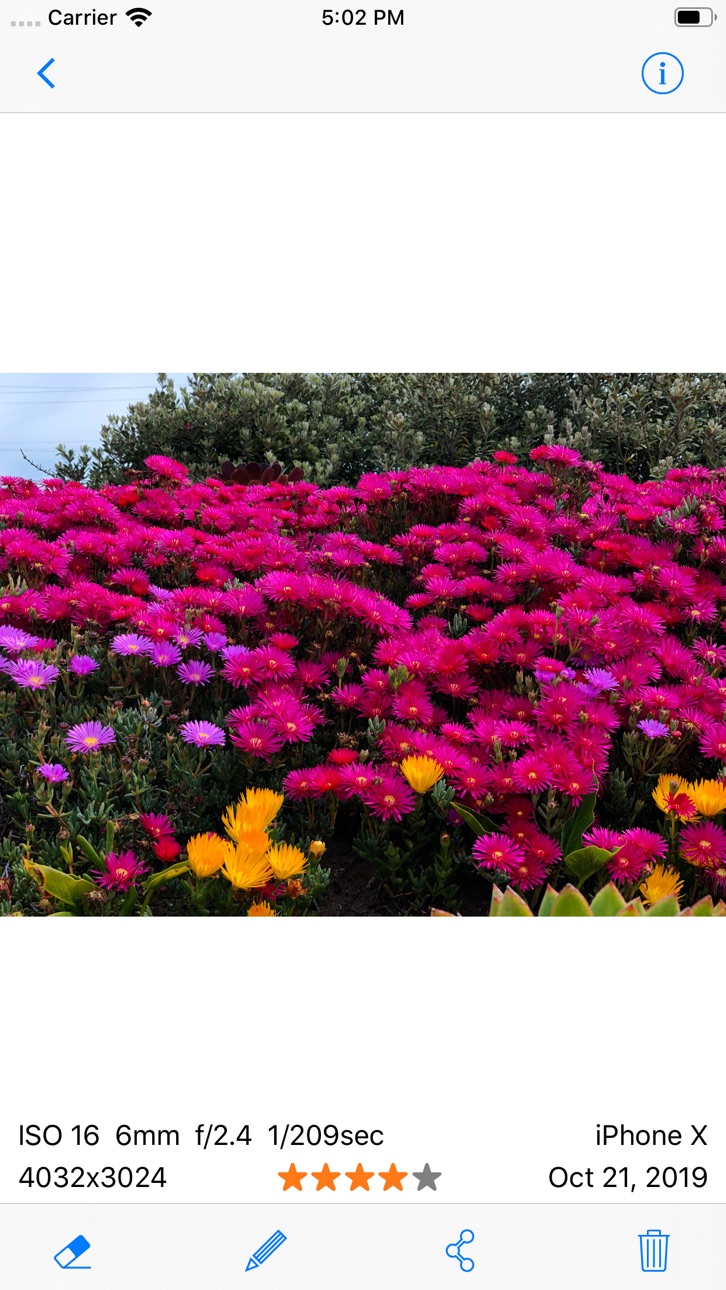
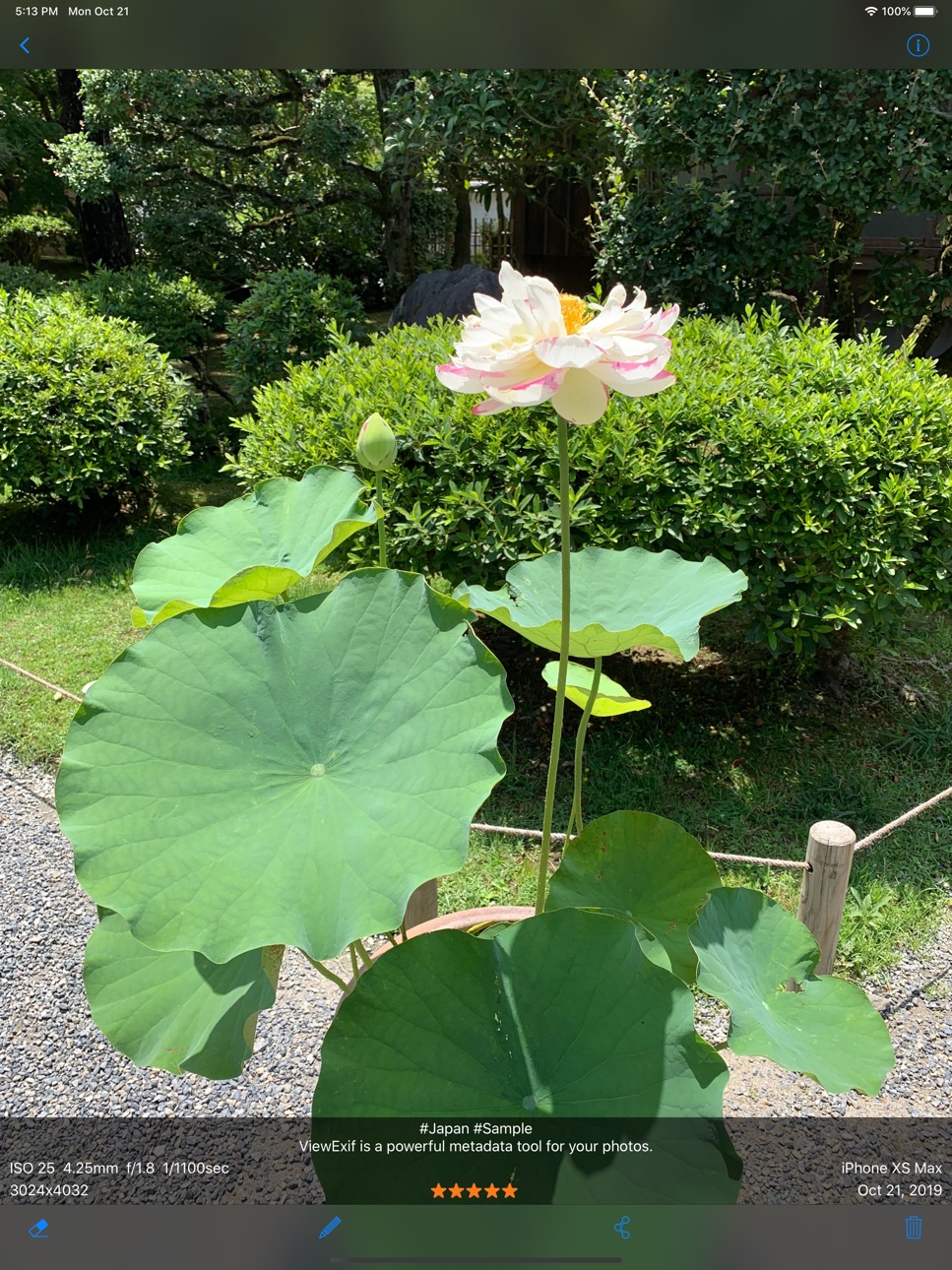
ViewExif is a powerful metadata tool for your photos. With the help of ViewExif, you can not only view metadata of photos, but also edit and remove metadata in photo. Besides, it has an app extension, so you can view metadata right in Photos app.
Being able to read exif tags can be of great importance not only for beginners, but also for other photographers who want to find out what settings and tools were used to create a particular photograph.
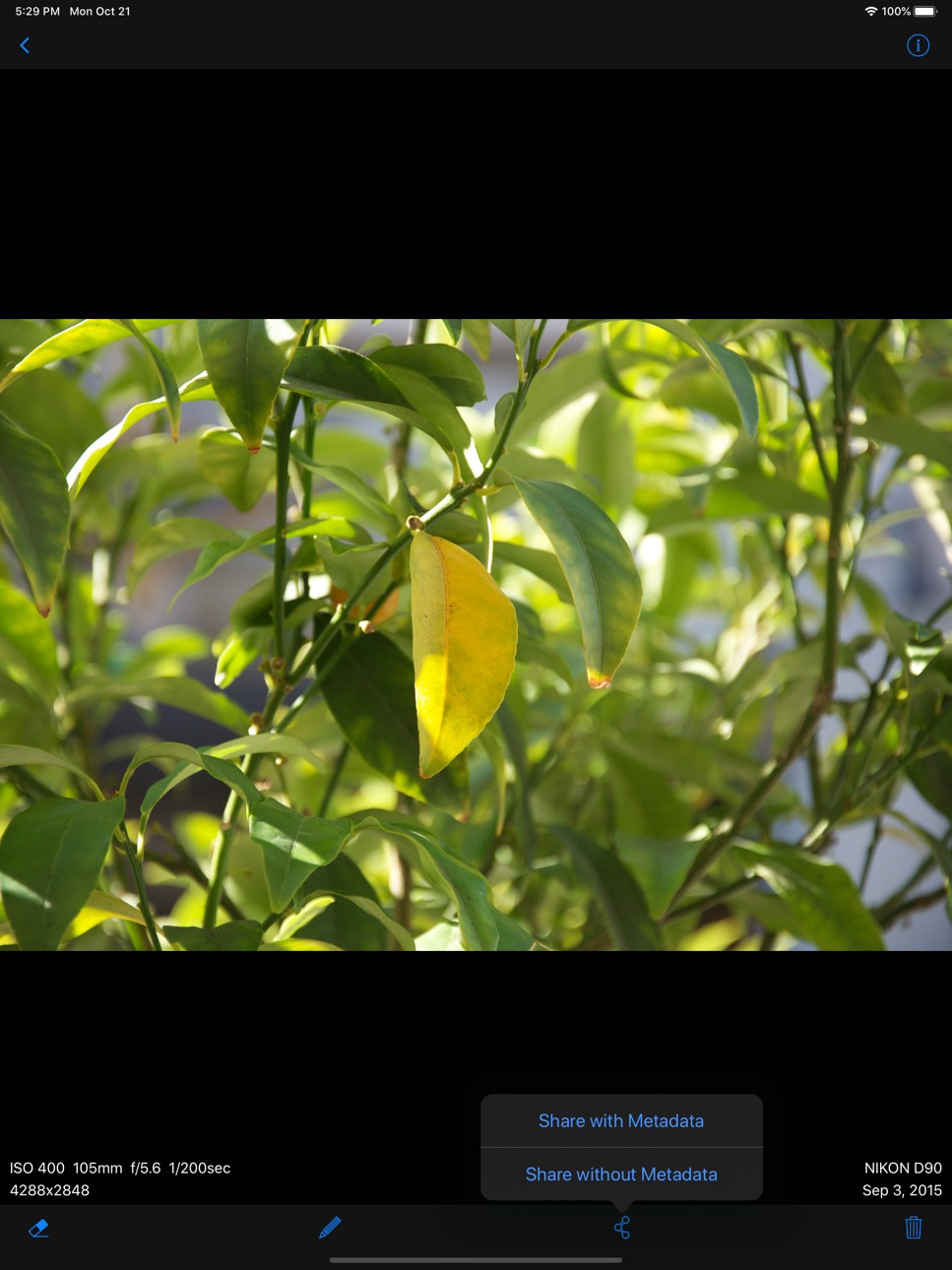
For those people who want to protect privacy, this app is useful for you as well. When you send photos via email or share on social network, your personal information (geo location, taken date etc) is shared as well. If you upset to share those information, ViewExif is able to remove it before sharing.
Features:
* Display EXIF tags: Dimensions, Taken Date, ISO Speed, F Number, Exposure Time, Focal Length and more.
* Display IPTC tags: Star Ratings, Keywords, Description etc.
* Display geo location on map.
* Add star ratings, keywords and description on photo
* Remove metadata from photo
* Supported image formats (JPG, PNG, TIFF, HEIC) and RAW formats (CR2, NEF, DNG).
* Share photo w/o metadata on Twitter, Facebook, email.
* App extension for Photos app and 3rd-party apps such as Dropbox, FileExplorer etc.
* Dark Mode
===== CONTACT US =====
Email: support@skyjos.com
Twitter: @SkyjosApps
Accessibility
ipadiphonemacrealityDevicetvoswatch
Version history 13 versions
Build 869579257v3.42024-10-09 06:04:10
Compatible with iOS 18.
Fixed some bugs.
Build 852192963v3.32022-09-14 11:32:47
Fixed some bugs. Compatible with iOS 16.
Build 844370116v3.22021-09-29 04:12:52
* Optimizes for iOS 15
* Bug fixes and stability improvements
Build 837912665v3.1.12020-09-23 15:08:23
* Optimize for iOS 14
* Bug fixes and stability improvements
Build 837878993v3.12020-09-21 14:20:43
* Optimize for iOS 13
* Bug fixes and stability improvements
Build 833260126v3.02019-10-22 21:21:56
* Optimize for iOS 13
* Dark Mode
* Bug fixes and stability improvements
Build 829315403v2.02018-11-20 23:31:12
ViewExif 2.0 is here.
Now you can view photo metadata in ViewExif app and directly view EXIF brief info right on photo view. No more taps! Besides, you're able to add and edit star ratings, keywords, description on photo.
* New app icon
* Displays photo and metadata right in ViewExif app.
* Star ratings, keywords and description can be added on photo.
* Displays EXIF info, star ratings and description on photo view.
* Erases metadata from photo.
Enjoy!
Build 825013519v1.42017-11-28 22:13:39
* iPhone X support
* Supports HEIC format
* Bugfixes
Build 822910413v1.3.12017-07-15 16:04:21
* Bugfixes and stability improvements
Version 1.3:
* The photo raw metadata is supported now. It also can be copied to clipboard.
* Added "Save without Metadata" button. The saved photos are in Camera Roll and linked in the "ViewExif" album.
* The map can be opened right in the app.
* Fixed an issue that RAW photo dimensions are not displayed correctly.
* Fixed the incorrect filename issue.
Build 822876472v1.32017-07-12 21:49:07
* The photo raw metadata is supported now. It also can be copied to clipboard.
* Added "Save without Metadata" button. The saved photos are in Camera Roll and linked in the "ViewExif" album.
* The map can be opened right in the app.
* Fixed an issue that RAW photo dimensions are not displayed correctly.
* Fixed the incorrect filename issue.
* Bugfixes and stability improvements.
Leave an app review if you like the new version.
Build 815801950v1.2.02016-01-17 22:32:39
* Displayed video metadata
* Displayed exposure program and exposure bias tags.
* Displayed software tag.
* Displayed description tag.
* Fixed an issue that file names are not displayed correctly.
Love ViewExif? If you leave a review in App Store, we would really appreciate it.
Build 812036697v1.1.02015-03-27 22:43:59
* Adds a button for opening map in Maps app.
* Displays EXIF MakerNote tag.
* Displays IPTC tags: Creator, Keywords, Description etc.
* Displays photo token location according to geotag.
Build 810942826v1.0.02014-12-09 22:00:45
Price history by region
Currency
Show
Columns
Search
Availability 83 of 83 storefronts
| Region | Language | Price | Ratings | Avg | Version |
|---|---|---|---|---|---|
| US | en-US | USD 0.99 | 283 | 4.3 | 3.4 |
| JP | ja | JPY 150 | 133 | 4.6 | 3.4 |
| DE | de-DE | EUR 0.99 | 123 | 4.3 | 3.4 |
| GB | en-GB | GBP 0.99 | 57 | 4.6 | 3.4 |
| CA | en-CA | CAD 0.99 | 47 | 4.2 | 3.4 |
| CN | zh-Hans-CN | CNY 8 | 39 | 4.4 | 3.4 |
| NL | nl | EUR 0.99 | 39 | 3.9 | 3.4 |
| AU | en-AU | AUD 1.99 | 34 | 4.4 | 3.4 |
| RU | ru | RUB 99 | 28 | 4.5 | 3.4 |
| CH | de-CH | CHF 1 | 26 | 4.6 | 3.4 |
| FR | fr-FR | EUR 0.99 | 22 | 4.4 | 3.4 |
| ES | es-ES | EUR 0.99 | 21 | 4.7 | 3.4 |
| IT | it | EUR 0.99 | 16 | 5.0 | 3.4 |
| KR | ko | KRW 1100 | 16 | 4.2 | 3.4 |
| TW | zh-Hant-TW | TWD 30 | 15 | 5.0 | 3.4 |
| AT | de-DE | EUR 0.99 | 12 | 4.5 | 3.4 |
| HK | zh-Hant-HK | HKD 8 | 12 | 4.8 | 3.4 |
| CZ | en-GB | CZK 29 | 11 | 4.4 | 3.4 |
| UA | en-GB | USD 0.99 | 10 | 4.6 | 3.4 |
| PL | en-GB | PLN 4.99 | 9 | 5.0 | 3.4 |
| SE | sv | SEK 9 | 9 | 4.1 | 3.4 |
| TH | en-GB | THB 29 | 9 | 4.8 | 3.4 |
| TR | en-GB | TRY 49.99 | 7 | 4.9 | 3.4 |
| BE | en-GB | EUR 0.99 | 6 | 4.7 | 3.4 |
| DK | en-GB | DKK 9 | 6 | 3.5 | 3.4 |
| NO | en-GB | NOK 9 | 6 | 4.8 | 3.4 |
| NZ | en-AU | NZD 1.99 | 6 | 3.8 | 3.4 |
| VN | en-GB | VND 29000 | 6 | 5.0 | 3.4 |
| PT | pt-PT | EUR 0.99 | 5 | 5.0 | 3.4 |
| GR | en-GB | EUR 0.99 | 4 | 5.0 | 3.4 |
| IE | en-GB | EUR 0.99 | 4 | 3.5 | 3.4 |
| IN | en-GB | INR 99 | 4 | 4.5 | 3.4 |
| SA | en-GB | SAR 4.99 | 4 | 4.0 | 3.4 |
| SK | en-GB | EUR 0.99 | 4 | 4.0 | 3.4 |
| FI | en-GB | EUR 0.99 | 3 | 5.0 | 3.4 |
| HU | en-GB | HUF 499 | 3 | 4.7 | 3.4 |
| ID | en-GB | IDR 19000 | 3 | 4.3 | 3.4 |
| MY | en-GB | MYR 4.9 | 3 | 5.0 | 3.4 |
| BG | en-GB | EUR 0.99 | 2 | 5.0 | 3.4 |
| IL | en-GB | ILS 2.9 | 2 | 5.0 | 3.4 |
| LU | en-GB | EUR 0.99 | 2 | 5.0 | 3.4 |
| SG | en-GB | SGD 0.98 | 2 | 5.0 | 3.4 |
| AE | en-GB | AED 2.99 | 1 | 1.0 | 3.4 |
| BY | en-GB | USD 0.99 | 1 | 4.0 | 3.4 |
| LT | en-GB | EUR 0.99 | 1 | 2.0 | 3.4 |
| PH | en-GB | PHP 49 | 1 | 4.0 | 3.4 |
| RO | en-GB | RON 4.99 | 1 | 5.0 | 3.4 |
| AF | en-GB | USD 0.99 | 0 | — | 3.4 |
| AL | en-GB | USD 0.99 | 0 | — | 3.4 |
| AM | en-GB | USD 0.99 | 0 | — | 3.4 |
| AZ | en-GB | USD 0.99 | 0 | — | 3.4 |
| BA | en-GB | EUR 0.99 | 0 | — | 3.4 |
| BH | en-GB | USD 0.99 | 0 | — | 3.4 |
| BM | en-GB | USD 0.99 | 0 | — | 3.4 |
| BN | en-GB | USD 0.99 | 0 | — | 3.4 |
| CY | en-GB | EUR 0.99 | 0 | — | 3.4 |
| EE | en-GB | EUR 0.99 | 0 | — | 3.4 |
| EG | en-GB | EGP 49.99 | 0 | — | 3.4 |
| GE | en-GB | USD 0.99 | 0 | — | 3.4 |
| HR | en-GB | EUR 0.99 | 0 | — | 3.4 |
| IQ | en-GB | USD 0.99 | 0 | — | 3.4 |
| IS | en-GB | USD 0.99 | 0 | — | 3.4 |
| JO | en-GB | USD 0.99 | 0 | — | 3.4 |
| KG | en-GB | USD 0.99 | 0 | — | 3.4 |
| KW | en-GB | USD 0.99 | 0 | — | 3.4 |
| LB | en-GB | USD 0.99 | 0 | — | 3.4 |
| LK | en-GB | USD 0.99 | 0 | — | 3.4 |
| LV | en-GB | EUR 0.99 | 0 | — | 3.4 |
| MD | en-GB | USD 0.99 | 0 | — | 3.4 |
| ME | en-GB | EUR 0.99 | 0 | — | 3.4 |
| MK | en-GB | USD 0.99 | 0 | — | 3.4 |
| MO | zh-Hant-HK | USD 0.99 | 0 | — | 3.4 |
| MR | en-GB | USD 0.99 | 0 | — | 3.4 |
| MT | en-GB | EUR 0.99 | 0 | — | 3.4 |
| OM | en-GB | USD 0.99 | 0 | — | 3.4 |
| PK | en-GB | PKR 300 | 0 | — | 3.4 |
| PW | en-GB | USD 0.99 | 0 | — | 3.4 |
| QA | en-GB | QAR 2.99 | 0 | — | 3.4 |
| RS | en-GB | EUR 0.99 | 0 | — | 3.4 |
| SI | en-GB | EUR 0.99 | 0 | — | 3.4 |
| TM | en-GB | USD 0.99 | 0 | — | 3.4 |
| XK | en-GB | EUR 0.99 | 0 | — | 3.4 |
| YE | en-GB | USD 0.99 | 0 | — | 3.4 |
Change log 17 changes · US
✎
releaseNotes updated
Compatible with iOS 18.
Fixed some bugs.
✎
description updated
ViewExif is a powerful metadata tool for your photos. With the help of ViewExif, you can not only view metadata of photos, but also edit and remove metadata in
✎
subtitle updated
A powerful photo metadata tool
✎
name updated
ViewExif
◆
Version 3.4 released
Compatible with iOS 18.
Fixed some bugs.
◆
Version 3.3 released
Fixed some bugs. Compatible with iOS 16.
◆
Version 3.2 released
* Optimizes for iOS 15
* Bug fixes and stability improvements
◆
Version 3.1.1 released
* Optimize for iOS 14
* Bug fixes and stability improvements
◆
Version 3.1 released
* Optimize for iOS 13
* Bug fixes and stability improvements
◆
Version 3.0 released
* Optimize for iOS 13
* Dark Mode
* Bug fixes and stability improvements
◆
Version 2.0 released
ViewExif 2.0 is here.
Now you can view photo metadata in ViewExif app and directly view EXIF brief info right on photo view. No more taps! Besides, you're able to add and edit star ratings, keywords, description on photo.
* New app icon
*
◆
Version 1.4 released
* iPhone X support
* Supports HEIC format
* Bugfixes
◆
Version 1.3.1 released
* Bugfixes and stability improvements
Version 1.3:
* The photo raw metadata is supported now. It also can be copied to clipboard.
* Added "Save without Metadata" button. The saved photos are in Camera Roll and linked in the "ViewExif" albu
◆
Version 1.3 released
* The photo raw metadata is supported now. It also can be copied to clipboard.
* Added "Save without Metadata" button. The saved photos are in Camera Roll and linked in the "ViewExif" album.
* The map can be opened right in the app.
* Fixed
◆
Version 1.2.0 released
* Displayed video metadata
* Displayed exposure program and exposure bias tags.
* Displayed software tag.
* Displayed description tag.
* Fixed an issue that file names are not displayed correctly.
Love ViewExif? If you leave a review in Ap
◆
Version 1.1.0 released
* Adds a button for opening map in Maps app.
* Displays EXIF MakerNote tag.
* Displays IPTC tags: Creator, Keywords, Description etc.
* Displays photo token location according to geotag.
◆
Version 1.0.0 released