Home › Medical

 US
US
1 of 1 storefronts
Content in en-US
Content in en-US
Information
Apple ID942972056
Bundle IDjp.ehime.radiology.Smart-Puncture
SellerSeller
Min iOS12.0
Min macOS11.0
Device familiesiphone, ipad, ipod
Released2015-01-07
Copyright© 2017 Masaaki Hirata
Privacy policyLink ↗
Preview 2 platforms
iPhone 4 images


iPad 4 images


What’s New Version 1.91
device update
Description
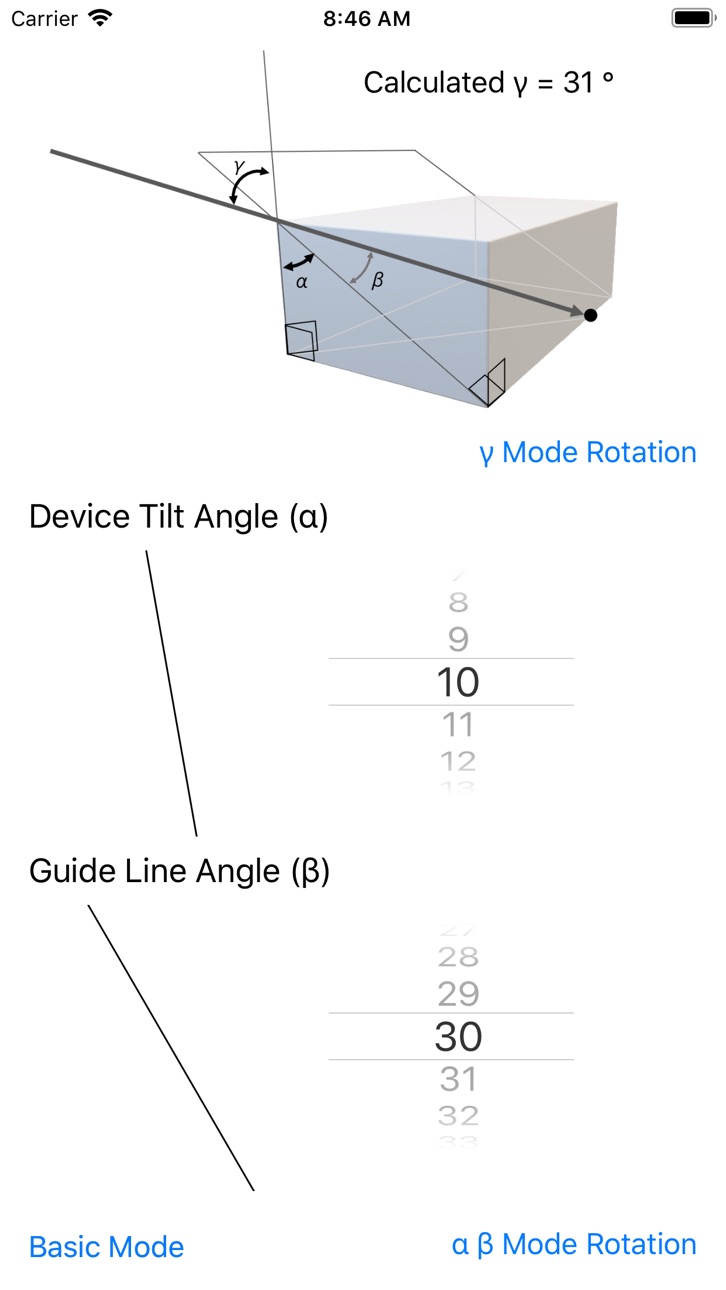
When you press “Rotate” after setting angle, your iPhone displays the line with respect to gravity. When your iPhone is tilted, background color will change.
You can draw two circles around the center of rotation to know the distance.
Accessibility
ipadiphonemacrealityDevicetvoswatch
Version history 10 versions
Build 840450401v1.912021-02-14 01:29:49
device update
Build 834956481v1.92020-03-31 23:21:26
Compatible with dark mode.
Build 831791712v1.82019-09-10 22:45:48
In this version, you can define the angle for black background.
Build 831702864v1.72019-06-20 22:37:09
Version up for iPad Mini 5, iPhone XS, iPhone XS Max, iPad Pro (11-inch), iPad Pro (12.9-inch) (3rd generation) and iPad Air (3rd generation).
The distance measurement function can not be used for unsupported devices.
Build 827428268v1.62018-06-06 23:46:12
Version up for iPhone 8 and X
Build 821479999v1.52017-03-28 13:08:45
Info link added.Small bug fix.
Build 820163579v1.42017-03-20 21:44:14
You can draw two circles around the center of rotation to know the distance.
Build 817910323v1.32016-09-17 12:13:56
During the line rotation, the screen continues to be displayed. Please pay attention to the consumption of the battery.
You can also lock by doing a long press of rotation center.
Build 811524407v1.22015-10-17 22:50:28
Center lock switch is added.
Build 810814912v12015-01-06 23:53:49
No pricing data captured yet — comparisons appear once the app has paid storefronts or in-app purchases.
Availability 1 of 1 storefronts
| Region | Language | Price | Ratings | Avg | Version |
|---|---|---|---|---|---|
| US | en-US | Free | 0 | — | 1.91 |
Change log 13 changes · US
✎
releaseNotes updated
device update
✎
description updated
When you press “Rotate” after setting angle, your iPhone displays the line with respect to gravity. When your iPhone is tilted, background color will change.
Yo
✎
name updated
Smart Puncture
◆
Version 1.91 released
device update
◆
Version 1.9 released
Compatible with dark mode.
◆
Version 1.8 released
In this version, you can define the angle for black background.
◆
Version 1.7 released
Version up for iPad Mini 5, iPhone XS, iPhone XS Max, iPad Pro (11-inch), iPad Pro (12.9-inch) (3rd generation) and iPad Air (3rd generation).
The distance measurement function can not be used for unsupported devices.
◆
Version 1.6 released
Version up for iPhone 8 and X
◆
Version 1.5 released
Info link added.Small bug fix.
◆
Version 1.4 released
You can draw two circles around the center of rotation to know the distance.
◆
Version 1.3 released
During the line rotation, the screen continues to be displayed. Please pay attention to the consumption of the battery.
You can also lock by doing a long press of rotation center.
◆
Version 1.2 released
Center lock switch is added.
◆
Version 1 released