Home › Utilities

 US
US
USen-US GBen-GB
 CAen-CA
 DEde-DE
 FRfr-FR
 AUen-AU
 IEen-GB
 BEen-GB
 ITit
ITit ATde-DE
 DKen-GB
 HKzh-Hant-HK
 NLnl
NLnl PHen-GB
 SAen-GB
 SEsv
SEsv AEen-GB
 CHde-CH
 CZen-GB
 ESes-ES
 FIen-GB
 IDen-GB
 ISen-GB
 LUen-GB
 NOen-GB
 NZen-AU
 QAen-GB
 THen-GB
 AFen-GB
 ALen-GB
 AMen-GB
 AZen-GB
 BAen-GB
 BGen-GB
 BHen-GB
 BMen-GB
 BNen-GB
 BTen-GB
 BYen-GB
 CNzh-Hans-CN
 CYen-GB
 EEen-GB
 EGen-GB
 FJen-GB
 FMen-GB
 GEen-GB
 GRen-GB
 HRen-GB
 HUen-GB
 ILen-GB
 INen-GB
 IQen-GB
 JOen-GB
 JPja
JPja KGen-GB
 KHen-GB
 KRko
KRko KWen-GB
 KZen-GB
 LAen-GB
 LBen-GB
 LKen-GB
 LTen-GB
 LVen-GB
 MDen-GB
 MEen-GB
 MKen-GB
 MMen-GB
 MNen-GB
 MOzh-Hant-HK
 MRen-GB
 MTen-GB
 MVen-GB
 MYen-GB
 NPen-GB
 NRen-GB
 OMen-GB
 PGen-GB
 PKen-GB
 PLen-GB
 PTpt-PT
 PWen-GB
 ROen-GB
 RSen-GB
 RUru
RUru SBen-GB
 SGen-GB
 SIen-GB
 SKen-GB
 TJen-GB
 TMen-GB
 TOen-GB
 TRen-GB
 TWzh-Hant-TW
 UAen-GB
 UZen-GB
 VNen-GB
 VUen-GB
 XKen-GB
 YEen-GB
 ZAen-GB
101 of 101 storefronts
Content in en-US
Content in en-US
Information
Preview 2 platforms
iPhone 7 images


iPad 7 images




What’s New Version 1.8
New: Auto crop is no longer is beta – enjoy!
New: Improved connection stability via Wi-Fi
——
If you like the new version, feel free give us some shiny gold stars on the App Store! If you have questions or feedback to share, please e-mail us at help@getdoxie.com. We’re always happy to help!
Description
Doxie for iOS is the companion app for your Doxie scanners. Sync, organize, and send to the cloud from anywhere.
Doxie for iOS features:
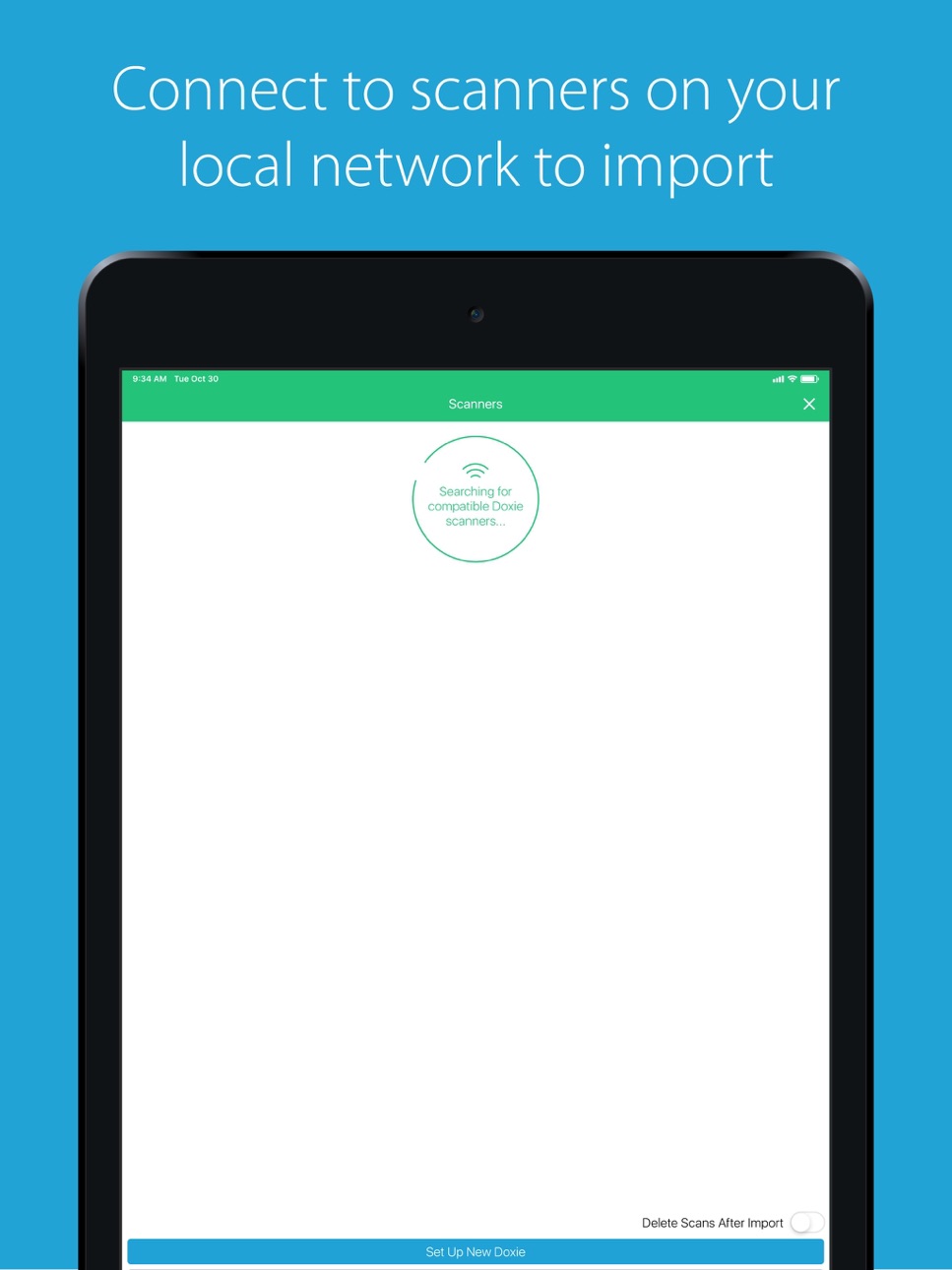
- Guided setup for discovering and joining Doxie's network
- Scanner discovery and import (with optional auto-delete)
- Staple to create multi-page PDFs
- Document naming and reordering and drag-to-reorder
- Automatic contrast boost
- Save and send scans to Mail, iMessage, or other apps on your device (including Dropbox, OneNote, and Evernote)
- Fun paperless sticker pack for iMessage
Doxie can also join your local home or office network. Configure network access and other scanner settings directly within the app or use the Doxie app on your Mac or PC.
** Doxie wireless document scanner with built-in Wi-Fi required **
Capabilities
iMessage
Accessibility
ipadiphonemacrealityDevicetvoswatch
Version history 25 versions
Build 840442270v1.82021-02-10 19:49:32
New: Auto crop is no longer is beta – enjoy!
New: Improved connection stability via Wi-Fi
——
If you like the new version, feel free give us some shiny gold stars on the App Store! If you have questions or feedback to share, please e-mail us at help@getdoxie.com. We’re always happy to help!
Build 837283703v1.7.112020-11-13 12:46:05
- New: Support for the latest iPhones and operating systems.
- Fixed: A bug that could cause some documents to be squished when exported.
——
If you like the new version, feel free give us some shiny gold stars on the App Store! If you have questions or feedback to share, please e-mail us at help@getdoxie.com. We’re always happy to help!
Build 834914178v1.7.102020-03-18 05:15:57
- Bug & crash fixes.
In case you missed it, here's what was new in recent updates:
- Updated to support iOS & iPadOS 13.0 including Dark Mode.
——
If you like the new version, feel free give us some shiny gold stars on the App Store! If you have questions or feedback to share, please e-mail us at help@getdoxie.com. We’re always happy to help!
Build 834185135v1.7.92019-12-31 23:21:14
- Crash fixes.
In case you missed it, here's what was new in 1.7.7:
- Updated to support iOS & iPadOS 13.0 including Dark Mode.
——
If you like the new version, feel free give us some shiny gold stars on the App Store! If you have questions or feedback to share, please e-mail us at help@getdoxie.com. We’re always happy to help!
Build 833707197v1.7.82019-11-21 22:23:38
- Behind the scenes changes.
In case you missed it, here's what was new in 1.7.7:
- Updated to support iOS & iPadOS 13.0 including Dark Mode.
——
If you like the new version, feel free give us some shiny gold stars on the App Store! If you have questions or feedback to share, please e-mail us at help@getdoxie.com. We’re always happy to help!
Build 832924183v1.7.72019-09-27 09:59:11
- Updated to support iOS & iPadOS 13.0 including Dark Mode.
In case you missed it, here's what was new in 1.7.6:
- Bug fixes and performance improvements.
——
If you like the new version, feel free give us some shiny gold stars on the App Store! If you have questions or feedback to share, please e-mail us at help@getdoxie.com. We’re always happy to help!
Build 830908123v1.7.62019-04-10 17:00:08
- Bug fixes and performance improvements.
In case you missed it, here's what was new in 1.7.5:
- Fixed: A bug that could cause the staple count of a document to disappear.
- New: Updated support for the latest devices and software.
- Fixed: More room for long filenames on the home view.
- Fixed: A visual bug that could appear on iOS 10.3.
- Fixed: A bug that could cause documents on your scanner to show the wrong name.
——
If you like the new version, feel free give us some shiny gold stars on the App Store! If you have questions or feedback to share, please e-mail us at help@getdoxie.com. We’re always happy to help!
Build 830521744v1.7.52019-03-24 21:27:56
- Behind-the-scenes changes.
In case you missed it, here's what was new in 1.7.4 & 1.7.3:
- Fixed: A bug that could cause the staple count of a document to disappear.
- New: Updated support for the latest devices and software.
- Fixed: More room for long filenames on the home view.
- Fixed: A visual bug that could appear on iOS 10.3.
- Fixed: A bug that could cause documents on your scanner to show the wrong name.
——
If you like the new version, feel free give us some shiny gold stars on the App Store! If you have questions or feedback to share, please e-mail us at help@getdoxie.com. We’re always happy to help!
Build 829805806v1.7.42019-01-12 10:48:14
- Fixed: A bug that could cause the staple count of a document to disappear.
In case you missed it, here's what was new in 1.7.3:
- New: Updated support for the latest devices and software.
- Fixed: More room for long filenames on the home view.
- Fixed: A visual bug that could appear on iOS 10.3.
- Fixed: A bug that could cause documents on your scanner to show the wrong name.
——
If you like the new version, feel free give us some shiny gold stars on the App Store! If you have questions or feedback to share, please e-mail us at help@getdoxie.com. We’re always happy to help!
Build 829312678v1.7.32018-11-20 20:24:11
- New: Updated support for the latest devices and software.
- Fixed: More room for long filenames on the home view.
- Fixed: A visual bug that could appear on iOS 10.3.
- Fixed: A bug that could cause documents on your scanner to show the wrong name.
In case you missed it, here's what was new in 1.7.2:
- Fixed: A bug that could cause exported PDFs to render incorrectly.
- Fixed: A crash that could occur when deleting some documents.
- Fixed: A bug that could cause the scanner settings view to have incorrect data.
- Fixed: Some small refinements to our visual design.
Please note that this release requires iOS 10.3 or greater. Previous releases will still work on iOS 9.3 but we urge those users to upgrade their devices to keep getting our latest features and fixes.
——
If you like the new version, feel free give us some shiny gold stars on the App Store! If you have questions or feedback to share, please e-mail us at help@getdoxie.com. We’re always happy to help!
Build 828571780v1.7.22018-09-17 17:00:50
- New: Support for the latest devices and software.
- Fixed: A bug that could cause exported PDFs to render incorrectly.
- Fixed: A crash that could occur when deleting some documents.
- Fixed: A bug that could cause the scanner settings view to have incorrect data.
- Fixed: Some small refinements to our visual design.
Please note that this release requires iOS 10.3 or greater. Previous releases will still work on iOS 9.3 but we urge those users to upgrade their devices to keep getting our latest features and fixes.
——
If you like the new version, feel free give us some shiny gold stars on the App Store! If you have questions or feedback to share, please e-mail us at help@getdoxie.com. We’re always happy to help!
Build 828336240v1.7.12018-08-24 01:49:05
- New: Automatic cropping feature (currently in beta!). Doxie for iOS can now automatically crop scans on import. (Requires iOS 11.0 or greater, and it's currently in beta, so it's off by default – enable it in Settings to try it out!)
- Fixed: A crash that could occur when accessing a scanner's settings.
- Fixed: A crash when exporting PDF files with a large number of pages.
- Fixed: Minor behind-the-scenes changes to address other bugs reported by users.
In case you missed it, here's what was new in version 1.6.2:
- Introducing: the Cropping feature! A brand new cropping view allows you to trim and resize your scans directly within Doxie for iOS. Use it in combination with the existing rotate and contrast boost features to make every scan look amazing.
- Fixed: Crushed a bug that caused scans to export without applying rotations
——
If you like the new version, feel free give us some shiny gold stars on the App Store! If you have questions or feedback to share, please e-mail us at help@getdoxie.com. We’re always happy to help!
Build 827963941v1.72018-08-11 00:38:42
- New: Automatic cropping. Doxie for iOS now automatically crops scans on import, as needed – yet another thing that Doxie and the Doxie app to make sure every scan looks amazing, automatically. (Requires iOS 11.0 or greater.)
- Fixed: A crash that could occur when accessing a scanner's settings.
- Fixed: A crash when exporting PDF files with a large number of pages.
- Fixed: Minor behind-the-scenes changes to address other bugs reported by users.
In case you missed it, here's what was new in version 1.6.2:
- Introducing: the Cropping feature! A brand new cropping view allows you to trim and resize your scans directly within Doxie for iOS. Use it in combination with the existing rotate and contrast boost features to make every scan look amazing.
- Fixed: Crushed a bug that caused scans to export without applying rotations
——
If you like the new version, feel free give us some shiny gold stars on the App Store! If you have questions or feedback to share, please e-mail us at help@getdoxie.com. We’re always happy to help!
Build 827785575v1.6.22018-07-07 01:30:28
- New: UI improvements
- New: Dialog box for when user tries to access Help without internet connection
- New: Improved accessibility support for VoiceOver users
In case you missed it, here's what was new in version 1.6.1:
- Introducing: the Cropping feature! A brand new cropping view allows you to trim and resize your scans directly within Doxie for iOS. Use it in combination with the existing rotate and contrast boost features to make every scan look amazing.
- Fixed: Crushed a bug that caused scans to export without applying rotations
——
If you like the new version, feel free give us some shiny gold stars on the App Store! If you have questions or feedback to share, please e-mail us at help@getdoxie.com. We’re always happy to help!
Build 826918330v1.6.12018-05-04 00:14:29
- Introducing: the Cropping feature! A brand new cropping view allows you to trim and resize your scans directly within Doxie for iOS. Use it in combination with the existing rotate and contrast boost features to make every scan look amazing.
- Fixed: Crushed a bug that caused scans to export without applying rotations
——
If you like the new version, feel free give us some shiny gold stars on the App Store! If you have questions or feedback to share, please e-mail us at help@getdoxie.com. We’re always happy to help!
Build 826694944v1.62018-04-26 20:57:10
Introducing: the Cropping feature! A brand new cropping view allows you to trim and resize your scans directly within Doxie for iOS. Use it in combination with the existing rotate and contrast boost features to make every scan look amazing.
——
If you like the new version, feel free give us some shiny gold stars on the App Store! If you have questions or feedback to share, please e-mail us at help@getdoxie.com. We’re always happy to help!
Build 826223501v1.5.42018-03-08 01:04:22
- NEW: Doxie sticker pack! Bring paperless fun into your iMessage chats!
- Fixed: Crushed a bug that causes icons to disappear with certain accessibility setting combinations
- Fixed: Made a minor edit to copy on the scanner settings page
--
In case you missed it, here are some other recent updates to Doxie for iOS:
- New: Support for the brand-new Doxie Go SE Wi-Fi. This update allows you to import, edit, and export your scans from Doxie Go SE Wi-Fi. Have your documents where you want them when you need them.
- New: iOS 11 and iPhone X support. We’ve optimized the app for the new software and hardware, and we added support for drag and drop exports on iPad.
- New: Configure Doxie Q directly within Doxie for iOS - rename Doxie, add or change the password, or configure Doxie to join a local network. You asked, we delivered.
If you like the new version, feel free give us some shiny gold stars on the App Store! If you have questions or feedback to share, please e-mail us at help@getdoxie.com. We’re always happy to help!
Build 826031882v1.5.32018-03-06 23:09:59
- NEW: Doxie sticker pack! Bring paperless fun into your iMessage chats!
- Fixed: Crushed a bug that causes icons to disappear with certain accessibility setting combinations
- Fixed: Made a minor edit to copy on the scanner settings page
--
In case you missed it, here are some other recent updates to Doxie for iOS:
- New: Support for the brand-new Doxie Go SE Wi-Fi. This update allows you to import, edit, and export your scans from Doxie Go SE Wi-Fi. Have your documents where you want them when you need them.
- New: iOS 11 and iPhone X support. We’ve optimized the app for the new software and hardware, and we added support for drag and drop exports on iPad.
- New: Configure Doxie Q directly within Doxie for iOS - rename Doxie, add or change the password, or configure Doxie to join a local network. You asked, we delivered.
If you like the new version, feel free give us some shiny gold stars on the App Store! If you have questions or feedback to share, please e-mail us at help@getdoxie.com. We’re always happy to help!
Build 825859649v1.5.22018-02-02 17:11:06
Fixed: Crushed a few bugs reported by users
--
In case you missed it, here are some other recent updates to Doxie for iOS:
- New: Support for the brand-new Doxie Go SE Wi-Fi. This update allows you to import, edit, and export your scans from Doxie Go SE Wi-Fi. Have your documents where you want them when you need them.
- New: iOS 11 and iPhone X support. We’ve optimized the app for the new software and hardware, and we added support for drag and drop exports on iPad.
- New: Configure Doxie Q directly within Doxie for iOS - rename Doxie, add or change the password, or configure Doxie to join a local network. You asked, we delivered.
If you like the new version, feel free give us some shiny gold stars on the App Store! If you have questions or feedback to share, please e-mail us at help@getdoxie.com. We’re always happy to help!
Build 824994863v1.5.12017-12-09 19:56:55
New: UI improvements
--
In case you missed it, here are some other recent updates to Doxie for iOS:
- New: Support for the brand-new Doxie Go SE Wi-Fi. This update allows you to import, edit, and export your scans from Doxie Go SE Wi-Fi. Have your documents where you want them when you need them.
- New: iOS 11 and iPhone X support. We’ve optimized the app for the new software and hardware, and we added support for drag and drop exports on iPad.
- New: Configure Doxie Q directly within Doxie for iOS - rename Doxie, add or change the password, or configure Doxie to join a local network. You asked, we delivered.
If you like the new version, feel free give us some shiny gold stars on the App Store! If you have questions or feedback to share, please e-mail us at help@getdoxie.com. We’re always happy to help!
Build 824336648v1.52017-11-19 21:31:17
Doxie for iOS 1.5 is fully compatible with the brand-new Doxie Go SE Wi-Fi.
Doxie Go SE Wi-Fi delivers smarter portable scanning that you can take and sync anywhere – no computer required. Doxie's rechargeable battery, included memory, integrated Wi-Fi, and included Mac, PC, and iOS apps make it easy (and fun!) to go paperless.
This update allows you to import, edit, and export your scans from Doxie Go SE Wi-Fi. Have your documents where you want them when you need them.
——
In case you missed it, here are some other recent updates to Doxie for iOS:
- New: iOS 11 and iPhone X support. We’ve optimized the app for the new software and hardware, and we added support for drag and drop exports on iPad.
- New: Configure Doxie Q directly within Doxie for iOS - rename Doxie, add or change the password, or configure Doxie to join a local network. You asked, we delivered.
If you like the new version, feel free give us some shiny gold stars on the App Store! If you have questions or feedback to share, please e-mail us at help@getdoxie.com. We’re always happy to help!
Build 824245831v1.42017-11-04 19:16:07
- New: Support for iPhone X.
In case you missed it, here's what was new in version 1.3:
- New: The iOS 11 release is here! We’ve optimized the app for the new software, and we added support for drag and drop exports on iPad.
- New: Configure Doxie Q directly within Doxie for iOS - rename Doxie, add or change the password, or configure Doxie to join a local network. You asked, we delivered.
- New: A progress pie will appear during import to show the download status of each scan, yum!
- Fixed: We crushed a minor bug that caused the app to crash if it’s opened for a long time and encountered some bad luck.
- Fixed: Crushed a bug that causes the app to crash in iOS 11 when saving to Photos.
Fixed: Gently removed a bug that could prevent scans from being deleted on some scanners.
If you like the new version, feel free give us some shiny gold stars on the App Store! If you have questions or feedback to share, please e-mail us at help@getdoxie.com. We’re always happy to help!
Build 823930834v1.3.22017-10-12 22:51:32
Fixed: Gently removed a bug that could prevent scans from being deleted on some scanners.
In case you missed it, here's what was new in versions 1.3 & 1.3.1:
- New: The iOS 11 release is here! We’ve optimized the app for the new software, and we added support for drag and drop exports on iPad.
- New: Configure Doxie Q directly within Doxie for iOS - rename Doxie, add or change the password, or configure Doxie to join a local network. You asked, we delivered.
- New: A progress pie will appear during import to show the download status of each scan, yum!
- Fixed: We crushed a minor bug that caused the app to crash if it’s opened for a long time and encountered some bad luck.
- Fixed: Crushed a bug that causes the app to crash in iOS 11 when saving to Photos.
If you like the new version, feel free give us some shiny gold stars on the App Store! If you have questions or feedback to share, please e-mail us at help@getdoxie.com. We’re always happy to help!
Build 823911931v1.3.12017-10-05 19:54:44
Fixed: Crushed a bug that causes the app to crash in iOS 11 when saving to Photos.
In case you missed it, here's what was new in version 1.3:
- New: The iOS 11 release is here! We’ve optimized the app for the new software, and we added support for drag and drop exports on iPad.
- New: Configure Doxie Q directly within Doxie for iOS - rename Doxie, add or change the password, or configure Doxie to join a local network. You asked, we delivered.
- New: A progress pie will appear during import to show the download status of each scan, yum!
- Fixed: We crushed a minor bug that caused the app to crash if it’s opened for a long time and encountered some bad luck.
If you like the new version, feel free give us some shiny gold stars on the App Store! If you have questions or feedback to share, please e-mail us at help@getdoxie.com. We’re always happy to help!
Build 823105915v1.32017-09-26 13:55:04
- New: The iOS 11 release is here! We’ve optimized the app for the new software, and we added support for drag and drop exports on iPad.
- New: Configure Doxie Q directly within Doxie for iOS - rename Doxie, add or change the password, or configure Doxie to join a local network. You asked, we delivered.
- New: A progress pie will appear during import to show the download status of each scan, yum!
- Fixed: We crushed a minor bug that caused the app to crash if it’s opened for a long time and encountered some bad luck.
If you like the new version, feel free give us some shiny gold stars on the App Store! If you have questions or feedback to share, please e-mail us at help@getdoxie.com. We’re always happy to help!
No pricing data captured yet — comparisons appear once the app has paid storefronts or in-app purchases.
Availability 101 of 101 storefronts
| Region | Language | Price | Ratings | Avg | Version |
|---|---|---|---|---|---|
| US | en-US | Free | 760 | 4.5 | 1.8 |
| GB | en-GB | Free | 88 | 4.3 | 1.8 |
| CA | en-CA | Free | 50 | 4.5 | 1.8 |
| DE | de-DE | Free | 42 | 4.6 | 1.8 |
| FR | fr-FR | Free | 14 | 4.4 | 1.8 |
| AU | en-AU | Free | 12 | 4.6 | 1.8 |
| IE | en-GB | Free | 4 | 5.0 | 1.8 |
| BE | en-GB | Free | 3 | 2.3 | 1.8 |
| IT | it | Free | 3 | 5.0 | 1.8 |
| AT | de-DE | Free | 2 | 5.0 | 1.8 |
| DK | en-GB | Free | 2 | 5.0 | 1.8 |
| HK | zh-Hant-HK | Free | 2 | 2.5 | 1.8 |
| NL | nl | Free | 2 | 4.0 | 1.8 |
| PH | en-GB | Free | 2 | 3.5 | 1.8 |
| SA | en-GB | Free | 2 | 5.0 | 1.8 |
| SE | sv | Free | 2 | 3.0 | 1.8 |
| AE | en-GB | Free | 1 | 5.0 | 1.8 |
| CH | de-CH | Free | 1 | 5.0 | 1.8 |
| CZ | en-GB | Free | 1 | 5.0 | 1.8 |
| ES | es-ES | Free | 1 | 5.0 | 1.8 |
| FI | en-GB | Free | 1 | 5.0 | 1.8 |
| ID | en-GB | Free | 1 | 5.0 | 1.8 |
| IS | en-GB | Free | 1 | 4.0 | 1.8 |
| LU | en-GB | Free | 1 | 1.0 | 1.8 |
| NO | en-GB | Free | 1 | 5.0 | 1.8 |
| NZ | en-AU | Free | 1 | 5.0 | 1.8 |
| QA | en-GB | Free | 1 | 5.0 | 1.8 |
| TH | en-GB | Free | 1 | 5.0 | 1.8 |
| AF | en-GB | Free | 0 | — | 1.8 |
| AL | en-GB | Free | 0 | — | 1.8 |
| AM | en-GB | Free | 0 | — | 1.8 |
| AZ | en-GB | Free | 0 | — | 1.8 |
| BA | en-GB | Free | 0 | — | 1.8 |
| BG | en-GB | Free | 0 | — | 1.8 |
| BH | en-GB | Free | 0 | — | 1.8 |
| BM | en-GB | Free | 0 | — | 1.8 |
| BN | en-GB | Free | 0 | — | 1.8 |
| BT | en-GB | Free | 0 | — | 1.8 |
| BY | en-GB | Free | 0 | — | 1.8 |
| CN | zh-Hans-CN | Free | 0 | — | 1.8 |
| CY | en-GB | Free | 0 | — | 1.8 |
| EE | en-GB | Free | 0 | — | 1.8 |
| EG | en-GB | Free | 0 | — | 1.8 |
| FJ | en-GB | Free | 0 | — | 1.8 |
| FM | en-GB | Free | 0 | — | 1.8 |
| GE | en-GB | Free | 0 | — | 1.8 |
| GR | en-GB | Free | 0 | — | 1.8 |
| HR | en-GB | Free | 0 | — | 1.8 |
| HU | en-GB | Free | 0 | — | 1.8 |
| IL | en-GB | Free | 0 | — | 1.8 |
| IN | en-GB | Free | 0 | — | 1.8 |
| IQ | en-GB | Free | 0 | — | 1.8 |
| JO | en-GB | Free | 0 | — | 1.8 |
| JP | ja | Free | 0 | — | 1.8 |
| KG | en-GB | Free | 0 | — | 1.8 |
| KH | en-GB | Free | 0 | — | 1.8 |
| KR | ko | Free | 0 | — | 1.8 |
| KW | en-GB | Free | 0 | — | 1.8 |
| KZ | en-GB | Free | 0 | — | 1.8 |
| LA | en-GB | Free | 0 | — | 1.8 |
| LB | en-GB | Free | 0 | — | 1.8 |
| LK | en-GB | Free | 0 | — | 1.8 |
| LT | en-GB | Free | 0 | — | 1.8 |
| LV | en-GB | Free | 0 | — | 1.8 |
| MD | en-GB | Free | 0 | — | 1.8 |
| ME | en-GB | Free | 0 | — | 1.8 |
| MK | en-GB | Free | 0 | — | 1.8 |
| MM | en-GB | Free | 0 | — | 1.8 |
| MN | en-GB | Free | 0 | — | 1.8 |
| MO | zh-Hant-HK | Free | 0 | — | 1.8 |
| MR | en-GB | Free | 0 | — | 1.8 |
| MT | en-GB | Free | 0 | — | 1.8 |
| MV | en-GB | Free | 0 | — | 1.8 |
| MY | en-GB | Free | 0 | — | 1.8 |
| NP | en-GB | Free | 0 | — | 1.8 |
| NR | en-GB | Free | 0 | — | 1.8 |
| OM | en-GB | Free | 0 | — | 1.8 |
| PG | en-GB | Free | 0 | — | 1.8 |
| PK | en-GB | Free | 0 | — | 1.8 |
| PL | en-GB | Free | 0 | — | 1.8 |
| PT | pt-PT | Free | 0 | — | 1.8 |
| PW | en-GB | Free | 0 | — | 1.8 |
| RO | en-GB | Free | 0 | — | 1.8 |
| RS | en-GB | Free | 0 | — | 1.8 |
| RU | ru | Free | 0 | — | 1.8 |
| SB | en-GB | Free | 0 | — | 1.8 |
| SG | en-GB | Free | 0 | — | 1.8 |
| SI | en-GB | Free | 0 | — | 1.8 |
| SK | en-GB | Free | 0 | — | 1.8 |
| TJ | en-GB | Free | 0 | — | 1.8 |
| TM | en-GB | Free | 0 | — | 1.8 |
| TO | en-GB | Free | 0 | — | 1.8 |
| TR | en-GB | Free | 0 | — | 1.8 |
| TW | zh-Hant-TW | Free | 0 | — | 1.8 |
| UA | en-GB | Free | 0 | — | 1.8 |
| UZ | en-GB | Free | 0 | — | 1.8 |
| VN | en-GB | Free | 0 | — | 1.8 |
| VU | en-GB | Free | 0 | — | 1.8 |
| XK | en-GB | Free | 0 | — | 1.8 |
| YE | en-GB | Free | 0 | — | 1.8 |
| ZA | en-GB | Free | 0 | — | 1.8 |
Change log 28 changes · US
✎
releaseNotes updated
New: Auto crop is no longer is beta – enjoy!
New: Improved connection stability via Wi-Fi
——
If you like the new version, feel free give us some shiny gold st
✎
description updated
Doxie for iOS is the companion app for your Doxie scanners. Sync, organize, and send to the cloud from anywhere.
Doxie for iOS features:
- Guided setup for dis
✎
name updated
Doxie
◆
Version 1.8 released
New: Auto crop is no longer is beta – enjoy!
New: Improved connection stability via Wi-Fi
——
If you like the new version, feel free give us some shiny gold stars on the App Store! If you have questions or feedback to share, please e-mail
◆
Version 1.7.11 released
- New: Support for the latest iPhones and operating systems.
- Fixed: A bug that could cause some documents to be squished when exported.
——
If you like the new version, feel free give us some shiny gold stars on the App Store! If you ha
◆
Version 1.7.10 released
- Bug & crash fixes.
In case you missed it, here's what was new in recent updates:
- Updated to support iOS & iPadOS 13.0 including Dark Mode.
——
If you like the new version, feel free give us some shiny gold stars on the App Store! If
◆
Version 1.7.9 released
- Crash fixes.
In case you missed it, here's what was new in 1.7.7:
- Updated to support iOS & iPadOS 13.0 including Dark Mode.
——
If you like the new version, feel free give us some shiny gold stars on the App Store! If you have questi
◆
Version 1.7.8 released
- Behind the scenes changes.
In case you missed it, here's what was new in 1.7.7:
- Updated to support iOS & iPadOS 13.0 including Dark Mode.
——
If you like the new version, feel free give us some shiny gold stars on the App Store! If y
◆
Version 1.7.7 released
- Updated to support iOS & iPadOS 13.0 including Dark Mode.
In case you missed it, here's what was new in 1.7.6:
- Bug fixes and performance improvements.
——
If you like the new version, feel free give us some shiny gold stars on the Ap
◆
Version 1.7.6 released
- Bug fixes and performance improvements.
In case you missed it, here's what was new in 1.7.5:
- Fixed: A bug that could cause the staple count of a document to disappear.
- New: Updated support for the latest devices and software.
- Fixe
◆
Version 1.7.5 released
- Behind-the-scenes changes.
In case you missed it, here's what was new in 1.7.4 & 1.7.3:
- Fixed: A bug that could cause the staple count of a document to disappear.
- New: Updated support for the latest devices and software.
- Fixed: Mo
◆
Version 1.7.4 released
- Fixed: A bug that could cause the staple count of a document to disappear.
In case you missed it, here's what was new in 1.7.3:
- New: Updated support for the latest devices and software.
- Fixed: More room for long filenames on the hom
◆
Version 1.7.3 released
- New: Updated support for the latest devices and software.
- Fixed: More room for long filenames on the home view.
- Fixed: A visual bug that could appear on iOS 10.3.
- Fixed: A bug that could cause documents on your scanner to show the w
◆
Version 1.7.2 released
- New: Support for the latest devices and software.
- Fixed: A bug that could cause exported PDFs to render incorrectly.
- Fixed: A crash that could occur when deleting some documents.
- Fixed: A bug that could cause the scanner settings vi
◆
Version 1.7.1 released
- New: Automatic cropping feature (currently in beta!). Doxie for iOS can now automatically crop scans on import. (Requires iOS 11.0 or greater, and it's currently in beta, so it's off by default – enable it in Settings to try it out!)
- Fi
◆
Version 1.7 released
- New: Automatic cropping. Doxie for iOS now automatically crops scans on import, as needed – yet another thing that Doxie and the Doxie app to make sure every scan looks amazing, automatically. (Requires iOS 11.0 or greater.)
- Fixed: A c
◆
Version 1.6.2 released
- New: UI improvements
- New: Dialog box for when user tries to access Help without internet connection
- New: Improved accessibility support for VoiceOver users
In case you missed it, here's what was new in version 1.6.1:
- Introducing:
◆
Version 1.6.1 released
- Introducing: the Cropping feature! A brand new cropping view allows you to trim and resize your scans directly within Doxie for iOS. Use it in combination with the existing rotate and contrast boost features to make every scan look amazin
◆
Version 1.6 released
Introducing: the Cropping feature! A brand new cropping view allows you to trim and resize your scans directly within Doxie for iOS. Use it in combination with the existing rotate and contrast boost features to make every scan look amazing.
◆
Version 1.5.4 released
- NEW: Doxie sticker pack! Bring paperless fun into your iMessage chats!
- Fixed: Crushed a bug that causes icons to disappear with certain accessibility setting combinations
- Fixed: Made a minor edit to copy on the scanner settings page
◆
Version 1.5.3 released
- NEW: Doxie sticker pack! Bring paperless fun into your iMessage chats!
- Fixed: Crushed a bug that causes icons to disappear with certain accessibility setting combinations
- Fixed: Made a minor edit to copy on the scanner settings page
◆
Version 1.5.2 released
Fixed: Crushed a few bugs reported by users
--
In case you missed it, here are some other recent updates to Doxie for iOS:
- New: Support for the brand-new Doxie Go SE Wi-Fi. This update allows you to import, edit, and export your scans
◆
Version 1.5.1 released
New: UI improvements
--
In case you missed it, here are some other recent updates to Doxie for iOS:
- New: Support for the brand-new Doxie Go SE Wi-Fi. This update allows you to import, edit, and export your scans from Doxie Go SE Wi-Fi.
◆
Version 1.5 released
Doxie for iOS 1.5 is fully compatible with the brand-new Doxie Go SE Wi-Fi.
Doxie Go SE Wi-Fi delivers smarter portable scanning that you can take and sync anywhere – no computer required. Doxie's rechargeable battery, included memory, int
◆
Version 1.4 released
- New: Support for iPhone X.
In case you missed it, here's what was new in version 1.3:
- New: The iOS 11 release is here! We’ve optimized the app for the new software, and we added support for drag and drop exports on iPad.
- New: Config
◆
Version 1.3.2 released
Fixed: Gently removed a bug that could prevent scans from being deleted on some scanners.
In case you missed it, here's what was new in versions 1.3 & 1.3.1:
- New: The iOS 11 release is here! We’ve optimized the app for the new software,
◆
Version 1.3.1 released
Fixed: Crushed a bug that causes the app to crash in iOS 11 when saving to Photos.
In case you missed it, here's what was new in version 1.3:
- New: The iOS 11 release is here! We’ve optimized the app for the new software, and we added su
◆
Version 1.3 released
- New: The iOS 11 release is here! We’ve optimized the app for the new software, and we added support for drag and drop exports on iPad.
- New: Configure Doxie Q directly within Doxie for iOS - rename Doxie, add or change the password, or c