Home › Navigation

 US
US
1 of 1 storefronts
Content in en-US
Content in en-US
Information
Apple ID940193674
Bundle IDit.avmap.MirrorControl
SellerSeller
Min iOS11.0
Min macOS11.0
Device familiesiphone, ipad, ipod
Released2014-11-21
Copyright© 2020 AvMap s.r.l.
Privacy policyLink ↗
Preview 2 platforms
iPhone 7 images


iPad 7 images




What’s New Version 1.2.3
Improved user experience:
* Fixed device rotation issues
* Screen auto lock disabled while using the app
* Minor layout fixes
Description
Get away from the navigation screen and move around… But stay in control!
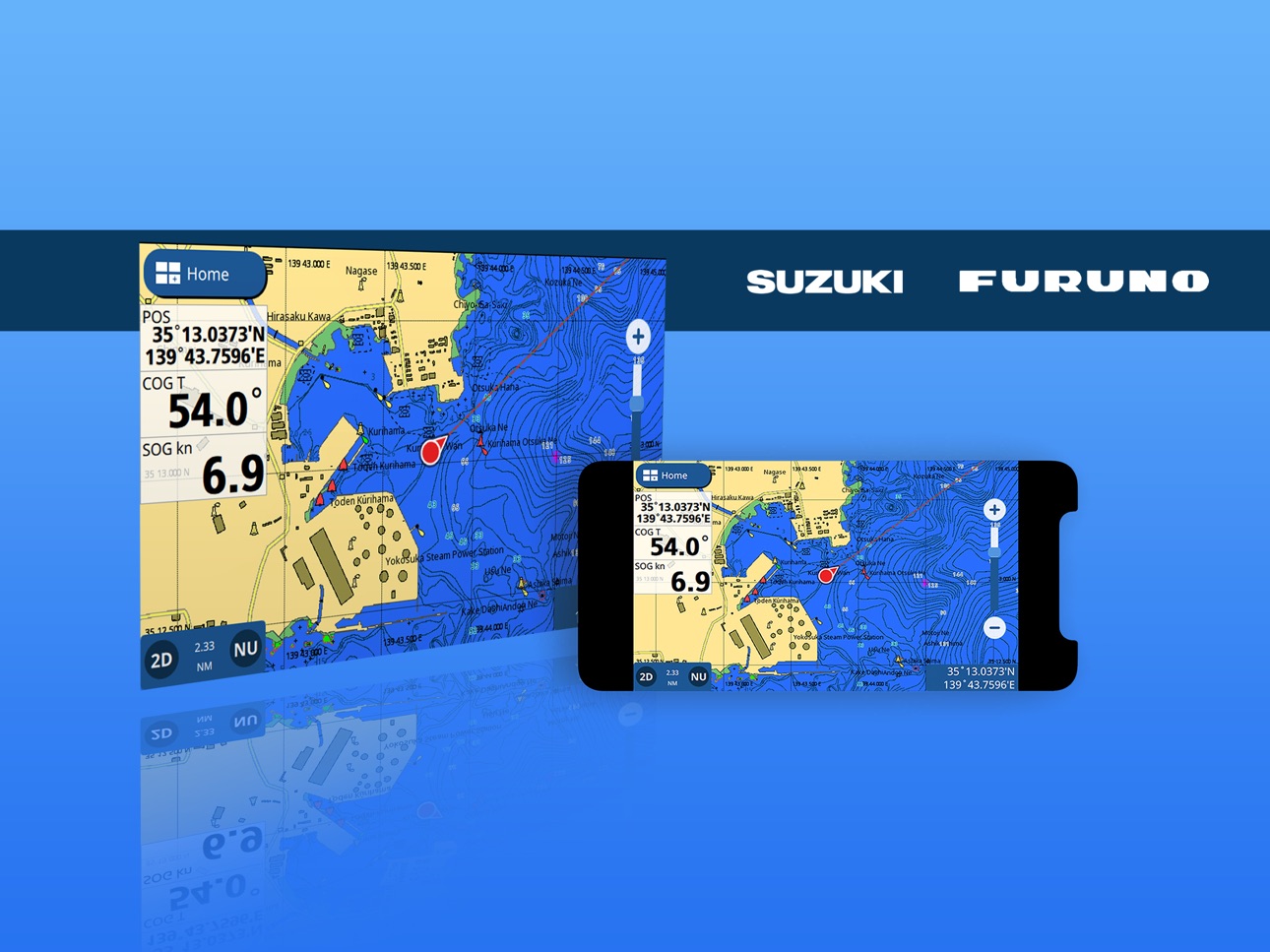
Mirror and Control your compatible* Multi-Function Display (MFD) from your iOS device:
* Connect to your MFD with Mirror Control via WiFi;
* View your MFD screen from anywhere onboard;
* User your device as a full-featured remote control of your MFD.
Mirror Control connects to compatible* MFDs and streams the display directly to your tablet or smartphone. A second display… at NO COST!
Use the fully integrated touch synchronization for remote control of your MFD from the screen of your device. No reduced functions or limited menus… 100% CONTROL!
MARINE MFDs:
- View and Manage all your MFD pages from Mirror Control:
* Charts;
* Radar;
* Fish Finder;
* Engines;
* Instruments.
- Supervise route navigation with autopilot and make adjustments or change destination on the
fly.
- Receive alarms and monitor status for AIS, DSC, anti-grounding and other safety/navigation
data.
- Quickly activate Man-OverBoard functionality and monitor status even without being in
front of your MFD.
- Quickly capture MFD screenshots using your iOS device commands and save them to your
photo library.
FARM MFD:
- User Mirror Control to view and manage Field Maps, the Jobs Database and implement
profiles for Section Control.
- Monitor operations in real-time from field-side.
- Oversee Auto-Steering for automated Section Control.
Simply enable WiFi connectivity on your MFD and pair it to your iOS device with a simple PIN
confirmation. Synchronization is fully automatic, with immediate access and control of all menus
and settings.
Mirror Control app is Compatible with the following navigation systems:
* Alphatron (FF-901)
* AvMap (G7 Farmnavigator)
* Furuno (GP1871F GP1971F)
* JMC (NP-90MAX, NP-120MAX, V-90PMAX, V-120PMAX, SPMAXIIIWiFi)
* Lorenz (Atom9/Plus, Atom12/Plus, MagProHDWiFi)
* Navstation (N9/Fish, N12/Fish, ControllerC1)
* Polar (PPC-202WiFi)
* Radio Ocean (7T)
* Seiwa (SWX900W/CW, SWX1200W/CW, EXP23WiFi, FT70)
* Si-Tex (NavPro900C/F, NavPro1200C/F, EXPNavProWiFi)
* Suzuki (SMD7, SMD9)
Accessibility
ipadiphonemacrealityDevicetvoswatch
Version history 7 versions
Build 869652842v1.2.32024-10-31 14:03:36
Improved user experience:
* Fixed device rotation issues
* Screen auto lock disabled while using the app
* Minor layout fixes
Build 836838617v1.2.22020-07-16 18:11:30
text and screen updated on the store page
Build 835068511v1.2.12020-06-24 23:20:55
Updated Informations of app
Build 834705432v1.2.02020-02-13 21:25:14
Added support for iOS 13.
Added support for dark mode.
Added validation for IP address field.
Update copyright dates.
Fixed issues related of swipe from edge gestures.
Fixed issues related to re-starting after loosing focus.
Build 821277740v1.1.02017-03-13 19:04:46
Added 64bit compatibility
Fixed issue when iPhone/iPad is hotspot.
Build 811154147v1.0.12014-12-12 18:13:13
Better behavior in case of missing server, busy server, wrong ip. Also handles the disconnection due to WIFI degradation.
Refresh of connection status field
Build 795752801v1.0.02014-11-21 15:47:28
No pricing data captured yet — comparisons appear once the app has paid storefronts or in-app purchases.
Availability 1 of 1 storefronts
| Region | Language | Price | Ratings | Avg | Version |
|---|---|---|---|---|---|
| US | en-US | Free | 3 | 1.3 | 1.2.3 |
Change log 10 changes · US
✎
releaseNotes updated
Improved user experience:
* Fixed device rotation issues
* Screen auto lock disabled while using the app
* Minor layout fixes
✎
description updated
Get away from the navigation screen and move around… But stay in control!
Mirror and Control your compatible* Multi-Function Display (MFD) from your iOS device:
✎
name updated
Mirror Control
◆
Version 1.2.3 released
Improved user experience:
* Fixed device rotation issues
* Screen auto lock disabled while using the app
* Minor layout fixes
◆
Version 1.2.2 released
text and screen updated on the store page
◆
Version 1.2.1 released
Updated Informations of app
◆
Version 1.2.0 released
Added support for iOS 13.
Added support for dark mode.
Added validation for IP address field.
Update copyright dates.
Fixed issues related of swipe from edge gestures.
Fixed issues related to re-starting after loosing focus.
◆
Version 1.1.0 released
Added 64bit compatibility
Fixed issue when iPhone/iPad is hotspot.
◆
Version 1.0.1 released
Better behavior in case of missing server, busy server, wrong ip. Also handles the disconnection due to WIFI degradation.
Refresh of connection status field
◆
Version 1.0.0 released