Home › Business

 US
US
1 of 1 storefronts
Content in en-US
Content in en-US
Information
Preview 2 platforms
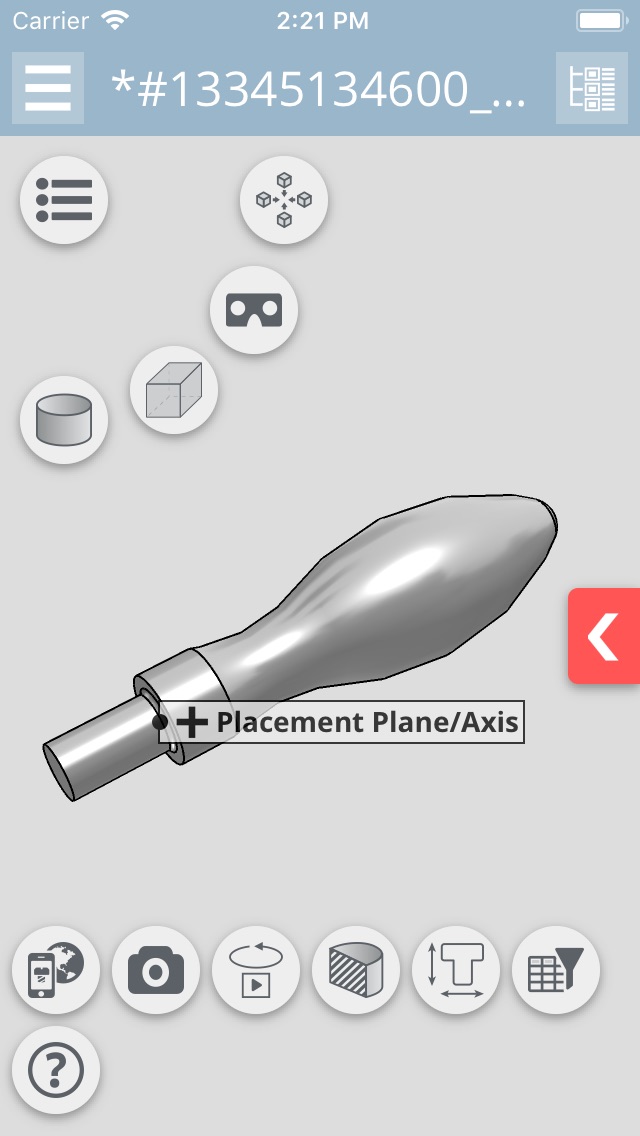
iPhone 4 images



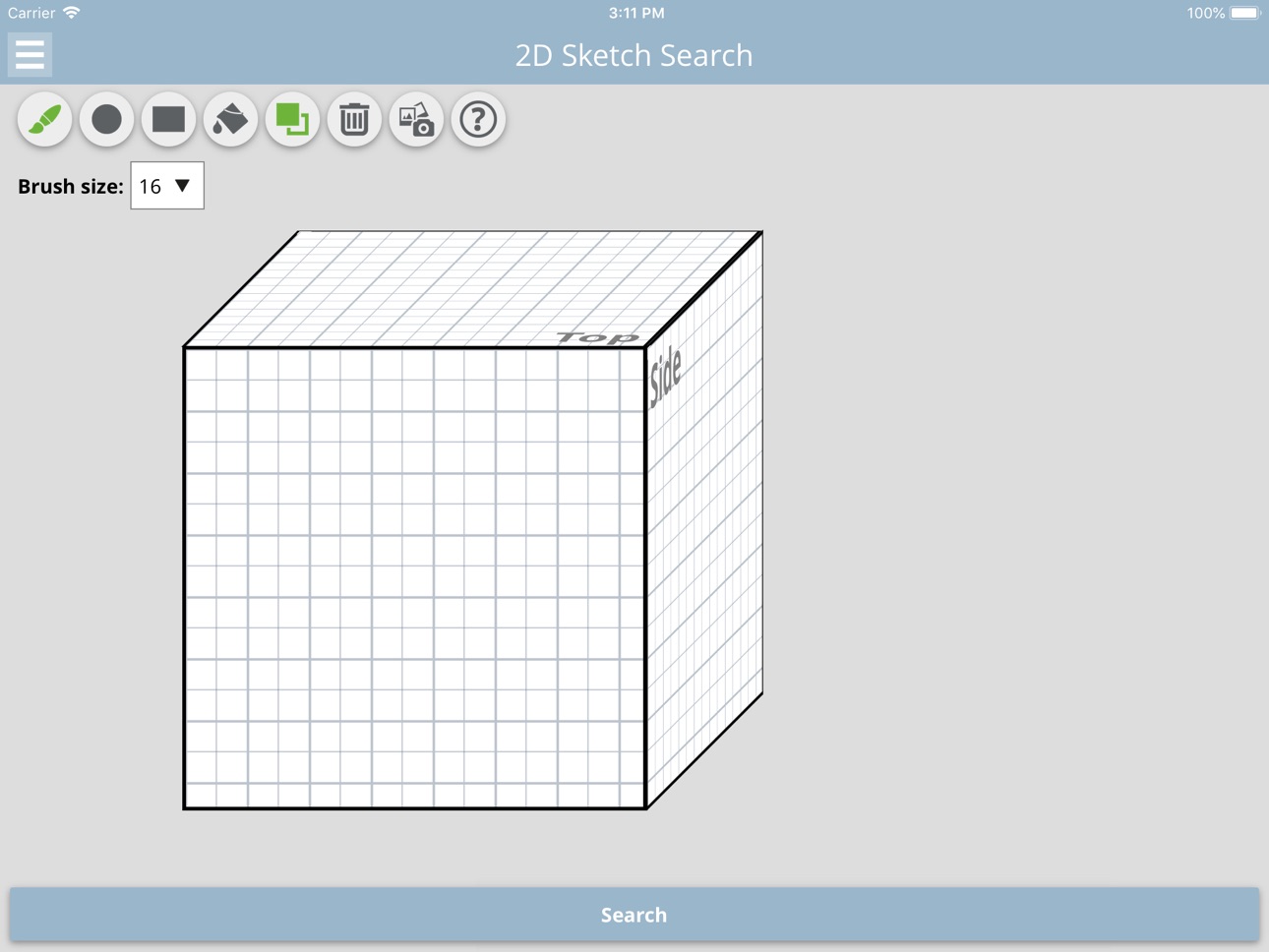
iPad 4 images


What’s New Version 6.2.0
- New: Improve line visiblity toggling in 2D Viewer
- New: Use GLTF
- Fix: Invalid data for assistants
- Fix: Geometric similarity in list view result
- Fix: Variable edit dialog
- Fix: Save image in share Dialog crashes app
- Fix: View scrolling back after closing keyboard on iOS 12
- Fix: Compatibility with iPhone XR, XS and XS Max
Description
This app allows users of the Strategic Parts Management PARTsolutions to visualize their current system environment on a mobile phone or tablet.
Please note that the app only provides data for research purposes. A download of CAD data is not available because there is no CAD system available on the mobile device.
For the availability of PARTapplicationServer for your environment, please contact Support@cadenas.de.
The current app includes the following features:
- 3D visualization and search within your own, standard and supplier parts world
- Retrieve information from ERP systems such as SAP
- Search by 2D sketch
- 3D geometric similarity search
Demo-Login:
- Username: demo
- Password:
Please note that the password needs to be empty!
Accessibility
ipadiphonemacrealityDevicetvoswatch
Version history 13 versions
Build 829675010v6.2.02019-05-29 16:51:22
- New: Improve line visiblity toggling in 2D Viewer
- New: Use GLTF
- Fix: Invalid data for assistants
- Fix: Geometric similarity in list view result
- Fix: Variable edit dialog
- Fix: Save image in share Dialog crashes app
- Fix: View scrolling back after closing keyboard on iOS 12
- Fix: Compatibility with iPhone XR, XS and XS Max
Build 827481620v6.0.02018-07-05 15:44:06
ew: Vertical table mode, by default
New: Filter for preferred rows in index browsing
New: Improve quality of menu icons
New: Enhance 3D Rendering
New: Editable dimensions in 3D
New: AR mode which supports ARKit
Fix: Alphabetic navigation
Fix: Native App rating
Fix: Check non valid clickable dimensions
Fix: Colorpicker handling
Fix: Load PDF catalogs by parentID
Fix: SearchBar aligned to index browsing cards
Build 826466366v5.0.102018-03-28 00:58:34
- Fix: display of catalog copyright: change font and make it larger
- Fix: improve sharing
Build 825032787v5.0.92017-12-18 20:53:04
- Fix: compatibility for iOS 11 and iPhoneX
Build 822776625v5.0.22017-07-15 00:32:43
- New: Improve rendering of 3D view
- New: Bluebox mode
- New: Drawing in 3D
- Fix: Update more apps page
- Fix: Improve icons in 3D and 2D view
- Fix: Don't reload/rearange 2D drawing when switching to 3D and back
Build 821329350v4.3.02017-03-15 19:14:19
- New: Table position changed to right side as default and can now be changed in settings
- New: New node for ordering preferred catalogs added to index browsing and search results
- New: Dropdown menu for default viewtype for webviewer3d in settings (options: standard, dreamoc modes, VR, AR)
- New: Adjustable transparency value in settings
- New: Redesign 'Terms of Use', 'Privacy policy' and 'Legal Notice'
- New: CubeSketcher reworked (new Buttons)
- New: Geometric Search 3D with files (STL, STEP)
- Fix: Improved rendering performance in 3D view
- Fix: Remove CAD Format selection from settings, select when email/download cad
Build 819673528v4.2.02016-11-16 03:24:09
- New: Redesign 'Terms of Use' and 'Legal Notice'
- New: Scroll pagination for search results
- New: Show 2D view for database projects
- New: 3D View shading changed
- New: 3D View with environments and floors
- New: Multiple CAD format selection
- New: Request for quotation
- New: Automatic recalculation for parts
- New: Download CAD files
- Fix: Layout of calc assistants
- Fix: News open correctly again
Build 818536058v4.1.102016-09-02 07:00:36
- New: Add holographic pyramid function
- Fix: Open external documents (PDF) from ftp
- Fix: Focus handling of input fields in settings
Build 817980378v4.1.82016-07-08 17:32:17
- New: Better sliders in settings
- New: Ask for Dreamoc™ mode when open project from QR scan
- Fix: Checkboxes are now clickable
Build 816605579v4.0.42016-03-07 21:35:47
Fixed: Table selection
New: Menu for 2D/3D Viewer
New: 3D Viewer with new features: Dimensions, Cut, VR, ...
Build 814154840v3.4.42015-11-21 02:15:36
Fixed: Crash on iOS 7
Fixed: Image save from 3D view
Fixed: iOS 9 compatibility
Build 812906869v3.4.02015-07-24 17:34:08
- Rework alphabetic navigation
- Sketchsearch with photos
- Bugfixes
Build 749093603v3.3.42015-04-01 16:01:16
No pricing data captured yet — comparisons appear once the app has paid storefronts or in-app purchases.
Availability 1 of 1 storefronts
| Region | Language | Price | Ratings | Avg | Version |
|---|---|---|---|---|---|
| US | en-US | Free | 3 | 5.0 | 6.2.0 |
Change log 16 changes · US
✎
releaseNotes updated
- New: Improve line visiblity toggling in 2D Viewer
- New: Use GLTF
- Fix: Invalid data for assistants
- Fix: Geometric similarity in list view result
- Fix: Va
✎
description updated
This app allows users of the Strategic Parts Management PARTsolutions to visualize their current system environment on a mobile phone or tablet.
Please note th
✎
name updated
PARTsolutions
◆
Version 6.2.0 released
- New: Improve line visiblity toggling in 2D Viewer
- New: Use GLTF
- Fix: Invalid data for assistants
- Fix: Geometric similarity in list view result
- Fix: Variable edit dialog
- Fix: Save image in share Dialog crashes app
- Fix: View scr
◆
Version 6.0.0 released
ew: Vertical table mode, by default
New: Filter for preferred rows in index browsing
New: Improve quality of menu icons
New: Enhance 3D Rendering
New: Editable dimensions in 3D
New: AR mode which supports ARKit
Fix: Alphabetic navigation
Fi
◆
Version 5.0.10 released
- Fix: display of catalog copyright: change font and make it larger
- Fix: improve sharing
◆
Version 5.0.9 released
- Fix: compatibility for iOS 11 and iPhoneX
◆
Version 5.0.2 released
- New: Improve rendering of 3D view
- New: Bluebox mode
- New: Drawing in 3D
- Fix: Update more apps page
- Fix: Improve icons in 3D and 2D view
- Fix: Don't reload/rearange 2D drawing when switching to 3D and back
◆
Version 4.3.0 released
- New: Table position changed to right side as default and can now be changed in settings
- New: New node for ordering preferred catalogs added to index browsing and search results
- New: Dropdown menu for default viewtype for webviewer3d i
◆
Version 4.2.0 released
- New: Redesign 'Terms of Use' and 'Legal Notice'
- New: Scroll pagination for search results
- New: Show 2D view for database projects
- New: 3D View shading changed
- New: 3D View with environments and floors
- New: Multiple CAD format se
◆
Version 4.1.10 released
- New: Add holographic pyramid function
- Fix: Open external documents (PDF) from ftp
- Fix: Focus handling of input fields in settings
◆
Version 4.1.8 released
- New: Better sliders in settings
- New: Ask for Dreamoc™ mode when open project from QR scan
- Fix: Checkboxes are now clickable
◆
Version 4.0.4 released
Fixed: Table selection
New: Menu for 2D/3D Viewer
New: 3D Viewer with new features: Dimensions, Cut, VR, ...
◆
Version 3.4.4 released
Fixed: Crash on iOS 7
Fixed: Image save from 3D view
Fixed: iOS 9 compatibility
◆
Version 3.4.0 released
- Rework alphabetic navigation
- Sketchsearch with photos
- Bugfixes
◆
Version 3.3.4 released