Home › Lifestyle

 US
US
1 of 1 storefronts
Content in en-US
Content in en-US
Information
Preview 3 platforms
iPhone 3 images


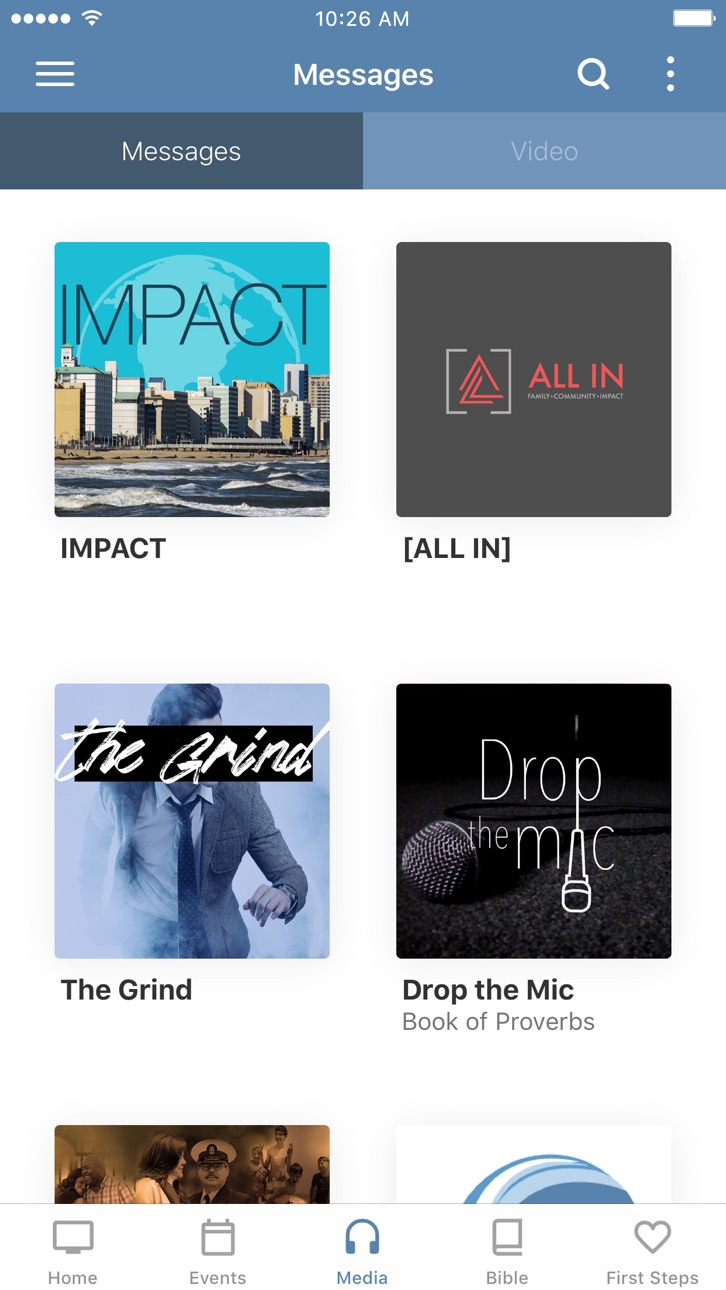
iPad 3 images


Apple TV 3 images
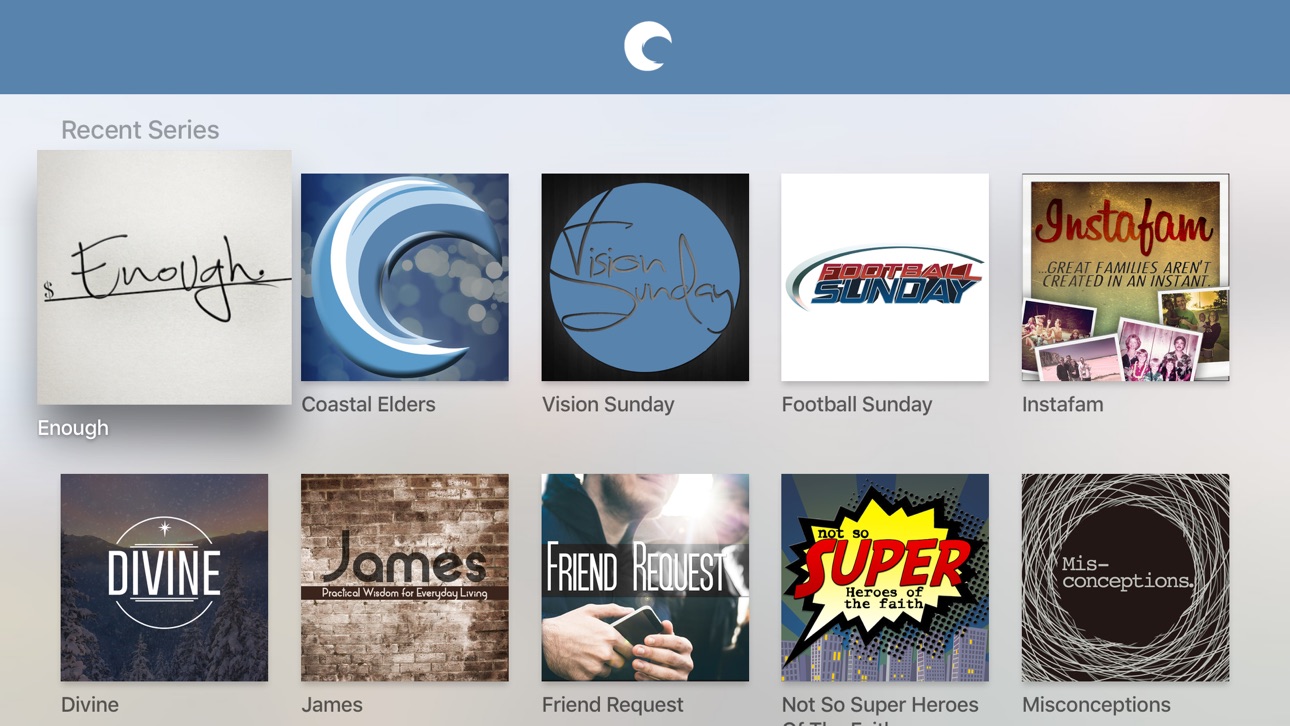


What’s New Version 6.2.3
- Bug fixes and performance improvements
Description
Using the Coastal App, you are just a tap away from everything you need to stay connected and resources for your personal walk with Christ. Some of the features include
-Connection Card
-Give Online
-Coastal Kids At Home
-Live Notes
-Livestream Services
-Sermon Archives
-Find and connect to a Lifegroup
-Join the team and serve
-Prayer Requests
-Register for upcoming events
-Share to social
-First Steps
-Ministry Specific Notifications
Coastal Community Church exists to make more and better Christ followers and Christ-following churches serving people locally, and globally. For more information about Coastal Community Church, visit www.vbcoastal.com
The Coastal app was developed with the Subsplash App Platform.
Accessibility
ipadiphonemacrealityDevicetvoswatch
Version history 25 versions
Build 857592810v6.2.32023-06-04 23:46:50
- Bug fixes and performance improvements
Build 855490189v6.1.72023-03-13 00:35:54
- Bug fixes and performance improvements
- Media improvements
Build 854156150v6.0.12022-12-30 16:01:08
- Continue playing where you left off on videos and other media
- Easier access to your account
- Easier access to Notes, Downloads, and more
- Bug fixes and performance improvements
Build 848262621v5.19.02022-04-13 23:21:29
Misc. bug fixes and improvements.
Build 847446003v5.18.22022-03-02 16:58:38
Misc. bug fixes and improvements.
Build 847292940v5.18.12022-02-21 21:39:01
Misc. bug fixes and improvements.
Build 844584783v5.16.02021-10-10 23:24:51
- Added support for iOS 15
- If enabled, Subsplash Messaging notifications now displays the sender’s avatar on iOS 15+
- Misc. bug fixes and improvements
Build 843410784v5.15.02021-08-03 18:40:16
- New Media Search Experience with support for Speakers, Topics, and Scripture tags
- New Related media section on Media Items shows other media tagged with the same Topics
- Enhanced user profile with additional field and a direct integration to our CMS for Messaging Customers
- Misc. bug fixes and improvements.
Build 842908004v5.14.42021-07-01 20:47:49
- We've consolidated Listen and Watch into a single Play button on the media player. Users can still switch between listening and watching modes.
- If enabled, Messaging now features an option to silence all notifications for a predetermined period of time.
- You can now start Picture-in-picture playback in the player to watch video and browse the app at the same time.
- Misc. bug fixes and improvements.
Build 842133388v5.13.02021-05-10 17:08:14
- If enabled, audio for the Bible reading plan has been improved.
- If enabled, Messaging channels now include a "Threads" tab to show all active discussions, and the user interface has been refreshed.
- Misc. bug fixes and improvements.
Build 840889534v5.12.02021-03-15 08:14:59
- If enabled, Messaging now includes threaded conversations and sharing Bible passages! Also, you can now easily see which messages have not been read since you last opened a conversation.
- The Account screen has been updated with several improvements.
- Misc. bug fixes and improvements.
Build 840475258v5.11.12021-02-13 17:39:23
- If enabled by your church, Bible reading plans now have audio for ESV and NIV translations.
- Refreshed the design of the account screen, accessible from the side menu (if enabled).
- Misc. bug fixes and improvements.
Build 839877723v5.10.12021-01-02 20:53:51
If enabled, the app will show the viewer a prompt to take an action at a designated time during a live stream.
Build 837236118v5.6.02020-08-05 22:27:15
New in Messaging (if enabled):
- You can send files to one another
- You can mention someone using an @ symbol to notify them directly.
- Channel managers can restrict channel invites to managers
- Managers can also set artwork and descriptions for a group channel
- Administers can set channels to be public for anyone to join
Fixed:
- Fixed issue where media playback automatically resumes when returning to the app
- Fixed a Messaging issue causing link previews to cause the channel to crash
Build 833440565v5.0.12019-11-04 17:37:43
This release includes minor improvements and bug fixes.
Build 826075670v4.9.22018-02-24 22:04:31
* Looking for messages on a specific topic? Introducing media search!
* Optimized for iPhone X
* A new and improved experience for reconnecting if the app is offline
* Fresh new layout for the Inbox
Build 824172831v4.8.12017-10-27 21:35:44
New in 4.8.1
- UI improvements
New in 4.7.0
Note-taking is here! Jot down your thoughts on-the-go, directly in the app. You can create a note via the app menu, or by tapping the “Take a Note” button on media in the app. Your notes will sync across devices, so you never have to worry about losing your notes when you get a new phone or tablet.
You can easily browse previous notes you’ve taken from the app menu, and you can also share your notes with a friend!
We hope you love the new note feature. Try it out today!
New in 4.6.0
- Playing audio and video is now a combined experience!
- Seamlessly switch between audio and video by tapping the action menu (3 vertical dots icon)
- Continue listening to a video while navigating through the app
- Quickly access downloads from the app menu
- Track the remaining time for your downloads
Build 823530365v4.7.02017-09-02 16:59:44
New in 4.7.0
Note-taking is here! Jot down your thoughts on-the-go, directly in the app. You can create a note via the app menu, or by tapping the “Take a Note” button on media in the app. Your notes will sync across devices, so you never have to worry about losing your notes when you get a new phone or tablet.
You can easily browse previous notes you’ve taken from the app menu, and you can also share your notes with a friend!
We hope you love the new note feature. Try it out today!
New in 4.6.0
- Playing audio and video is now a combined experience!
- Seamlessly switch between audio and video by tapping the action menu (3 vertical dots icon)
- Continue listening to a video while navigating through the app
- Quickly access downloads from the app menu
- Track the remaining time for your downloads
Build 821638463v4.5.62017-04-06 01:07:30
- Bug fixes
Build 821137425v4.5.32017-02-28 21:35:48
- We improved the app's networking code for faster performance
- Various bug fixes
Build 818526980v4.4.12016-08-16 16:17:30
- The featured content section of the app is now more immersive and interactive, with added polish to the animations and transitions resulting in a beautiful experience we think you’ll love!
- Upgraded browser components for iOS8+ devices. Now in-app web content renders faster than ever!
- Bug fixes
Build 817844763v4.3.32016-06-21 17:04:10
Improvements to the video player:
- Play position now saved (Go ahead, answer that call or text. Your video will be waiting right where you left off, no scrubbing required!)
- Direct access to Sharing and Airplay controls
- New 15-second rewind button
Improvements to the audio player:
- New 15-second fast forward and rewind buttons
- Larger artwork view
- Additionally, both the video and audio player have a refreshed interface
- Added Google Cast support so that you can stream your favorite media in the app right to your Chromecast, speakers, and other cast-enabled devices! (Especially handy for group settings.)
Build 816216458v4.1.02016-01-26 05:18:15
Have you ever wanted to share this app with a friend, family member, or co-worker? If so, we've made it super easy for you with our new app sharing feature! Just open the side menu and to the right of the app name you'll see a share icon, which allows you to effortlessly text a download link to anyone you wish. You can also share the app through Facebook, Twitter, or any outlet you choose.
This update also includes a few bug fixes, just for good measure.
Build 814396083v4.0.32015-11-13 00:48:08
- Updated and optimized our fonts for iOS 9
- Improved accessibility support
- It's fall...the season for raking leaves and cleaning out bugs! We eliminated a pesky message that appeared when launching the app offline, fixed a crashing bug in our audio player, and tidied up a few other places in the app
Build 813359204v4.0.12015-09-16 16:53:14
Today we're introducing our new side menu! The side menu enables you to navigate between content, your Notifications Inbox, and Settings. It also paves the way for some exciting upcoming features!
Our brand new Notifications Inbox displays a history of the push notifications you receive, allowing you to come back and read them later. You can now open linked content like video, audio, or events from a push notification!
No pricing data captured yet — comparisons appear once the app has paid storefronts or in-app purchases.
Availability 1 of 1 storefronts
| Region | Language | Price | Ratings | Avg | Version |
|---|---|---|---|---|---|
| US | en-US | Free | 8 | 4.9 | 6.2.3 |
Change log 28 changes · US
✎
releaseNotes updated
- Bug fixes and performance improvements
✎
description updated
Using the Coastal App, you are just a tap away from everything you need to stay connected and resources for your personal walk with Christ. Some of the features
✎
name updated
Coastal Community Church VB
◆
Version 6.2.3 released
- Bug fixes and performance improvements
◆
Version 6.1.7 released
- Bug fixes and performance improvements
- Media improvements
◆
Version 6.0.1 released
- Continue playing where you left off on videos and other media
- Easier access to your account
- Easier access to Notes, Downloads, and more
- Bug fixes and performance improvements
◆
Version 5.19.0 released
Misc. bug fixes and improvements.
◆
Version 5.18.2 released
Misc. bug fixes and improvements.
◆
Version 5.18.1 released
Misc. bug fixes and improvements.
◆
Version 5.16.0 released
- Added support for iOS 15
- If enabled, Subsplash Messaging notifications now displays the sender’s avatar on iOS 15+
- Misc. bug fixes and improvements
◆
Version 5.15.0 released
- New Media Search Experience with support for Speakers, Topics, and Scripture tags
- New Related media section on Media Items shows other media tagged with the same Topics
- Enhanced user profile with additional field and a direct integrat
◆
Version 5.14.4 released
- We've consolidated Listen and Watch into a single Play button on the media player. Users can still switch between listening and watching modes.
- If enabled, Messaging now features an option to silence all notifications for a predetermin
◆
Version 5.13.0 released
- If enabled, audio for the Bible reading plan has been improved.
- If enabled, Messaging channels now include a "Threads" tab to show all active discussions, and the user interface has been refreshed.
- Misc. bug fixes and improvements.
◆
Version 5.12.0 released
- If enabled, Messaging now includes threaded conversations and sharing Bible passages! Also, you can now easily see which messages have not been read since you last opened a conversation.
- The Account screen has been updated with several
◆
Version 5.11.1 released
- If enabled by your church, Bible reading plans now have audio for ESV and NIV translations.
- Refreshed the design of the account screen, accessible from the side menu (if enabled).
- Misc. bug fixes and improvements.
◆
Version 5.10.1 released
If enabled, the app will show the viewer a prompt to take an action at a designated time during a live stream.
◆
Version 5.6.0 released
New in Messaging (if enabled):
- You can send files to one another
- You can mention someone using an @ symbol to notify them directly.
- Channel managers can restrict channel invites to managers
- Managers can also set artwork and descript
◆
Version 5.0.1 released
This release includes minor improvements and bug fixes.
◆
Version 4.9.2 released
* Looking for messages on a specific topic? Introducing media search!
* Optimized for iPhone X
* A new and improved experience for reconnecting if the app is offline
* Fresh new layout for the Inbox
◆
Version 4.8.1 released
New in 4.8.1
- UI improvements
New in 4.7.0
Note-taking is here! Jot down your thoughts on-the-go, directly in the app. You can create a note via the app menu, or by tapping the “Take a Note” button on media in the app. Your notes will syn
◆
Version 4.7.0 released
New in 4.7.0
Note-taking is here! Jot down your thoughts on-the-go, directly in the app. You can create a note via the app menu, or by tapping the “Take a Note” button on media in the app. Your notes will sync across devices, so you never
◆
Version 4.5.6 released
- Bug fixes
◆
Version 4.5.3 released
- We improved the app's networking code for faster performance
- Various bug fixes
◆
Version 4.4.1 released
- The featured content section of the app is now more immersive and interactive, with added polish to the animations and transitions resulting in a beautiful experience we think you’ll love!
- Upgraded browser components for iOS8+ devices.
◆
Version 4.3.3 released
Improvements to the video player:
- Play position now saved (Go ahead, answer that call or text. Your video will be waiting right where you left off, no scrubbing required!)
- Direct access to Sharing and Airplay controls
- New 15-second re
◆
Version 4.1.0 released
Have you ever wanted to share this app with a friend, family member, or co-worker? If so, we've made it super easy for you with our new app sharing feature! Just open the side menu and to the right of the app name you'll see a share icon, w
◆
Version 4.0.3 released
- Updated and optimized our fonts for iOS 9
- Improved accessibility support
- It's fall...the season for raking leaves and cleaning out bugs! We eliminated a pesky message that appeared when launching the app offline, fixed a crashing bug
◆
Version 4.0.1 released
Today we're introducing our new side menu! The side menu enables you to navigate between content, your Notifications Inbox, and Settings. It also paves the way for some exciting upcoming features!
Our brand new Notifications Inbox displays