Home › Utilities

 US
US
1 of 1 storefronts
Content in en-US
Content in en-US
Information
Apple ID908025757
Bundle IDcom.securifi.almond
SellerSeller
Min iOS8.0
Min macOS11.0
Device familiesiphone, ipad, ipod
Released2014-08-28
Copyright© 2014 Securifi
Privacy policyLink ↗
Preview 2 platforms
iPhone 6 images




iPad 7 images



What’s New Version 3.7.1
New UI for Voucher Code processing.
Improvements in Send logs and wireless settings.
Support for multiple images in Zigbee camera details screen.
Recent activity for Zigbee Camera
Bug Fixes and Improved error handling in Payments.
Description
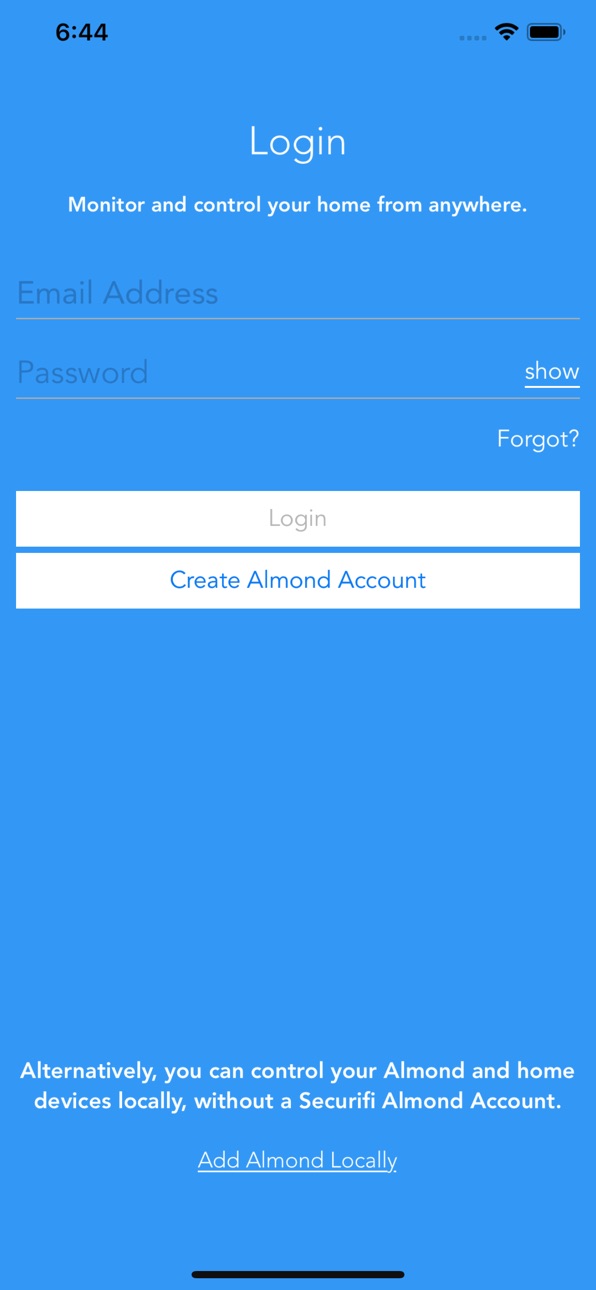
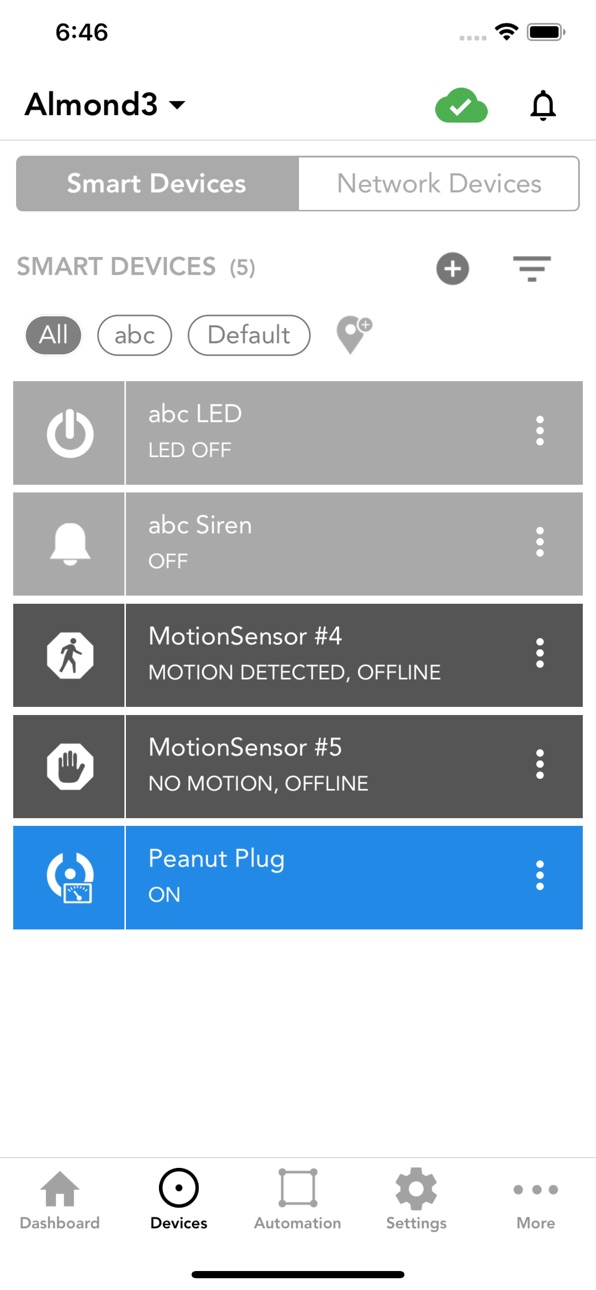
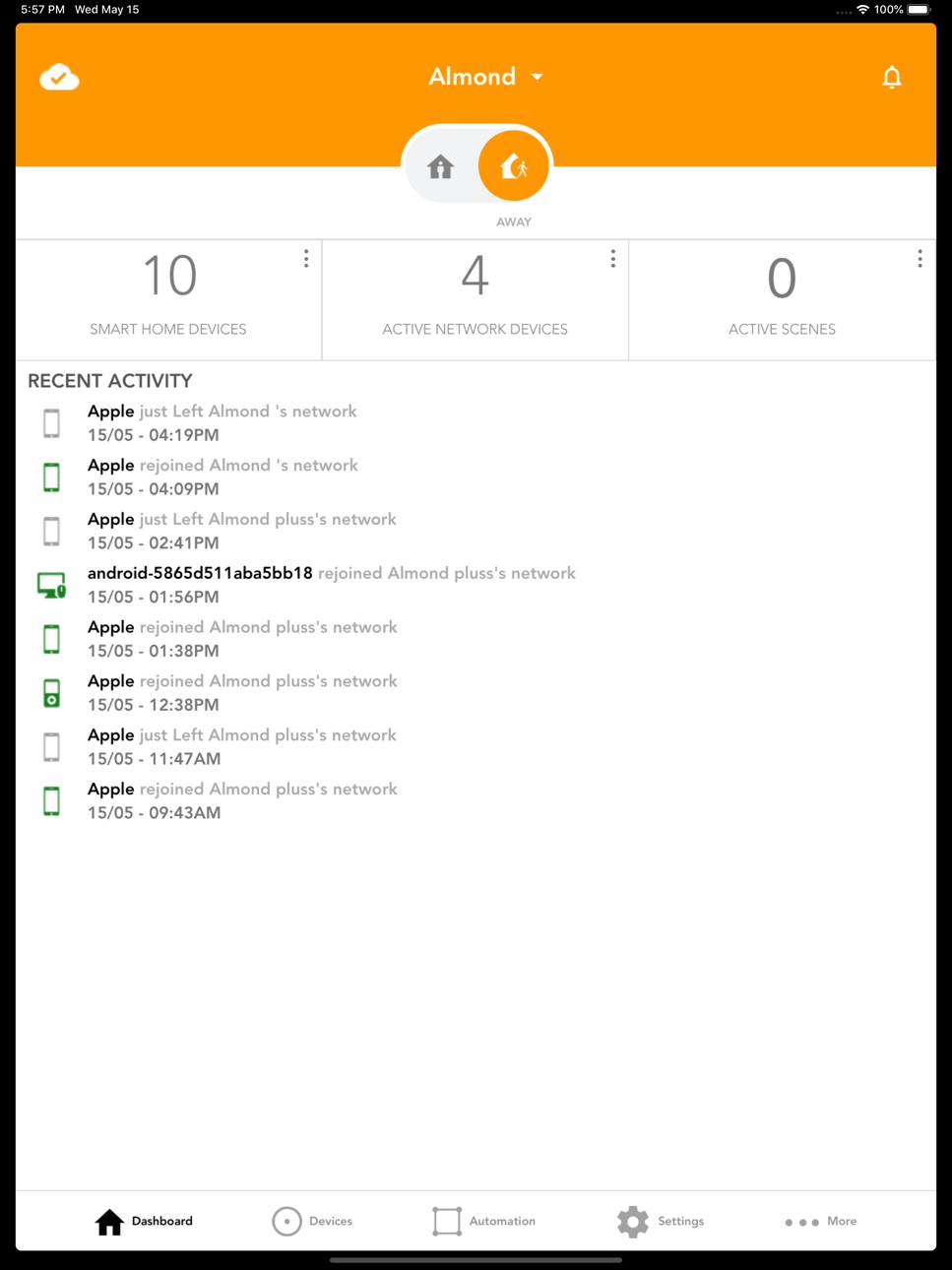
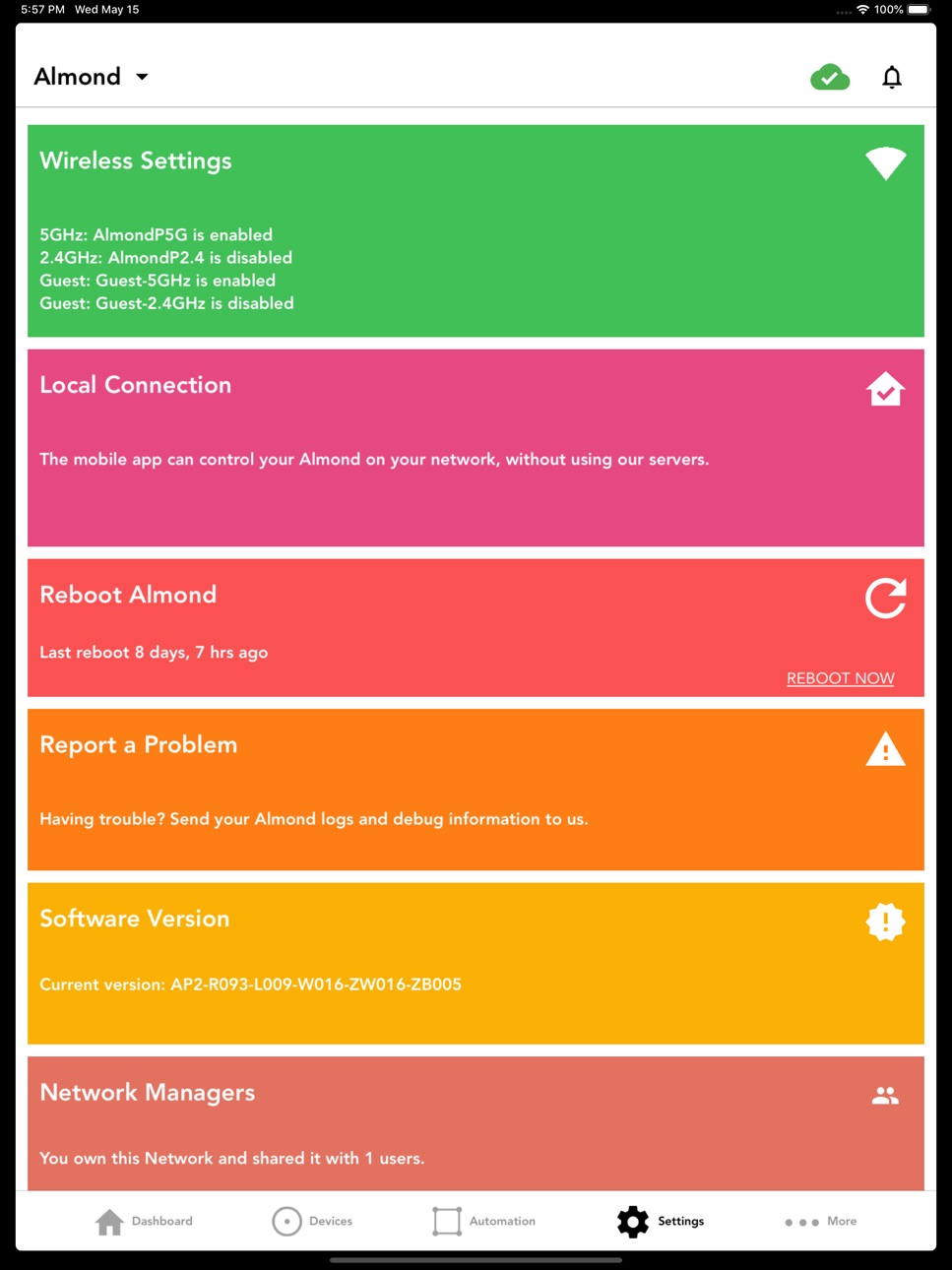
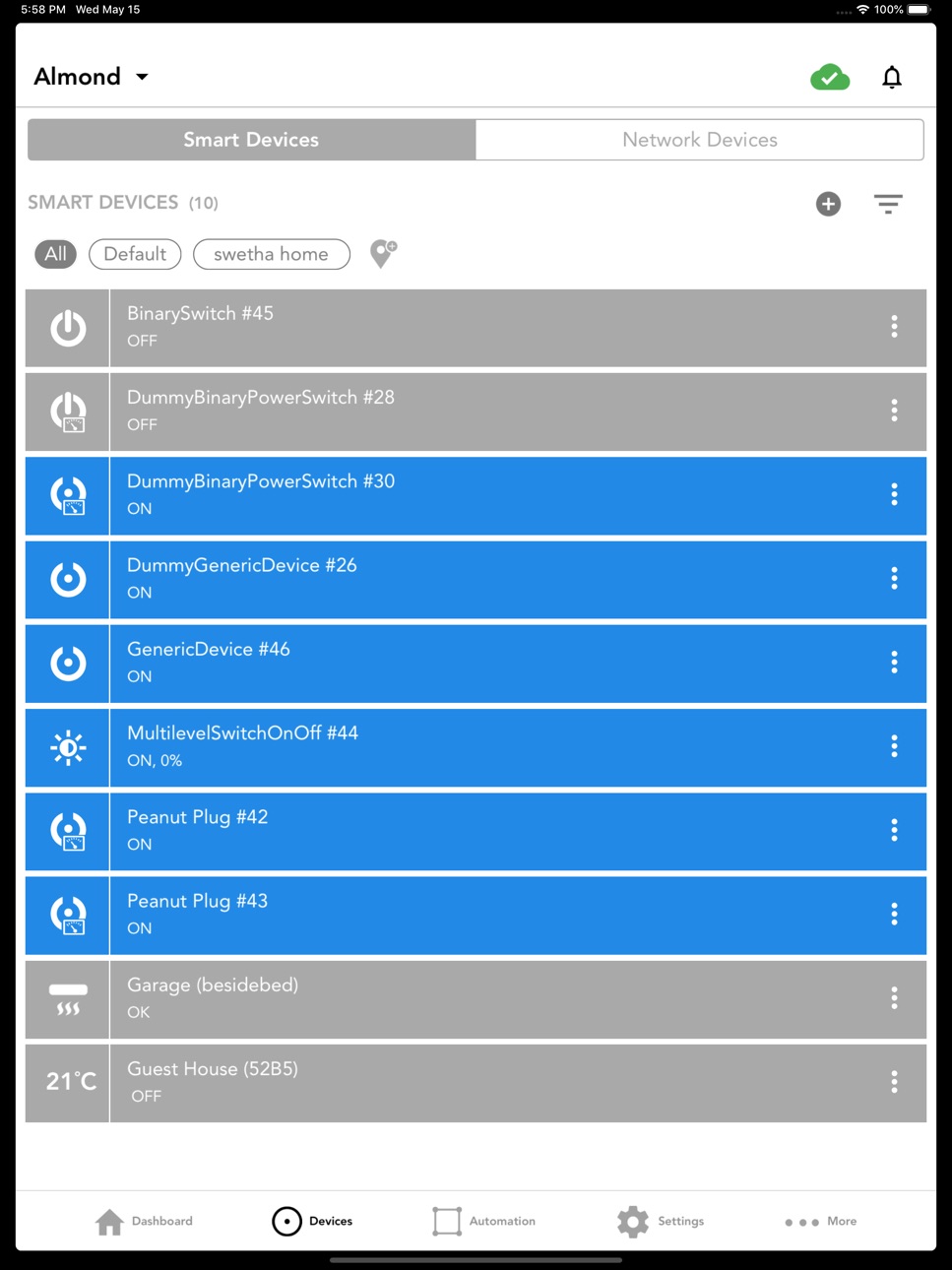
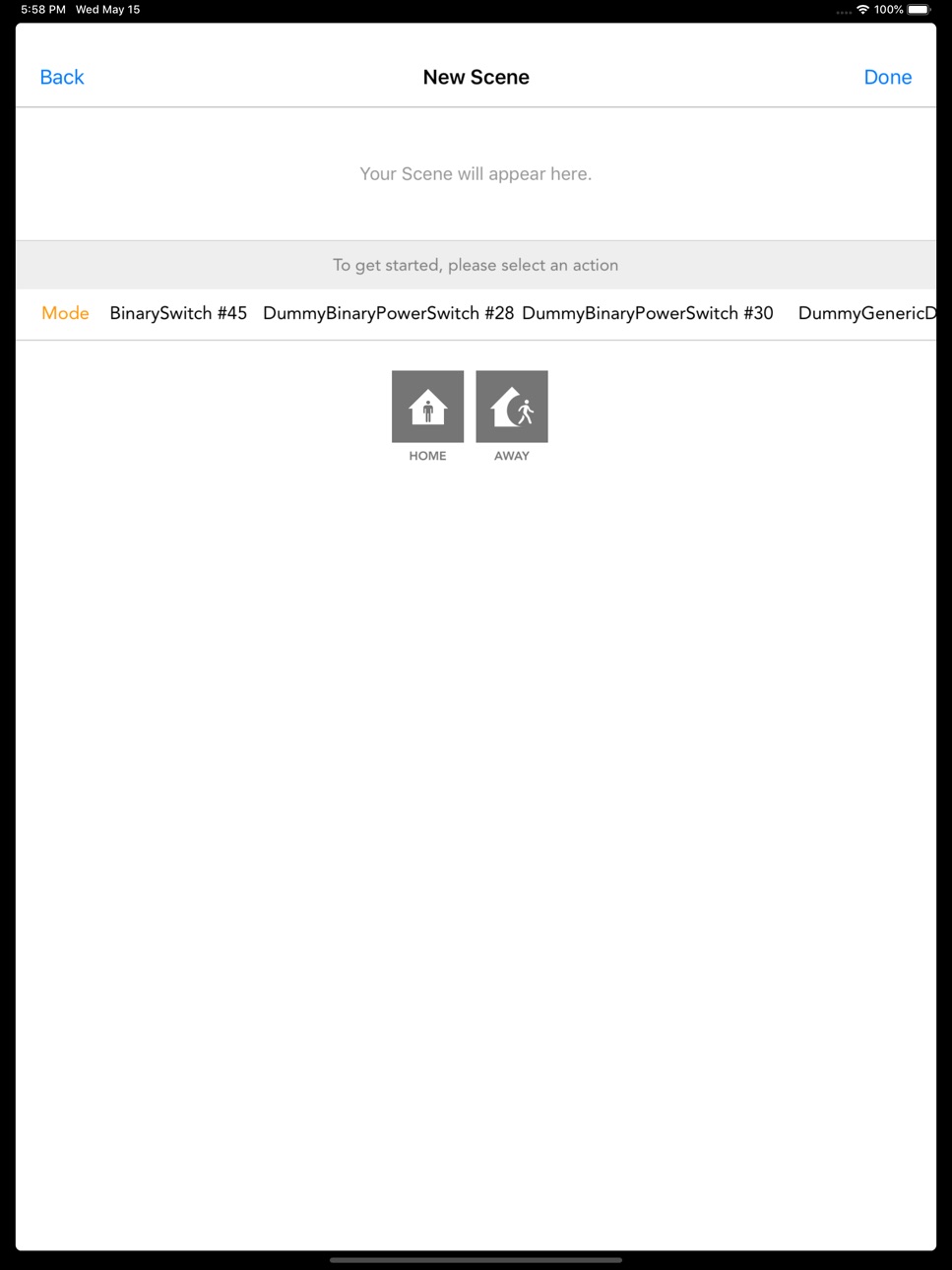
The free Almond app works with Almond+, Almond-2015 and Almond 3. These Almond devices make home Wi-Fi, smart home and home security easy with their innovative touchscreen access, Wizard with step-by-step instructions and app. The intuitive Almond app makes it easy to monitor, control and secure your Smart Home and Wi-Fi Network. With the Almond app, push notifications tell you in real time who’s on your network and let you block them if you want. The app also enables you to manage scenes that can be activated from Amazon Alexa. The app also enables you to easily and conveniently set up home security system, and control Nest thermostat, Philips Hue lights, many ZigBee and Z-Wave devices from leading smart home manufacturers.
The Almond app gives you the power to do the following whether you’re at home or away:
Manage your Wi-Fi network
Work with all your Apple phones, tablets, laptops and other wireless devices
Setup your Smart Home connecting all your smart devices
Share your Home Wi-Fi network with family and friends
Create a guest Wi-Fi network
Monitor who is on your network with what device
Enable Wi-Fi Triggers: know in real time who joins/leaves your network
Control your home security system
Enable Parental Controls to limit children’s screen time
Setup compatible scenes for Amazon Alexa (Echo, Dot, Tap)
Control Nest Thermostat
Control Philips Hue lights
Control Scenes, Modes and Rules
Control other many leading Smart Home devices
Accessibility
ipadiphonemacrealityDevicetvoswatch
Version history 25 versions
Build 832936776v3.7.12019-09-27 04:42:18
New UI for Voucher Code processing.
Improvements in Send logs and wireless settings.
Support for multiple images in Zigbee camera details screen.
Recent activity for Zigbee Camera
Bug Fixes and Improved error handling in Payments.
Build 831624075v3.6.72019-06-12 07:48:39
Widgets and Siri Shortcuts for Almond Mode and Scenes.
Build 831318109v3.6.62019-05-17 06:16:00
UI Bug fixes in Devices and Automation page
Bug fixes in DIY setup and CMS subscriptions
Build 829499965v3.6.32019-03-08 05:59:14
Bug Fixes and UI Improvements
Build 829191920v3.6.22018-11-12 14:06:46
Bug fixes in notifications and subscriptions
Display Router mode in advanced router features section
Moved Inactive grace period setting to Advanced section in clients
Multiplayer support for some cameras
Build 828936225v3.6.12018-10-22 05:19:05
New UI in devices and automation
Additional Sensors added to the list of Security Sensors
UI Bug fixes in Settings page and RTSP streaming
Support for IRExtender(in scenes and rules)
Live Streaming support added for some more Cameras.
UI bug fixes for new iPhones
Build 827818434v3.6.02018-08-01 13:04:53
Bug Fixes and UI Improvements
Build 827341832v3.5.92018-06-05 11:36:23
Bug fixes and UI Improvements.
Build 825942547v3.5.72018-02-27 05:11:20
1. [Beta] View Live Stream for cameras that support RTSP. This is done by enabling Port forwarding for the camera. Please note that this is a beta feature that we’re still looking to improve. Please provide your feedback.
2. Ability to set the default app landing page to Devices or Scenes or Dashboard
3. Bug Fixes and UI Improvements
Build 825723286v3.5.62018-01-24 06:22:21
Ability to restore device list from recent history for latest Firmwares
Bug Fixes and UI Improvments.
Build 825057692v3.5.52017-12-01 13:13:15
1. UI Enhacements
2. New Filters for Recent Activity
Build 824273518v3.5.42017-11-06 04:53:49
Ability to view time-series of entire Activity of Almond in Dashboard.
Filter time-series Activity of Almond by Sensors or Clients.
Brand New UI for Devices , Settings , Wireless settings and Advanced Router Features.
Build 822899268v3.4.32017-07-27 03:41:18
Ability to add Sensors in Local Connection.
Build 822778015v3.4.22017-07-06 13:58:27
Minor Bug Fixes.
Build 822472627v3.42017-06-13 08:16:43
1. Brand new UI for Smart Devices and WifiClients
2. Ability to globally turn on/off WebSite Monitoring, Bandwidth Monitoring, IoT Security and IoT Scanner for all clients.
3. New Users Feature that gives ability to enable/disable for group of clients.
4. Ability to filter Smart Devices by Location.
5. Advanced Rules Features, ability to create rules with 'OR' option.
Build 821927774v3.32017-05-02 05:06:50
Bug fixes
Build 821560127v3.22017-04-05 14:27:25
1. Added Support for IoT Security in AL2 and A1A (Latest Firmware).
2. Ability to set Temperature Unit Display(C or F).
Build 820361788v3.12017-01-25 08:14:14
Introduced subscription services internet security and parental controls
Internet security subscription contains : IoT scanner and IoT security for popular IoT devices
Introduced browsing history and data usage as part of subscription services.
New dashboard for IoT security features.
Expanded the list for client types for network devices
Added mobile support for advanced router settings
Build 820144046v3.02016-12-16 06:32:00
1. Bug fixes
2. Sorting Sensors by Location
3. Added Rate App.
4. Added Help screens for Advanced Router features.
5. Help screens for adding Devices from LCD , Local UI and adding procedure of Securifi devices to almond ( Peanut, Door ,Water, Key fob and Almond click ).
6. UI improvements
Build 819574014v2.4.72016-11-15 06:04:59
Added support for Wi-Fi mesh system
Build 819012954v2.4.42016-10-06 06:10:06
Minor Bug Fixes
Build 818630582v2.4.22016-09-12 13:04:44
1. A new help center
2. Help screens to explain the apps features to make the app easier for you to use
Build 818598568v2.4.12016-08-23 02:05:30
1) A dashboard with an overview of your devices and recent notifications
2) View, create and modify Rules through a cloud connection
3) Manage firmware updates via the Almond app
4) Use weather as an 'IF' trigger in Rules
5) Bug fixes and UI improvements.
Build 817297580v2.32016-08-11 11:11:41
1) A dashboard summarizing all your key activities
2) View, create and modify Rules through a cloud connection
3) Manage Router firmware updates via App
4) Use weather as an 'IF' trigger in Rules
5) Bug fixes and UI improvements.
Build 815632297v2.22016-05-05 08:54:56
View, create , modify and delete rules in Local Connection.
Scheduling and Blocking option for Wifi Clients
Show Signal Strength for Wifi Clients
No pricing data captured yet — comparisons appear once the app has paid storefronts or in-app purchases.
Availability 1 of 1 storefronts
| Region | Language | Price | Ratings | Avg | Version |
|---|---|---|---|---|---|
| US | en-US | Free | 105 | 2.3 | 3.7.1 |
Change log 28 changes · US
✎
releaseNotes updated
New UI for Voucher Code processing.
Improvements in Send logs and wireless settings.
Support for multiple images in Zigbee camera details screen.
Recent activit
✎
description updated
The free Almond app works with Almond+, Almond-2015 and Almond 3. These Almond devices make home Wi-Fi, smart home and home security easy with their innovative
✎
name updated
Almond by Securifi
◆
Version 3.7.1 released
New UI for Voucher Code processing.
Improvements in Send logs and wireless settings.
Support for multiple images in Zigbee camera details screen.
Recent activity for Zigbee Camera
Bug Fixes and Improved error handling in Payments.
◆
Version 3.6.7 released
Widgets and Siri Shortcuts for Almond Mode and Scenes.
◆
Version 3.6.6 released
UI Bug fixes in Devices and Automation page
Bug fixes in DIY setup and CMS subscriptions
◆
Version 3.6.3 released
Bug Fixes and UI Improvements
◆
Version 3.6.2 released
Bug fixes in notifications and subscriptions
Display Router mode in advanced router features section
Moved Inactive grace period setting to Advanced section in clients
Multiplayer support for some cameras
◆
Version 3.6.1 released
New UI in devices and automation
Additional Sensors added to the list of Security Sensors
UI Bug fixes in Settings page and RTSP streaming
Support for IRExtender(in scenes and rules)
Live Streaming support added for some more Cameras.
UI bu
◆
Version 3.6.0 released
Bug Fixes and UI Improvements
◆
Version 3.5.9 released
Bug fixes and UI Improvements.
◆
Version 3.5.7 released
1. [Beta] View Live Stream for cameras that support RTSP. This is done by enabling Port forwarding for the camera. Please note that this is a beta feature that we’re still looking to improve. Please provide your feedback.
2. Ability to set
◆
Version 3.5.6 released
Ability to restore device list from recent history for latest Firmwares
Bug Fixes and UI Improvments.
◆
Version 3.5.5 released
1. UI Enhacements
2. New Filters for Recent Activity
◆
Version 3.5.4 released
Ability to view time-series of entire Activity of Almond in Dashboard.
Filter time-series Activity of Almond by Sensors or Clients.
Brand New UI for Devices , Settings , Wireless settings and Advanced Router Features.
◆
Version 3.4.3 released
Ability to add Sensors in Local Connection.
◆
Version 3.4.2 released
Minor Bug Fixes.
◆
Version 3.4 released
1. Brand new UI for Smart Devices and WifiClients
2. Ability to globally turn on/off WebSite Monitoring, Bandwidth Monitoring, IoT Security and IoT Scanner for all clients.
3. New Users Feature that gives ability to enable/disable for group
◆
Version 3.3 released
Bug fixes
◆
Version 3.2 released
1. Added Support for IoT Security in AL2 and A1A (Latest Firmware).
2. Ability to set Temperature Unit Display(C or F).
◆
Version 3.1 released
Introduced subscription services internet security and parental controls
Internet security subscription contains : IoT scanner and IoT security for popular IoT devices
Introduced browsing history and data usage as part of subscription servi
◆
Version 3.0 released
1. Bug fixes
2. Sorting Sensors by Location
3. Added Rate App.
4. Added Help screens for Advanced Router features.
5. Help screens for adding Devices from LCD , Local UI and adding procedure of Securifi devices to almond ( Peanut, Door ,W
◆
Version 2.4.7 released
Added support for Wi-Fi mesh system
◆
Version 2.4.4 released
Minor Bug Fixes
◆
Version 2.4.2 released
1. A new help center
2. Help screens to explain the apps features to make the app easier for you to use
◆
Version 2.4.1 released
1) A dashboard with an overview of your devices and recent notifications
2) View, create and modify Rules through a cloud connection
3) Manage firmware updates via the Almond app
4) Use weather as an 'IF' trigger in Rules
5) Bug fixes and U
◆
Version 2.3 released
1) A dashboard summarizing all your key activities
2) View, create and modify Rules through a cloud connection
3) Manage Router firmware updates via App
4) Use weather as an 'IF' trigger in Rules
5) Bug fixes and UI improvements.
◆
Version 2.2 released
View, create , modify and delete rules in Local Connection.
Scheduling and Blocking option for Wifi Clients
Show Signal Strength for Wifi Clients