Home › Finance

Information
Apple ID885993234
Bundle IDcom.ziraatbank.ZiraatMobile
SellerSeller
Min iOS13.0
Min macOS11.0
Device familieswatch, iphone, ipod
Released2014-06-22
Copyright© T.C. Ziraat Bankası A.Ş.
Privacy policyLink ↗
Preview 2 platforms
iPhone 10 images

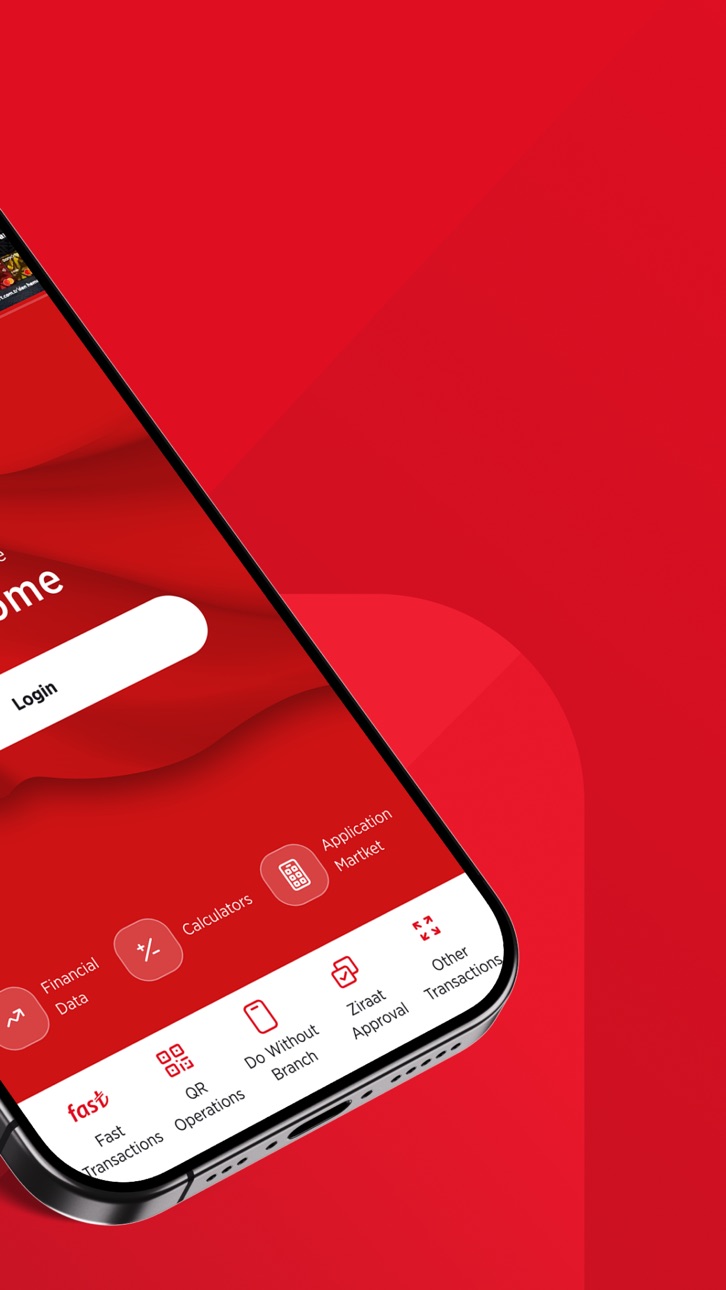


Apple Watch 8 images


What’s New Version 3.0.50
• You can log in to Ziraat Mobile quickly and easily with 6 different users on one device without removing your pairing.
• You can now choose your Light/Dark mode preference via Ziraat Mobile.
• You can easily and advantageously book hotels, flight tickets, cultural tours, and cruises through the 'Seyahatim-Bankkart Seyahat' menu.
Description
Our Ziraat Mobile application, which provides convenient and practical access to banking transactions, offers many innovations to our Individual, Corporate and Corporate monitoring customers with its easy, understandable and user-friendly interfaces.
• With the monitoring infrastructure created for our young customers aged 15-18, they can use Ziraat Mobile with the authority to monitor.
• Within the scope of their authority, our corporate customers can view and approve their pending transactions from the Approval Management information panel in Ziraat Mobile application. Our corporate monitoring customers can use Ziraat Mobile with monitoring authority.
• Through the information panels on the main page; You can easily access many information / basic products / transactions such as Accounts/Cards, Upcoming Instructions, Last Transactions, Financial Agenda and personalize these information panels according to your own needs and frequency of use with the Home Page Editing function in the Profile and Settings menu. Thanks to the advanced search feature on the homepage, you can easily access the transactions you want to perform.
• Click on the "Check out the tips now!" section to view our personalized recommendations for you.
• By adding your favorite menus to my shortcuts, you can perform your operations as you wish.
• All your investment-related transactions can be managed through our Investment menu.
• With the Portfolio menu, you can view detailed information about all your investment products and track your historical asset allocation details. You can compare the past performance returns of the investment products you follow.
• With Ziraat Mobile Plus of Life, you can easily access services related to your car, home, family, business, and travel.
• You can easily access our other applications through the Application Market.
• With the Quick Transfer feature, you can save your frequently transferred Money Transfer / EFT transactions, and then complete the recorded transaction in one step.
• You can make your money transfer/EFT/FAST transactions to another account quickly and easily by reading IBAN with your camera or by selecting the photo containing IBAN from your gallery.
• You can get instant notifications on money in and out of your account by updating your notification feature and information preference settings.
• You can apply without having to go to the branch from the applications menu, and you can follow the status of your applications.
• You can make your insurance, retirement, invoice and corporate payments from Ziraat Mobil and you can have DASK to protect your property against earthquake risk.
• You can easily pay your tax debt by making inquiries with multiple options thanks to the easy tax payment menu or by reading the barcode with your phone's camera thanks to the barcode scanning feature.
• With QR Code Transactions, you can make withdrawals / deposits from our ATMs without your card.
• You can add your profile photo to Ziraat Mobile application.
• Our customers, whose security preference is Ziraat Approve, can log in to Ziraat mobile application more securely with Fingerprint or Face Recognition. With the Remember Me feature, Customer No / T.C. You can save your ID number, and you can login with your password only in the next login.
Without the need to login to Ziraat Mobile application;
• With the Make an Appointment feature, you can create your appointment without going to the branch and perform your transactions without waiting in the branch.
• Thanks to the Nearest Ziraat, you can easily reach the locations of all branches and ATMs and get directions if needed.
• You can access our Bank and Market data instantly from the Financial Data field.
• With the Improved Calculation tools, you can calculate the plan of the loan you plan to receive or how much your deposit will bring.
Have a nice day.
Accessibility
ipadiphonemacrealityDevicetvoswatch
Version history 25 versions
Build 887635763v3.0.502026-07-06 05:05:34
• You can log in to Ziraat Mobile quickly and easily with 6 different users on one device without removing your pairing.
• You can now choose your Light/Dark mode preference via Ziraat Mobile.
• You can easily and advantageously book hotels, flight tickets, cultural tours, and cruises through the 'Seyahatim-Bankkart Seyahat' menu.
Build 887484763v3.0.492026-06-29 13:44:06
• You can log in to Ziraat Mobile quickly and easily with 6 different users on one device without removing your pairing.
• You can now choose your Light/Dark mode preference via Ziraat Mobile.
Build 886783244v3.0.482026-06-22 05:44:15
• You can log in to Ziraat Mobile quickly and easily with 6 different users on one device without removing your pairing.
• You can now choose your Light/Dark mode preference via Ziraat Mobile.
Build 886368497v3.0.472026-06-08 10:32:39
• You can open a Silver account via Ziraat Mobil and conduct your silver trading transactions.
• You can now track your other bank card details and transactions, as well as your other bank accounts, from Ziraat Mobile, and make your payments with future transfer orders and regular transfer orders.
• You can use the Ziraat Mobile app on 3 different devices with Ziraat Onay. From the Profile and Settings > Security and Password > Device Binding List menu, you can change your primary device where you will receive Ziraat Onay notifications or delete your paired devices.
Build 885531443v3.0.462026-05-16 20:07:33
• You can open a Silver account via Ziraat Mobil and conduct your silver trading transactions.
• You can now track your other bank card details and transactions, as well as your other bank accounts, from Ziraat Mobile, and make your payments with future transfer orders and regular transfer orders.
• You can use the Ziraat Mobile app on 3 different devices with Ziraat Onay. From the Profile and Settings > Security and Password > Device Binding List menu, you can change your primary device where you will receive Ziraat Onay notifications or delete your paired devices.
Build 885378400v3.0.452026-05-09 11:42:17
• You can open a Silver account via Ziraat Mobil and conduct your silver trading transactions.
• You can now track your other bank card details and transactions, as well as your other bank accounts, from Ziraat Mobile, and make your payments with future transfer orders and regular transfer orders.
• You can use the Ziraat Mobile app on 3 different devices with Ziraat Onay. From the Profile and Settings > Security and Password > Device Binding List menu, you can change your primary device where you will receive Ziraat Onay notifications or delete your paired devices.
Build 884721033v3.0.442026-04-29 05:34:46
• You can open a Silver account via Ziraat Mobil and conduct your silver trading transactions.
• You can now track your other bank card details and transactions, as well as your other bank accounts, from Ziraat Mobile, and make your payments with future transfer orders and regular transfer orders.
• You can use the Ziraat Mobile app on 3 different devices with Ziraat Onay. From the Profile and Settings > Security and Password > Device Binding List menu, you can change your primary device where you will receive Ziraat Onay notifications or delete your paired devices.
Build 884575308v3.0.432026-04-19 06:53:37
• You can open a Silver account via Ziraat Mobil and conduct your silver trading transactions.
• You can now track your other bank card details and transactions, as well as your other bank accounts, from Ziraat Mobile, and make your payments with future transfer orders and regular transfer orders.
• You can use the Ziraat Mobile app on 3 different devices with Ziraat Onay. From the Profile and Settings > Security and Password > Device Binding List menu, you can change your primary device where you will receive Ziraat Onay notifications or delete your paired devices.
Build 883465040v3.0.422026-03-29 15:18:59
You can now track your other bank card details and transactions, as well as your other bank accounts, from Ziraat Mobile, and make your payments with future transfer orders and regular transfer orders.
Build 882769421v3.0.412026-03-03 16:54:11
• You can use the Ziraat Mobile app on 3 different devices with Ziraat Onay. From the Profile and Settings > Security and Password > Device Binding List menu, you can change your primary device where you will receive Ziraat Onay notifications or delete your paired devices.
Build 882632680v3.0.402026-02-23 17:55:43
• You can use the Ziraat Mobile app on 3 different devices with Ziraat Onay. From the Profile and Settings > Security and Password > Device Binding List menu, you can change your primary device where you will receive Ziraat Onay notifications or delete your paired devices.
Build 882218110v3.0.392026-02-07 10:08:00
• You can use the Ziraat Mobile app on 3 different devices with Ziraat Onay. From the Profile and Settings > Security and Password > Device Binding List menu, you can change your primary device where you will receive Ziraat Onay notifications or delete your paired devices.
Build 882111580v3.0.382026-02-04 06:02:06
• You can use the Ziraat Mobile app on 3 different devices with Ziraat Onay. From the Profile and Settings > Security and Password > Device Binding List menu, you can change your primary device where you will receive Ziraat Onay notifications or delete your paired devices.
Build 881956284v3.0.372026-01-30 05:46:34
You can use the Ziraat Mobile app on 3 different devices with Ziraat Onay. From the Profile and Settings > Security and Password > Device Binding List menu, you can change your primary device where you will receive Ziraat Onay notifications or delete your paired devices.
Build 881554408v3.0.362026-01-20 08:58:46
• You can use the Ziraat Mobile app on 3 different devices with Ziraat Onay. From the Profile and Settings > Security and Password > Device Binding List menu, you can change your primary device where you will receive Ziraat Onay notifications or delete your paired devices.
Build 880946719v3.0.352026-01-02 18:43:07
• With the Daily Earn Account, you can earn interest on your money daily without waiting for a maturity date.
• You can carry out your transfer transactions via Mobile using the Aggregate Transfer menu.
• You can access travel recommendation blogs and tips under the Plus of Life – My Travel menu.
Build 880672366v3.0.342025-12-22 18:32:29
• With the Daily Earn Account, you can earn interest on your money daily without waiting for a maturity date.
• You can carry out your transfer transactions via Mobile using the Aggregate Transfer menu.
• You can access travel recommendation blogs and tips under the Plus of Life – My Travel menu.
Build 880197721v3.0.332025-12-02 10:30:03
• You can make your transfer with Easy Transfers from the Money Transfers – Transfer to Other Account menu.You can make your donations with your credit card.You can create your life insurance from the Insurance and Private Pension menu.
• You can make your donations with your credit card.
• You can create your life insurance from the Insurance and Private Pension menu.
Build 879833272v3.0.322025-11-20 19:18:10
• You can make your transfer with Easy Transfers from the Money Transfers – Transfer to Other Account menu.You can make your donations with your credit card.You can create your life insurance from the Insurance and Private Pension menu.
• You can make your donations with your credit card.
• You can create your life insurance from the Insurance and Private Pension menu.
Build 879494166v3.0.312025-11-06 11:45:57
• You can make your transfer with Easy Transfers from the Money Transfers – Transfer to Other Account menu.You can make your donations with your credit card.You can create your life insurance from the Insurance and Private Pension menu.
• You can make your donations with your credit card.
• You can create your life insurance from the Insurance and Private Pension menu.
Build 879045863v3.0.302025-10-21 10:48:40
• You can make your transfer with Easy Transfers from the Money Transfers – Transfer to Other Account menu.You can make your donations with your credit card.You can create your life insurance from the Insurance and Private Pension menu.
• You can make your donations with your credit card.
• You can create your life insurance from the Insurance and Private Pension menu.
Build 878335161v3.0.292025-10-01 04:59:37
• You can make your transfer with Easy Transfers from the Money Transfers – Transfer to Other Account menu.You can make your donations with your credit card.You can create your life insurance from the Insurance and Private Pension menu.
• You can make your donations with your credit card.
• You can create your life insurance from the Insurance and Private Pension menu.
Build 878199298v3.0.282025-09-21 06:23:16
• You can make your transfer with Easy Transfers from the Money Transfers – Transfer to Other Account menu.You can make your donations with your credit card.You can create your life insurance from the Insurance and Private Pension menu.
• You can make your donations with your credit card.
• You can create your life insurance from the Insurance and Private Pension menu.
Build 877864321v3.0.272025-09-16 18:18:14
• You can create your Auto and Travel Health insurances from the Insurance and Private Pension menu.
• You can view the cash assets in your stock exchange and open banking accounts and examine the distribution of your investment products such as bonds, bills and repos under the Cash, Other Bank Accounts and Investment Products tabs on the My Portfolio page.
• You can select the products you want to see in the Total tab on the My Portfolio page and change the tab order.
• You can add your vehicle to the “My Vehicle” menu for traffic insurance, casco tracking and many other transactions.
Build 877064630v3.0.262025-08-19 06:06:53
• You can create your Auto and Travel Health insurances from the Insurance and Private Pension menu.
• You can view the cash assets in your stock exchange and open banking accounts and examine the distribution of your investment products such as bonds, bills and repos under the Cash, Other Bank Accounts and Investment Products tabs on the My Portfolio page.
• You can select the products you want to see in the Total tab on the My Portfolio page and change the tab order.
• You can add your vehicle to the “My Vehicle” menu for traffic insurance, casco tracking and many other transactions.
No pricing data captured yet — comparisons appear once the app has paid storefronts or in-app purchases.
Availability 14 of 14 storefronts
| Region | Language | Price | Ratings | Avg | Version |
|---|---|---|---|---|---|
 US US | en-US | Free | 23.6k | 4.8 | 3.0.50 |
 RU RU | ru | Free | 4.1k | 4.9 | 3.0.50 |
 UA UA | en-GB | Free | 924 | 4.9 | 3.0.50 |
 QA QA | en-GB | Free | 293 | 4.8 | 3.0.50 |
 KW KW | en-GB | Free | 264 | 4.8 | 3.0.50 |
 ES ES | es-ES | Free | 132 | 4.8 | 3.0.50 |
 SN SN | en-GB | Free | 70 | 4.7 | 3.0.50 |
 LV LV | en-GB | Free | 30 | 4.6 | 3.0.50 |
 BR BR | pt-BR | Free | 29 | 4.9 | 3.0.50 |
 LT LT | en-GB | Free | 28 | 4.8 | 3.0.50 |
 AR AR | es-MX | Free | 10 | 4.3 | 3.0.50 |
 TO TO | en-GB | Free | 2 | 4.5 | 3.0.50 |
 CV CV | en-GB | Free | 1 | 5.0 | 3.0.50 |
 BM BM | en-GB | Free | 0 | — | 3.0.50 |
Change log 29 changes · US
✎
releaseNotes updated
• You can log in to Ziraat Mobile quickly and easily with 6 different users on one device without removing your pairing.
• You can now choose your Light/Dark m
✎
description updated
Our Ziraat Mobile application, which provides convenient and practical access to banking transactions, offers many innovations to our Individual, Corporate and
✎
subtitle updated
More than a bank!
✎
name updated
Ziraat Mobil
◆
Version 3.0.50 released
• You can log in to Ziraat Mobile quickly and easily with 6 different users on one device without removing your pairing.
• You can now choose your Light/Dark mode preference via Ziraat Mobile.
• You can easily and advantageously book hote
◆
Version 3.0.49 released
• You can log in to Ziraat Mobile quickly and easily with 6 different users on one device without removing your pairing.
• You can now choose your Light/Dark mode preference via Ziraat Mobile.
◆
Version 3.0.48 released
• You can log in to Ziraat Mobile quickly and easily with 6 different users on one device without removing your pairing.
• You can now choose your Light/Dark mode preference via Ziraat Mobile.
◆
Version 3.0.47 released
• You can open a Silver account via Ziraat Mobil and conduct your silver trading transactions.
• You can now track your other bank card details and transactions, as well as your other bank accounts, from Ziraat Mobile, and make your paymen
◆
Version 3.0.46 released
• You can open a Silver account via Ziraat Mobil and conduct your silver trading transactions.
• You can now track your other bank card details and transactions, as well as your other bank accounts, from Ziraat Mobile, and make your paymen
◆
Version 3.0.45 released
• You can open a Silver account via Ziraat Mobil and conduct your silver trading transactions.
• You can now track your other bank card details and transactions, as well as your other bank accounts, from Ziraat Mobile, and make your paymen
◆
Version 3.0.44 released
• You can open a Silver account via Ziraat Mobil and conduct your silver trading transactions.
• You can now track your other bank card details and transactions, as well as your other bank accounts, from Ziraat Mobile, and make your paymen
◆
Version 3.0.43 released
• You can open a Silver account via Ziraat Mobil and conduct your silver trading transactions.
• You can now track your other bank card details and transactions, as well as your other bank accounts, from Ziraat Mobile, and make your paymen
◆
Version 3.0.42 released
You can now track your other bank card details and transactions, as well as your other bank accounts, from Ziraat Mobile, and make your payments with future transfer orders and regular transfer orders.
◆
Version 3.0.41 released
• You can use the Ziraat Mobile app on 3 different devices with Ziraat Onay. From the Profile and Settings > Security and Password > Device Binding List menu, you can change your primary device where you will receive Ziraat Onay notific
◆
Version 3.0.40 released
• You can use the Ziraat Mobile app on 3 different devices with Ziraat Onay. From the Profile and Settings > Security and Password > Device Binding List menu, you can change your primary device where you will receive Ziraat Onay notific
◆
Version 3.0.39 released
• You can use the Ziraat Mobile app on 3 different devices with Ziraat Onay. From the Profile and Settings > Security and Password > Device Binding List menu, you can change your primary device where you will receive Ziraat Onay notific
◆
Version 3.0.38 released
• You can use the Ziraat Mobile app on 3 different devices with Ziraat Onay. From the Profile and Settings > Security and Password > Device Binding List menu, you can change your primary device where you will receive Ziraat Onay notific
◆
Version 3.0.37 released
You can use the Ziraat Mobile app on 3 different devices with Ziraat Onay. From the Profile and Settings > Security and Password > Device Binding List menu, you can change your primary device where you will receive Ziraat Onay notifications
◆
Version 3.0.36 released
• You can use the Ziraat Mobile app on 3 different devices with Ziraat Onay. From the Profile and Settings > Security and Password > Device Binding List menu, you can change your primary device where you will receive Ziraat Onay notifica
◆
Version 3.0.35 released
• With the Daily Earn Account, you can earn interest on your money daily without waiting for a maturity date.
• You can carry out your transfer transactions via Mobile using the Aggregate Transfer menu.
• You can access travel r
◆
Version 3.0.34 released
• With the Daily Earn Account, you can earn interest on your money daily without waiting for a maturity date.
• You can carry out your transfer transactions via Mobile using the Aggregate Transfer menu.
• You can access travel r
◆
Version 3.0.33 released
• You can make your transfer with Easy Transfers from the Money Transfers – Transfer to Other Account menu.You can make your donations with your credit card.You can create your life insurance from the Insurance and Private Pension menu.
◆
Version 3.0.32 released
• You can make your transfer with Easy Transfers from the Money Transfers – Transfer to Other Account menu.You can make your donations with your credit card.You can create your life insurance from the Insurance and Private Pension menu.
◆
Version 3.0.31 released
• You can make your transfer with Easy Transfers from the Money Transfers – Transfer to Other Account menu.You can make your donations with your credit card.You can create your life insurance from the Insurance and Private Pension menu.
•
◆
Version 3.0.30 released
• You can make your transfer with Easy Transfers from the Money Transfers – Transfer to Other Account menu.You can make your donations with your credit card.You can create your life insurance from the Insurance and Private Pension menu.
•
◆
Version 3.0.29 released
• You can make your transfer with Easy Transfers from the Money Transfers – Transfer to Other Account menu.You can make your donations with your credit card.You can create your life insurance from the Insurance and Private Pension menu.
•
◆
Version 3.0.28 released
• You can make your transfer with Easy Transfers from the Money Transfers – Transfer to Other Account menu.You can make your donations with your credit card.You can create your life insurance from the Insurance and Private Pension menu.
•
◆
Version 3.0.27 released
• You can create your Auto and Travel Health insurances from the Insurance and Private Pension menu.
• You can view the cash assets in your stock exchange and open banking accounts and examine the distribution of your investment
◆
Version 3.0.26 released
• You can create your Auto and Travel Health insurances from the Insurance and Private Pension menu.
• You can view the cash assets in your stock exchange and open banking accounts and examine the distribution of your investment products s