Home › Utilities

 US
US
1 of 1 storefronts
Content in en-US
Content in en-US
Information
Apple ID875678494
Bundle IDcom.jogos12.Reversee
SellerSeller
Min iOS10.0
Min macOS11.0
Device familiesiphone, ipad, ipod
Released2014-05-16
Copyright© 2014-2023 Eduardo Rocha
Privacy policyLink ↗
Preview 2 platforms
iPhone 5 images




iPad 5 images


What’s New Version 5.3.9
Fixes Google Search.
Description
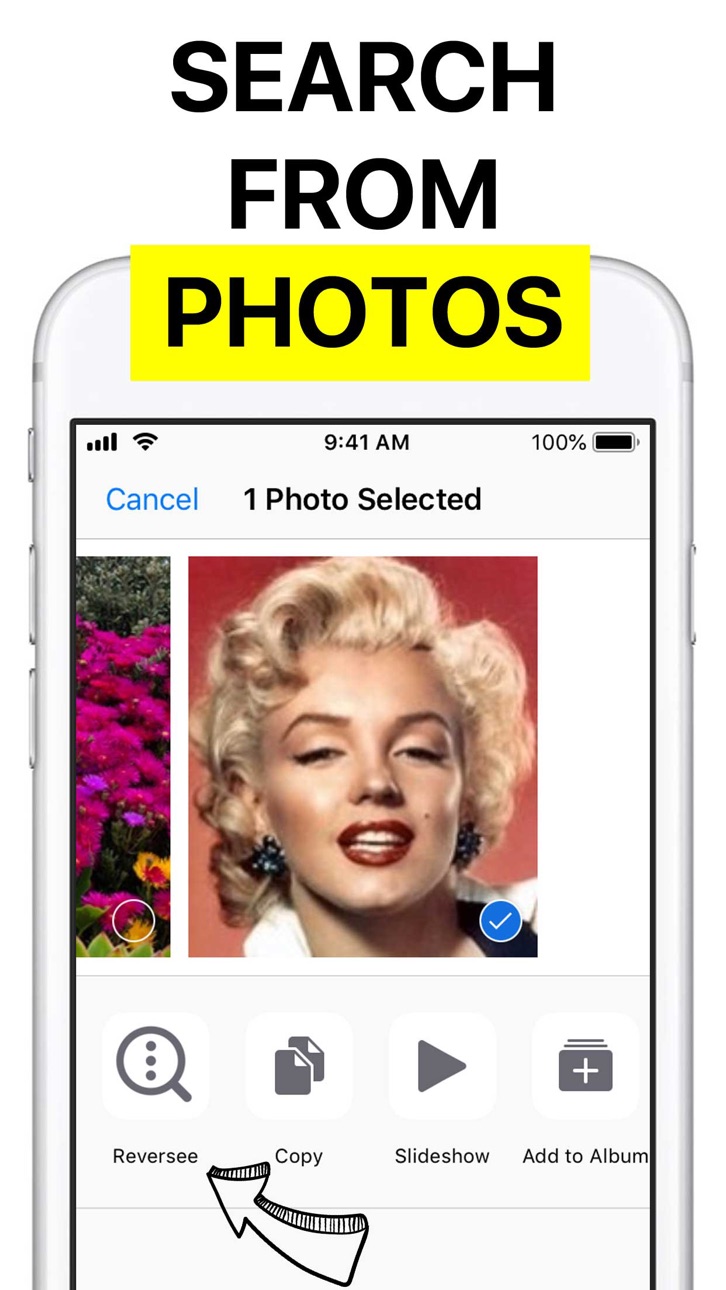
Reversee is a bridge between your pictures and reverse image search engines, allowing you to make a search by image.
Use Reversee to search for:
- Webpages displaying a picture.
- A higher resolution version of a picture.
- Someone's social network profile¹.
PS: Although the app allows you to search for pictures, it doesn't promise you will find results. The actual search is made by third party engines, and even if they are the best on the business, none of them cover 100% of the searches.
FEATURES
- Search with Google Images (default search engine).
- Editor to crop & rotate the picture.
- Smart navigation of your device photos (you can search by a picture in the middle of the camera roll and then come back to search for a picture nearby, avoiding to scroll the photos all over again).
- Paste image.
- Set size of the image sent to the search engine (it may yield different results).
- Open the results page in: 1) Safari, 2) Chrome, 3) Add to Reading List, 4) Copy to Clipboard, 5) Send Email, etc.
- Save pictures from the web.
- iOS Extension: Use Reversee inside other apps (Photos, Safari, Chrome and any app that "exports" an image or URL).
PRO FEATURES
- Two additional search engines: Bing and Yandex.
- Auto crop: it automatically removes the borders of a picture (very useful when searching by screenshots).
- Editor gestures: it makes the app a complete image visualizer (navigation, zoom, reset, crop and also an option to save the cropped image to the Camera Roll).
- Display detailed information about the image (URL, dimensions and file size).
- Eliminate the 5-second delay from the App Extension.
- Paste an image URL or any webpage URL (e.g. save the original image from Instagram).
- Camera access.
- Delete multiple pictures at once.
- No ads.
DISCLAIMER
Google, Bing and Yandex are free services accessible from any web browser. Reversee is not endorsed by or affiliated with any of these search engines.
SUPPORT
reverseeapp@gmail.com
¹ A note about searching for someone's social network profile: as explained before, the app acts as a link between your device pictures and reverse image search engines, like Google Images. Search engines have to crawl pictures around the web first, so the image data is added to their database and then that picture can be shown in search results. However, not every site nor every photo in a website is crawled, for example, the majority of Facebook and Instagram pictures are not crawled. Other networks like Pinterest, Twitter and LinkedIn are more frequently shown in search results, but there is never a guarantee that a picture will be found even in those websites.
Capabilities
In-App Purchases
Accessibility
ipadiphonemacrealityDevicetvoswatch
Version history 25 versions
Build 860365012v5.3.92023-10-03 03:59:53
Fixes Google Search.
Build 856727595v5.3.82023-04-27 20:27:05
Fixes searching within Safari, Photos and the unexpected white navigation bar on dark mode.
Build 856674197v5.3.72023-04-26 11:54:08
Fixed Google search.
Build 838482562v5.3.62020-11-02 21:47:44
New shortcut in settings to setup photo access permissions for the app.
Build 836867351v5.3.52020-07-16 16:25:57
Fixes an issue for "advanced" users.
Build 834882515v5.3.42020-03-07 14:24:26
Fixed a Yandex issue and minor issues related to status/navigation bar.
Build 834026692v5.3.32019-12-17 04:02:17
Fixed an issue with Bing search.
Build 833593431v5.3.22019-11-14 20:34:47
Fixed the black bars on the Edit screen for iOS 12 users.
Build 833271037v5.3.12019-10-22 18:57:04
- Fixes the main button that was kept "pressed" after choosing an image without the Classic Image Picker.
- Fixes the Yandex URL when exporting using the Action Sheet.
Build 833029648v5.32019-10-03 22:50:28
Dark Mode in iOS 13.
Build 832315987v5.2.162019-08-15 14:45:39
Fixes a lot of small issues all around.
Build 832119597v5.2.152019-08-02 22:42:00
Minor bug fixes.
Build 831967696v5.2.142019-07-17 19:54:00
Faster app loading.
Build 831762943v5.2.132019-07-01 16:13:26
- Minor bug fixes.
Build 831716999v5.2.122019-06-19 16:33:16
Minor bug fixes.
Build 831666581v5.2.112019-06-15 16:54:41
Added smart albums and fixed delete image for PRO users.
Build 831659583v5.2.102019-06-13 23:37:37
Fixed a Yandex issue (which was happening only for a subset of users).
Build 831543517v5.2.92019-06-04 19:25:18
Fixed a bug when the Reversee extension was activated after a screenshot (it wasn't showing the correct image size).
Build 830204391v5.2.82019-02-06 02:30:36
Fixed the iPad search issue.
Build 830184037v5.2.72019-02-04 14:20:37
Fixed a crash in iOS 12 when the "Show Editor" setting was off.
Build 830106335v5.2.62019-01-29 20:53:22
Fixed Bing issue.
Build 828457398v5.2.52018-09-06 00:40:31
Reverted back to the previous Bing implementation that it's working again.
Build 828235820v5.2.42018-08-15 20:27:26
Bing fix (you have to scroll down and wait to see search results).
Build 827151417v5.2.32018-05-15 19:03:20
Minor bug fixes.
Build 826153092v5.2.22018-04-03 16:40:13
Bug fixes.
No pricing data captured yet — comparisons appear once the app has paid storefronts or in-app purchases.
Availability 1 of 1 storefronts
| Region | Language | Price | Ratings | Avg | Version |
|---|---|---|---|---|---|
| US | en-US | Free | 12.8k | 4.4 | 5.3.9 |
Change log 29 changes · US
✎
releaseNotes updated
Fixes Google Search.
✎
description updated
Reversee is a bridge between your pictures and reverse image search engines, allowing you to make a search by image.
Use Reversee to search for:
- Webpages d
✎
subtitle updated
Search by Images & Pictures
✎
name updated
Reversee: Reverse Image Search
◆
Version 5.3.9 released
Fixes Google Search.
◆
Version 5.3.8 released
Fixes searching within Safari, Photos and the unexpected white navigation bar on dark mode.
◆
Version 5.3.7 released
Fixed Google search.
◆
Version 5.3.6 released
New shortcut in settings to setup photo access permissions for the app.
◆
Version 5.3.5 released
Fixes an issue for "advanced" users.
◆
Version 5.3.4 released
Fixed a Yandex issue and minor issues related to status/navigation bar.
◆
Version 5.3.3 released
Fixed an issue with Bing search.
◆
Version 5.3.2 released
Fixed the black bars on the Edit screen for iOS 12 users.
◆
Version 5.3.1 released
- Fixes the main button that was kept "pressed" after choosing an image without the Classic Image Picker.
- Fixes the Yandex URL when exporting using the Action Sheet.
◆
Version 5.3 released
Dark Mode in iOS 13.
◆
Version 5.2.16 released
Fixes a lot of small issues all around.
◆
Version 5.2.15 released
Minor bug fixes.
◆
Version 5.2.14 released
Faster app loading.
◆
Version 5.2.13 released
- Minor bug fixes.
◆
Version 5.2.12 released
Minor bug fixes.
◆
Version 5.2.11 released
Added smart albums and fixed delete image for PRO users.
◆
Version 5.2.10 released
Fixed a Yandex issue (which was happening only for a subset of users).
◆
Version 5.2.9 released
Fixed a bug when the Reversee extension was activated after a screenshot (it wasn't showing the correct image size).
◆
Version 5.2.8 released
Fixed the iPad search issue.
◆
Version 5.2.7 released
Fixed a crash in iOS 12 when the "Show Editor" setting was off.
◆
Version 5.2.6 released
Fixed Bing issue.
◆
Version 5.2.5 released
Reverted back to the previous Bing implementation that it's working again.
◆
Version 5.2.4 released
Bing fix (you have to scroll down and wait to see search results).
◆
Version 5.2.3 released
Minor bug fixes.
◆
Version 5.2.2 released
Bug fixes.