Home › Photo & Video

Information
Preview 2 platforms
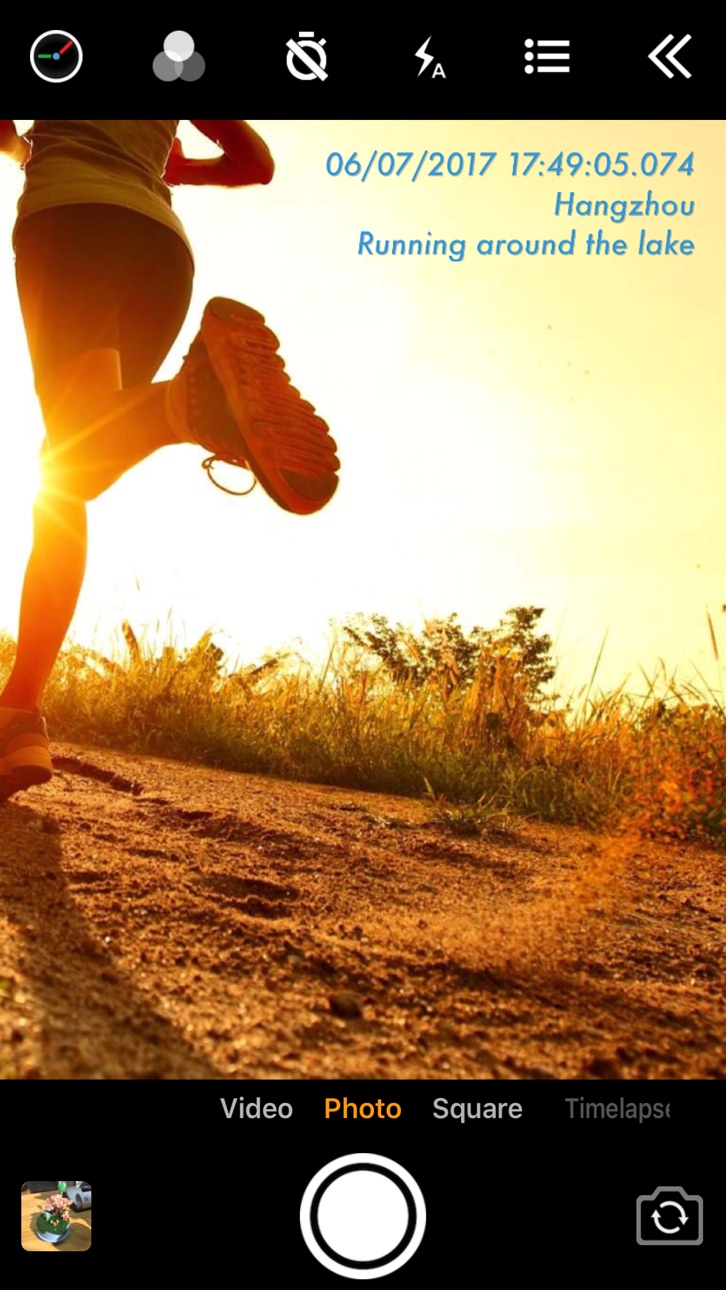
iPhone 9 images





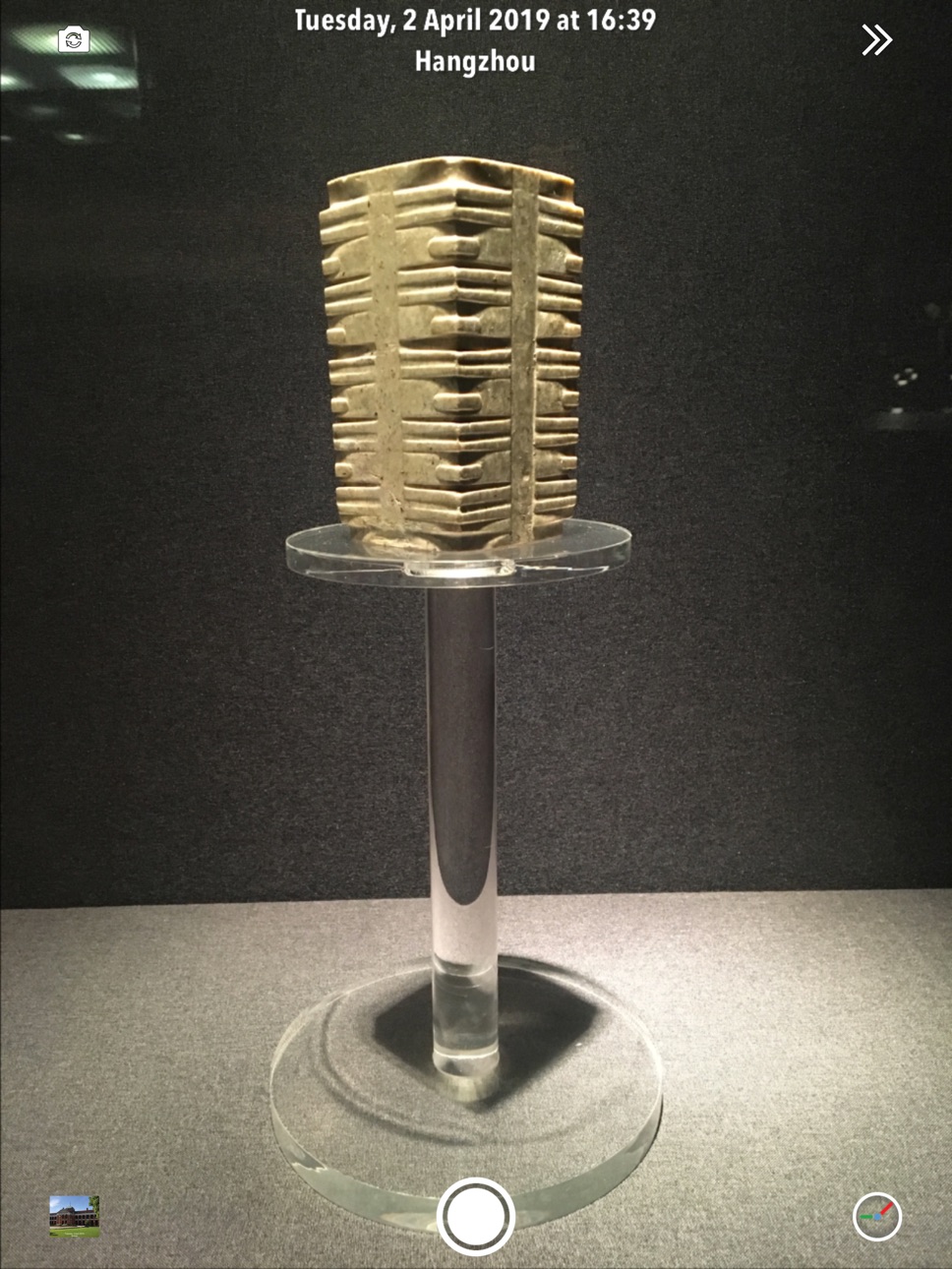
iPad 7 images



What’s New Version 1.156
- UI improvements
Description
Add timestamp watermark to camera in real time.
• Automatically insert current time and address when taking photo or video in real time, you can change time format or select the address around easily. Timestamp Camera is the only App that can record video with the time watermark accurate to millisecond(0.001 second).
- Support 81 timestamp formats.
- Support change font, font color, font size.
- Support set timestamp in 6 positions: top left, top center, top right, bottom left, bottom center, bottom right.
- Support auto add address and GPS.
- Support input and display custom text on camera.
- Support input and display tag on camera and insert to the Exif.
- Support change opacity of text and text background.
- Support four text margin modes: no margin, one line margin, half line margin, suitable for printing
• Support display altitude and speed.
• Support display map on the camera.
• Support display compass on the camera.
• Support import watermark logo image to display on the camera.
• Support change photo resolution, support the maximum resolution supported by the camera.
• Support change video resolution(540P, 720P, 1080P, 4K) and fps(30fps, 60fps).
• Support record video without audio.
• Support pause and continue record fragments to one video.
• Support timer to take picture (3, 5, 10 seconds with count down).
• Has 4 modes. "Video", "Square", "Timelapse" support record video and capture photo. "Photo" mode only support capture photo with special optimization.
• All the effects are real-time and can be used when taking photo or video.
• Support change effect, toggle camera when recording.
• Support "Battery saver mode", the brightness of screen can be changed when turn it on.
• Support show 3x3 grid.
• Support import photo as a virtual camera.
• Support portrait and landscape.
• Support both iPad and iPhone.
• Photo and Video will be saved to Camera roll.
Please mail us cybfriend@gmail.com if you have any problem or suggestions. Thank you.
In-App Purchases US pricing
One-Time Purchases
Upgrade to pro version$4.99
Capabilities
In-App Purchases
Accessibility
ipadiphonemacrealityDevicetvoswatch
Version history 25 versions
Build 884418027v1.1562026-04-13 20:23:44
- UI improvements
Build 883630728v1.1552026-03-22 23:23:52
- Fixed the issue of "UI error when mirroring to other displays"
- Fixed the issue of "the address not updating promptly upon re-entering the app"
- Fix other issues
Build 883334750v1.1522026-03-18 03:01:21
- Fixed the issue of "audio and video not synchronized when switching cameras multiple times during recording"
- Fix the issue of "incorrect zoom factor display of front camera on certain devices"
- Fix other issues
Build 883010461v1.1512026-03-05 21:12:26
- Bug fixes.
Build 882589499v1.1502026-02-20 17:35:13
- Files can now be saved when selecting "Add Photos Only" or "Limited Access" permission.
- Added support for H.265 codec selection.
- Added 720P/25fps and 720P/50fps options.
- Optimized altitude data format.
- The "load" text now supports two-line display.
- Improved accuracy of photo timestamps.
- Various UI improvements.
- General bug fixes.
Build 881740960v1.1392026-01-23 14:02:56
- Fix the black screen issue in video mode on iPhone 17
- Fixed the issue "Video Stabilization" sometimes not work
Build 881452333v1.1372026-01-14 08:45:06
- Fix the black screen issue in video mode on iPhone 17
- Fix font size error issue when using 4K 60fps
- Optimize the speed of taking photos
Build 879759540v1.1362025-11-14 21:10:13
- Move the photo and video buttons from the bottom to the right on the iPad
Build 879453087v1.1352025-11-04 15:15:52
- Support for taking photos, zooming, and adjusting brightness using the Camera Button (requires iPhone 16 or later)
- Optimized for iPad windowed mode
- Support for recording videos while connected to CarPlay (requires iOS 18 or later)
- Support for playing background music while recording (requires iOS 18 or later)
- Support for displaying horizon lines
- Support for recording 4K, 60fps videos on iPhone 17 and some iPads
- UI and performance optimizations
- Bug fixes
Build 879132654v1.1322025-10-22 17:56:18
- Support for taking photos, zooming, and adjusting brightness using the Camera Button (requires iPhone 16 or later)
- Optimized for iPad windowed mode
- Support for recording videos while connected to CarPlay (requires iOS 18 or later)
- Support for playing background music while recording (requires iOS 18 or later)
- Support for displaying horizon lines
- Support for recording 4K, 60fps videos on iPhone 17 and some iPads
- UI and performance optimizations
- Bug fixes
Build 873585307v1.1312025-03-27 16:48:20
• Bug fixes
Build 872995918v1.1302025-03-05 17:45:15
• Add several file name formats
• Bug fixes
Build 872276562v1.1292025-02-06 04:43:39
• Bug fixes
Build 870907527v1.1282024-12-05 10:10:43
• Support “Import custom text list from .txt file”
• Support “Import tags from txt file”
• Support “Auto take photo every interval”
• Map Appearance supports “Dark mode” and “Light mode”
• Camera orientation supports "Horizontal Left"
• Add several file name formats
• Support “Touch the screen to take photo”
• Bug fixes
Build 863746209v1.1262024-02-14 05:27:57
• Bug fixes
Build 861843213v1.1252023-11-29 13:52:29
• Add feature of stopwatch
• Bug fixes
Build 860205435v1.1232023-09-26 07:17:49
- Fixed "camera preview freezes after taking photo on iPhone15"
Build 859657864v1.1222023-09-05 15:24:22
- Bug fixes
Build 855041007v1.1212023-02-18 08:48:01
- Bug fixes
Build 854229818v1.1192023-01-05 15:18:31
- The front camera support 4k video (above iPhone12)
- UI improvements
Build 852614896v1.1182022-10-06 16:36:41
• UI improvements
Build 849708587v1.1172022-06-02 01:07:17
- Bug fixes
Build 848632653v1.1162022-04-27 23:20:02
• Support adding font stroke
• Bug fixes
Build 847228271v1.1122022-02-18 15:13:33
• Optimization of optical zoom
• Fix bug of "restore settings"
• Fix duplicate of font
Build 846516714v1.1112022-01-11 20:54:58
• Fix "App crashes when a call is incoming"
Price history by region
Currency
Show
Columns
Search
App performance US
Availability 15 of 15 storefronts
| Region | Language | Price | Ratings | Avg | Version |
|---|---|---|---|---|---|
 US US | en-US | Free | 32.9k | 4.8 | 1.156 |
 IN IN | en-GB | Free | 6.8k | 4.6 | 1.156 |
 AU AU | en-AU | Free | 5.3k | 4.7 | 1.156 |
 GB GB | en-GB | Free | 3.1k | 4.7 | 1.156 |
 AE AE | en-GB | Free | 1.5k | 4.6 | 1.156 |
 JP JP | ja | Free | 609 | 4.5 | 1.156 |
 IT IT | it | Free | 608 | 4.7 | 1.156 |
 RO RO | en-GB | Free | 300 | 4.8 | 1.156 |
 BE BE | en-GB | Free | 114 | 4.6 | 1.156 |
 GR GR | en-GB | Free | 70 | 4.8 | 1.156 |
 AL AL | en-GB | Free | 43 | 4.8 | 1.156 |
 HR HR | en-GB | Free | 37 | 4.7 | 1.156 |
 BG BG | en-GB | Free | 36 | 4.9 | 1.156 |
 MD MD | en-GB | Free | 11 | 4.8 | 1.156 |
 MT MT | en-GB | Free | 3 | 4.7 | 1.156 |
Change log 29 changes · US
✎
releaseNotes updated
- UI improvements
✎
description updated
Add timestamp watermark to camera in real time.
• Automatically insert current time and address when taking photo or video in real time, you can change time fo
✎
subtitle updated
Best add date, GPS to video
✎
name updated
Timestamp Camera Basic
◆
Version 1.156 released
- UI improvements
◆
Version 1.155 released
- Fixed the issue of "UI error when mirroring to other displays"
- Fixed the issue of "the address not updating promptly upon re-entering the app"
- Fix other issues
◆
Version 1.152 released
- Fixed the issue of "audio and video not synchronized when switching cameras multiple times during recording"
- Fix the issue of "incorrect zoom factor display of front camera on certain devices"
- Fix other issues
◆
Version 1.151 released
- Bug fixes.
◆
Version 1.150 released
- Files can now be saved when selecting "Add Photos Only" or "Limited Access" permission.
- Added support for H.265 codec selection.
- Added 720P/25fps and 720P/50fps options.
- Optimized altitude data format.
- The "load" text now supports
◆
Version 1.139 released
- Fix the black screen issue in video mode on iPhone 17
- Fixed the issue "Video Stabilization" sometimes not work
◆
Version 1.137 released
- Fix the black screen issue in video mode on iPhone 17
- Fix font size error issue when using 4K 60fps
- Optimize the speed of taking photos
◆
Version 1.136 released
- Move the photo and video buttons from the bottom to the right on the iPad
◆
Version 1.135 released
- Support for taking photos, zooming, and adjusting brightness using the Camera Button (requires iPhone 16 or later)
- Optimized for iPad windowed mode
- Support for recording videos while connected to CarPlay (requires iOS 18 or later)
- S
◆
Version 1.132 released
- Support for taking photos, zooming, and adjusting brightness using the Camera Button (requires iPhone 16 or later)
- Optimized for iPad windowed mode
- Support for recording videos while connected to CarPlay (requires iOS 18 or later)
- S
◆
Version 1.131 released
• Bug fixes
◆
Version 1.130 released
• Add several file name formats
• Bug fixes
◆
Version 1.129 released
• Bug fixes
◆
Version 1.128 released
• Support “Import custom text list from .txt file”
• Support “Import tags from txt file”
• Support “Auto take photo every interval”
• Map Appearance supports “Dark mode” and “Light mode”
• Camera orientation supports "Horizontal Left"
• Ad
◆
Version 1.126 released
• Bug fixes
◆
Version 1.125 released
• Add feature of stopwatch
• Bug fixes
◆
Version 1.123 released
- Fixed "camera preview freezes after taking photo on iPhone15"
◆
Version 1.122 released
- Bug fixes
◆
Version 1.121 released
- Bug fixes
◆
Version 1.119 released
- The front camera support 4k video (above iPhone12)
- UI improvements
◆
Version 1.118 released
• UI improvements
◆
Version 1.117 released
- Bug fixes
◆
Version 1.116 released
• Support adding font stroke
• Bug fixes
◆
Version 1.112 released
• Optimization of optical zoom
• Fix bug of "restore settings"
• Fix duplicate of font
◆
Version 1.111 released
• Fix "App crashes when a call is incoming"