Home › Productivity

 US
US
1 of 1 storefronts
Content in en-US
Content in en-US
Information
Preview 2 platforms
iPhone 3 images


iPad 2 images

What’s New Version 4.0.6
- Bugs related to update confirmation have been fixed.
Description
Free, easy, simple, and quick to use!
"20% OFF" "30% off"... If you're not good at calculating discounts, leave it to Zeitaku!
How much is the consumption tax? ... It's fine when you're stuck in a store that displays prices excluding tax or when you want to know the base price.
This is a convenient and easy consumption tax and discount calculator that supports the consumption tax rate of 10% and the reduced tax rate of 8%.
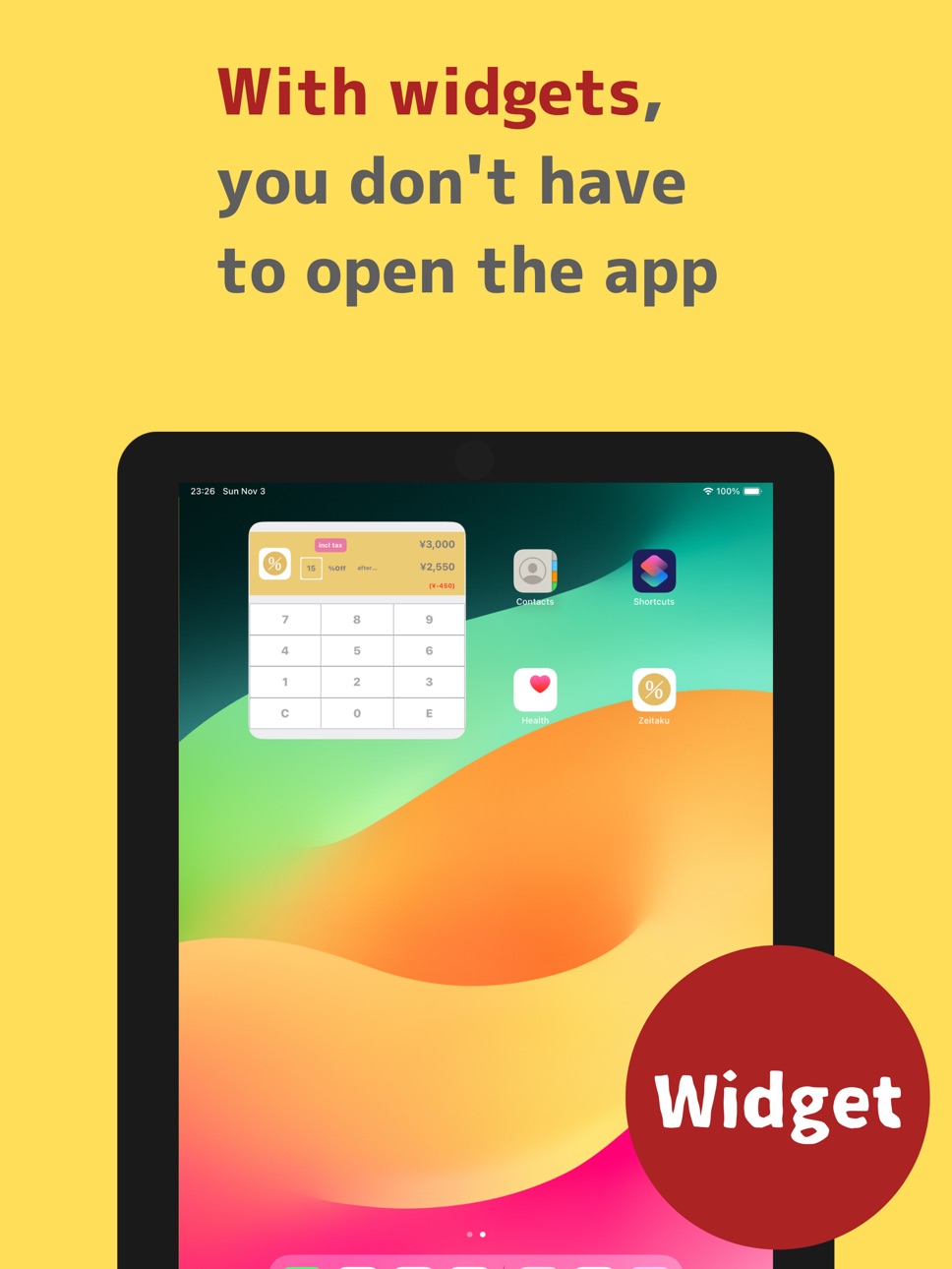
If you have iOS 17.0 or higher, you can add a "widget" to your home screen and quickly calculate discounts without launching the app.
--How to use--
Just enter the amount.
Scroll through the discount rates to select the discount rate.
For more information, please see the tutorial in the app.
*Supports tax-exclusive and tax-inclusive (tax-exclusive and tax-inclusive)
You can select tax-exclusive or tax-inclusive from the "tax-inclusive/tax-exclusive button" or the settings button on the center left of the screen.
If you select tax-exclusive, enter the price excluding tax to display the price including tax.
If you select tax-inclusive, enter the price including tax to display the base price.
*Tax rate
The consumption tax rate can be switched between 8% and 10%.
*Discount calculation/% calculation
You can calculate the percentage off or discount.
When entering tax-excluded amounts, the discount tax-excluded amount, consumption tax, discount tax included, and the difference are displayed.
When entering tax-included amounts, the discount tax included and the difference are displayed.
*Entering decimal points
You can enter decimal points by pressing and holding the "0" key.
*Fixing the discount rate
If you turn on the fixed discount rate in the settings screen, you can calculate more efficiently when calculating multiple times with the same discount rate. If you turn it off, the discount rate will be cleared to 0 when you press the [C] key.
*Setting the fractional calculation method
You can set the fractional calculation method for consumption tax calculation and discount calculation as an option.
You can choose to round down, round up, or round to the specified decimal point.
When entering tax-excluded amounts for discount calculation, the discount tax-excluded amount will be rounded.
When entering tax-included amounts for discount calculation, the discount tax included amount will be rounded.
*About the paid version and other related apps
This app is also available in a paid version. You can use shopping memos, calculation result saving functions, and more without ads.
◆NEW!! The "Tax Table R for Reduced Tax Rates" app has arrived
This is a convenient app for when you want to calculate the total amount of your shopping or for each tax rate, and it also has a shopping memo function, so please give it a try.
*Fractional treatment of consumption tax varies depending on the store, and may differ from what is displayed in this app.
*This app does not guarantee accurate amount display. Also, please note that we cannot take any responsibility for any trouble that occurs in relation to the use of this app.
●●●Introduced on BS11's "Doppuri App"●●●
●●●Introduced on TBS Radio's "Hiroshi Ikushima's Good Morning Straight Line"●●●
Accessibility
ipadiphonemacrealityDevicetvoswatch
Version history 25 versions
Build 881478859v4.0.62026-01-15 18:58:42
- Bugs related to update confirmation have been fixed.
Build 880829598v4.0.52026-01-13 17:11:32
- App information has been changed.
- Bugs related to update confirmation have been fixed.
Build 878143244v4.0.42025-09-16 08:16:11
- Fixed a bug where the input area was not displayed on iOS26
Build 870243602v4.0.32024-11-06 17:55:26
- Fixed an issue where some input buttons were not displayed under certain conditions.
Build 870199159v4.0.22024-11-05 09:04:29
- Fixed an issue with update notifications
- Added explanation of discount calculation widget
Build 870151783v4.02024-11-04 17:27:13
- Updated the widget (compatible with iOS 17.0 or higher)
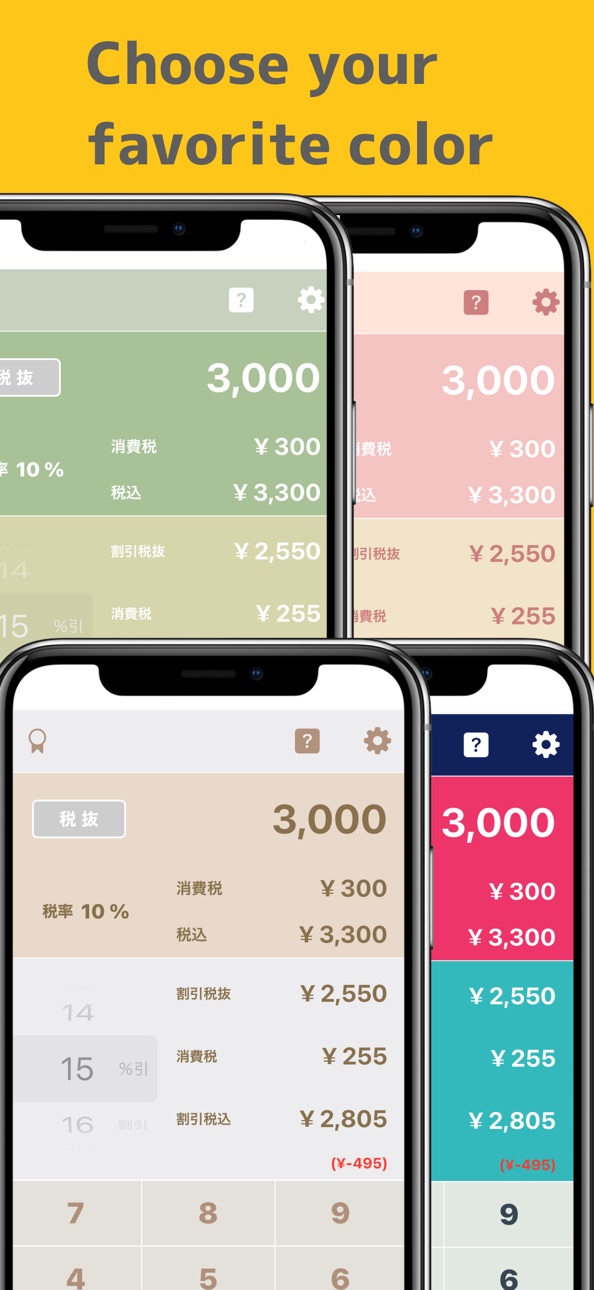
- You can now change the theme color
Build 870194323v4.0.12024-11-04 23:50:10
- Fixed the transition destination when selecting an update
Build 841987336v3.7.82021-04-28 15:01:05
iOS14.5の対応を行いました
Build 840729818v3.7.72021-03-04 21:10:33
・割引率の固定を選択できるようになりました
・一部の端末用に割引率のスクロール領域を調整しました
Build 839037551v3.7.62020-11-12 18:17:28
iOS14の対応を行いました
Build 836316953v3.7.52020-06-09 16:33:20
・iOS13の対応を行いました
・効果音の問題を修正しました
・「0」長押しで小数点が入力できるようになりました
Build 835646124v3.7.42020-04-23 19:27:47
・ウィジェット表示に関する問題を修正しました
・ユニバーサル対応を行いました
Build 835544144v3.7.32020-04-15 20:54:20
・URL スキーム「zeitaku://」から起動できるようになりました
・ウィジェットのデザインを変更しました
Build 834749878v3.7.22020-02-18 19:16:52
タップで振動するようになりました(ON/OFF可)
Build 834659601v3.7.12020-02-12 18:21:53
・割引計算ウィジェットのフォントを変更しました
・インストール時の初期税率を10%に変更しました
Build 831165597v3.72019-05-07 16:03:24
・画面のデザインを変更しました
・割引計算時の端数処理が指定できるようになりました
・ウィジェットの登録方法や画面の説明を追加しました
Build 828816410v3.62018-10-04 18:53:31
特定条件での小数誤差不具合修正
Build 827069822v3.52018-05-08 22:27:40
消費税率10%に対応しました
Build 825293203v3.42017-12-13 17:46:59
文字の大きさや色を変更
アイコンを変更
Build 824863887v3.32017-11-27 02:03:06
・iPhoneX対応
・その他UI変更
・ウィジェット不具合修正
・割引時の税抜き表示を追加
Build 822707006v3.22017-06-27 23:46:48
画面の修正など
Build 822456388v3.12017-06-08 18:12:21
カテゴリ変更など
Build 822268410v3.02017-05-26 20:37:25
UI変更・ウィジェット追加など
Build 775323131v2.02014-11-15 15:59:29
*アップデート情報*
・カンタン入力モード追加
・税率5%を削除
・終了時の設定状態の保存
・サウンド設定
Build 449672639v1.02014-03-13 19:27:19
No pricing data captured yet — comparisons appear once the app has paid storefronts or in-app purchases.
Availability 1 of 1 storefronts
| Region | Language | Price | Ratings | Avg | Version |
|---|---|---|---|---|---|
| US | en-US | Free | 1 | 4.0 | 4.0.6 |
Change log 29 changes · US
✎
releaseNotes updated
- Bugs related to update confirmation have been fixed.
✎
description updated
Free, easy, simple, and quick to use!
"20% OFF" "30% off"... If you're not good at calculating discounts, leave it to Zeitaku!
How much is the consumption tax
✎
subtitle updated
Includes Calculator Widget
✎
name updated
Discount Calculator Zeitaku
◆
Version 4.0.6 released
- Bugs related to update confirmation have been fixed.
◆
Version 4.0.5 released
- App information has been changed.
- Bugs related to update confirmation have been fixed.
◆
Version 4.0.4 released
- Fixed a bug where the input area was not displayed on iOS26
◆
Version 4.0.3 released
- Fixed an issue where some input buttons were not displayed under certain conditions.
◆
Version 4.0.2 released
- Fixed an issue with update notifications
- Added explanation of discount calculation widget
◆
Version 4.0.1 released
- Fixed the transition destination when selecting an update
◆
Version 4.0 released
- Updated the widget (compatible with iOS 17.0 or higher)
- You can now change the theme color
◆
Version 3.7.8 released
iOS14.5の対応を行いました
◆
Version 3.7.7 released
・割引率の固定を選択できるようになりました
・一部の端末用に割引率のスクロール領域を調整しました
◆
Version 3.7.6 released
iOS14の対応を行いました
◆
Version 3.7.5 released
・iOS13の対応を行いました
・効果音の問題を修正しました
・「0」長押しで小数点が入力できるようになりました
◆
Version 3.7.4 released
・ウィジェット表示に関する問題を修正しました
・ユニバーサル対応を行いました
◆
Version 3.7.3 released
・URL スキーム「zeitaku://」から起動できるようになりました
・ウィジェットのデザインを変更しました
◆
Version 3.7.2 released
タップで振動するようになりました(ON/OFF可)
◆
Version 3.7.1 released
・割引計算ウィジェットのフォントを変更しました
・インストール時の初期税率を10%に変更しました
◆
Version 3.7 released
・画面のデザインを変更しました
・割引計算時の端数処理が指定できるようになりました
・ウィジェットの登録方法や画面の説明を追加しました
◆
Version 3.6 released
特定条件での小数誤差不具合修正
◆
Version 3.5 released
消費税率10%に対応しました
◆
Version 3.4 released
文字の大きさや色を変更
アイコンを変更
◆
Version 3.3 released
・iPhoneX対応
・その他UI変更
・ウィジェット不具合修正
・割引時の税抜き表示を追加
◆
Version 3.2 released
画面の修正など
◆
Version 3.1 released
カテゴリ変更など
◆
Version 3.0 released
UI変更・ウィジェット追加など
◆
Version 2.0 released
*アップデート情報*
・カンタン入力モード追加
・税率5%を削除
・終了時の設定状態の保存
・サウンド設定
◆
Version 1.0 released