Home › Food & Drink

 US
US
1 of 1 storefronts
Content in en-US
Content in en-US
Information
Preview 1 platform
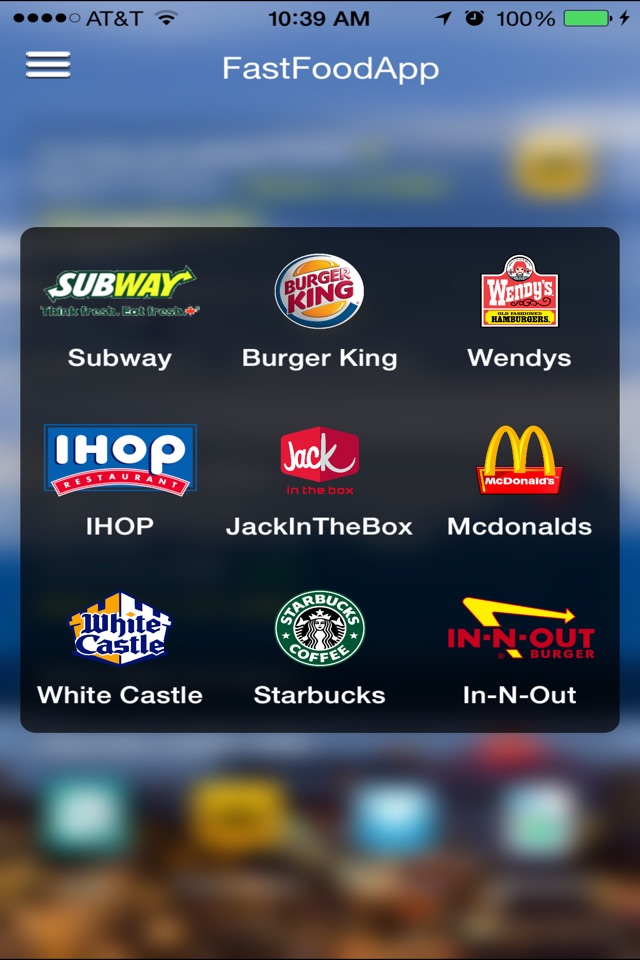
iPhone 5 images



What’s New Version 23.0.0
- Minor fixes for devices with the new
IOS26 installed.
- This version requires IOS 18 or above
so please upgrade.
For quick tutorials on how to use “FastFoodApp” check out my
“YouTube”, “Instagram” or “TikTok” videos:
https://www.youtube.com/watch?v=2oFQwotM178&t=1s
https://www.instagram.com/tv/Ce7SQaiPAVd/?utm_source=ig_web_copy_link
https://www.tiktok.com/@fastfoodapp?lang=en
Description
"FastFoodApp" is an app that finds local & major “FastFood" places
nearest you.
App features include:
- Location based fast food listings.
- The ability to save your favorite fast food listings from the app.
- Reviews from Yelp & Google.
- Links to profiles from Yelp & Google.
- Links to the listing's website.
- A driving directions link. Tapping on this link will open Apple's
Map Application for step by step driving directions to the listing.
- Newer versions of the app requires IOS 17.0.0+ or above so
please upgrade.
Backend Linux Services features include:
- Primary & backup services. These changes enable the App
to automatically switch between primary & backup services in case
of an outage. Hopefully this should minimize any disruptions in the App.
- Server Side Configurations. Some configurations can be
implemented from the server without a full re-deployment of the App.
- Enable/Disable features within the App without a full re-deployment.
- WebSocket Service implementation for push notifications.
Other features include:
- A re-useable component base architecture.
- A rules based “caching” algorithm.
- A rules based “data source” algorithm.
- A rules based “listing locations” algorithm.
- A code base written in Swift used by both backend Linux servers &
IOS clients.
For more accurate location information,
the app needs "Precision" to be on because the app
calculates distances between you and the closes
"FastFood" listings.
On your device goto:
1) Settings
2) Select "Privacy"
3) Select "Location Services"
4) Select "FastFoodApp"
5) Exit & relaunch the app.
Select either "While Using the App" or "Always".
I recommend selecting "While Using the App" since
"FastFoodApp" only need to know your location
while you are using the app.
So just order your burger, exit the app & sit down
& enjoy your burger. It’s simple as that!
Personally I like my burger with a side order of fries
& a large chocolate milk shake!
For updates, latest fixes & posted comments,
checkout these social sites:
https://twitter.com/TheFastFoodApp
https://www.instagram.com/fastfoodapp/
https://www.facebook.com/fastfood.app.1
For quick tutorials on how to use “FastFoodApp” check out my “YouTube”,
“Instagram” or “TikTok” videos:
https://www.youtube.com/watch?v=2oFQwotM178&t=1s
https://www.instagram.com/tv/Ce7SQaiPAVd/?utm_source=ig_web_copy_link
https://www.tiktok.com/@fastfoodapp?lang=en
Accessibility
ipadiphonemacrealityDevicetvoswatch
Version history 25 versions
Build 880435109v23.0.02026-04-06 16:02:26
- Minor fixes for devices with the new
IOS26 installed.
- This version requires IOS 18 or above
so please upgrade.
For quick tutorials on how to use “FastFoodApp” check out my
“YouTube”, “Instagram” or “TikTok” videos:
https://www.youtube.com/watch?v=2oFQwotM178&t=1s
https://www.instagram.com/tv/Ce7SQaiPAVd/?utm_source=ig_web_copy_link
https://www.tiktok.com/@fastfoodapp?lang=en
Build 871459084v22.0.02025-12-08 06:02:38
- Fixed 'mapItemsError'. This happens from time to time
when tapping on an menu item. Hopefully this fix
minimize this issue.
- Most of the other fixes & enhancements for this version
are on the server side that enhance the app.
- Just a reminder this version requires IOS 17 or above
so please upgrade.
For quick tutorials on how to use “FastFoodApp” check out my
“YouTube”, “Instagram” or “TikTok” videos:
https://www.youtube.com/watch?v=2oFQwotM178&t=1s
https://www.instagram.com/tv/Ce7SQaiPAVd/?utm_source=ig_web_copy_link
https://www.tiktok.com/@fastfoodapp?lang=en
Build 868325542v21.0.02024-12-30 10:47:49
- Fixed issues with "Configurations" not being displayed
for some newer iPhone models.
- Just a reminder this version requires IOS 17 or above
so please upgrade.
For quick tutorials on how to use “FastFoodApp” check out my
“YouTube”, “Instagram” or “TikTok” videos:
https://www.youtube.com/watch?v=2oFQwotM178&t=1s
https://www.instagram.com/tv/Ce7SQaiPAVd/?utm_source=ig_web_copy_link
https://www.tiktok.com/@fastfoodapp?lang=en
Build 865754623v20.0.02024-08-19 07:06:37
- Implemented new backend Linux servers. So upgrade
as soon as possible. Older versions of the app will
no longer work!
- Just a reminder this version requires IOS 17 or above
so please upgrade.
For quick tutorials on how to use “FastFoodApp” check out my
“YouTube”, “Instagram” or “TikTok” videos:
https://www.youtube.com/watch?v=2oFQwotM178&t=1s
https://www.instagram.com/tv/Ce7SQaiPAVd/?utm_source=ig_web_copy_link
https://www.tiktok.com/@fastfoodapp?lang=en
Build 858157005v19.0.02024-05-08 02:08:43
- This version requires IOS 17 or above so
please upgrade.
- Added a new error screen for users who
decline the initial location prompt.
- Fixed bug when saving configurations.
Build 856040931v18.0.02023-06-29 09:55:02
- Added custom error message when user declines
location authorization when the app is 1st installed
or upgraded. If you need to authorize location later,
on your device goto:
1) Settings
2) Select "Privacy"
3) Select "Location Services"
4) Select "FastFoodApp"
5) Exit & relaunch the app.
Select either "While Using the App" or "Always".
I recommend selecting "While Using the App" since
"FastFoodApp" only need to know your location
while you are using the app.
Some users are getting “stuck” after declining the initial
location prompt & don’t know how to re-enable it!
- Just a reminder for more accurate location
information, the app needs "Precision" to be on
because the app calculates distances between you
and the closes "FastFood" listings.
- For updates, latest fixes & posted comments,
checkout these social sites:
https://twitter.com/TheFastFoodApp
https://www.instagram.com/fastfoodapp/
https://www.facebook.com/fastfood.app.1
Build 849858146v17.0.02023-04-02 22:58:33
- Added reviews from Yelp & Google. Tap on the review
& see reviewer's profile.
- Added links to profiles from Yelp & Google.
- Added link to listing's website if available.
- Added driving directions link. Tapping on this link will
open Apple's Map Application for step by step driving
to the listing.
- Changed app icon. The new icon on your iPhone will have
a blue background with the word “FastFoodApp”.
- This version requires IOS 15.0.0+ or above so please
upgrade.
The backend Linux Services Integrations was the biggest
change to the App! These changes include:
- Implementation of primary & backup services. These
changes enable the App to automatically switch between
primary & backup services in case of an outage. Hopefully
this should minimize any disruptions in the App.
- Implementation of Server Side Configurations. Some
configurations can be implemented from the server without
a full re-deployment of the App.
- Enable/Disable features within the App without a full
re-deployment.
Just a reminder for more accurate location information,
the app needs "Precision" to be on because the app
calculates distances between you and the closes
"FastFood" listings.
On your device goto:
1) Settings
2) Select "Privacy"
3) Select "Location Services"
4) Select "FastFoodApp"
5) Exit & relaunch the app.
Select either "While Using the App" or "Always".
I recommend selecting "While Using the App" since
"FastFoodApp" only need to know your location
while you are using the app.
Build 843744926v16.0.02022-06-06 06:12:39
- Removed deprecated endpoints from TomTom.
Listings from this datasource will no longer have
images, only basic textual information.
- This version requires IOS 15.0.0+ or above so please
upgrade.
Just a reminder for more accurate location information,
the app needs "Precision" to be on because the app
calculates distances between you and the closes
"FastFood" listings.
On your device goto:
1) Settings
2) Select "Privacy"
3) Select "Location Services"
4) Select "FastFoodApp"
5) Exit & relaunch the app.
Select either "While Using the App" or "Always".
We recommend selecting "While Using the App"
since "FastFoodApp" only need to know your
location while you are using the app.
Build 842555233v15.0.02021-08-23 11:09:39
New features & changes:
- This version of the app requires IOS 14.5 or greater.
- Changed home page to default to “Burger Listings”. “Coffee & Tea Places” is now further down
the screen. You have to select it from the “Configurations” tab.
- Added additional listing service “TomTom”. The app now uses “Google”, ”TomTom” & “Yelp”
for best possible search results.
- Reminder, there is a link to “How to use the FastFoodApp” channel. at:
https://youtu.be/2oFQwotM178
- To use the app, you need to enable "Location Services" for the app.
The app need your location in order to recommend "FastFood" locations
in your area. Without sharing your location, the app cannot make
recommendations.
- Also for more accurate location information, the app needs "Precision" to be on because the
app calculates distances between you and the closes "FastFood" listings.
Video showing how to enable location services for the app can be found at:
https://youtu.be/j6FjDyEjvG0
On your device goto:
1) Settings
2) Select "Privacy"
3) Select "Location Services"
4) Select "FastFoodApp"
5) Exit & relaunch the app.
Select either "While Using the App" or "Always". We recommend
selecting "While Using the App" since "FastFoodApp" only need to
know your location while you are using the app.
Build 838281468v14.0.02021-06-07 15:07:38
This version of “FastFoodApp” was completely
re-architected & re-designed using “SwiftUI” & “Combine”.
New features & changes:
* This version of the app requires IOS 14.4 or greater.
* New clean & simple look & feel.
* Links to the listing’s menu, if available.
* StreetView photos for each listing, if available.
* Tap on any phone number on the app & call the listing directly.
* Tap on any “directions” on the app & bring up Apple’s Mapping app.
Great for getting step by step walking or driving directions.
* Add your favorite listing in the “Configurations” tab.
* The listings are more targeted to your current location.
* Links to “how-to” videos on the “ReadMe” tab.
Link to “How to use the FastFoodApp” channel.
https://youtu.be/2oFQwotM178
To use the app, you need to enable "Location Services" for the app.
The app need your location in order to recommend "FastFood" locations
in your area. Without sharing your location, the app cannot make recommendations.
Also for more accurate location information, the app needs "Precision" to be on
because the app calculates distances between you and the closes "FastFood" listings.
On your device goto:
1) Settings
2) Select "Privacy"
3) Select "Location Services"
4) Select "FastFoodApp"
5) Exit & relaunch the app.
Select either "While Using the App" or "Always". We recommend selecting
"While Using the App" since "FastFoodApp" only need to know your location
while you are using the app.
Build 836713350v13.0.02020-10-19 14:44:34
- IOS 14 updates:
“Precise Location" is new in IOS 14. You
need to toggle it “on" for more accurate
recommendations & distance calculations
based on your current location. Otherwise
the recommendations & distance
calculations are NOT as accurate.
- Changed background wallpapers.
How to use the “FastFoodApp” channel:
https://youtu.be/ef7JzW5in7g
How to enable location services on the “FastFoodApp”:
https://youtu.be/j6FjDyEjvG0
Build 836026405v12.0.02020-07-03 23:58:46
IOS 13.5.1 updates
Build 835758140v11.0.02020-05-19 18:20:41
Fixed timeout issues.
Build 835335222v10.0.02020-04-29 22:11:34
- Added these new categories:
"Burgers"
"Coffee and Tea Places"
"Sandwich and Deli Places"
"Chinese Restaurants"
- Tap on the "hamburger menu" & go to the
"Configuration Search" page and scroll down
to the bottom.
The new categories are at the bottom.
Build 833469212v9.0.02020-03-30 21:11:36
- Added photos to home page.
- Added more listings to choose from.
- Fixed minor formatting issues.
Build 830846594v8.2.02019-11-04 18:17:23
IOS 13 updates.
Build 829795597v8.1.02019-04-02 22:30:24
- Fix YP review crashes.
- This version will work with IOS 11 or
above only so upgrade your OS before
installing.
- When no results are displayed, you can refresh
the view by placing your finger on the screen
and pulling down. e.g. "Pull Down Refresh"
- There are some issues with the the data source
e.g. the backend. This is just a work around
until this issue is resolved.
Build 829662611v8.0.02018-12-28 23:50:58
Additional iPhone X device fixes.
Build 829576530v7.0.02018-12-10 19:50:53
iPhone X device fixes.
Build 828284244v6.02018-12-05 18:03:22
IOS 12 upgrade.
Build 828207248v5.02018-08-13 18:01:15
- Fix crashes when launching the Map view.
Build 826625593v4.0.02018-08-06 22:41:10
Fixed bug when trying to send email. You need an email
application installed in other to send email within the app.
Build 826275168v3.9.02018-04-09 18:49:41
- Added more reviews from Yelp.
Build 826223970v3.8.02018-03-12 16:10:57
- Fixed “open/closed” statuses.
Sometimes the “open/closed” statuses were
inaccurate due to inaccurate data coming
from the different listing services used in
the app.
- Implemented network error handling flow.
Build 825881607v3.7.02018-03-01 13:52:08
- Fixed bug with “Advance Search” implementation.
When tapping on a autocomplete row, no data ever returns.
The new build fixes this problem.
Also when you type a business listing, the results should be
relevant to your current location.
On the other hand, if you need to find a business listing in a
different city & state than where you are, you can type
something like this: “KFC, sf, ca”.
This should return all “KFC” restaurants in San Francisco.
If you are already in San Francisco, just type “KFC”.
It’s that simple!
The "FastFoodApp" never leave home without it!
No pricing data captured yet — comparisons appear once the app has paid storefronts or in-app purchases.
Availability 1 of 1 storefronts
| Region | Language | Price | Ratings | Avg | Version |
|---|---|---|---|---|---|
| US | en-US | Free | 5 | 5.0 | 23.0.0 |
Change log 28 changes · US
✎
releaseNotes updated
- Minor fixes for devices with the new
IOS26 installed.
- This version requires IOS 18 or above
so please upgrade.
For quick tutorials on how to use “Fas
✎
description updated
"FastFoodApp" is an app that finds local & major “FastFood" places
nearest you.
App features include:
- Location based fast food listings.
- The ability to sav
✎
name updated
FastFoodApp
◆
Version 23.0.0 released
- Minor fixes for devices with the new
IOS26 installed.
- This version requires IOS 18 or above
so please upgrade.
For quick tutorials on how to use “FastFoodApp” check out my
“YouTube”, “Instagram” or “TikTok” videos:
https://www.yo
◆
Version 22.0.0 released
- Fixed 'mapItemsError'. This happens from time to time
when tapping on an menu item. Hopefully this fix
minimize this issue.
- Most of the other fixes & enhancements for this version
are on the server side that enhance the app.
- Jus
◆
Version 21.0.0 released
- Fixed issues with "Configurations" not being displayed
for some newer iPhone models.
- Just a reminder this version requires IOS 17 or above
so please upgrade.
For quick tutorials on how to use “FastFoodApp” check out my
“YouTube”, “In
◆
Version 20.0.0 released
- Implemented new backend Linux servers. So upgrade
as soon as possible. Older versions of the app will
no longer work!
- Just a reminder this version requires IOS 17 or above
so please upgrade.
For quick tutorials on how to use “Fas
◆
Version 19.0.0 released
- This version requires IOS 17 or above so
please upgrade.
- Added a new error screen for users who
decline the initial location prompt.
- Fixed bug when saving configurations.
◆
Version 18.0.0 released
- Added custom error message when user declines
location authorization when the app is 1st installed
or upgraded. If you need to authorize location later,
on your device goto:
1) Settings
2) Select "Privacy"
3) Select "Location Servic
◆
Version 17.0.0 released
- Added reviews from Yelp & Google. Tap on the review
& see reviewer's profile.
- Added links to profiles from Yelp & Google.
- Added link to listing's website if available.
- Added driving directions link. Tapping on this link will
◆
Version 16.0.0 released
- Removed deprecated endpoints from TomTom.
Listings from this datasource will no longer have
images, only basic textual information.
- This version requires IOS 15.0.0+ or above so please
upgrade.
Just a reminder for more acc
◆
Version 15.0.0 released
New features & changes:
- This version of the app requires IOS 14.5 or greater.
- Changed home page to default to “Burger Listings”. “Coffee & Tea Places” is now further down
the screen. You have to select it from the “Configurations”
◆
Version 14.0.0 released
This version of “FastFoodApp” was completely
re-architected & re-designed using “SwiftUI” & “Combine”.
New features & changes:
* This version of the app requires IOS 14.4 or greater.
* New clean & simple look & feel.
* Links to the listi
◆
Version 13.0.0 released
- IOS 14 updates:
“Precise Location" is new in IOS 14. You
need to toggle it “on" for more accurate
recommendations & distance calculations
based on your current location. Otherwise
the recommendations & distance
c
◆
Version 12.0.0 released
IOS 13.5.1 updates
◆
Version 11.0.0 released
Fixed timeout issues.
◆
Version 10.0.0 released
- Added these new categories:
"Burgers"
"Coffee and Tea Places"
"Sandwich and Deli Places"
"Chinese Restaurants"
- Tap on the "hamburger menu" & go to the
"Configuration Search" page and scroll down
to the bo
◆
Version 9.0.0 released
- Added photos to home page.
- Added more listings to choose from.
- Fixed minor formatting issues.
◆
Version 8.2.0 released
IOS 13 updates.
◆
Version 8.1.0 released
- Fix YP review crashes.
- This version will work with IOS 11 or
above only so upgrade your OS before
installing.
- When no results are displayed, you can refresh
the view by placing your finger on the screen
and pulling do
◆
Version 8.0.0 released
Additional iPhone X device fixes.
◆
Version 7.0.0 released
iPhone X device fixes.
◆
Version 6.0 released
IOS 12 upgrade.
◆
Version 5.0 released
- Fix crashes when launching the Map view.
◆
Version 4.0.0 released
Fixed bug when trying to send email. You need an email
application installed in other to send email within the app.
◆
Version 3.9.0 released
- Added more reviews from Yelp.
◆
Version 3.8.0 released
- Fixed “open/closed” statuses.
Sometimes the “open/closed” statuses were
inaccurate due to inaccurate data coming
from the different listing services used in
the app.
- Implemented network error handling flow.
◆
Version 3.7.0 released
- Fixed bug with “Advance Search” implementation.
When tapping on a autocomplete row, no data ever returns.
The new build fixes this problem.
Also when you type a business listing, the results should be
relevant to your current