Home › Business

 US
US
USen-US ARes-MX
 CAen-CA
 INen-GB
 AENot Available
 AFNot Available
 AGNot Available
 AINot Available
 ALNot Available
 AMNot Available
 AONot Available
 ATNot Available
 AUNot Available
 AZNot Available
 BANot Available
 BBNot Available
 BENot Available
 BFNot Available
 BGNot Available
 BHNot Available
 BJNot Available
 BMNot Available
 BONot Available
 BRNot Available
 BSNot Available
 BWNot Available
 BYNot Available
 BZNot Available
 CDNot Available
 CGNot Available
 CHNot Available
 CINot Available
 CLNot Available
 CMNot Available
 CNNot Available
 CONot Available
 CRNot Available
 CVNot Available
 CYNot Available
 CZNot Available
 DENot Available
 DKNot Available
 DMNot Available
 DONot Available
 DZNot Available
 ECNot Available
 EENot Available
 EGNot Available
 ESNot Available
 FINot Available
 FRNot Available
 GANot Available
 GBNot Available
 GDNot Available
 GENot Available
 GHNot Available
 GMNot Available
 GRNot Available
 GTNot Available
 GWNot Available
 GYNot Available
 HKNot Available
 HNNot Available
 HRNot Available
 HUNot Available
 IDNot Available
 IENot Available
 ILNot Available
 IQNot Available
 ISNot Available
 ITNot Available
 JMNot Available
 JONot Available
 JPNot Available
 KENot Available
 KNNot Available
 KRNot Available
 KWNot Available
 KYNot Available
 LBNot Available
 LCNot Available
 LKNot Available
 LRNot Available
 LTNot Available
 LUNot Available
 LVNot Available
 LYNot Available
 MANot Available
 MDNot Available
 MENot Available
 MGNot Available
 MKNot Available
 MLNot Available
 MONot Available
 MRNot Available
 MSNot Available
 MTNot Available
 MUNot Available
 MWNot Available
 MXNot Available
 MYNot Available
 MZNot Available
 NANot Available
 NENot Available
 NGNot Available
 NINot Available
 NLNot Available
 NONot Available
 NPNot Available
 NZNot Available
 OMNot Available
 PANot Available
 PENot Available
 PHNot Available
 PKNot Available
 PLNot Available
 PTNot Available
 PYNot Available
 QANot Available
 RONot Available
 RSNot Available
 RUNot Available
 RWNot Available
 SANot Available
 SCNot Available
 SENot Available
 SGNot Available
 SINot Available
 SKNot Available
 SLNot Available
 SNNot Available
 SRNot Available
 STNot Available
 SVNot Available
 SZNot Available
 TCNot Available
 TDNot Available
 THNot Available
 TNNot Available
 TRNot Available
 TTNot Available
 TWNot Available
 TZNot Available
 UANot Available
 UGNot Available
 UYNot Available
 VCNot Available
 VENot Available
 VGNot Available
 VNNot Available
 XKNot Available
 YENot Available
 ZMNot Available
 ZWNot Available
4 of 154 storefronts
Content in en-US
Content in en-US
Information
Preview 2 platforms
iPhone 7 images




iPad 6 images



What’s New Version 3.2.7
More performance updates and bug fixes.
Description
SpotSkim is the payment industry’s only visual point-of-sale monitoring solution.
It allows merchants ensure the integrity of their POS environment by taking three necessary steps:
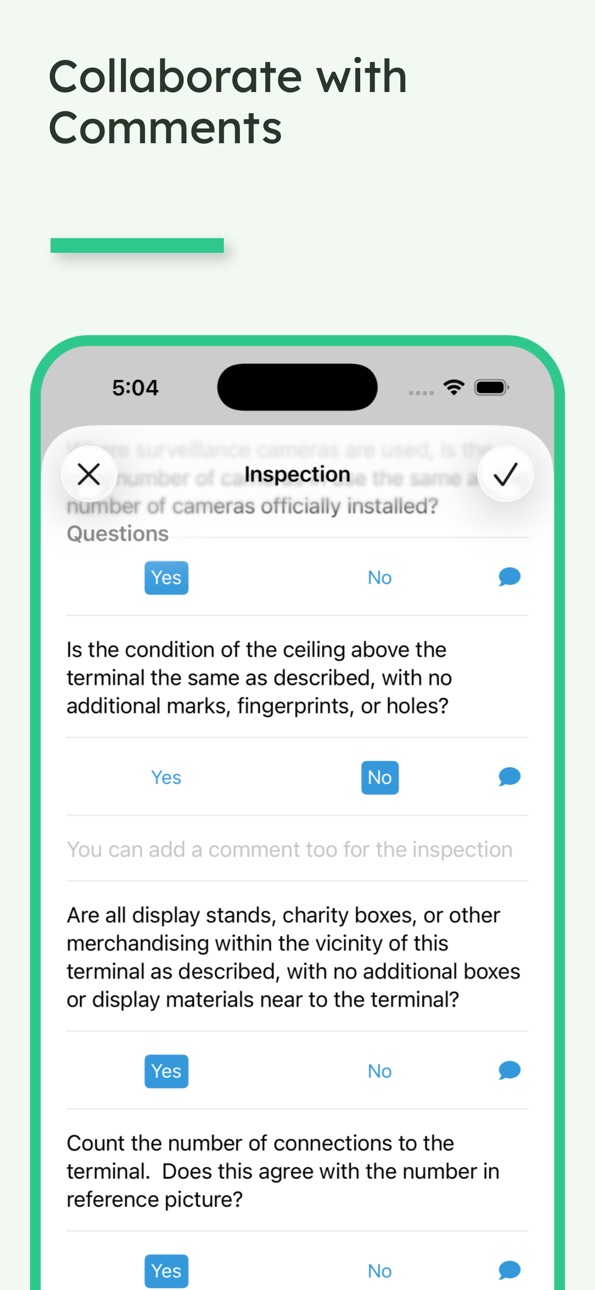
- Inspect
- Inventory
- Document
Doing this, you can verify that your Assets (Payment Terminals, POS Devices)have not been modified or tampered with.
SpotSkim helps you comply with PCI-DSS Requirement 9.9 to protect POS terminals and devices from tampering or substitution.
SpotSkim simplifies and automates the inspection process using this app.
Capabilities
Wallet
Accessibility
ipadiphonemacrealityDevicetvoswatch
Version history 20 versions
Build 887236088v3.2.62026-06-21 17:13:41
Bug fixes and improved stability
Build 887256995v3.2.72026-06-21 22:48:51
More performance updates and bug fixes.
Build 881363599v3.2.32026-01-09 22:59:25
More Bugfixes relating to app crashing during inspection.
Build 878746147v3.2.22025-10-08 21:06:13
Bugfixes
- Inspection crashing handled.
- Setting the closest location especially first time, handled.
- Markdown policy view handled better on iPads
Build 878601827v3.2.12025-10-02 12:47:46
Bug Fixes
Camera launch crash during iPad inspections resolved.
Assets List Screen showing "unknown" is resolved.
Random crashes after inspections resolved.
Build 878423330v3.2.02025-09-26 18:18:54
Bug Fixes and Performance updates.
Build 828372838v3.1.22018-09-04 12:49:08
This update from Apple will improve the functionality of this app. No new features are included.
- Pictures can be mandated from the portal.
- Bug Fixes.
Build 826052224v3.1.12018-03-07 21:11:22
Bug Fixes
Build 824043329v3.0.02017-10-19 13:40:37
Do more with the App. Subscribe to your favorite locations and only view your subscribed locations. Easily search and filter assets and locations from the App.
Many bugs squashed.
Build 821343164v2.6.52017-03-16 16:35:14
Some bug fixes and small UI improvements to show longer location names.
Build 819193332v2.6.42016-10-06 17:15:22
Improved stability and added location search
Build 817097365v2..6.32016-04-18 21:08:28
Bugfixes and improvements. Changes to how assets are moved during inspections. User has full control of when assets move during inspections. In-Use Locations are cleared when asset is moved, so the user can set it before it is placed in its destination.
Build 816933787v2.6.22016-04-04 20:36:20
Bug fixes for asset types missing under some circumstances. Minor feature update - app now warns when you are creating a new asset
Build 816900961v2.6.12016-03-31 22:44:44
Bug fixes for asset types that are not shown unless there is one asset of that type in that location
Build 813129263v2.6.02015-09-13 17:22:28
SpotSkim 2.6.0 is a complete renovation of the user interface to make the inspection process even easier and faster.
The home screen now has one large button to start inspection, or an asset can be chosen from the filtered "Inspection Due" list.
The list view also now displays critical information about each asset, including a more prevalent Asset Status tag.
A short, how-to help guide has been added and is displayed the first time users log in to help acquaint them with the app. It is also readily accessible from the menu.
Back-end optimization and bug fixes have been made for a smoother inspection process. Finally, improvements were made in the "In-Use Location" geocoding during each inspection to improve location accuracy over time.
Build 812581242v2.5.12015-06-14 23:35:03
SpotSkim 2.5.1 is a minor update that includes bug fixes
- Fixed bug for app crashing when asset is created on the portal and is being inspected for the first time using the app
Build 812494619v2.5.02015-06-02 23:10:04
SpotSkim 2.5.0 is a major update that includes new features, aesthetic improvements, and bug fixes.
New Features
1. Added "Start Inspection" button to make inspection even easier
2. Removed "New" asset feature, made redundant by "Start Inspection" feature
3. Added "Upload" status icon to indicate status of upload and when it completes
4. Changed "In-Store Location" to "In-Use Location" for clarity
5. Added swipe-to-clear "In-Use Location"
6. Inspection picture uploads occur in background even when closed
Aesthetic Updates
1. Updated app icon graphic
2. Removed "New" asset command from upper right
2. Moved "Set Location" on home screen from main screen to upper right corner
3. Indicate Location name above "Start Inspection" button
4. Updated "Location" icon
5. Updated "Asset Type" default images
6. Added "User Name" in menu
7. Added new logo to "Sign In" screen
Bug Fixes
1. User History fix to remove duplication
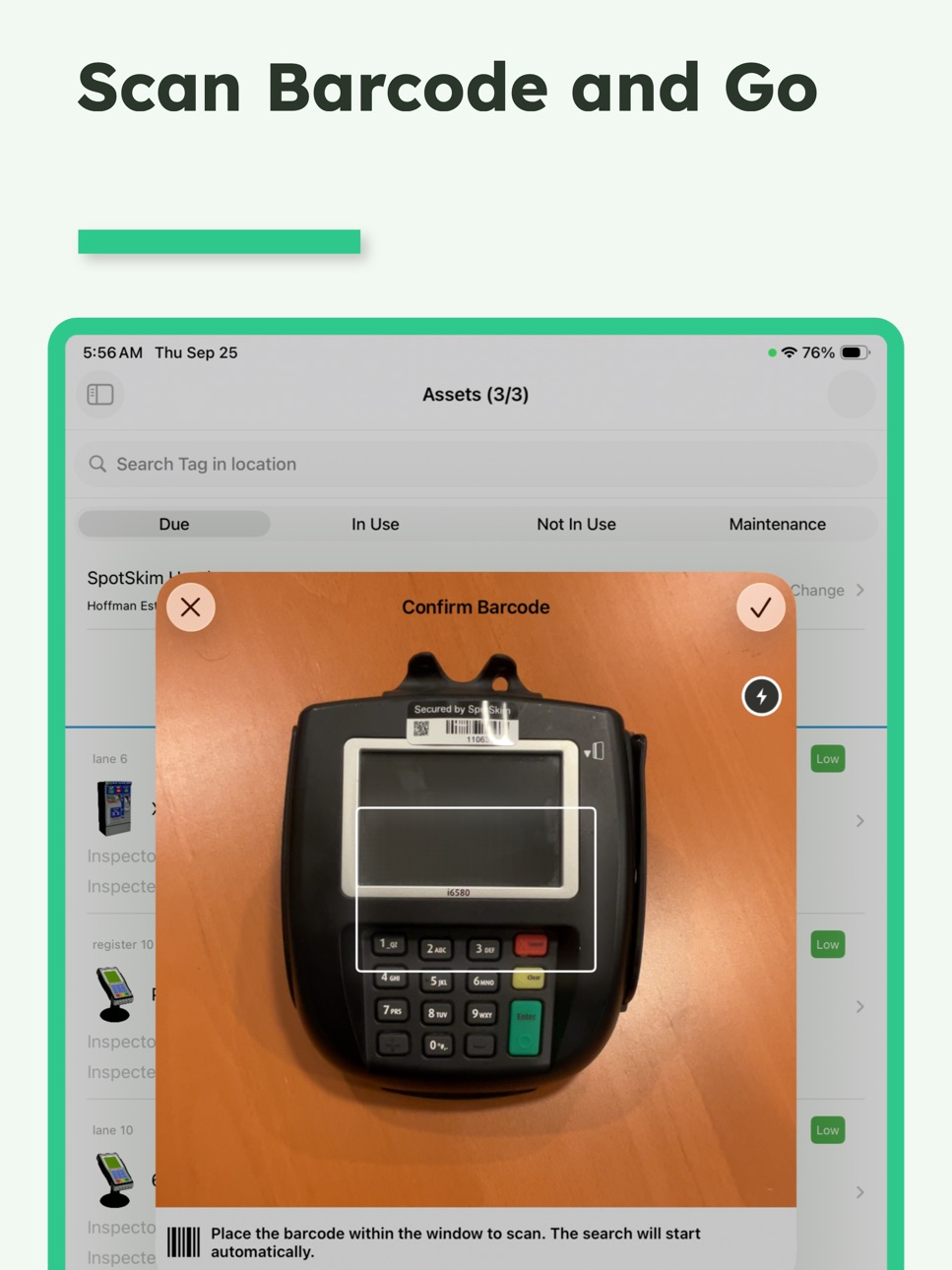
2. Updated Barcode scanner to fix intermittent leading zero issue
3. Various back-end updates to improve app performance
4. Fixed intermittent shifting of Inspection Questions
Build 812062887v2.22015-04-01 03:49:17
Fixed bug in sorting answers
Build 811545624v2.12015-02-01 22:19:03
- Totally rebuilt functionality and interface
- NEW FEATURE: Provide training to employees and track usage
- NEW FEATURE: Provide corporate policy and track acceptance
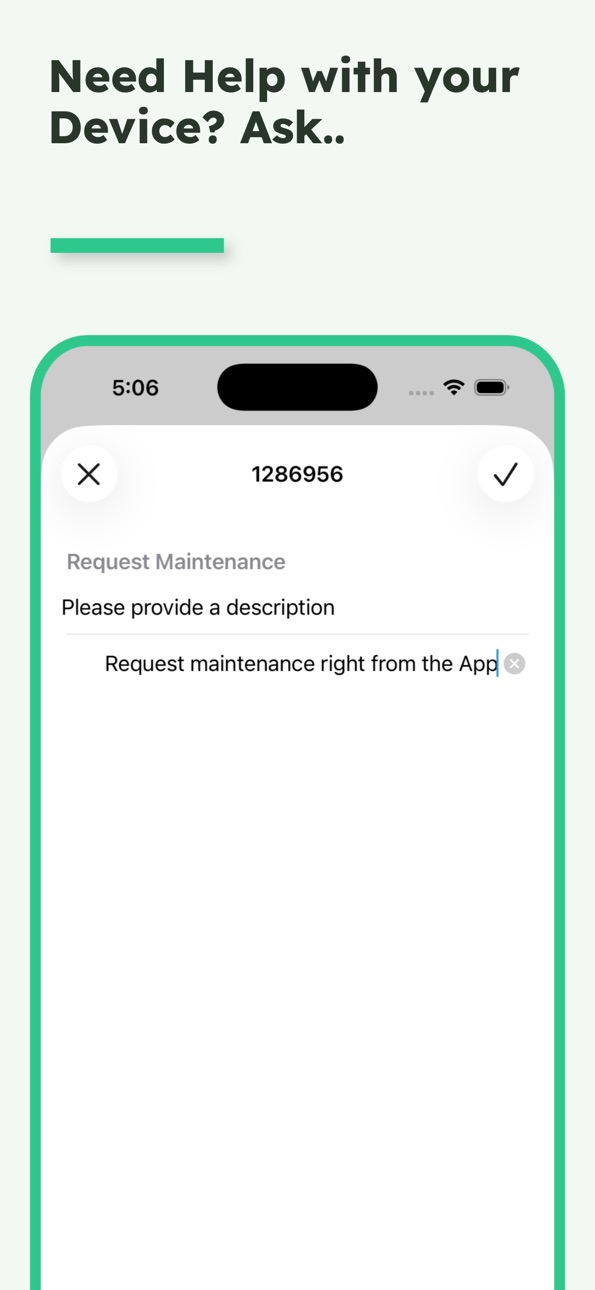
- NEW FEATURE: Track Asset Maintenance requests and history
Build 362982677v1.12014-02-18 22:20:16
No pricing data captured yet — comparisons appear once the app has paid storefronts or in-app purchases.
Availability 4 of 154 storefronts
| Region | Language | Price | Ratings | Avg | Version |
|---|---|---|---|---|---|
| US | en-US | Free | 3 | 2.3 | 3.2.7 |
| AR | es-MX | Free | 0 | — | 3.2.7 |
| CA | en-CA | Free | 0 | — | 3.2.7 |
| IN | en-GB | Free | 0 | — | 3.2.7 |
Not available in: AE, AF, AG, AI, AL, AM, AO, AT, AU, AZ, BA, BB, BE, BF, BG, BH, BJ, BM, BO, BR, BS, BW, BY, BZ, CD, CG, CH, CI, CL, CM, CN, CO, CR, CV, CY, CZ, DE, DK, DM, DO, DZ, EC, EE, EG, ES, FI, FR, GA, GB, GD, GE, GH, GM, GR, GT, GW, GY, HK, HN, HR, HU, ID, IE, IL, IQ, IS, IT, JM, JO, JP, KE, KN, KR, KW, KY, LB, LC, LK, LR, LT, LU, LV, LY, MA, MD, ME, MG, MK, ML, MO, MR, MS, MT, MU, MW, MX, MY, MZ, NA, NE, NG, NI, NL, NO, NP, NZ, OM, PA, PE, PH, PK, PL, PT, PY, QA, RO, RS, RU, RW, SA, SC, SE, SG, SI, SK, SL, SN, SR, ST, SV, SZ, TC, TD, TH, TN, TR, TT, TW, TZ, UA, UG, UY, VC, VE, VG, VN, XK, YE, ZM, ZW
Change log 23 changes · US
✎
releaseNotes updated
More performance updates and bug fixes.
✎
description updated
SpotSkim is the payment industry’s only visual point-of-sale monitoring solution.
It allows merchants ensure the integrity of their POS environment by taking
✎
name updated
SpotSkim: Inspect POS Assets
◆
Version 3.2.7 released
More performance updates and bug fixes.
◆
Version 3.2.6 released
Bug fixes and improved stability
◆
Version 3.2.3 released
More Bugfixes relating to app crashing during inspection.
◆
Version 3.2.2 released
Bugfixes
- Inspection crashing handled.
- Setting the closest location especially first time, handled.
- Markdown policy view handled better on iPads
◆
Version 3.2.1 released
Bug Fixes
Camera launch crash during iPad inspections resolved.
Assets List Screen showing "unknown" is resolved.
Random crashes after inspections resolved.
◆
Version 3.2.0 released
Bug Fixes and Performance updates.
◆
Version 3.1.2 released
This update from Apple will improve the functionality of this app. No new features are included.
- Pictures can be mandated from the portal.
- Bug Fixes.
◆
Version 3.1.1 released
Bug Fixes
◆
Version 3.0.0 released
Do more with the App. Subscribe to your favorite locations and only view your subscribed locations. Easily search and filter assets and locations from the App.
Many bugs squashed.
◆
Version 2.6.5 released
Some bug fixes and small UI improvements to show longer location names.
◆
Version 2.6.4 released
Improved stability and added location search
◆
Version 2..6.3 released
Bugfixes and improvements. Changes to how assets are moved during inspections. User has full control of when assets move during inspections. In-Use Locations are cleared when asset is moved, so the user can set it before it is placed in it
◆
Version 2.6.2 released
Bug fixes for asset types missing under some circumstances. Minor feature update - app now warns when you are creating a new asset
◆
Version 2.6.1 released
Bug fixes for asset types that are not shown unless there is one asset of that type in that location
◆
Version 2.6.0 released
SpotSkim 2.6.0 is a complete renovation of the user interface to make the inspection process even easier and faster.
The home screen now has one large button to start inspection, or an asset can be chosen from the filtered "Inspection Due
◆
Version 2.5.1 released
SpotSkim 2.5.1 is a minor update that includes bug fixes
- Fixed bug for app crashing when asset is created on the portal and is being inspected for the first time using the app
◆
Version 2.5.0 released
SpotSkim 2.5.0 is a major update that includes new features, aesthetic improvements, and bug fixes.
New Features
1. Added "Start Inspection" button to make inspection even easier
2. Removed "New" asset feature, made redundant by "Start In
◆
Version 2.2 released
Fixed bug in sorting answers
◆
Version 2.1 released
- Totally rebuilt functionality and interface
- NEW FEATURE: Provide training to employees and track usage
- NEW FEATURE: Provide corporate policy and track acceptance
- NEW FEATURE: Track Asset Maintenance requests and history
◆
Version 1.1 released