Home › Productivity

 US
US
1 of 1 storefronts
Content in en-US
Content in en-US
Information
Apple ID807369605
Bundle IDcom.MicrocadSoftware.EZGaragePLUS
SellerSeller
Min iOS8.0
Min macOS11.0
Device familiesiphone, ipad, ipod
Released2014-02-05
Copyright© Microcad Software S.L.
Privacy policyLink ↗
Preview 2 platforms
iPhone 4 images


iPad 4 images


What’s New Version 1.4.5
- Added 7 new items: 2 cars, 2 motorcycles, 2 mirrors and 1 work bench.
- Google+ link removed.
- The ability to share images of designs on Facebook has been temporarily disabled. We are working to fix it.
- Minor bugs fixed.
Description
EZ Garage+ is a new app that’s easy to use, fast and intuitive, and includes many EZ Garage app customer requests. EZ Garage is one of the most downloaded garages design apps in the App Store.
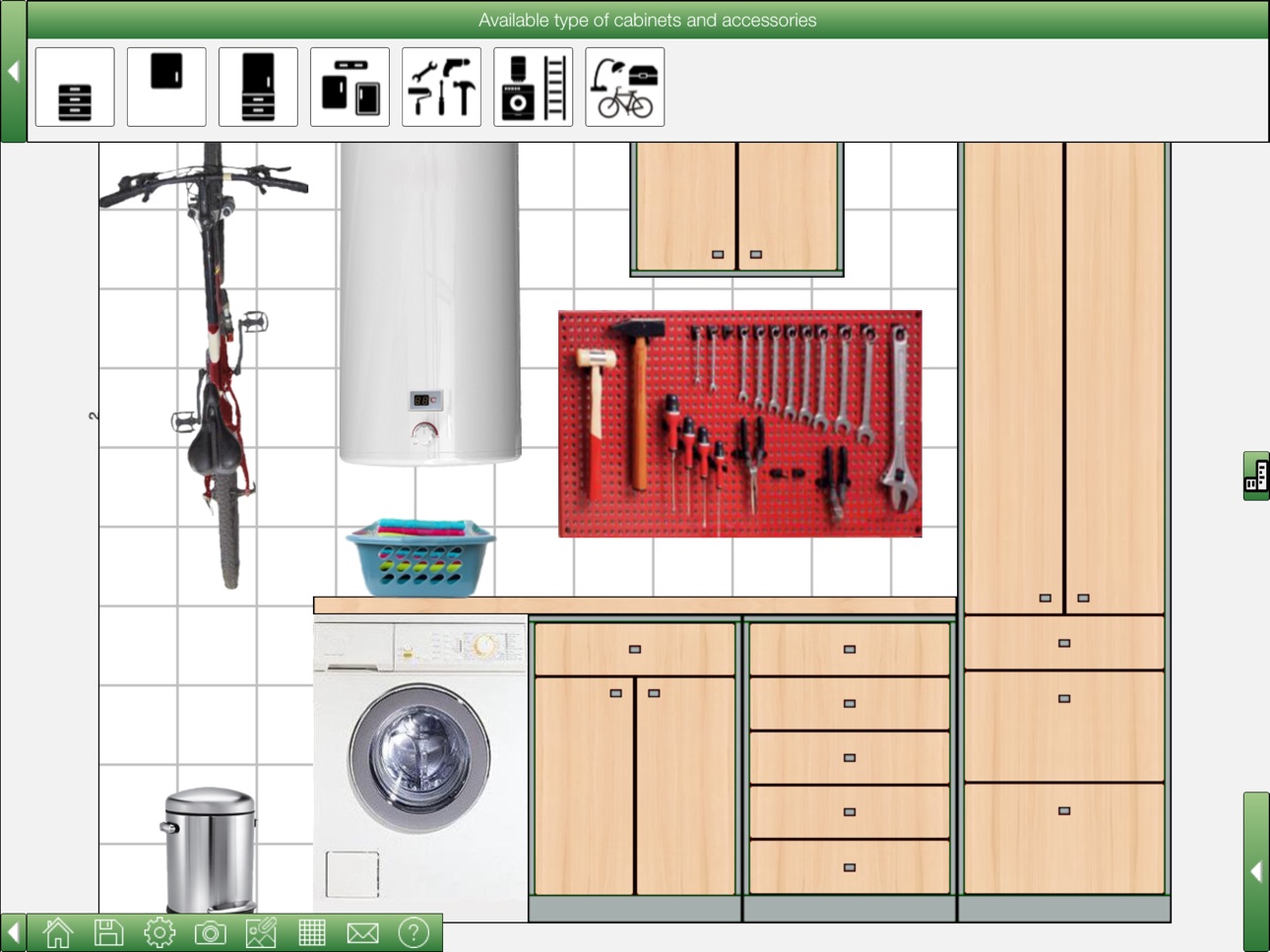
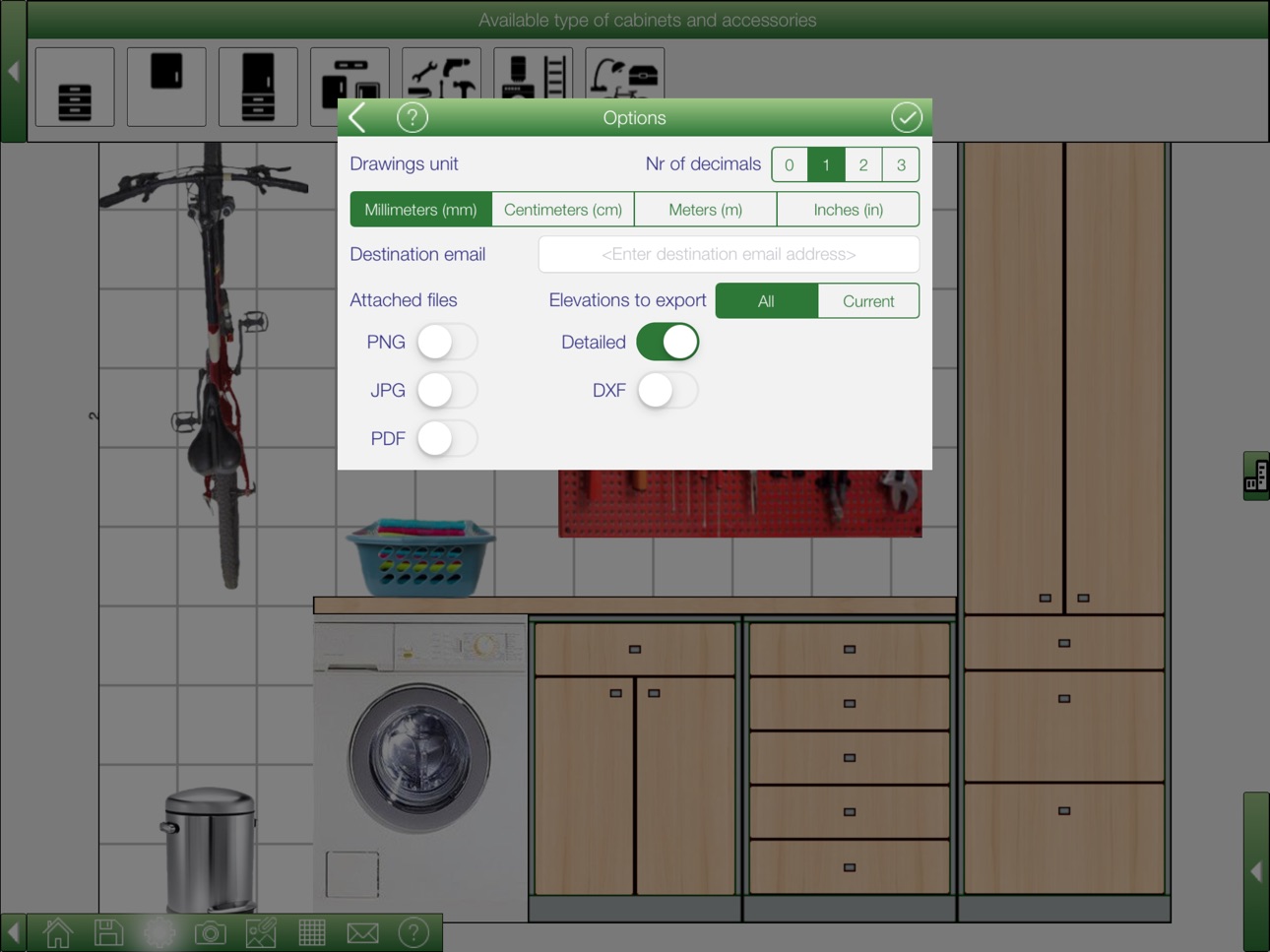
Design a garage with your iPad, iPhone or iPod, inserting items in the front view of each one of the room walls. Insert cabinets, furniture and accessories. Select materials and finishes among woods, colors and accessories. Save your designs in your device or email them in ".pdf", ".png", ".jpg" or ".dxf" format.
Design a garage easily in three steps:
Step 1: Select the number of walls and enter their dimensions.
Step 2: Insert cabinets in each of the walls. Customize items by changing their dimensions.
Step 3: Select materials and finishes for cabinets and walls and insert accessories and decorative elements to give your design the final touch.
MAIN FEATURES
Design in 'mm', 'cm', 'm' or inches.
Select up to 4 walls with different lengths.
Drag and drop cabinets and accessories in the design.
Modify their elevation, height and depth with your fingers or enter values for more accurate changes.
You can copy these items or make them symmetric to change their doors wing among other applications.
Change materials for cabinets, handles and frames/moldings independently.
Create horizontal material combinations for walls. You can select among paints, tiles, wood and marble. This feature can be used to create a backsplash and much more.
It automatically generates a list of items in the design and takes snapshots of each wall. This information can be emailed.
It includes a file manager to save, open and delete designs in your device.
Once your design is finished, you can email it in different formats:
- Pictures in PDF, which can be opened with any PDF reader. It allows you to use Letter or DinA4 size.
- Pictures in PNG and JPG.
- A detailed list of items in your email text that includes cabinets and accessories.
- Drawings in DXF, which can be opened and edited with AutoCAD or any other CAD program.
In-App Purchases US pricing
One-Time Purchases
Furniture set #1$0.99
Accessories set #1$0.99
Materials set #1$0.99
Pack 1: Furniture, accessories and materials$1.99
Capabilities
In-App Purchases
Accessibility
ipadiphonemacrealityDevicetvoswatch
Version history 14 versions
Build 836373018v1.4.52020-06-18 17:24:14
- Added 7 new items: 2 cars, 2 motorcycles, 2 mirrors and 1 work bench.
- Google+ link removed.
- The ability to share images of designs on Facebook has been temporarily disabled. We are working to fix it.
- Minor bugs fixed.
Build 834001422v1.4.22019-12-17 21:54:27
- Added new solid materials.
- Minor bug fixed.
Build 828097793v1.4.12018-08-03 20:06:52
- Minor bugs fixed.
- Performance improvements for the latest version of iOS.
Build 817900379v1.3.72016-06-26 19:49:19
- iAd removed from the app (The iAd Network will be discontinued by Apple on June 30, 2016).
- Minor bugs fixed.
Build 817466633v1.3.62016-06-24 01:25:22
- Added new button to show/hide a label with dimensions on cabinets.
- Minor bugs fixed.
Build 812569361v1.3.12015-06-12 16:15:03
- Added 4 new cabinets: Base and tall cabinets with 4 drawers.
- Minor bugs fixed.
Build 812123331v1.3.02015-04-08 17:32:14
- Added 2 new cabinets: Tall cabinets with 5 shelves with back panel and without back panel.
- Minor bugs fixed.
Build 811523321v1.2.92015-01-08 21:01:36
- Added new "Comments button". Now you can add/edit a comment of a selected object in design. These comments appears in the email if the "detailed option" is checked in the "Options screen".
- Minor bugs fixed.
Build 722552694v1.2.82014-10-10 17:09:30
- Added iOS 8 compatibility.
- Minor bugs fixed.
Build 690542686v1.2.72014-09-09 07:19:32
- Now you can choose from four different sizes for each material for the wall.
- Minor bugs fixed.
Build 633892665v1.2.62014-07-23 22:05:06
- Minor bugs fixed.
Build 578161755v1.2.52014-05-12 23:27:28
- Improved the size of the images when sending it by email.
- Fixed a random 'freeze' that could occur when the indicator 'Loading' it was showing.
- Minor bugs fixed.
Build 437852644v1.2.42014-03-11 17:12:03
- Added a button in the 'Projects screen' and in the 'Design screen' to tweet or post the designs in Facebook.
- Added links to Facebook, Twitter, Youtube and Google+ in the 'Main screen'.
- Minor bugs fixed.
Build 342092858v1.2.32014-02-05 02:20:49
Price history by region
Currency
Show
Columns
Search
Availability 1 of 1 storefronts
| Region | Language | Price | Ratings | Avg | Version |
|---|---|---|---|---|---|
| US | en-US | Free | 16 | 1.6 | 1.4.5 |
Change log 17 changes · US
✎
releaseNotes updated
- Added 7 new items: 2 cars, 2 motorcycles, 2 mirrors and 1 work bench.
- Google+ link removed.
- The ability to share images of designs on Facebook has been te
✎
description updated
EZ Garage+ is a new app that’s easy to use, fast and intuitive, and includes many EZ Garage app customer requests. EZ Garage is one of the most downloaded garag
✎
name updated
EZ Garage+
◆
Version 1.4.5 released
- Added 7 new items: 2 cars, 2 motorcycles, 2 mirrors and 1 work bench.
- Google+ link removed.
- The ability to share images of designs on Facebook has been temporarily disabled. We are working to fix it.
- Minor bugs fixed.
◆
Version 1.4.2 released
- Added new solid materials.
- Minor bug fixed.
◆
Version 1.4.1 released
- Minor bugs fixed.
- Performance improvements for the latest version of iOS.
◆
Version 1.3.7 released
- iAd removed from the app (The iAd Network will be discontinued by Apple on June 30, 2016).
- Minor bugs fixed.
◆
Version 1.3.6 released
- Added new button to show/hide a label with dimensions on cabinets.
- Minor bugs fixed.
◆
Version 1.3.1 released
- Added 4 new cabinets: Base and tall cabinets with 4 drawers.
- Minor bugs fixed.
◆
Version 1.3.0 released
- Added 2 new cabinets: Tall cabinets with 5 shelves with back panel and without back panel.
- Minor bugs fixed.
◆
Version 1.2.9 released
- Added new "Comments button". Now you can add/edit a comment of a selected object in design. These comments appears in the email if the "detailed option" is checked in the "Options screen".
- Minor bugs fixed.
◆
Version 1.2.8 released
- Added iOS 8 compatibility.
- Minor bugs fixed.
◆
Version 1.2.7 released
- Now you can choose from four different sizes for each material for the wall.
- Minor bugs fixed.
◆
Version 1.2.6 released
- Minor bugs fixed.
◆
Version 1.2.5 released
- Improved the size of the images when sending it by email.
- Fixed a random 'freeze' that could occur when the indicator 'Loading' it was showing.
- Minor bugs fixed.
◆
Version 1.2.4 released
- Added a button in the 'Projects screen' and in the 'Design screen' to tweet or post the designs in Facebook.
- Added links to Facebook, Twitter, Youtube and Google+ in the 'Main screen'.
- Minor bugs fixed.
◆
Version 1.2.3 released