Home › Music

Information
Icon history 2 versions
Current←
 Previous
Preview 3 platforms
iPhone 10 images


iPad 10 images


Mac 10 images




What’s New Version 8.5.6
Summary:
Playback 8.5.6 continues refining the Keyboard Shortcut experience introduced in 8.5.5 — adding arrow key navigation for menus, Esc to close menus, and a range of keyboard shortcut fixes. This release also addresses a MIDI Cue timing bug and improves overall stability.
Improvements to Existing Features:
You can now use arrow keys to navigate the Setlist Menu and Song Menu on Mac.
The Esc key now closes all menus in Playback on Mac.
Keyboard shortcuts now correctly respect your subscription level — restricted actions are properly gated when using shortcuts.
Menu bar items are no longer enabled when no setlist is loaded.
Toggle Settings now appears correctly in the Mac menu.
Bug Fixes:
Mac & Keyboard Shortcuts:
Fixed an issue where the Trim keyboard shortcut incorrectly exited Setlist or Song Map edit mode when already active.
Fixed an issue where the Add a Song shortcut was not disabled when the New Setlist tile was shown.
Audio & MIDI:
Fixed an issue where MIDI Note Off cue events were not firing at the correct time during playback and were instead triggering all at once when the transport was stopped.
Fixed an issue where the Click Track added to an Ambient Pad was not displayed on the remote device after saving to cloud.
Stability:
Fixed a crash that could occur when logging out and back in with a different account.
Rentals & MT Complete:
Fixed an issue where "Tap to Rent" and rental preview prompts appeared incorrectly on songs already previewed via MT Complete.
Login:
Fixed a login issue affecting users in Indonesia, the Philippines, and Africa.
Description
Playback turns your Apple device into a simple, yet powerful MultiTrack player that works seamlessly with the rest of the MultiTracks.com ecosystem of products like ChartBuilder®, RehearsalMix®, and the Church Streaming License®. Link your Planning Center account and have setlists you create automatically appear in Playback. Pairing Playback with our ProPresenter Templates gives it access to pre-made MIDI Cues that perfectly sync lyrics to your tracks.
Playback has been optimized to be the best tracks solution for a worship team. While it has powerful features like automation, custom song arrangements, MIDI in/out, and even support for SMPTE timecode, it’s easy and intuitive for new volunteers.
A Playback Rentals subscription is an easy and affordable way to quickly access the MultiTracks from our ever expanding library of over 24,000 original master recordings. Any previous tracks purchases from MultiTracks.com are instantly available in your Playback library. Already have your own tracks? Upload them to your library with a Cloud Pro subscription so that they can be accessed in Playback.
Playback Sync® automatically scrolls charts in the ChartBuilder app to always match where you are in a song. No extra cables needed since it’s all done over Wi-Fi. This ensures your team is literally all on the same page!
Pad Player® lets you to stay in the moment with ambient pads underneath every song and transition in your setlist.
INTRO (Free)
- Build & save setlists
- Solo, mute & adjust track volumes
- Set custom start & end times
- Tempo/key change to all 12 keys
- Play ambient pads underneath songs
- Access any song in the catalog with a Playback Rentals Subscription
- Song transitions
- AutoPan
- Add click-and-pad-only songs to setlists
- Adjust click track subdivisions
- Live Crossfade between songs
- Reference the original song mix
PREMIUM (Starting at $9.99/mo | Visit MultiTracks.com/Pricing)
- All “Intro” features
- Add, remove, rearrange, rename, & TRIM song sections
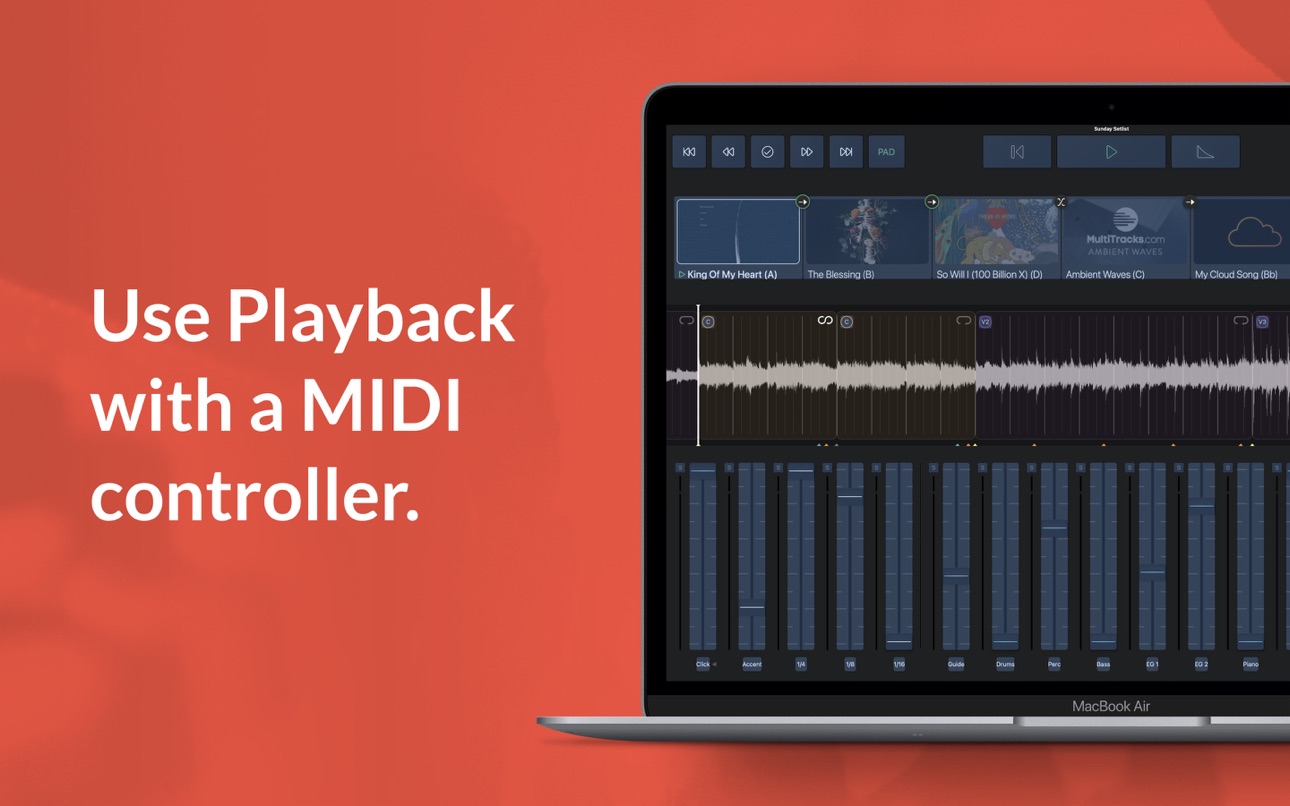
- MIDI Map controls to a MIDI Controller
- Loop Song Sections
- Infinite Loop Song Sections
- Save Custom Song Arrangements w/Cloud Pro Intro or higher
- Add an Infinite Click Track
- Automation: Place cues anywhere in a song to trigger automations for track volumes, mute/unmute, Pad Player, & more!
- Playback Remote
- Send MIDI Cues to lyrics, lights & more with (Requires Live Bundle)
- Live Re-Order: While audio is playing, jump to a particular Song Section
- MIDI Map to a specific Song Section
- Freely jump between Song Sections & Songs live using a MIDI Controller
- Buses: Route your tracks out of 10 buses for better mix control
- SmartRouting®: We’ve pre-assigned every track type to a bus. *Supported USB Audio Interfaces & Playback will automatically route your tracks to the available outputs
- MultiOuts®: Route tracks & buses to multiple outputs with one of our *Supported USB Audio Interfaces.
- Create & edit MIDI Cues directly in Playback. Save MIDI Cues to your Library with a Cloud Pro subscription
- Advanced Pad Player Interface
*Please Note* Because access is given to Original Artist Master MultiTracks through our free ”Demo Setlist” & "Play of the Week," account registration is required for you to verify your identity and ensure compliance with Terms of Use.
Price may vary by location. Subscriptions will be charged to your credit card through your iCloud account. Subscription will automatically renew unless canceled at least 24 hours before the end of the current period. You won't be able to cancel the subscription once activated. Any unused portion of a free trial will be forfeited if you upgrade from a free subscription to a paid version. Manage your subscriptions in Account Settings after purchase.
For more details on our Privacy Policy & Terms of Use for MultiTracks.com please visit: http://www.multitracks.com/privacy/ and http://www.multitracks.com/terms/
In-App Purchases US pricing
Premium Subscription
Monthly$14.99
Pro · Monthly 1-month free trial$8.99
Pro Subscription
Monthly 1-month free trial$4.99
Capabilities
In-App Purchases
Accessibility
ipadiphonemacrealityDevicetvoswatch
Version history 26 versions
Build 887096610v8.5.62026-07-07 18:30:07
Summary:
Playback 8.5.6 continues refining the Keyboard Shortcut experience introduced in 8.5.5 — adding arrow key navigation for menus, Esc to close menus, and a range of keyboard shortcut fixes. This release also addresses a MIDI Cue timing bug and improves overall stability.
Improvements to Existing Features:
You can now use arrow keys to navigate the Setlist Menu and Song Menu on Mac.
The Esc key now closes all menus in Playback on Mac.
Keyboard shortcuts now correctly respect your subscription level — restricted actions are properly gated when using shortcuts.
Menu bar items are no longer enabled when no setlist is loaded.
Toggle Settings now appears correctly in the Mac menu.
Bug Fixes:
Mac & Keyboard Shortcuts:
Fixed an issue where the Trim keyboard shortcut incorrectly exited Setlist or Song Map edit mode when already active.
Fixed an issue where the Add a Song shortcut was not disabled when the New Setlist tile was shown.
Audio & MIDI:
Fixed an issue where MIDI Note Off cue events were not firing at the correct time during playback and were instead triggering all at once when the transport was stopped.
Fixed an issue where the Click Track added to an Ambient Pad was not displayed on the remote device after saving to cloud.
Stability:
Fixed a crash that could occur when logging out and back in with a different account.
Rentals & MT Complete:
Fixed an issue where "Tap to Rent" and rental preview prompts appeared incorrectly on songs already previewed via MT Complete.
Login:
Fixed a login issue affecting users in Indonesia, the Philippines, and Africa.
Build 885928233v8.5.52026-05-26 16:18:26
Summary
* Playback 8.5.5 introduces Keyboard Mapping for Mac — giving you full control over your performance right from your keyboard. You can also now filter by Service Type, and we've improved search and fixed numerous bugs.
Minimum iOS version being raised from iOS 12 to iOS 15.
_______________
New Features
* Service Type Filtering — You can now filter content by Service Type in Playback, making it easier to find exactly what you're looking for.
* Keyboard Mapping (Mac) — Take full control of your Playback performance with keyboard shortcuts. Here is the list of the commands:
- Global Operations
⌘= / ⌘+ — Waveform Zoom In
⌘- — Waveform Zoom Out
⌘T — Tracks View
⌘B — Buses View
⌘⇧P — Pad Player View
⌘S — Save to Cloud
⌘⇧S — Quick Save to Cloud
⌘, — Settings (toggle)
⌘N — New Setlist
⌘O — Open Setlist
⌘R — Remote Menu
⌥P — Toggle Playback Sync
⇧← — Previous Song
⇧→ — Next Song
- Edit Mode Operations
⌘E — Toggle Edit Mode
⌘⌥S — Switch to Setlist / Song Map Edit Mode
⌘⌥M — Switch to MIDI Cues Edit Mode
⌘⌥A — Switch to Automation Edit Mode
⌃⌥M — Switch to MIDI Mapping Edit Mode
⌃⌥K — Switch to Keyboard Mapping Edit Mode
⌘⌥C — Switch to Cloud Song Sections Edit Mode
⌘⌥T — Switch to SMPTE Edit Mode
Esc — Exit Edit Mode
⌥D — Show / Hide Edit Drawer
⌥← — Previous Edit Mode
⌥→ — Next Edit Mode
- Setlist / Song Map Operations
⌘⌥N — Add New Song
⌥⌦ — Delete Song from Setlist
⌃⌥N — Add New Song Section
⌦ — Remove Song Section
⌥T — Trim Current Section
⌥E — Edit Song Details
_______________
Improvements to Existing Features
* Improved pagination for MT Complete search results, so more content loads correctly when browsing a large catalog.
* Song Menu error messages are now displayed inline for a cleaner, less disruptive experience.
_______________
Bug Fixes
* Audio & Playback
Fixed a crash affecting iOS users on v8.5.3.
Fixed the top-reported Mac Catalyst crash from 8.5.4.
Fixed an incorrect default playhead offset.
Fixed a Core Data error causing unexpected song failures.
Fixed an issue where Playback Rental preview edits were not saving.
Fixed an issue where a POTW song loaded as a preview in the setlist when added from the Song Menu.
Fixed an issue where error text was overlaid on the Default arrangement cell.
Fixed an issue where "Restore From Cloud" was not functional.
Downloads & Library
* Fixed an issue with the Downloaded Song Menu.
Build 883181015v8.5.42026-04-13 15:44:59
New Features
* Playback's MIDI engine has been fully rebuilt with MIDIKit, bringing improved MIDI clock, MIDI out, control mapping, and virtual MIDI source support.
* Accompaniment Tracks now include Click & Guide at no additional cost.
Improvements
* Download menu is now more prominent and easier to access.
* Service time and type menus now adapt to online/offline status.
* Clearer, simpler error messages throughout the app.
* Smoother Waveform Activity Indicator animation.
* Cleaner, more consistent popover menus.
Bug Fixes
* Fixed issue that prevented adding certain rental songs to a setlist
* Fixed "5 Second Fade" wiping song section edits.
* Fixed original track not muting after downloading stems.
* Fixed intermittent crashes when loading setlists with multiple songs.
* Fixed crashes related to audio properties, iRig Blueboard, and macOS Tahoe.
* Fixed songs incorrectly appearing in the Downloaded list while still downloading.
* Fixed songs downloading as rentals after returning online from a Preview selection.
* Fixed duplicate "All Tracks" entries for MT Complete songs.
* Fixed genre display issues in the ESM & Downloaded menu for MT Complete songs.
* Fixed offline issues with the "Add a Song" menu, including a non-functional Cancel button.
* Fixed Downloaded MT Complete songs becoming non-functional after transferring a rental.
* Fixed "Delete Setlist From Account" button staying disabled after returning online.
* Fixed Playback Remote connection failures when the API was unreachable.
* Fixed UI distortion in the "Select Resources" menu for French, Spanish, and Portuguese.
* Fixed placeholder text appearing under the Library Search bar.
* Fixed song title mapping from the Downloaded menu on Mac.
* Fixed a Korean-specific error and missing song issue.
* Fixed missing localization for the "Load the Cloud Click & Guide" prompt with Ambient Pad.
Build 882348717v8.5.32026-03-02 23:21:27
New Feature:
There “is now an “Open in Chartbuilder" button for your setlists. You’ll see it when viewing the setlist details in the Setist menu.
Improvements to existing features:
* Improved click performance in songs with time signature changes
* Enhancements to Rental Preview functionality
* MT Complete song improvements
* Offline mode enhancements
Bug fixes:
* Resolved an issue where MT Complete genres would get removed when an arrangement was made in Chartbuilder
* Improved an issue around the Free Play of the Week
* Addressed an issue where saving setlist as new doesn’t duplicate MT Complete vamps
* Resolved “Audio files missing” error when downloading a song
* Rental Previews not working on first two attempts
* Addressed a crash where selecting Restore from Cloud on a song
* Improved an issue that caused problems when using the demo setlist in Playback
* Resolved an issue where the correct tracks aren’t shown in the Edit song menu for an accompaniment track
* Resolved a download issue where all tracks are not showing in the downloaded song
* Addressed an issue where the key would get reverted to the original key when a user changes the key of a MT Complete song
* Improved the count off for the guide if you start at the second measure
* Addressed an issue where you are unable to rent a MT Complete song if you had it as a rental preview before
* Resolved an issue where the default pad is not changing on an MT Complete song
* General bug fixes
Build 882086258v8.5.22026-02-03 01:10:58
Enhancements
* SMPTE bus configuration is now available in Playback Rental Previews, allowing you to view and verify SMPTE routing while previewing rented content.
* Added a “Cancel” option to the Playback Rental renewal modal when opening a setlist with expired rentals, giving you an explicit way to exit the renewal flow.
* Updated the default selection in the rental modal for setlists with expired rentals from “Rent” to “Click & Guide.” Selecting Continue now loads songs as click and guide tracks instead of proceeding to rental confirmation.
* Improved Playback Remote syncing to keep setlists properly aligned after updating custom end points for songs.
* Improvements for consistency and reliability in the Add Song Menus, when adding songs to setlists.
* Improved translations for select UI elements across the app.
Bug fixes
* Addressed crashes occurring in rare setlists that had automations and custom transitions.
* Addressed an unexpected looping of songs sections occurring in rare cases after specific automatic transitions in Playback.
* Addressed a scenario that would cause certain tracks to not play any audio after certain overlap or auto-link transitions.
* Addressed the unexpected situation where the custom end time does not update after removing the trim from a trimmed song section.
* Resolved unexpected song tile states that could occur after duplicating a setlist.
* Improved download handling in Playback, addressing cases where the download bar could appear stuck at completion.
* Addressed a crash that would sometimes occur when triggering the loop functions with a keyboard mapping.
* Ensured the ProPresenter Playlist Item and Playlist #s are properly persisting from the website to the Playback app, when set from the website setlist.
* Addressed uncommon crashes occurring in certain setlists with transitions and automations.
* Addressed a crash that would occur in rare cases, when deleting and loading a large amount of songs in setlists in Playback.
* Other minor bug fixes and improvements
Build 880452589v8.5.12025-12-16 18:32:18
- NEW FEATURE: Playback Rental Previews! Now you can get a full MultiTrack preview of an entire song in the Playback app, before spending a rental to unlock the tracks for performance use. It's super simple to get started, the previews are already included in your Playback Rentals or MultiTracks One subscription!
- More reliable offline access to your content
- Clearer messages when internet is required for certain actions or content, instead of looping failed attempts
- Better and more-consistent offline behavior in Song Edit menus
- Fixed an iOS 26 issue affecting some users
- Fixed an issue when Playback Premium license expired
Build 880210463v8.5.02025-12-01 23:13:14
General bugfixes and enhancements
Build 879407824v8.4.62025-10-31 20:47:16
Emergency hotfix for Playback Remote support
Build 879341249v8.4.52025-10-29 20:51:38
Emergency hotfix for Azure outage
Build 878928734v8.4.42025-10-28 14:10:39
* Indonesian Guide Cues now available in Playback
* Improved UI Translations across certain menus and items.
* UI support for newest iPhone models
* Fixed an issue where the “tracks” selection in the song menu was not displaying the correct number
* Fixed an issue preventing the Loop button from functioning while in the last measure of a song
* Fixed an issue where MT Complete songs could be reverted to click & Guides in certain scenarios
* Fixed an issue where buses without routed tracks had an unmovable fader.
* Other minor bug fixes and improvements
Build 878338002v8.4.32025-09-23 12:42:32
- iOS 26 Optimizations
- General bug fixes & enhancements
Build 877353708v8.4.12025-08-19 10:06:10
General bugfixes and enhancements
Build 875769251v8.4.02025-07-07 22:00:04
New & improved expandable click track folder. You no longer have to press and hold, but instead just single-tap anywhere in the middle area of the fader, similar to how bus folders work in bus view.
General performance improvements & bug fixes
Build 874567360v8.3.72025-05-07 21:56:47
General bugfixes and enhancements
Build 873819271v8.3.62025-05-05 17:22:36
General bugfixes and enhancements
Build 873279832v8.3.52025-03-17 19:36:05
General bugfixes and enhancements
Build 872333908v8.3.42025-02-17 18:25:21
General bugfixes and enhancements
Build 871596806v8.3.32025-01-27 17:48:41
IT'S ALL FINALLY HERE! Check out the new Playback Premium features:
- Song Section Renaming
- TRIM Song Sections
- New Expandable Busses View
- Guide Behavior Per Song Section
- Rentals Transfer (In case you missed it)
Build 870985923v8.3.22024-12-10 23:05:50
General bugfixes and enhancements
Build 870460463v8.3.12024-11-15 22:31:39
General bugfixes and enhancements
Build 870382343v8.3.02024-11-13 17:34:08
General bugfixes and enhancements
Build 869510339v8.2.32024-10-15 16:35:01
General bugfixes and enhancements
Build 869173078v8.2.22024-09-25 00:27:32
IMPORTANT iOS 18 fix. This update addresses a bug Apple introduced in the launch of iOS 18. Some customers are reporting increased crashes in Playback with a corrupted upgrade. Please update for improved stability.
Build 869005017v8.2.12024-09-16 16:49:00
General bugfixes and enhancements
Build 868634910v8.2.02024-09-04 11:39:35
General bugfixes and enhancements
Build 868113099v8.1.92024-08-20 17:34:52
General bugfixes and enhancements.
Price history by region
Currency
Show
Columns
Search
Availability 12 of 12 storefronts
| Region | Language | Price | Ratings | Avg | Version |
|---|---|---|---|---|---|
 US US | en-US | Free | 4.3k | 4.8 | 8.5.6 |
 BR BR | pt-BR | Free | 411 | 4.4 | 8.5.6 |
 MX MX | es-MX | Free | 370 | 4.8 | 8.5.6 |
 AU AU | en-AU | Free | 135 | 4.7 | 8.5.6 |
 CZ CZ | en-GB | Free | 1 | 5.0 | 8.5.6 |
 GR GR | en-GB | Free | 1 | 4.0 | 8.5.6 |
 HU HU | en-GB | Free | 1 | 5.0 | 8.5.6 |
 SK SK | en-GB | Free | 1 | 4.0 | 8.5.6 |
 AO AO | en-GB | Free | 0 | — | 8.5.6 |
 MZ MZ | en-GB | Free | 0 | — | 8.5.6 |
 TJ TJ | en-GB | Free | 0 | — | 8.5.6 |
 TM TM | en-GB | Free | 0 | — | 8.5.6 |
Change log 33 changes · US
✎
releaseNotes updated
Summary:
Playback 8.5.6 continues refining the Keyboard Shortcut experience introduced in 8.5.5 — adding arrow key navigation for menus, Esc to close menus, and
▣
App icon changed
◆
Version changed
8.5.5 → 8.5.6
◆
Version 8.5.6 released
Summary:
Playback 8.5.6 continues refining the Keyboard Shortcut experience introduced in 8.5.5 — adding arrow key navigation for menus, Esc to close menus, and a range of keyboard shortcut fixes. This release also addresses a MIDI Cue timi
✎
releaseNotes updated
Summary
* Playback 8.5.5 introduces Keyboard Mapping for Mac — giving you full control over your performance right from your keyboard. You can also now filter b
✎
description updated
Playback turns your Apple device into a simple, yet powerful MultiTrack player that works seamlessly with the rest of the MultiTracks.com ecosystem of products
✎
subtitle updated
MultiTrack Player for Worship
✎
name updated
Playback
◆
Version 8.5.5 released
Summary
* Playback 8.5.5 introduces Keyboard Mapping for Mac — giving you full control over your performance right from your keyboard. You can also now filter by Service Type, and we've improved search and fixed numerous bugs.
Minimum iOS v
◆
Version 8.5.4 released
New Features
* Playback's MIDI engine has been fully rebuilt with MIDIKit, bringing improved MIDI clock, MIDI out, control mapping, and virtual MIDI source support.
* Accompaniment Tracks now include Click & Guide at no additional cost.
Im
◆
Version 8.5.3 released
New Feature:
There “is now an “Open in Chartbuilder" button for your setlists. You’ll see it when viewing the setlist details in the Setist menu.
Improvements to existing features:
* Improved click performance in songs with time signature
◆
Version 8.5.2 released
Enhancements
* SMPTE bus configuration is now available in Playback Rental Previews, allowing you to view and verify SMPTE routing while previewing rented content.
* Added a “Cancel” option to the Playback Rental renewal modal when opening
◆
Version 8.5.1 released
- NEW FEATURE: Playback Rental Previews! Now you can get a full MultiTrack preview of an entire song in the Playback app, before spending a rental to unlock the tracks for performance use. It's super simple to get started, the previews are
◆
Version 8.5.0 released
General bugfixes and enhancements
◆
Version 8.4.6 released
Emergency hotfix for Playback Remote support
◆
Version 8.4.5 released
Emergency hotfix for Azure outage
◆
Version 8.4.4 released
* Indonesian Guide Cues now available in Playback
* Improved UI Translations across certain menus and items.
* UI support for newest iPhone models
* Fixed an issue where the “tracks” selection in the song menu was not displaying the correct
◆
Version 8.4.3 released
- iOS 26 Optimizations
- General bug fixes & enhancements
◆
Version 8.4.1 released
General bugfixes and enhancements
◆
Version 8.4.0 released
New & improved expandable click track folder. You no longer have to press and hold, but instead just single-tap anywhere in the middle area of the fader, similar to how bus folders work in bus view.
General performance improvements & bug f
◆
Version 8.3.7 released
General bugfixes and enhancements
◆
Version 8.3.6 released
General bugfixes and enhancements
◆
Version 8.3.5 released
General bugfixes and enhancements
◆
Version 8.3.4 released
General bugfixes and enhancements
◆
Version 8.3.3 released
IT'S ALL FINALLY HERE! Check out the new Playback Premium features:
- Song Section Renaming
- TRIM Song Sections
- New Expandable Busses View
- Guide Behavior Per Song Section
- Rentals Transfer (In case you missed it)
◆
Version 8.3.2 released
General bugfixes and enhancements
◆
Version 8.3.1 released
General bugfixes and enhancements
◆
Version 8.3.0 released
General bugfixes and enhancements
◆
Version 8.2.3 released
General bugfixes and enhancements
◆
Version 8.2.2 released
IMPORTANT iOS 18 fix. This update addresses a bug Apple introduced in the launch of iOS 18. Some customers are reporting increased crashes in Playback with a corrupted upgrade. Please update for improved stability.
◆
Version 8.2.1 released
General bugfixes and enhancements
◆
Version 8.2.0 released
General bugfixes and enhancements
◆
Version 8.1.9 released
General bugfixes and enhancements.