Home › Photo & Video

 US
US
1 of 1 storefronts
Content in en-US
Content in en-US
Information
Apple ID733144626
Bundle IDcom.swishly.photocaster
SellerSeller
Min iOS13.0
Min macOS11.0
Device familiesiphone, ipad, ipod
Released2014-02-09
Copyright© Swishly Inc
Privacy policyLink ↗
Preview 2 platforms
iPhone 4 images


iPad 4 images



What’s New Version 4.11.9
Cosmetic improvements (backgrounds / spacing)
Description
The easiest way to enjoy your own photos & videos on your TV.
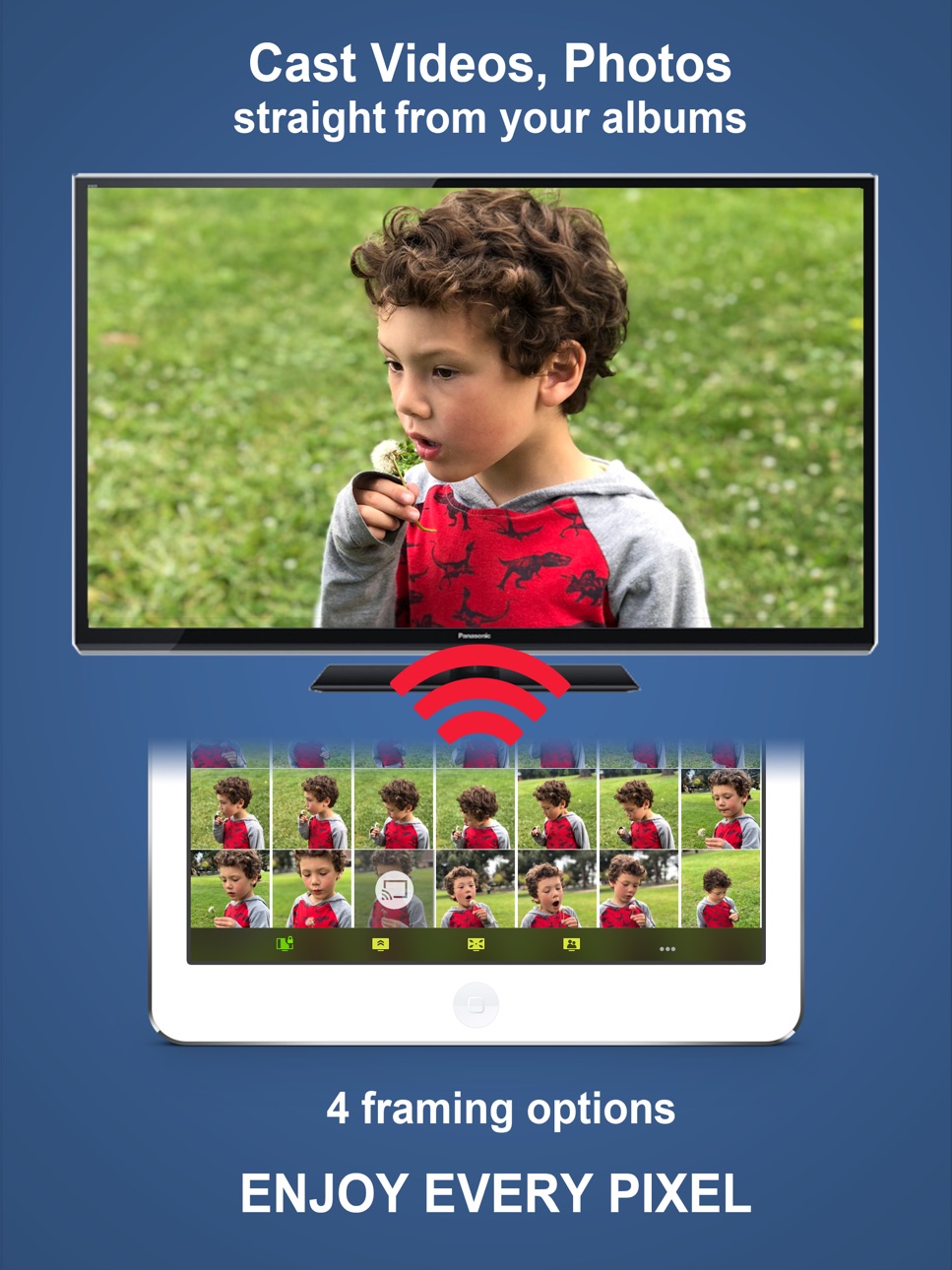
Photo Video Cast is the #1 chromecast application in its category, with powerful features presented in a straightforward, simple interface.
*** App Requires a Chromecast, or a Chromecast-enabled TV ***
A REALLY BIG DISPLAY changes everything!
• Share your photos and videos on your bug screen TV with family and friends.
• Create your own custom slideshows by picking individual photos or entire albums, add songs from your music library to make a soundtrack .
• Multiple iPhones/iPads can beam photos & videos to a single screen.
• Start a slideshow, and keep it running in the background.
• Cast from any application that supports photo sharing.
• 5 video resolutions available, up to 4K UHD with Chromecast Ultra!
• 4 photo framing modes to make the most of your large screen:
- Screen fit (resize photo to fit your TV frame)
- Full screen (centered)
- Full screen (pan)
- Full screen (centered on faces)
• Some great features for small businesses & events:
- Let the cloud take over: loop your slideshows uninterrupted without tying down your iPhone/iPad.
- Turn on multicast to cast slideshows to multiple TVs at the same time.
Note that the face detection feature works best when both eyes + mouth are visible, and does not currently work with cloud slideshows.
***** Compatibility *****
If your TV is compatible with chromecast, photo cast will work. In other words, all you need is an HDMI port on your TV.
The picture is optimized for your TV's resolution so you will be making the best of your TV. All resolutions are supported
***** Mobile HotSpot (MiFi) users *****
If your WiFi is powered by a Mobile HotSpot (MiFi), your MiFi device may need additional configuration to allow your chromecast dongle to request images from your iPhone/iPad on port 8081/8082 over HTTP. It may just work out of the box, but we recommend trying the following steps if it doesn't:
1. Port filtering should either be completely disabled, or if enabled, HTTP communication should be allowed on port 8081 & 8082
2. Privacy separation should be disabled
3. If all fails, enable port forwarding with these settings
- protocol: HTTP
- port range: 8081 to 8082
- destination ip: the ip address of the iOS device running photo cast
***** Important Notices *****
- Cloud-powered slideshows will automatically upload your photos to a private cloud.
- If you experience frequent buffering with videos, make sure that both your chromecast and your iPhone/iPad have a good wifi signal reception. Should all else fail, pick a lower resolution.
- If you are experiencing any issues, please contact us at photocast@swishly.com. We can't help you if we don't hear from you!
In-App Purchases US pricing
One-Time Purchases
Photo Cast PLUS$2.99
25K Cloud Impressions$2.99
250K Cloud Impressions$29.99
500K Cloud Impressions$59.99
1M Cloud Impressions$99.99
2M Cloud Impressions$239.99
Capabilities
In-App Purchases
Accessibility
ipadiphonemacrealityDevicetvoswatch
Version history 25 versions
Build 880821651v4.11.92025-12-19 02:46:26
Cosmetic improvements (backgrounds / spacing)
Build 880751307v4.11.82025-12-18 04:38:58
- Fix for navigation bar (background color)
- Fix for video encoding progress display
Build 880536352v4.11.72025-12-11 03:52:16
Stability Fix
Build 880411481v4.11.62025-12-07 05:01:28
Stability fix
Build 880284075v4.11.52025-12-03 18:54:43
Added support for videos with spatial audio
Build 837893028v4.11.42020-09-22 16:52:06
Improved onboarding for the iOS14 Local Network Access permission
Build 833120145v4.11.32019-10-11 16:52:59
Bug Fix
Build 833069296v4.11.22019-10-08 17:35:23
Bug Fixes
Build 833044717v4.11.12019-10-07 17:19:57
Bug Fixes
Build 833032399v4.11.02019-10-05 00:18:10
Dark Mode for iOS13
Build 832503129v4.10.52019-08-27 22:13:00
Bug fixes
Build 829784426v4.10.42019-01-05 06:39:10
Fix for screen freeze affecting large displays (iPad Pro)
Build 829510319v4.10.32018-12-04 20:52:43
- Increased support for imported videos
- UX Improvements
- Bug fixes
Build 829269974v4.10.22018-11-14 18:24:06
- Bug fixes
Build 829246611v4.10.12018-11-10 05:07:03
Bug fixes
Build 829000578v4.10.02018-11-08 00:23:06
- Support for 4K videos, 60fps
- Bug Fixes
- UX Adjustments
Build 823719097v4.9.22017-09-26 16:41:43
iOS11-related bug fixes
Build 820446040v4.9.12017-05-15 19:55:53
- Bug fixes
Build 815054081v4.9.02017-01-04 18:48:34
Bug Fixes:
- Videos sync'ed over iCloud can now cast like other videos
Improvements:
- App now loads 10x faster (especially with large photo libraries with 1000's of photos or videos)
Build 814672531v4.8.02015-12-05 23:19:33
- Soundtracks can now be created and managed independently of custom slideshows
- You can now play a soundtrack while running a slideshow derived from a standard album
- Bug fixes & misc user experience improvements
Build 813496979v4.7.52015-10-02 17:32:38
This update contains bug fixes
Build 813249149v4.7.42015-09-12 01:16:38
- Fix for unreachable iCloud photos on iOS8+
Build 813011125v4.7.32015-08-04 23:47:15
• Bugs & stability fixes
• 60+fps videos should now play smoothly
Build 812925190v4.7.22015-07-30 20:10:03
New tutorials & FAQs sections in menu
Build 812352867v4.7.12015-06-17 17:23:23
Minor bug fixes
Price history by region
Currency
Show
Columns
Search
Availability 1 of 1 storefronts
| Region | Language | Price | Ratings | Avg | Version |
|---|---|---|---|---|---|
| US | en-US | Free | 3.3k | 4.6 | 4.11.9 |
Change log 29 changes · US
✎
releaseNotes updated
Cosmetic improvements (backgrounds / spacing)
✎
description updated
The easiest way to enjoy your own photos & videos on your TV.
Photo Video Cast is the #1 chromecast application in its category, with powerful features present
✎
subtitle updated
Your Media Library on your TV
✎
name updated
Photo Video Cast to Chromecast
◆
Version 4.11.9 released
Cosmetic improvements (backgrounds / spacing)
◆
Version 4.11.8 released
- Fix for navigation bar (background color)
- Fix for video encoding progress display
◆
Version 4.11.7 released
Stability Fix
◆
Version 4.11.6 released
Stability fix
◆
Version 4.11.5 released
Added support for videos with spatial audio
◆
Version 4.11.4 released
Improved onboarding for the iOS14 Local Network Access permission
◆
Version 4.11.3 released
Bug Fix
◆
Version 4.11.2 released
Bug Fixes
◆
Version 4.11.1 released
Bug Fixes
◆
Version 4.11.0 released
Dark Mode for iOS13
◆
Version 4.10.5 released
Bug fixes
◆
Version 4.10.4 released
Fix for screen freeze affecting large displays (iPad Pro)
◆
Version 4.10.3 released
- Increased support for imported videos
- UX Improvements
- Bug fixes
◆
Version 4.10.2 released
- Bug fixes
◆
Version 4.10.1 released
Bug fixes
◆
Version 4.10.0 released
- Support for 4K videos, 60fps
- Bug Fixes
- UX Adjustments
◆
Version 4.9.2 released
iOS11-related bug fixes
◆
Version 4.9.1 released
- Bug fixes
◆
Version 4.9.0 released
Bug Fixes:
- Videos sync'ed over iCloud can now cast like other videos
Improvements:
- App now loads 10x faster (especially with large photo libraries with 1000's of photos or videos)
◆
Version 4.8.0 released
- Soundtracks can now be created and managed independently of custom slideshows
- You can now play a soundtrack while running a slideshow derived from a standard album
- Bug fixes & misc user experience improvements
◆
Version 4.7.5 released
This update contains bug fixes
◆
Version 4.7.4 released
- Fix for unreachable iCloud photos on iOS8+
◆
Version 4.7.3 released
• Bugs & stability fixes
• 60+fps videos should now play smoothly
◆
Version 4.7.2 released
New tutorials & FAQs sections in menu
◆
Version 4.7.1 released
Minor bug fixes