Home › Navigation

 US
US
1 of 1 storefronts
Content in en-US
Content in en-US
Information
Preview 3 platforms
iPhone 10 images


iPad 10 images


Apple Watch 4 images



What’s New Version 8.5
● Spot Notes Update: Spot notes are now supported during Street View autoplay and on offline routes (GPX). Use this to mark spots you want to check out or need to be careful of during your route previews.
● More icons: Added new icon varieties for route categories and place notes.
● Added the following new Street View content.
Great Views:
・ Zlatni Rat (Croatia)
・ Takeda Castle Ruins (Japan)
World Heritage Sites:
・ Plitvice Lakes National Park (Croatia)
● Fixed minor bugs.
Description
StreetWatcher navigates a destination by Street View without getting lost!
StreetWatcher is ideal for walking and bicycle and has the main three features.
● Relieved on the Day
"How to go to destination?"
"Is a route safe?"
"How gradient is it steep on riding a bicycle?"
Street View autoplay can solve the above problems and etc, so you are relieved.
You also save your time and costs, because you don't need to go to a place.
● Not Get Lost Anymore
Not get lost because you can check route landmarks in Street View.
StreetWatcher can navigate a route. Leave the directions to StreetWatcher.
● Fun
Enjoy great views, townscapes, and World Heritage sites with 312 Street View autoplay contents at home.
Street View autoplay becomes more fun with your favorite music.
You can also enjoy indoor exercises with Street View autoplay.
Please use StreetWatcher as your navigation.
===== Other Main Features =====
● Create Route
・ Route types are walking, running, bicycle or car.
・ Max route choices is three.
・ You can sort route spots to the best order quickly.
・ You can select a position of a waypoint in a route.
・ You can save a created route with a note and add a spot note on a map.
● Record Route
・ You can record daily movements and check the following records.
・ an elevation graph
・ A duration, distance, speed and elevation
・ A recorded route is saved as GPX.
・ You can import a GPX route.
● Share Route
・ You can share a route with the note.
・ You can share a recorded route as GPX file.
● Navigation
・ Navigate you to each route spot.
● 3D Map Autoplay
・ Autoplay a route in 3D Map.
・ You can check a route like you view from the sky.
・ Recommend checking a recorded route.
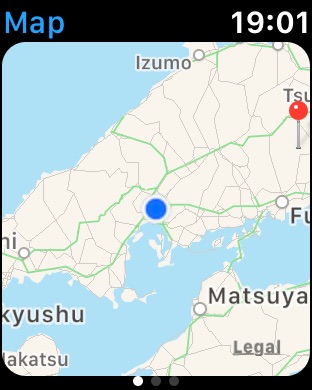
● Apple Watch
・ Navigate a destination direction only, so it is very simple.
● Widget
・ You can check a Street View which you viewed it last.
===== About Premium =====
More Useful and Fun.
Premium is the subscription.
● Street View Autoplay
"How to go to destination?"
"Is a route safe?"
"How gradient is it steep on riding a bicycle?"
Street View autoplay can solve the above problems, etc., so you are relieved.
You also save your time and costs because you don't need to go to a place.
● Spot Notes for Autoplay
Add notes on spots of interest or locations you want to watch out for during autoplay preview.
Planning your route with these notes in mind makes you relieved on the day of your trip and saves time spent getting lost.
● Street View Contents
You can enjoy great views, townscapes and world heritage sites with Street View autoplay.
There are 312 contents now and StreetWatcher will deliver the new contents monthly.
● Workouts
You can enjoy indoor sports such as treadmills and exercise bikes with Street View Autoplay.
You can check whether reached a goal with workout records, so your motivation raise.
● Street View Logger
You can save Street View locations as a route and autoplay the route with Street View and 3D map.
You can also enjoy autoplaying indoors and unexplored places.
● No Ads
No ads which were displayed in the free version.
===== About Purchase =====
● Restore
You can restore Premium within the deadline.
After logging in App Store with the purchased account, Please tap the restore button in the purchase screen.
● Confirmation and Cancellation
You can confirm Premium in “Settings app” > “Apple Account” > “Subscriptions” and then cancel it.
● About Suscription
If you didn’t cancel the subscription more than 24 hours before the deadline, the contract period is automatically renewed.
Your account will be charged within 24 hours on the deadline.
● Notes
· There are no cancellation methods except the above.
· You cannot cancel the subscription for this month.
· The subscription is charged through the Apple account.
● Terms of Use
https://www.apple.com/legal/internet-services/itunes/dev/stdeula
● Privacy Policy
https://minna-company.com/streetwatcher-privacy-policy-en
Capabilities
In-App Purchases
Accessibility
ipadiphonemacrealityDevicetvoswatch
Version history 25 versions
Build 886773285v8.52026-06-20 19:25:01
● Spot Notes Update: Spot notes are now supported during Street View autoplay and on offline routes (GPX). Use this to mark spots you want to check out or need to be careful of during your route previews.
● More icons: Added new icon varieties for route categories and place notes.
● Added the following new Street View content.
Great Views:
・ Zlatni Rat (Croatia)
・ Takeda Castle Ruins (Japan)
World Heritage Sites:
・ Plitvice Lakes National Park (Croatia)
● Fixed minor bugs.
Build 885095661v8.4.12026-05-19 03:00:47
● Smoother transitions when turning streets during Street View autoplay.
● You can now choose where to insert shared spots when adding them to a route.
● Added the following new Street View content.
Great Views:
・ Rock of Cashel (Ireland)
・ Osaka Castle (Japan)
World Heritage Sites:
・ Sassi di Matera (Italy)
● Fixed minor bugs.
Build 883642509v8.32026-04-14 20:31:22
● Improved 3D map autoplay usability and location address display.
・ The 3D map autoplay feature lets you get a bird's-eye view of your route. Give it a try to relive your journeys!
● Added the following new Street View content.
Great Views:
・ Valle de la Luna (Bolivia)
・ Sheikh Zayed Grand Mosque (United Arab Emirates)
Townscapes:
・ Gásadalur (Føroyar)
● Fixed minor bugs.
Build 882585194v8.22026-03-14 03:10:55
● You can now save a recorded route with a note of your results.
● Improved number input operability in settings.
・ Also moved Premium settings to the related settings for better visibility.
● Added the following Street View contents.
Great Views
・ Uros Islands (Peru)
Townscapes
・ Old Dhaka (Bangladesh)
World Heritage Sites
・ Val d'Orcia (Italy)
● Fixed bugs.
Build 881946221v8.12026-02-12 21:24:07
● You can search and sort your favorite routes by category.
● Improved row layout to make your favorite routes easier to view.
● Improved Street View autoplay performance.
● Added the following contents.
Great Views
・ Karlu Karlu / Devils Marbles Conservation Reserve (Australia)
・ Lake Khövsgöl (Mongolia)
World Heritage Sites
・ Great Barrier Reef (Australia)
● Fixed bugs.
Build 881154897v8.02026-01-15 18:55:25
Supported Liquid Glass, enjoy the glass-like design! Also improved the following.
・ You can use a map widely on a horizontal iPhone or iPad.
・ Supported the horizontal navigation screen.
● Added the following contents.
Great Views
・ Trolltunga (Norway)
・ Kaymakli underground city (Turkey)
Townscapes
・ Dubai Frame (United Arab Emirates)
● Fixed bugs.
Build 880011583v7.442025-12-06 18:47:20
● You can also roughly autoplay Street View in the following routes. If you use this feature, set "Rough" in "Fineness" of the autoplay settings.
・ Autoplay content routes
・ Recorded routes
・ Offline routes
● Improved Street View autoplay in workouts.
● Added the following contents.
Great Views
・ Huka Falls (New Zealand)
・ Muizenberg Beach (South Africa)
Townscapes
・ Burj Khalifa (United Arab Emirates)
World Heritage Sites
・ Mirabell Palace (Austria)
・ Hwaseong Fortress (Korea)
● Fixed bugs.
Build 878905748v7.432025-11-05 01:58:06
● Improved Nearby Search.
・ You can search nearby spots again.
・ You can check a website and add a nearby spot to a route rapidly from the spot window.
● Added the following contents.
Townscapes
・ Paro (Bhutan)
・ Katong (Singapore)
World Heritage Sites
・ Prambanan (Indonesia)
・ Colosseum (Italy)
・ Bernina Express (Switzerland)
● Fixed bugs.
Build 878104233v7.422025-10-13 05:38:22
● When you work out with Street View autoplay, you can record workout locations. You can also view all your tracks on a map. Let’s cover the world map!
・ You can set the record settings in the workout settings.
・ You can view all your tracks from the map button on the favorite routes screen.
● Changed the minimum iOS version to 15 for improving Street View.
● Added the following contents.
Great Views
・ Salar de Uyuni (Bolivia)
・ Paracas National Reserve (Peru)
Townscapes
・ Tasiilaq (Greenland)
・ Orta San Giulio (Italy)
・ Jiufen (Taiwan)
● Fixed bugs.
Build 877041656v7.412025-09-08 23:55:00
● Improved the navigation.
・ Supported the background voice guidance.
・ You can check a map while navigating.
・ When you arrived at a destination, you can check around it.
・ Improved the design.
● Added the following contents.
Great Views
・ Abraham Lake (Canada)
・ Hallgrímskirkja (Iceland)
・ Uluwatu Temple (Indonesia)
Townscapes
・ Dinkelsbühl (Germany)
World Heritage Sites
・ Mount Kinabalu (Malaysia)
● Fixed bugs.
Build 876491023v7.402025-08-06 15:51:14
● Improved GPS Logger.
・ Improved the elevation gain calculation.
・ You can check distances on the elevation graph’s x-axis.
● Improved the settings screen UI.
● Added and updated the following contents.
Great Views
・ St Michael's Mount (England)
・ Cameron Highlands (Malaysia)
Townscapes
・ Magomejyuku (Japan)
World Heritage Sites
・ Yosemite National Park (America)
・ Meteora (Greece)
・ Galle (Sri Lanka)
● Fixed bugs.
Build 875421646v7.392025-07-07 16:34:22
● You can add a waypoint to a route easily while checking a waypoint position on a map. Please try it!
● Added and updated the following contents.
Great Views
・ El Nido (Philippines)
・ Merlion (Singapore)
Townscapes
・ Veliko Tarnovo (Bulgaria)
・ Tai O (China)
・ Kurashiki Bikan Historical Area (Japan)
・ Zaanse Schans (Netherlands)
● Fixed bugs.
Build 874557063v7.382025-06-06 09:20:19
● You can search favorite routes.
・ Supported the ascending order list and the descending order list.
● Improved the following design.
・ The Nearby Search details screen.
・ The category edit screen.
● Integrated the Premium Nearby Search into the free Nearby Search.
● Added and updated the following contents.
Great Views
・ Sutherland Falls (New Zealand)
Townscapes
・ Otavalo (Ecuador)
・ Hakodate (Japan)
World Heritage Sites
・ Ouro Preto (Brazil)
・ Taj Mahal (India)
・ Hallasan (Korea)
● Fixed bugs.
Build 873740341v7.372025-05-05 05:02:37
● When you share a recorded route or a offline route, you can check the progress of creating the GPX file.
* The GPX file is a file for sharing a recored route and so on, you can use it in other applications.
● Improved performance for Street View autoplay and 3D map autoplay.
● Added and updated the following autoplay contents.
Great Views
・ Mount Wellington (Australia)
・ Phnom Kulen (Cambodia)
World Heritage Sites
・ Copacabana Beach (Brazil)
・ Old City of Jerusalem (Israel)
・ Byblos (Lebanon)
・ Valletta (Republic of Malta)
● Fixed bugs.
Build 873270422v7.362025-04-02 19:11:56
● Opened the autoplay contents which You can enjoy great views, townscapes and world heritage sites. You can enjoy the view from sky with 3D Map autoplay in the free version.
・ A 3D content is marked with the parachute emoji.
● Street View Autoplay moved to Premium for changing Street View pricing. When you can use Street View Autoplay for free again, we will announce it.
・ If you use a previous version, you cannot use Street View features from May 1st.
● Improved the autoplay of 3D map.
● Added and updated the following autoplay contents.
Great Views
・ Tash Rabat (Kyrgyz)
・ Frogner Park (Norway)
World Heritage Sites
・ Rideau Canal (Canada)
・ Banks of the Seine (France)
・ Florence (Italy)
・ Colonia del Sacrament (Uruguay)
● Fixed bugs.
Build 872891919v7.35.12025-03-02 09:35:49
[Version 7.35.1]
● Improved operability for viewing StreetView on tapped a map. You can use the shortcut on tapped a map.
・ You can view StreetView and add a spot from the shortcut.
・ If you want to turn off this feature, please change 'Show Shortcut When Tapped a Map' in map settings.
[Version 7.35]
● Added the following StreetView settings for viewing StreetView quickly.
・ Show StreetView When Tapped a Map
・ Show StreetView When Searched a Place
* Merged the related settings to StreetView settings.
● Improved the autoplay of 3D map.
● You can edit Nearby Search items quickly.
● Added and updated the following Street View autoplay contents.
Townscapes
・ Hida Takayama (Japan)
World Heritage Sites
・ Český Krumlov (Czech)
・ Baroque Churches of the Philippines (Philippines)
・ Belém Tower and Monastery of the Jerónimos (Portugal)
・ Cape Point Nature Reserve (South Africa)
・ Alhambra (Spain)
● Fixed bugs.
Build 872182930v7.352025-02-25 11:22:54
● Added the following StreetView settings for viewing StreetView quickly.
・ Show StreetView When Tapped a Map
・ Show StreetView When Searched a Place
* Merged the related settings to StreetView settings.
● Improved the autoplay of 3D map.
● You can edit Nearby Search items quickly.
● Added and updated the following Street View autoplay contents.
Townscapes
・ Hida Takayama (Japan)
World Heritage Sites
・ Český Krumlov (Czech)
・ Baroque Churches of the Philippines (Philippines)
・ Belém Tower and Monastery of the Jerónimos (Portugal)
・ Cape Point Nature Reserve (South Africa)
・ Alhambra (Spain)
● Fixed bugs.
Build 871462767v7.342025-01-22 23:47:46
● You can autoplay StreetView or 3D map quickly from a place where want to view. Please use it to check a place in advance and look back a recorded route !
・ Move a place with the slider at the bottom of StreetView or 3D map.
● You can set a part of autoplay settings while a workout.
● Improved operability.
● Added and updated the following Street View autoplay contents.
Great Views
・Chiang Kai-shek Memorial Hall (Taiwan)
Townscapes
・Kastellet (Denmark)
World Heritage Sites
・L'Anse aux Meadows (Canada)
・Megalithic Temples of Malta (Malta)
・Pena Palace (Portugal)
・Safranbolu (Turkey)
● Fixed bugs.
Build 870475245v7.332024-12-16 12:51:19
● Improved GPS Logger performance.
● Added and updated the following Street View autoplay contents.
Townscapes
・ Higashiyama (Japan)
・ Bo-Kaap (South Africa)
World Heritage Sites
・ Caernarfon Castle (England)
・ Great Living Chola Temples (India)
・ Alberobell (Italy)
・ Biertan (Romania)
● You can check tips.
・ There are tips in the app menu > settings > Others and Works.
● Fixed bugs.
Build 869522051v7.322024-11-07 23:08:38
● You can check all recorded routes in a map. Please enjoy the memories of the places you have visited so far!
・You can check it by tapping the map button in the list of favorite routes.
・You can also check a total duration, total distance, average speed, maximum speed, maximum altitude, minimum altitude and total altitude gain.
● You can quickly check StreetView with a single tap on a map.
● You can add a spot of StreetView.
・The add button is displayed at the lower right on a map of StreetView.
● Added and updated the following Street View autoplay contents.
Great Views
・ Gullfoss (Iceland)
・ Gyeongbokgung (Korea)
World Heritage Sites
・ San Agustín Archaeological Park (Colombia)
・ Hadrian's Wall (England)
・ Historic Centre of Sighișoara (Romania)
・ Mosque–Cathedral of Córdoba (Spain)
● Fixed bugs.
Build 868470886v7.312024-09-29 16:57:22
● You can share workout results and route record results. Please enjoy sports by sharing results!
・ Workout results can share by tapping the share button during a workout.
・ After selecting a recorded route from favorite routes, Route record results can share by tapping the share button.
● You can open workout settings rapidly in the workout menu.
● You can check a recorded route rapidly in favorite routes.
● Added and updated the following Street View autoplay contents.
Great Views
・ Fjallsárlón (Iceland)
Townscapes
・ Ouchijyuku (Japan)
World Heritage Sites
・ Tiwanaku (Bolivia)
・ Weimar (Germany)
・ Agra Fort (India)
・ Tower of Hercules (Spain)
Build 867798964v7.302024-08-21 04:18:22
● Added and updated the following Street View autoplay contents.
Townscapes
・ San Francisco (America)
・ Kinderdijk (Holland)
・ Røros (Norway)
World Heritage Sites
・ Potosí (Bolivia)
・ Great Mosque of Djenné (Mali)
・ Erdene Zuu Monastery (Mongolia)
● Improved operability.
● Fixed bugs.
Build 866883355v7.29.12024-07-11 13:59:51
● Added and updated the following Street View autoplay contents.
Great Views
・ Sagano Bamboo Forest (Japan)
Townscapes
・ Freudenberg (Germany)
・ George Town’s Street Art (Malaysia)
World Heritage
・ Bath (England)
・ Tikal (Guatemala)
・ Vlkolínec (Slovakia)
● Improved operability.
● Fixed bugs.
Build 865606152v7.282024-06-06 18:31:35
● Added and updated the following Street View autoplay contents.
Great View
・ Gardens by the Bay (Singapore)
・ Zhuilu Old Road (Taiwan)
Townscape
・ Central Park (America)
World Heritage
・ Venice (Italy)
・ San Juan (Puerto Rico)
・ Church of Saint Nicholas (Romania)
● You can enjoy top images of Street View autoplay contents randomly.
● You can check samples of Street View autoplay contents in the free version. Please enjoy them!
● Fixed bugs.
Build 864628215v7.272024-04-20 05:36:29
● When you add a spot to a route, you can select a position of the spot.
・You can add a spot at the end by turning off 'Select Addition Position of Spot' setting.
● Added and updated the following Street View autoplay contents.
Great View
・ Lençóis Maranhenses National Park (Brazil)
・ Mount Aso (Japan)
Townscape
・ Sheung Wan (China)
・ Mykonos (Greece)
World Heritage
・ Hadrian's Villa (Italy)
・ Ulaan Tsutgalan Waterfall (Mongolia)
● Fixed bugs.
No pricing data captured yet — comparisons appear once the app has paid storefronts or in-app purchases.
Availability 1 of 1 storefronts
| Region | Language | Price | Ratings | Avg | Version |
|---|---|---|---|---|---|
| US | en-US | Free | 20 | 4.9 | 8.5 |
Change log 29 changes · US
✎
releaseNotes updated
● Spot Notes Update: Spot notes are now supported during Street View autoplay and on offline routes (GPX). Use this to mark spots you want to check out or need
✎
description updated
StreetWatcher navigates a destination by Street View without getting lost!
StreetWatcher is ideal for walking and bicycle and has the main three features.
● Re
✎
subtitle updated
Navigation, Routes & Workouts
✎
name updated
StreetView Map : StreetWatcher
◆
Version 8.5 released
● Spot Notes Update: Spot notes are now supported during Street View autoplay and on offline routes (GPX). Use this to mark spots you want to check out or need to be careful of during your route previews.
● More icons: Added new icon varie
◆
Version 8.4.1 released
● Smoother transitions when turning streets during Street View autoplay.
● You can now choose where to insert shared spots when adding them to a route.
● Added the following new Street View content.
Great Views:
・ Rock of Cashel (Ireland
◆
Version 8.3 released
● Improved 3D map autoplay usability and location address display.
・ The 3D map autoplay feature lets you get a bird's-eye view of your route. Give it a try to relive your journeys!
● Added the following new Street View content.
Great Vie
◆
Version 8.2 released
● You can now save a recorded route with a note of your results.
● Improved number input operability in settings.
・ Also moved Premium settings to the related settings for better visibility.
● Added the following Street View contents.
Gr
◆
Version 8.1 released
● You can search and sort your favorite routes by category.
● Improved row layout to make your favorite routes easier to view.
● Improved Street View autoplay performance.
● Added the following contents.
Great Views
・ Karlu Karlu / Devi
◆
Version 8.0 released
Supported Liquid Glass, enjoy the glass-like design! Also improved the following.
・ You can use a map widely on a horizontal iPhone or iPad.
・ Supported the horizontal navigation screen.
● Added the following contents.
Great Views
・ Troll
◆
Version 7.44 released
● You can also roughly autoplay Street View in the following routes. If you use this feature, set "Rough" in "Fineness" of the autoplay settings.
・ Autoplay content routes
・ Recorded routes
・ Offline routes
● Improved Street View autoplay
◆
Version 7.43 released
● Improved Nearby Search.
・ You can search nearby spots again.
・ You can check a website and add a nearby spot to a route rapidly from the spot window.
● Added the following contents.
Townscapes
・ Paro (Bhutan)
・ Katong (Singapore)
World
◆
Version 7.42 released
● When you work out with Street View autoplay, you can record workout locations. You can also view all your tracks on a map. Let’s cover the world map!
・ You can set the record settings in the workout settings.
・ You can view all your track
◆
Version 7.41 released
● Improved the navigation.
・ Supported the background voice guidance.
・ You can check a map while navigating.
・ When you arrived at a destination, you can check around it.
・ Improved the design.
● Added the following contents.
Great Views
◆
Version 7.40 released
● Improved GPS Logger.
・ Improved the elevation gain calculation.
・ You can check distances on the elevation graph’s x-axis.
● Improved the settings screen UI.
● Added and updated the following contents.
Great Views
・ St Michael's Mount
◆
Version 7.39 released
● You can add a waypoint to a route easily while checking a waypoint position on a map. Please try it!
● Added and updated the following contents.
Great Views
・ El Nido (Philippines)
・ Merlion (Singapore)
Townscapes
・ Veliko Tarnovo (Bul
◆
Version 7.38 released
● You can search favorite routes.
・ Supported the ascending order list and the descending order list.
● Improved the following design.
・ The Nearby Search details screen.
・ The category edit screen.
● Integrated the Premium Nearby Search
◆
Version 7.37 released
● When you share a recorded route or a offline route, you can check the progress of creating the GPX file.
* The GPX file is a file for sharing a recored route and so on, you can use it in other applications.
● Improved performance for Str
◆
Version 7.36 released
● Opened the autoplay contents which You can enjoy great views, townscapes and world heritage sites. You can enjoy the view from sky with 3D Map autoplay in the free version.
・ A 3D content is marked with the parachute emoji.
● Street View
◆
Version 7.35.1 released
[Version 7.35.1]
● Improved operability for viewing StreetView on tapped a map. You can use the shortcut on tapped a map.
・ You can view StreetView and add a spot from the shortcut.
・ If you want to turn off this feature, please change 'Sho
◆
Version 7.35 released
● Added the following StreetView settings for viewing StreetView quickly.
・ Show StreetView When Tapped a Map
・ Show StreetView When Searched a Place
* Merged the related settings to StreetView settings.
● Improved the autoplay of 3D map.
◆
Version 7.34 released
● You can autoplay StreetView or 3D map quickly from a place where want to view. Please use it to check a place in advance and look back a recorded route !
・ Move a place with the slider at the bottom of StreetView or 3D map.
● You can set
◆
Version 7.33 released
● Improved GPS Logger performance.
● Added and updated the following Street View autoplay contents.
Townscapes
・ Higashiyama (Japan)
・ Bo-Kaap (South Africa)
World Heritage Sites
・ Caernarfon Castle (England)
・ Great Living Chola Temples
◆
Version 7.32 released
● You can check all recorded routes in a map. Please enjoy the memories of the places you have visited so far!
・You can check it by tapping the map button in the list of favorite routes.
・You can also check a total duration, total distance,
◆
Version 7.31 released
● You can share workout results and route record results. Please enjoy sports by sharing results!
・ Workout results can share by tapping the share button during a workout.
・ After selecting a recorded route from favorite routes, Route reco
◆
Version 7.30 released
● Added and updated the following Street View autoplay contents.
Townscapes
・ San Francisco (America)
・ Kinderdijk (Holland)
・ Røros (Norway)
World Heritage Sites
・ Potosí (Bolivia)
・ Great Mosque of Djenné (Mali)
・ Erdene Zuu Monastery (
◆
Version 7.29.1 released
● Added and updated the following Street View autoplay contents.
Great Views
・ Sagano Bamboo Forest (Japan)
Townscapes
・ Freudenberg (Germany)
・ George Town’s Street Art (Malaysia)
World Heritage
・ Bath (England)
・ Tikal (Guatemala)
・ Vl
◆
Version 7.28 released
● Added and updated the following Street View autoplay contents.
Great View
・ Gardens by the Bay (Singapore)
・ Zhuilu Old Road (Taiwan)
Townscape
・ Central Park (America)
World Heritage
・ Venice (Italy)
・ San Juan (Puerto Rico)
・ Church
◆
Version 7.27 released
● When you add a spot to a route, you can select a position of the spot.
・You can add a spot at the end by turning off 'Select Addition Position of Spot' setting.
● Added and updated the following Street View autoplay contents.
Great View