Home › Education

 US
US
1 of 1 storefronts
Content in en-US
Content in en-US
Information
Apple ID730758811
Bundle IDcom.voyageropen.Mood-Log
SellerSeller
Min iOS13.0
Min macOS11.0
Device familiesiphone, ipad, ipod
Released2013-10-30
Copyright© 2013-2024 Barry Langdon-Lassagne
Privacy policyLink ↗
Preview 2 platforms
iPhone 8 images




iPad 8 images


What’s New Version 2.2
I am pleased to present you another Mood-Log update. This one has minor bug fixes and one nice feature: support for Dark Mode. Other changes:
- Fixed issues where text was not always visible in Dark Mode
- Update charts immediately when switching between pie and donut
- Fixed drawing issue with date range selector in the Summary and Export views
- Several bug fixes and some interface cleanup
I continue to be grateful to all of you who have sent feedback to help make Mood-Log better!
Description
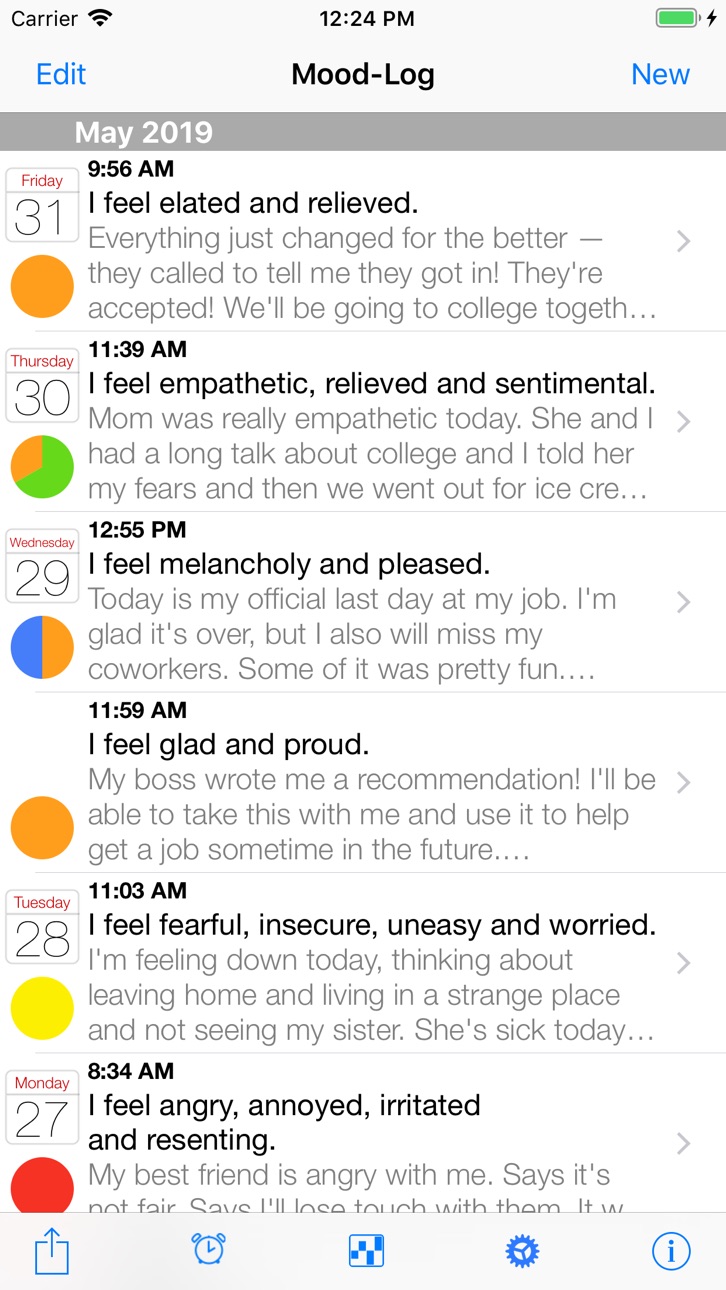
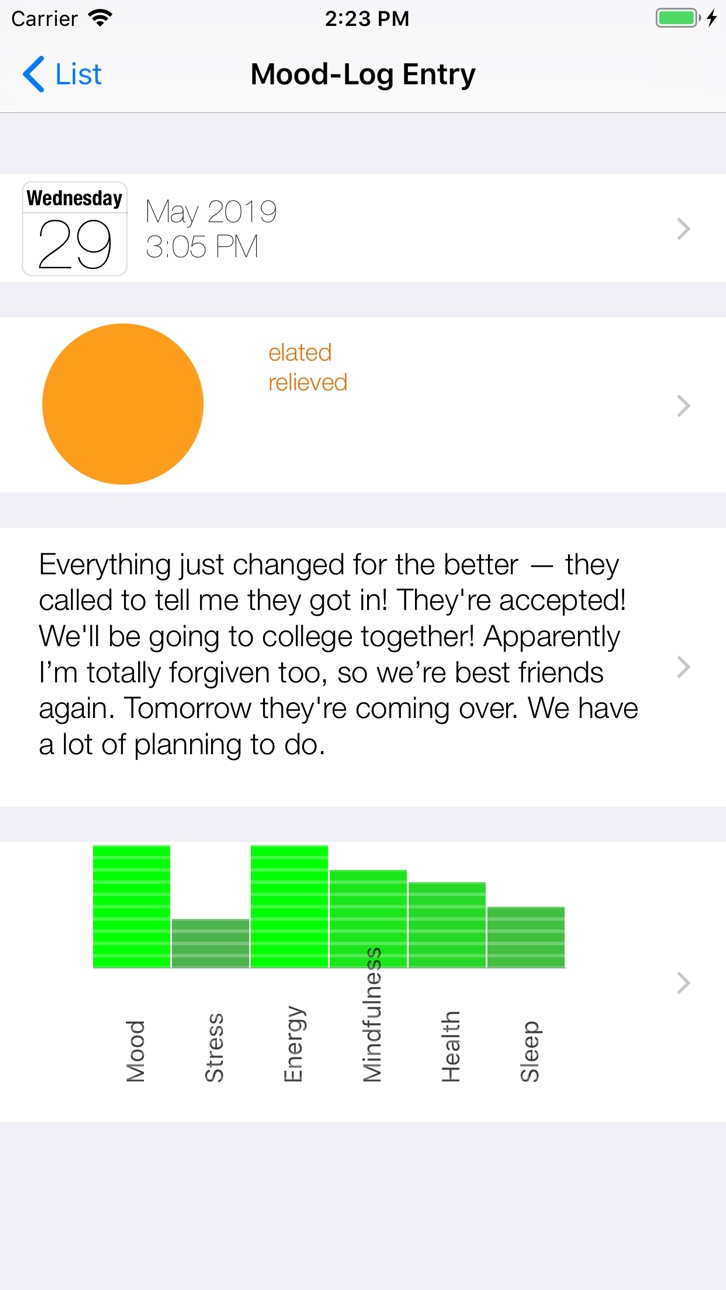
Mood-Log is designed to help you keep track of your emotions as they change throughout the day and from day to day. You do this by creating new Mood-Log entries, recording any emotions you are currently experiencing and other information about yourself. You can use Mood-Log as a journal to keep track of events in your life and watch for connections between your daily life and the emotions you experience. A summary page and charts show you what’s happening over time. You can send email reports from within Mood-Log and you can set reminders that will prompt you to create a Mood-Log entry at different times in the day.
Accessibility
ipadiphonemacrealityDevicetvoswatch
Version history 9 versions
Build 867330733v2.22024-07-08 23:16:05
I am pleased to present you another Mood-Log update. This one has minor bug fixes and one nice feature: support for Dark Mode. Other changes:
- Fixed issues where text was not always visible in Dark Mode
- Update charts immediately when switching between pie and donut
- Fixed drawing issue with date range selector in the Summary and Export views
- Several bug fixes and some interface cleanup
I continue to be grateful to all of you who have sent feedback to help make Mood-Log better!
Build 866341326v2.12024-06-01 18:03:37
• New feature! Reminders can now be set to activate at random times during the day. You can set quiet hours when you don’t want to be reminded, and set up to 50 reminders per day
• Fixed the journalling bug where you couldn’t see what you were typing if you created a long journal entry. Now when the entry gets long, the text area scrolls and you can see everything you type
• In landscape mode, in a Mood-Log entry, the text for journal entries is no longer cut off on the left and right
• Only ask to enable notifications if the user is attempting to set reminders (it used to ask on first launch)
• Updated to run with latest versions of iOS and MacOS with Apple silicon processors
• Added one mood: Grateful. I am grateful to all of you who have sent me feedback. Thank you!
• Other minor enhancements and bug fixes
Build 831490691v2.02019-06-01 13:27:58
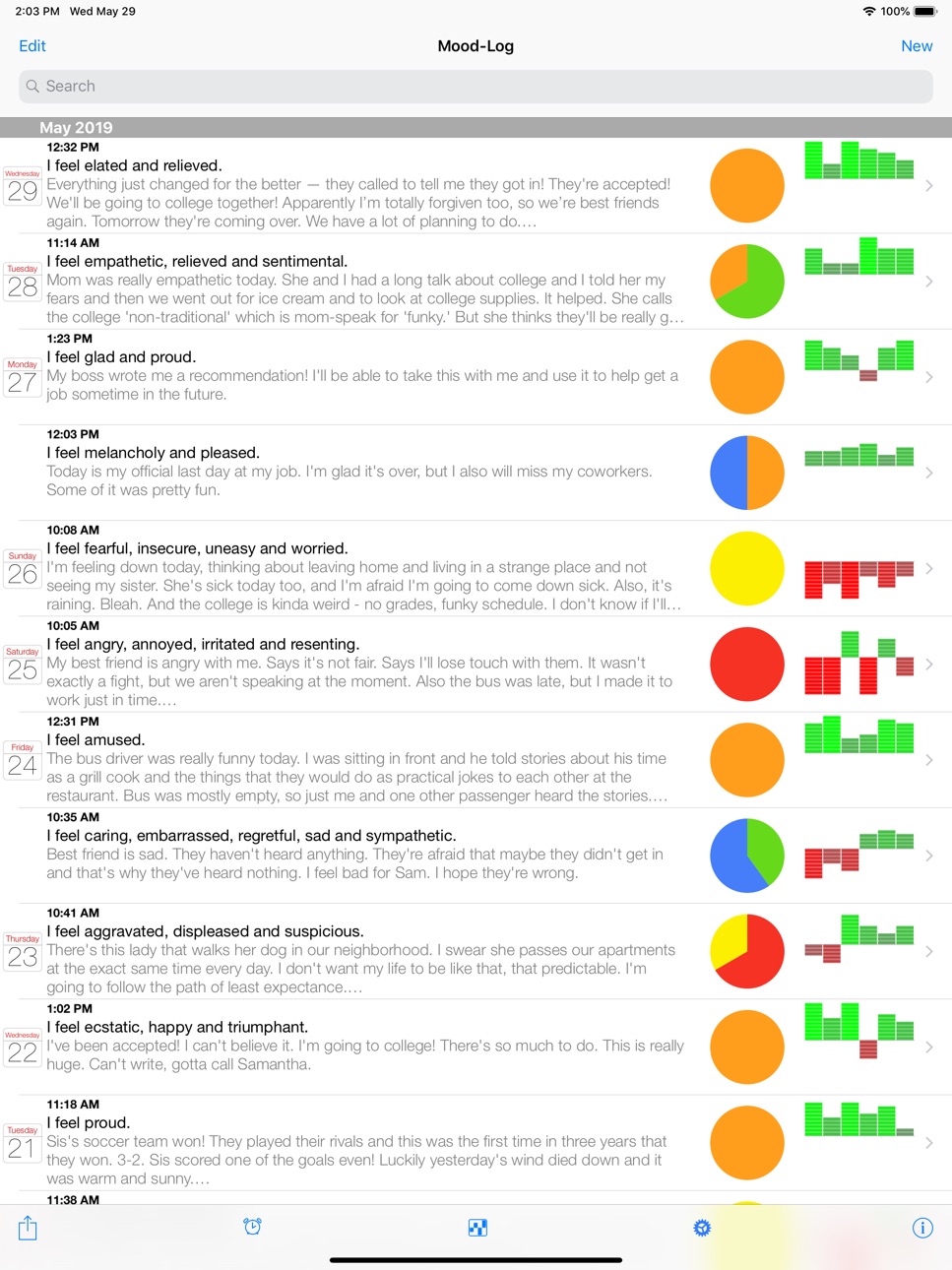
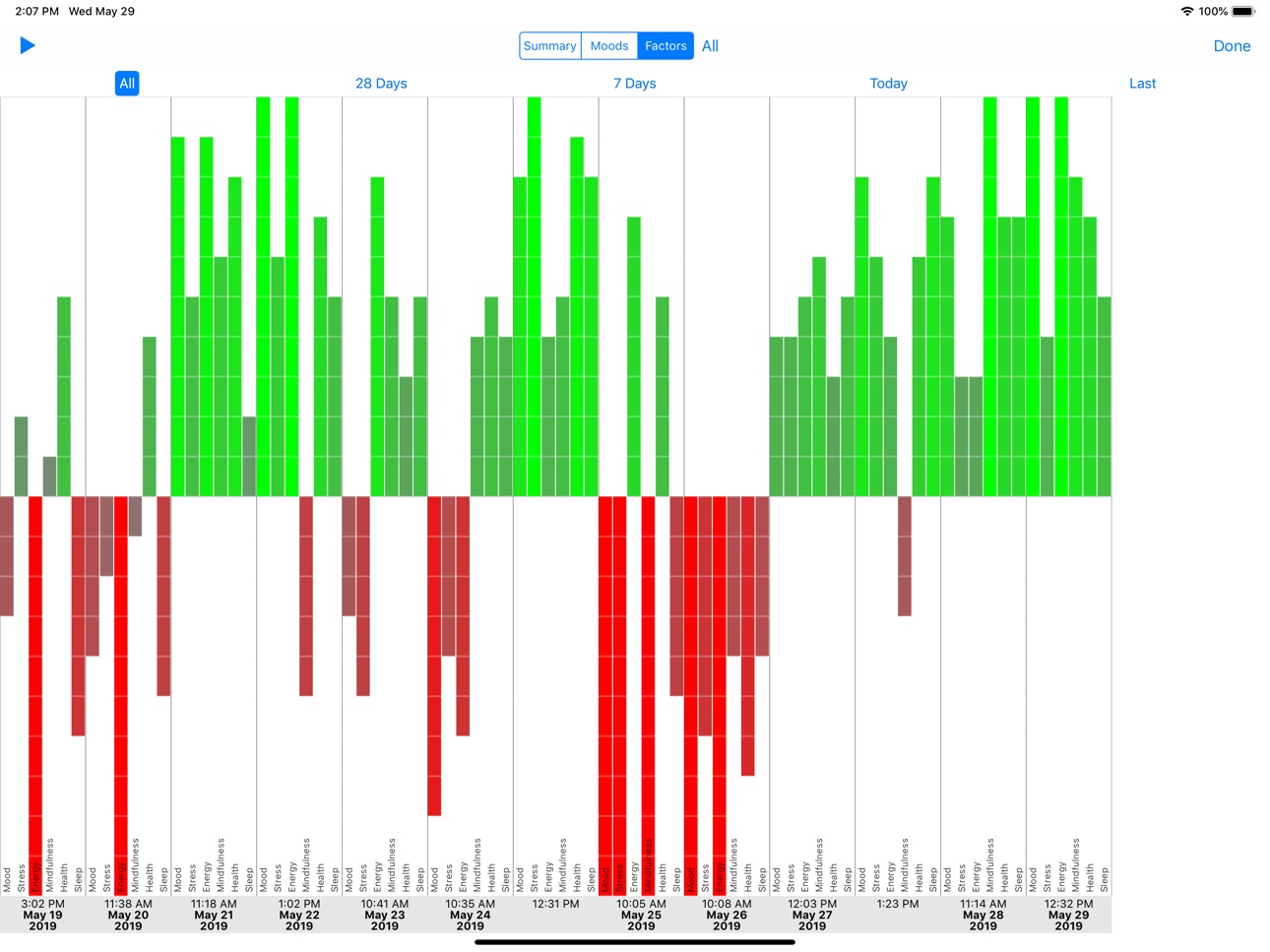
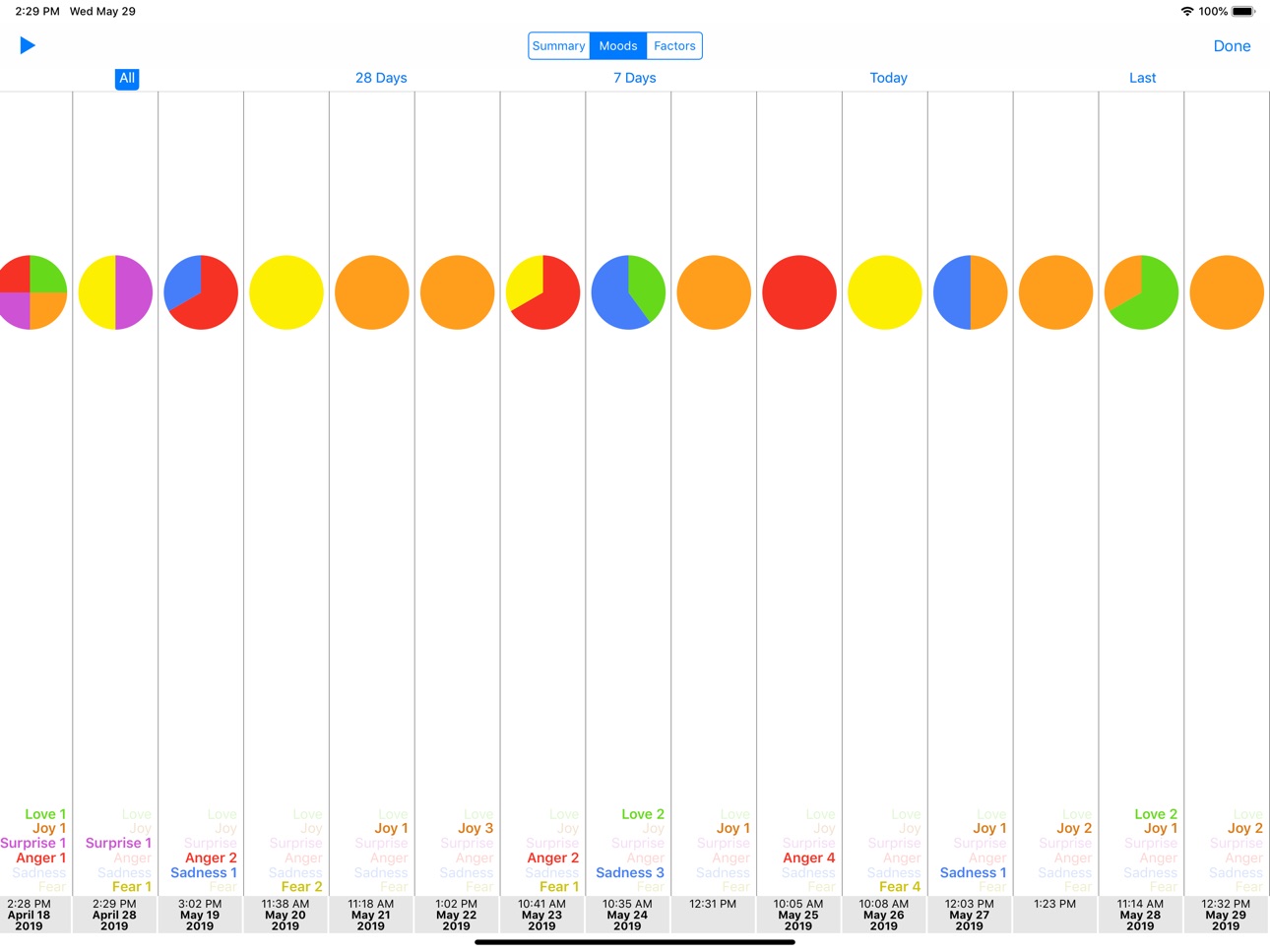
• iPad support — Mood-Log now fills the screen on your iPad, which means you can see more moods and read more text. Since there’s more space, Mood-Log also displays the Mood and Factors charts in the main list view. iPad support also means you can take advantage of split-screen views, so you can use Mood-Log and another App at the same time
• Privacy Screen — Now you can protect your entries from being viewed by others. Set a 4-digit code and Mood-Log will automatically cover itself when brought to the front. Set a code by tapping the gear icon along the bottom of the main screen. You can also dismiss the Privacy Screen using Face ID or Touch ID (if available) or by typing your device’s passcode
• Text size now adjusts based on your device’s Settings (Settings->Display & Brightness->Text Size or Settings->General->Accessibility->Larger Text). Not all text is changed, but text in the list view and your journal entries adjust based on what you’ve set for your device
• Mood diagram can now be shown as either a Pie chart or a Donut chart. You can change this by tapping the gear icon along the bottom of the screen
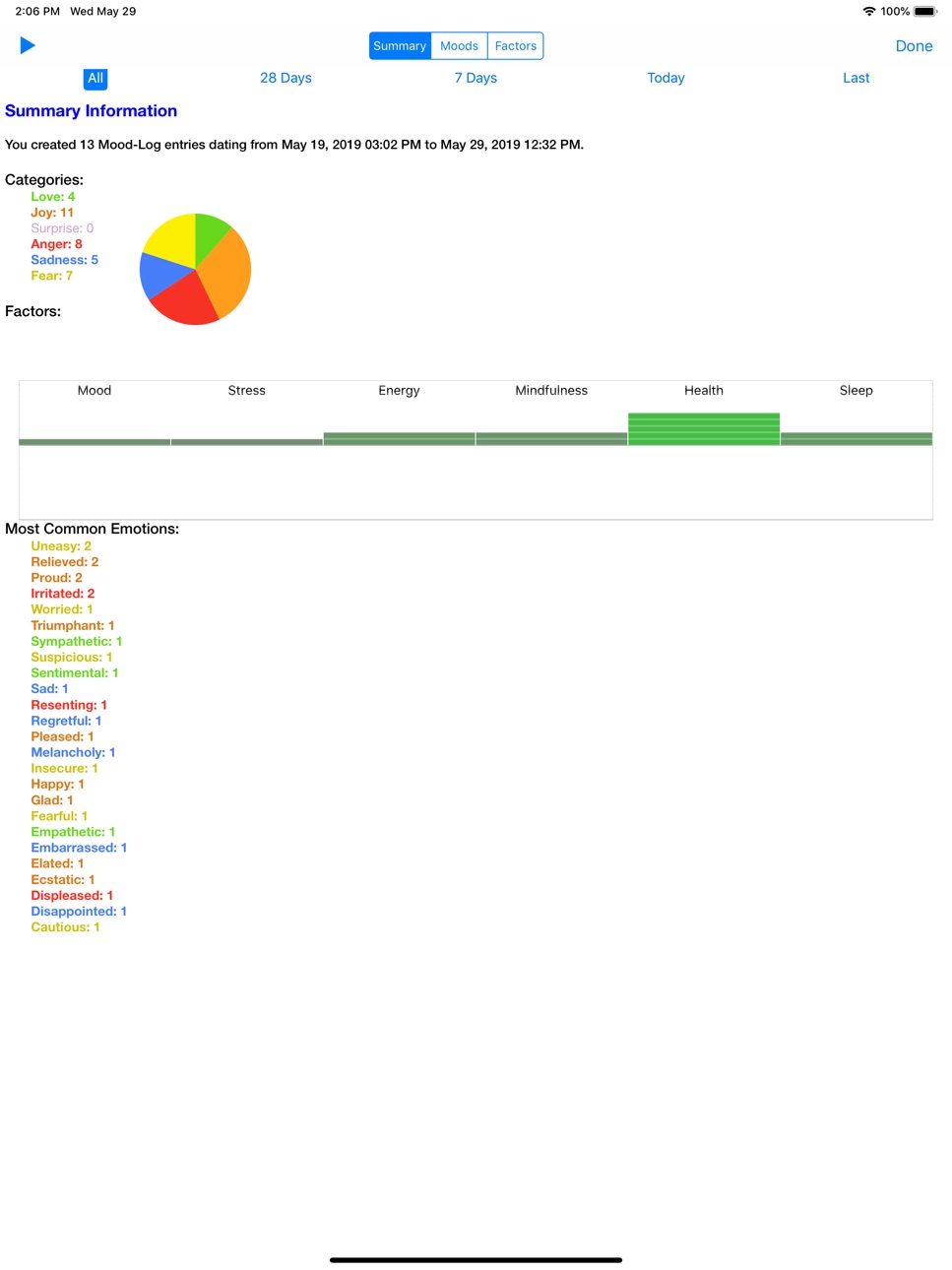
• In the Summary screen, you can now cycle through each of the individual Factors (All, Mood, Stress, Energy, Mind, Health, Sleep). Just tap on “Factors” and then tap on “All” to begin cycling through the individual items
Other fixes:
• Mood diagrams show in the main list view
• In the Summary Screen, “Pie” and “Bar” have been renamed to “Moods” and “Factors” to better describe what they’re displaying
• Fixed auto-layout issues on iPhone 7/8 Plus (full screen instead of popup window for charts in landscape)
• The control for adjusting timeline date ranges draws correctly now
• Automatically scroll to the end of the Summary chart when changing the date range for entries
• The version number for Mood-Log now shows in the About box
• Other bug fixes, layout improvements and little enhancements here and there
Build 825371690v1.52017-12-20 21:40:22
• Updated for iOS 11 and iPhone X
• In the Summary and Charts views, there are now buttons and a control for adjusting which records to use. You can see summary information for today, the past 7 days, past 28 days or all records. Expanding the control lets you make fine-grained adjustments, so for example you could view information just for last December. This same control is shown in the Sharing view for selecting which records to email or save to iCloud Drive, but has been improved there too
• When selecting Additional Factors (Mood, Stress, Energy, Mindfulness, Health, Sleep), you can now drag the bars of the graph directly. Dragging the bars will change the slider values and vice versa
• When deleting records, you are now shown an alert to help prevent unintentional deletion of entries
• Buttons along the bottom of the main view now have some space between them, making them easier to select
• Other bug fixes and tuning of the user interface
Build 822272373v1.42017-05-24 19:50:32
• Enabled saving Mood-Log entries as rich text files to iCloud Drive. Tap the export button to either send entries as an email or save to iCloud Drive.
• Supported sending email via the Mail app when in-app email is disabled
• Fixed text formatting bugs in email
• Minor fixes to layouts
Build 820297856v1.32017-01-02 17:39:29
• Added a search feature so you can find text in your journal entries. Just swipe down to show the search field. You can search your journal entries, emotions, or both
• Reversed the order of the entries in the list view so that latest ones are now at the top
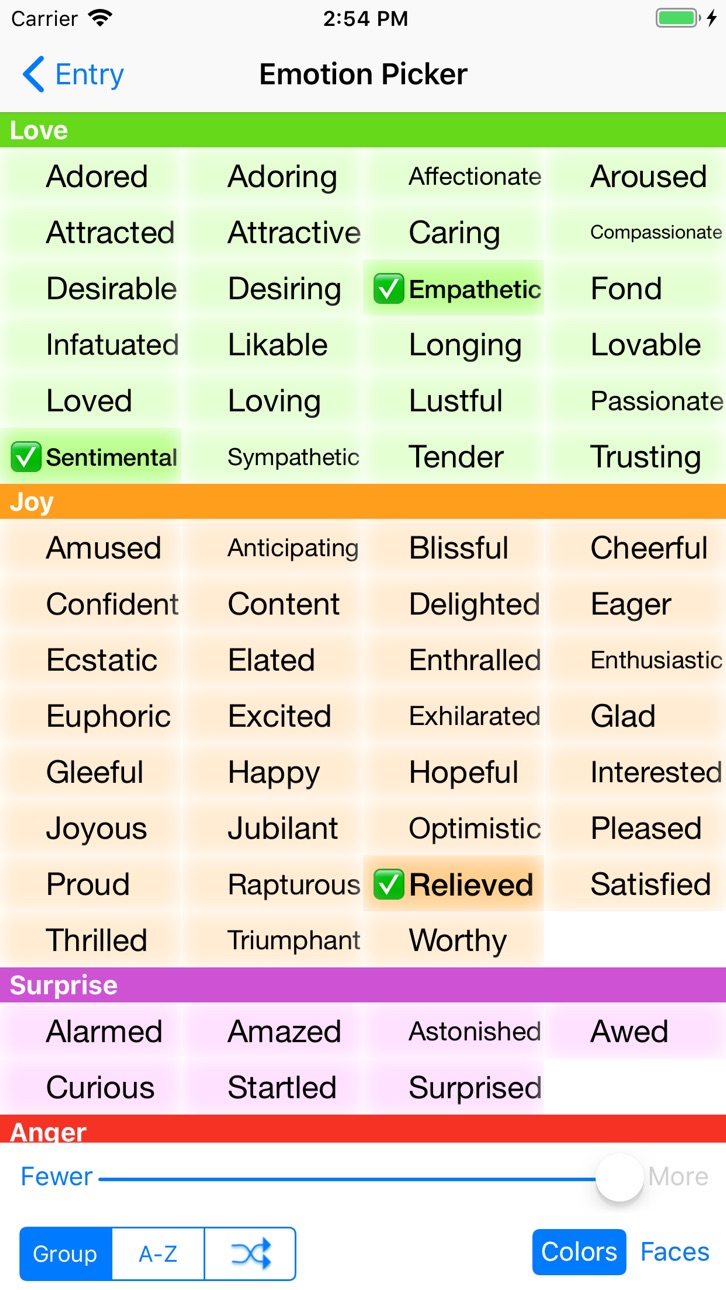
• Layout adjusts for different model iPhones; for example, on larger iPhones you can see more faces in the emotion picker
• Fixed notifications — now Mood-Log can ask you at different times during the day how you are feeling in that moment
• Added more notifications — you can be reminded up to six times per day
• Enabled the dictionary lookup when long-pressing on emotion names or faces
Minor bug fixes:
• Fixed the checkboxes overlaying text when the emotion faces were not showing
• Calendar icon now shows correctly if you delete the first entry for that day
• Headers in the list view no longer move to the left when deleting entries
• Some of the journal text now shows in the list view even if there's a long list of emotions in an entry
Build 705724531v1.22014-09-22 16:57:00
Improved the emotion picker so that long emotion names are no longer truncated.
Compatible with iOS 7 and iOS 8.
Build 469612645v1.12014-03-21 03:36:15
• Fixed a bug where the sliders for setting factors were drawing incorrectly in iOS 7.1
• The Summary Information view now correctly shows your most common emotions
Build 84832808v1.02013-10-30 20:19:48
No pricing data captured yet — comparisons appear once the app has paid storefronts or in-app purchases.
Availability 1 of 1 storefronts
| Region | Language | Price | Ratings | Avg | Version |
|---|---|---|---|---|---|
| US | en-US | Free | 33 | 4.4 | 2.2 |
Change log 12 changes · US
✎
releaseNotes updated
I am pleased to present you another Mood-Log update. This one has minor bug fixes and one nice feature: support for Dark Mode. Other changes:
- Fixed issues whe
✎
description updated
Mood-Log is designed to help you keep track of your emotions as they change throughout the day and from day to day. You do this by creating new Mood-Log entries
✎
name updated
Mood-Log
◆
Version 2.2 released
I am pleased to present you another Mood-Log update. This one has minor bug fixes and one nice feature: support for Dark Mode. Other changes:
- Fixed issues where text was not always visible in Dark Mode
- Update charts immediately when swi
◆
Version 2.1 released
• New feature! Reminders can now be set to activate at random times during the day. You can set quiet hours when you don’t want to be reminded, and set up to 50 reminders per day
• Fixed the journalling bug where you couldn’t see what you w
◆
Version 2.0 released
• iPad support — Mood-Log now fills the screen on your iPad, which means you can see more moods and read more text. Since there’s more space, Mood-Log also displays the Mood and Factors charts in the main list view. iPad support also means
◆
Version 1.5 released
• Updated for iOS 11 and iPhone X
• In the Summary and Charts views, there are now buttons and a control for adjusting which records to use. You can see summary information for today, the past 7 days, past 28 days or all records. Expanding
◆
Version 1.4 released
• Enabled saving Mood-Log entries as rich text files to iCloud Drive. Tap the export button to either send entries as an email or save to iCloud Drive.
• Supported sending email via the Mail app when in-app email is disabled
• Fixed text fo
◆
Version 1.3 released
• Added a search feature so you can find text in your journal entries. Just swipe down to show the search field. You can search your journal entries, emotions, or both
• Reversed the order of the entries in the list view so that latest ones
◆
Version 1.2 released
Improved the emotion picker so that long emotion names are no longer truncated.
Compatible with iOS 7 and iOS 8.
◆
Version 1.1 released
• Fixed a bug where the sliders for setting factors were drawing incorrectly in iOS 7.1
• The Summary Information view now correctly shows your most common emotions
◆
Version 1.0 released