Home › Business

 US
US
1 of 1 storefronts
Content in en-US
Content in en-US
Information
Apple ID727705029
Bundle IDcom.phone.mobileoffice
SellerSeller
Min iOS15.6
Min macOS12.5
Device familiesiphone, ipad, ipod
Released2016-09-10
Copyright© 2022 Phone.com
Privacy policyLink ↗
Preview 2 platforms
iPhone 10 images


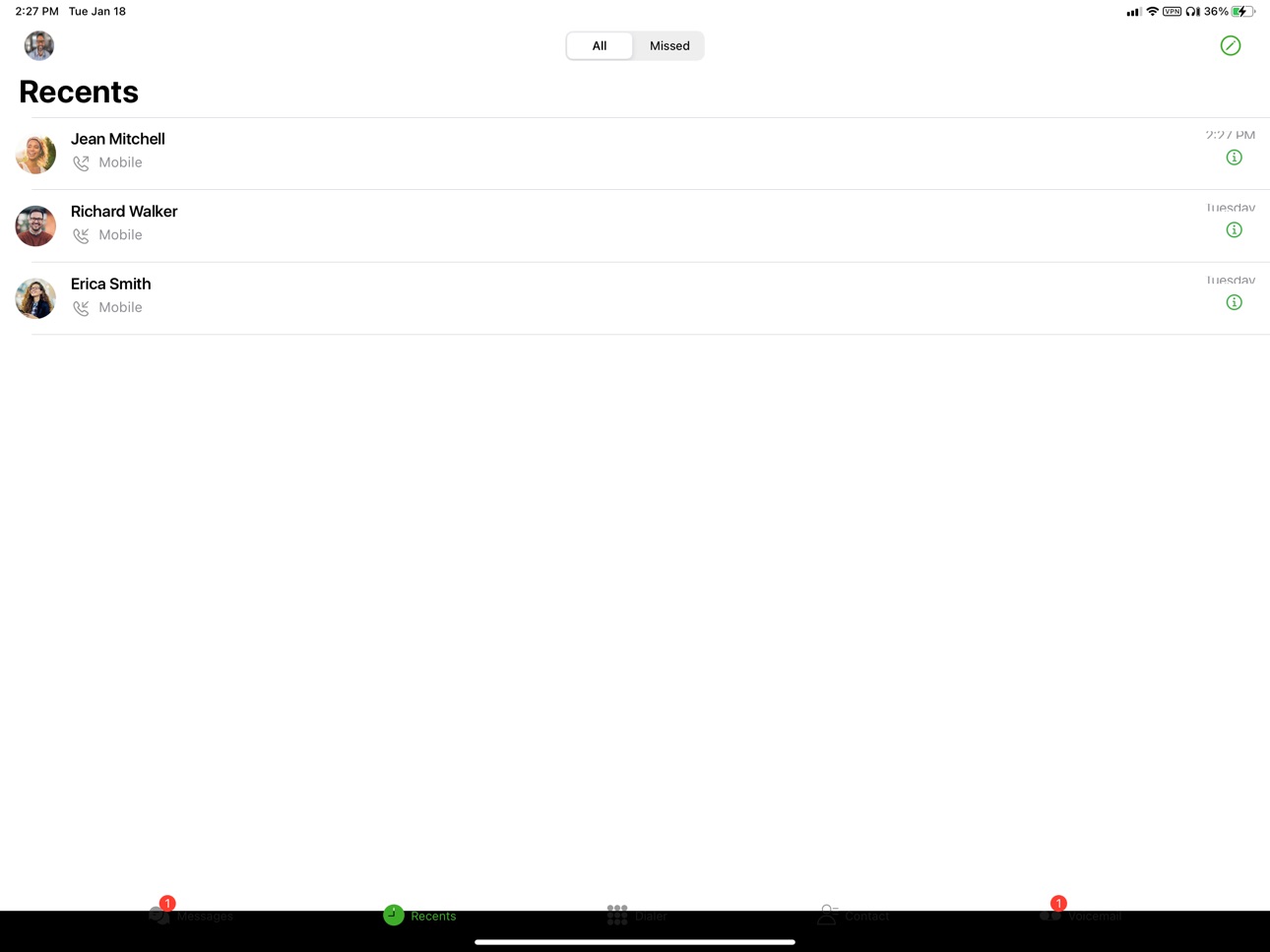
iPad 10 images




What’s New Version 6.2.0
1. Bugs Fixes
2. Performance Optimisation
Description
Turn your mobile phone into a business phone.
Enable your smartphone to access, manage, and become your Phone.com account. Just sign up for the Phone.com service and download Phone.com for iOS, and you’ll be connected 24/7.
Phone.com for iOS brings all your cloud communication features together with the added benefit of making calls over your carrier network or using data coverage or Wi-Fi.
Convenient Calling Over Data and Wi-Fi: With Phone.com mobile apps, you can make calls anywhere in the world using your 3G/4G data or Wi-Fi connection. Or connect to Wi-Fi and turn your device into a powerful desk phone, then never worry about having enough minutes or cell coverage again.
Better Visual Voicemail: Your business voicemail, all in one place. Separate your business and personal messages, and respond with a call, SMS, or even a fax! Choose a plan with Phone.com’s transcription service, and you’ll be able to read each voicemail within the app or in your email.
Text Using Any Phone.com Number: Send and receive SMS messages using any of your business phone numbers. Maintain your own work inbox, separate from your personal messages, and use group messaging to collaborate with colleagues on just about anything. You can even schedule messages to be sent at a later date and auto-respond to incoming calls and messages.
Block Unwanted Calls: Robocalls and telemarketers eat into your valuable time, block nuisance callers with a click.
Modern workers need to be agile, connected, and responsive. With Phone.com for iOS, you’ll never miss a business call or text, no matter where you are.
Capabilities
Siri
Accessibility
ipadiphonemacrealityDevicetvoswatch
Version history 25 versions
Build 885335867v6.2.02026-05-18 14:52:24
1. Bugs Fixes
2. Performance Optimisation
Build 873478532v6.1.02025-09-09 00:02:22
1. Bugs Fixes
2. Performance Optimisation
Build 870658280v5.6.482025-02-27 10:15:30
Bug Fixes and Minor improvements
Build 869375657v5.6.472024-10-04 16:43:30
Bug Fixes and Minor improvements
Build 867326179v5.6.462024-07-09 07:02:42
1. Bugs Fixes
2. Performance Optimisation
Build 864915201v5.6.452024-04-03 06:31:37
1. Bugs Fixes
2. Performance Optimisation
Build 863808840v5.6.442024-02-21 09:21:32
1. Bugs Fixes
2. Performance Optimisation
3. Improved Stability
Build 861322870v5.6.432023-11-08 09:05:18
- Bugs Fixes
- Performance Optimisation
- Improved Stability
Build 858921238v5.6.412023-08-04 09:57:10
Bug Fixes
Build 856670959v5.6.402023-04-27 00:09:26
Fixed an issue with login using the extension
Fixed an issue with searching a message
Fixed a minor issue with the gateway calling
Minor Bug Fixes & Performance Improvements
Build 855512943v5.6.392023-03-15 13:54:45
Fixed an issue preventing users from login.
Improved no-network banner notification.
Fixed issue not showing FROM/TO number on call details screen.
Improved Contact sync.
Users will be forced to log out if the token expires.
Improve dial-pad UI.
Automatic clear notifications.
Improved support for iPhone 14.
Build 852464487v5.6.382022-10-04 09:08:51
Fixed echo issue when using speaker using ongoing call.
Fixed issue with selecting international caller ID for calls.
Fixed low volume on voicemail playback on speaker.
Fixed issue with DTMF keypad animation.
Fixed issue with Conference call disconnect if any participant leaves the call.
Build 852069480v5.6.372022-09-08 02:28:23
Bug Fixes.
Build 851763789v5.6.362022-08-24 14:24:25
Users can attach multimedia items before sending them as an MMS.
Badge icon for missed calls.
Users can now resend failed messages.
Users can now tap and see the password on the login.
Fax receipts are now accessible in send fax.
Bug Fixes.
Build 851581388v5.6.352022-08-22 16:15:25
Users can not attach multimedia items before sending them as an MMS.
Badge icon for missed calls.
Users can now resend failed messages.
Users can now tap and see the password on the login.
Fax receipts are now accessible in send fax.
Bug Fixes.
Build 847981813v5.6.342022-03-29 20:14:31
Fixed an issue with gateway calls.
Improved support for iOS 12.
Build 847853193v5.6.332022-03-22 23:40:46
Users can now select and delete multiple conversations from the list.
Users can now access time stamps on the conversation.
Users can select a ringtone for the incoming calls.
Improved UX on DND.
Build 847025552v5.6.322022-02-23 16:25:20
This latest release of Phone.com for iOS offers many usability enhancements and new features. Including:
- New feature: Users can schedule messages for future delivery.
- New feature: Message and call auto-responders.
- New feature: New Phone.com customers can set up voicemail right from the app.
- New feature: Support for blind and attended call transfer.
- Improved design throughout the application with intuitive functions.
- Improved push notifications and user-selected notification tones for SMS, Voicemail, and faxes.
- Easier access to Phone.com and device contacts.
- Switch from data to mobile gateway during a call.
- Improved help screens with access to call Phone.com support or log a ticket for help.
Build 846926617v5.6.312022-02-01 17:03:45
This latest release of Phone.com for iOS offers many usability enhancements and new features. Including:
- New feature: Users can schedule messages for future delivery.
- New feature: Message and call auto-responders.
- New feature: New Phone.com customers can set up voicemail right from the app.
- New feature: Support for blind and attended call transfer.
- Improved design throughout the application with intuitive functions.
- Improved push notifications and user-selected notification tones for SMS, Voicemail, and faxes.
- Easier access to Phone.com and device contacts.
- Switch from data to mobile gateway during a call.
- Improved help screens with access to call Phone.com support or log a ticket for help.
Build 846712991v5.6.302022-01-26 22:51:47
This latest release of Phone.com for iOS offers many usability enhancements and new features. Including:
- New feature: Users can schedule messages for future delivery.
- New feature: Message and call auto-responders.
- New feature: New Phone.com customers can set up voicemail right from the app.
- New feature: Support for blind and attended call transfer.
- Improved design throughout the application with intuitive functions.
- Improved push notifications and user-selected notification tones for SMS, Voicemail, and faxes.
- Easier access to Phone.com and device contacts.
- Switch from data to mobile gateway during a call.
- Improved help screens with access to call Phone.com support or log a ticket for help.
Build 842596275v5.6.292021-06-10 06:50:14
Fixed issue with no audio after call connected.
Build 842477255v5.6.282021-06-03 06:08:39
Fixed issue when changing "called number" to "calling number" for virtual extensions.
Improved devices contacts sync.
Fixed issue playing some 3gpp video format.
Fixed issue with Voicemail playing over Bluetooth.
Improved UX on Voicemail.
Build 841344970v5.6.272021-04-14 14:42:14
Fixed issue with contact permission alert.
Build 841177628v5.6.262021-04-13 17:19:23
Fixed issue user profile not updating on iPad in portrait orientation.
Build 841149068v5.6.252021-04-01 05:09:02
Fixed an issue when tapping on the incoming image received with text.
No pricing data captured yet — comparisons appear once the app has paid storefronts or in-app purchases.
Availability 1 of 1 storefronts
| Region | Language | Price | Ratings | Avg | Version |
|---|---|---|---|---|---|
| US | en-US | Free | 263 | 4.5 | 6.2.0 |
Change log 28 changes · US
✎
releaseNotes updated
1. Bugs Fixes
2. Performance Optimisation
✎
description updated
Turn your mobile phone into a business phone.
Enable your smartphone to access, manage, and become your Phone.com account. Just sign up for the Phone.com s
✎
name updated
Phone.com
◆
Version 6.2.0 released
1. Bugs Fixes
2. Performance Optimisation
◆
Version 6.1.0 released
1. Bugs Fixes
2. Performance Optimisation
◆
Version 5.6.48 released
Bug Fixes and Minor improvements
◆
Version 5.6.47 released
Bug Fixes and Minor improvements
◆
Version 5.6.46 released
1. Bugs Fixes
2. Performance Optimisation
◆
Version 5.6.45 released
1. Bugs Fixes
2. Performance Optimisation
◆
Version 5.6.44 released
1. Bugs Fixes
2. Performance Optimisation
3. Improved Stability
◆
Version 5.6.43 released
- Bugs Fixes
- Performance Optimisation
- Improved Stability
◆
Version 5.6.41 released
Bug Fixes
◆
Version 5.6.40 released
Fixed an issue with login using the extension
Fixed an issue with searching a message
Fixed a minor issue with the gateway calling
Minor Bug Fixes & Performance Improvements
◆
Version 5.6.39 released
Fixed an issue preventing users from login.
Improved no-network banner notification.
Fixed issue not showing FROM/TO number on call details screen.
Improved Contact sync.
Users will be forced to log out if the token expires.
Improve dial-pa
◆
Version 5.6.38 released
Fixed echo issue when using speaker using ongoing call.
Fixed issue with selecting international caller ID for calls.
Fixed low volume on voicemail playback on speaker.
Fixed issue with DTMF keypad animation.
Fixed issue with Conference cal
◆
Version 5.6.37 released
Bug Fixes.
◆
Version 5.6.36 released
Users can attach multimedia items before sending them as an MMS.
Badge icon for missed calls.
Users can now resend failed messages.
Users can now tap and see the password on the login.
Fax receipts are now accessible in send fax.
Bug Fixes.
◆
Version 5.6.35 released
Users can not attach multimedia items before sending them as an MMS.
Badge icon for missed calls.
Users can now resend failed messages.
Users can now tap and see the password on the login.
Fax receipts are now accessible in send fax.
Bug Fi
◆
Version 5.6.34 released
Fixed an issue with gateway calls.
Improved support for iOS 12.
◆
Version 5.6.33 released
Users can now select and delete multiple conversations from the list.
Users can now access time stamps on the conversation.
Users can select a ringtone for the incoming calls.
Improved UX on DND.
◆
Version 5.6.32 released
This latest release of Phone.com for iOS offers many usability enhancements and new features. Including:
- New feature: Users can schedule messages for future delivery.
- New feature: Message and call auto-responders.
- New featu
◆
Version 5.6.31 released
This latest release of Phone.com for iOS offers many usability enhancements and new features. Including:
- New feature: Users can schedule messages for future delivery.
- New feature: Message and call auto-responders.
- New featur
◆
Version 5.6.30 released
This latest release of Phone.com for iOS offers many usability enhancements and new features. Including:
- New feature: Users can schedule messages for future delivery.
- New feature: Message and call auto-responders.
- New
◆
Version 5.6.29 released
Fixed issue with no audio after call connected.
◆
Version 5.6.28 released
Fixed issue when changing "called number" to "calling number" for virtual extensions.
Improved devices contacts sync.
Fixed issue playing some 3gpp video format.
Fixed issue with Voicemail playing over Bluetooth.
Improved UX on Voicemail.
◆
Version 5.6.27 released
Fixed issue with contact permission alert.
◆
Version 5.6.26 released
Fixed issue user profile not updating on iPad in portrait orientation.
◆
Version 5.6.25 released
Fixed an issue when tapping on the incoming image received with text.