Home › Business

 US
US
1 of 1 storefronts
Content in en-US
Content in en-US
Information
Preview 2 platforms
iPhone 8 images



iPad 6 images


What’s New Version 10.2.9
> Added OCR text recognition.
> Improve speed and fix bugs.
> Supports iOS 27 system.
----------
Require iOS 15.0 or higher.
Description
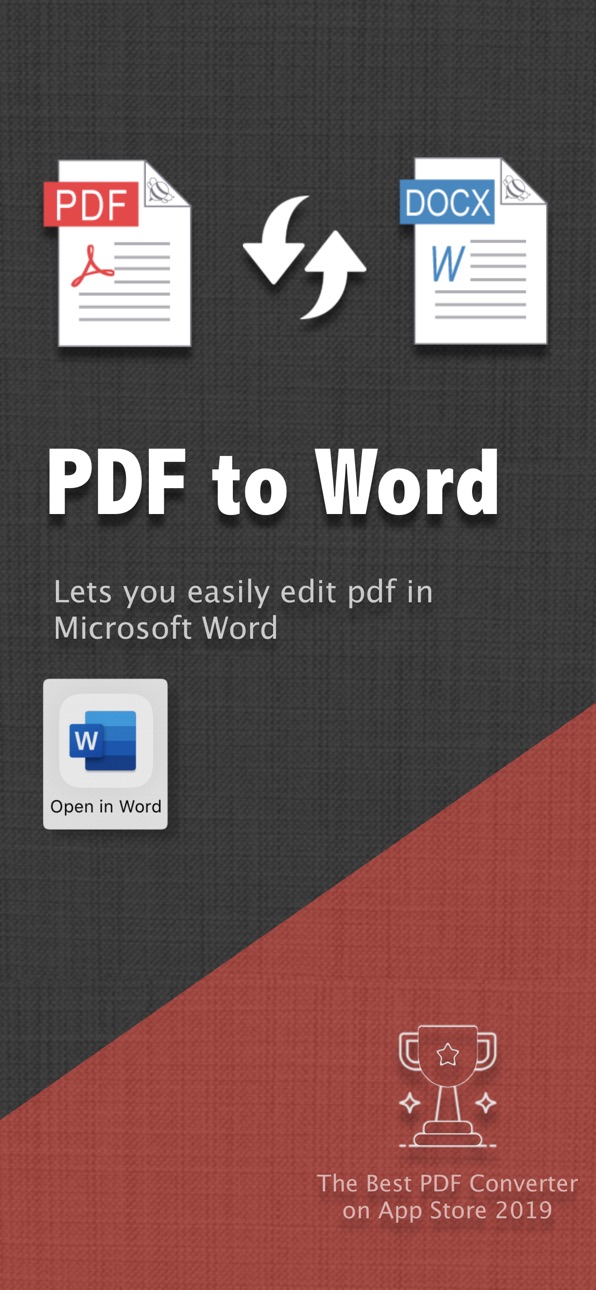
PDF to Word is an utility designed to convert Adobe PDF document to Word, PowerPoint, Excel, and other files.
The PDF Converter can preserve the original content, layout, and formatting for easier editing or reuse, and supports opening in popular mobile office editor apps (such as: Microsoft Word, PPT, Excel, Polaris Office, Smart Office, or WPS Office).
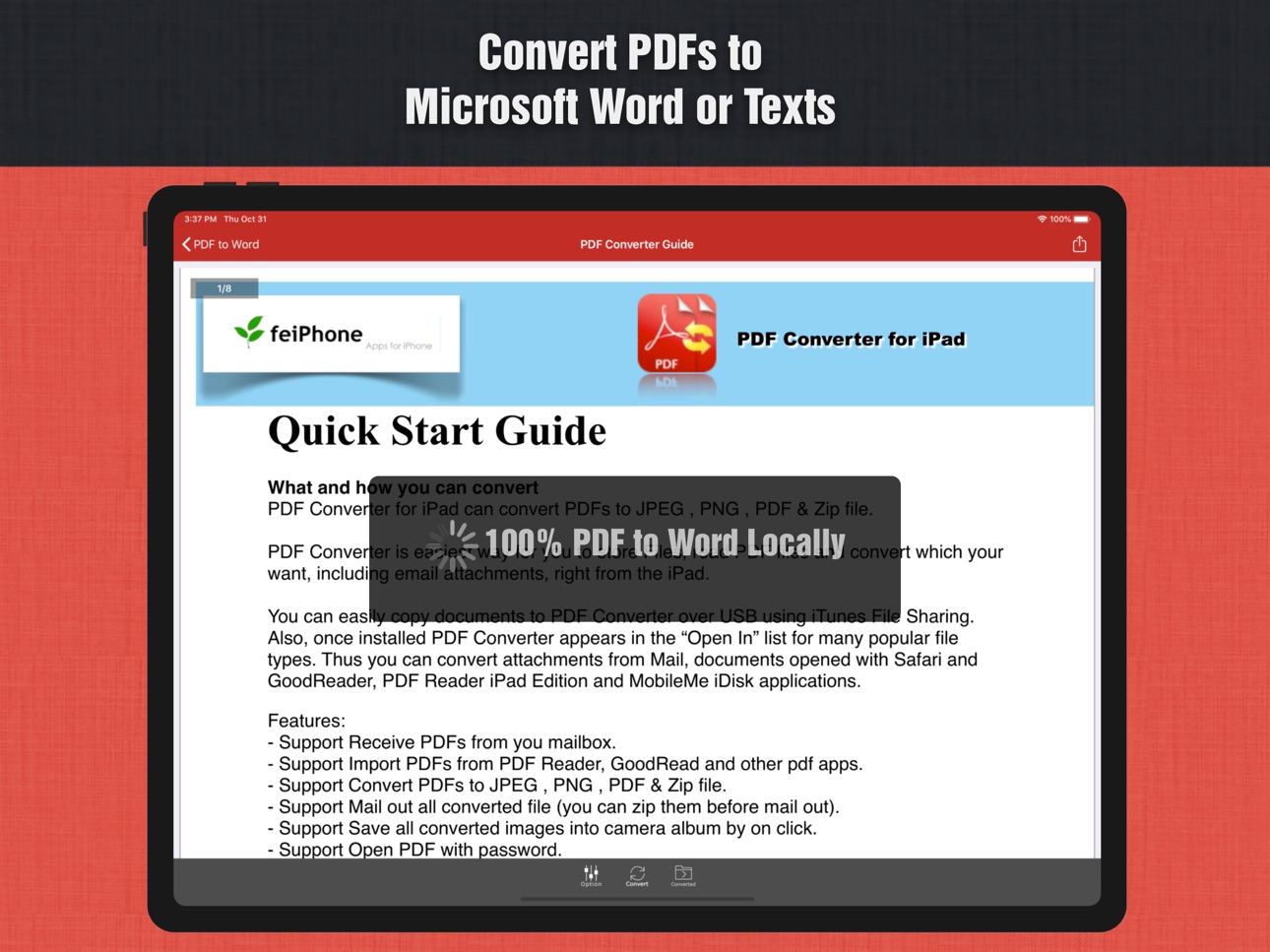
The conversion quality is excellent, requires no internet upload, is 100% local, secure, fast, and protects your privacy!
OCR text recognition has been added. For scanned documents, please select the OCR language that matches your document, as this can significantly improve recognition accuracy.
> Upgrade to Pro?
You can convert the first few pages of any PDF document for free immediately. If you are satisfied, you can upgrade to the Pro version to convert full documents directly without ads.
The app already includes several sample PDF files, so you can test the conversion results right away!
Main Features of PDF to Word Converter:
> Easily import PDFs and convert a 100-page PDF to Word, Excel or PPT in under 36 seconds, incredibly fast!
> Convert PDF to Word (.docx), PowerPoint (.pptx), Excel (.xlsx), CSV (.csv), Text (.txt), HTML (.html), and extract element resources (images, graphics), etc.
> The entire process is a 100% on-device conversion on your local iOS device, requiring no internet connection, no uploads, ensuring privacy and security.
> Outputs well-formatted Word content, preserving the layout, colors, font styles, and images identical to the original PDF document, making it very convenient for editing and reuse.
> Convert any selected pages (e.g., 1, 3-8, 26, or all pages) to save time.
> Save time learning complex Word editing skills and skip the annoying ads and pop-ups of online PDF converter.
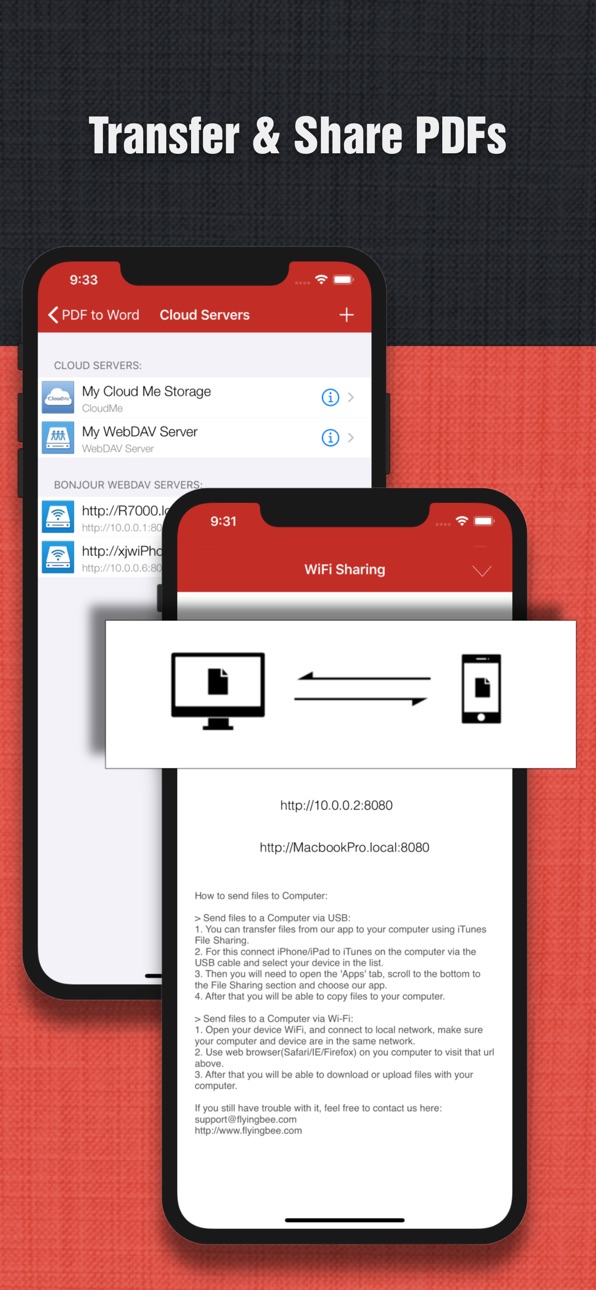
> Supports connection to online cloud storage, including CloudMe and any FTP or WebDAV server.
> Provides you with 4 ways to transfer files (Open in..., iTunes USB file sharing, Wi-Fi sharing, cloud disk, and built-in file import function).
> Compatible with various Office suites, such as Microsoft Office, WPS Office, MobiDocs, Polaris Office, and LibreOffice.
== Quick Start ==
To convert a PDF file attached in the Mail app, just follow these three steps:
1. Open the Mail app and use "Open in..." to send the source PDF file to PDF to Word Converter.
2. Go to the Flyingbee PDF to Word Converter app and tap to open the PDF file.
3. Click the "Convert" button to convert the PDF to a Word document.
FAQ: Why do I get a "Conversion Failed" error message when extracting from a PDF file?
Answer: Is the PDF restricted from printing or copying text? If your PDF file has password security and other restrictions, you need to enter the master password to remove the text copying restriction, or enable the OCR feature.
== Subscription Information ==
The duration and price of each subscription are displayed in the app store and will be updated upon purchase. Payment will be charged to your iTunes Account upon confirmation of purchase. Subscriptions will automatically renew unless auto-renew is turned off at least 24 hours before the end of the current period. Subscriptions and auto-renewal can be managed/turned off in your iTunes Account settings. Once a subscription is purchased, any unused portion of a free trial period will be forfeited.
Terms of Service and Privacy Policy:
https://www.flyingbee.com/term-of-service/
https://www.flyingbee.com/privacy-policy/
In-App Purchases US pricing
1 Year of Full Subscription Subscription
PDF to Word - Pro Yearly · Yearly 3-day free trial$19.99
One-Time Purchases
PDF to Word +1 Times$0.99
PDF to Word +10 Times$4.99
PDF to Word +100 Times$19.99
PDF to Word - Pro Lifetime$39.99
Capabilities
In-App Purchases
Accessibility
ipadiphonemacrealityDevicetvoswatch
Version history 25 versions
Build 887674378v10.2.92026-07-01 19:42:08
> Added OCR text recognition.
> Improve speed and fix bugs.
> Supports iOS 27 system.
----------
Require iOS 15.0 or higher.
Build 875271736v10.0.52026-01-26 05:38:09
> Compatible with various Office suites, such as Microsoft Office, WPS Office, MobiDocs, Polaris Office, and LibreOffice.
> Compatible with iOS 26 liquid glass system
> Rewrite the C++converter engine to improve the accuracy of PDF conversion
> Error fixing and stability improvement
Build 875160786v8.8.52025-05-30 03:13:17
Error fixes and stability improvements
Build 862522321v8.7.32023-12-28 08:02:17
Error fixes and stability improvements
Build 860475950v8.6.52023-10-17 14:41:09
Error fixes and stability improvements
Build 859752010v8.5.12023-09-09 14:01:13
This main update includes:
1. Improved PDF conversion accuracy
2. Improved conversion speed by 2x
3. Other error fixes and stability improvements
Build 851859301v8.4.92022-08-28 13:06:30
This major update includes:
1. Improved PDF Conversion.
2. Other bug fixes and stability improvements.
Build 850908520v8.4.82022-07-21 23:32:25
This major update includes:
1. Improved PDF Conversion.
2. Add SMB 2/3 Version Server access, for Windows 7/8/10/11 file sharing protocol.
3. Improved WebDAV, FTP and SMB Video Player.
4. Other bug fixes and stability improvements.
Build 850465711v8.4.12022-06-29 05:40:41
This major update includes:
1. Improved PDF Conversion.
2. Improved WebDAV, FTP and SMB cloud disk access.
3. Adjust the UI, larger font, more clear.
!!! Latest New Download Features:
1. Added New download manager UI.
2. Added WebDAV, FTP and SMB breakpoint to download large file function.
3. Added downloading in the background, don't need to open PDF to Word all the time when listening to music, save time and power.
If you have any questions, please contact us and leave us positive feedback to encourage updates.
Build 849687955v8.3.12022-06-02 00:04:57
This major update includes:
1. Improve PDF file reading and conversion.
2. Add WebDAV online playback function.
3. Add FTP online playback function.
4. Adjust the UI, larger font, clearer.
If you have any questions, please contact us and leave us positive feedback to encourage updates.
Build 849365493v8.2.12022-05-23 13:23:38
This major update includes:
1. Improve network connection, including WebDAV, FTP and SMB 1.0 protocols.
2. Improve the keychain to save account passwords.
3. Increase network connection compatibility, nearby search function.
4. Improved UI, larger font, clearer display.
5. Improve PDF to Word conversion
If you have any questions, please contact us and leave us positive feedback to encourage updates.
Build 848474082v8.1.42022-04-28 12:44:33
This major update includes:
1. A new PDF reader has been added, which supports search, annotation, editing and other functions.
2. Added PDF conversion to Word, PowerPoint, Excel, and pictures.
3. Added PDF to Office advanced options to support output in different formats.
4. Added the function of converting Word, PowerPoint, Excel and pictures back to PDF documents.
5. Fix bugs and improve UI experience.
If you have any questions, please contact us and leave us a positive feedback to encourage updates.
Build 847339860v7.1.22022-03-01 22:38:36
> Improved the conversion quality.
> General performance and stability improvements.
Build 846617843v7.1.12022-01-14 17:53:28
> Improved the conversion quality.
> General performance and stability improvements.
Build 846539372v7.1.02022-01-12 13:57:16
> Improved the conversion quality.
> General performance and stability improvements.
Build 842447141v6.5.12021-06-02 21:52:13
> Added language localization for more countries.
> Improved the conversion quality.
> Add several languages and localizations.
> General performance and stability improvements.
Build 834376838v6.4.12021-05-19 02:52:01
> Improved the conversion quality.
> Add several languages and localizations.
> General performance and stability improvements.
Build 834322429v6.3.12020-01-14 17:26:00
> Improved the conversion quality.
> General performance and stability improvements.
Build 833898317v6.22019-12-06 20:38:56
> Fixed the memory crash bug.
> Improved the conversion quality.
> General performance and stability improvements
Build 833389793v6.0.12019-10-31 16:35:45
This update brings full support for the latest iOS 13 and iPadOS:
> Elegant Dark Mode, Turn on Dark Mode to please your eyes at night or if you like it black.
> Improved the conversion quality.
> General performance and stability improvements
We hope you love this update as much as we've loved making it, please write us a review and help spread the word! Thank you.
Build 830729828v5.0.62019-04-22 21:55:50
> Fully compatible with iOS 12 Compatibility, Optimized for iPhone Xs Max or the 12.9-inch iPad Pro (3rd generation)
> Improved conversion quality.
> General performance and stability improvements.
Build 819225765v4.02016-10-10 18:50:53
> General performance and stability improvements for iOS 10.
> Numerous bug fixes and improvements.
Thank you for using our app! If you feel generous or have a couple of minutes, please leave a review. It makes a huge difference to us. Thank you in advance!
Build 811513668v3.72015-01-21 00:34:20
Bug fixes, UI enhancements and improved performance.
Build 810802702v3.62014-11-21 23:37:50
Bug fixes for iOS 8.
Build 759233147v3.42014-11-06 17:09:51
- Support for more complex pdf documents,
- Support superscript, subscript tagging support.
- Support 64bit - iOS 8
- Optimises UI for iPhone 6 and iPhone 6 Plus.
- Add some bug fixes
== Important Notice ==
This update will remove expired cloud storage connection: Google Docs, Dropbox, Box.net and Mobile Me, We strongly recommend that you use their official app.
Price history by region
Currency
Show
Columns
Search
Availability 1 of 1 storefronts
| Region | Language | Price | Ratings | Avg | Version |
|---|---|---|---|---|---|
| US | en-US | Free | 71 | 4.5 | 10.2.9 |
Change log 29 changes · US
✎
releaseNotes updated
> Added OCR text recognition.
> Improve speed and fix bugs.
> Supports iOS 27 system.
----------
Require iOS 15.0 or higher.
✎
description updated
PDF to Word is an utility designed to convert Adobe PDF document to Word, PowerPoint, Excel, and other files.
The PDF Converter can preserve the original conte
✎
subtitle updated
PDF to Office, File Converter
✎
name updated
PDF to Word
◆
Version 10.2.9 released
> Added OCR text recognition.
> Improve speed and fix bugs.
> Supports iOS 27 system.
----------
Require iOS 15.0 or higher.
◆
Version 10.0.5 released
> Compatible with various Office suites, such as Microsoft Office, WPS Office, MobiDocs, Polaris Office, and LibreOffice.
> Compatible with iOS 26 liquid glass system
> Rewrite the C++converter engine to improve the accuracy of PDF conversi
◆
Version 8.8.5 released
Error fixes and stability improvements
◆
Version 8.7.3 released
Error fixes and stability improvements
◆
Version 8.6.5 released
Error fixes and stability improvements
◆
Version 8.5.1 released
This main update includes:
1. Improved PDF conversion accuracy
2. Improved conversion speed by 2x
3. Other error fixes and stability improvements
◆
Version 8.4.9 released
This major update includes:
1. Improved PDF Conversion.
2. Other bug fixes and stability improvements.
◆
Version 8.4.8 released
This major update includes:
1. Improved PDF Conversion.
2. Add SMB 2/3 Version Server access, for Windows 7/8/10/11 file sharing protocol.
3. Improved WebDAV, FTP and SMB Video Player.
4. Other bug fixes and stability improvements.
◆
Version 8.4.1 released
This major update includes:
1. Improved PDF Conversion.
2. Improved WebDAV, FTP and SMB cloud disk access.
3. Adjust the UI, larger font, more clear.
!!! Latest New Download Features:
1. Added New download manager UI.
2. Added WebDAV, FTP
◆
Version 8.3.1 released
This major update includes:
1. Improve PDF file reading and conversion.
2. Add WebDAV online playback function.
3. Add FTP online playback function.
4. Adjust the UI, larger font, clearer.
If you have any questions, please contact us and
◆
Version 8.2.1 released
This major update includes:
1. Improve network connection, including WebDAV, FTP and SMB 1.0 protocols.
2. Improve the keychain to save account passwords.
3. Increase network connection compatibility, nearby search function.
4. Improved UI
◆
Version 8.1.4 released
This major update includes:
1. A new PDF reader has been added, which supports search, annotation, editing and other functions.
2. Added PDF conversion to Word, PowerPoint, Excel, and pictures.
3. Added PDF to Office advanced options to su
◆
Version 7.1.2 released
> Improved the conversion quality.
> General performance and stability improvements.
◆
Version 7.1.1 released
> Improved the conversion quality.
> General performance and stability improvements.
◆
Version 7.1.0 released
> Improved the conversion quality.
> General performance and stability improvements.
◆
Version 6.5.1 released
> Added language localization for more countries.
> Improved the conversion quality.
> Add several languages and localizations.
> General performance and stability improvements.
◆
Version 6.4.1 released
> Improved the conversion quality.
> Add several languages and localizations.
> General performance and stability improvements.
◆
Version 6.3.1 released
> Improved the conversion quality.
> General performance and stability improvements.
◆
Version 6.2 released
> Fixed the memory crash bug.
> Improved the conversion quality.
> General performance and stability improvements
◆
Version 6.0.1 released
This update brings full support for the latest iOS 13 and iPadOS:
> Elegant Dark Mode, Turn on Dark Mode to please your eyes at night or if you like it black.
> Improved the conversion quality.
> General performance and stability improvemen
◆
Version 5.0.6 released
> Fully compatible with iOS 12 Compatibility, Optimized for iPhone Xs Max or the 12.9-inch iPad Pro (3rd generation)
> Improved conversion quality.
> General performance and stability improvements.
◆
Version 4.0 released
> General performance and stability improvements for iOS 10.
> Numerous bug fixes and improvements.
Thank you for using our app! If you feel generous or have a couple of minutes, please leave a review. It makes a huge difference to us. Th
◆
Version 3.7 released
Bug fixes, UI enhancements and improved performance.
◆
Version 3.6 released
Bug fixes for iOS 8.
◆
Version 3.4 released
- Support for more complex pdf documents,
- Support superscript, subscript tagging support.
- Support 64bit - iOS 8
- Optimises UI for iPhone 6 and iPhone 6 Plus.
- Add some bug fixes
== Important Notice ==
This update will remove expired