Home › Utilities

 US
US
 CNzh-Hans-CNUSen-US
 TWzh-Hant-TW
 DEde-DE
 CAen-CA
 FRfr-FR
 HKzh-Hant-HK
 GBen-GB
 ATde-DE
 JPja
JPja KRko
KRko AUen-AU
 NLnl
NLnl RUru
RUru BGen-GB
 ESes-ES
 MOzh-Hant-HK
 NZen-AU
 PKen-GB
 PLen-GB
 AFen-GB
 ALen-GB
 AMen-GB
 AZen-GB
 BAen-GB
 BMen-GB
 BYen-GB
 CHde-CH
 CZen-GB
 DKen-GB
 EEen-GB
 EGen-GB
 FIen-GB
 GEen-GB
 GRen-GB
 HRen-GB
 HUen-GB
 IDen-GB
 IEen-GB
 INen-GB
 IQen-GB
 ISen-GB
 ITit
ITit LBen-GB
 LTen-GB
 LVen-GB
 MDen-GB
 MKen-GB
 MRen-GB
 MTen-GB
 MYen-GB
 NOen-GB
 PHen-GB
 PTpt-PT
 QAen-GB
 ROen-GB
 RSen-GB
 SEsv
SEsv SGen-GB
 SIen-GB
 SKen-GB
 THen-GB
 UAen-GB
 VNen-GB
 YEen-GB
65 of 65 storefronts
Content in en-US
Content in en-US
Information
Preview 5 platforms
iPhone 5 images


iPad 5 images



Mac 3 images


Apple Watch 4 images


Apple Vision Pro 3 images


What’s New Version 5.7
AlarmKit Support
- See your running timers on the dynamic island and your home screen
- Fullscreen alerts when a timer finishes
- Also works when the phone is on silent
Improved Widgets
- Merged the next timer and single timer widgets
- If no timer is running now shows buttons to quickly start existing timers
- Improved the layout for repeating timers
Changes
- Improved the layout for repeating timers
- Timer groups are now supported on Apple Watch
Description
- Saved Timers -
You can create and run multiple timers at the same time
- Live Activities -
See your timers running directly on your lockscreen.
- Home Widget -
See the progress or start timers right from your home screen.
- Siri Shortcuts -
You can start, stop, pause and even create new timers with Siri Shortcuts and parameters.
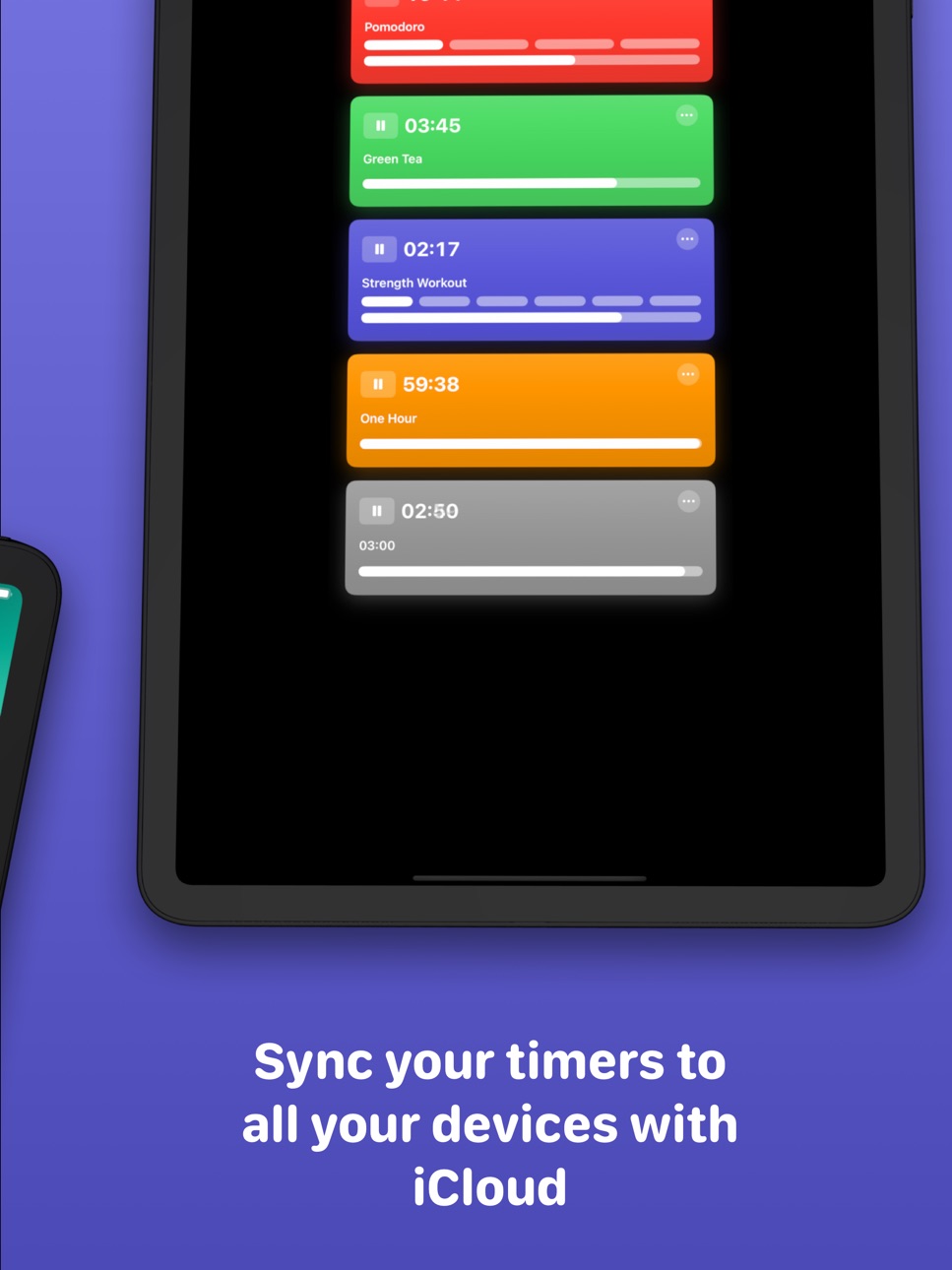
- iCloud Sync -
Sync your saved timers between all your devices using iCloud.
- Spotlight -
Simply search in Spotlight for any created timer by name to start it.
- Repeating Timers -
Set the number of repetitions and a pause between each repetition.
- Apple Watch App -
Fully featured watch app. Works as a stand-alone app or syncs through iCloud.
- Tidur Pro -
Tidur Pro automatically renews as a paid subscription, unless cancelled at least 24 hours before the date of renewal. The payment will be charged to iTunes Account at confirmation of purchase. Your account will be charged for renewal within 24-hours prior to the end of the current period. You can cancel a free trial or subscription anytime by turning off auto-renewal through your iTunes account settings. This must be done 24 hours before the end of a free trial or subscription period to avoid being charged. The cancellation will take effect the day after the last day of the current subscription period, and you will be downgraded to the free service. Any unused portion of a free trial period will be forfeited when you purchase a premium subscription during the free trial period.
Privacy Policy: https://voidstern.net/privacy-policy
Terms of Use: https://voidstern.net/terms-of-use
EULA https://www.apple.com/legal/internet-services/itunes/dev/stdeula/
In-App Purchases US pricing
Tidur Pro Subscription
Monthly$0.99
Yearly 3-day free trial$9.99
Yearly 3-day free trial$4.99
Yearly$6.99
Tidur Timers Pro Subscription
Tidur Pro · Monthly$0.99
Tidur Pro · Yearly 3-day free trial$4.99
Capabilities
In-App Purchases
Accessibility
ipadiphonemacrealityDevicetvoswatch
Version history 25 versions
Build 886775456v5.72026-06-12 16:26:33
AlarmKit Support
- See your running timers on the dynamic island and your home screen
- Fullscreen alerts when a timer finishes
- Also works when the phone is on silent
Improved Widgets
- Merged the next timer and single timer widgets
- If no timer is running now shows buttons to quickly start existing timers
- Improved the layout for repeating timers
Changes
- Improved the layout for repeating timers
- Timer groups are now supported on Apple Watch
Build 880497317v5.6.22025-12-11 08:32:35
Changes
- Added Gong and Tibetan Bowl alert sounds
- Ability to expand/Collapse timer groups
- Option to display repetitions numerically
Fixes
- Fixed showing the repetitions bar in the detail view
- Fixed detail view background after a timer finishes
- Improved localisation
Build 880270190v5.6.12025-12-03 10:57:40
Changes
- Minor layout issues improvements
- The repetitions bar now shows progress and pauses
- Improved edit timer layout [watchOS]
- Added a zoom transition when viewing a timer
- Single Use Timers now hide the title and icon everywhere
Fixes
- Fixed ... menu in timer detail view
- Fixed timer list being cut off
- Single Use Timers are now properly removed after expiring
- Timer progress animates more fluently in widgets
Build 876771135v5.6.02025-10-16 19:31:26
Timer Groups
- Manage timers with different groups
- Collapsible for a better overview
- Can start or restart all timers at once
Other Changes
- Settings are now searchable
- Updated Edit Timer Design
- Theres now a search field to filter your timers
- Updated design for liquid glass
- Larger text in widgets
- Liquid glass app icon
Fixed
- Fixed edit timer view on Apple Watch
- Improved layout for syncing indicator
- Fixed starting live activities
Build 871921894v5.5.72025-01-23 12:28:00
Changes
- Improved timer ticking animation
Build 871691505v5.5.62025-01-13 00:02:34
Fixed
- Issue creating new saved timers
- Layout issue on edit timer view
Build 871143710v5.5.52024-12-16 23:45:05
Changes
- You can swipe left/right in the timer detail view
Fixed
- Fixed unlocking pro in some regions
- Fixed adding new saved timers
Build 870892064v5.5.42024-12-05 08:15:17
Changes
- Renamed "Quick Timer" to "Single Use Timer"
- Renamed "Timers" to "Saved Timers"
- Improved app translations
- Added additional languages
Fixed
- Single use timers are not properly deleted
Build 870502925v5.5.32024-11-18 23:12:30
Changes
- Bluesky in About Screen
- Control Center Widgets titles
- Start timer control center widget now prompts for timer on adding
Build 870391111v5.5.22024-11-13 18:52:03
Fixed
- "Notifications not enabled" alert shown always
- Improved home screen widgets layout
Build 870320487v5.5.12024-11-11 19:41:08
Fixed
- Dismiss timer detail view after deleting timer [watchOS]
- Fixed unlocking widgets with subscription
- Fixed timer formatting less than 60 Seconds
Build 868910078v5.52024-09-17 09:46:00
Watch App
- Better onboarding
- Circular timer detail view
- Improved localisation
- Shows timer icons more prominently
- Fixed input issues
Control Center
- Add buttons to quickly start timers from the control center
- Add buttons to start quick timers from the control center
New
- Option for a default alert sound for new timers
- Support for dark and tinted app icons
Changes
- Removed menu button
- Updated timer widget design
- Tapping a widget now shows the fullscreen timer
- Improved time formatting
Fixed
- Potential crashes
- Improved small widget layout
Build 866495313v5.4.32024-06-06 12:39:25
Fixed
- Fixed potential app slow down
- Some weird animation in the app
- Improved localisation
- Fixed potential crashes
Build 866276755v5.4.22024-05-29 10:47:31
Changes
- Improved icon picker
- Changing timer icons is now a Pro feature
- Shows syncing indicator while syncing
Fixed
- Fixed a possible crash
Build 865279844v5.4.12024-04-18 06:39:47
Fixed
- Continuing after purchase
- Fixed unlock for previous users
- Fixed notifications on timer end
Build 865232567v5.42024-04-17 07:02:17
Improved iCloud Sync
- Rewritten to be more reliable
- New iCloud status view
- Can push changes to other devices
Improved Edit Timer View
- Increased available timer colors
- You can now pick an icon for each timer
Fixed
- Minor layout changes
- Improved settings view
- Fixed lockscreen widgets
- Fixed new quick timer lockscreen widget
- Fixed app unlock for legacy users
Build 864363461v5.3.12024-03-14 15:10:07
Changes
- Improved localiation
Fixed
- Fixed possible crash
- Fixed dark mode toggle
Build 864230305v5.32024-03-07 07:53:19
Changes
- Rewritten onboarding and settings in SwiftUI for consistency
- Fixed an issue with always dark mode in settings
Build 863858224v5.2.12024-02-22 09:18:14
Fixed
- Improved animations in widgets
- Ending live activities automatically when timer is done
- Fixed counting time for pause between repetions in widgets
Build 863697648v5.22024-02-14 11:50:18
Single Timer View
- Tap Timer to show only one timer full screen
- Open a single timer in a new window
Changes
- Slightly darker timer colors
- Adjust home screen widgets to match in app timers
- Added interactive Buttons to live activity
- Improved support for live activities
- Added relevance to widgets, so that timers that are about to finish get priority in smart stacks
Fixed
- Fixed resume timer app intent
- Fixed timer widgets on iPad Mini
- Fixed widgets sometimes not updating correctly
- Fixed resetting iCloud sync from settings
Build 862186958v5.1.12023-12-14 09:50:32
Changes
- Reverted name
Fixed
- Fixed drag to reorder in grid mode
- Previous notifications reappearing when editing a running, repeating timer
Build 861708416v5.0.32023-11-29 07:34:39
Changes
- Restored sound preview on sound selection
- Shows total timer duration and exact end date in context menu
- When start and stop sounds are enabled, and the pause between timers is too short to play both (less than 3 seconds), the app now plays the start sound instead of the stop sound between timers
Fixed
- Pro alert sounds are once again pro sounds
- Fixed a small delay in the timer UI
Build 861842592v5.12023-11-29 15:15:23
Alternate App Icons
- Light and dark list icons
- Light and dark logo icons
- 20 Symbol Icons
Changes
- Sort timers by color
- Testing out a new app name
- Show textual repeations count, for high number of repeations
Build 861623118v5.0.22023-11-22 15:54:23
Fixed
- Fixed ending repeating alerts by tapping an alert while the app is in foreground
- Selecting different sounds for start repetition and timer end
- Fixed automatically reordering once a timer finished
- Fixed preview of timers during dragging
Changes
- Timers now reorder themselves with an animation
Build 861470124v5.0.12023-11-15 15:34:40
Fixed
- Fixed pause duration in edit view
- Spelling of TImers
Changes
- Added stop timer action to menu
- Slight changes on the timer detail view [watchOS]
- Slighly disabled state of non-running timers
- Repetitions bar now empty while finished
Price history by region
Currency
Show
Columns
Search
Availability 65 of 65 storefronts
| Region | Language | Price | Ratings | Avg | Version |
|---|---|---|---|---|---|
| CN | zh-Hans-CN | Free | 33 | 4.0 | 5.7 |
| US | en-US | Free | 22 | 3.9 | 5.7 |
| TW | zh-Hant-TW | Free | 15 | 4.6 | 5.7 |
| DE | de-DE | Free | 10 | 3.8 | 5.7 |
| CA | en-CA | Free | 7 | 3.9 | 5.7 |
| FR | fr-FR | Free | 7 | 4.4 | 5.7 |
| HK | zh-Hant-HK | Free | 6 | 3.2 | 5.7 |
| GB | en-GB | Free | 5 | 3.0 | 5.7 |
| AT | de-DE | Free | 4 | 5.0 | 5.7 |
| JP | ja | Free | 3 | 4.3 | 5.7 |
| KR | ko | Free | 3 | 3.0 | 5.7 |
| AU | en-AU | Free | 2 | 3.0 | 5.7 |
| NL | nl | Free | 2 | 4.5 | 5.7 |
| RU | ru | Free | 2 | 2.5 | 5.7 |
| BG | en-GB | Free | 1 | 1.0 | 5.7 |
| ES | es-ES | Free | 1 | 4.0 | 5.7 |
| MO | zh-Hant-HK | Free | 1 | 5.0 | 5.7 |
| NZ | en-AU | Free | 1 | 5.0 | 5.7 |
| PK | en-GB | Free | 1 | 4.0 | 5.7 |
| PL | en-GB | Free | 1 | 5.0 | 5.7 |
| AF | en-GB | Free | 0 | — | 5.7 |
| AL | en-GB | Free | 0 | — | 5.7 |
| AM | en-GB | Free | 0 | — | 5.7 |
| AZ | en-GB | Free | 0 | — | 5.7 |
| BA | en-GB | Free | 0 | — | 5.7 |
| BM | en-GB | Free | 0 | — | 5.7 |
| BY | en-GB | Free | 0 | — | 5.7 |
| CH | de-CH | Free | 0 | — | 5.7 |
| CZ | en-GB | Free | 0 | — | 5.7 |
| DK | en-GB | Free | 0 | — | 5.7 |
| EE | en-GB | Free | 0 | — | 5.7 |
| EG | en-GB | Free | 0 | — | 5.7 |
| FI | en-GB | Free | 0 | — | 5.7 |
| GE | en-GB | Free | 0 | — | 5.7 |
| GR | en-GB | Free | 0 | — | 5.7 |
| HR | en-GB | Free | 0 | — | 5.7 |
| HU | en-GB | Free | 0 | — | 5.7 |
| ID | en-GB | Free | 0 | — | 5.7 |
| IE | en-GB | Free | 0 | — | 5.7 |
| IN | en-GB | Free | 0 | — | 5.7 |
| IQ | en-GB | Free | 0 | — | 5.7 |
| IS | en-GB | Free | 0 | — | 5.7 |
| IT | it | Free | 0 | — | 5.7 |
| LB | en-GB | Free | 0 | — | 5.7 |
| LT | en-GB | Free | 0 | — | 5.7 |
| LV | en-GB | Free | 0 | — | 5.7 |
| MD | en-GB | Free | 0 | — | 5.7 |
| MK | en-GB | Free | 0 | — | 5.7 |
| MR | en-GB | Free | 0 | — | 5.7 |
| MT | en-GB | Free | 0 | — | 5.7 |
| MY | en-GB | Free | 0 | — | 5.7 |
| NO | en-GB | Free | 0 | — | 5.7 |
| PH | en-GB | Free | 0 | — | 5.7 |
| PT | pt-PT | Free | 0 | — | 5.7 |
| QA | en-GB | Free | 0 | — | 5.7 |
| RO | en-GB | Free | 0 | — | 5.7 |
| RS | en-GB | Free | 0 | — | 5.7 |
| SE | sv | Free | 0 | — | 5.7 |
| SG | en-GB | Free | 0 | — | 5.7 |
| SI | en-GB | Free | 0 | — | 5.7 |
| SK | en-GB | Free | 0 | — | 5.7 |
| TH | en-GB | Free | 0 | — | 5.7 |
| UA | en-GB | Free | 0 | — | 5.7 |
| VN | en-GB | Free | 0 | — | 5.7 |
| YE | en-GB | Free | 0 | — | 5.7 |
Change log 29 changes · US
✎
releaseNotes updated
AlarmKit Support
- See your running timers on the dynamic island and your home screen
- Fullscreen alerts when a timer finishes
- Also works when the phone is o
✎
description updated
- Saved Timers -
You can create and run multiple timers at the same time
- Live Activities -
See your timers running directly on your lockscreen.
- Home Widg
✎
subtitle updated
HIIT, Pomodoro and more
✎
name updated
Tidur: Multiple Timers
◆
Version 5.7 released
AlarmKit Support
- See your running timers on the dynamic island and your home screen
- Fullscreen alerts when a timer finishes
- Also works when the phone is on silent
Improved Widgets
- Merged the next timer and single timer widgets
- If
◆
Version 5.6.2 released
Changes
- Added Gong and Tibetan Bowl alert sounds
- Ability to expand/Collapse timer groups
- Option to display repetitions numerically
Fixes
- Fixed showing the repetitions bar in the detail view
- Fixed detail view background after a ti
◆
Version 5.6.1 released
Changes
- Minor layout issues improvements
- The repetitions bar now shows progress and pauses
- Improved edit timer layout [watchOS]
- Added a zoom transition when viewing a timer
- Single Use Timers now hide the title and icon everywhere
◆
Version 5.6.0 released
Timer Groups
- Manage timers with different groups
- Collapsible for a better overview
- Can start or restart all timers at once
Other Changes
- Settings are now searchable
- Updated Edit Timer Design
- Theres now a search field to filter
◆
Version 5.5.7 released
Changes
- Improved timer ticking animation
◆
Version 5.5.6 released
Fixed
- Issue creating new saved timers
- Layout issue on edit timer view
◆
Version 5.5.5 released
Changes
- You can swipe left/right in the timer detail view
Fixed
- Fixed unlocking pro in some regions
- Fixed adding new saved timers
◆
Version 5.5.4 released
Changes
- Renamed "Quick Timer" to "Single Use Timer"
- Renamed "Timers" to "Saved Timers"
- Improved app translations
- Added additional languages
Fixed
- Single use timers are not properly deleted
◆
Version 5.5.3 released
Changes
- Bluesky in About Screen
- Control Center Widgets titles
- Start timer control center widget now prompts for timer on adding
◆
Version 5.5.2 released
Fixed
- "Notifications not enabled" alert shown always
- Improved home screen widgets layout
◆
Version 5.5.1 released
Fixed
- Dismiss timer detail view after deleting timer [watchOS]
- Fixed unlocking widgets with subscription
- Fixed timer formatting less than 60 Seconds
◆
Version 5.5 released
Watch App
- Better onboarding
- Circular timer detail view
- Improved localisation
- Shows timer icons more prominently
- Fixed input issues
Control Center
- Add buttons to quickly start timers from the control center
- Add buttons to star
◆
Version 5.4.3 released
Fixed
- Fixed potential app slow down
- Some weird animation in the app
- Improved localisation
- Fixed potential crashes
◆
Version 5.4.2 released
Changes
- Improved icon picker
- Changing timer icons is now a Pro feature
- Shows syncing indicator while syncing
Fixed
- Fixed a possible crash
◆
Version 5.4.1 released
Fixed
- Continuing after purchase
- Fixed unlock for previous users
- Fixed notifications on timer end
◆
Version 5.4 released
Improved iCloud Sync
- Rewritten to be more reliable
- New iCloud status view
- Can push changes to other devices
Improved Edit Timer View
- Increased available timer colors
- You can now pick an icon for each timer
Fixed
- Minor layout c
◆
Version 5.3.1 released
Changes
- Improved localiation
Fixed
- Fixed possible crash
- Fixed dark mode toggle
◆
Version 5.3 released
Changes
- Rewritten onboarding and settings in SwiftUI for consistency
- Fixed an issue with always dark mode in settings
◆
Version 5.2.1 released
Fixed
- Improved animations in widgets
- Ending live activities automatically when timer is done
- Fixed counting time for pause between repetions in widgets
◆
Version 5.2 released
Single Timer View
- Tap Timer to show only one timer full screen
- Open a single timer in a new window
Changes
- Slightly darker timer colors
- Adjust home screen widgets to match in app timers
- Added interactive Buttons to live activity
◆
Version 5.1.1 released
Changes
- Reverted name
Fixed
- Fixed drag to reorder in grid mode
- Previous notifications reappearing when editing a running, repeating timer
◆
Version 5.1 released
Alternate App Icons
- Light and dark list icons
- Light and dark logo icons
- 20 Symbol Icons
Changes
- Sort timers by color
- Testing out a new app name
- Show textual repeations count, for high number of repeations
◆
Version 5.0.3 released
Changes
- Restored sound preview on sound selection
- Shows total timer duration and exact end date in context menu
- When start and stop sounds are enabled, and the pause between timers is too short to play both (less than 3 seconds), the
◆
Version 5.0.2 released
Fixed
- Fixed ending repeating alerts by tapping an alert while the app is in foreground
- Selecting different sounds for start repetition and timer end
- Fixed automatically reordering once a timer finished
- Fixed preview of timers during
◆
Version 5.0.1 released
Fixed
- Fixed pause duration in edit view
- Spelling of TImers
Changes
- Added stop timer action to menu
- Slight changes on the timer detail view [watchOS]
- Slighly disabled state of non-running timers
- Repetitions bar now empty while f