Home › Health & Fitness

 US
US
1 of 1 storefronts
Content in en-US
Content in en-US
Information
Preview 2 platforms
iPhone 4 images



Apple Watch 3 images


What’s New Version 3201
- Minor Bugs Fixes and Improvements
Description
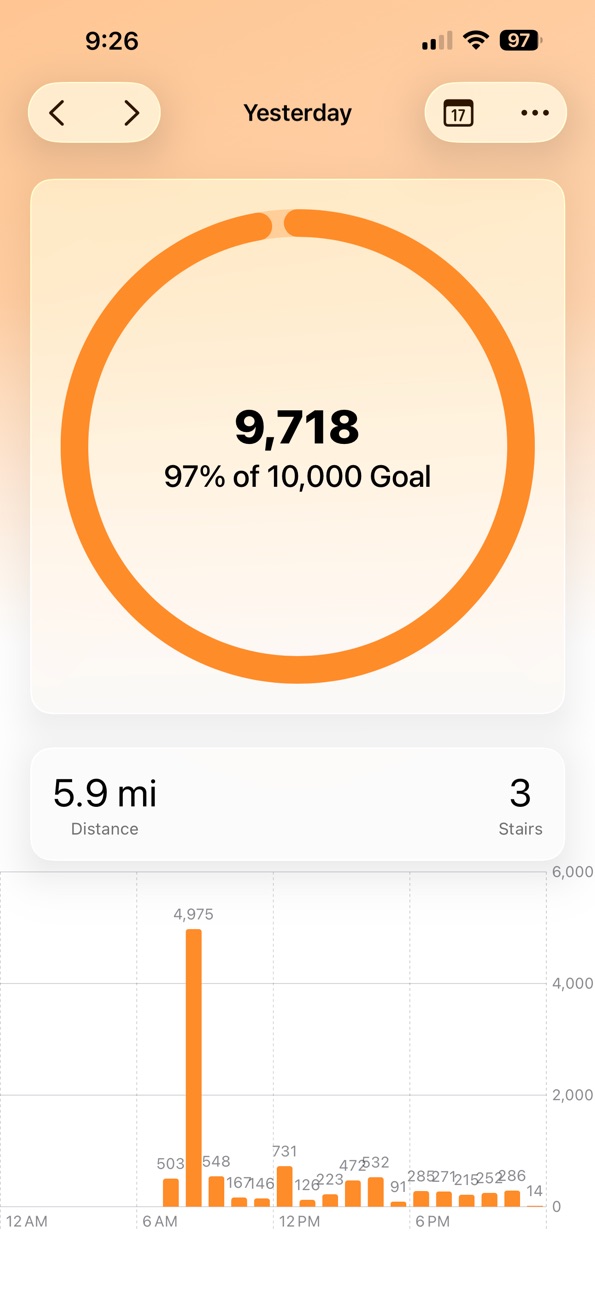
Track Your Steps, Distance, and Stairs – Right from Your phone or Watch.
Step It Up helps you stay active and motivated by tracking your steps, distance walked or run, flights of stairs climbed, active calories burned, and more. Built for iPhone and Apple Watch, it’s a sleek and privacy-first way to stay on top of your daily movement.
Step It Up isn’t just about daily numbers — it’s about progress over time. With built-in trends and insights, you can see how your activity compares to previous weeks or months, helping you build healthier habits that stick.
With Step It Up Plus, you can customize the app to make it your own — change the app’s tint color and icon to match your style.
Features:
- View your daily steps, distance, flights climbed, steps from the past hour.
- Set a daily step goal and track your weekly exercise minutes.
- Explore Insights to see how your fitness has changed over time.
- Check your full History to review previous days’ data.
- Add Home Screen Widgets in a variety of sizes to quickly glance at your activity.
- Syncs with Apple Watch, including support for Watch face complications so your data is always a glance away.
Thank you for checking out Step It Up — I hope it helps you move a little more each day.
— Casey
In-App Purchases US pricing
One-Time Purchases
Step It Up Plus$4.99
Capabilities
In-App Purchases
Accessibility
ipadiphonemacrealityDevicetvoswatch
Version history 25 versions
Build 878862288v32012025-10-25 16:48:39
- Minor Bugs Fixes and Improvements
Build 875706832v32002025-09-17 18:41:00
This update adds support for iOS 26 and Liquid Glass. And, as always several small bugs are also fixed.
Build 874308222v31002025-05-04 22:24:51
- New App Icon to better reflect the new design of Step It Up while also keeping a similar take to the past icon.
- There is a new layout with a step progress ring available for Step It Up Plus users.
- New Widgets for your Lock Screen and Home Screen so you can check on your step progress throughout the day.
- Bug Fixes and Minor Improvements.
Build 848420142v3000.12025-04-23 11:21:18
* A brand new design!
* A new graph for viewing daily, weekly, monthly, and yearly steps, distance, and stairs climbed.
* New and improved settings with a streamlined design and easy access to all of your settings.
* A new Watch app and design.
*A number of features from the past version are missing but will be returning in future updates. Please visit my website for a list of new/returning features and their progress.
Build 847808213v2022.22022-04-14 14:31:31
- Introduces new Spring 2022 Tint Colors.
- Fixes a bug related to Sleep counting multiple sleep tracking apps as one.
- Fixes a few bugs in Step It Up for Watch
Build 846782483v2022.12022-01-22 21:51:22
Step It Up 2022.1.
Thanks for using Step It Up. This update includes a number of new changes, improvements and new features. To start, Step It Up has received a whole new design allowing you to see more information at once. Step It Up now features sleep and exercise tracking. This allows for more insight into your overall health and well-being. I hope you enjoy the update and stay active.
Best wishes, Casey
Build 840764279v2021.32021-03-10 22:12:52
Hello everyone, thank you for using Step It Up! This is a major update for Step It Up, it features an all-new design to the Today screen. There is a brand new History screen that lets you quickly navigate your past health and activity data on your iPhone. Next up, there are some design changes to Insights which makes it far easier to view your progress throughout the week, month, and year. Lastly, there are some new app icons and app tints for Step It Up Plus users. If you're curious about all of the changes made in this update, please check out the What's New list below.
Stay Healthy,
Casey
What's New:
- New Health App authorization prompt
- New Today screen design.
- New Calendar view to display activity from previous days.
- New set a step goal prompt.
- Insights Totals has an improved design.
- Settings has been moved to the tab bar for easier discoverability.
- Ability to change the app to light or dark mode.
- New Feature Request button in settings.
- New App Tints for the Spring season.
- New App Icons for the Spring season.
- Fixes a bug that would cause Step It Up on Apple Watch to crash for some users.
Build 840428601v2021.22021-02-10 22:45:08
Thank you for using Step It Up. A lot has changed in this update, let's highlight a few: Rest Days, Heart Rate trends, new and improved insights and more.
Enjoy all of the changes,
Casey
All of the Changes:
- New Insights tab.
- New resting heart rate trends.
- New daily heart rate trends.
- New Watch complications with weekly total information.
- Rest Days and Scheduled Rest Days for Step It Up Plus users.
- Improvements for users who use a wheelchair.
Build 840006410v2021.12021-01-13 15:34:27
Thank you for using Step It Up and Happy New Year. This update makes some improvements to the Step It Up Plus upgrade progress.
Stay safe and healthy,
Casey
Build 839355711v2020.102020-11-24 21:00:15
Thank you for using Step It Up. This update fixes a few bugs with the Watch complication. The past update introduced a new feature called Insights. Insights is a new way to view your latest activity and trends. You can view your weekly, monthly, and yearly totals and averages. Additionally, with Insights you can compare your current weekly activity to the past three months to make sure you are staying on top of your goals.
Stay safe and healthy,
Casey
Change Log (2020.10) -
iPhone App:
- Fixes a formatting issue on the Step It Up Plus screen.
Change Log (2020.8) -
iPhone app:
- Insights.
- Stability and performance enhancements.
Watch App:
- Insights.
- Stability and performance enhancements.
- App tints & custom complication colors.
Build 839339118v2020.92020-11-24 15:13:24
Thank you for using Step It Up. This update fixes a few bugs with the Watch complication. The past update introduced a new feature called Insights. Insights is a new way to view your latest activity and trends. You can view your weekly, monthly, and yearly totals and averages. Additionally, with Insights you can compare your current weekly activity to the past three months to make sure you are staying on top of your goals.
Stay safe and healthy,
Casey
Change Log (2020.9) -
Watch App:
- Fixes a bug causing the Watch complication tint color to not match the selected App Tint.
Change Log (2020.8) -
iPhone app:
- Insights.
- Stability and performance enhancements.
Watch App:
- Insights.
- Stability and performance enhancements.
- App tints & custom complication colors.
Build 839262115v2020.82020-11-19 22:21:11
Thank you for using Step It Up. This update introduces a new feature called Insights. Insights is a new way to view your latest activity and trends. You can now view your weekly, monthly, and yearly totals and averages. Additionally, compare your current weekly activity to the past three months to make sure you are staying on top of your goals.
Stay safe and healthy,
Casey
Change Log -
iPhone app:
- Insights.
- Stability and performance enhancements.
Watch App:
- Insights.
- Stability and performance enhancements.
- App tints & custom complication colors.
Build 838102928v2020.72020-10-09 19:42:22
Hello, thank you for using Step It Up, I hope you're enjoying it. This update fixes a number of bugs that caused the Watch complication to not update for some users. While I was in there I added a few more options for complications, since that's something awesome in watchOS 7. There is a new "Lots of Data" complication which shows you as much data as possible and a new "Just Steps" which is the exact opposite of "Lots of Data," it's just your steps. The last of the bugs I fixed is a bug for some users who had set their distance kilometers but was still reporting a very strange distance result. Thank you to everyone who tested Step It Up and reported these bugs. Lastly, I added support for Chinese Simplified localization.
Best Wishes,
Casey
Build 838067349v2020.62020-10-04 23:20:57
Hello, thank you for using Step It Up! This update adds support for French, German, Greek, Italian, Spanish, and Russian languages. It also fixes a few bugs related to the widget on the iPhone.
Best Wishes,
Casey
Build 838065981v2020.52020-10-03 14:20:12
Hello, thank you for using Step It Up! This update fixes a number of bugs that could be found on the iPhone version of the app. There were a couple of bugs that only occurred if you did not have an Apple Watch that has also been fixed. Lastly, I added a "Manage Health Permissions" button to Settings to make it easier to manage any permissions related to the Health app.
Best Wishes,
Casey
Build 838046465v2020.42020-10-01 19:22:25
Hello, thank you for using Step It Up! This update fixes a number of bugs related to the Watch app. In addition to bugs fixed with the Watch, I also increased how often the watch face complications updates. On the iPhone I added a new “Share” screen. This displays a QR code and gives you a link that you can share with others. It also unlocks two icons as a thank you for sharing Step It Up.
Best Wishes,
Casey
Build 837975140v2020.32020-09-27 23:59:03
Thank you for using Step It Up! This update adds App Tint Customizations and Settings on the Apple Watch app. You can now select from a variety of colors to change the tint of the app on your iPhone & Apple Watch. The best part is, these changes take effect on the iOS 14 home screen widgets too. Secondly, you can now adjust your step & stand goal directly on the Apple Watch, this is great for users who just use the Apple Watch app. Lastly, I fixed a number of bugs that have been reported regarding the Watch app. Thank you to everyone who reported bugs to me and to all of the beta testers who help me make this app great.
Best Wishes,
Casey
Build 836464901v2020.22020-09-25 14:52:50
Thank you for using Step It Up. This version of Step It Up introduces a whole new design. Additionally, I completely rewrote the app from the ground-up. It is now much faster and more responsive than the previous version of Step It Up. This version makes numerous improvements to how wheelchair user data is handled and how it handles users who want to measure distance in kilometers rather than miles (This is a much nicer experience for everyone who doesn’t live in the U.S.). Next up, there are new Widgets for iOS 14!!! You can now view all of your activity data right on your home screen. These look really great and I am excited to share them with you. Now Casey, what about the Apple Watch App, you ask? Don’t worry, I didn’t forget about you. The Watch app is also completely rewritten from the ground-up. It also has new complications for watchOS 7. You can view your step progress, distance walked, and more right on your Watch face. You can also add a special Standometer complication for tracking the total amount of time you have spent standing throughout the day.
One more thing… I heard customizing your home screen was cool now. So, I added a bunch of custom app icons that are part of Step It Up Plus. Send me your requests and I will add more icons to match your style!
Stay Well,
Casey
Build 834954445v2020.12020-03-29 19:50:18
Introducing Standometer for Step It Up! Standometer helps you track the total duration of time that you spent standing each day. Standing is just as important as meeting your step goal, so they are a perfect fit for each other. Standometer is available on the iPhone and Apple Watch.
iPhone Changes:
- Improvements to Step It Up Plus purchasing
- Improvements to Settings
- Slight changes to the weight tracker
- Removed Past Activities section
- Adds a new onboarding screen
- Support for wheelchair pushes
Apple Watch:
- Adds Standometer
- Adds Watch-only settings (Change step goal, stand duration goal, and measurements)
- Removes Activity tracking
- Support for wheelchair pushes
Thank you for using Step It Up -- I hope it is helping all of you be healthy and active.
Best,
Casey
Build 833184927v2019.72019-10-21 17:13:12
Hello,
Hard to believe October is almost over! In 2019.7 I added a new feature that will show you the amount of time you spent being active. This feature is recorded on the Apple Watch and is only available for devices running watchOS 6 or later.
Build 833031913v2019.62019-10-04 12:42:46
Do you know how similar 5 and 6 look? Well, I didn't really think about either, until now! In 2019.5, I meant to make Step It Up available for watchOS 5 or later, instead I made it available for watchOS 6 or later! Which meant that if you hadn't updated your watch yet, or are still unable to, Step It Up was removed from your watch without any knowledge to you! I am so sorry for that! Please check it again, it should be appearing. If it is not, please email me or reach out on Twitter.
Best Regards,
Casey
Build 832843778v2019.52019-10-02 21:54:28
This update makes some minor changes and improvements to the last update, 2019.4. There are a few improvements to the date picker and under the hood changes. This version also makes the Watch app independent for watchOS 6 users. Also, this update announces the removal of Weight tracking. I will be removing the weight tracker in an update later this year, you can still use weight tracking until then.
Enjoy,
Casey
Build 832747675v2019.42019-09-13 13:22:20
Lots of changes in this version! Step It Up now has support for Dark Mode in iOS 13, and the whole app has been redesigned and is more polished. There is a new slider to view your total activity from the day, week, month, or year. There is a new date picker so you can view activity from any previous day in time. Lastly, there is a new Today widget so you can quickly view your activity from the Today screen or from your home screen. As always, there are a lot of stability and performance improvements through out the app under the hood.
Build 832541328v2019.32019-09-12 01:04:06
- Support for iOS 13 Dark Mode
- New picker to view activity data from any day you'd like
- New slider to view Day, Week, Month, or Year activity
- Newly designed weight picker
- Newly Today widget
- Improved stability
Build 831130600v2.32019-05-11 21:25:25
This update features a redesigned Today screen to show you your days activity in a more concise and easy manner. There is now also a redesigned the Weight tracker in Step It Up. Add to top off all of the design changes, LOTS of bug fixes! I have been receiving a lot of bug reports for the past year or so, the code was very old and unorganized! That's all better now, I rewrote major aspects of the app to improve performance and speed.
Price history by region
Currency
Show
Columns
Search
Availability 1 of 1 storefronts
| Region | Language | Price | Ratings | Avg | Version |
|---|---|---|---|---|---|
| US | en-US | Free | 824 | 4.5 | 3201 |
Change log 29 changes · US
✎
releaseNotes updated
- Minor Bugs Fixes and Improvements
✎
description updated
Track Your Steps, Distance, and Stairs – Right from Your phone or Watch.
Step It Up helps you stay active and motivated by tracking your steps, distance walked
✎
subtitle updated
Step up your health & fitness
✎
name updated
Step It Up
◆
Version 3201 released
- Minor Bugs Fixes and Improvements
◆
Version 3200 released
This update adds support for iOS 26 and Liquid Glass. And, as always several small bugs are also fixed.
◆
Version 3100 released
- New App Icon to better reflect the new design of Step It Up while also keeping a similar take to the past icon.
- There is a new layout with a step progress ring available for Step It Up Plus users.
- New Widgets for your Lock Screen and
◆
Version 3000.1 released
* A brand new design!
* A new graph for viewing daily, weekly, monthly, and yearly steps, distance, and stairs climbed.
* New and improved settings with a streamlined design and easy access to all of your settings.
* A new Watch app and de
◆
Version 2022.2 released
- Introduces new Spring 2022 Tint Colors.
- Fixes a bug related to Sleep counting multiple sleep tracking apps as one.
- Fixes a few bugs in Step It Up for Watch
◆
Version 2022.1 released
Step It Up 2022.1.
Thanks for using Step It Up. This update includes a number of new changes, improvements and new features. To start, Step It Up has received a whole new design allowing you to see more information at once. Step It Up now
◆
Version 2021.3 released
Hello everyone, thank you for using Step It Up! This is a major update for Step It Up, it features an all-new design to the Today screen. There is a brand new History screen that lets you quickly navigate your past health and activity data
◆
Version 2021.2 released
Thank you for using Step It Up. A lot has changed in this update, let's highlight a few: Rest Days, Heart Rate trends, new and improved insights and more.
Enjoy all of the changes,
Casey
All of the Changes:
- New Insights tab.
- New restin
◆
Version 2021.1 released
Thank you for using Step It Up and Happy New Year. This update makes some improvements to the Step It Up Plus upgrade progress.
Stay safe and healthy,
Casey
◆
Version 2020.10 released
Thank you for using Step It Up. This update fixes a few bugs with the Watch complication. The past update introduced a new feature called Insights. Insights is a new way to view your latest activity and trends. You can view your weekly, mon
◆
Version 2020.9 released
Thank you for using Step It Up. This update fixes a few bugs with the Watch complication. The past update introduced a new feature called Insights. Insights is a new way to view your latest activity and trends. You can view your weekly, mon
◆
Version 2020.8 released
Thank you for using Step It Up. This update introduces a new feature called Insights. Insights is a new way to view your latest activity and trends. You can now view your weekly, monthly, and yearly totals and averages. Additionally, compar
◆
Version 2020.7 released
Hello, thank you for using Step It Up, I hope you're enjoying it. This update fixes a number of bugs that caused the Watch complication to not update for some users. While I was in there I added a few more options for complications, since t
◆
Version 2020.6 released
Hello, thank you for using Step It Up! This update adds support for French, German, Greek, Italian, Spanish, and Russian languages. It also fixes a few bugs related to the widget on the iPhone.
Best Wishes,
Casey
◆
Version 2020.5 released
Hello, thank you for using Step It Up! This update fixes a number of bugs that could be found on the iPhone version of the app. There were a couple of bugs that only occurred if you did not have an Apple Watch that has also been fixed. Last
◆
Version 2020.4 released
Hello, thank you for using Step It Up! This update fixes a number of bugs related to the Watch app. In addition to bugs fixed with the Watch, I also increased how often the watch face complications updates. On the iPhone I added a new “Shar
◆
Version 2020.3 released
Thank you for using Step It Up! This update adds App Tint Customizations and Settings on the Apple Watch app. You can now select from a variety of colors to change the tint of the app on your iPhone & Apple Watch. The best part is, these ch
◆
Version 2020.2 released
Thank you for using Step It Up. This version of Step It Up introduces a whole new design. Additionally, I completely rewrote the app from the ground-up. It is now much faster and more responsive than the previous version of Step It Up. This
◆
Version 2020.1 released
Introducing Standometer for Step It Up! Standometer helps you track the total duration of time that you spent standing each day. Standing is just as important as meeting your step goal, so they are a perfect fit for each other. Standometer
◆
Version 2019.7 released
Hello,
Hard to believe October is almost over! In 2019.7 I added a new feature that will show you the amount of time you spent being active. This feature is recorded on the Apple Watch and is only available for devices running watchOS 6 or
◆
Version 2019.6 released
Do you know how similar 5 and 6 look? Well, I didn't really think about either, until now! In 2019.5, I meant to make Step It Up available for watchOS 5 or later, instead I made it available for watchOS 6 or later! Which meant that if you h
◆
Version 2019.5 released
This update makes some minor changes and improvements to the last update, 2019.4. There are a few improvements to the date picker and under the hood changes. This version also makes the Watch app independent for watchOS 6 users. Also, this
◆
Version 2019.4 released
Lots of changes in this version! Step It Up now has support for Dark Mode in iOS 13, and the whole app has been redesigned and is more polished. There is a new slider to view your total activity from the day, week, month, or year. There is
◆
Version 2019.3 released
- Support for iOS 13 Dark Mode
- New picker to view activity data from any day you'd like
- New slider to view Day, Week, Month, or Year activity
- Newly designed weight picker
- Newly Today widget
- Improved stability
◆
Version 2.3 released
This update features a redesigned Today screen to show you your days activity in a more concise and easy manner. There is now also a redesigned the Weight tracker in Step It Up. Add to top off all of the design changes, LOTS of bug fixes!