Home › Business

 GDNot Available
 GWNot Available
 STNot Available
 VCNot Available
Information
Preview 3 platforms
iPhone 10 images


iPad 10 images




Mac 8 images


What’s New Version 4.3.9
We've made several improvements to deliver a smoother and more intuitive experience.
• Merged the Files and Scan modules for a more streamlined workflow.
• Updated Favourites—you can now mark any file as a favourite.
• Added a dedicated Recent tab for quick access to recently used files.
• Refreshed the Home screen with a cleaner, more modern design.
• Improved the dashboard layout, navigation, and overall visual experience.
• Redesigned the Add button action sheet for faster access to key tools.
• Enhanced usability with smoother interactions and improved accessibility.
• Performance improvements and bug fixes for a faster, more reliable experience.
Thank you for using PDF Converter! If you're enjoying the app, we'd love to hear your feedback with a review. Your support helps us continue improving the experience.
Description
PDF Converter & Editor: Your Complete PDF Toolkit
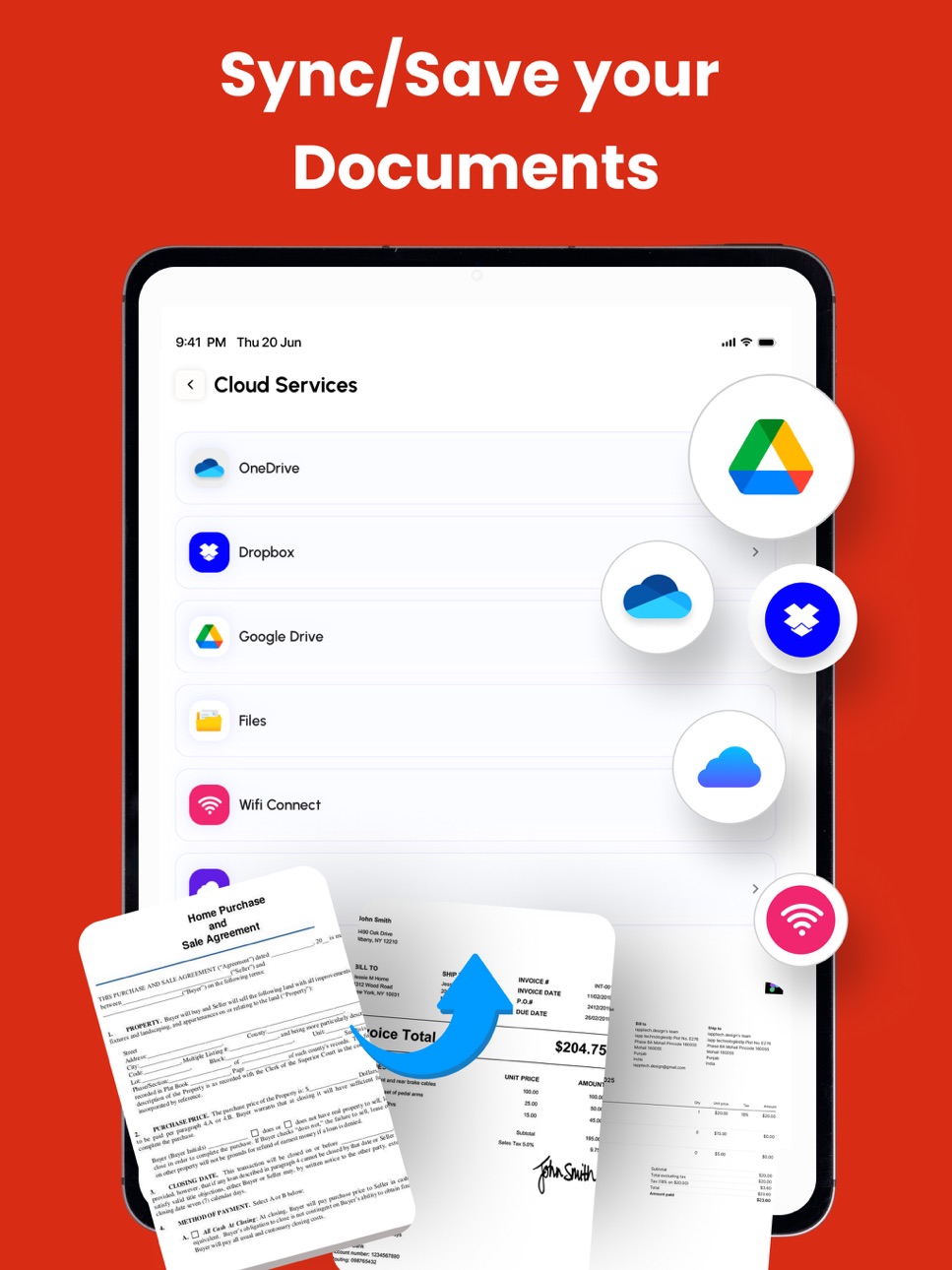
File Management: Every tool you need to use PDFs, at your fingertips. Merge, split, compress, convert, rotate, unlock, and watermark PDFs with ease. Import files from cloud services like Drive, Box, and OneDrive.
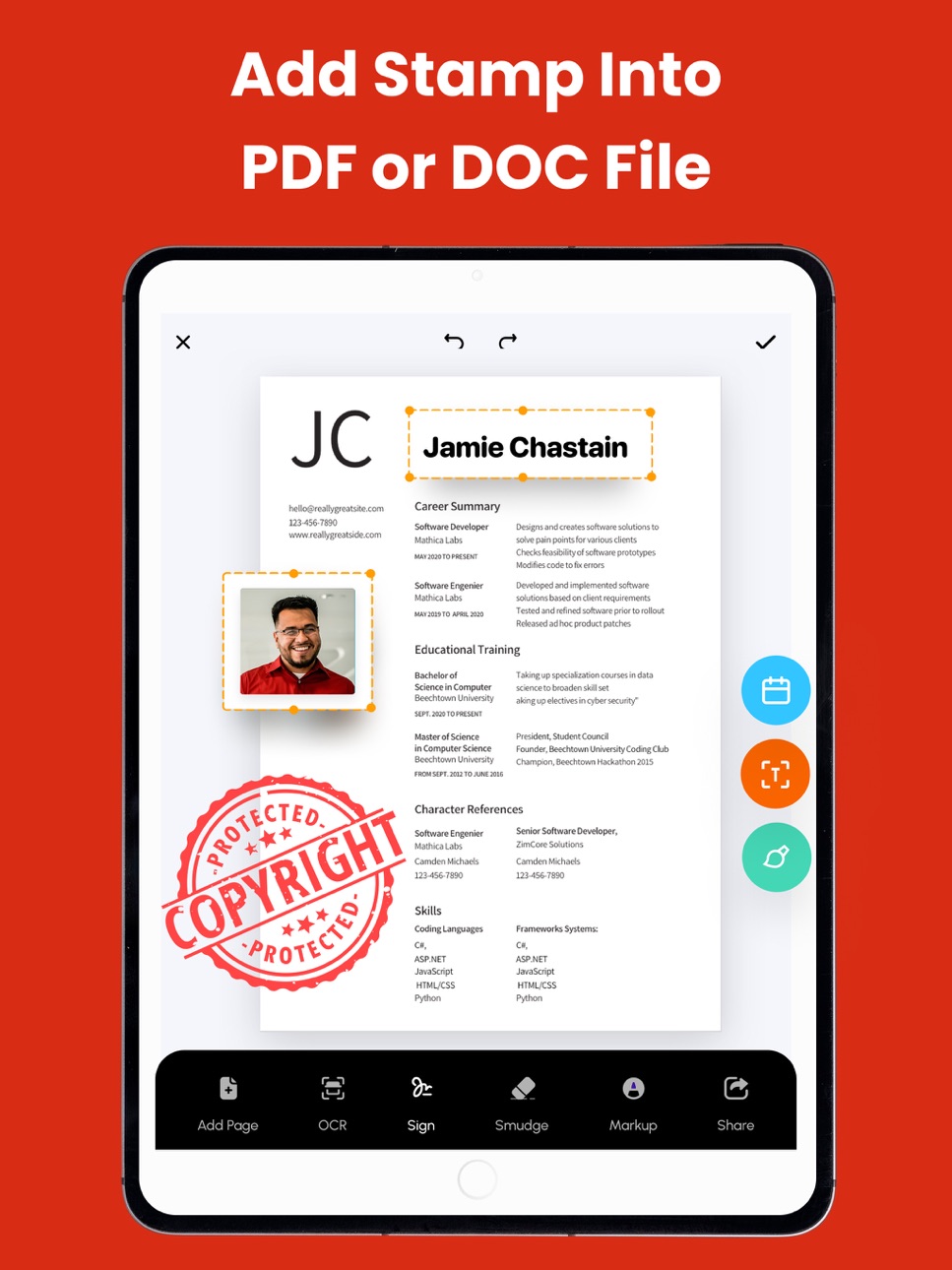
PDF Editor: Edit PDFs by adding text, shapes, comments, and highlights. A secure and simple tool for all your PDF editing needs.
Enhance your PDF experience with our comprehensive PDF Annotation and Reader app. Whether you need to annotate documents for work, study, or personal use, or simply read PDFs with ease, our app has you covered.
Key Features:
* Annotation Tools: Highlight important text, add comments, draw shapes, and underline or strike through text to mark up your PDFs effectively.
* Reader Mode: Switch to Reader Mode for a distraction-free reading experience. Adjust settings such as font size, background color, and brightness to suit your preferences.
* Advanced Annotation: Use advanced tools like text box, sticky notes, and freehand drawing to customise your annotations and make your PDFs more interactive.
* Document Management: Organise your PDF library with ease. Create folders, rename files, and move documents between folders for efficient file management.
* Search and Navigation: Find specific content within your PDFs quickly using the search feature. Navigate through documents easily with page thumbnails and bookmarks.
Additional Features:
* PDF Form Filling: Fill out PDF forms directly within the app, saving time and paper.
* Digital Signatures: Sign documents electronically with ease. Add, edit, or remove digital signatures as needed.
* File Protection: Keep your PDFs secure with password protection and encryption.
Key Features:
Merge PDF: Combine multiple PDF files into one.
Split PDF: Divide PDFs into smaller files.
Compress PDF: Reduce PDF file size for easy sharing.
CONVERT TO PDF
JPG to PDF
WORD to PDF
POWERPOINT to PDF
EXCEL to PDF
HTML to PDF
Additional Features:
Invoice maker
CV Maker
AI PDF Summary
CONVERT FROM PDF
PDF to JPG
PDF to WORD
PDF to POWERPOINT
PDF to EXCEL
Experience the convenience of managing and editing PDFs with our comprehensive PDF Converter and Editor app. Easily merge, split, compress, and convert PDF files, and edit them with our intuitive PDF editor.
Download now and unlock the full potential of your PDF files!
Subscription Terms & Details
Enjoy unlimited access to all features for $29.99/year, with a 3-day free trial.
Payment will be charged to your iTunes account once the purchase is confirmed.
Your subscription will automatically renew unless auto-renew is turned off at least 24 hours before the end of the current period.
You can manage your subscription and disable auto-renewal at any time via your Account Settings.
Your account will be charged for renewal within 24 hours prior to the end of the current subscription period.
If you start a free trial and decide to subscribe, any remaining trial time will be forfeited.
Privacy Policy: https://thepdfedit.com/privacy-policy
Terms of Use: https://thepdfedit.com/terms-and-conditions
Capabilities
In-App PurchasesSharePlay
Accessibility
ipadiphonemacrealityDevicetvoswatch
Version history 25 versions
Build 887494894v4.3.92026-07-01 02:09:42
We've made several improvements to deliver a smoother and more intuitive experience.
• Merged the Files and Scan modules for a more streamlined workflow.
• Updated Favourites—you can now mark any file as a favourite.
• Added a dedicated Recent tab for quick access to recently used files.
• Refreshed the Home screen with a cleaner, more modern design.
• Improved the dashboard layout, navigation, and overall visual experience.
• Redesigned the Add button action sheet for faster access to key tools.
• Enhanced usability with smoother interactions and improved accessibility.
• Performance improvements and bug fixes for a faster, more reliable experience.
Thank you for using PDF Converter! If you're enjoying the app, we'd love to hear your feedback with a review. Your support helps us continue improving the experience.
Build 887039575v4.3.82026-06-17 10:25:33
We're constantly improving PDF Converter to make your experience better!
• Fixed various crashes and stability issues.
• Import up to 10 files at once with new multi-file support.
• Added SharePoint, Box, and OneDrive support in the Files module.
• Enhanced overall performance and responsiveness.
Update now and enjoy a faster, more reliable experience!
Build 886389725v4.3.72026-06-02 01:22:36
We've fixed some crashes and improved the performance of PDF Converter for a more reliable and smoother experience.
Build 886275316v4.3.62026-05-29 16:54:46
• Resolved some crash issues for a more stable experience.
• Enhanced user experience with performance improvements and smoother functionality.
Build 886132938v4.3.52026-05-26 13:51:34
• Fixed filter and path issues in the Files module search
• Resolved several crash issues for a more stable experience
• Improved overall app performance and responsiveness
Build 885528464v4.3.42026-05-12 01:12:12
- Experience a newly enhanced browser module with a faster, smoother, and more premium browsing experience
- Redesigned browser interface for cleaner visuals and more intuitive navigation
- Improved tab management and browsing flow for effortless multitasking
- Optimized overall browser performance with better speed, responsiveness, and stability
- Fixed minor bugs and made under-the-hood improvements for a more reliable experience
Build 885126758v4.3.32026-05-01 02:10:43
Smart Search: Search inside your files—not just file names. Quickly find exact content within PDFs for faster, more powerful results.
Faster & Smoother: Performance improvements make conversions quicker, enable smoother PDF editing, and improve overall app responsiveness.
Thanks for using PDF Converter!
Build 884634061v4.3.22026-04-18 00:48:53
• Enhanced Excel Editor
We’ve made several improvements and refinements to the Excel Editor for smoother performance and a better overall experience.
Fixed an issue with default headers (rows and columns) to ensure more accurate editing.
• Improved Upload to Cloud
Uploading files is now more seamless than ever. You can now instantly open your uploaded files directly in your selected cloud service right after the upload is complete.
• Google Drive Sheet UI Fix
Resolved an issue where the customised Google Drive sheet appeared blank when dismissed. The dismissal behavior and UI have been improved for a smoother experience.
Thanks for using PDF Converter App!
Build 884365173v4.3.12026-04-14 13:04:52
We’ve made several improvements to enhance your experience:
• New Text Editor – Create and edit text files directly within the app.
• All-in-One File Creation Hub – Easily create Word, Excel, Text, and PDF files from a newly organized section.
• Upload to Cloud – Quickly upload files directly from the Files menu.
• Expanded Cloud Support – Now supports uploads to OneDrive, Dropbox, SharePoint, and Box.
• Enhanced Excel Editor – Added support for collapsing/expanding rows and selecting multiple rows and columns.
• Theme Fix – Resolved an issue where themes were applied to the background instead of the PDF.
• Performance Improvements – General optimizations for a faster and smoother experience.
Update PDF Converter now to enjoy the latest improvements!
Build 883935101v4.3.02026-03-31 04:03:21
Box Cloud Storage Integration
You can now easily upload and access your files directly from Box.
New Workflow Integration
Improved document handling with enhanced workflow support for smoother operations.
UI Enhancements & Feature Improvements
Enjoy a cleaner, more intuitive interface along with refined features for a better user experience.
Build 883452313v4.2.92026-03-17 16:04:15
- Added support for new languages and localizations: Bulgarian, Catalan, Dutch, Greek, Hindi, Indonesian, Malay, Polish, Swedish, Thai, Traditional Chinese, Turkish, Ukrainian, and Vietnamese
- Fixed issues in Word and Excel editors for a smoother editing experience
- Improved overall performance and stability
Thanks for using our PDF app!
Build 882944737v4.2.82026-03-12 15:24:00
Thank you for using PDF Converter! This update brings new tools, smarter features, and improved performance to make document creation and conversion easier than ever.
- New Tools: Create Word docs & Excel sheets, edit with our smart editor, and enjoy the built-in music player.
- Built-in Web Browser for seamless browsing while working on your documents.
- Enhanced PDF Converter UI: Smoother navigation and better workflow for effortless document editing.
- Improved Cloud Access: Full support for Dropbox and OneDrive for easy file management.
- Updated Templates: Faster document creation with improved Invoice and CV templates.
- Optimized File Conversion: Faster and more reliable conversions.
- Smarter AI Tools: Enhanced OCR and AI-powered features for advanced document processing—Your all-in-one document toolkit.
Plus: Overall performance improvements and stability enhancements for a smoother PDF converting experience.
Thanks for choosing PDF Converter!
Build 882607474v4.2.72026-02-19 16:30:46
- Resolved unexpected crashes
- Fixed minor bugs across conversion and editing features
- Enhanced performance and stability
Build 882412766v4.2.62026-02-17 01:09:26
Improved UI and enhanced features for a better experience. Faster performance and improved app stability.
Build 881894394v4.2.52026-02-04 15:51:22
- CV module refinements for better accuracy and smoother conversions
- Bug fixes and performance optimizations
- Additional improvements to enhance stability and overall experience
Build 881571496v4.2.42026-01-18 09:19:57
- Improved overall performance for faster and smoother PDF conversions
- Fixed minor bugs to enhance stability and reliability
Build 881426149v4.2.32026-01-12 15:31:00
We’ve fixed important stability issues that were affecting PDF conversion, file processing, and export performance.
Build 881354694v4.2.22026-01-09 15:20:23
- PDF conversion is now smoother and significantly faster
- Fixed bugs to enhance stability and reliability
Build 881284578v4.2.12026-01-07 14:57:51
Fixed some crashes and improved overall app stability
Performance optimizations for faster, smoother PDF conversion and PDF editing
Build 880971347v4.2.02026-01-02 20:21:00
• Redesigned Home Screen using SwiftUI
• Fixed blank screen issue
• Improved stability and performance
Build 880770199v4.1.92025-12-22 10:11:27
• Redesigned Home Screen using SwiftUI
• Fixed blank screen issue
• Improved stability and performance
Build 879972431v4.1.82025-11-23 11:32:42
Performance Improvements: We’ve optimized the conversion engine for faster and smoother PDF processing.
Conversions now complete more quickly and reliably, even for large files.
Build 879476510v4.1.72025-11-06 10:01:00
- Added Image Reorder Feature: Easily organize images in the Scanner module.
- Fixed Image Reorder Issue: Improved stability and performance when reordering scanned images.
- Firebase Crash Fixes: Enhanced app reliability with multiple crash issue resolutions.
- Performance Improvements: Enjoy a faster and smoother overall experience.
Thanks for using our app! We’re constantly working to improve your experience — keep your feedback coming!
Build 879226452v4.1.62025-10-26 14:41:28
Improved Scanner module for smoother and more accurate document scans.
Fixed several bugs and crashes for a more stable experience.
Build 879024977v4.1.52025-10-18 16:20:20
Enhanced Scanner Features: Improved scanning functionality for more accurate document capture and seamless PDF creation.
App Shortcuts: Easily access key features with newly added app shortcuts.
UI Enhancements: A refreshed, user-friendly interface for a smoother navigation experience.
Bug Fixes & Crash Resolutions: We’ve resolved some crashes and fixed bugs to ensure a smoother and more stable experience.
Performance Improvements: The app is now faster, more responsive, and optimized for better performance.
Update now and enjoy a more efficient PDF conversion experience!
No pricing data captured yet — comparisons appear once the app has paid storefronts or in-app purchases.
Availability 9 of 13 storefronts
| Region | Language | Price | Ratings | Avg | Version |
|---|---|---|---|---|---|
 US US | en-US | Free | 5.8k | 4.4 | 4.3.9 |
 NG NG | en-GB | Free | 2.5k | 4.4 | 4.3.9 |
 GH GH | en-GB | Free | 2.2k | 4.3 | 4.3.9 |
 TZ TZ | en-GB | Free | 371 | 4.6 | 4.3.9 |
 KE KE | en-GB | Free | 297 | 4.5 | 4.3.9 |
 DM DM | en-GB | Free | 9 | 4.1 | 4.3.9 |
 SZ SZ | en-GB | Free | 6 | 4.3 | 4.3.9 |
 SC SC | en-GB | Free | 4 | 4.0 | 4.3.9 |
 AG AG | en-GB | Free | 2 | 4.5 | 4.3.9 |
Not available in: GD, GW, ST, VC
Change log 29 changes · US
✎
releaseNotes updated
We've made several improvements to deliver a smoother and more intuitive experience.
• Merged the Files and Scan modules for a more streamlined workflow.
• Upd
✎
description updated
PDF Converter & Editor: Your Complete PDF Toolkit
File Management: Every tool you need to use PDFs, at your fingertips. Merge, split, compress, convert, rotate
✎
subtitle updated
Scan, Convert to PDF Photo
✎
name updated
PDF Converter - PDF Editor・
◆
Version 4.3.9 released
We've made several improvements to deliver a smoother and more intuitive experience.
• Merged the Files and Scan modules for a more streamlined workflow.
• Updated Favourites—you can now mark any file as a favourite.
• Added a dedicated Re
◆
Version 4.3.8 released
We're constantly improving PDF Converter to make your experience better!
• Fixed various crashes and stability issues.
• Import up to 10 files at once with new multi-file support.
• Added SharePoint, Box, and OneDrive support in the Files
◆
Version 4.3.7 released
We've fixed some crashes and improved the performance of PDF Converter for a more reliable and smoother experience.
◆
Version 4.3.6 released
• Resolved some crash issues for a more stable experience.
• Enhanced user experience with performance improvements and smoother functionality.
◆
Version 4.3.5 released
• Fixed filter and path issues in the Files module search
• Resolved several crash issues for a more stable experience
• Improved overall app performance and responsiveness
◆
Version 4.3.4 released
- Experience a newly enhanced browser module with a faster, smoother, and more premium browsing experience
- Redesigned browser interface for cleaner visuals and more intuitive navigation
- Improved tab management and browsing flow for effo
◆
Version 4.3.3 released
Smart Search: Search inside your files—not just file names. Quickly find exact content within PDFs for faster, more powerful results.
Faster & Smoother: Performance improvements make conversions quicker, enable smoother PDF editing, and im
◆
Version 4.3.2 released
• Enhanced Excel Editor
We’ve made several improvements and refinements to the Excel Editor for smoother performance and a better overall experience.
Fixed an issue with default headers (rows and columns) to ensure more accurate editing.
•
◆
Version 4.3.1 released
We’ve made several improvements to enhance your experience:
• New Text Editor – Create and edit text files directly within the app.
• All-in-One File Creation Hub – Easily create Word, Excel, Text, and PDF files from a newly organized sect
◆
Version 4.3.0 released
Box Cloud Storage Integration
You can now easily upload and access your files directly from Box.
New Workflow Integration
Improved document handling with enhanced workflow support for smoother operations.
UI Enhancements & Feature Improv
◆
Version 4.2.9 released
- Added support for new languages and localizations: Bulgarian, Catalan, Dutch, Greek, Hindi, Indonesian, Malay, Polish, Swedish, Thai, Traditional Chinese, Turkish, Ukrainian, and Vietnamese
- Fixed issues in Word and Excel editors for a
◆
Version 4.2.8 released
Thank you for using PDF Converter! This update brings new tools, smarter features, and improved performance to make document creation and conversion easier than ever.
- New Tools: Create Word docs & Excel sheets, edit with our smart editor
◆
Version 4.2.7 released
- Resolved unexpected crashes
- Fixed minor bugs across conversion and editing features
- Enhanced performance and stability
◆
Version 4.2.6 released
Improved UI and enhanced features for a better experience. Faster performance and improved app stability.
◆
Version 4.2.5 released
- CV module refinements for better accuracy and smoother conversions
- Bug fixes and performance optimizations
- Additional improvements to enhance stability and overall experience
◆
Version 4.2.4 released
- Improved overall performance for faster and smoother PDF conversions
- Fixed minor bugs to enhance stability and reliability
◆
Version 4.2.3 released
We’ve fixed important stability issues that were affecting PDF conversion, file processing, and export performance.
◆
Version 4.2.2 released
- PDF conversion is now smoother and significantly faster
- Fixed bugs to enhance stability and reliability
◆
Version 4.2.1 released
Fixed some crashes and improved overall app stability
Performance optimizations for faster, smoother PDF conversion and PDF editing
◆
Version 4.2.0 released
• Redesigned Home Screen using SwiftUI
• Fixed blank screen issue
• Improved stability and performance
◆
Version 4.1.9 released
• Redesigned Home Screen using SwiftUI
• Fixed blank screen issue
• Improved stability and performance
◆
Version 4.1.8 released
Performance Improvements: We’ve optimized the conversion engine for faster and smoother PDF processing.
Conversions now complete more quickly and reliably, even for large files.
◆
Version 4.1.7 released
- Added Image Reorder Feature: Easily organize images in the Scanner module.
- Fixed Image Reorder Issue: Improved stability and performance when reordering scanned images.
- Firebase Crash Fixes: Enhanced app reliability with multiple cr
◆
Version 4.1.6 released
Improved Scanner module for smoother and more accurate document scans.
Fixed several bugs and crashes for a more stable experience.
◆
Version 4.1.5 released
Enhanced Scanner Features: Improved scanning functionality for more accurate document capture and seamless PDF creation.
App Shortcuts: Easily access key features with newly added app shortcuts.
UI Enhancements: A refreshed, user-friendly