Home › Productivity

 US
US
1 of 1 storefronts
Content in en-US
Content in en-US
Information
Preview 1 platform
iPhone 5 images



Description
YOUR FILES NEVER LEAVE YOUR IPHONE.
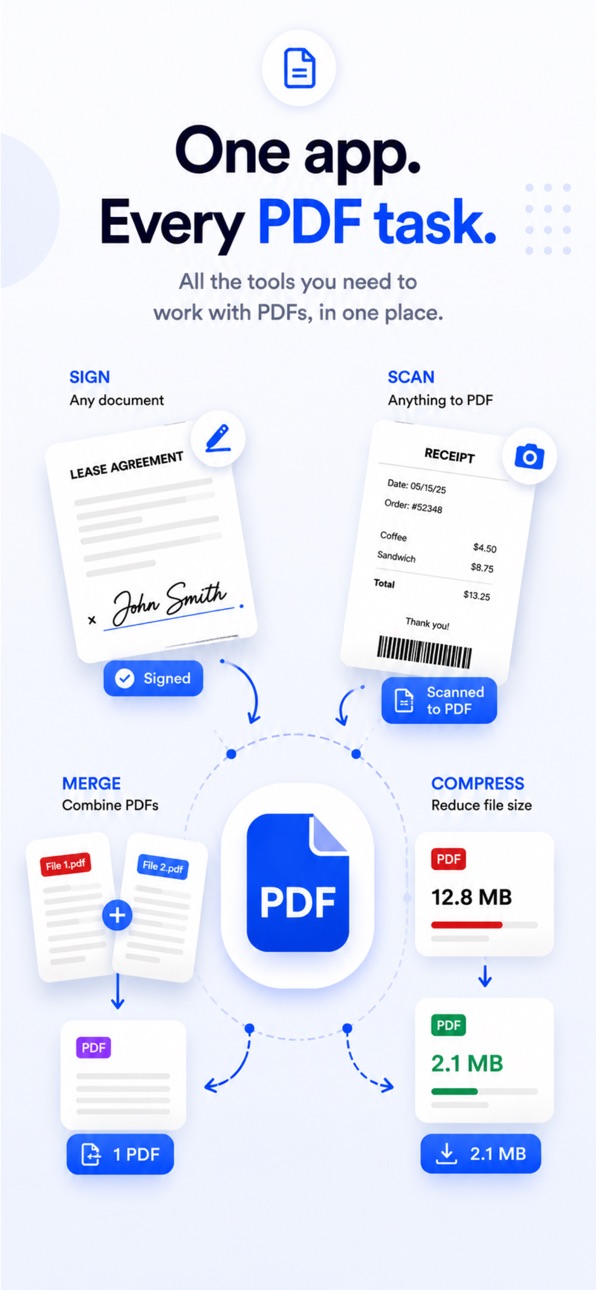
PDF Breeze is the only all-in-one PDF toolkit that works 100% on your device. No cloud. No uploads. No account required. Whether you're signing a contract, scanning a receipt, or compressing a file before sending it — everything happens on your iPhone, instantly.
SIGN ANY PDF IN SECONDS
Draw your signature or type it. Place it anywhere on the document. Export as a clean, signed PDF — no printer, no scanner, no fuss. Works on contracts, forms, NDAs, lease agreements, and any document that needs your name on it.
SCAN DOCUMENTS TO PDF
Point your camera at any document — contracts, letters, receipts, forms — and PDF Breeze instantly detects edges and creates a crisp, clean PDF. Multi-page scanning supported. Everything processed on your device.
COMPRESS WITHOUT LOSING QUALITY
Reduce your PDF file size before emailing or sharing. Choose your compression level — low, medium, or high — and get a smaller file without destroying the readability. Perfect for email attachments with size limits.
MERGE MULTIPLE PDFs INTO ONE
Combine two or more PDFs into a single document in seconds. Drag to reorder pages before merging. Great for combining chapters, reports, or multi-part forms into one clean file.
PROTECT WITH A PASSWORD
Add password encryption to any PDF to prevent unauthorized access. Your documents stay private and locked — only accessible to those who know the password.
SPLIT & EXTRACT PAGES
Select specific pages from a PDF and extract them into a new document. Perfect for pulling out individual pages from a large report or form pack.
CONVERT IMAGES TO PDF
Select photos from your library and convert them into a multi-page PDF instantly. Receipts, whiteboards, notes — anything you photograph becomes a shareable PDF.
ANNOTATE & HIGHLIGHT
Highlight text, draw freehand, add typed annotations. Everything you need to mark up a document without leaving the app.
EXTRACT TEXT WITH OCR
Use built-in OCR to extract all readable text from any PDF. Copy it, edit it, or search within it — even from scanned documents.
CONVERT WORD TO PDF
Open a .docx or .doc file and convert it to a clean PDF document, entirely on your device. No Microsoft Office required.
100% PRIVATE BY DESIGN
Most PDF apps upload your documents to their servers. PDF Breeze never does. Every action — signing, scanning, compressing, merging — happens locally on your iPhone.
• No cloud uploads
• No account required
• No data collection
• Works fully offline
Your contracts, tax documents, medical records, and personal files stay exactly where they belong: with you.
SUBSCRIPTION INFO
PDF Breeze Pro is available as a monthly or annual subscription. The annual plan includes a 7-day free trial with full access to all features.
• Annual plan: 7-day free trial, then auto-renews yearly. Cancel anytime before Day 7 and you won't be charged.
• Monthly plan: no trial, billed monthly.
• Payment is charged to your Apple ID at confirmation of purchase.
• Subscriptions renew automatically unless canceled at least 24 hours before the end of the current period.
• Manage or cancel your subscription anytime in iOS Settings → Subscriptions.
Privacy Policy: https://www.penguinlabs.cc/products/pdfbreeze/privacy
Terms of Use: https://www.apple.com/legal/internet-services/itunes/dev/stdeula/
Capabilities
In-App Purchases
Accessibility
ipadiphonemacrealityDevicetvoswatch
Version history 1 versions
Build 887567913v1.02026-07-07 15:38:08
No pricing data captured yet — comparisons appear once the app has paid storefronts or in-app purchases.
Availability 1 of 1 storefronts
| Region | Language | Price | Ratings | Avg | Version |
|---|---|---|---|---|---|
| US | en-US | Free | 1 | 5.0 | 1.0 |
Change log 4 changes · US
✎
description updated
YOUR FILES NEVER LEAVE YOUR IPHONE.
PDF Breeze is the only all-in-one PDF toolkit that works 100% on your device. No cloud. No uploads. No account required. Wh
✎
subtitle updated
Fill, Sign, Merge & Convert
✎
name updated
PDF Breeze: Editor & Scanner
◆
Version 1.0 released