Home › Productivity

 US
US
1 of 1 storefronts
Content in en-US
Content in en-US
Information
Apple ID6784493687
Bundle IDcn.yunjia.spacekeeper
SellerSeller
Min iOS16.6
Min macOS13.5
Device familiesiphone
Released2026-07-03
Copyright© iSpaceKeeper
Privacy policyLink ↗
Preview 1 platform
iPhone 5 images




What’s New Version 1.2
Fixed known issues and improved user experience.
Description
iSpaceKeeper – Mobile Phone Storage Manager
App Introduction
iSpaceKeeper is a practical utility app focused on photo, video, and file management. It helps you free up storage, organize files, and protect your privacy with a clean and easy-to-use interface.
With SpaceKeeper, you can quickly analyze storage usage, compress media files, securely manage private content, and check your device status—all in one place.
Key Features
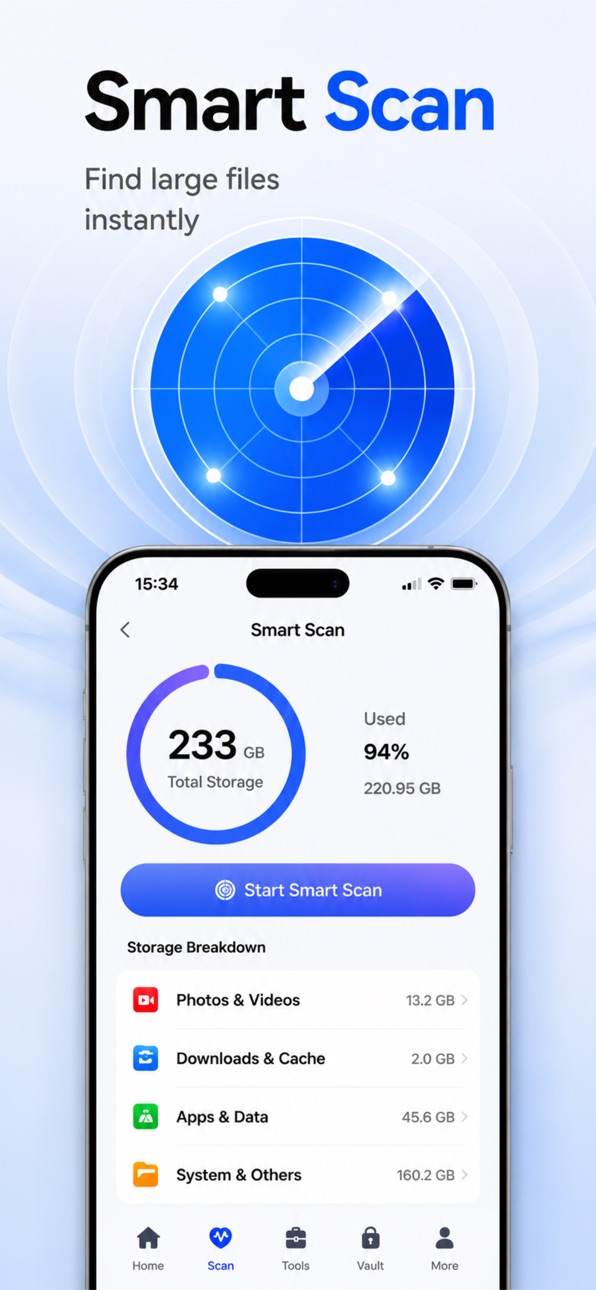
Smart Scan
Quickly analyzes photos, videos, and files to show you exactly how your storage is being used.
Image Compression
Reduce photo size while keeping good image quality, helping you save space effortlessly.
Video Compression
Multiple compression modes available to shrink video file sizes while balancing clarity.
GIF Compression
Optimize GIF file sizes for easier sharing and smoother saving.
Live Photo to Still Image
Convert Live Photos into static images for easier management and export.
File Safe (Private Vault)
Protect private photos and videos with a password lock or Face ID, ensuring your personal content stays secure.
Device Health Center
View detailed device information including storage status, battery level, network status, and system performance.
Toolbox
A collection of handy utilities to help you manage phone content more efficiently.
Privacy Protection
At SpaceKeeper, your privacy is our priority:
● All files are stored locally on your device.
● No unauthorized access to your photos, videos, or files.
● We never upload, sell, or share your personal data.
●You can manage or revoke permissions at any time.
SpaceKeeper is committed to providing a safe, simple, and efficient mobile storage management experience.
Auto-Renewable VIP Subscription Details
• Plans: Weekly (7 days), Monthly (30 days), Quarterly (3 months)
• Payment: Upon confirmation, the subscription fee will be charged to your Apple ID account
• Renewal: Subscriptions automatically renew 24 hours before the current period ends, and your Apple ID will be charged
• Cancel: You can turn off auto-renewal at least 24 hours before the current period ends via Settings > [Your Name] > Subscriptions
• Trial: If a free trial is offered, any unused portion will be forfeited upon purchasing a subscription
Privacy Policy: https://docs.qq.com/doc/DVFV3bGNQZXp1UUdE
Terms of Service: https://docs.qq.com/doc/DVHF4dHFXZFdsSWtt
In-App Purchases US pricing
iSpaceKeeper. Subscription
iSpaceKeeper-week · 7 days$4.99
Monthly$9.99
3 months$19.99
Capabilities
In-App Purchases
Accessibility
ipadiphonemacrealityDevicetvoswatch
Version history 3 versions
Build 888089197v1.22026-07-10 18:05:46
Fixed known issues and improved user experience.
Build 887885848v1.12026-07-06 21:23:08
Fixed known issues and improved user experience.
Build 887466075v1.02026-07-03 08:20:14
Price history by region
Currency
Show
Columns
Search
Availability 1 of 1 storefronts
| Region | Language | Price | Ratings | Avg | Version |
|---|---|---|---|---|---|
| US | en-US | Free | 0 | — | 1.2 |
Change log 7 changes · US
✎
releaseNotes updated
Fixed known issues and improved user experience.
✎
description updated
iSpaceKeeper – Mobile Phone Storage Manager
App Introduction
iSpaceKeeper is a practical utility app focused on photo, video, and file management. It helps you
✎
subtitle updated
Smart Scan & File Vault
✎
name updated
iSpacekeeper-Space Manager
◆
Version 1.2 released
Fixed known issues and improved user experience.
◆
Version 1.1 released
Fixed known issues and improved user experience.
◆
Version 1.0 released