Home › Productivity

 US
US
1 of 1 storefronts
Content in en-US
Content in en-US
Information
Preview 2 platforms
iPhone 4 images



iPad 4 images


What’s New Version 1.1.0
Version 1.1.0 adds more languages and improves the PDF splitting experience.
Description
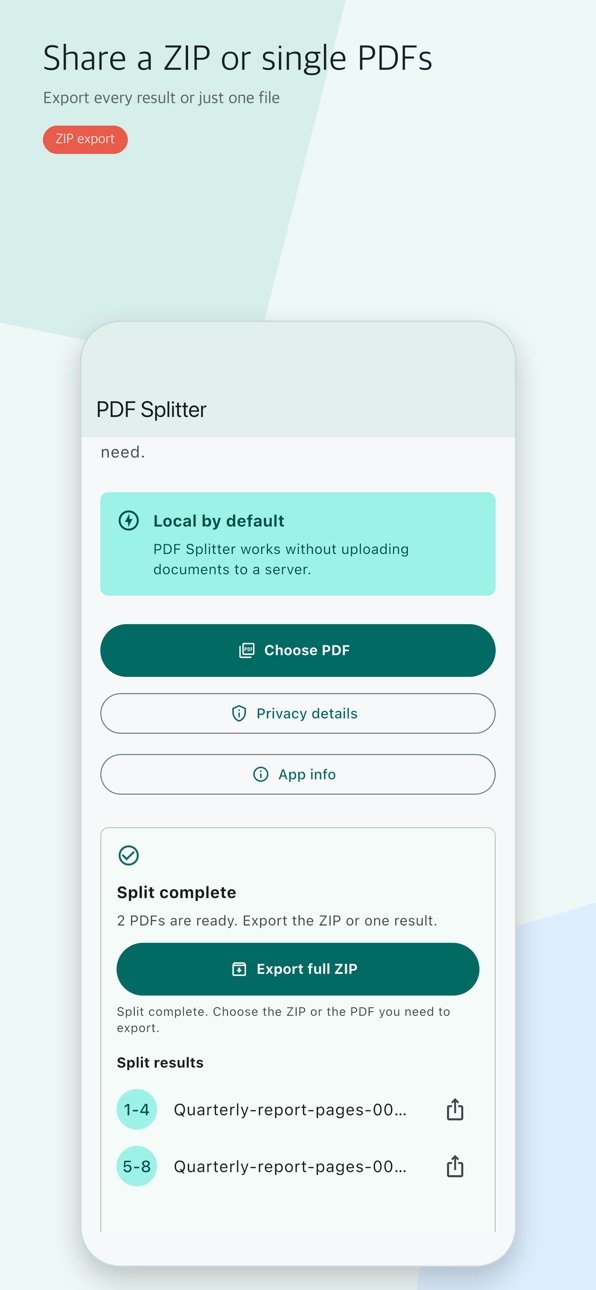
PDF Splitter is a simple document tool for turning one PDF into the pages or ranges you need. Choose a PDF, split it on your device, and export the results as a full ZIP or individual PDF files.
Key features
- Split a PDF into page-based files
- Enter ranges such as 1-4,5-8
- Export all results as one ZIP
- Share only the result PDFs you need
- Track progress and cancel processing
- Get clear messages for password-protected, damaged, or invalid files
Privacy approach
PDF Splitter performs PDF splitting on your device. The app does not intentionally add PDF contents, file names, file paths, split output files, or share target app names to analytics events, crash logs, ad requests, or its own server.
Ads and diagnostics
The app includes Google AdMob ads and uses Firebase Analytics and Crashlytics to understand app usage and diagnose errors. Data handled by SDKs, including advertising, consent, diagnostics, and device identifier information, should be reflected in the App Store privacy label and privacy policy.
Use PDF Splitter when you need to organize PDF pages, send only a specific section, or keep split results ready as separate files.
Accessibility
ipadiphonemacrealityDevicetvoswatch
Version history 2 versions
Build 887708941v1.1.02026-07-02 20:40:04
Version 1.1.0 adds more languages and improves the PDF splitting experience.
Build 887391530v1.0.02026-06-30 15:05:17
No pricing data captured yet — comparisons appear once the app has paid storefronts or in-app purchases.
Availability 1 of 1 storefronts
| Region | Language | Price | Ratings | Avg | Version |
|---|---|---|---|---|---|
| US | en-US | Free | 0 | — | 1.1.0 |
Change log 6 changes · US
✎
releaseNotes updated
Version 1.1.0 adds more languages and improves the PDF splitting experience.
✎
description updated
PDF Splitter is a simple document tool for turning one PDF into the pages or ranges you need. Choose a PDF, split it on your device, and export the results as a
✎
subtitle updated
Extract PDF pages fast
✎
name updated
PDF Splitter - Page Extract
◆
Version 1.1.0 released
Version 1.1.0 adds more languages and improves the PDF splitting experience.
◆
Version 1.0.0 released