Home › Utilities

 US
US
1 of 1 storefronts
Content in en-US
Content in en-US
Information
Preview 2 platforms
iPhone 8 images



iPad 8 images




What’s New Version 1.0.26
We made some UI improvement
Description
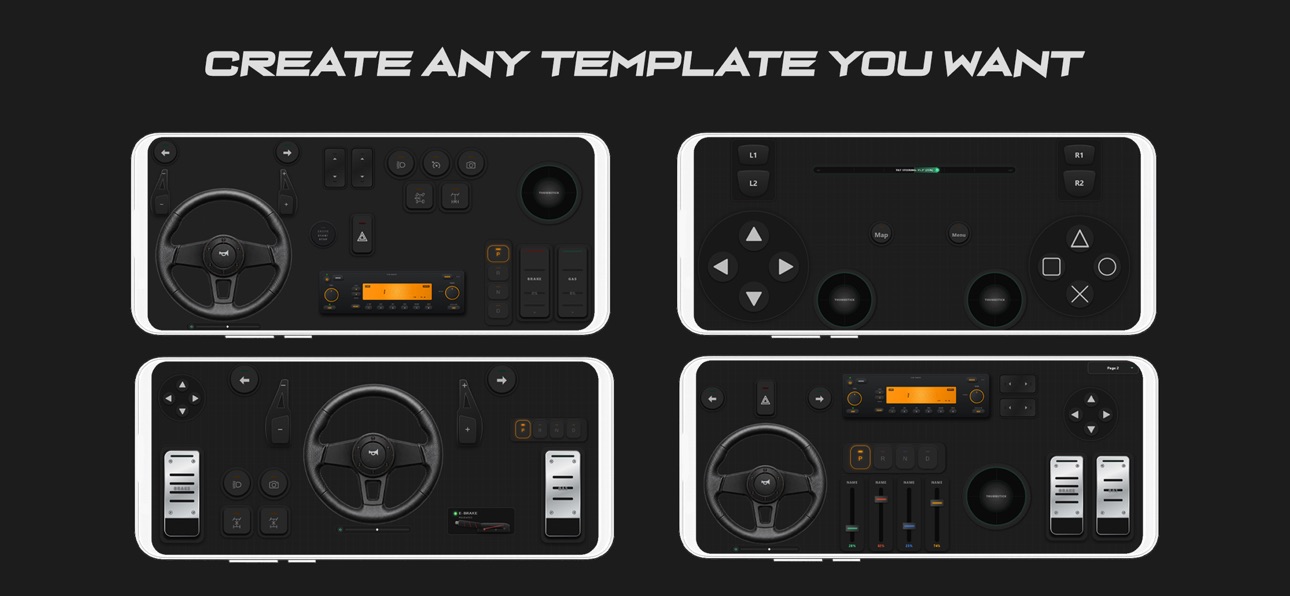
RojX connects your mobile device directly to your Windows PC over local WiFi, providing an ultra-low latency, responsive input layout that you can design and configure yourself. Whether you are driving heavy trucks, racing on professional tracks, or playing classic games, RojX gives you full control.
- VIRTUAL STEERING WHEEL & TILT CONTROLS
Ditch the keyboard and steer like a pro.
• Gyroscope Steering: Use your phone's tilt sensors for highly precise, realistic horizontal tilt steering.
• Gyroscope Pedals: Use vertical tilt to control your gas and brake inputs dynamically.
• Virtual Steering Wheel: Interact with an on-screen wheel featuring visual rotation feedback.
• Responsive Pedals: Play with analog-style visual throttle and brake pedals for smooth acceleration and braking.
- FULLY CUSTOMIZABLE BUTTON BOX & DASHBOARDS
Build your dream gaming layout by placing controls exactly where you want them.
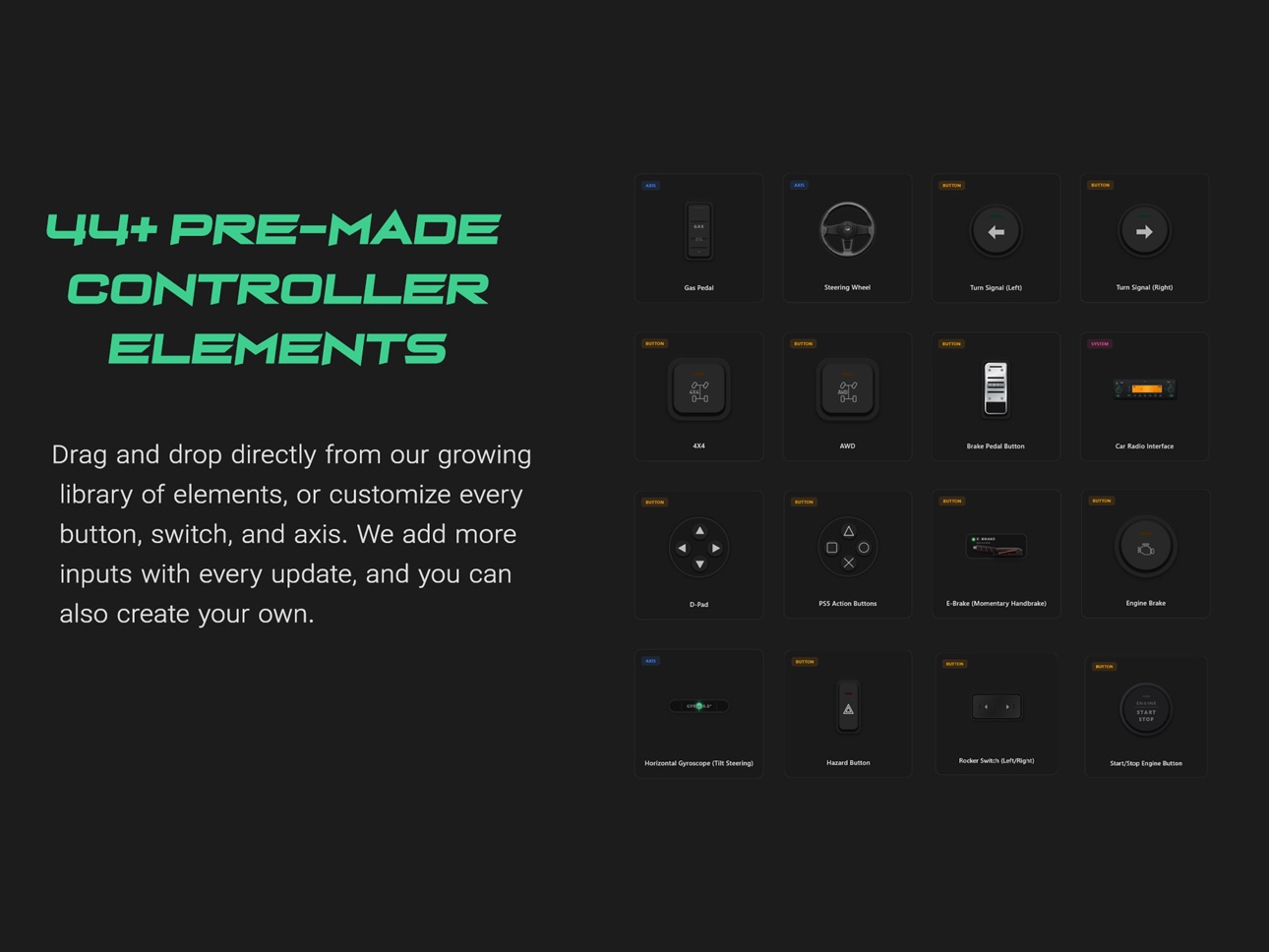
• Drag-and-Drop Elements: Mix and match buttons, rocker switches, sliders, custom axes, analog joysticks, and classic game pads.
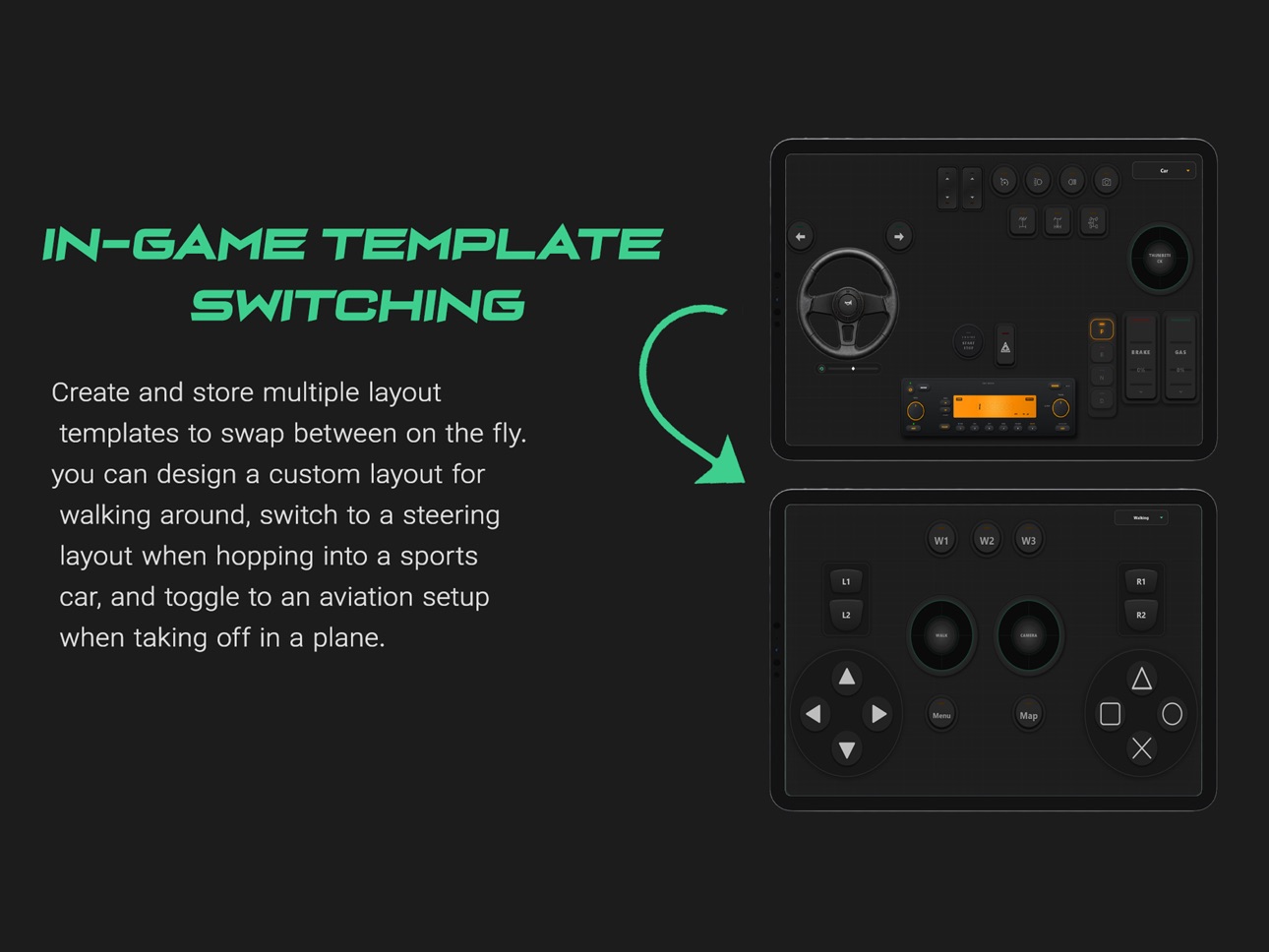
• Multi-Page Layouts: Create different control pages and switch between them on the fly using the Page Switcher.
• Custom PS5 & Xbox Bindings: Emulate classic action buttons, D-pads, and L1/L2/R1/R2 shoulder buttons.
- ADVANCED SIMULATOR & TRUCK CONTROLS
Perfect for simulation games like Euro Truck Simulator 2, American Truck Simulator, SnowRunner, and MudRunner:
• Drivetrain & Differential: Quick-toggle switches for AWD, 4x4, Center Diff Lock, Front Diff Lock, and Rear Diff Lock.
• Driving Aids: Dedicated controls for Cruise Control, Traction Control, and Hill Start Assist.
• Lights & Horn: Realistic toggles for Headlights, High Beams, Fog Lights, Hazards, Left/Right Turn Signals, and Horn.
• Truck Specifics: Lift Axle switch, Engine Start/Stop ignition, and horizontal/vertical Gear Shifters and Paddle Shifters.
- ULTRA-LOW LATENCY & EASY SETUP
Our connection is designed for gaming. Running on a fast local UDP protocol, your inputs register with zero noticeable lag.
1. Download and install the free companion RojX Receiver on your Windows PC from: https://rojx.io
2. Make sure your PC and phone are connected to the same local WiFi network.
3. Open the RojX app and scan the QR code displayed on your PC screen to connect instantly.
4. Set up Xbox 360 controller emulation or feed inputs directly into vJoy.
- IDEAL GAMES FOR ROJX:
• Truck Simulators: Euro Truck Simulator 2 (ETS2), American Truck Simulator (ATS), Farming Simulator.
• Off-Road Simulators: SnowRunner, MudRunner, BeamNG.drive.
• Racing & Driving: Assetto Corsa, Forza Horizon, Dirt Rally, F1 Series, Grand Theft Auto V (GTA 5).
• Flight Simulators & Space Simulators.
- Inclusive & Adaptive Gaming
RojX isn't just a controller; it's a powerful accessibility tool. By mapping pedals, steering, and complex dashboards entirely to your device's screen, RojX empowers gamers with physical disabilities to fully experience driving and flight simulators using only their hands.
Get ready to take full control of your simulator experience!
IMPORTANT: This is a companion app. To use RojX, you must download the free RojX onto your Windows PC. Both devices must be connected to the same Wi-Fi network.
Accessibility
ipadiphonemacrealityDevicetvoswatch
Version history 2 versions
Build 887955324v1.0.262026-07-08 02:50:38
We made some UI improvement
Build 887352776v1.02026-07-03 06:34:26
No pricing data captured yet — comparisons appear once the app has paid storefronts or in-app purchases.
Availability 1 of 1 storefronts
| Region | Language | Price | Ratings | Avg | Version |
|---|---|---|---|---|---|
| US | en-US | Free | 0 | — | 1.0.26 |
Change log 6 changes · US
✎
releaseNotes updated
We made some UI improvement
✎
description updated
RojX connects your mobile device directly to your Windows PC over local WiFi, providing an ultra-low latency, responsive input layout that you can design and co
✎
subtitle updated
Your Phone as a PC Gamepad
✎
name updated
RojX: PC Gaming Controller
◆
Version 1.0.26 released
We made some UI improvement
◆
Version 1.0 released